Repository navigation
Exporting
An export draws the names, your drawings and your measurements into your image, at its own resolution.
The rule LunarAtlas never breaks: your picture is never enlarged. 1:1 or smaller, always.
Press Export in the viewer's status bar.
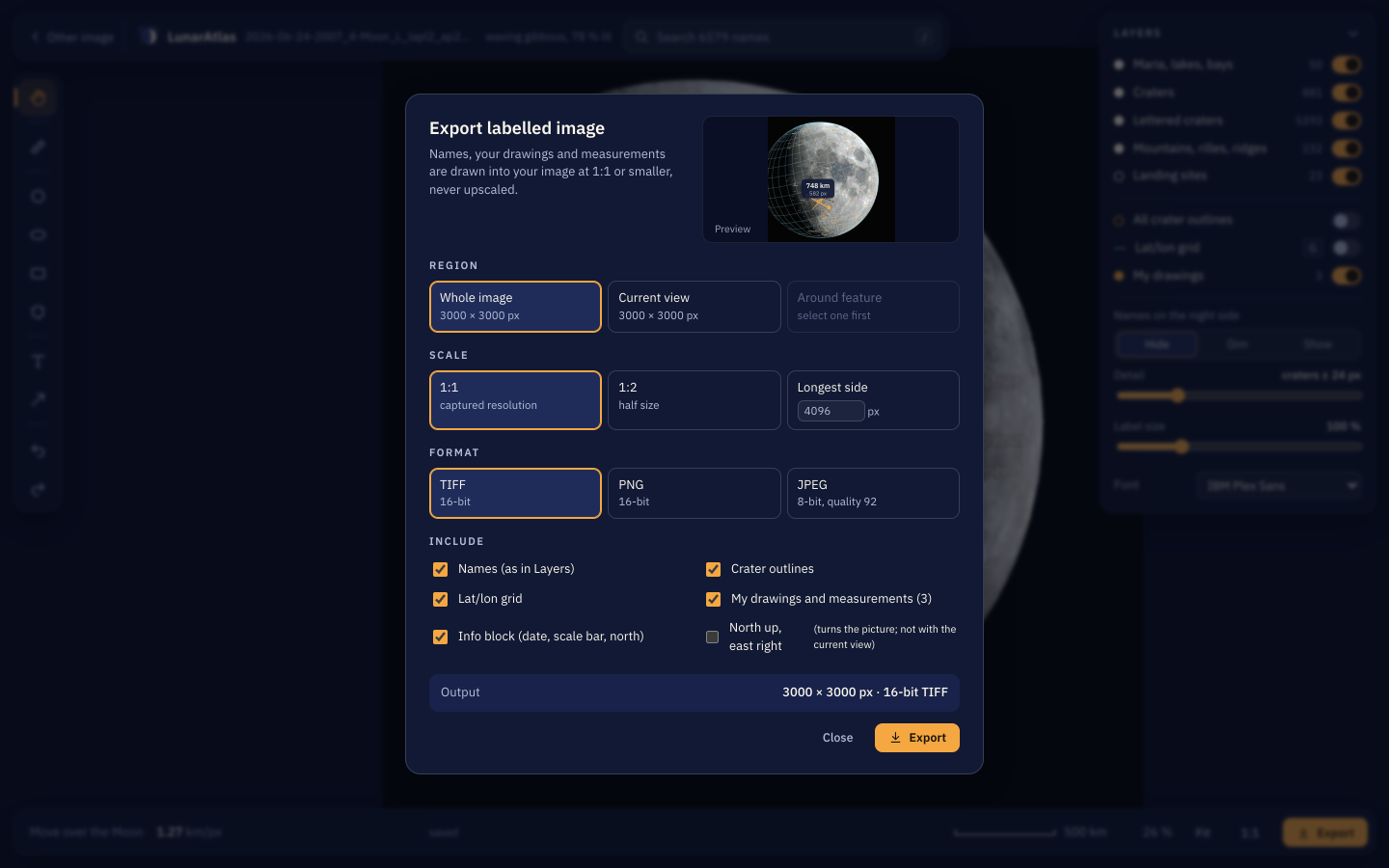
The preview on the right is the real thing, in miniature, and follows every choice you make.
| Whole image | Everything, at its full size. |
| Current view | Exactly what you are looking at now. |
| Around feature | The area around the name you have selected. Select one first. |
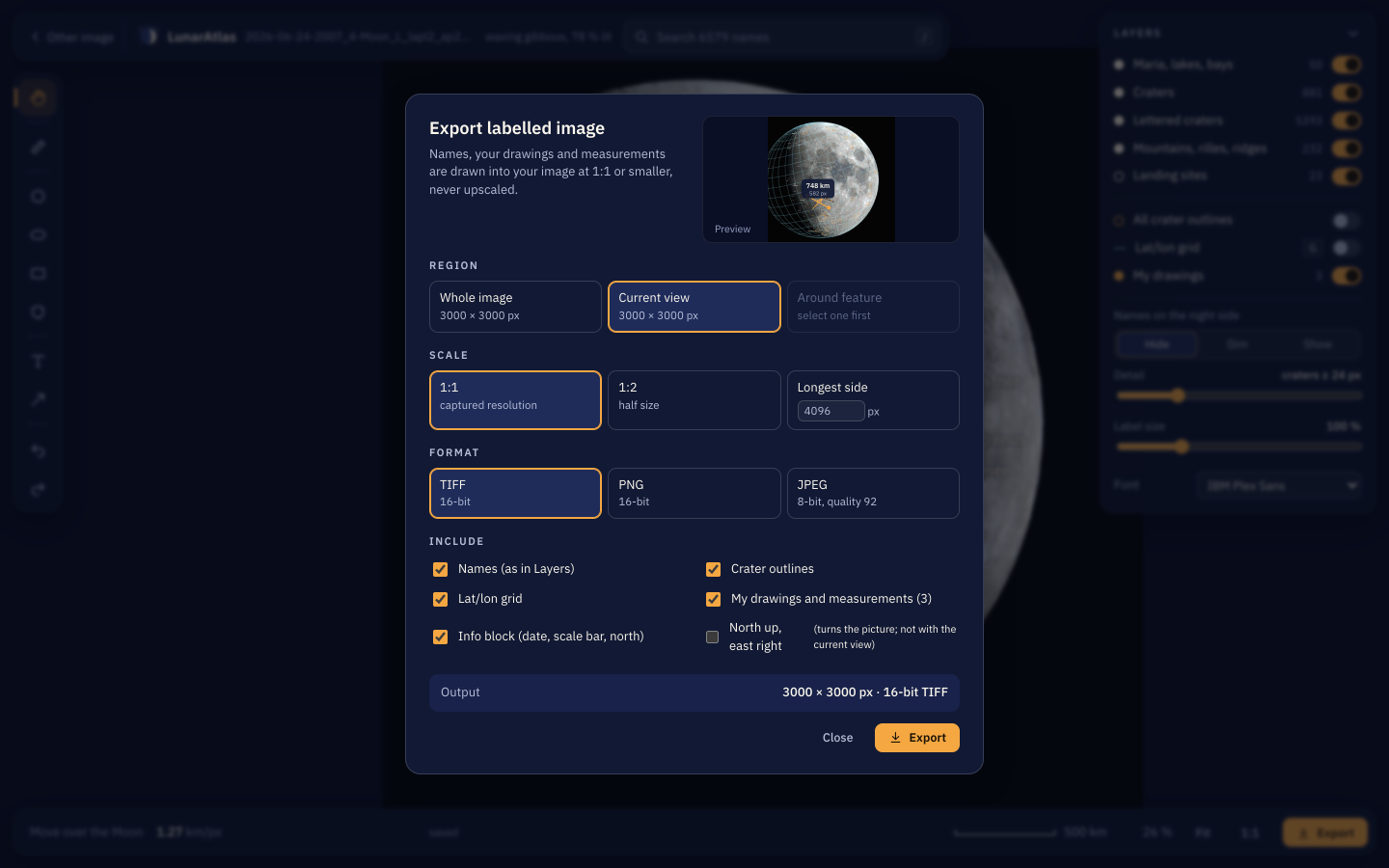
1:1 keeps every pixel you captured. 1:2 halves it. Longest side lets you give a number — handy for a forum or a post, where a 200-megapixel mosaic is not welcome.
| TIFF | 16-bit. The archival choice; keeps everything. |
| PNG | 16-bit, compressed, widely readable. |
| JPEG | 8-bit, quality 92 by default. Smallest, for sharing. |
Tick what belongs in the picture:
- Names, exactly as you left them in Layers — including the ones you hid and moved;
- Crater outlines;
- Lat/lon grid, labelled along the equator and the central meridian;
- Your drawings and measurements;
- Info block — capture time, phase, your optics, a scale bar and north/east arrows;
- North up, east right — turns the picture so lunar north is up, never mirrored. Turning by anything other than a right angle makes the canvas larger, with black corners. It works on the whole picture or around a feature, but not with "current view".
The Output line at the bottom always says exactly what you will get.
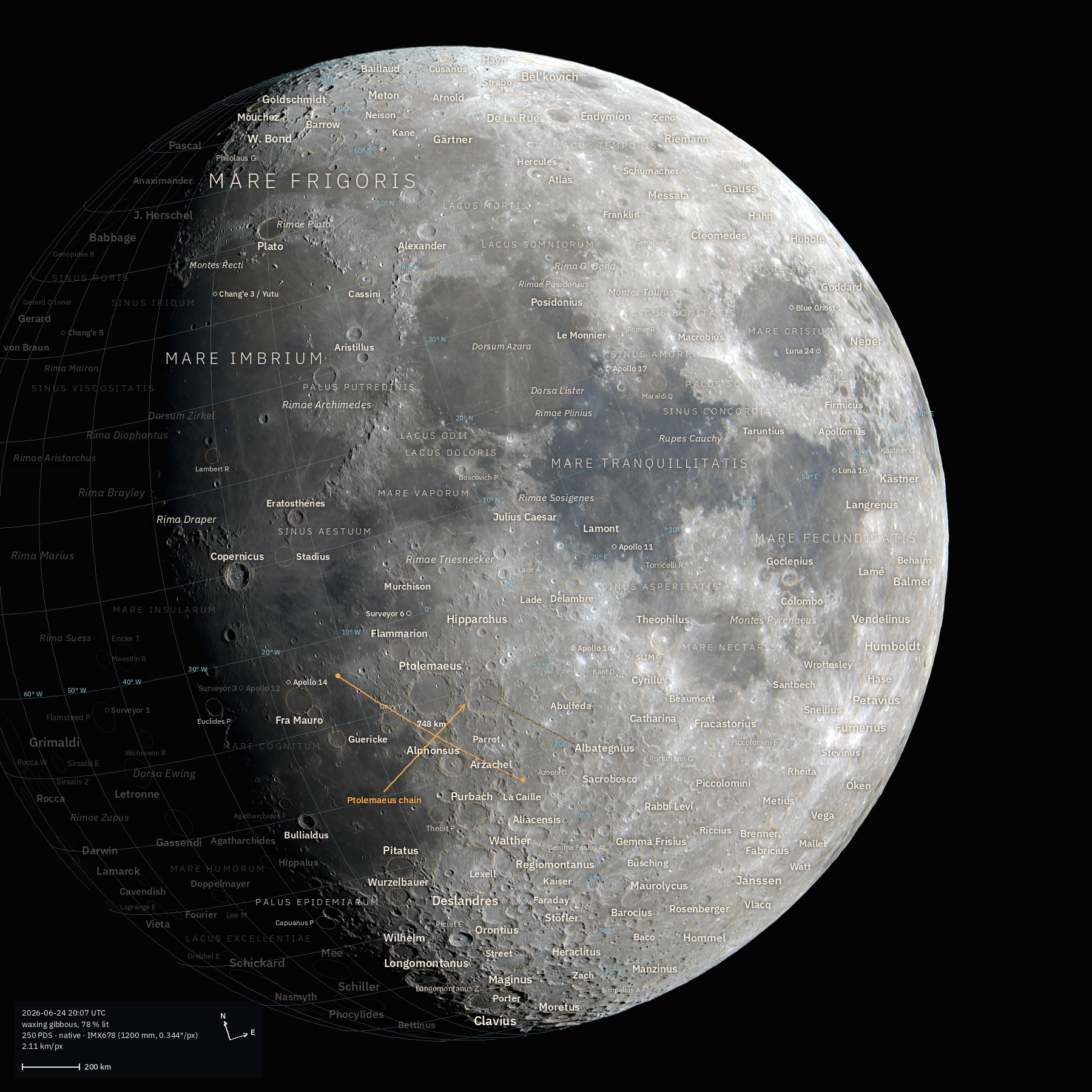
A whole disk, exported at 1800 px with everything on:
The same photo, exported around Copernicus, sized from the crater's own diameter:
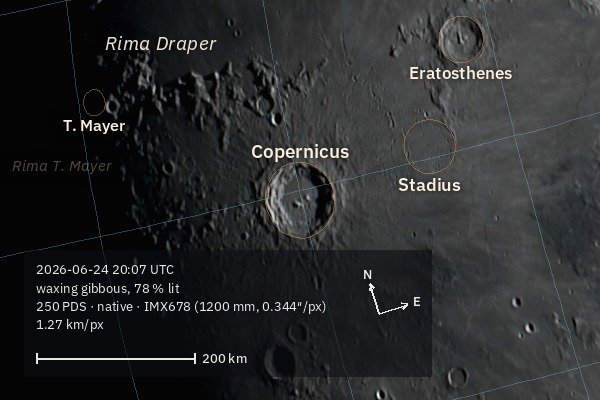
Names are drawn in one colour, with maria in larger spaced capitals and a soft shadow so they stay readable over bright terrain. Night-side names are dimmed or hidden by where the Sun actually was.
Next to the photo, in Pictures/LunarAtlas, named after the original (NAME_atlas.tif, or
NAME_atlas_Copernicus.jpg when you exported around a feature). When the export finishes, a button
shows it in Finder, Explorer, or your Linux file manager.
Exports are written through a temporary file, so an export you cancel never leaves a half-written picture behind.
The app does one photo at a time. For a whole evening's session, the command line has batch:
python3 lunaratlas/lunaratlas.py batch ~/Pictures/session --max-size 2400See The command line, which also lists every export option in full — several of them (fonts, label density, which classes of names, JPEG quality) are not in the dialog.