Repository navigation
Releases: maldos23/open-car-project
Release list
Open Car Project v0.18.0

Added
- Launcher door alert: a setting in Climate to show open doors, trunk and hood over every app
with the launcher's design (a car from above with what's open in red) instead of the stereo's
own view, read live from the CAN app. The stereo's view comes back when it's switched off. - Launcher volume indicator: an optional pill over every app with the launcher's design when
the volume changes (knob, steering wheel or dock). The stereo's own bar can't be switched off by
a regular app, so it still shows at the top. - Resume the last track: the player keeps the last song and app after the car restarts; Play
wakes that app up and resumes it.
Fixed
- Volume: on QF head units the dock volume shows and changes the stereo's real volume (the one
its own bar shows), not Android's music stream.
Screenshots
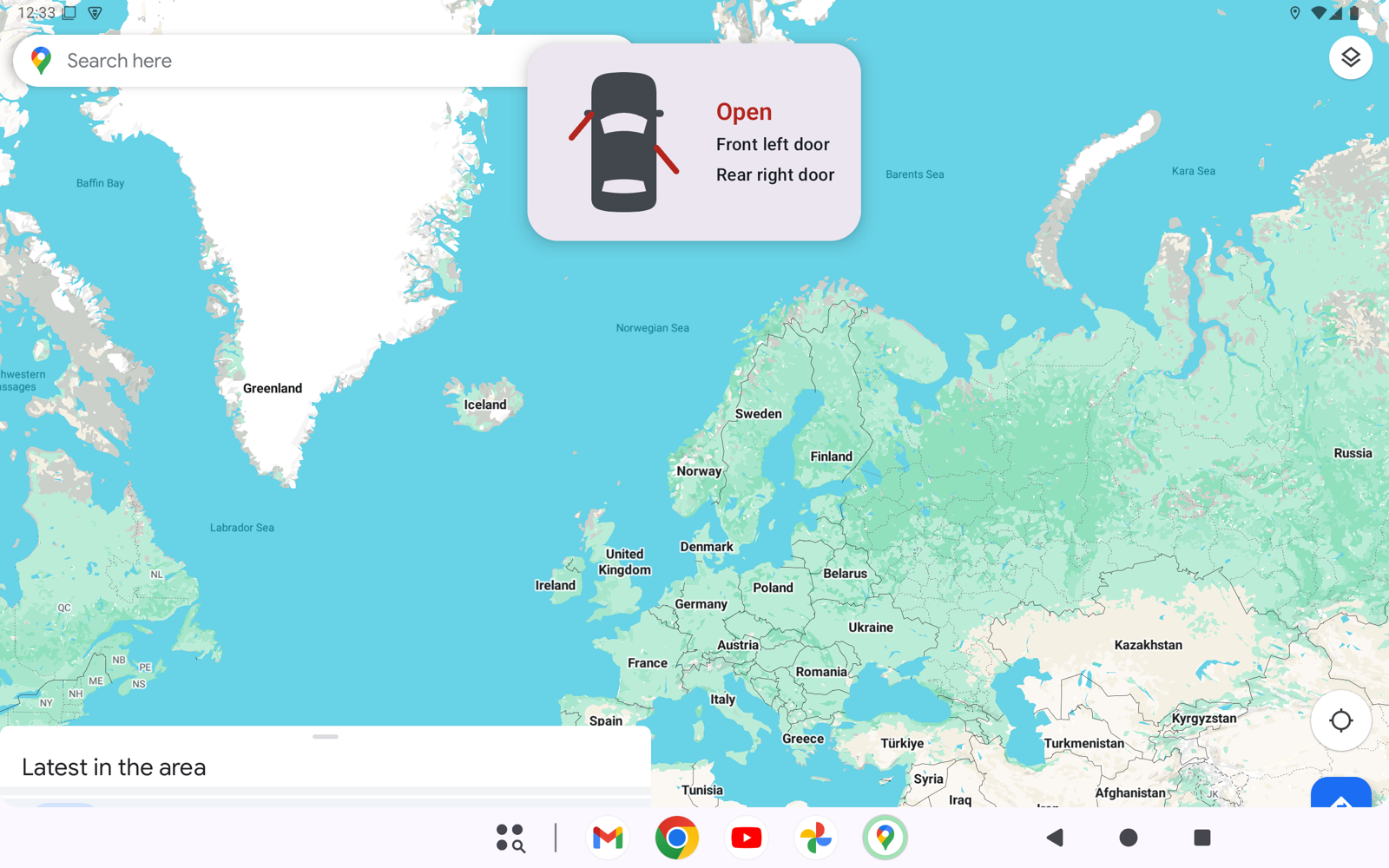
Launcher door alert. Open doors, trunk and hood slide down from the top over any app, here
over Maps, and the stereo's own door view stays hidden.
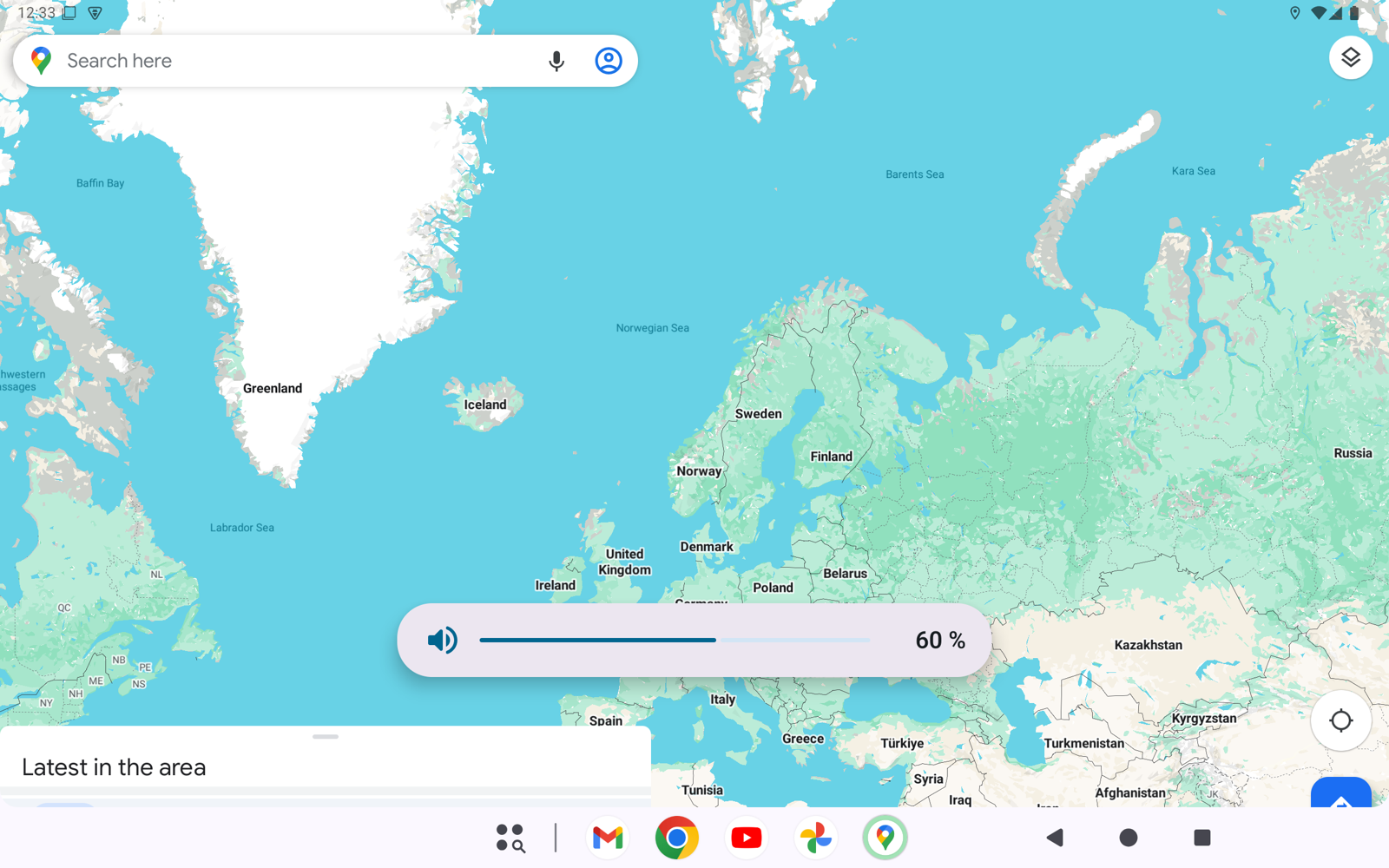
Launcher volume indicator. A pill near the bottom while the volume changes, over any app.
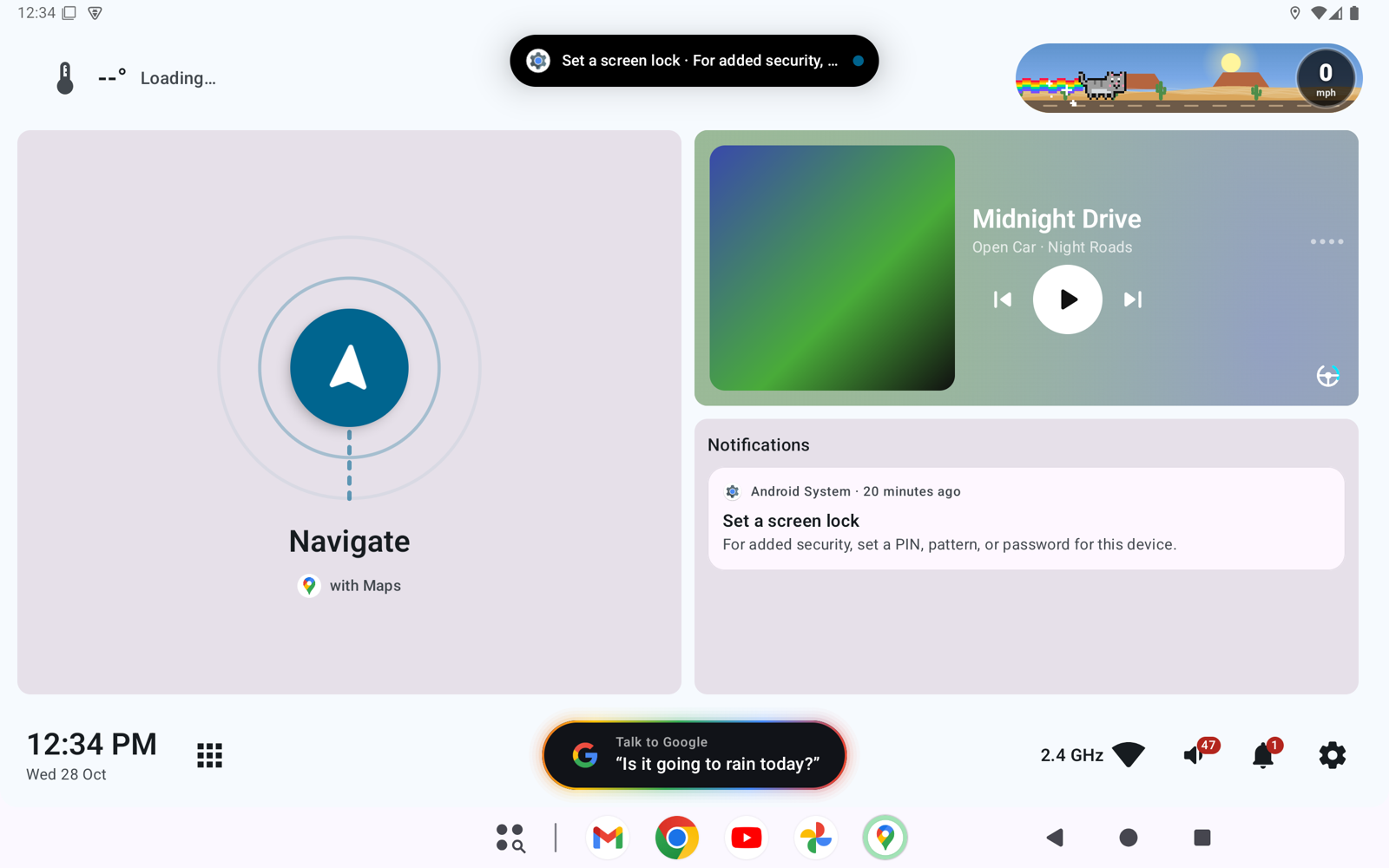
Resume the last track. After a restart the player shows the last song in pause; Play wakes
that app up and resumes it.
Open Car Project v0.17.0
Added
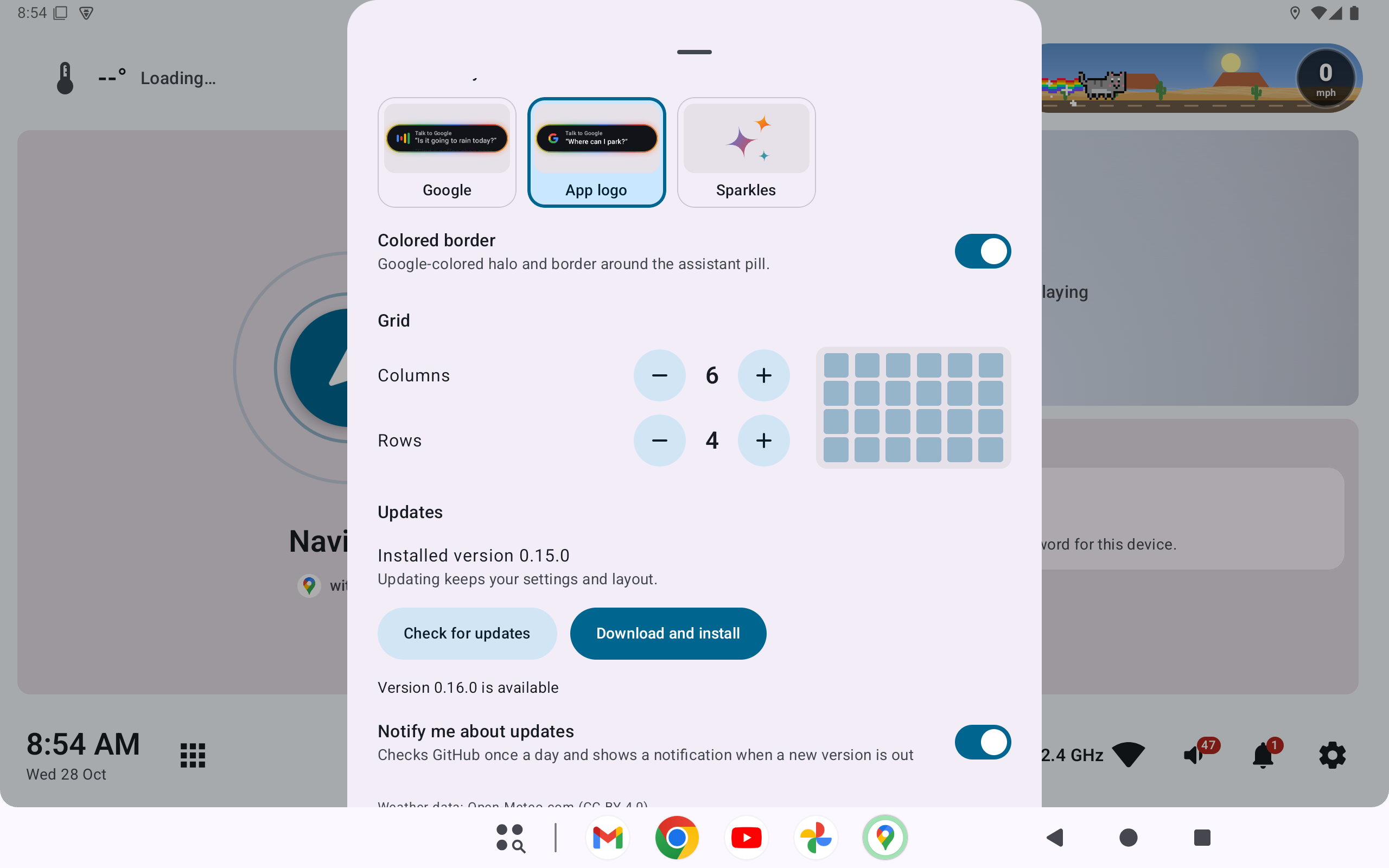
- Settings → "Updates": shows the installed version, checks the latest GitHub release and, if it
is newer, downloads and installs it in place (Android asks to confirm, and the first time to
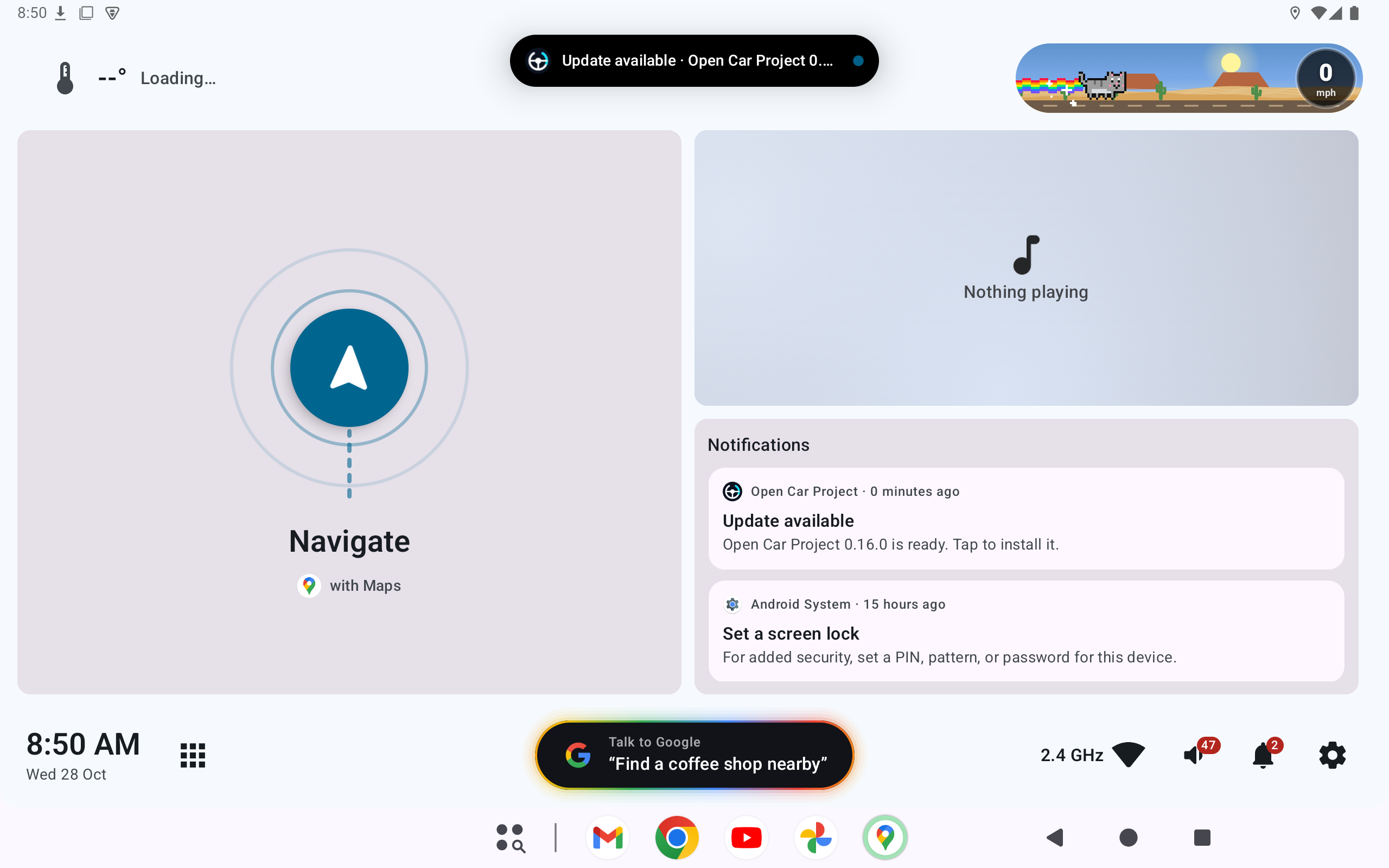
allow installing from Open Car Project). Updating keeps your settings and layout. - "Notify me about updates" (on by default): checks GitHub once a day and posts a notification,
also shown in the island, when a new version is out; tapping it starts the update.
Screenshots
Updates in Settings. Settings → "Updates" shows the installed version; "Check for updates"
looks at the latest GitHub release and, when it is newer, "Download and install" updates the
launcher in place, keeping your settings and layout.
Update notification. Once a day the launcher checks GitHub and, when a new version is out,
posts a notification (here in the island and the notifications card). Tapping it starts the update.
Open Car Project v0.16.0
Added
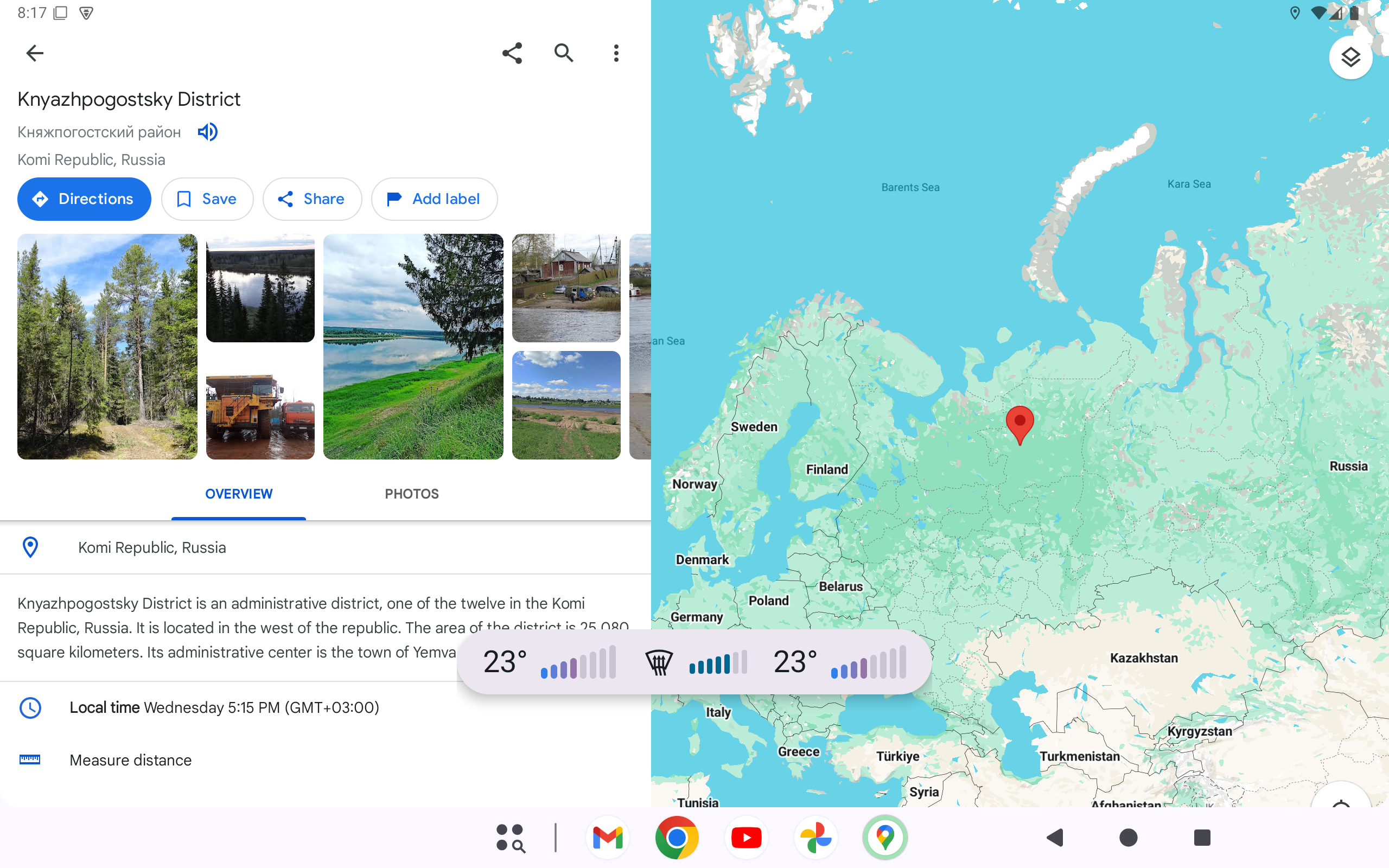
- Settings → Climate → "Over every app" (off by default, under "Climate bar"): the climate bar
also slides up over other apps, such as a map, with the same show and hide animation. It never
takes the keyboard and only covers itself. Needs "display over other apps".
Changed
- With the air going only to the windshield ("FRONT"), the climate bar and card show the usual
front defrost symbol (windshield with rising arrows) instead of the seated person.
Screenshots
Climate bar over every app. With "Over every app" on, a climate change slides the bar up over
the app in front (here, Google Maps) for a few seconds, then it slides away. Here the air goes to
the windshield, shown with the new front defrost symbol.
Open Car Project v0.15.1
Fixed
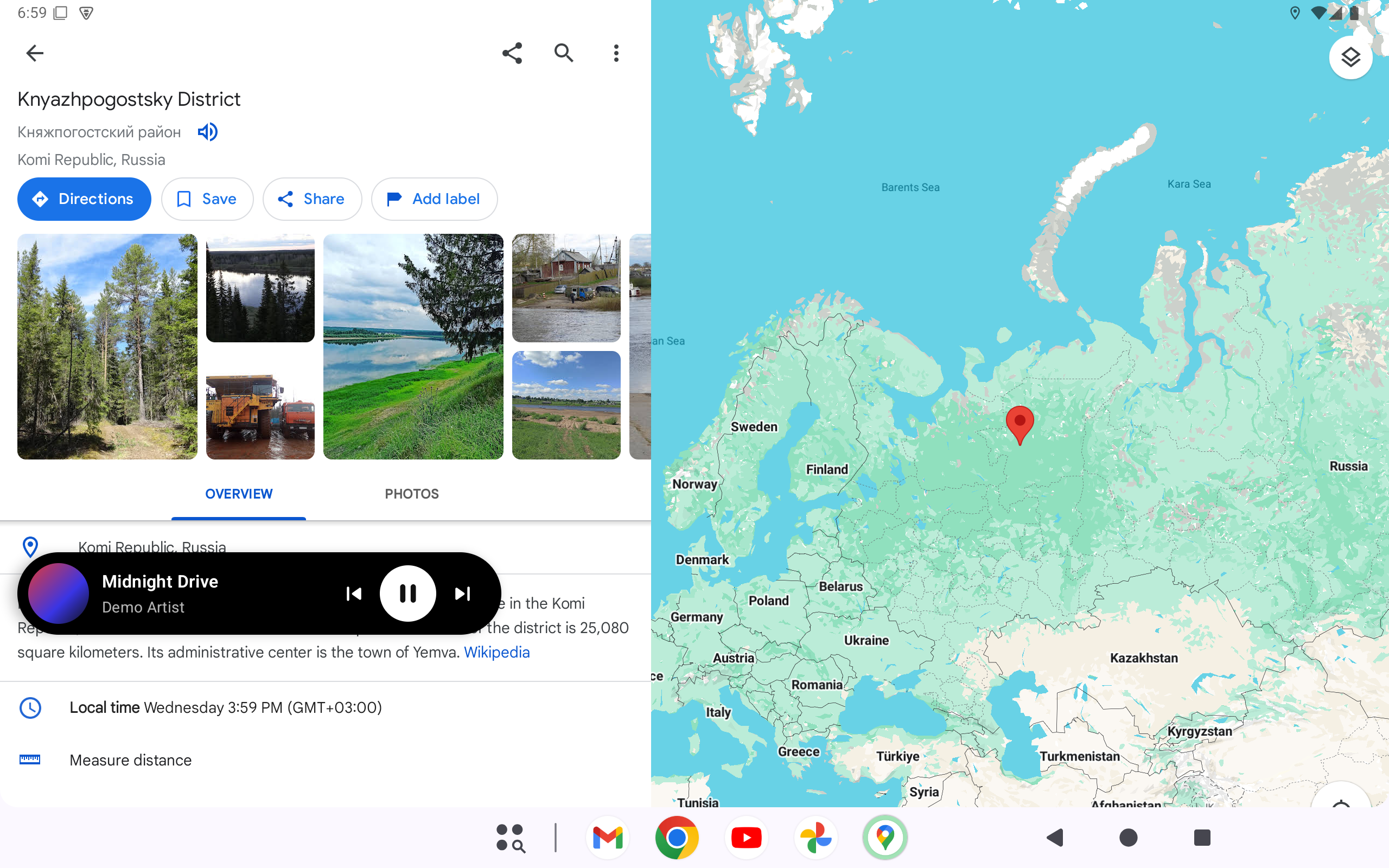
- The floating music island expands and shrinks much faster, and when shrunk the whole bubble
(except the cover, which opens the music app) expands it again, not just the level meter.
Screenshots
Faster floating island. The island over Google Maps now resizes in a fraction of the time,
and a tap anywhere on the shrunk bubble (except the cover) expands it.
Open Car Project v0.15.0
Added
- Settings → "Floating music island" (off by default): while music plays and you're in another
app, such as a map, the player floats over it as a small black island with the cover, title
and controls. Drag it anywhere and it stays there, also after a restart. Only the cover opens
the music app; with "Shrinkable island" (off by default) a tap on the title shrinks it to a
bubble. It covers nothing but itself, hides when you go back Home and 15 s after the music
pauses. Needs "display over other apps".
Screenshots
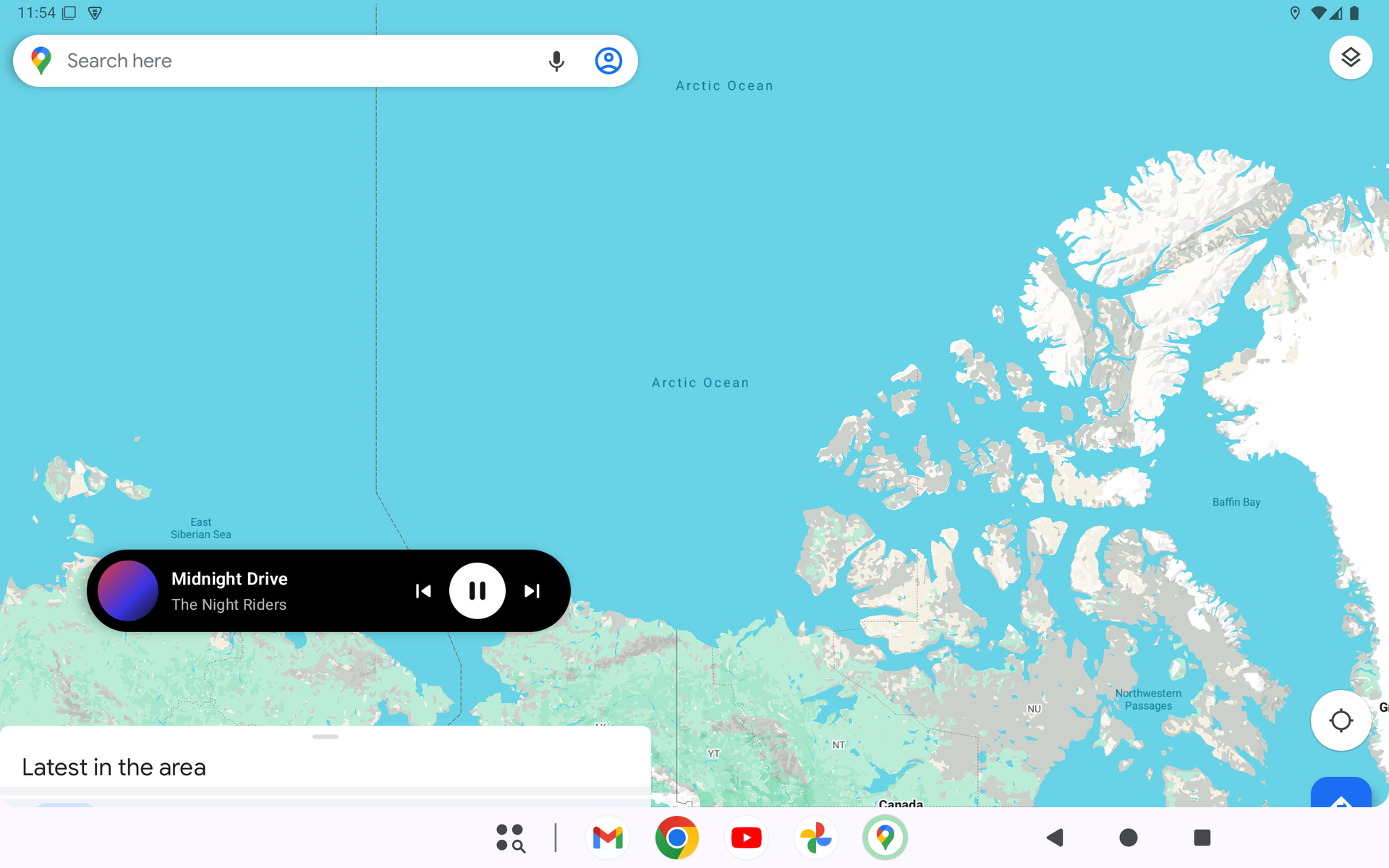
Floating music island. With music playing, the player floats over the app in front (here,
Google Maps) with its cover, title and controls. Drag it anywhere: it stays there next time.
Only the cover opens the music app.
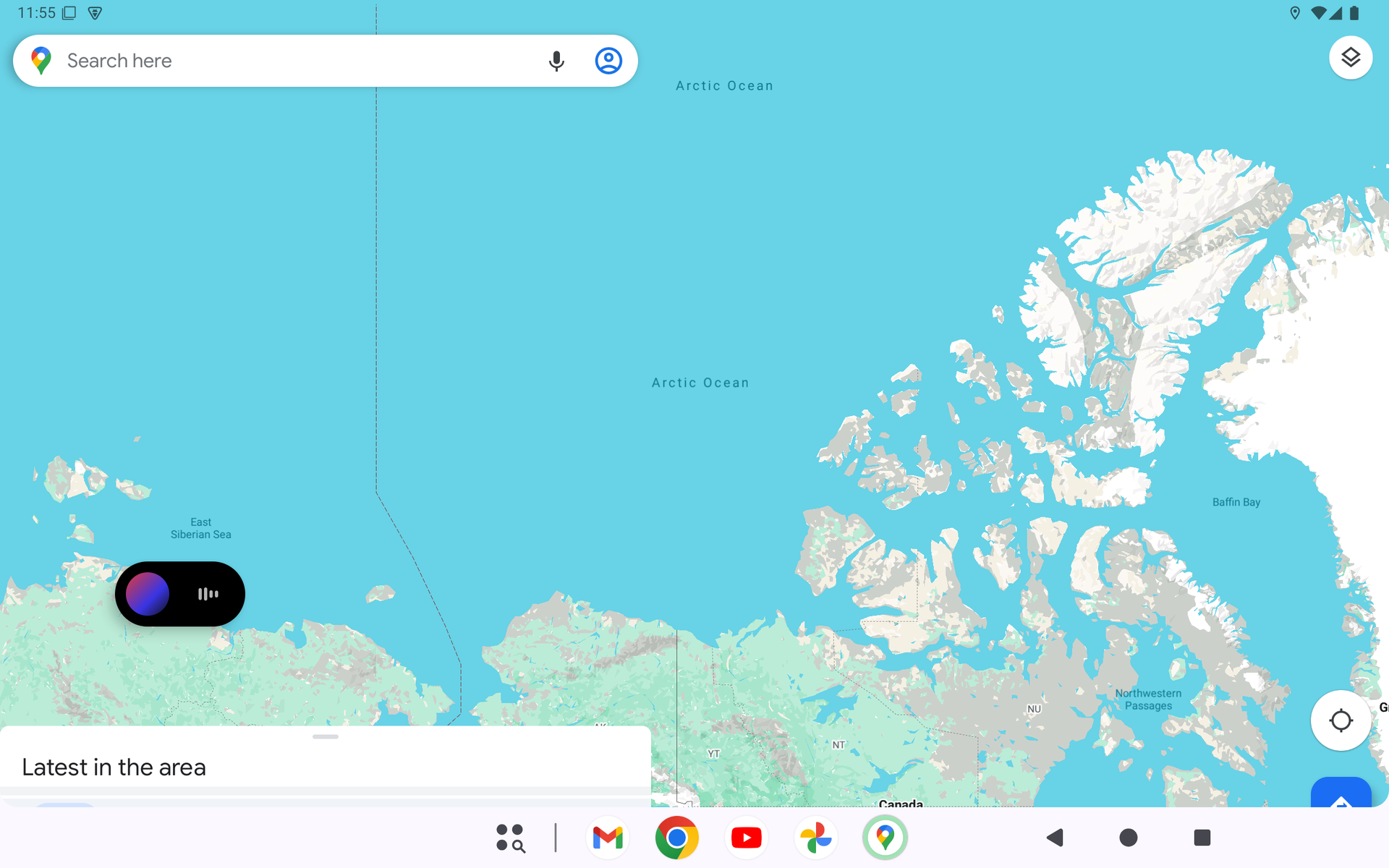
Shrinkable island. With "Shrinkable island" on, a tap on the title shrinks it to a bubble
with the cover and a level meter; a tap on the bubble expands it again.
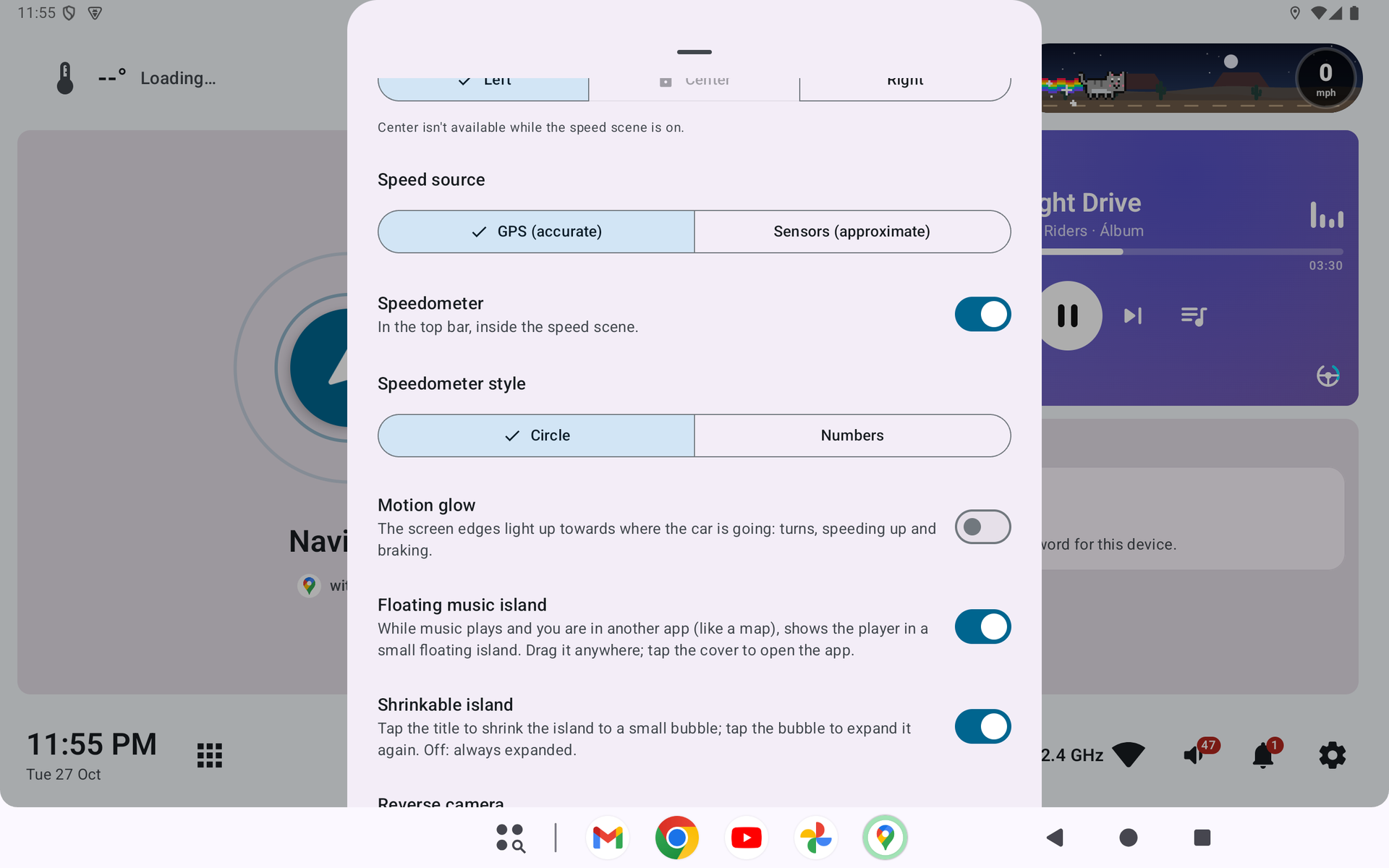
Settings. Settings → "Floating music island" and, below it, "Shrinkable island". Both are
off by default.
Open Car Project v0.14.1
Added
- Settings → "Smooth animations" (off by default): backgrounds, glows, weather and player
effects animate at full frame rate again instead of the lighter ~12 fps, at the cost of more
CPU and GPU (on a K706 the home screen went from ~83% to ~177% total CPU).
Screenshots
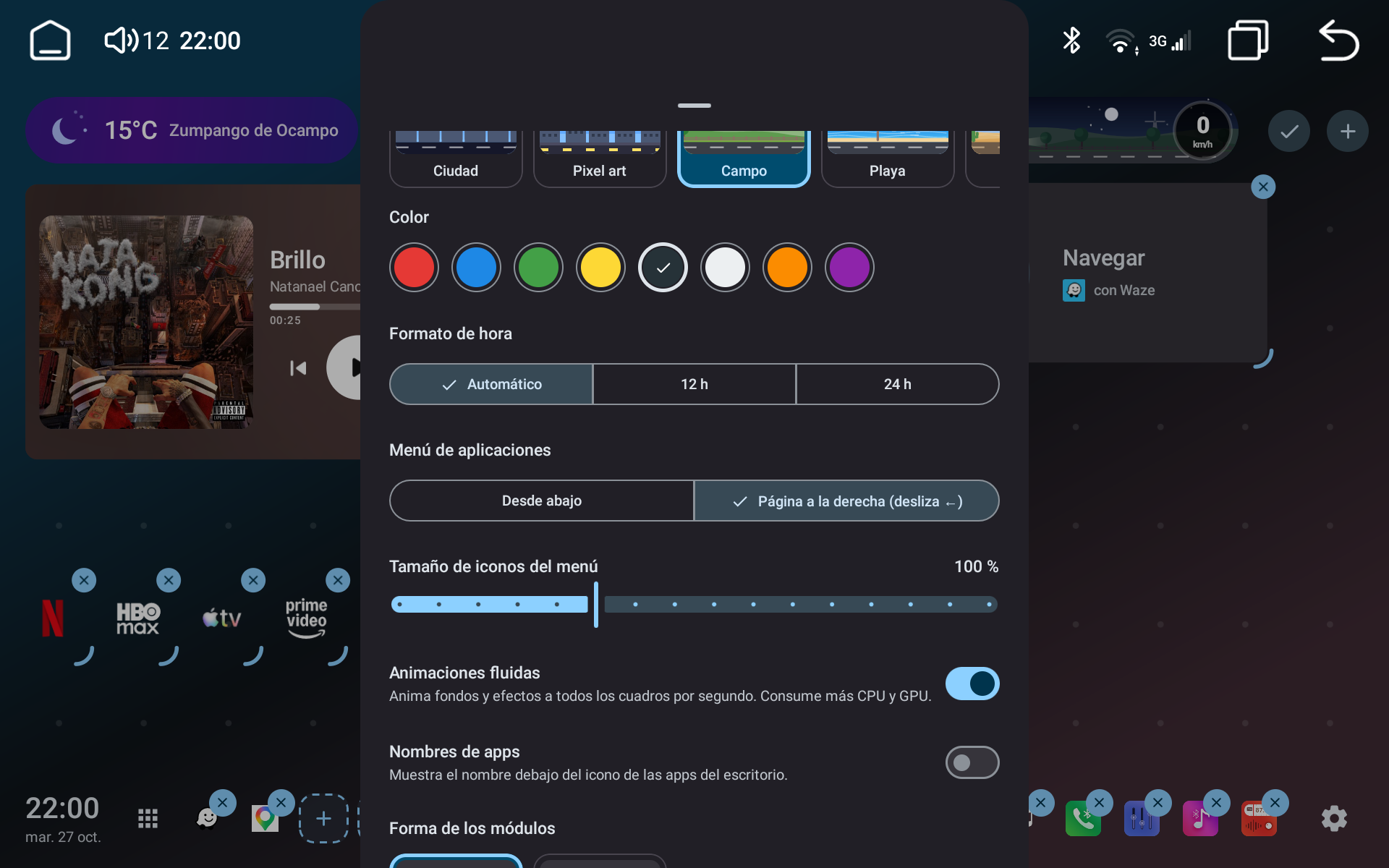
Smooth animations. Settings → "Smooth animations" brings the decorative animations back to
full frame rate for units with CPU to spare. Off by default to keep the lighter ~12 fps.
Open Car Project v0.14.0
Changed
- Much lower CPU and GPU use on head units:
- The embedded map no longer runs while you're in another app or the screen is off (the
navigation app keeps guiding in the background, as when you switch to it). - Map frames are shown as their own layer instead of redrawing the whole home screen every frame.
- Decorative animations (background, glows, weather, player) run at a lower frame rate.
- The speed scene holds still while the car is parked under a dry sky.
- The embedded map no longer runs while you're in another app or the screen is off (the
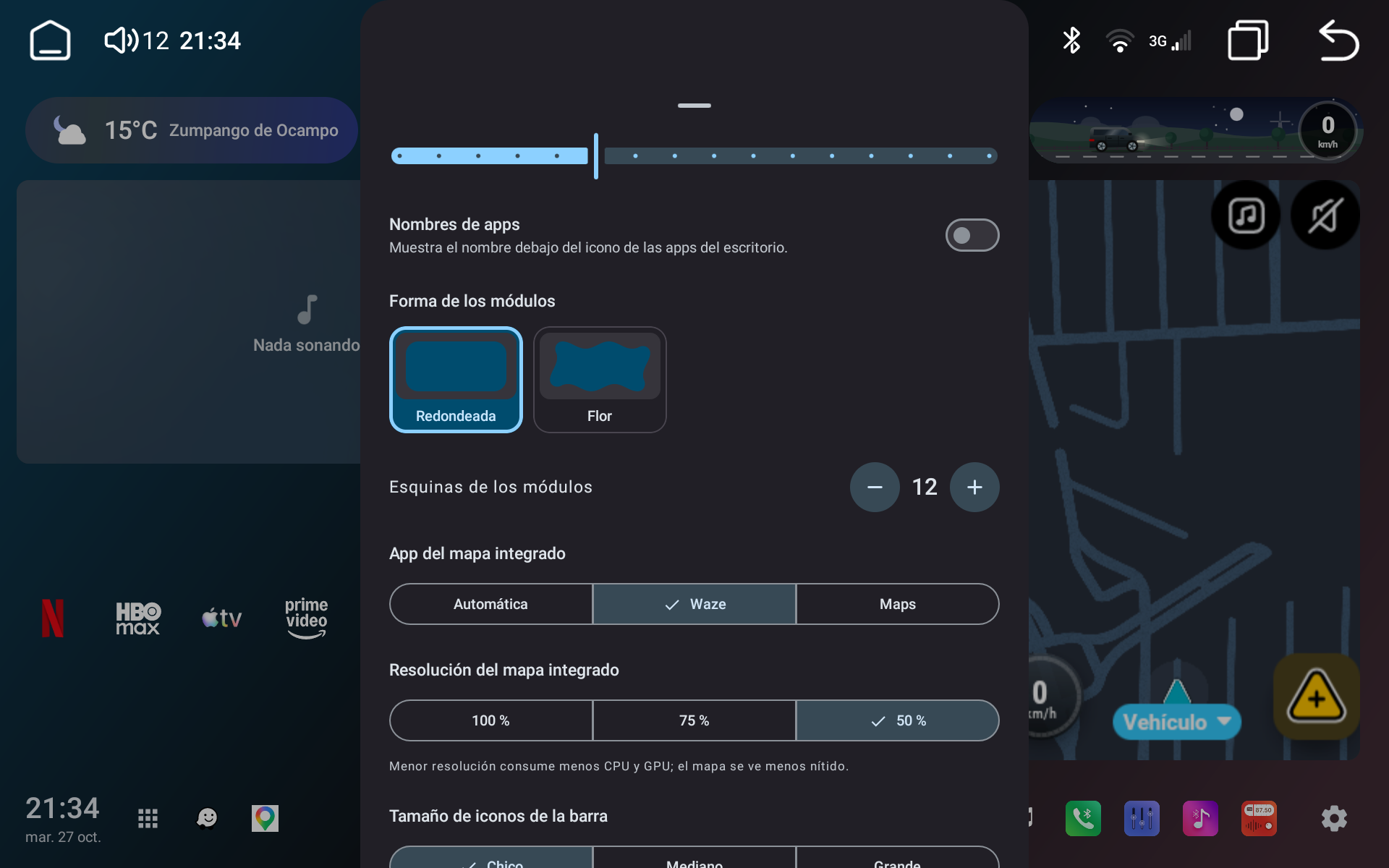
- Settings → "Embedded map resolution" (100% by default; 75% or 50%): the navigation app draws
the card at a lower resolution and the system scales it up, for less CPU/GPU at the cost of a
softer map. Touches are scaled to match.
Screenshots
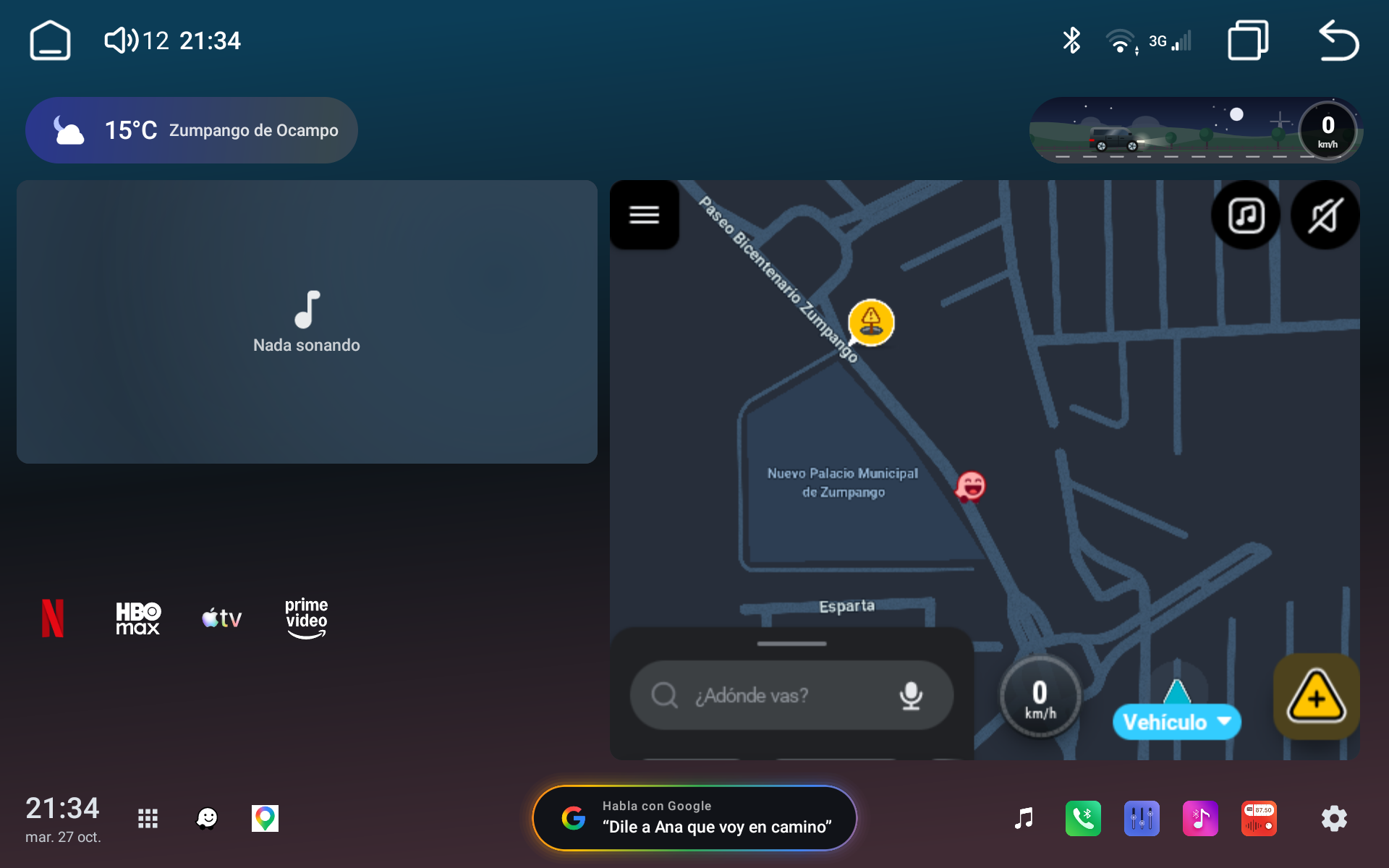
Lighter home screen. The same home screen with Waze live in its card, now at a fraction of
the cost. Measured on a K706: in another app total CPU went from ~215% to ~60% (the embedded map
stops drawing when nobody sees it), and the launcher redraws ~15 times a second at ~19 ms per
frame instead of ~28 at ~69 ms.
Embedded map resolution. Settings → "Embedded map resolution" lets the navigation app draw
the card at 75% or 50% and the system scales it up: a bit softer, a bit lighter. 100% by default.
Open Car Project v0.13.2
Fixed
- Assistant "App logo" style: on head units with no default assistant set in the system, the
pill (and its preview in Settings) showed the animated bars instead of a logo; it now shows the
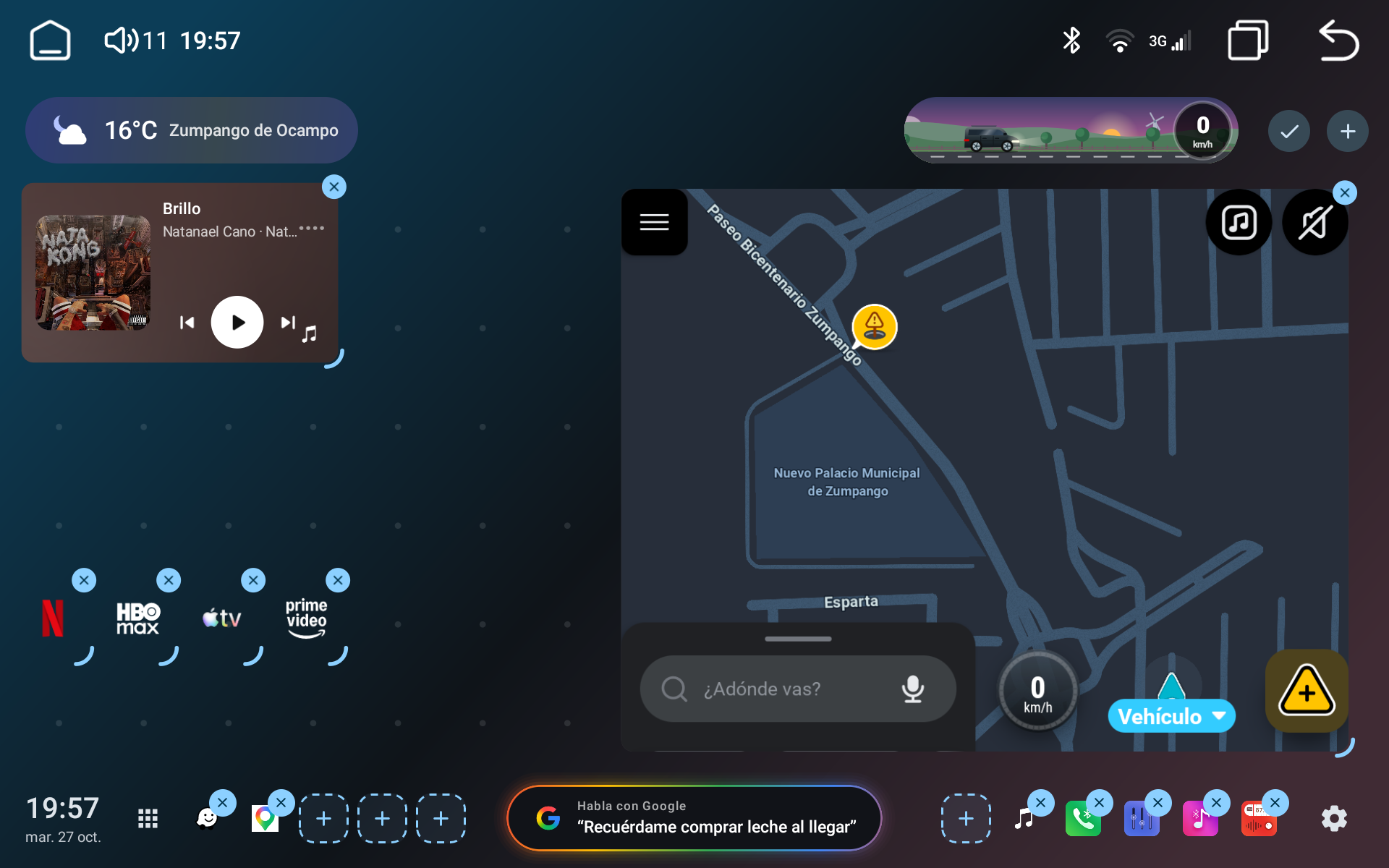
logo of the app that answers the assistant button (usually Google). - Media player card: the artwork no longer disappears when the card is resized. Small sizes show
it beside the text (up to 40% of the width), and the smallest one shows it behind the play button.
Screenshots
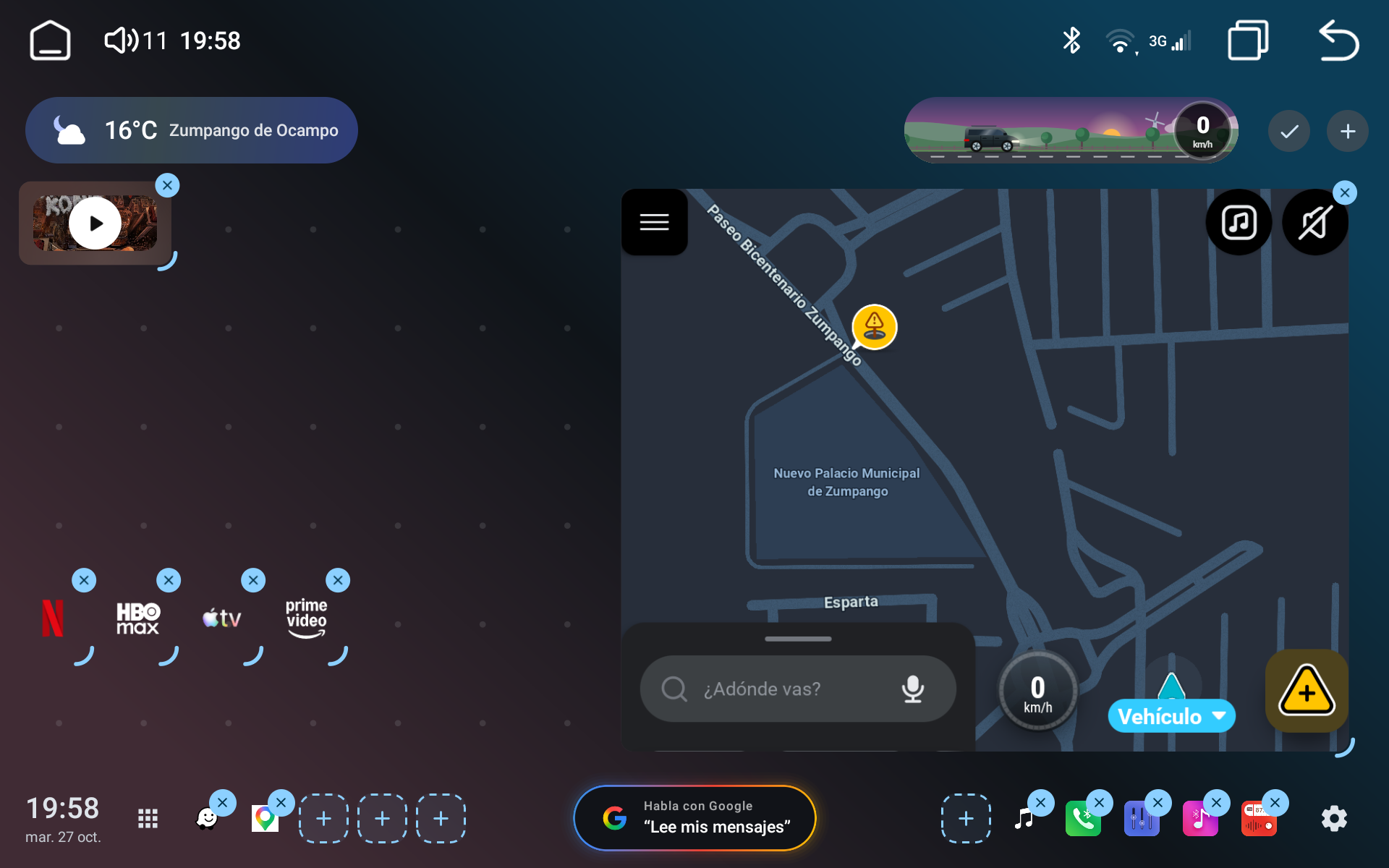
Assistant with the Google logo. With "App logo" chosen, the assistant pill at the bottom shows
the Google "G" even on head units that have no default assistant set in the system.
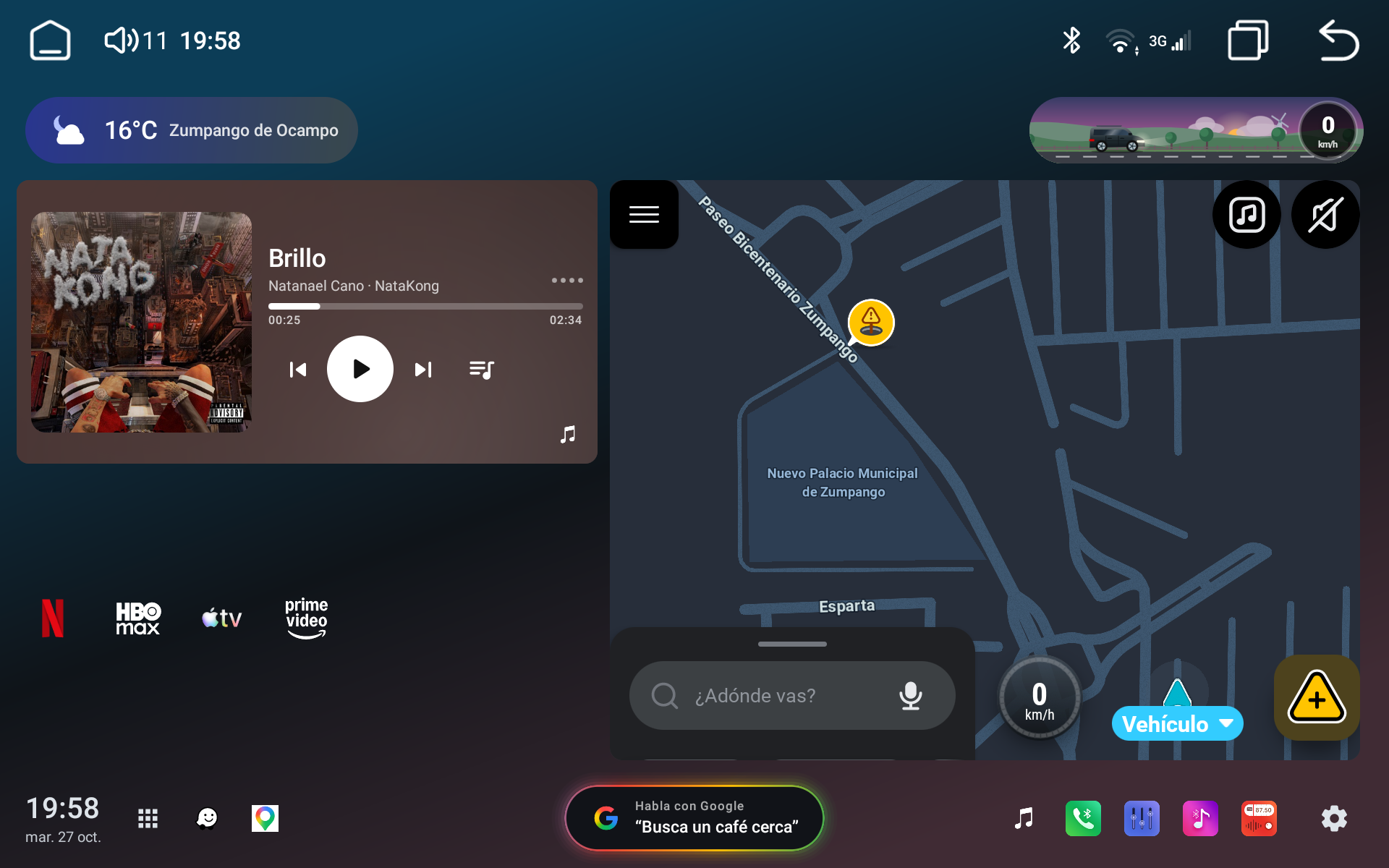
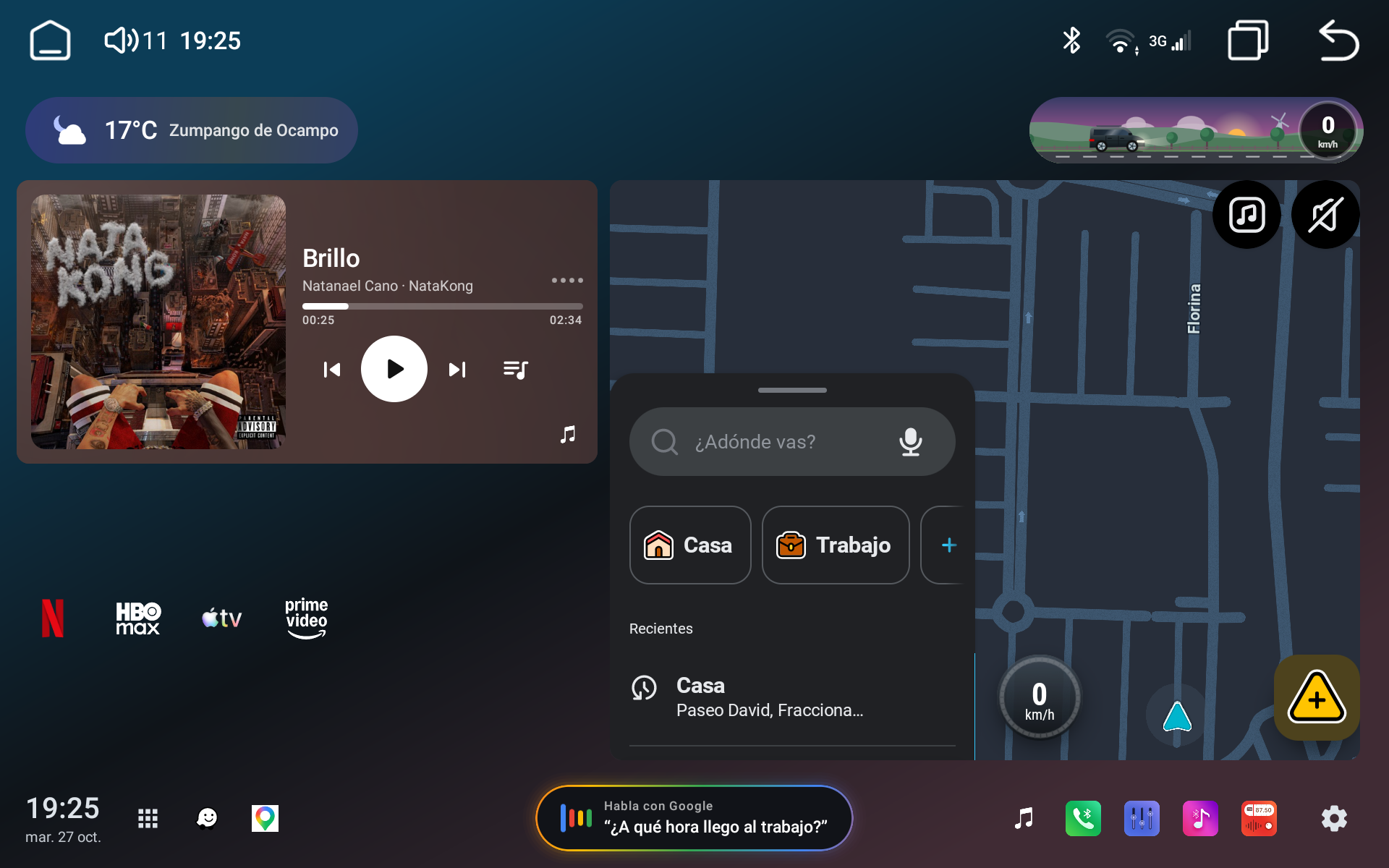
Artwork at every size. Resizing the music card no longer drops the cover: in a short card it
sits beside the title and controls, and in the smallest size it fills the card behind the play button.
Open Car Project v0.13.1
Fixed
- Embedded map: opening the app drawer and coming back no longer restarts the map app.
- Embedded map: after using the navigation app full screen (or after the head unit closes it in
the background), the card puts it back within a couple of seconds, with its current state,
instead of freezing on an old frame.
Screenshots
Embedded map stays live. Back on the home screen after using Waze full screen, the card shows
the app as it was left (here the "Going home?" prompt dismissed in the full app) within a couple
of seconds. Opening the app drawer no longer restarts it, and if the head unit closes the app in
the background the card relaunches it by itself.
Open Car Project v0.13.0
Added
- Settings → Reverse camera → "Clean up the image" (off by default): the analog reverse video is
processed on the GPU before it's shown: interlacing lines blended, edge-preserving and temporal
denoise (removes most of the analog grain, colour speckles included), and a light sharpen.
"Noise reduction", "Sharpness", "Brightness" and "Contrast" sliders tune it live while the
camera is open. Falls back to
the plain preview if the GPU can't run it.
Changed
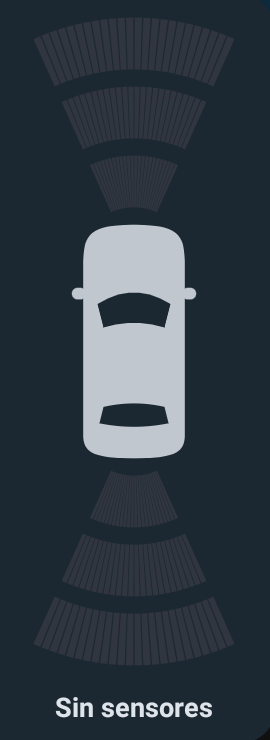
- Reverse overlay radar: a one-color top view of the car with three proximity arcs in front and
behind. The installed sensors are counted and their readings interpolated across the bumper, so
the arcs grow towards the car right where the obstacle is, with smooth transitions.
Fixed
- With "Hide the system camera" on, the head unit's full-screen reverse view is closed the moment
it appears (it announces itself), instead of staying on screen for up to a few seconds. - The reverse overlay shows even if reverse was engaged right as the launcher started, and its
radar panel is no longer squeezed into a thin strip. - The floating reverse camera is no longer mirrored compared to the head unit's own view: it
applies the same flip the system camera app does (persist.sys.backcar_mirror).
Screenshots
Top-view radar. The reverse overlay shows the car from above in one color, with three
proximity arcs in front and behind. The sensors the car has are counted and their readings
interpolated across the bumper, so the arcs light up right where the obstacle is and grow
towards the car (green, amber, red) as it gets closer.
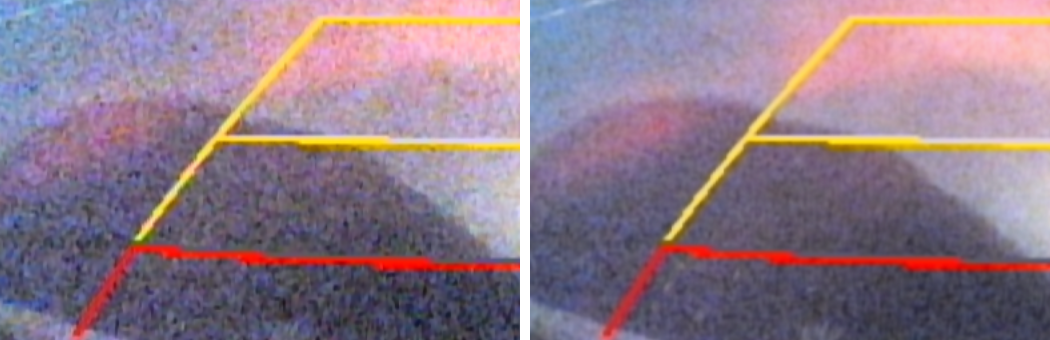
Cleaner reverse camera. "Clean up the image" processes the analog video on the GPU. Left:
noise reduction at 0%; right: at 100%, same night scene on a K706. Colour speckles and flicker
are gone (frame-to-frame noise 13.6 → 3.4). Noise reduction, sharpness, brightness and contrast
are sliders applied live.