Repository navigation
cmux-dataview. Double-click a CSV in the file tree, get a real table #30962
mjmirza
started this conversation in
Show and tell

Replies: 0 comments
Sign up for free
to join this conversation on GitHub.
Already have an account?
Sign in to comment

Uh oh!
There was an error while loading. Please reload this page.
Uh oh!
There was an error while loading. Please reload this page.
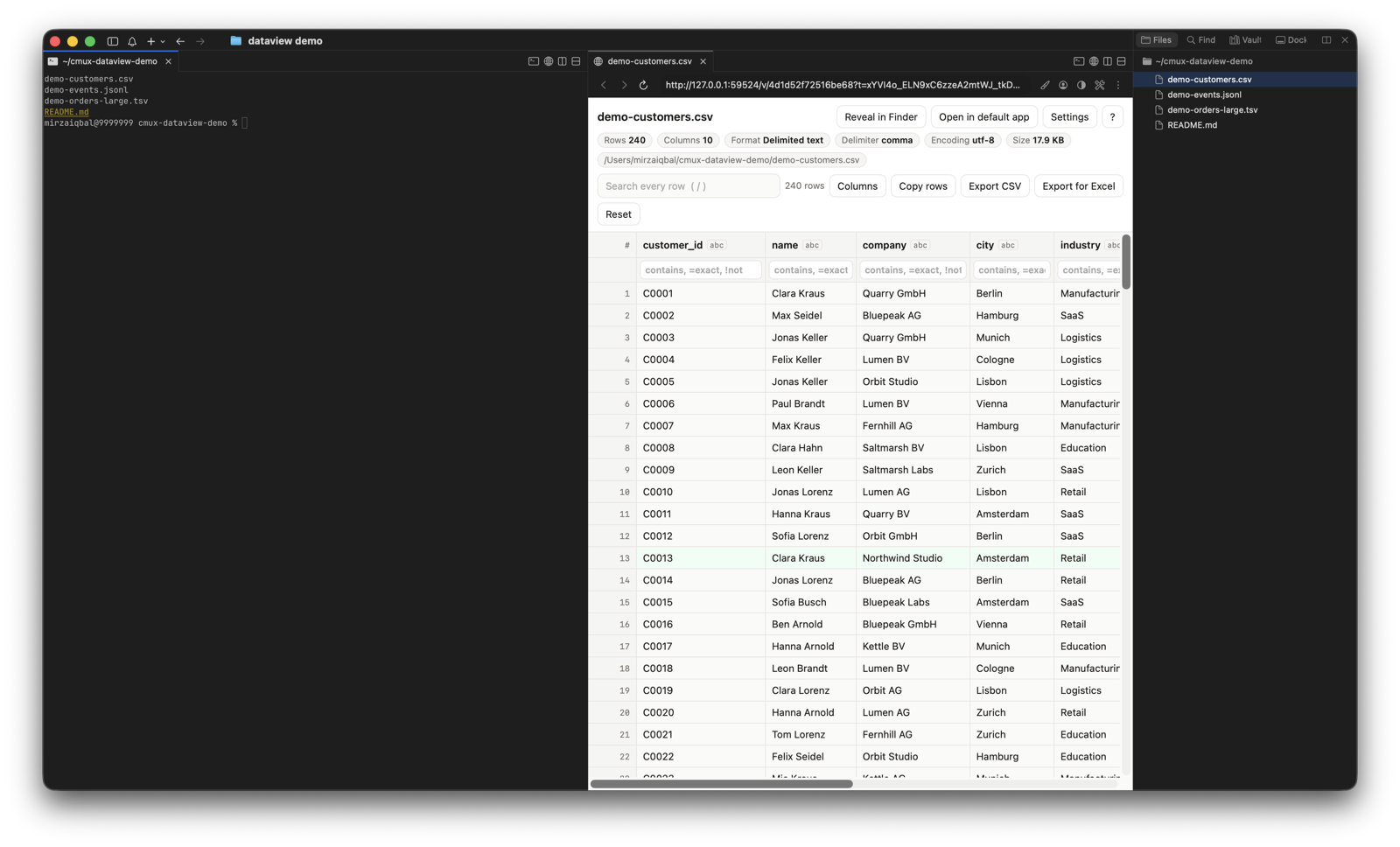
Double-clicking a CSV in the cmux file tree shows raw text. I wanted a table, so I built a small add-on that uses
fileExplorer.doubleClickActionset topreferredEditor.What it does
• CSV, TSV, PSV, JSON and JSONL open as a sortable, searchable table in a split next to the terminal
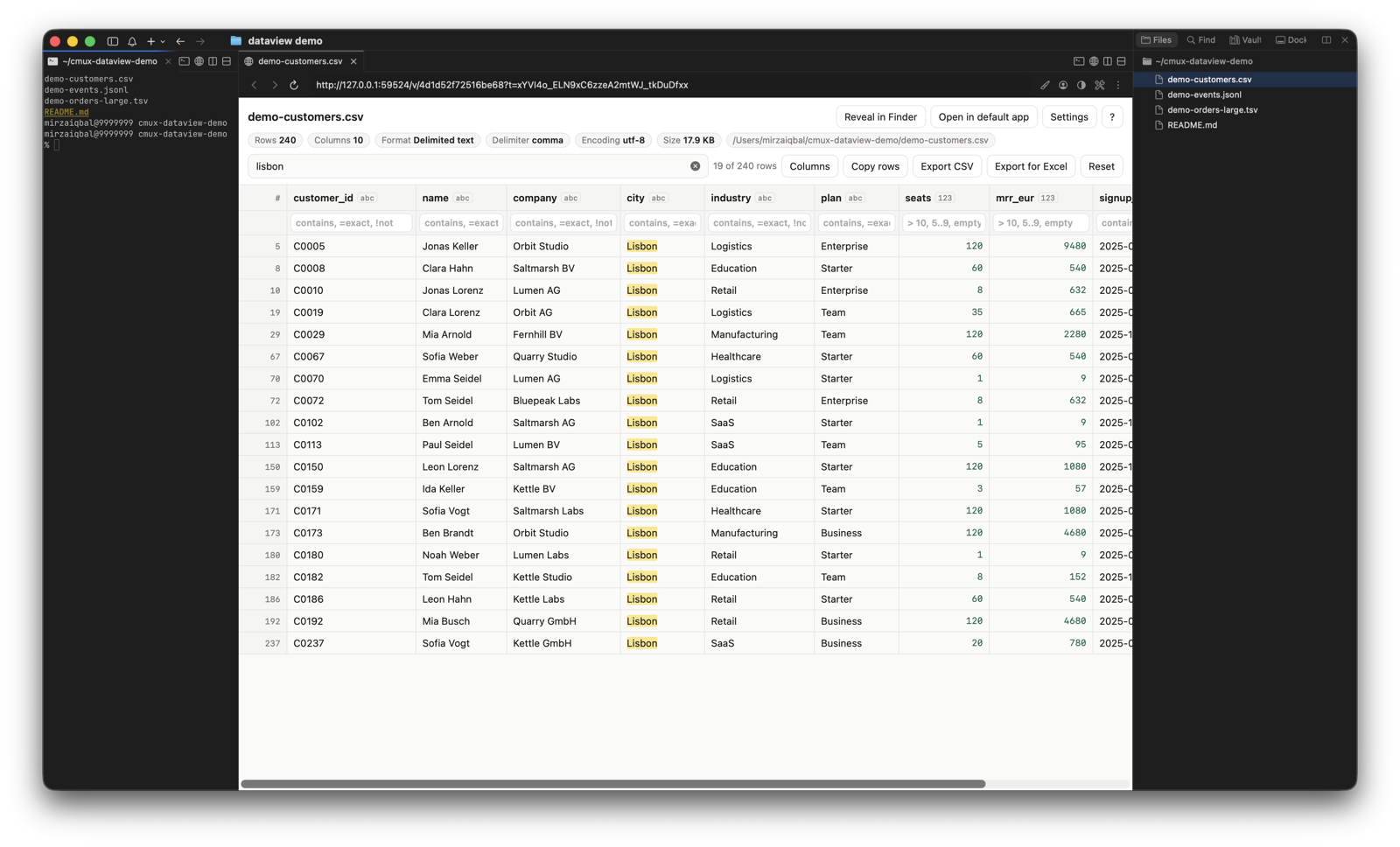
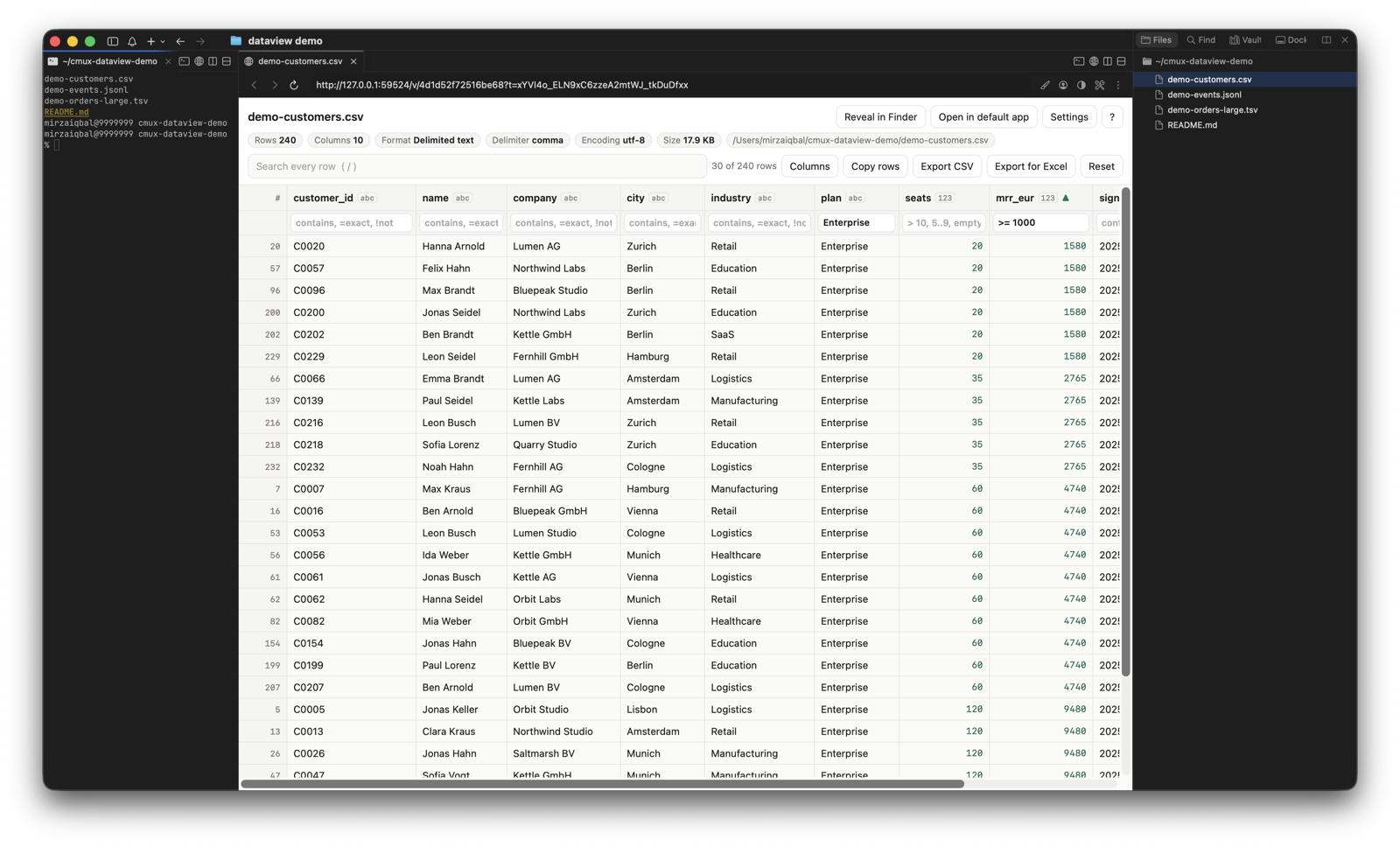
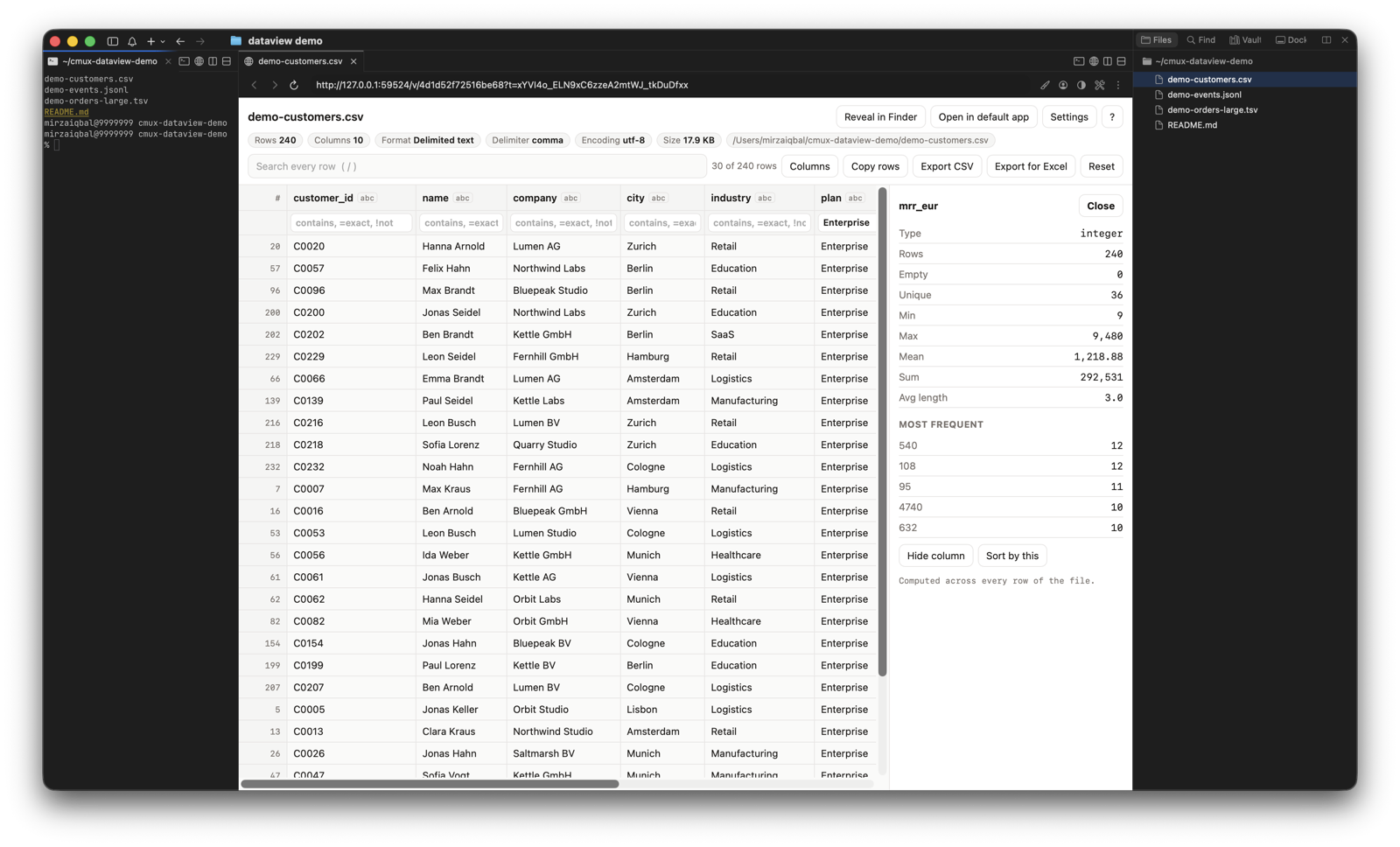
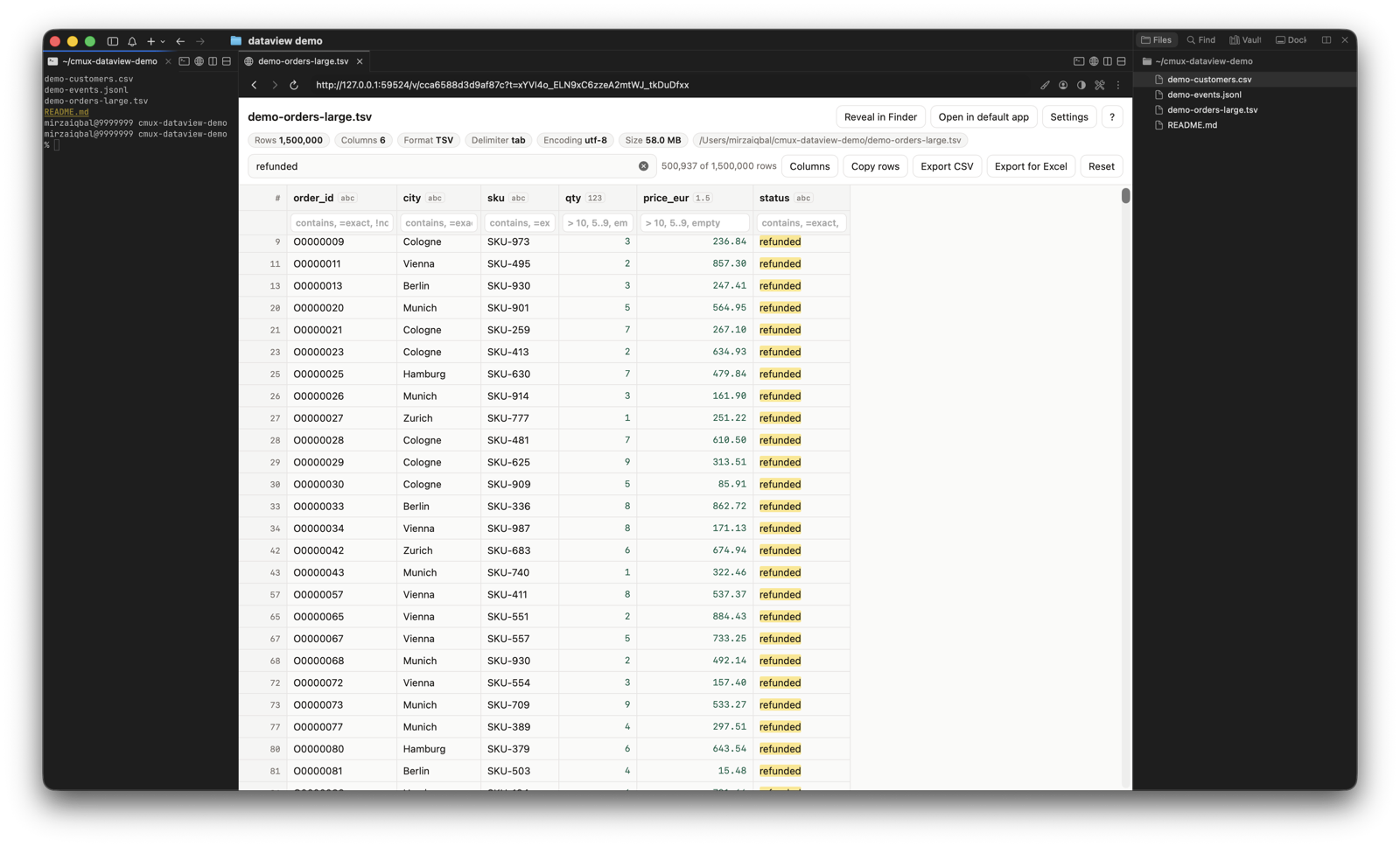
• Search, filters, sort and column stats run over the whole file, tested on 2.5 million rows
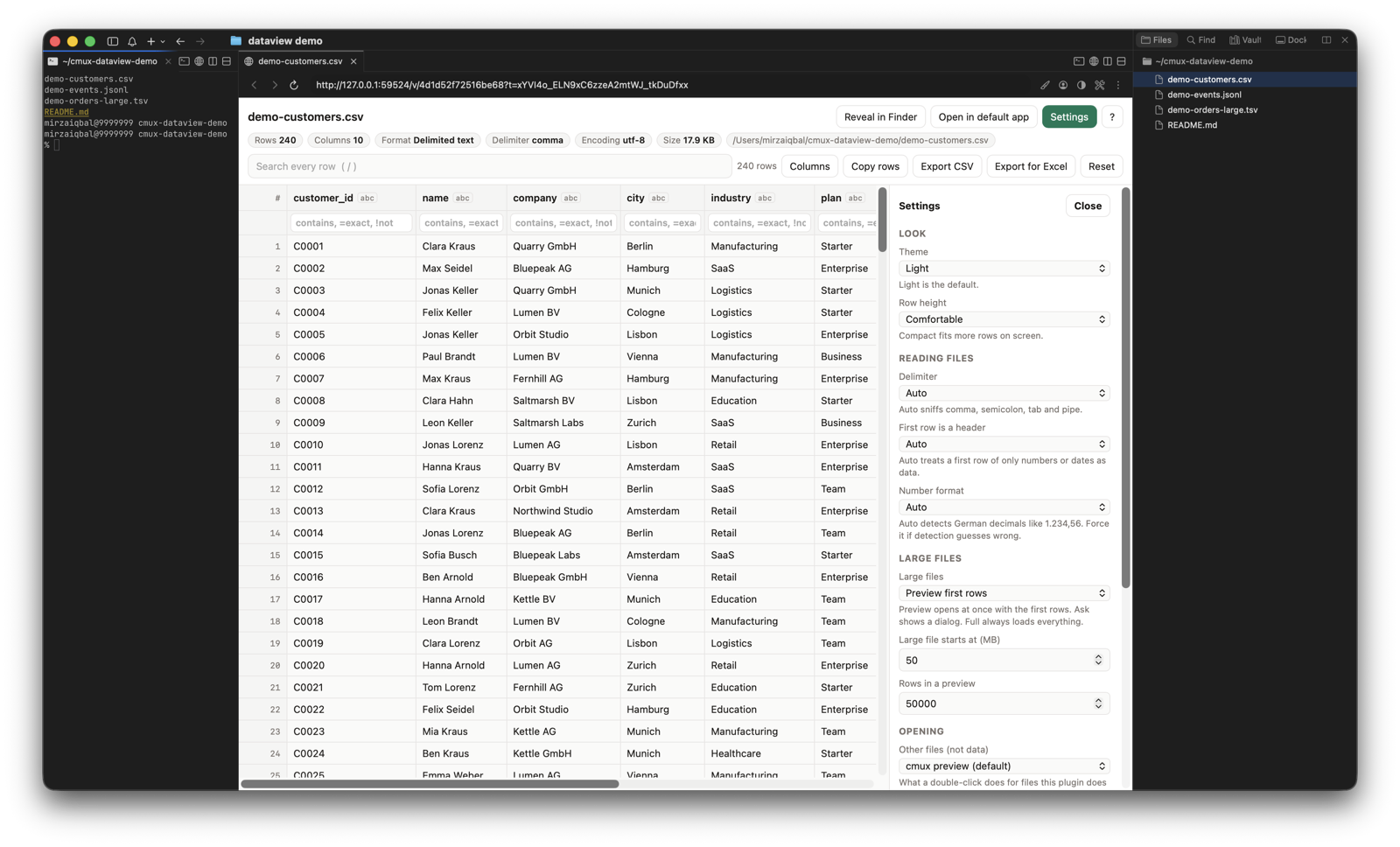
• Files over 50 MB open as a preview with a button to load the rest
• Every other file still opens in the normal cmux preview
• Python standard library only, listens on 127.0.0.1 only, stops itself when idle
All screenshots below are real cmux runs with fake demo data.
1. Double-click a CSV in the file tree, the table opens in a split
2. Search every row
3. Column filters and sort
4. Right-click a header for column stats
5. JSON Lines with nested fields flattened
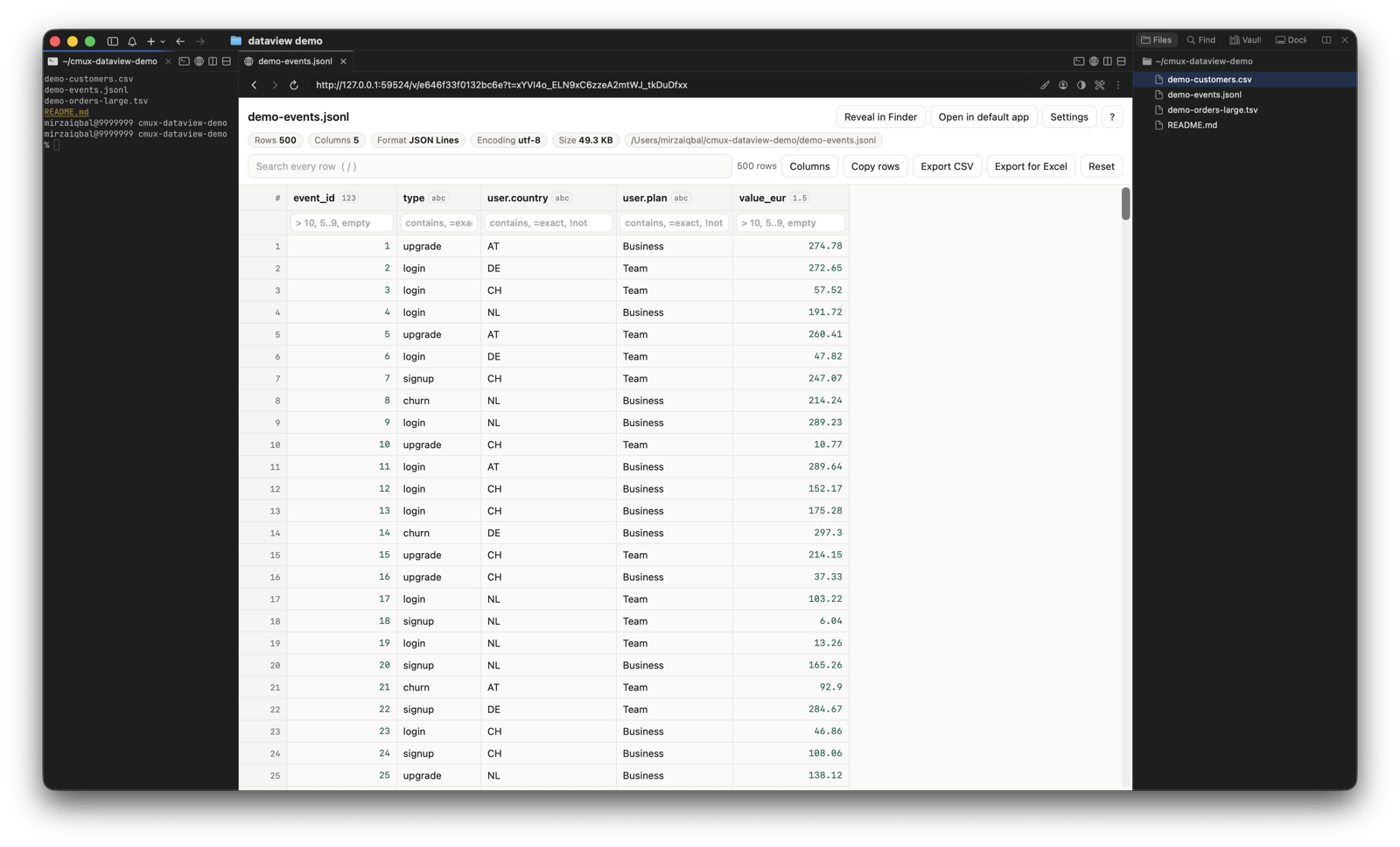
6. A 1.5 million row file, fully loaded and searched
7. Settings inside the viewer
Install and full walkthrough: https://github.com/mjmirza/cmux-dataview
It works around the missing file handler API from #7337. Once
filePatternsships, I will move it over. Feedback welcome.All reactions