 Elementor
 Form Editor: Cannot Preview or Edit Multi-Step Forms Beyond the First Step #37739
majus82
started this conversation in
Feature Request

Replies: 0 comments
Sign up for free
to join this conversation on GitHub.
Already have an account?
Sign in to comment

Uh oh!
There was an error while loading. Please reload this page.
Describe the Problem
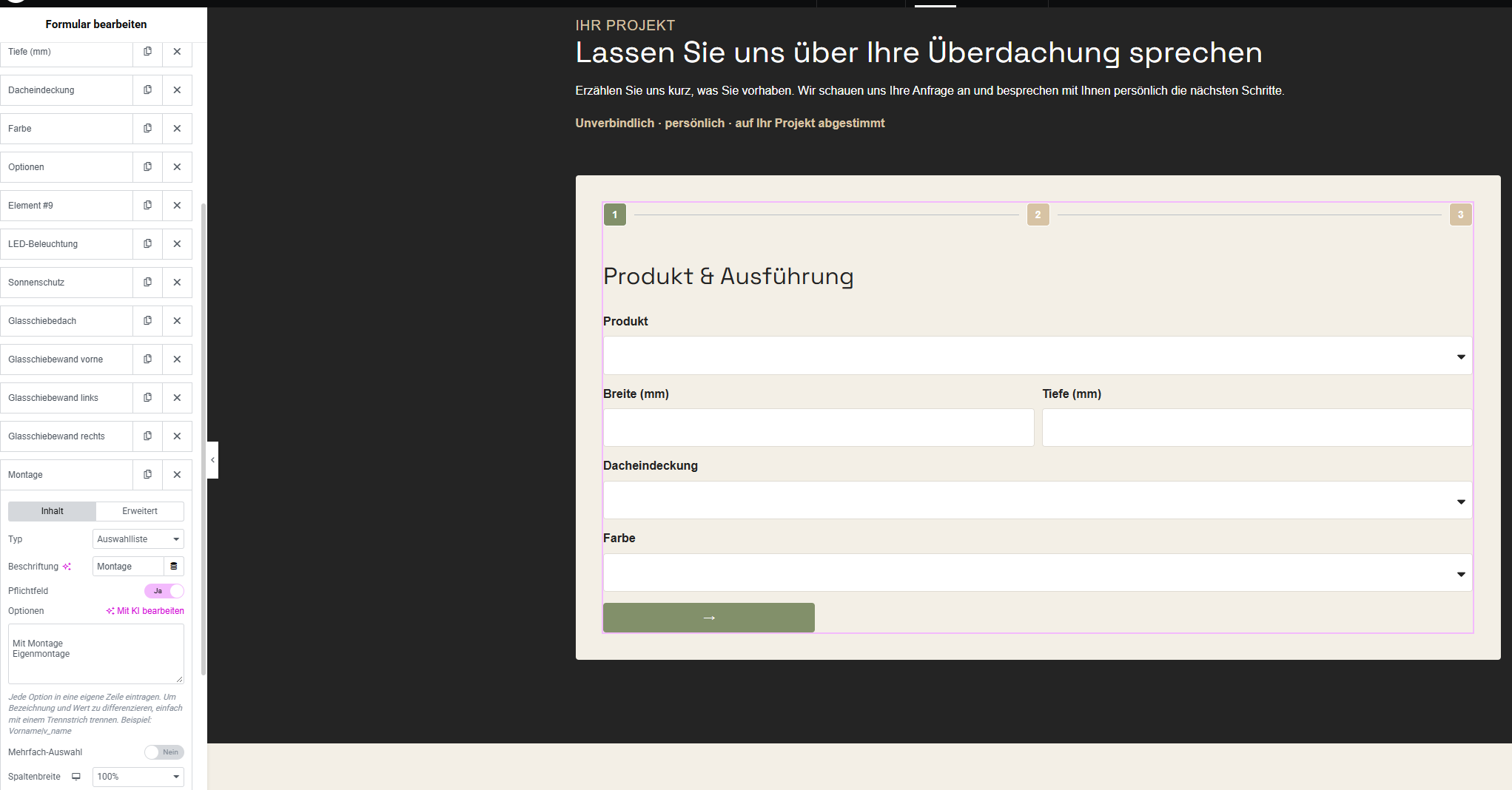
When editing a multi-step form in Elementor, the live editor only displays the first step of the form.
Fields on subsequent steps cannot be previewed properly because navigating to them requires completing the previous steps. This makes editing multi-step forms unnecessarily difficult, especially when adjusting field layouts and styling.
Propose a Solution
The Elementor live editor should automatically display the corresponding form step when selecting or editing a field within that step.
For example, when editing the "Montage" field in step 2, the live preview should automatically switch to step 2 without requiring users to complete step 1.
This would make designing and styling multi-step forms significantly easier and faster.
Additional Context
Alternatively, a simple option to manually switch between form steps in the live editor would be sufficient. This would allow users to preview and style each step independently without filling out the form.
Thx folks, you rock!
Agreement
All reactions