Repository navigation
v2.0.0 - Share projects with your household

Vicu Android 2.0.0
Vicu Android 2.0.0 ships together with Vicu 2.0.0 for the desktop. Vicu is no longer only for you: share a project with the people you live or work with, assign tasks to each other and talk about a task in its comments. New custom-list conditions gather that shared work in one place. This version also has fixes and a bottom bar option that are only on Android.
This is a pre-release. If you find a rough edge, please open an issue. The desktop side is in the Vicu 2.0.0 notes.
Everything about sharing appears only on projects someone else can see. If you share nothing, Vicu looks and works exactly as before.
Share a project
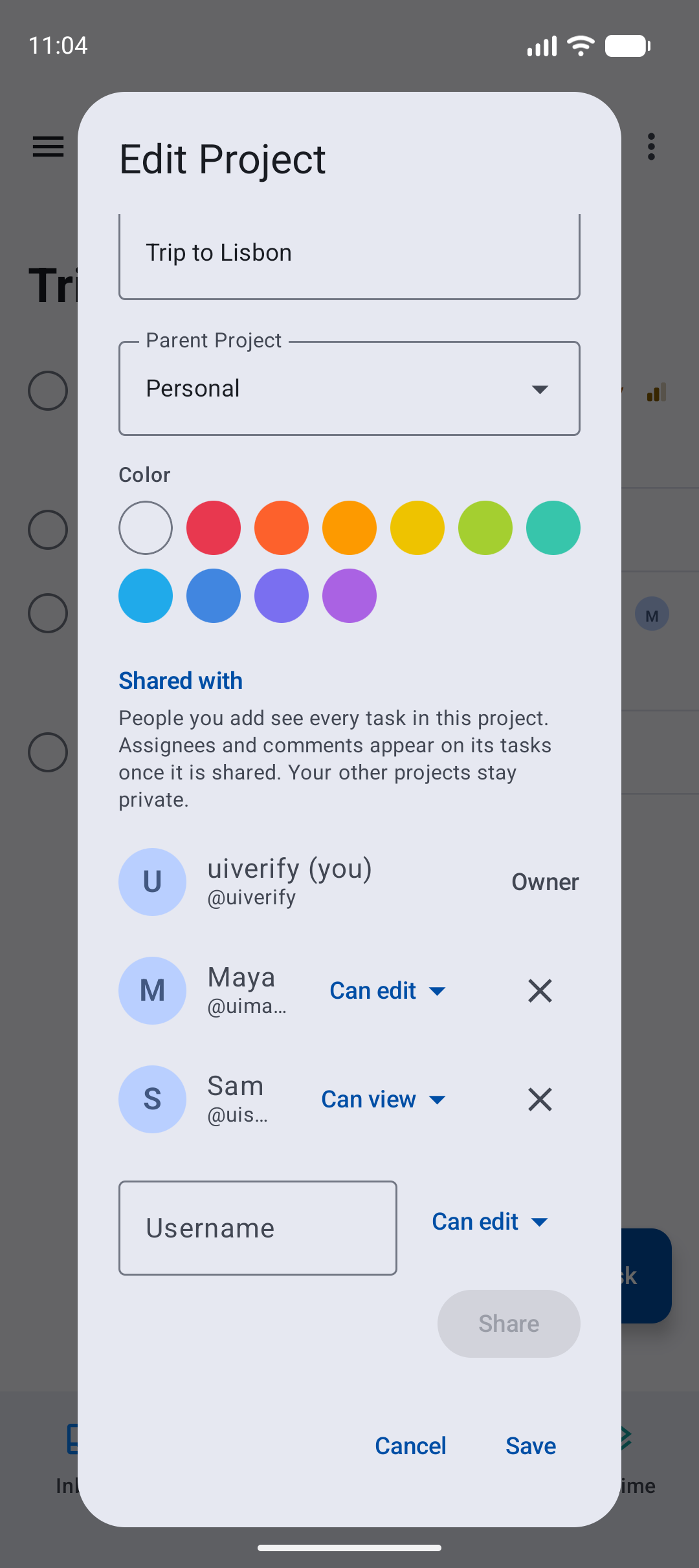
- Open a project, tap ⋮, Edit project, and scroll to Shared with. Type a username, pick Can view, Can edit or Admin, and tap Share. Change someone's access from the menu next to their name, or remove them with ×; a removal offers Undo.
- Only project admins can share. Sharing a project also shares its subprojects. People shared through a team are listed and are managed in Vikunja.
Assign tasks
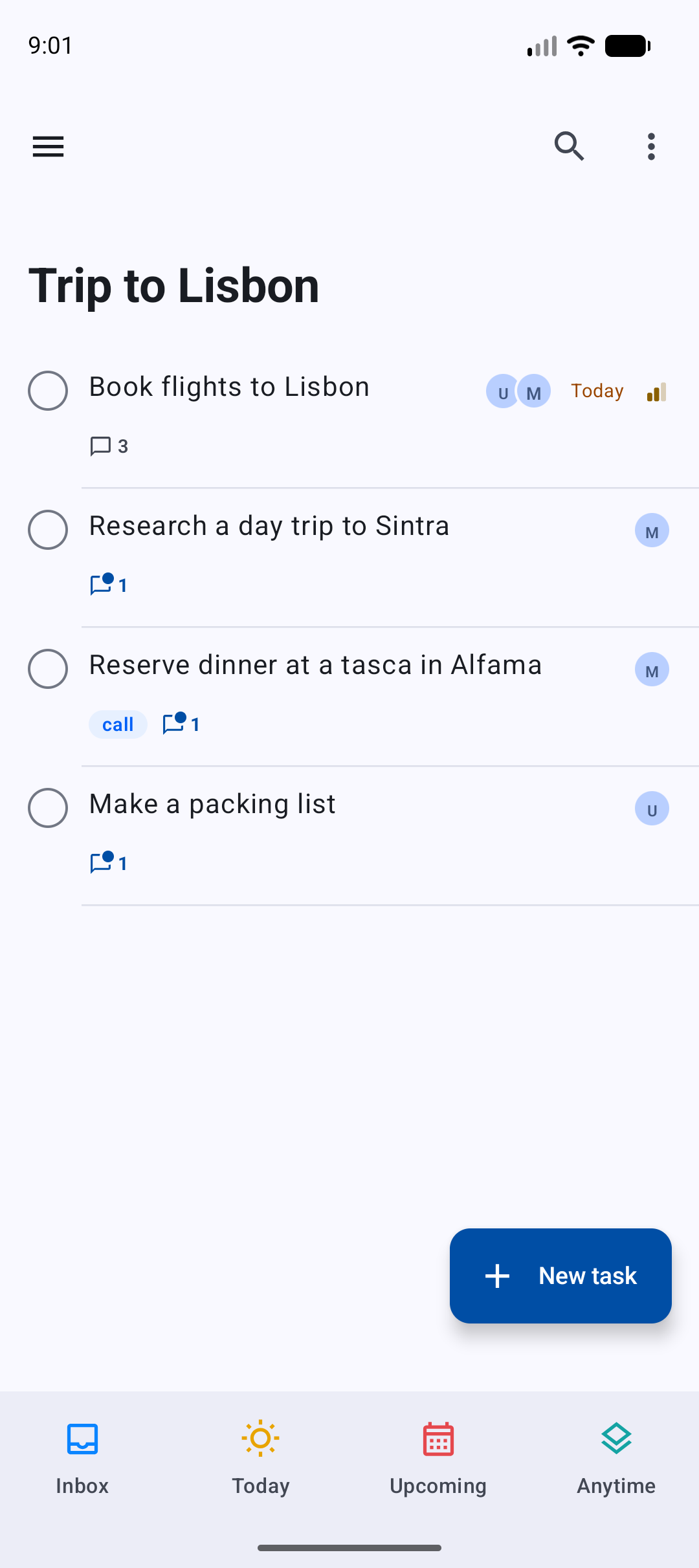
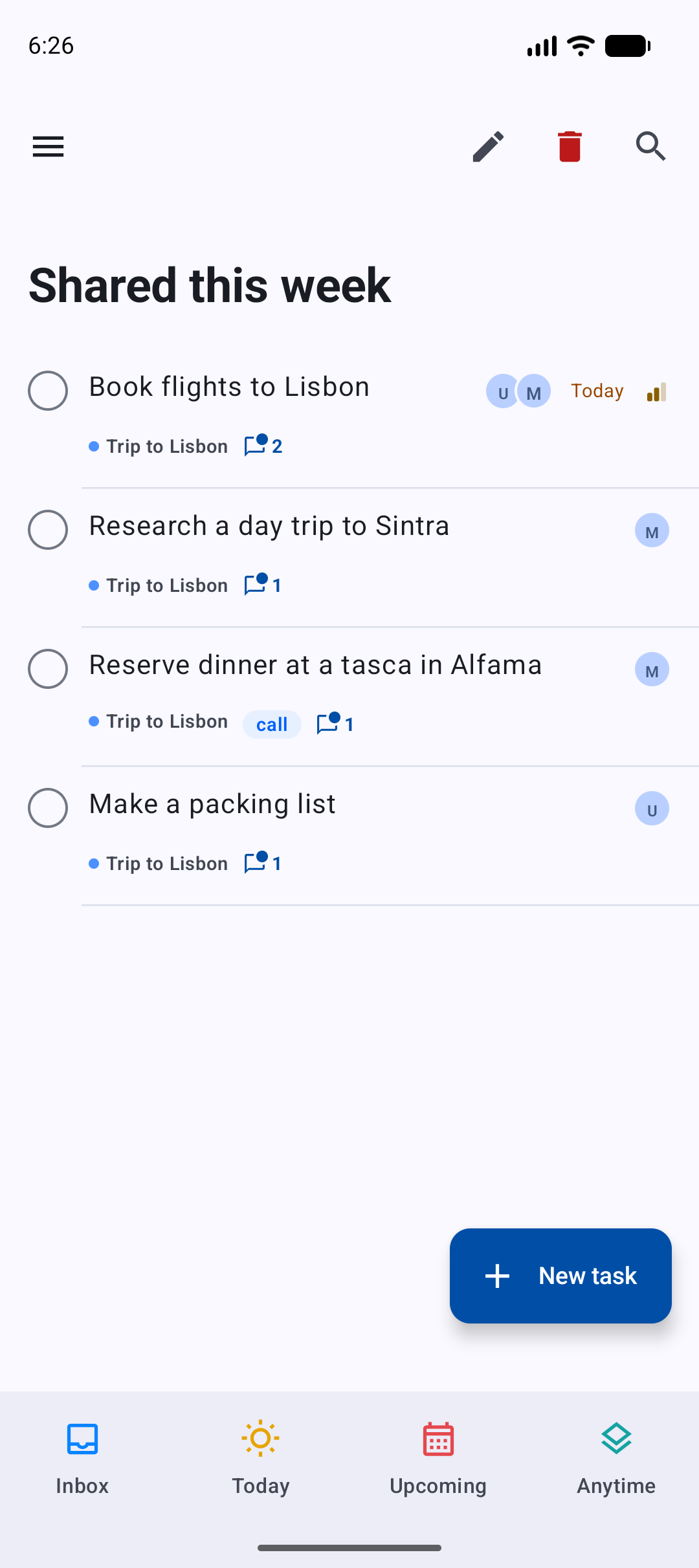
- Rows in a shared project show who is assigned, you first.
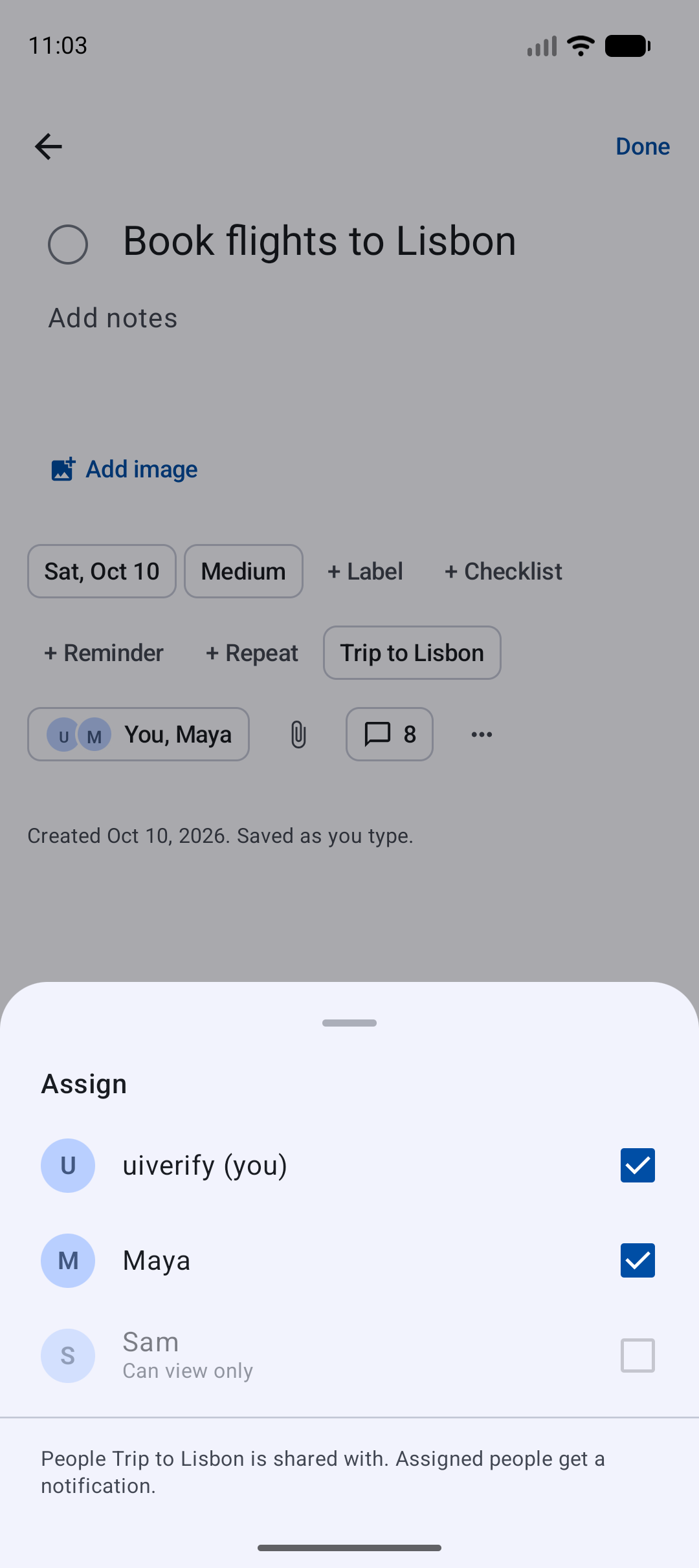
- A task has an Assign chip right after the project. Tick people to assign them; Vikunja notifies them. Someone who can only view the project is listed as Can view only and cannot be picked.
Comments
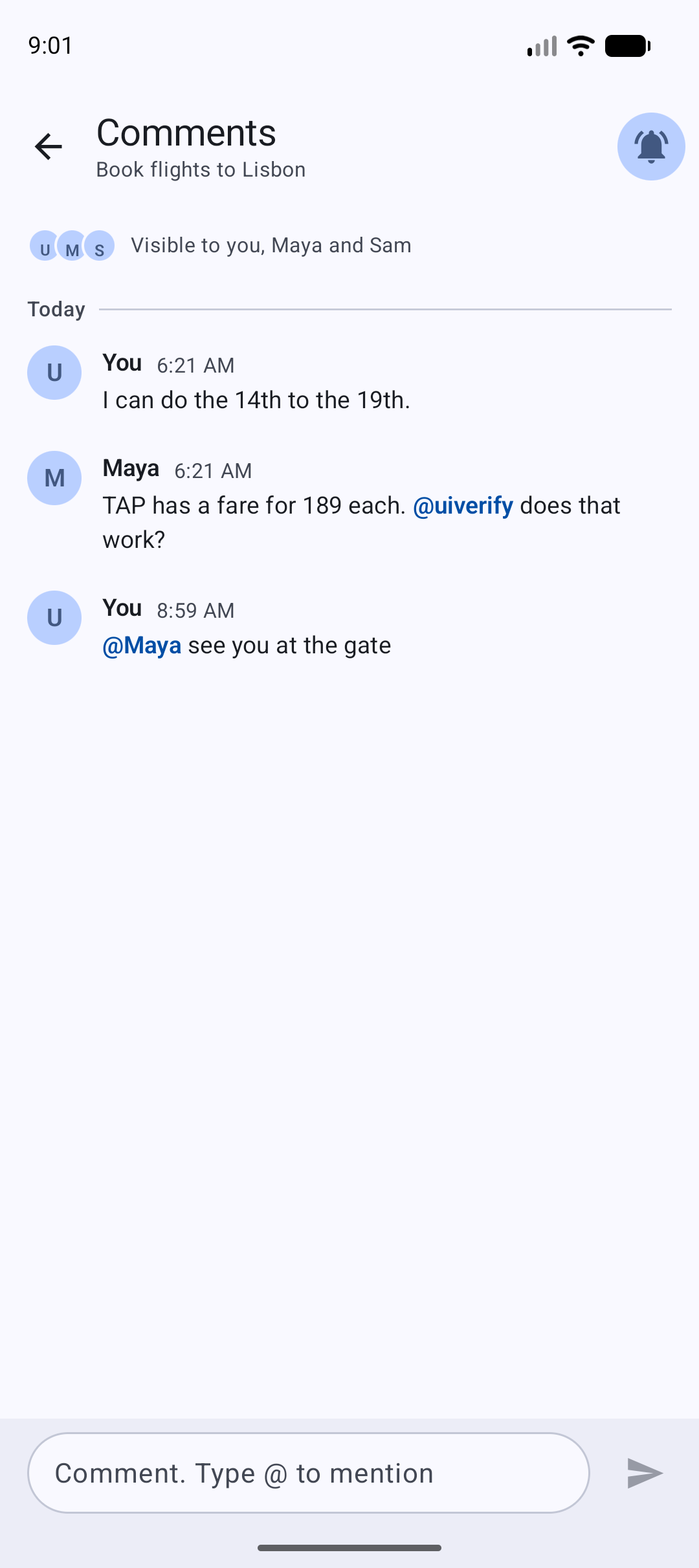
- A row shows how many comments a task has, with a dot when there is something you have not read. Tap the count, or the comments chip of an open task, to read the thread.
- The Comments screen says who can see the thread. Type @ and pick a name from the suggestions to mention someone (they get a notification). Hold one of your own comments to edit or delete it.
- The bell at the top is Notify me: it follows the task, so you hear about new comments too.
- Opening the comments marks them read, on every device.
- People who can only view a project can read its comments but not write.
Custom lists for shared work
The list editor has new conditions:
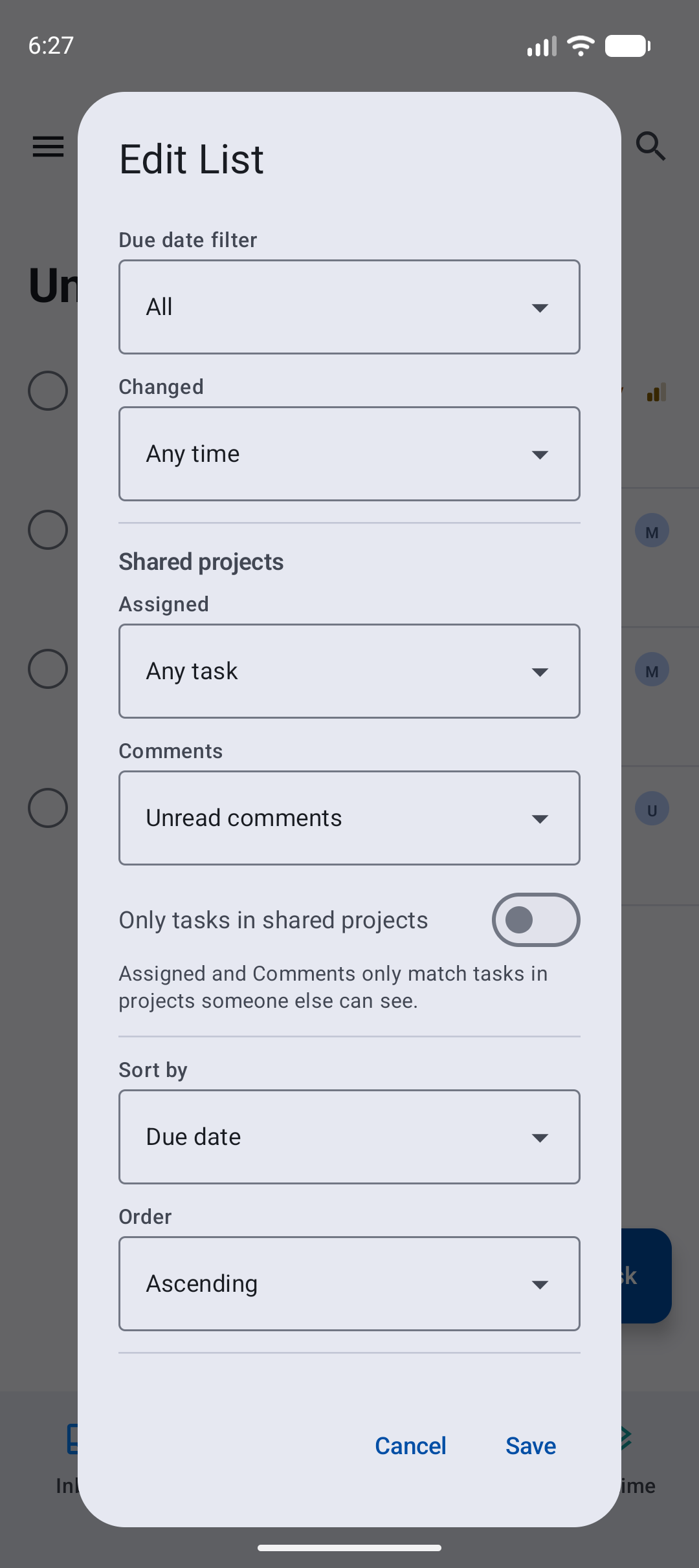
- Changed: today, or in the last 3, 7 or 30 days.
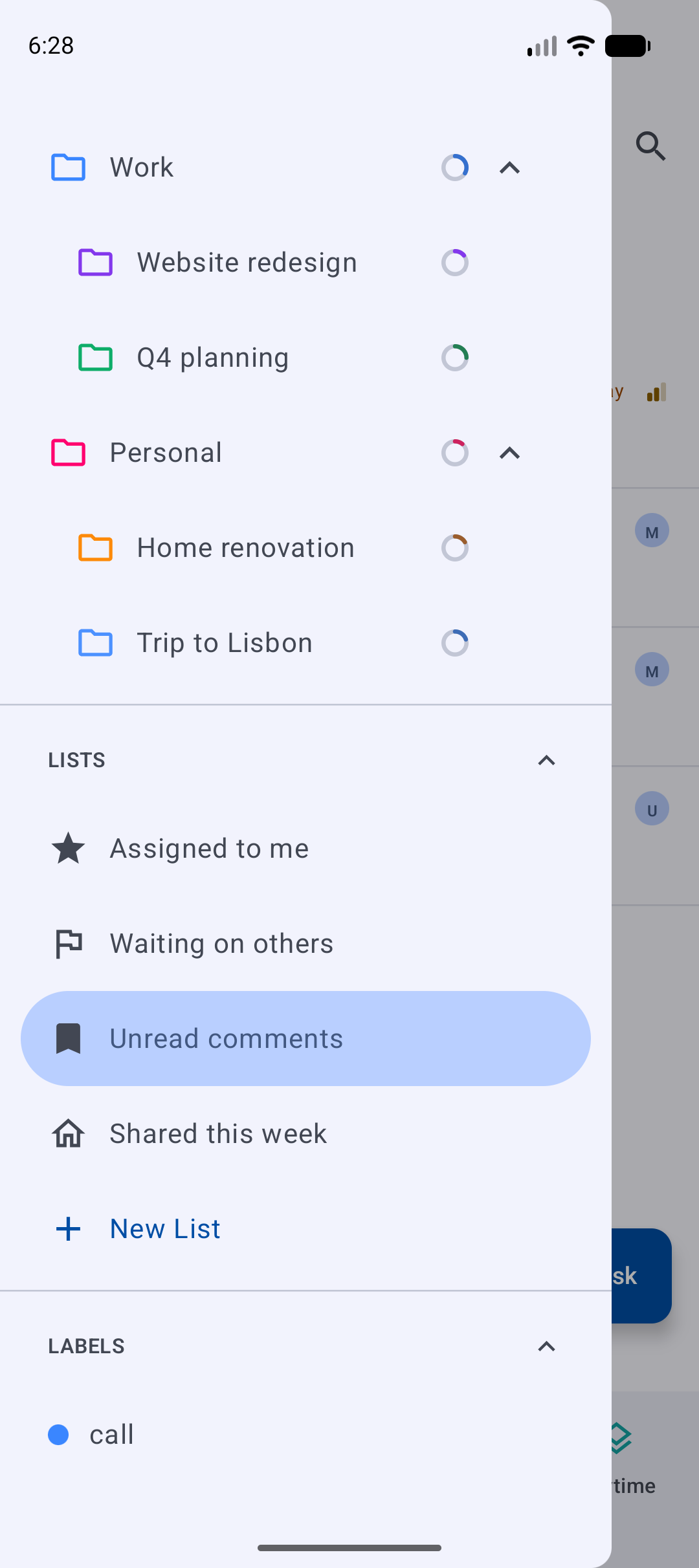
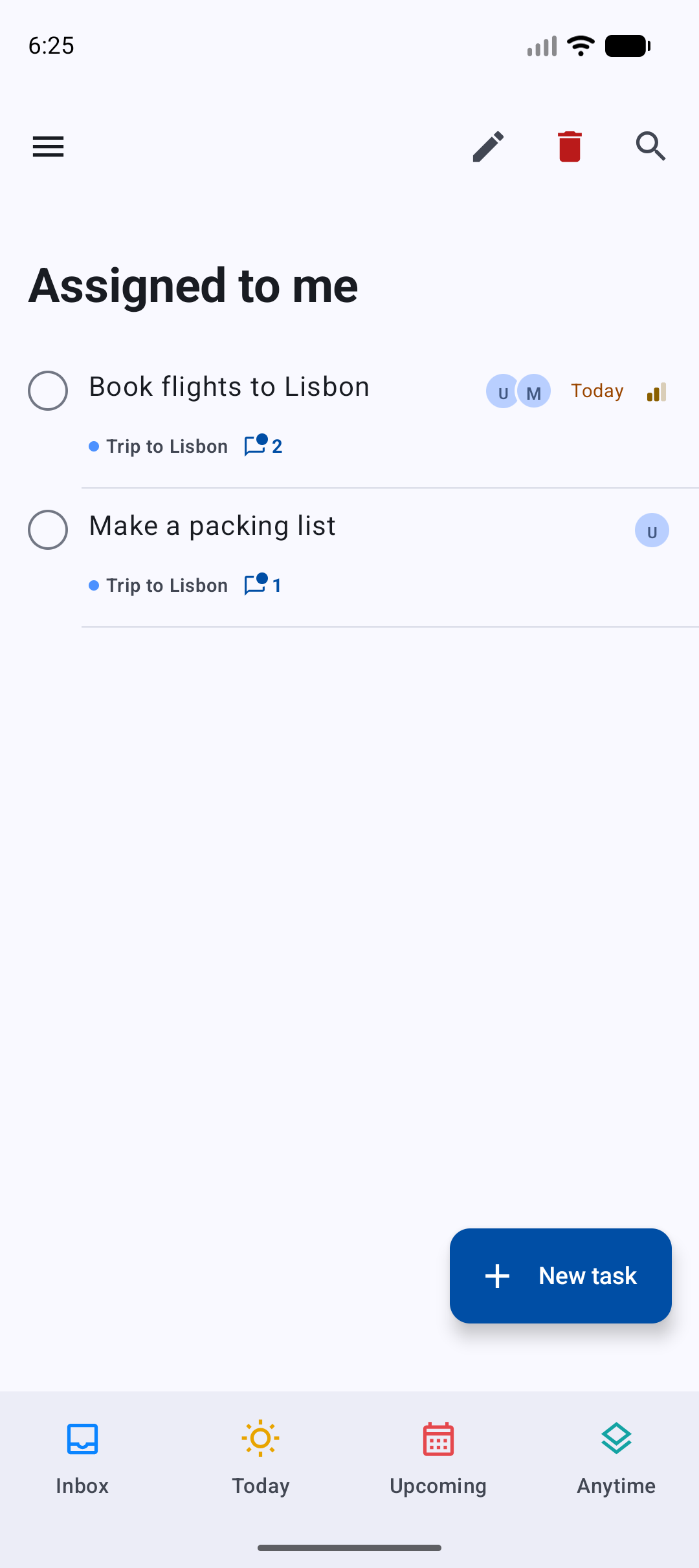
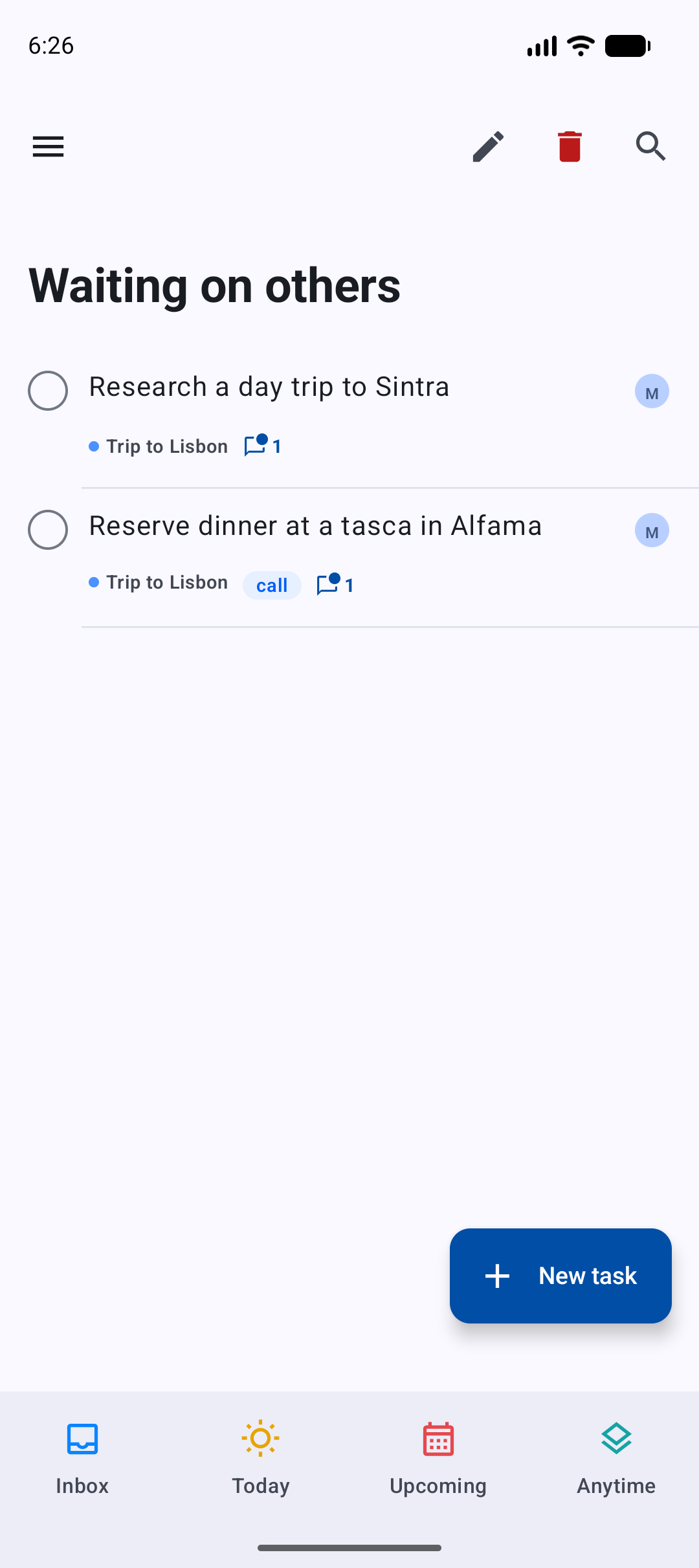
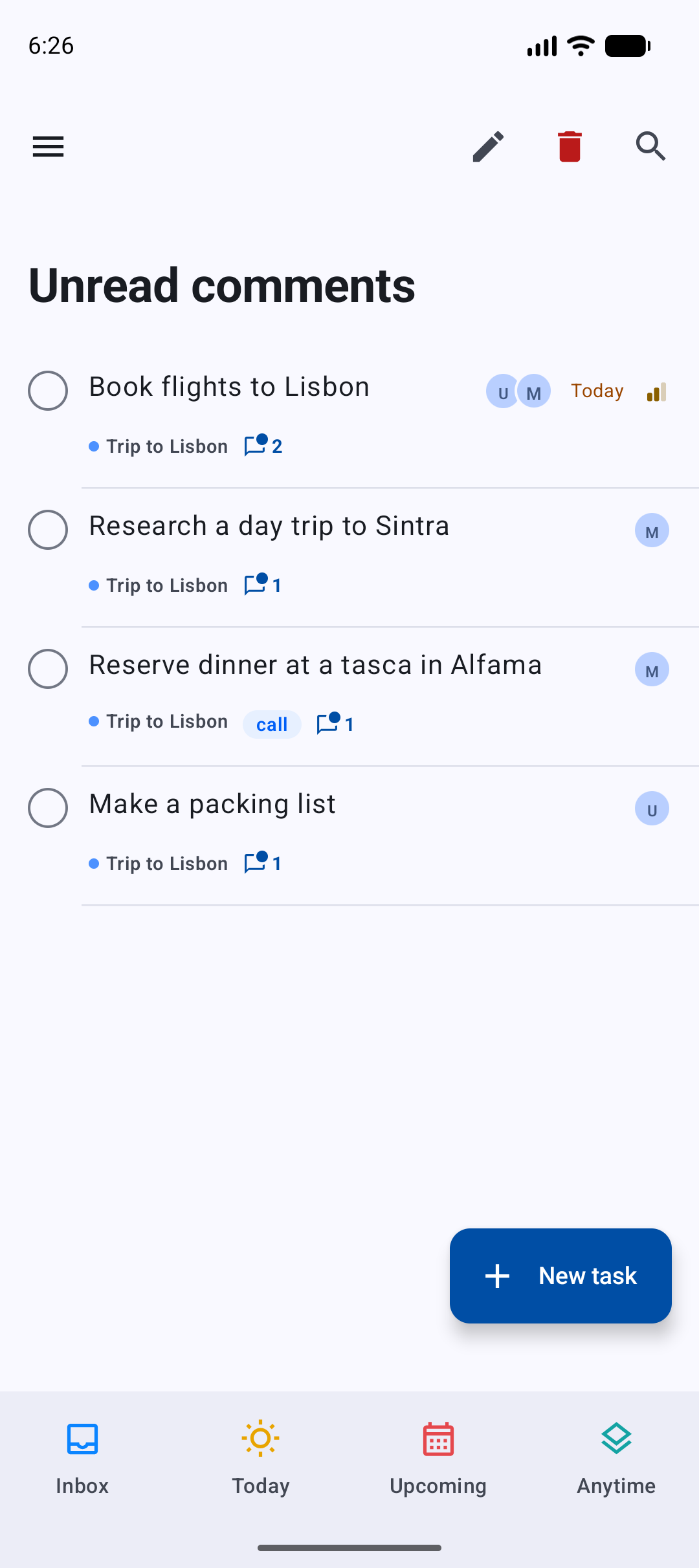
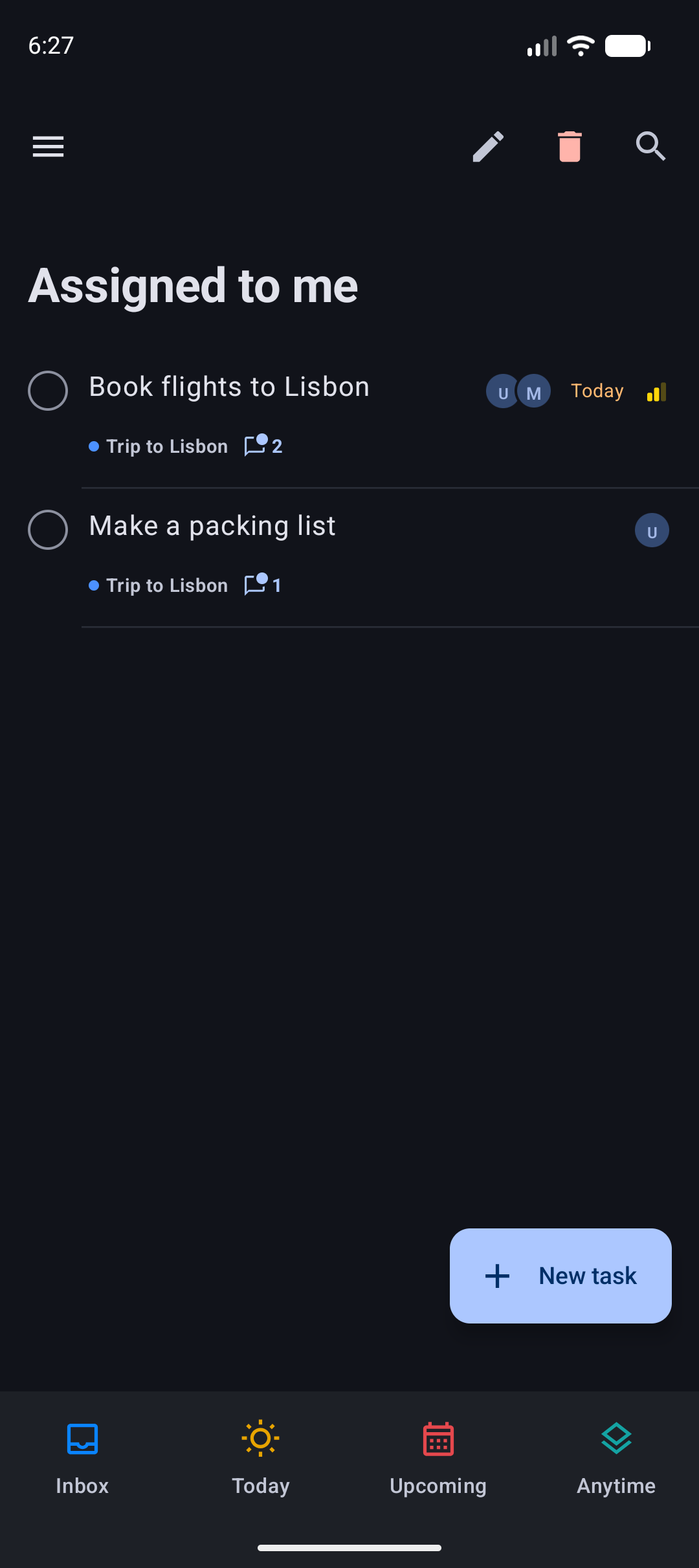
- Under Shared projects: Assigned (to me, to someone else, to nobody), Comments (unread comments, has comments) and Only tasks in shared projects.
Assigned and Comments only match tasks in shared projects. Changed counts every change the server records (edits, completing, comments, assignees, labels), including your own, because Vikunja does not record who changed a task; reading comments does not count. A task you read in an Unread comments list keeps its place until you leave the list. The home screen widget shows a list with the same conditions, and the lists sync with the desktop app with the same meaning.
Offline
- Assigning, unassigning and comments you write offline wait in the sync queue and are sent in order once you are back online. A comment that is still waiting says Waiting to sync.
Only on Android
- Switching between the main screens in the bottom bar is a cross-fade. Before, the old screen faded out completely before the new one faded in, so the top bar and the + button blinked. Choosing a project while another project is open fades too, instead of sliding.
- There is one + button for the whole app, so it no longer fades out and in when you change screens, open a subproject or open Search. On screens without one (Logbook, Review, Settings, Search) it hides with a short fade.
- New setting Smart list colours (Settings, General, Bottom Bar; on by default): turn it off to draw the Inbox, Today, Upcoming and Anytime icons in the bar's own colour. A project or custom list slot can get a colour with Choose colour in the slot editor.
- Saving a custom list on the phone no longer drops a priority condition that was set on the desktop.
Known issues
- The calendar in the When sheet starts the week on Sunday; the rest of Vicu, and the desktop app, start on Monday.
- Undo of a repeating task that was completed while offline does not put its dates back.
Upgrade notes
- The people you share with need an account on the same Vikunja server.
- Update both apps to 2.0.0. An older version keeps the new list conditions when it syncs a list, but ignores them and shows more tasks.
- Vicu Android needs a Vikunja server running version 2.4.0 or newer.
Full changelog: v1.10.1...v2.0.0