Repository navigation
Setup RGW Bucket Notification using Kafka
-
Start Kafka by doing
docker-compose up -d kafka. UI will be available in localhost:8082 where we can check the health of kafka service -
Create a topic in Kafka with the same topic name which we will create on the ceph rgw as well. * To create a topic in Kafka, you can either use UI to create it, or from CLI, go inside the kafka container and then use
kafka-topicto create itdocker exec -it kafka bash kafka-topic --create --bootstrap-server localhost:9082 --topic ui-topic -
Then create a topic in the UI with the same name with ssl disabled and
persistent: true -
Create a topic in the rgw with the same name as the kafka topic which is
ui-topic -
Create a notification.
[root@ceph ceph]# cat notification_config.json
{
  "TopicConfigurations": [
    {
      "Id": "kafkanotification",
      "TopicArn": "arn:aws:sns:default::ui-topic",
      "Events": [
        "s3:ObjectCreated:*",
        "s3:ObjectRemoved:*"
      ]
    }
  ]
}
Make sure you have the correct TopicArn attached in the policy.
- Then attach it to the bucket
aws s3api put-bucket-notification-configuration --bucket <bucket-name> --notification-configuration file://notification_config.json
- Verify it is attached with
aws s3api get-bucket-notification-configuration --bucket <bucket-name>
- Now try to write an object to the bucket and that should trigger a notification in the kafka.
aws s3 cp /testfile.txt s3://<bucket-name>/file
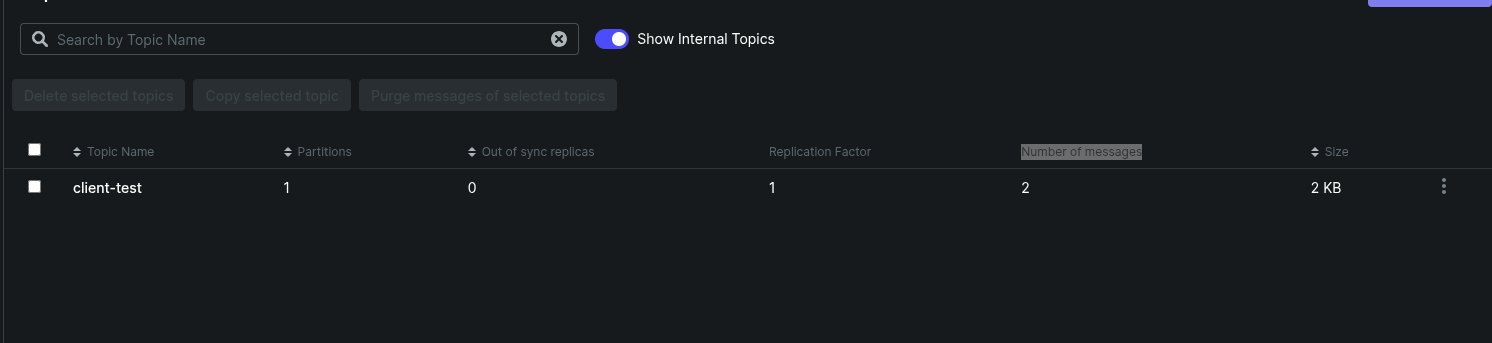
And you should see an increased count in the Number of messages for that topic. Something like below