Repository navigation
Releases: sharooz007/ClipBoardUltra
Releases · sharooz007/ClipBoardUltra
Release list
v2.1.0: Quick Drop Shelf

🗂️ What's New in v2.1.0
Quick Drop Shelf (Temporary Multi-Folder File Staging)
- Shake-to-Summon: Start dragging any file in Finder and quickly shake your cursor back and forth—a floating drop target square pops up immediately near your cursor.
- Global Shortcut: Press ⌥⌘D (or click the menu bar item) to summon or hide the shelf anytime.
- Multi-Folder Staging: Drop files into the shelf, navigate anywhere in Finder, and add more items from different folders.
- One-Motion Batch Drop: Drag individual files or grab the safety-orange 'Drag All to Destination' keycap bar to move all staged files into your destination folder or app in a single move.
- Auto-Dismiss: The shelf automatically fades away as soon as all files are moved out to their destination.
- Customizable: Full settings tab in Settings › Drop Shelf with toggleable gestures, customizable shortcut recorder, and auto-dismiss configuration.
- Universal 2: High-performance native build for both Apple Silicon and Intel Macs.
Full Changelog: v2.0.1...v2.1.0
v2.0.1: New Glassy Logo & About Page
Highlights in v2.0.1
- 🖥️ Intel & Apple Silicon Native Support (Universal 2): Compiled with native binary slices for both Intel (x86_64) and Apple Silicon (arm64). Runs at peak native speed on any Mac running macOS 13+.
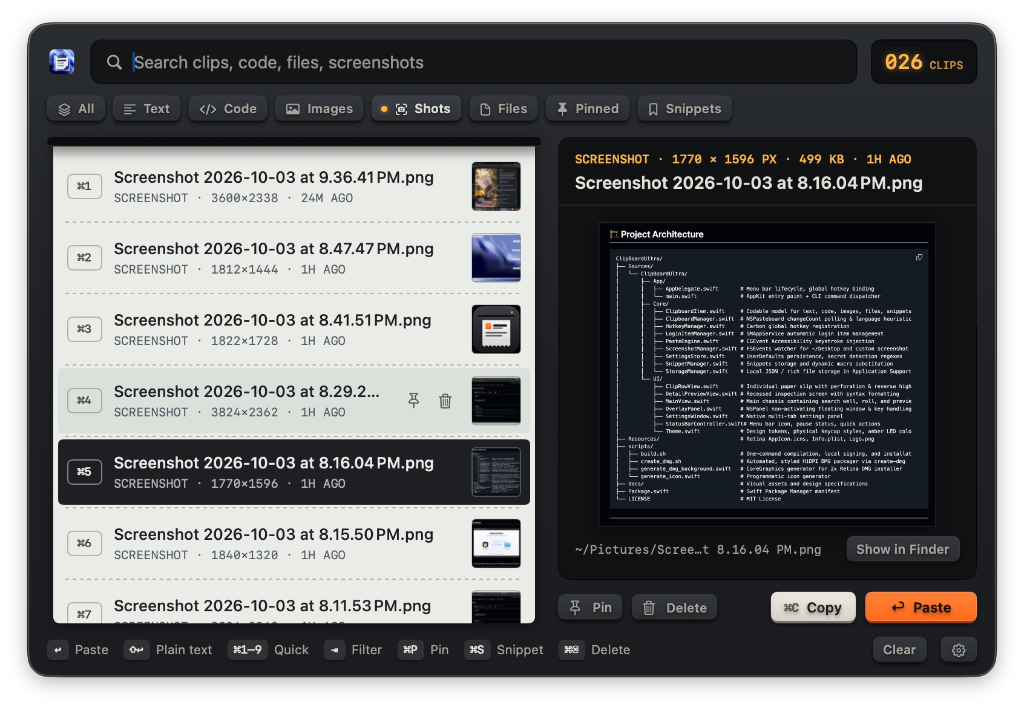
- 📸 Zero-Friction Screenshot Auto-Watcher & Direct Paste: Solves macOS's disappearing thumbnail problem. Any screenshot you capture with macOS shortcuts is caught instantly in the background and can be pasted directly into any app with Return (⏎)—no Finder file hunting or Desktop clutter required!
- ✨ New Brand Logo: High-res glassy blue clipboard icon across the app bundle, dock, and DMG installer.
- ℹ️ About Page in Settings: Dedicated About pane showing app version (v2.0.1), open-source MIT license, privacy details, and developer attribution to Sharooz.
- 🔗 Direct GitHub repository & developer profile links.
📦 Downloads
| Package | Supported Architecture | Minimum macOS |
|---|---|---|
ClipBoardUltra.dmg |
Universal 2 (Apple Silicon M1–M4 & Intel x86_64) | macOS 13.0+ |
ClipBoardUltra-Intel-x86_64.dmg |
Intel Macs (Core i3/i5/i7/i9 & Xeon x86_64) | macOS 13.0+ |
v2.0.0: Initial Public Release
🚀 ClipBoardUltra v2.0.0
A tactile, ultra-fast, keyboard-driven native clipboard manager for macOS.
✨ Highlights
- Instant Auto-Paste: Simulates native ⌘V keystrokes directly into your active field via Accessibility.
- Physical Keycap UI: Perforated paper slips, mechanical keycaps, amber LED readouts, and a dedicated safety-orange paste key.
- 100% Keyboard Control: Arrow key navigation, Category switching (
Tab/Shift-Tab), Quick Paste (⌘1–⌘9). - Intelligent Engine: Automatic syntax detection (Swift, Python, Go, Rust, TypeScript, Bash, JSON, SQL), rich formatted text preservation, and screenshot auto-watcher.
- Dynamic Snippets: Text expansion templates with
{date},{time},{clipboard},{uuid}, and{cursor}. - Privacy Shield: Automatic secret & password filtering, app exclusions, and transient pause mode. 100% offline with zero telemetry.
📦 Installation
Download and open ClipBoardUltra.dmg below, then drag ClipBoardUltra into your Applications folder.
Full Changelog: https://github.com/sharooz007/ClipBoardUltra/commits/v2.0.0