Repository navigation
Home
Every game. One vault.
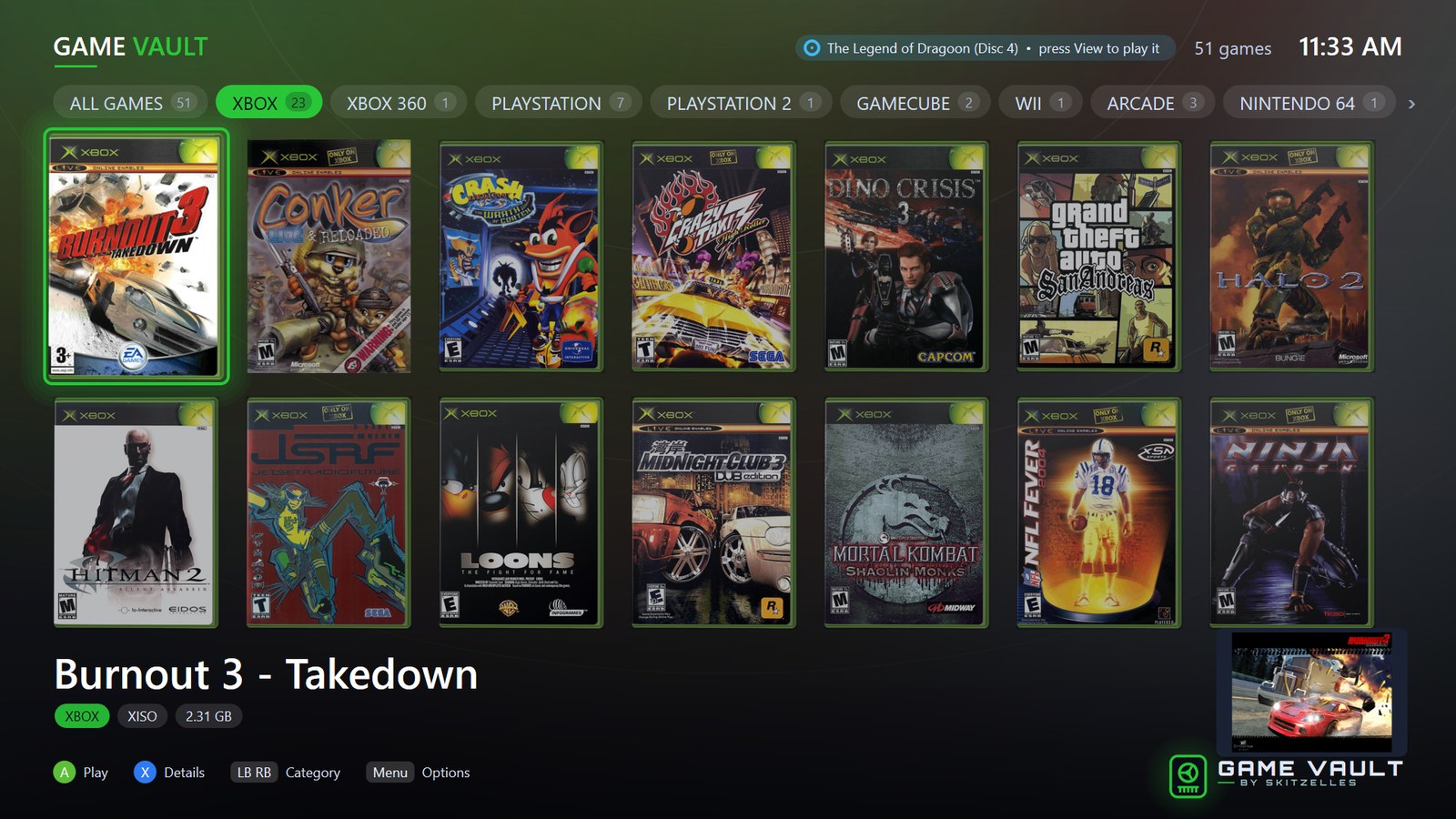
Welcome to the Game Vault wiki. Game Vault turns an Xbox Series X|S in Developer Mode into one big game library for the TV. You plug in a USB drive, pick a game and press A. Game Vault finds the right emulator, sets it up and starts the game.
| Page | What you'll find | |
|---|---|---|
| 1 | Installing | Dev Mode, the setup program for Windows or Mac, and the first start |
| 2 | Adding Games | USB drives, folders, file types, zips and game discs |
| 3 | Controls | Every button in Game Vault and in each emulator |
| 4 | Updating | How Game Vault and its emulators stay up to date |
| Page | What you'll find |
|---|---|
| Systems and Emulators | Which emulator plays each system |
| BIOS Files | Which systems need one, where it goes and the free ones that come built in |
| Network Games | Playing from your PC, a NAS or your own cloud, and sending games from a PC or phone |
| Game Page | What you can do from a game's page, including the Xbox and Xbox 360 settings |
| Options | Every setting, section by section |
| Playing Online | XB Online, Insignia, online rooms and link play |
| Saves and Storage | Where your saves live, backups, save sync and console space |
| Library Features | Tabs, themes, Collections, Franchises, Movies & Music, Kid mode and more |
| Troubleshooting | Common problems, fixes and how to send a report |
| Privacy | What Game Vault connects to and why |
- Game Vault is free and always will be. No ads, no accounts, nothing locked.
- No games, Microsoft BIOS files or keys are included, and none ever will be. Use dumps of games and consoles you own.
- It's still young, and things change fast. If something doesn't work, a report helps a lot. See Troubleshooting.
- Download: latest release
- Help and news: Game Vault Discord
- Bug reports: Issues