Repository navigation
Releases
3.0.0 Unity Staging

Unity 3.0 Staging Release now supports Android! Fully tested and runs flawlessly. This is the first release that brings AITD to mobile devices. You can download and test the APK now.

AITDR running with full feature set on Android with Touch Screen and game controller support.
This release is the initial public beta testing of our work from porting Rehaunted to Unity. The game now runs natively as a Unity engine game, which opens the door for interoperability across multiple platforms, including consoles and Android. With more modern overlays, settings and controller support and extensibility due to the versatility of Unity Engine (6), this opens the door for more possibilities for Rehaunted on multiple platforms.
This does mean that future releases will be Unity backed, making porting to other platforms much easier than before and more extensive.
As it stands, the Unity version is near complete. The game is playable with excellent performance from start to finish, supports all the features (and more) that Rehaunted did prior to 3.0, but even more exciting is console support (XBOX, Nintendo Switch etc) and Android.
As seen in this screenshot, Rehaunted now has a polished settings overlay that integrates with the game and supports live preview of changes.

YouTube Video: https://www.youtube.com/watch?v=YyAkdZogO-g&t=3s
Also, both AITD2 and AITD3 will also be released using this branch of the game going forward.
Everything in the game is pretty self-explanatory, simply download the build for your system and play.
How does it work?
So the core engine is C++ as it always has been, and due to native C++ support in Unity, plugging everything in and making it work flawlessly was a real breeze. It replaces all backends such as native Unity rendering, audio input etc with Unity C# / native support. Only the core gameplay code (LIFE engine) remains C++. Each runtime for each OS is natively compiled so the game will work exactly the same no matter what the platform.
As our staging gets closer to release, we will release Linux, macOS, Android, UWP (XBOX) and Switch builds. Once 3.0 staging is complete, we will start releasing the first versions of AITD2 and AITD3.
And again, thank you for all your support making this excellent project happen!
2.5.0.0110
The 2.5.0.0110 release is a bug fix and graphical polish release that adds:
-Cleaner foreground mask edges and alignment.
-Room-matched model lighting.
-Softer contact shadows that follow model shape and rotation.
-Implemented softer floor and wall planar shadows with feathered edges and reduced opacity.
-AO/GI sampling is now stationary, film grain changes seeds instead of scrolling, and model noise no longer scales with depth. (Stops scanlines and banding)

It also adds bug fixes from the community below:
Source: opusliews/AloneInTheDarkReHaunted, upstream-bug-fixes, reviewed at branch revision 37a39828ba998c68aa165860e35c6f13ea07cd1c.
The following fixes are integrated into this tree. Commit IDs identify their upstream implementations; local adaptations retain the per-game atlas archive selection and track bounds checks.
| Area | Change | Upstream commit |
|---|---|---|
| Audio | Stop room loops on room/floor changes, save loading and leaving gameplay | bbb0e68e |
| Lighting | Drive dark-room masking from lightOff, with the original light circle |
6b60de2b |
| Lighting | Use variable 7 for lamp glow | 79ea7695 |
| Lighting | Restrict AITD1 lantern handling to object 13 | d5b847b7 |
| Particles | Correct blood/smoke allocation sizes and effect cleanup | 68c8faf7 |
| Audio | Mix at the application stream's requested sample rate | 49d54cc4 (already present locally) |
| Shadows | Hide the player shadow during the collapsed-corridor fall | dd2d068e |
| Smoke | Restore Smoking Room timing and damage | 74f325b1 |
| Smoke | Restore the original translucent sphere cloud | a8035980 |
| HD mode | Apply background-setting changes immediately | 56e5707e |
| Atlases | Cap generated atlases and avoid loading oversized archive images | 1e47e191 |
| Saves | Refresh each slot's preview texture | c4f2cdbe |
| Audio | Play the queued second sample after its first voice ends | 7052ad90 |
| Saves | Preserve object tables larger than 300 | efe72b04 |
| Pickup | Require separation after dropping; use a 32-bit prompt cooldown | 4cedd4a8 |
| Water | Clip AITD1 models at the cave waterline; retain later-game shaking | 436344cd |
| Scripts | Fix cellar/tunnel arrivals, TRACK 40/41 and worm soft-locks | efdedeff |
The optional furniture-pushing behavior change (afbfd4cb) is excluded. Furniture retains its existing collision behavior.
2.4.0.1008
2.4.1008 Release
Note: Jack in The Dark mode is now a toggle in Advanced options instead of needing to download a separate release. Toggle it on if you wish to play JACK, restart the game and it will play. This same method will apply to AITD2 and AITD3, however they will be separate releases due to the HD backgrounds and atlases being an extra download step, so they will be toggled on with their release.
We are also only providing Win64 builds currently while we work on this updated branch for AITD/JACK/AITD2/AITD3 for rapid development. If you wish to use a Linux or macOS build, please use 2.3 prior or try compiling yourself for now.
Changes in this release:

Implemented the F1 Re-Haunted options dialog.
It includes:
Graphics, renderer, fullscreen, MSAA, backgrounds, filtering and menus
Bloom, grain, SSAO, SSGI, vignette and light probes
Complete cinematic color grading and animation smoothing
Controller behavior and all keyboard/gamepad bindings
Fonts, music and interface settings
HD masks, sequences and background pipelines
Steamless, Jack mode and diagnostic settings
Save, reload, restore defaults and live preview controls
Gameplay input suppression while the dialog is open
Responsive, scrollable layout for different resolutions
Implemented substantial game-wide graphical and animation upgrades.
Added cinematic color grading with exposure, contrast, saturation, temperature, shadow lift, and highlight rolloff in composite_ps.sc (line 54).
Improved bloom transitions to remove hard, unstable halos.
Reworked film grain into subtle, luminance-adaptive cinematic noise.
Added configurable skeletal pose easing while preserving root motion, collision, and gameplay timing in anim.cpp (line 833).
Converted square dust/dirt cards into soft radial particles in particle_ps.sc (line 16).
Fixed live configuration toggles retaining previously enabled effects in bgfxGlue.cpp (line 202).
Added documented graphical and animation controls to fitd_remaster.cfg.example (line 115) and the shipping configuration.
Fixed the stack corruption.
Root cause: buildPakFilename() declared a 512-byte destination to strcpy_s/strcat_s, while callers supplied only a 256-byte pakName. The Debug CRT consequently overwrote adjacent locals—exactly embData, embSize, and fileOffset.
Changes in pak.cpp (line 134):
Passed the real destination size into filename construction.
Replaced the unsafe concatenation with bounded snprintf.
Added strict bounds validation for embedded PAK tables, descriptors, headers, offsets, payloads, compression types, and allocation sizes.
Invalid embedded entries now fail safely with a diagnostic.
Fixed the 0x0000087A debugger exception.
Cause: every Debug build unconditionally enabled bgfx’s Direct3D validation device. DirectX validation can deliberately break when reporting graphics API messages; Microsoft documents this behavior through the D3D/DXGI information queues and their break-on-severity controls. Microsoft Direct3D documentation
Changes:
Graphics API validation is now disabled by default.
Added debug.graphicsValidation = false to the configuration.
Added an opt-in “Graphics API validation” setting under F1 → Advanced.
Validation still remains available for deliberate GPU debugging after restart.
Rebuilt and ran the Debug executable for ten seconds without the exception or crash report.
2.3.0.0705
This pre-release now adds JACK IN THE DARK promo game that is bundled with the GOG / Steam releases of the AITD Trilogy.
It is fully HD and all features are implemented.
To install, see readme. Simply copy the whole archive contents into the same folder as your AITD1 copy, run TATOU.exe and you are good to go! The game can also install automatically into your Steam / GOG copy if (Steamless = false) is in config.
On Linux, simply run launch_tatou.sh SH script from a terminal (it launches the Tatou ELF binary from working directory), and away you go. Supports Vulkan / OpenGL on Linux with X /Wayland support using SDL. Supports the entire working set that the Windows version does, but uses either Vulkan / OpenGL depending on installed graphics driver for OS.
On macOS (11.3 or above required, uses Metal), simply run the Tatou.app bundle. The bundle isnt signed or notarized, so it is down to the user to allow it to run through macOS security settings. Supports all feature sets that Windows and Linux builds do.
Due to new compression applied to the HDA archives, releases are now optimized enough to be hosted on GitHub. To download the latest release, see Assets!
Install it the same way that you do AITD1. If you want it to auto-install, set Steamless = false in the Remaster cfg and it will install over JACK's folder in Steam / GOG. Keep these releases in seperate folders. AITD1 / JACK can conflict.
Known Issues
Unless in 'non holding mode' or 'drum mode' Grace's HD atlas replacements currently don't load. This is currently an engine restriction that we are working around.
Music currently does not play.
This release will also update AITD1 Rehaunted's code with some extra enhacements made for JACK and AITD2 which is currently being worked on. We have also updated the HD backgrounds throughout AITD1 so they are more faithful to the originals and thier lighting. To get around having to make hundreds of HD mask replacements, we've closely matched the original dimensions of the backgrounds so doors not sitting in frames etc properly aren't so much of an issue anymore.
See attached releases here.
Jack in The Dark - Drumroll Please!
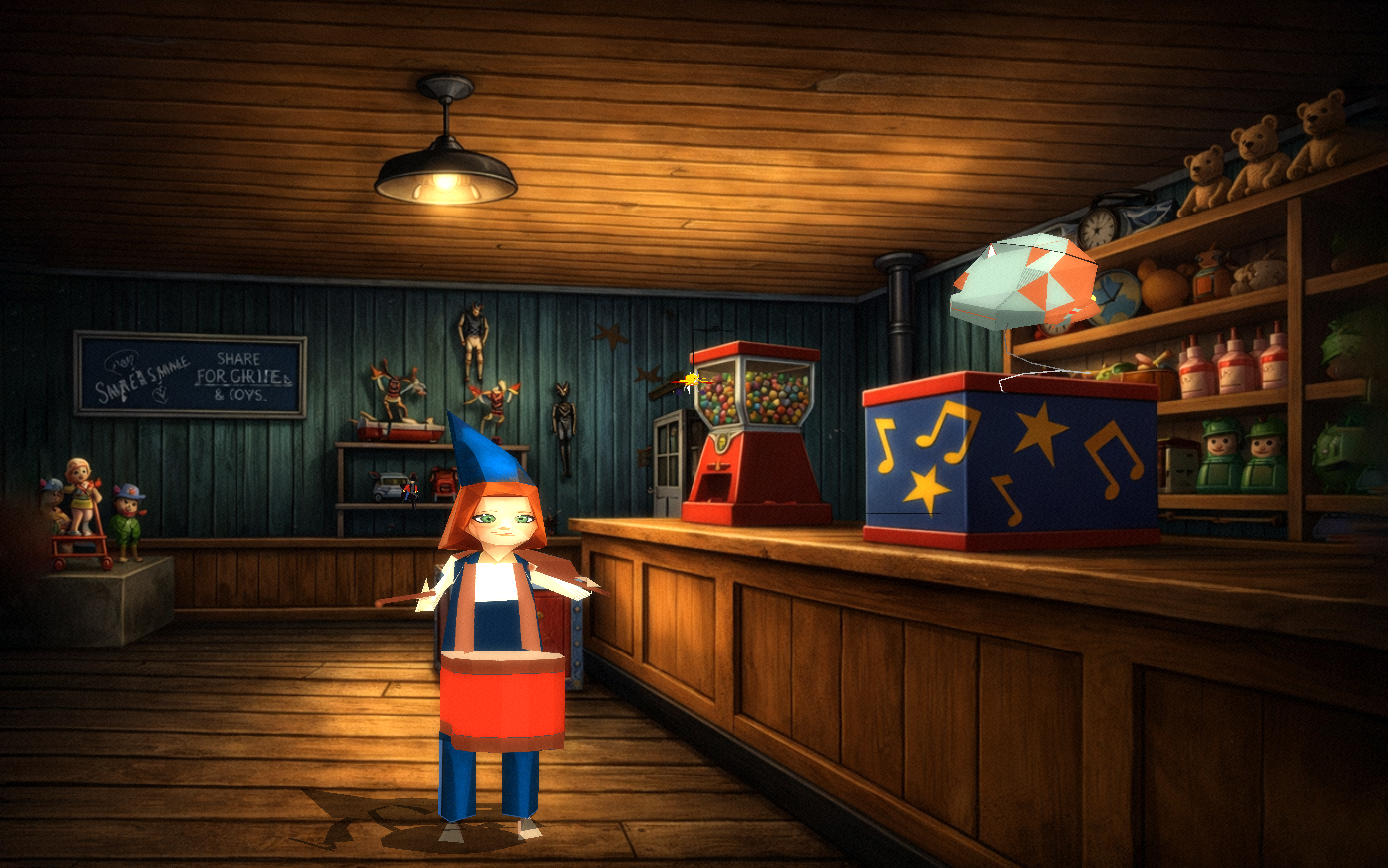
 Alone In The Dark 1 - Fixed doorways and improved HD Backgrounds
This release also dramatically improves performance as we've made key optimizations while we've been performing work on Alone In The Dark 2, which has many more bodies and graphical effects on screen at one time.
Overview
Version 2.3.0.0705 focuses on Jack in the Dark (JACK) mode, resolving a series of issues that prevented JACK from rendering, sounding, and exiting correctly. Player character textures, held-item textures, book backgrounds, music, and the quit flow have all been brought in line with the rest of the remaster, and a single canonical model-atlas implementation now backs all games.
Bug Fixes
Rendering (JACK mode)
- Grace (body 11) now renders with her atlas texture — Three hardcoded
LAMP_BODY_NUM = 11exceptions in the renderer were AITD1-specific (for the lantern body) but were also firing in JACK mode, where body 11 is the player character. The HD floating-poly culling pass was being skipped entirely for body 11, which silently dropped the atlas overlay path and left Grace rendering in flat base colors. The exceptions are now gated ong_gameId != JACK. - Held items now render textured in JACK —
dumpFlatPolyAtlas()previously required at least one textured primitive to dump a flat atlas. JACK bodies (held items, Grace, NPCs) often have only flat/ramp polys, so no flat atlas was ever produced and held items rendered untextured. The early-out is now relaxed for JACK so flat/ramp-only bodies still get a flat atlas. - JACK ramp polys routed through the textured atlas path — In JACK mode, ramp-shaded polygons (material 3–6) now sample the flat / main textured atlas instead of the ramp atlas, matching JACK's intended flat-textured look.
- Per-game atlas namespacing — Atlases for JACK and AITD1 (which both use
LISTBODYas the HQR name) are now namespaced on disk and in cache asJACK_LISTBODY_*so they no longer collide.
Audio (JACK mode)
- JACK now plays MIDI music from
LISTMUS.PAK—playMusic()always triedosystem_playTrack()first, which streams MP3/CD audio. With AITD1's01.mp3–17.mp3(oraudio.hda) present in the working directory, JACK was inadvertently playing AITD1 audio. The MP3/CD branch is now skipped forg_gameId == JACK, falling through to the existing AdLib/MIDI path that loads fromLISTMUS.PAKviaHQR_Get+loadMusic+osystem_playAdlib.
UI / Flow (JACK mode)
- Book backgrounds use the HD
JACKBOOKart —JACK_ReadBook()now loadsJACKBOOK_000.pngas the HD background beforeLire(), matching AITD1's HD book-page treatment. - QUIT exits to desktop instead of hanging — In JACK mode, the system menu's QUIT branch now calls
freeAll(); exit(0);directly instead of bouncing through the AITD1 game-over / menu transitions, which had no valid target in JACK and left the game frozen.
Improvements
Code Health
- Unified model-atlas implementation — The duplicate "fixed" atlas implementation was merged into
FitdLib/modelAtlas.cppand the duplicate file was removed from the build. All games (AITD1, AITD2, JACK, Tatou) now share one canonical atlas dump/load/cache path.
Content Packaging
- Repacked
backgrounds_hd.hda2— Regenerated the HD backgrounds archive (v2 format, per-entry zlib): 2700 entries (2566 compressed, 134 stored raw), ~305 MB, output toD:\FITD\build\vs2026-new\Fitd\Release\backgrounds_hd.hda2.
Technical Details
Modified Files
| File | Change |
|---|---|
FitdLib/renderer.cpp |
Three LAMP_BODY_NUM = 11 exceptions (depth-cull for lines/polys, HD floating-poly clip skip) now require g_gameId != JACK; JACK ramp polys (material 3–6) routed through flat/main textured atlas; setCurrentBodyNum() prefixes JACK HQR names with JACK_ |
FitdLib/modelAtlas.cpp |
Canonical atlas implementation (merged duplicate); dumpFlatPolyAtlas() no longer requires textured prims when g_gameId == JACK |
FitdLib/music.cpp |
playMusic() skips osystem_playTrack() MP3/CD path for JACK so MIDI from LISTMUS.PAK plays via the AdLib driver |
FitdLib/JACK.cpp |
JACK_ReadBook() loads JACKBOOK HD background before Lire() |
FitdLib/systemMenu.cpp |
QUIT in JACK mode now exits directly to desktop (freeAll(); exit(0);) |
Affected Asset Layout
- JACK atlases on disk:
JackMode/atlases/body_JACK_LISTBODY_*.png,flat_JACK_LISTBODY_*.png,ramp_JACK_LISTBODY_*.png,other_JACK_LISTBODY_*.png,spheres_JACK_LISTBODY_*.png - JACK HD book pages:
backgrounds_hd/JACKBOOK_000.png - JACK music:
LISTMUS.PAK(existing JACK shipping content)
2.2.0.2704
To install, see readme. Simply copy the whole archive contents into the same folder as your AITD1 copy, run TATOU.exe and you are good to go! The game can also install automatically into your Steam / GOG copy if (Steamless = false) is in config.
On Linux, simply run launch_tatou.sh SH script from a terminal (it launches the Tatou ELF binary from working directory), and away you go. Supports Vulkan / OpenGL on Linux with X /Wayland support using SDL. Supports the entire working set that the Windows version does, but uses either Vulkan / OpenGL depending on installed graphics driver for OS.
On macOS (11.3 or above required, uses Metal), simply run the Tatou.app bundle. The bundle isnt signed or notarized, so it is down to the user to allow it to run through macOS security settings. Supports all feature sets that Windows and Linux builds do.
Due to new compression applied to the HDA archives, releases are now optimized enough to be hosted on GitHub. To download the latest release, see Assets!
Alone In The Dark: Re-Haunted — Release Notes v2.2.2704
Version 2.2.2704 delivers targeted bug fixes and quality-of-life improvements across audio, input, and character selection systems.
Improvements
Updated texture atlases and updated the Menu UI navigation sounds to be more original and fitting to for the game instead of using the AITD4 (more technical ones)
Bug Fixes
Audio
- Fixed distorted audio on PipeWire / non-44100 Hz systems — On Linux systems where the audio server (e.g. PipeWire) runs at a native sample rate other than 44100 Hz, all audio previously played with constant distortion and crackling. The SDL3 static backend was incorrectly passing the device's native sample rate to SoLoud's internal engine, causing double-resampling. SoLoud now generates audio at the requested 44100 Hz and SDL3 handles resampling to the device rate internally. Systems using ALSA directly at 44100 Hz are unaffected.
Character Selection
- Fixed Emily (Heiress) voice being pitched up / sped up — On the character selection screen, the Heiress voice-over was being played back at 1.15× speed due to an incorrect
g_voPitchMultiplieroverride. The Detective voice was similarly affected at 1.05×. Both characters now play their intro voice-overs at the correct natural pitch (1.0×).
Improvements
Input
- WASD movement support — W, A, S, D keys now work as secondary movement inputs alongside the arrow keys and any custom key bindings configured in the controls menu. WASD is always active and does not replace or interfere with existing bindings.
Technical Details
Modified Files
| File | Change |
|---|---|
ThirdParty/soloud.cmake/soloud/include/soloud_backend_data_sdl3.h |
Added requestedAudioSpec field to SoLoudBackendDataSdl3 |
ThirdParty/soloud.cmake/soloud/src/backend/sdl3_static/soloud_sdl3_static.cpp |
postinit_internal now uses requested rate/channels; mixer callback uses requested spec for sample count |
FitdLib/AITD1.cpp |
Removed incorrect g_voPitchMultiplier overrides (1.15× Heiress, 1.05× Detective) from ChoosePerso() |
FitdLib/input.cpp |
Added WASD as hardcoded secondary directional keys in readKeyboard() |
2.1.0.2204
To install, see readme. Simply copy the whole archive contents into the same folder as your AITD1 copy, run TATOU.exe and you are good to go! The game can also install automatically into your Steam / GOG copy if (Steamless = false) is in config.
On Linux, simply run launch_tatou.sh SH script from a terminal (it launches the Tatou ELF binary from working directory), and away you go. Supports Vulkan / OpenGL on Linux with X /Wayland support using SDL. Supports the entire working set that the Windows version does, but uses either Vulkan / OpenGL depending on installed graphics driver for OS.
On macOS (11.3 or above required, uses Metal), simply run the Tatou.app bundle. The bundle isnt signed or notarized, so it is down to the user to allow it to run through macOS security settings. Supports all feature sets that Windows and Linux builds do.
Due to new compression applied to the HDA archives, releases are now optimized enough to be hosted on GitHub. To download the latest release, see Assets!
Alone In The Dark: Re-Haunted — Release Notes v2.1.2204
Overview
Version 2.1.2204 delivers a major wave of visual and input modernization, introducing new particle systems, dynamic lighting, smooth menu transitions, full mouse support across all menus and more.
New Features
🖱 Universal Mouse Support (All Menus)
• Added menuMouse.h — a shared mouse-input library used by every game menu.
• Mouse hover now highlights menu items in the startup, system/pause, controls, and inventory menus.
• Mouse click confirms selections; keyboard and gamepad input automatically suppress hover to avoid conflicts.
• Mouse coordinates are mapped to the original 320×200 game space so hit-testing is pixel-accurate at any display resolution.
• Two-button dialogs (e.g., Found Object / Pick Up Object) are fully mouse-clickable.
🏮 Lantern Oil Lighting System (lanternLighting)
• Dynamic bloom glow on the lantern body when it contains oil (body IDs 269 / 10 confirmed via runtime logging).
• Real-time flame flicker using a time-accumulator with configurable intensity.
• Light flare effect with screen-space position, fade-in/out alpha, and pulse animation.
• Shadow occlusion and background darkening driven by lantern position and oil level.
• Separate BGFX shaders: sc and sc.
• Companion LANTERN_LIGHTING_GUIDE.md documents integration steps for the rendering pipeline.
Improvements
Menus
• System/Pause menu: save-slot preview now renders a live scaled-down game screen capture (nearest-neighbour, 114×64 px inside the frame border).
• Controls menu: full keyboard and gamepad rebinding with SDL_Gamepad axis and button mapping for all standard actions (Up/Down/Left/Right/Action/Confirm/Cancel/Strafe/Inventory/Pause).
• Startup menu: language selection (English, Français, Italiano, Español, Deutsch) with animated selection highlight timer; AITD3-specific menu path supported.
• All menus call menuRestoreCursorForMenu() on entry and playMenuSound() on navigation.
Input
• menuMouseMoved() uses a 3-pixel dead-zone threshold (Euclidean distance) to prevent hover jitter from sub-pixel ImGui float noise.
• SDL integer coordinates used for cursor-hide movement detection to avoid floating-point jitter preventing the hide trigger.
Technical / Internal
Area Detail
BGFX views Fade capture on view 207; snapshot on view 206 (unchanged)
Particle vertex layout Position (float×3) + Color0 (alpha) + Color1 (isDirt flag)
Lantern body IDs 269 = unlit, 10 = lit (confirmed at runtime)
Cursor hide delay CURSOR_HIDE_DELAY_MS = 2000 ms (compile-time constant)
Mouse move threshold MOUSE_MOVE_THRESHOLD = 3.0f px (compile-time constant)
Game coordinate space All mouse hit-tests operate in 320×200 logical pixels
Re-Haunted is based on the open-source FITD engine by yaz0r and is released under the GPL.
Fixes all reported recent issues at: https://github.com/spacefarergames/AloneInTheDarkReHaunted/issues
2.0.1.1504
To install, see readme. Simply copy the whole archive contents into the same folder as your AITD1 copy, run TATOU.exe and you are good to go! The game can also install automatically into your Steam / GOG copy if (Steamless = false) is in config.
On Linux, simply run launch_tatou.sh SH script from a terminal (it launches the Tatou ELF binary from working directory), and away you go. Supports Vulkan / OpenGL on Linux with X /Wayland support using SDL. Supports the entire working set that the Windows version does, but uses either Vulkan / OpenGL depending on installed graphics driver for OS.
Due to new compression applied to the HDA archives, releases are now optimized enough to be hosted on GitHub. To download the latest release, see Assets!
Debug builds are now also attached. To use them, download the Release version, and replace with the Tatou.exe in the debug archive. Useful for debugging and reporting issues.
Alone In The Dark: Re-Haunted
Version 2.0.1.1504 (Shipping)
New
- Added Per-Floor Preloading of HD Camera backgrounds - reduces time to switch camera angles in quick succession.
- The game now starts fullscreen by default.
- Added Cinematic letterbox to the Intro and when getting game over or activating special events.
- Life Script System Revamp (Dynamic Recomp) and Diagnostics added
Bug Fixes
- Added bounds checking to CopyBox_Aux_Log function
- Replaced duplicated UI layer code with helper calls
- Fixed escape key code check (localKey == 1 should be 0x1B)
- Added missing texture atlas for drinking flask (old model would appear)
- Fixed unsafe string operations in startupMenu.cpp (buffer overflow risk)
- Fixed unsafe string operations in fileAccess.cpp (buffer overflow risk)
- Added division-by-zero protection in main.cpp perspective calculations
Additional:
#65
#61
#60
#59
#58
#55
Native Recomp Source https://github.com/spacefarergames/AloneInTheDarkReHaunted/blob/main/TatouSource/FitdLib/nativeLifeScripts_generated.cpp
2.0.1404
To install, see readme. Simply copy the whole archive contents into the same folder as your AITD1 copy, run TATOU.exe and you are good to go! The game can also install automatically into your Steam / GOG copy if (Steamless = false) is in config.
Due to new compression applied to the HDA archives, releases are now optimized enough to be hosted on GitHub. To download the latest release, see Assets!
Debug builds are now also attached. To use them, download the Release version, and replace with the Tatou.exe in the debug archive. Useful for debugging and reporting issues.
Alone In The Dark: Re-Haunted
Version 2.0.0.1404 (Shipping)
Many, many bug fixes, improvements and issues resolved (See issues marked as completed).
This is the BASE build that will be shipped for AITD2 and AITD3. Future improvements will be released downstream.
We've got a few more bits to polish off asset wise (HD Masks and more Texture Atlas improvements) But this is as good as it's really going to get!
Full Changelog: 2.0.0_Staging...2.0.0.1404_Release
2.0.0_Staging
To install, see readme. Simply copy the whole archive contents into the same folder as your AITD1 copy, run TATOU.exe and you are good to go! Happy Easter!
Due to new compression applied to the HDA archives, releases are now optimized enough to be hosted on GitHub. To download the latest release, see Assets!
Debug builds are now also attached. To use them, download the Release version, and replace with the Tatou.exe in the debug archive. Useful for debugging and reporting issues.
Alone In The Dark: Re-Haunted — Release Notes
⚠️ Version 2.0 - Pre-Release (Beta Staging)
Status: This is a pre-release build. The following items are still in progress before the final 2.0 release:
- Texture Atlas Updates: Continuing to update and finalize all texture atlases (many currently incomplete)
- HD Mask Refinements: HD masks have been updated for correct geometry; further refinements needed for complete accuracy
- Additional Polish:
Final release expected upon completion of these remaining items.
Version 2.0 - Enhanced Graphics, Animation Overhaul & Quality Improvements
Overview
Version 2.0 represents a major transformation for Alone in the Dark: Re-Haunted! This release delivers comprehensive improvements to textured models, completely overhauled animation systems, UI rendering enhancements, and extensive quality-of-life improvements. With all 29+ GitHub issues addressed, this version modernizes the visual presentation while maintaining the authentic, immersive gameplay experience of the original AITD1.
New Features & Improvements
Graphics & Visual Enhancements
- Textured 3D Models: Complete replacement of core 3D models with high-quality textured versions for improved visual fidelity
- HD Background Support: Integrated HD replacement textures for UI screens with proper fallback rendering:
- Intro screens (TITRE, LIVRE) with seamless fade-in/fade-out
- Animation System Overhaul: Major rewrite of animation handling system including:
-
Optimized animation data structures for better performance and reduced memory footprint
-
Support for hybrid animation techniques (combining traditional and optimized approaches)
-
Improved 2D animation playback for consistency
-
Proper animation cleanup between floors to avoid taking the wrong animation
-
Early hybrid animation support
-
- Body & ZV System Refactoring: Comprehensive modernization of body and ZV (zone volume) rendering systems:
- Complete rewrite of body storage and organization
- Switch to proper body system for ZV code integration
- Improved collision detection and rendering
- Better model organization and lookup efficiency
- **Hint System and Map!
- Enhanced UI Layer: Improved UI layer rendering system for better menu and overlay presentation with proper transparency handling
Gameplay & Content
- In-Game Maps: Added interactive Mansion Map and Underground Map for improved navigation and exploration (#36)
- Access maps from the pause menu
- HQR System Modernization: Complete rework of HQR (FITD archive format) handling:
- Redesigned body/animation storage structures
- Improved data access patterns and performance
- Better template instantiation
- Model Organization: Major cleanup and renaming of model components for better code organization
- Environment Fixes:
- Enhanced Loading Experience: Improved "Please Wait..." loading screen with multi-language support (English, French, Italian, Spanish, German)
Bug Fixes & Stability
- Animation System Fixes:
- Fixed multiple animation-related regressions from earlier versions
- Animation playback consistency across all game areas
- Proper animation cleanup between floors
- Jack animation rendering corrections
- Door Functionality: Corrected non-functional door issues in AITD1 (regression fix)
- UI Layer Regressions: Fixed several UI layer rendering issues affecting menu appearance (#26)
- Camera System: Fixed potential out-of-bounds access and camera index issues
- Memory Safety:
- Improved boundary checking throughout the codebase
- Resolved major SafeDelete issues (#37)
- Better resource deallocation
- Rendering Quality:
- Cross-Platform Support: Resolved Linux compilation issues and ensured cross-platform compatibility
- Steam Overlay Integration: Enhanced compatibility with Steam overlay features (#40)
Performance Optimizations
- Optimized animation data structures for reduced memory footprint
- Improved rendering pipeline efficiency with better layer management
- Enhanced animation loading and caching mechanisms
- More efficient body storage and lookup
- Better template instantiation for faster compilation
Technical Details
Modified Core Systems
- Animation System (
anim.cpp,anim.h): Complete rewrite with optimized structures, hybrid support, and per-floor caching - Body System (
body.cpp,body.h): Refactored for better model organization and rendering with new storage structures - ZV System: Updated to use proper body integration with improved collision handling
- UI Layer (
osystemAL.cpp): Enhanced rendering with proper text layer support and HD background blending - HQR Archives (
hqr.cpp): Modernized data structures and access patterns for improved performance - Life Script System (
life.cpp): Updated to work with new animation and body systems - HD Background Renderer (
hdBackgroundRenderer.cpp): Integrated texture rendering pipeline for enhanced graphics - Voice-Over System: Full support for AITD1 CD voice-over playback during reading sequences
Build & Compatibility
- Fixed CMake configuration for proper Linux support
- Improved cross-platform compilation and template instantiation
- Enhanced third-party library integration (SDL3, SoLoud, bgfx, etc.)
- Better project organization and filter structure
Known Issues Addressed in This Release
- Door activation in AITD1 now functions correctly
- Animation playback is consistent across all game areas and floors
- UI text renders properly over game world without visual artifacts
- Collision detection functions properly with new body system
- Character selection screen displays correct portrait overlays with HD backgrounds
- Loading screen appears immediately when character is selected
- Camera system no longer causes out-of-bounds access
- Linux compilation errors fully resolved
- Rocking Horse collision fixed in attic (#32)
- Wood texture in attic corrected (#25)
- Stencil overdraw issues resolved (#24)
- UI framebuffer preview rendering improved (#30)
- SafeDelete resource handling stabilized (#37)
- Near-Camera Floating Polygon Clipping fixed (#43)
- Texture Wrap / Shading support added (#42)
- NUM_MAX_SPHERES_VERTICES limit resolved (#41)
- Mask dumping and fixup completed (#44)
- Ghost/orb particles now use transparent material (#39)
- Sound system fully functional (#38)
- Mansion Map and Underground Map added (#36)
- Interactive object hint overlay implemented (#35)
- Fullscreen toggle in system menu added (#34)
- Shadow noise feature restored and improved (#27)
- 3D objects now properly render when in UI mode (#28)
- Environment upscaling and rendering refinements completed
- Dirt path in intro no longer appears as wood (#21)
- Background rendering quality improved (#29)
- Transparency support added to UI overlays (BigCadre/Frames) (#26)
- Heiress voice pitch corrected on playback (#31)
- Demonic ashtray smoke handled correctly (#20)
- Particles and opaque shapes rendering fixed (#19)
- Dark room lighting properly applied (#18)
Upgrade Notes
- This is a MAJOR upgrade - Version 2.0 represents the most comprehensive update to Re-Haunted since launch, with 29+ improvements across all systems
- Players should expect dramatically improved visual quality with the new textured models, transparent menus, and HD backgrounds
- New in-game maps (Mansion & Underground) provide a fresh gameplay experience and significantly improve navigation
- Loading times may vary as animation caching optimizations take effect on first playthrough
- Saved games from version 1.x are fully compatible with version 2.0
- Some screen layouts have been optimized for better HD background integration and transparency support
- Animation playback performance has been significantly improved due to per-floor caching
1.0.7.2803
Download - Spacefarer Retro Remasters Mirror (Win64) - 2GB Zip
This download is archive purposes only, we recommend you download 2.0.
Note: The above link contains the full release, including the HD backgrounds and CD quality audio. The attached assets release on GitHub is the minmial build and does not include the HD backgrounds.
New! Future releases now also have Debug builds attached that you can drop in and replace on the normal full download. Useful for speedrunners and testers alike. Debug symbols are included.
Update 28/03/2026 - 1
We've added a 'Fixup' patch for the game for a very rare edge case that can cause the game state to corrupt when performing certain actions due to (expected DOS) behaviour. However with our modern machines it can very quickly cause a crash. We've added the download link as an attached asset to this release. Overwrite TATOU.exe and Version.TXT with the files attached ONLY IF you encounter this issue.
#16
-2 We've added an additional fixup release like above. This will completely fix the buffer overflow on systems where the random crash occurs. Until this has been verified as being more than an 'edge' case, we will update to a full release. For now, download the '.2' patch if you encounter that specific issue.
3- We've added correct DOS behaviour that skips over memory heaps that overflow (due to DOS design flaw) that will instead always return garbage data (the original Alone In The Dark does exactly that, you just never see it) since we never replicated this behaviour, it would cause a random crash that was almost impossible to find the cause. Now, we think we have. In this fixup patch and future releases going forward, any time this happens it will skip over the heap, produce garbage, catch and continue. Note that this error can NEVER be fixed due to the nature of the original game's design, format, and total incompatibility between a 16bit and 64 system. It's a wonder we mitigated this at all!.
Fixup:
The code will now never crash and never return NULL:
- Size capping: If discSize or uncompressedSize are garbage (>16MB or 0), they're capped to 4KB
- Malloc checks: All malloc calls are guarded - if one fails, the code continues gracefully
- Unknown compression: Instead of assert(false), it logs and allocates a dummy buffer
- Fallback guarantee: At the end, if ptr is still NULL, a 4KB zeroed buffer is returned
The game will continue running with garbage data (emulating DOS behavior) rather than crashing or returning NULL.
1.07.2803
• Added Window Resize Detection (input.h and input.cpp):
• Added global flag g_windowWasResized to track when the window is resized/maximized/restored
• Added resetWindowResizeFlag() function to clear the flag after handling
• Modified the SDL event loop to capture SDL_EVENT_WINDOW_RESIZED, SDL_EVENT_WINDOW_MAXIMIZED, and SDL_EVENT_WINDOW_RESTORED events
• Updated All Menu Screens to handle resize events:
• System Menu (systemMenu.cpp): Detects resize and forces immediate redraw of the pause menu UI
• Inventory (inventory.cpp): Handles resize for both the main inventory screen and the item pickup screen
• Startup Menu (startupMenu.cpp): Handles resize for both the main menu and language selection menu
• Controls Menu (controlsMenu.cpp): Detects resize events (normal rendering handles the redraw)
• Fixed Text Redraw / Overlap on window resize
• Forced Stereo Audio in SoLoud to prevent audio processing sound problems