Repository navigation
Releases: speardragon/herdr-island
Releases · speardragon/herdr-island
Release list
Herdr Island 0.7.8

Added
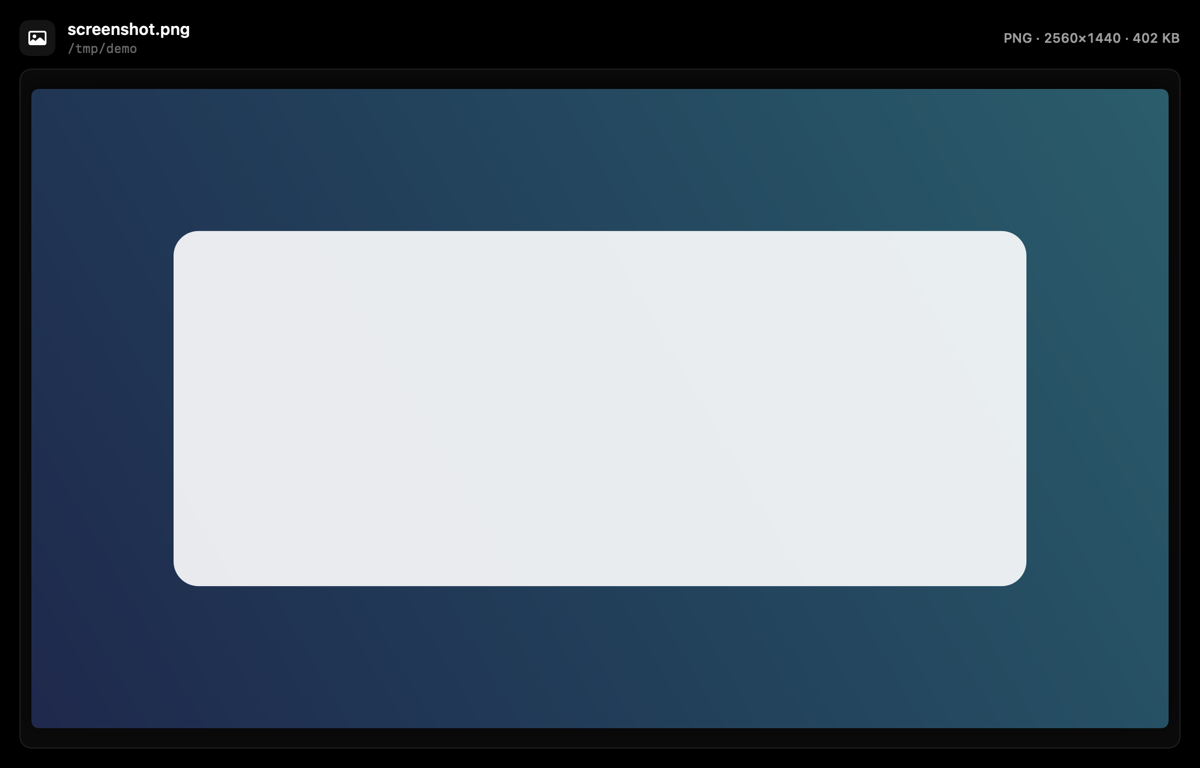
- Pictures on the live stage. When an agent reads an image, the stage shows the picture itself with its format, dimensions and file size, drawn from the file on disk (the transcript keeps no copy). Reads of
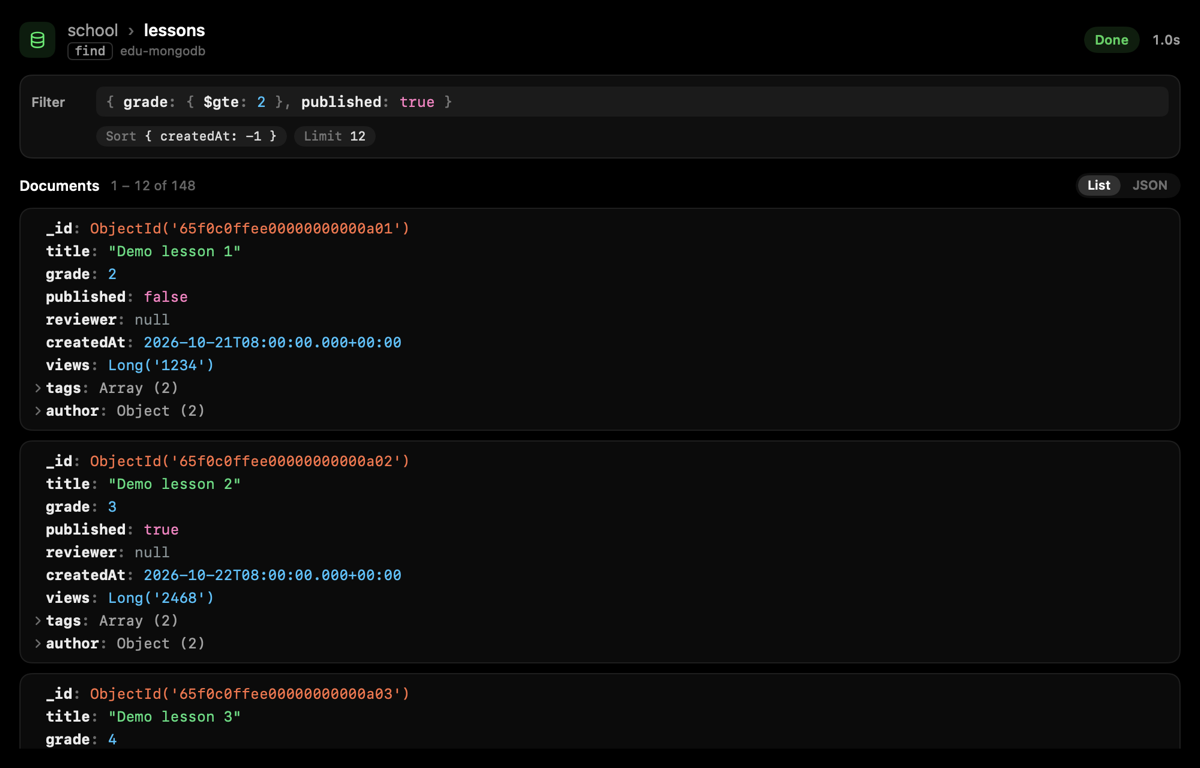
.png,.jpg,.gif,.webp,.heicand similar open in this view from the first frame. - MongoDB calls like a database viewer. MongoDB MCP tools (any server whose name contains
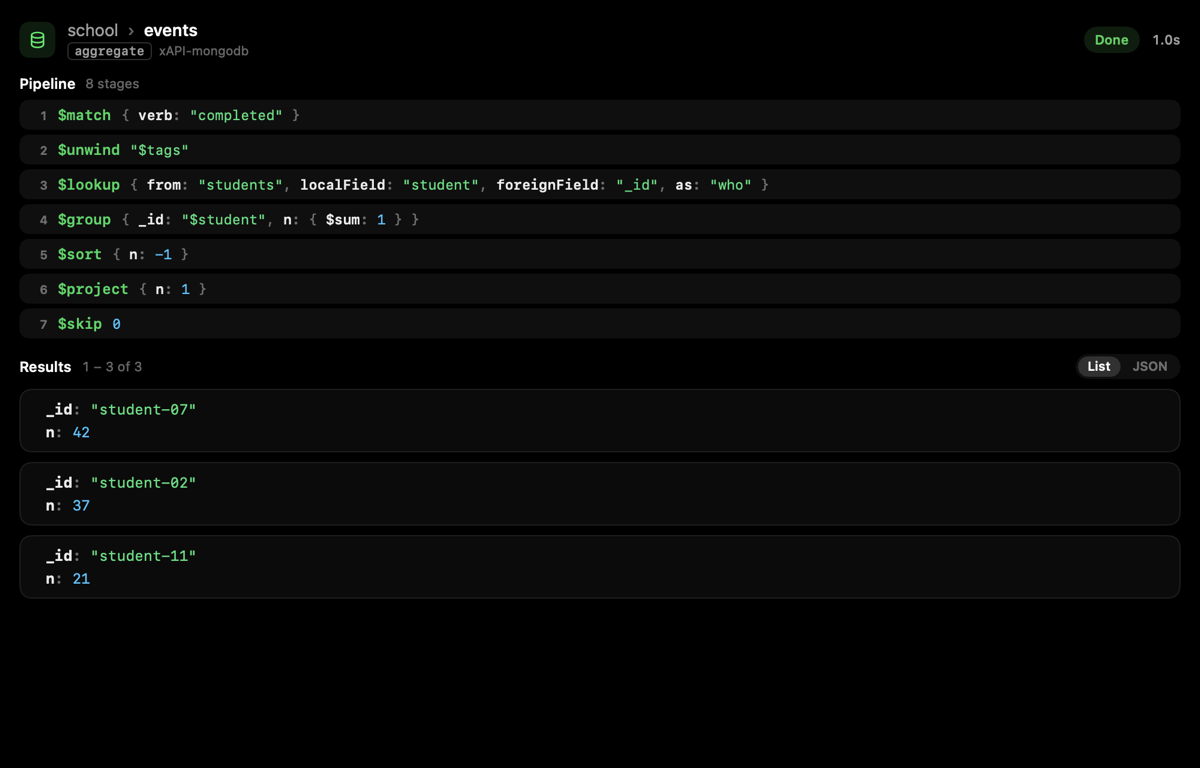
mongo) showdatabase › collection, the filter and options or the aggregation pipeline in mongosh style, and documents as cards of typed fields: ObjectId, dates, numbers, strings and booleans each in their own colour (MongoDB Compass dark), nested objects and arrays folded until opened. Counts get a stat card andlist-collections/list-databasesa name grid. Switch between List and JSON.
Changed
- Documents keep the field order the database wrote (
_idfirst). - MongoDB results are kept up to 300,000 characters instead of 20,000; a result cut short still shows its complete documents and says the rest was cut.
Install
herdr plugin install speardragon/herdr-islandAlready installed? Run herdr plugin update.
Full changelog: v0.7.7...v0.7.8
Herdr Island 0.7.7
Fixed
- Questions whose options carry a preview (Claude draws a box beside the list) are read again: the box is cut off, labels that wrap in the narrow column are joined, and the unnumbered "Chat about this" row and the notes hint no longer hide the options.
- A permission prompt whose option wraps onto a second line is read correctly.
Install
herdr plugin install speardragon/herdr-islandAlready installed? Run herdr plugin update.
Full changelog: v0.7.6...v0.7.7
Herdr Island 0.7.6
Added
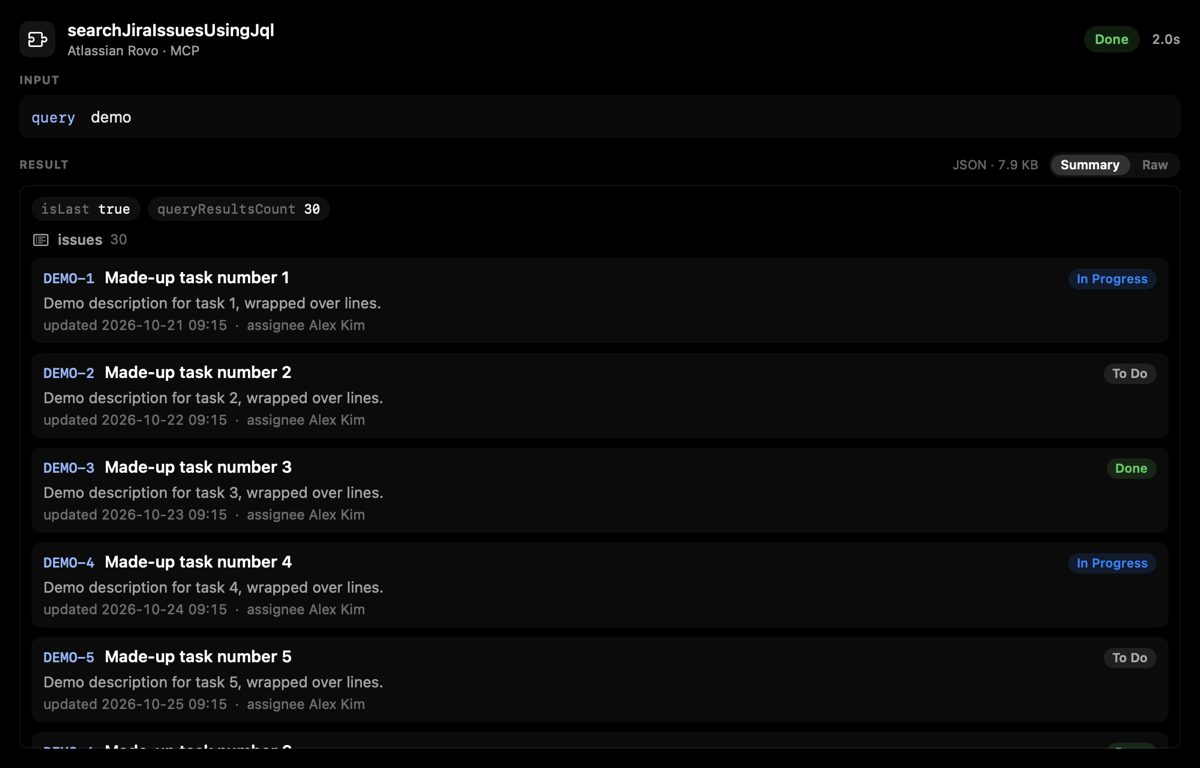
- MCP results are summarized. Large JSON results show as records (a key, title, status, one line of detail and a few facts, such as Jira issues or calendar events) or as an object's fields, instead of pages of raw JSON. Raw text stays one click away. This also fixes the lag on very large results.
Fixed
- A long question wrapped over several lines of its quote box is read as one question, not a title plus a question.
Install
herdr plugin install speardragon/herdr-islandAlready installed? Run herdr plugin update.
Full changelog: v0.7.5...v0.7.6
Herdr Island 0.7.5
Added
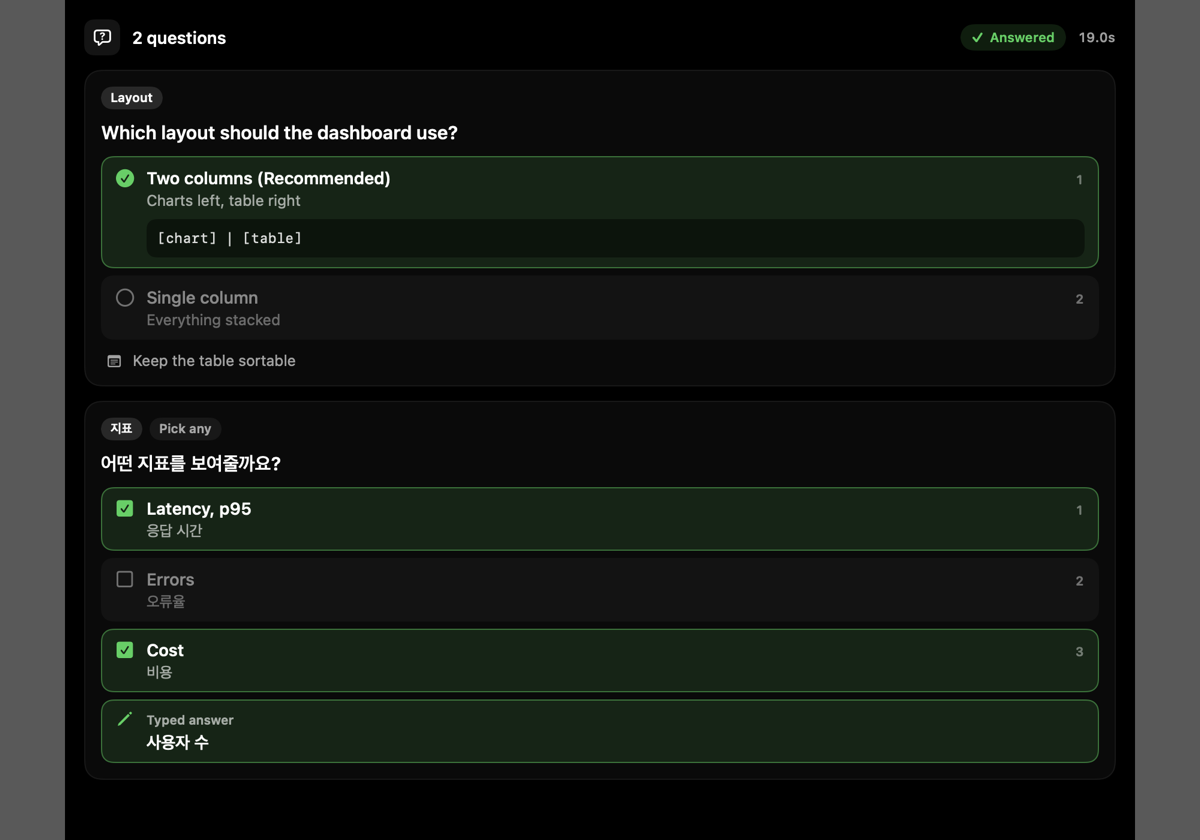
- AskUserQuestion on the live stage. Each question with its options and descriptions; once answered, the picks light up (multi-select included) along with typed answers and notes. Declined and still-waiting questions are shown as such.
- MCP tools get their own stage: the server and tool, the arguments as key/value rows, and the result with light JSON highlighting. Image results are counted.
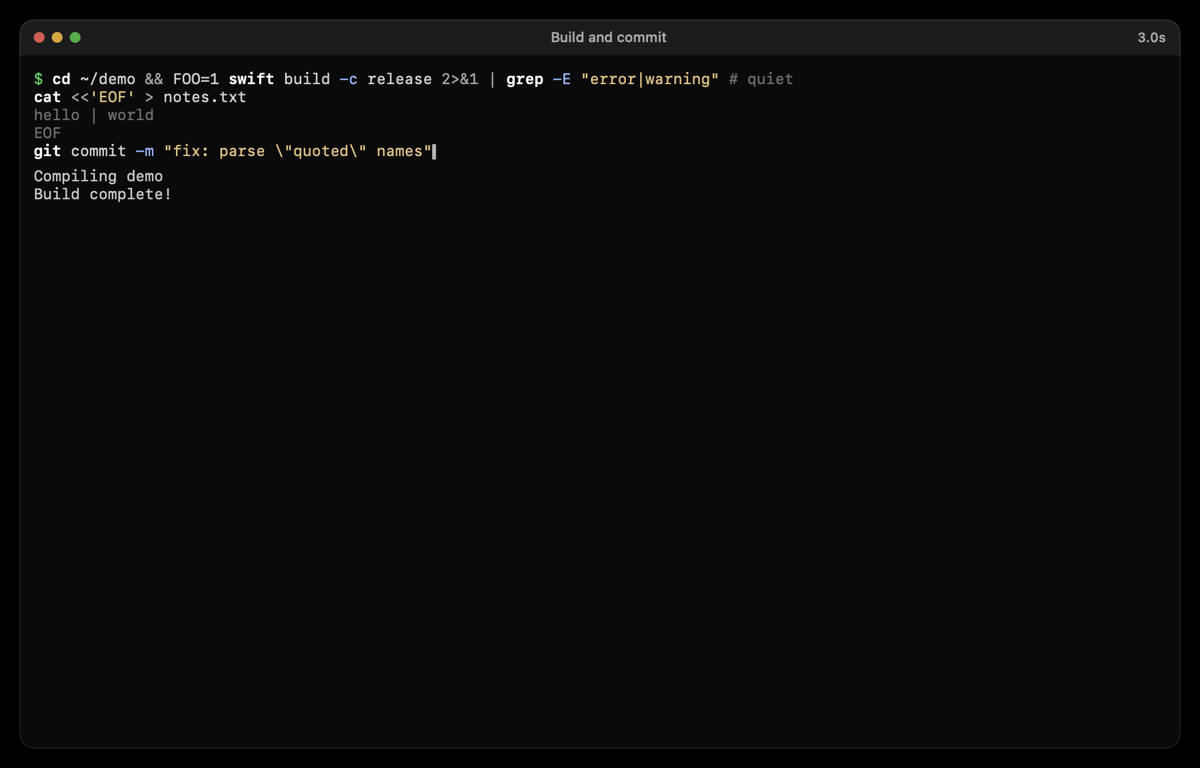
- Shell commands are highlighted: commands, flags, strings, operators, comments and heredocs.
Install
herdr plugin install speardragon/herdr-islandAlready installed? Run herdr plugin update.
Full changelog: v0.7.4...v0.7.5
Herdr Island 0.7.4
Added
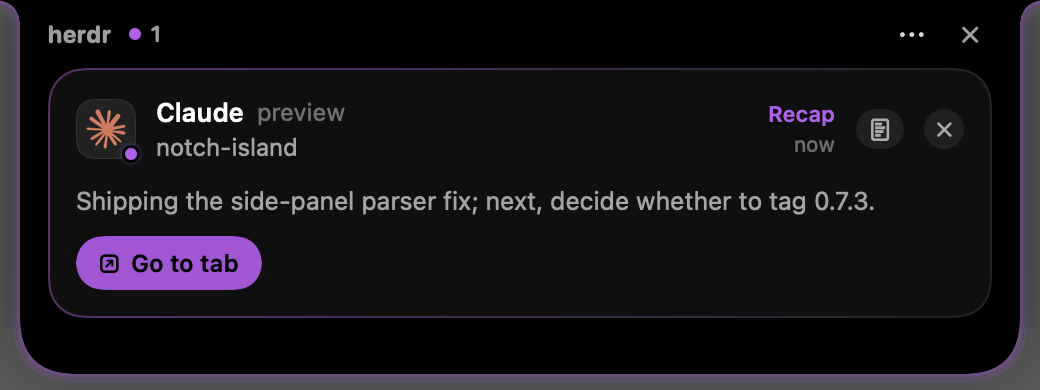
- Recap. When Claude finishes with only an "away summary", the agent is marked Recap in its own colour (purple by default,
glow.recap_color) and the card shows the summary. It follows the done alerts and sounds.
Install
herdr plugin install speardragon/herdr-islandAlready installed? Run herdr plugin update.
Full changelog: v0.7.3...v0.7.4
Herdr Island 0.7.3
Fixed
- Prompts are read when the Claude UI has a side panel (an explorer or changes view) drawn beside it.
Install
herdr plugin install speardragon/herdr-islandAlready installed? Run herdr plugin update.
Full changelog: v0.7.2...v0.7.3
Herdr Island 0.7.2
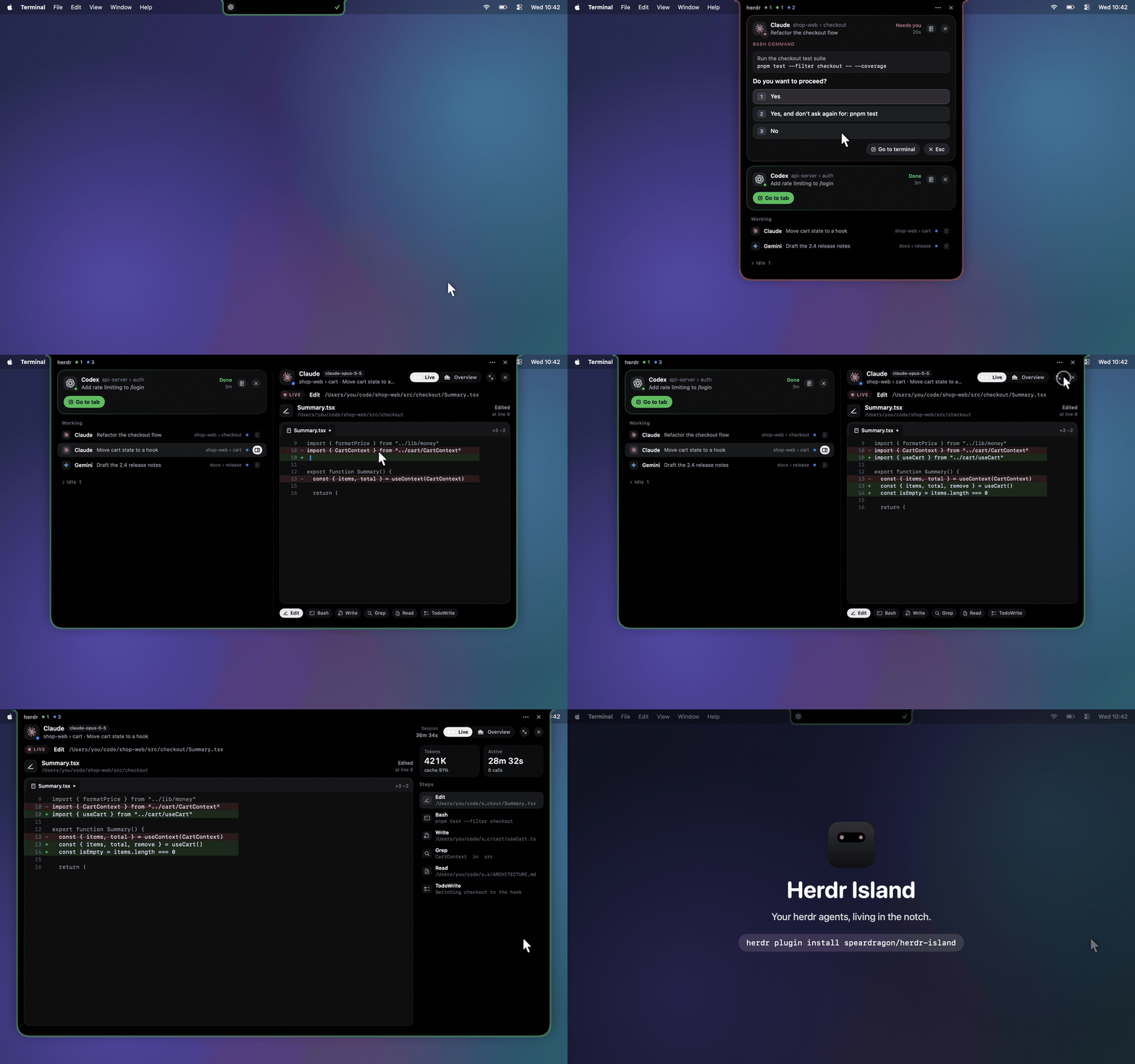
The first release of Herdr Island: your herdr agents, living in the MacBook notch.
Highlights
- Point at the notch and it opens. Hover or click the notch to see every agent; it folds back when you move away.
- Answer prompts in place. Approve or deny permission prompts and answer
AskUserQuestion(multiple questions, multi-select, free text) right from the island. Go to terminal jumps to the pane and folds the island away. - Know without looking. The closed notch shows the leading agent and a status dot, and its edge glows red while an agent needs you and green when one has finished.
- Session details. Tokens and their mix, cache hit rate, context size, active time, every tool call with its input and result, and changed files with diffs, read from Claude Code and Codex transcripts.
- Live view. The current step drawn per tool: the lines being read, edits and writes typing in, a terminal for shell commands, search hits, web fetches, subagents and todo lists. Bigger grows it to fit the display.
- Notch or menu bar. Use either or both, on one display or all of them.
- Native settings. Placement, alerts and sounds, edge-light colours, transparency, closing behaviour, and English / Korean.
Install
herdr plugin install speardragon/herdr-islandRequires macOS 13+, herdr 0.9.0+ and the Xcode Command Line Tools. See the README for usage and configuration.
Known limits
- The live view follows the transcript 0.5–1 s behind; typing is a playback of the finished text.
- Codex sessions are matched by folder (herdr reports no session id), and only
apply_patchedits are tracked as files. - A permission prompt raised by a background subagent is not on the main screen, so it can't be answered from the island; the card shows the terminal's last lines and a Go to terminal button.