Repository navigation
Releases: therezor/hazke
Release list
Hazke v1.4 · Cardputer Edition

Hazke v1.4 · Cardputer Edition
v1.4 adds gyro aiming. On a Cardputer ADV, turn GYRO on in the title or
pause menu, and the ship turns when you turn the Cardputer.
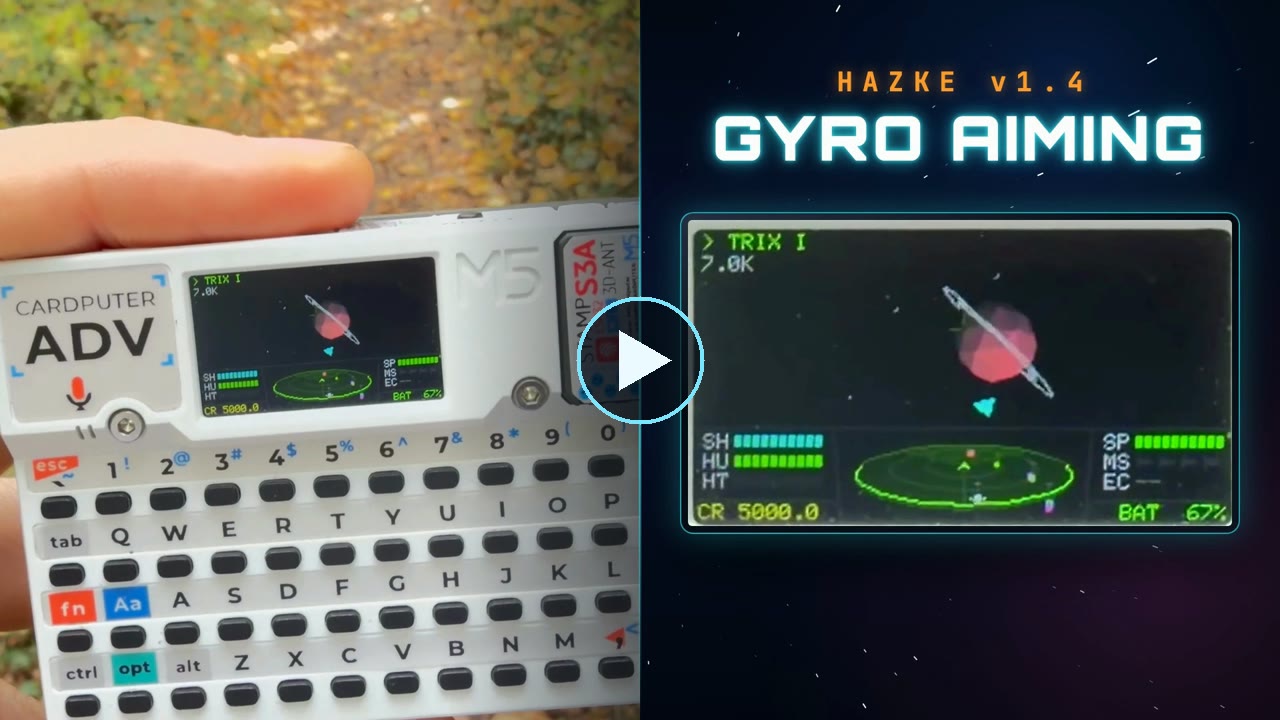
Watch the 23-second video
of gyro aiming on a Cardputer ADV. It's also attached below as
hazke-v1.4-promo.mp4.
What's new
Gyro aiming
Hold the Cardputer still and the ship holds its heading. Turn it and the
ship follows.
| Turn the Cardputer | The ship |
|---|---|
| Left or right | Yaws left or right |
| Top edge toward you or away | Pitches up or down |
| Like a steering wheel | Rolls |
You can hold the Cardputer at any angle. The game finds the real vertical
with the accelerometer and measures each turn against it. While the
Cardputer is still, the game measures the gyro's drift and subtracts it,
so the ship doesn't creep off its heading.
The keys still work, and their turns add to the gyro's. Hold Alt to stop
gyro aiming while you shift your grip. Turning the Cardputer takes over
from autolock, the same way holding a pitch or yaw key does.
GYRO has five settings: OFF, 0.5X, 1X, 2X and 3X. A higher setting turns
the ship further. On the GYRO row, ← and → step
through the settings and Enter moves to the next one. GYRO starts OFF.
The original Cardputer has no gyro, so its menu shows GYRO: N/A.
Settings stay set after a reboot
The game now keeps the SOUND and GYRO settings in the ESP32's
non-volatile storage, apart from the save slots. They apply to every
commander. The save format is the same as in v1.3.
Also
- The controls screen lists gyro aiming.
- The USB serial console has an
imucommand. It prints the
accelerometer and gyro readings, the drift the game has measured, and
the turn rates gyro aiming adds. The boot log says whether the game
found an IMU.
Controls
| Key | Action |
|---|---|
↑ / ↓ |
Pitch |
← / → |
Roll |
L / ' |
Yaw |
| Turn the Cardputer ADV | Aim, with GYRO on |
Hold Alt |
Stop gyro aiming |
E / S |
Speed up / slow down |
W |
Fire laser |
R / A |
Lock / fire missile |
Q |
ECM |
F |
Autolock, or zoom on the system map |
Tab |
Next target, ships and places |
H |
Hail or loot a nearby ship |
M |
System map |
Ctrl+Space |
Screenshot to SD |
` |
Back / pause |
Saves
- v1.4 uses the same save format as v1.3. A slot saved in either version
loads in the other. - Saves from v1.2 load in v1.4.
Install
Upgrading? The full image clears the save slots in internal
flash and resets SOUND and GYRO. Flash the app-only file instead to keep
them. Neither file touches saves on the SD card.
New install, over USB-C:
esptool.py --chip esp32s3 write_flash 0x0 hazke-v1.4.0-cardputer.bin
Upgrade a Cardputer that already runs Hazke and keep internal saves:
esptool.py --chip esp32s3 write_flash 0x10000 hazke-v1.4.0-app.bin
You can also copy save slots to the SD card first with COPY in the save
menu, load hazke-v1.4.0-cardputer.bin in M5Burner, or build hazke.ino
from source in the Arduino IDE with the board set to M5Cardputer.
Hazke v1.3 · Cardputer Edition
Hazke v1.3 · Cardputer Edition
v1.3 rebuilds the cockpit and every sound effect, adds an autolock
module, and removes the walls at the edge of each star system. Every clip
below is a capture of a Cardputer's screen.
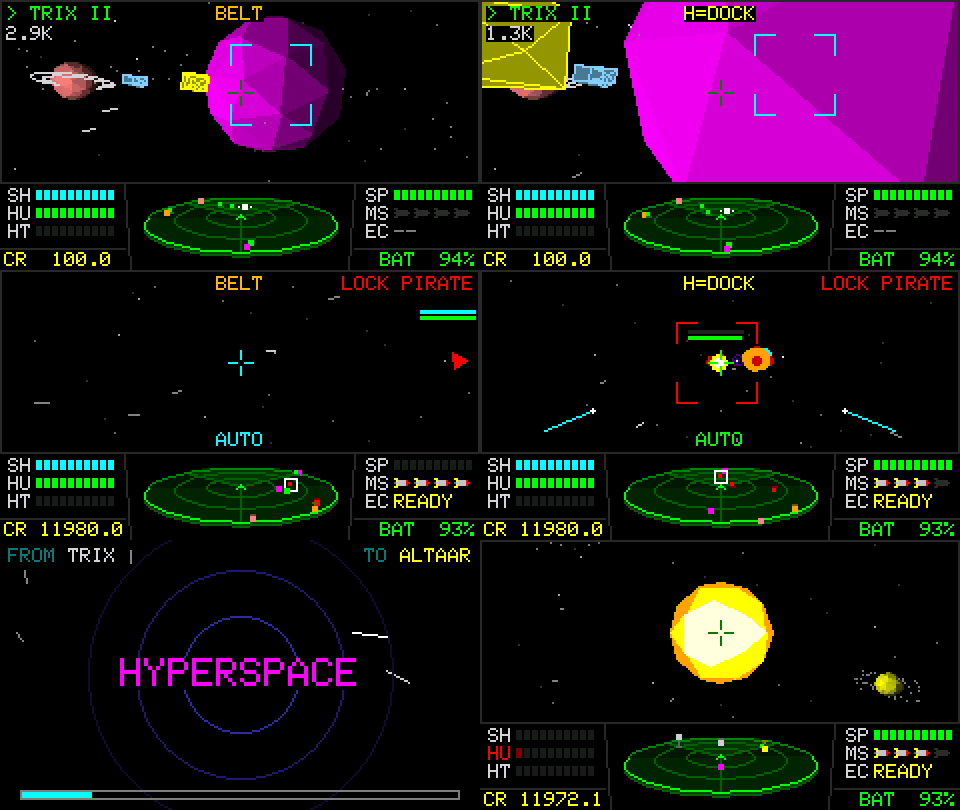
What's new
Autolock
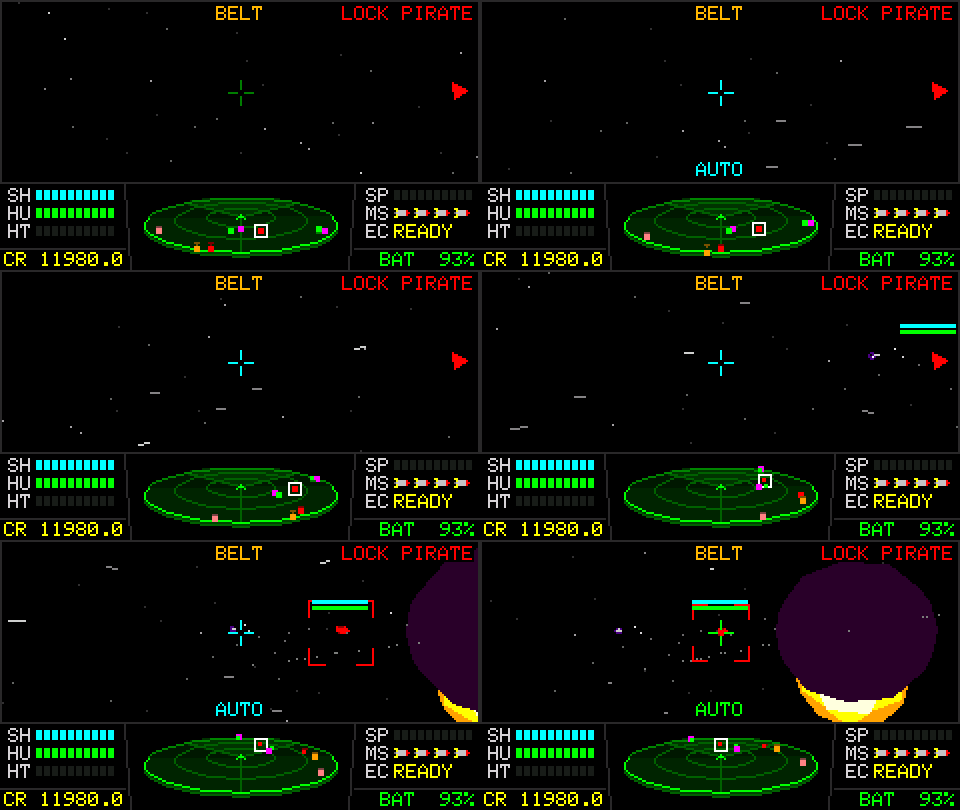
Autolock is a 300 CR module in the equipment shop. Press F and the ship
turns onto the marked ship, planet or gate and keeps pointing at it.
AUTO blinks while the ship turns and goes steady green once it's on
target. Holding a pitch or yaw key overrides it, and roll and throttle
stay manual. If the shortest path would cross the sun's heat zone,
autolock steers around it.
3D scanner and hit arcs
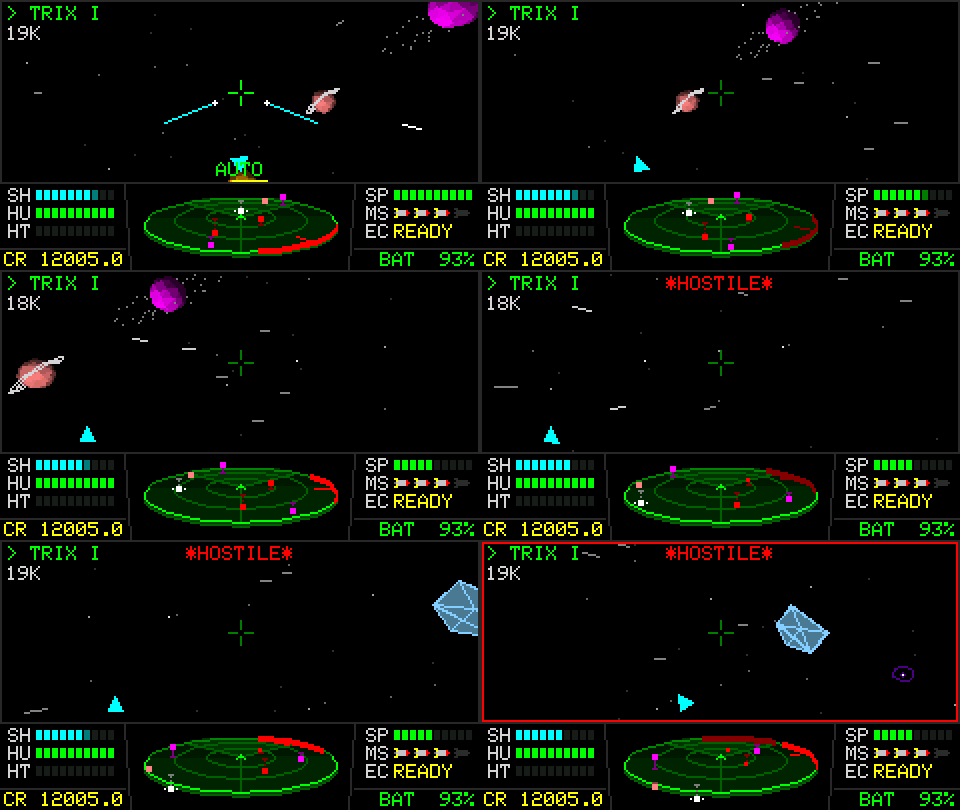
The scanner is now a tilted disk. A line from each contact to the disk
shows whether the contact is above or below you. The range scale is
logarithmic, with rings at 2.5K and 10K and the rim at 30K, so ships in a
dogfight spread out instead of crowding the center. When something hits
you, a red arc on the rim points at it and follows it as you turn.
New cockpit and rockets
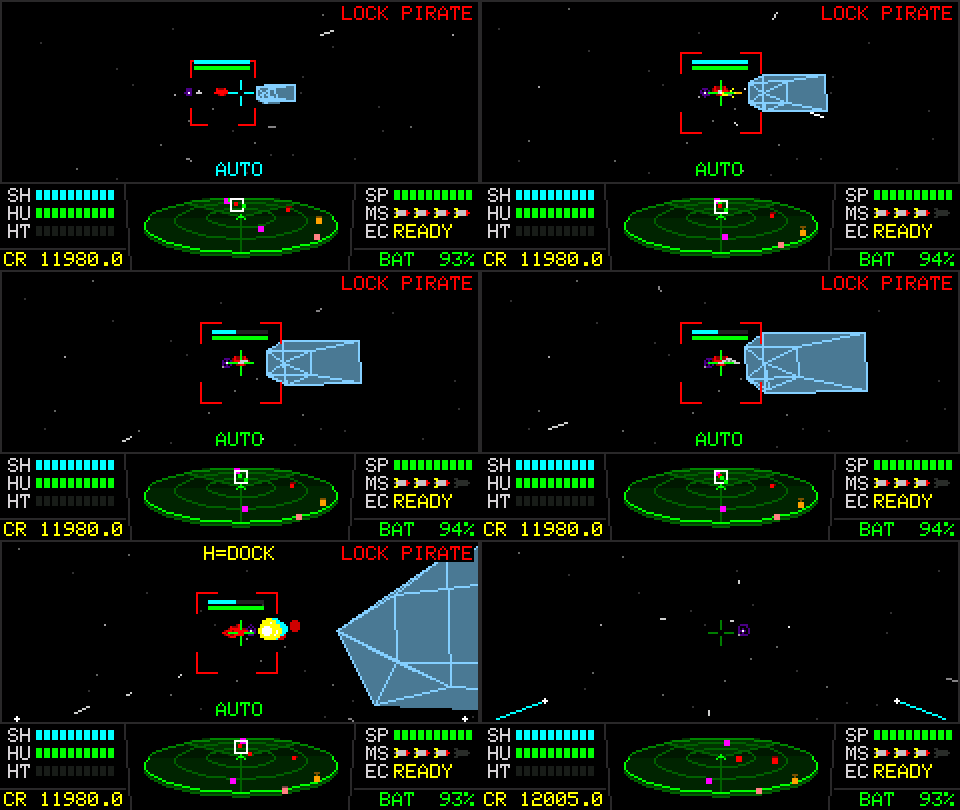
The cockpit has segmented gauges for shield, hull, heat and speed, plus
rows for missiles and the ECM. Missiles look like rockets, both in the
rack and in flight, where they leave an exhaust trail.
Bigger system map
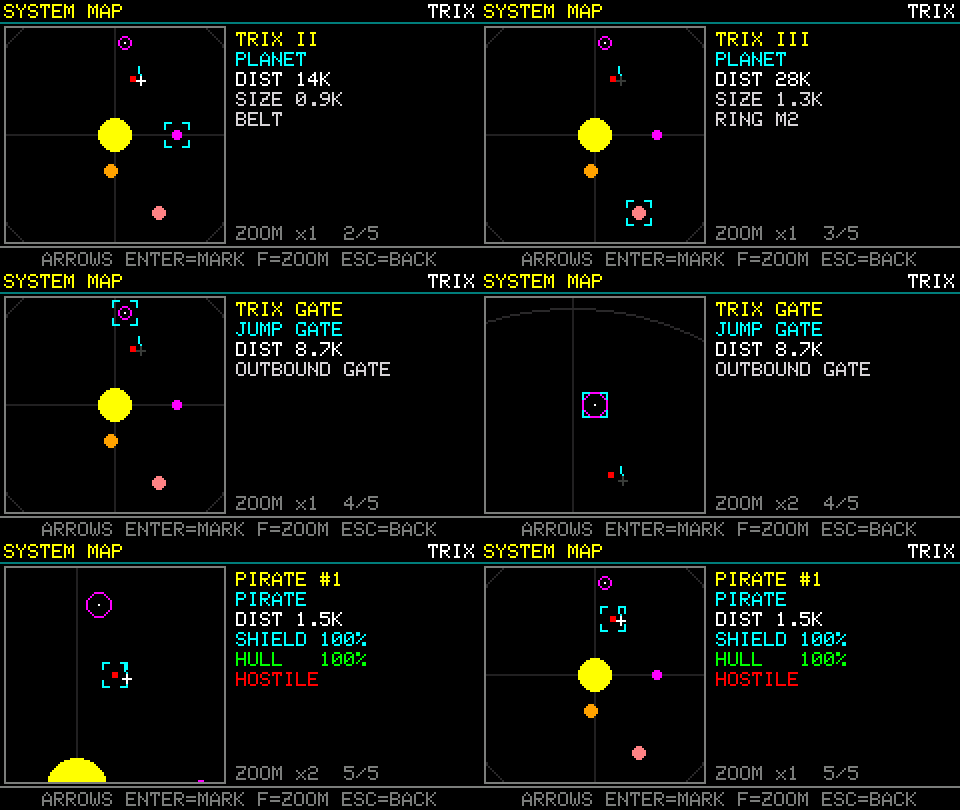
A side panel shows the selected object. F zooms in x2 around the
cursor. Ships are red when hostile and green when friendly, on the map,
the scanner and the target bracket.
Open space
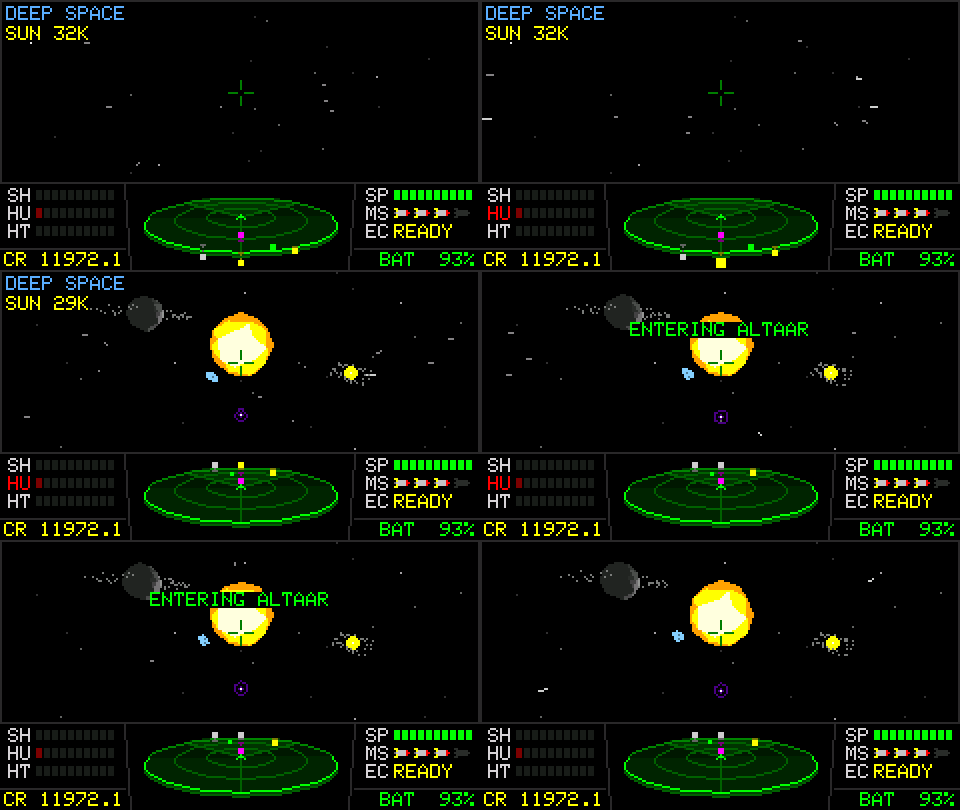
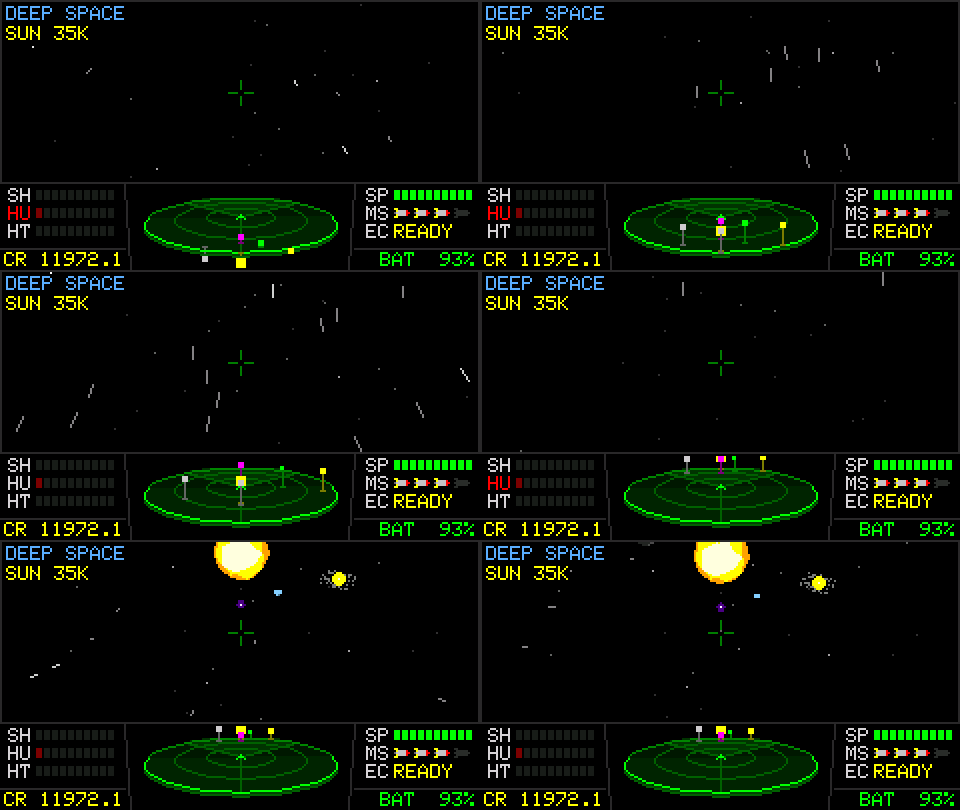
A system no longer has walls. Past 30K from the sun you are in deep
space. Target markers hide, the HUD shows the distance to the sun, and
the scanner points home.
Sound
This release replaces every sound effect. The new set covers lasers,
shield and hull hits, explosions, missiles, landing, launch, hyperspace,
an engine hum that follows the throttle, and cockpit warnings for missile
lock, incoming missiles, a downed shield, critical hull and sun heat. Effects play on separate
channels, so one no longer cuts off another. The title and pause menus
have a volume setting: off, low, medium or high.
Also
- The display is double-buffered, so the game draws the next frame while
the screen shows the last one. - Ships far off-screen no longer slow the frame down.
- Distant stars stay fixed in the sky, and space dust only streams past
while you're moving. - The system data screen's labels no longer run into their values.
- The USB serial console can record gameplay:
cap,keys,step,
recandshotdrive the game frame by frame and send each frame to
the computer. See the README.
Controls
| Key | Action |
|---|---|
↑ / ↓ |
Pitch |
← / → |
Roll |
L / ' |
Yaw |
E / S |
Speed up / slow down |
W |
Fire laser |
R / A |
Lock / fire missile |
Q |
ECM |
F |
Autolock, or zoom on the system map |
Tab |
Next target (ships and places) |
H |
Hail or loot a nearby ship |
M |
System map |
Ctrl+Space |
Screenshot to SD |
` |
Back / pause |
Saves
- The save format is now v2. Saves from v1.2 load in v1.3.
- Once you save a slot in v1.3, v1.2 shows it as
NEWER VERSIONand
can't load it.
Install
Upgrading from v1.2? The full image clears the save slots in internal
flash. Flash the app-only file instead to keep them. Saves on the SD card
are not affected.
New install, over USB-C:
esptool.py --chip esp32s3 write_flash 0x0 hazke-v1.3.0-cardputer.bin
Upgrade a Cardputer that already runs Hazke and keep internal saves:
esptool.py --chip esp32s3 write_flash 0x10000 hazke-v1.3.0-app.bin
You can also copy save slots to the SD card first (save menu, COPY),
load hazke-v1.3.0-cardputer.bin in M5Burner, or build hazke.ino from
source in the Arduino IDE with the board set to M5Cardputer.
Hazke v1.2 — Cardputer Edition
Hazke v1.2 — Cardputer Edition
The persistence release. Your commander finally survives a reboot — and gets
a name of their own, a third flight axis, and a faster save menu.
What's new
- Save system — five save slots on internal flash and five more on the
microSD card, with one-press copy between the two for backups. Save from any
planet's landing menu; LOAD GAME on the title screen puts you back on the
same pad. Save files carry a format version and a checksum, and older saves
upgrade automatically in future releases — a commander from v1.2 will keep
flying on whatever comes next. - Name your commander — NEW GAME now asks for a name before you fly.
Leave it blank to answer to JAMESON like everyone before you. - Yaw control —
Land', the keys flanking the up-arrow, turn the nose
flat left and right: a slow third axis for fine aim on top of pitch and roll. - Interface polish — save-menu layout fixes, and menus stay snappy when no
SD card is inserted (no more SPI probe stalls).
Controls
| Key | Action |
|---|---|
↑ / ↓ |
Pitch up / down |
← / → |
Roll |
L / ' |
Yaw left / right |
E / S |
Accelerate / brake |
W |
Fire laser |
R / A |
Lock / fire missile |
Q |
ECM blast |
Tab |
Cycle target (ships + POIs) |
H |
Dock with nearby ship |
M |
System map |
Ctrl+Space |
Screenshot to SD |
` / ESC |
Back / pause / title |
Fly into a planet to land; fly into a jump gate to open the galaxy chart.
Saves & compatibility
- Saves live at
/hazke/saves/slotN.sav(internal LittleFS or SD card, ~100 bytes each). - The internal-flash filesystem is formatted automatically on first use.
- Save format: v1. Future firmware upgrades old saves in place on load.
Hazke v1.1 — Cardputer Edition
Hazke v1.1 — Cardputer Edition
A maintenance release focused on controls and in-flight UX. Same galaxy, same
gameplay as v1.0 — now with clearer targeting and docking, and tidied-up
control bindings.
What's new
- Tab cycles everything — the target marker now steps through both points of
interest and nearby ships in one list, instead of POIs only. - Dock prompt fixed — the on-screen
H=DOCK/H=LOOThint now reliably
appears whenever a ship is in range (it was being suppressed when no POI was
selected). Docking range bumped up so the prompt triggers from a little
farther out. - Cleaner back control — the back/pause action is now a single key: the
top-left backtick (`/ ESC). The old Backspace/Del binding and all
the staleDEL=BACKon-screen labels have been removed. - In-game controls list — the CONTROLS screen now lists the
Tab(cycle
target) andH(dock with ship) keys.
Controls
| Key | Action |
|---|---|
↑ / ↓ |
Pitch up / down |
← / → |
Roll |
E / S |
Accelerate / brake |
W |
Fire laser |
R / A |
Lock / fire missile |
Q |
ECM blast |
Tab |
Cycle target (ships + POIs) |
H |
Dock with nearby ship |
M |
System map |
Ctrl+Space |
Screenshot to SD |
` / ESC |
Back / pause / title |
Fly into a planet to land; fly into a jump gate to open the galaxy chart.
Install
Flash the attached firmware to a Cardputer over USB-C:
esptool.py --chip esp32s3 write_flash 0x0 hazke-v1.1.0-cardputer.bin
Or load hazke-v1.1.0-cardputer.bin in M5Burner, or build hazke.ino from
source in the Arduino IDE with the board set to M5Cardputer.
Hazke v1.0 — Cardputer Edition
Hazke v1.0 — Cardputer Edition
The first full release of Hazke: a complete open-universe space-sim that runs
entirely on the M5Stack Cardputer — no phone, no cloud, no second device. Trade,
hunt and survive across sixteen procedurally-generated star systems on a 240×135
ESP32 handheld. All code and the entire universe are original, written in C++.
Features
- A living galaxy — 16 star systems linked by jump gates, each with its own
economy, government, tech level and population, all grown from a single seed. - Free-flight cockpit — real 3D space with coordinated banking turns, shaded
polygon planets, ringed worlds, asteroid belts, and a sun hot enough to cook
your hull. - A living economy — 17 commodities priced by supply, local law and your
reputation. Buy low under one government, run contraband past another. - Combat — pulse, beam and military lasers, up to four homing missiles with
target lock, regenerating shields, and an ECM blast. - Contracts & progression — patrol, delivery, courier, recon and scavenge
missions; 4 factions that track every kill and trade; 7 combat ranks from
Harmless to Deadly. - Screenshots to SD — press Ctrl+Space in-game to save the current frame
to the microSD card as a 24-bit BMP (/hazke/shotNNNN.bmp).
Controls
| Key | Action |
|---|---|
↑ / ↓ |
Pitch up / down |
← / → |
Roll |
E / S |
Accelerate / brake |
W |
Fire laser |
R / A |
Lock / fire missile |
Q |
ECM blast |
M |
System map |
Ctrl+Space |
Screenshot to SD |
` / ESC |
Back / pause / title |
Fly into a planet to land; fly into a jump gate to open the galaxy chart.
Install
Flash the attached firmware to a Cardputer over USB-C:
esptool.py --chip esp32s3 write_flash 0x0 hazke-v1.0.0-cardputer.bin
Or load hazke-v1.0.0-cardputer.bin in M5Burner, or build hazke.ino from
source in the Arduino IDE with the board set to M5Cardputer.