Repository navigation
v0.3.13 #940

Replies: 16 comments 17 replies

|
The next release won't be out for another 2–3 days. I'm feeling a little tired, but most of the critical bugs have already been fixed. |

|
Thanks for everything, can't wait for feature updates like performance optimization, high rez haptics and dualsense prompts to come now that bugs are squashed. |

|
Thank you for your incredible work, rest well and take time for yourself, your health, both physical and mental, is more important than decompiling a game! |

|
Thank you for your excellent work. Have a good rest |

|
辛苦了 |

|
totk.log |

|
We'll be getting performance upgrades on the next updates? 😃 |

|
I'm see something black shaders upon rotating camera in specific places, i don't say if this is a personal problem or other things, by the way, until the next update, have a good rest |

|
This bug still occurs on both my 6GB and 8GB GPU. Half of the screen flickers in almost any location in Hyrule, and it feels like it triggers whenever I am moving or panning the camera. hopefully he can fix this soon. |

|
I have 16GB so this is not my case, to be more specific, recently this happening in a temple of time i was push down in a determinate angle the analogic the most part of shaders of the objects in screen change to black. |
|
I got it alot less when using DLSS quality. DLAA has it alot more and also get black screen when looking at the sky sometimes. |

|
Take a good rest. You’ve done great work |

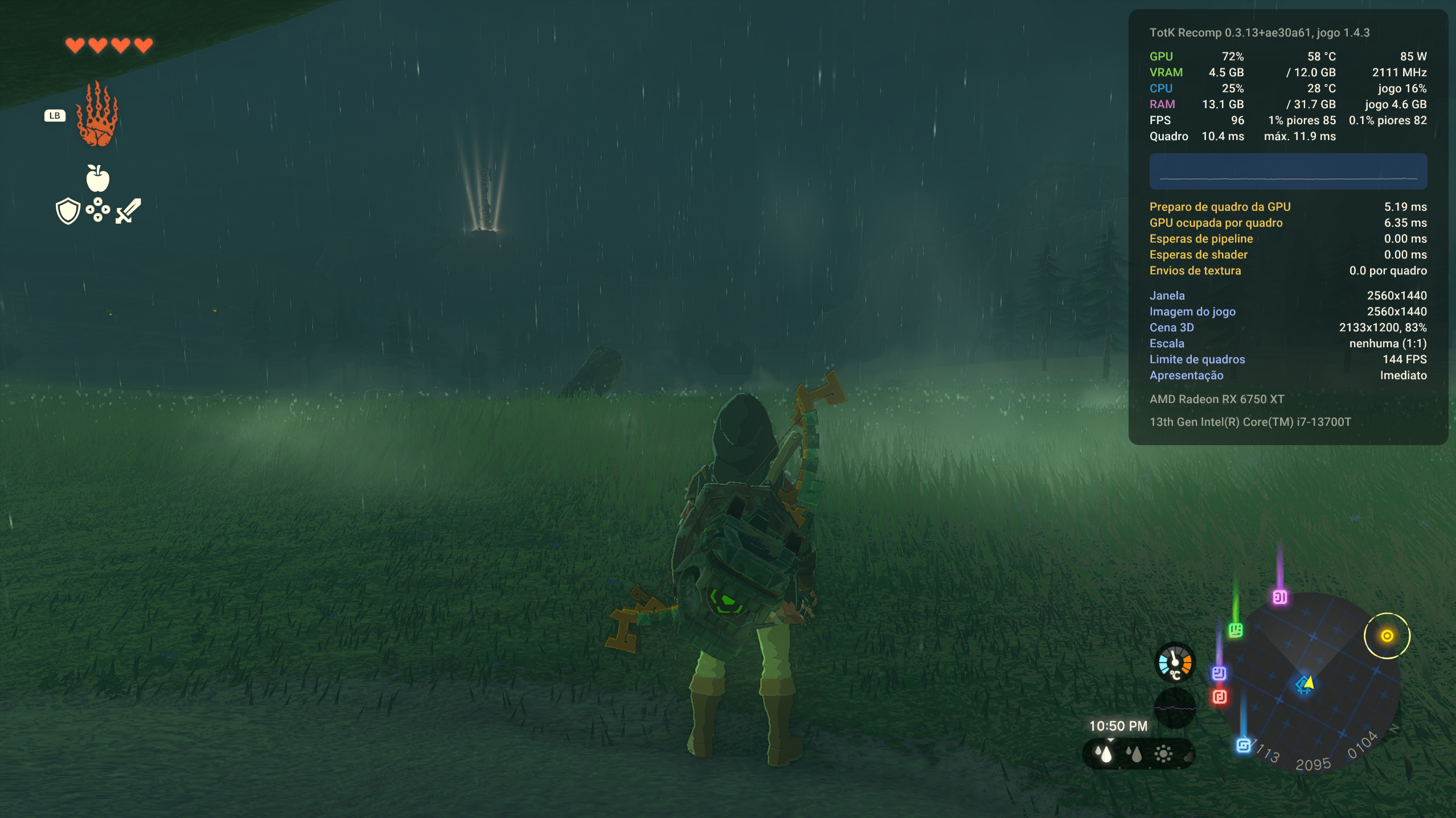 With vk_recorder = 1 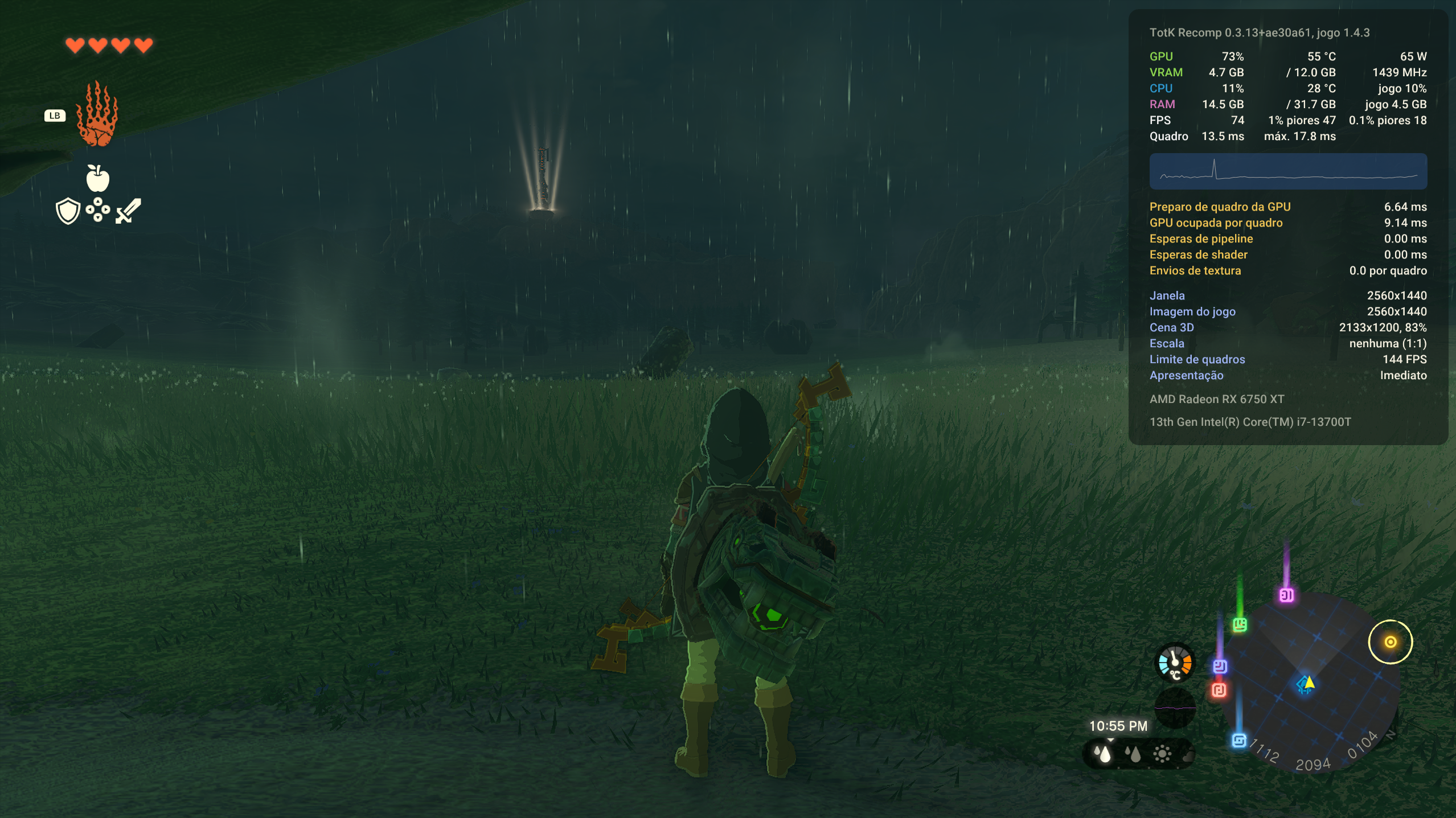
With vk_recorder = 0 CPU: ( I7 13700T ) |

|
RX 6700 XT (Adrenalin 26.10.1), Ryzen 5 3600, 1440p with FSR, on 0.3.13 Tested in Lookout Landing:
No crashes with it on so far on 0.3.12 / 0.3.13. On older versions (0.3.4) I did get the odd device lost with it, so that seems fixed for me. Tip for other RX 6000 people: my GPU kept downclocking in busy areas. With the AMD performance overlay turned on (Ctrl+Shift+O), it stays clocked up, and I went from ~52 to ~63 fps in the busy part of Lookout Landing. With a 60 cap it's basically a locked 60 now. I used Claude to automate the testing runs and check the logs and numbers. |

|
For some reason, DLSS doesnt seem to work for me... I try turning DLAA on, restarting, and it looks the same, with identical fps. Not even the DLSS indicators are working. The nvngx_dlss.dll file is in there, is there a way to make it work? |

Thanks, man. I actually saw your guide before, but for some reason it didnt worked for me. I have DLAA on, like i show here. |
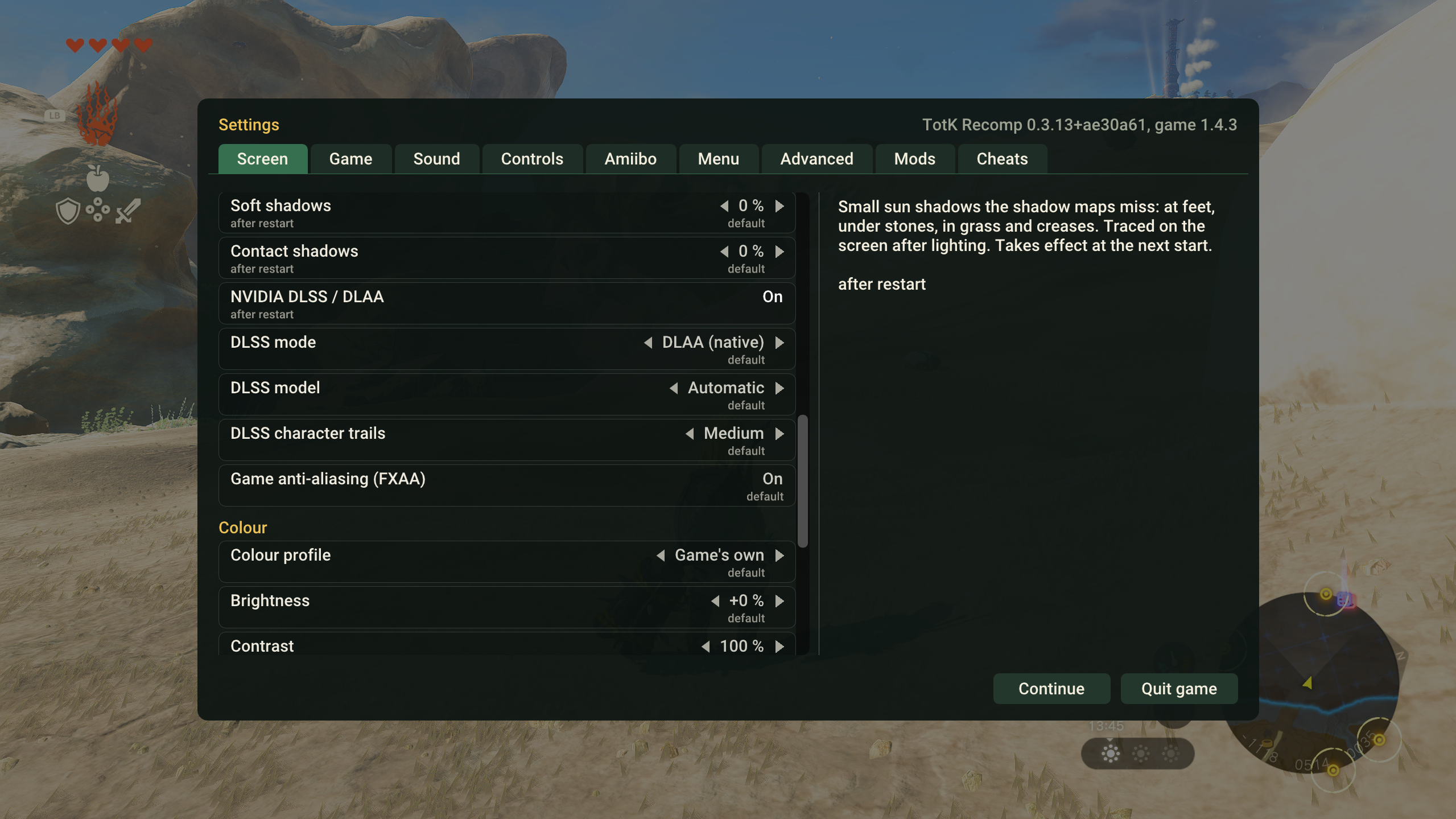
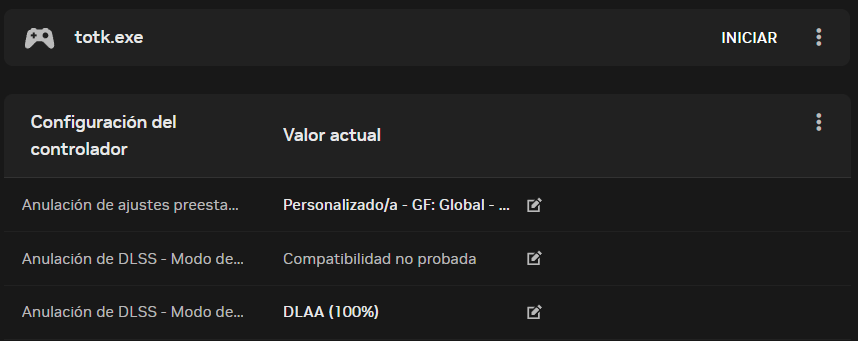
|
when you said it doesn't work, you mean regarding to performance? |
I meant the visuals. The game runs pretty smoothly already, but they look exactly the same when turning DLAA on or off. But, if i use DLSS instead, i notice that the resolution drops, but only that. The game just looks worse and DLSS refuses to start. |
|
@LatteDream What's your system spec and driver version? Also, try taking screen shots of stairs from far away with dlaa on and off then compare them side by side, sometimes it may not be so obvious. |
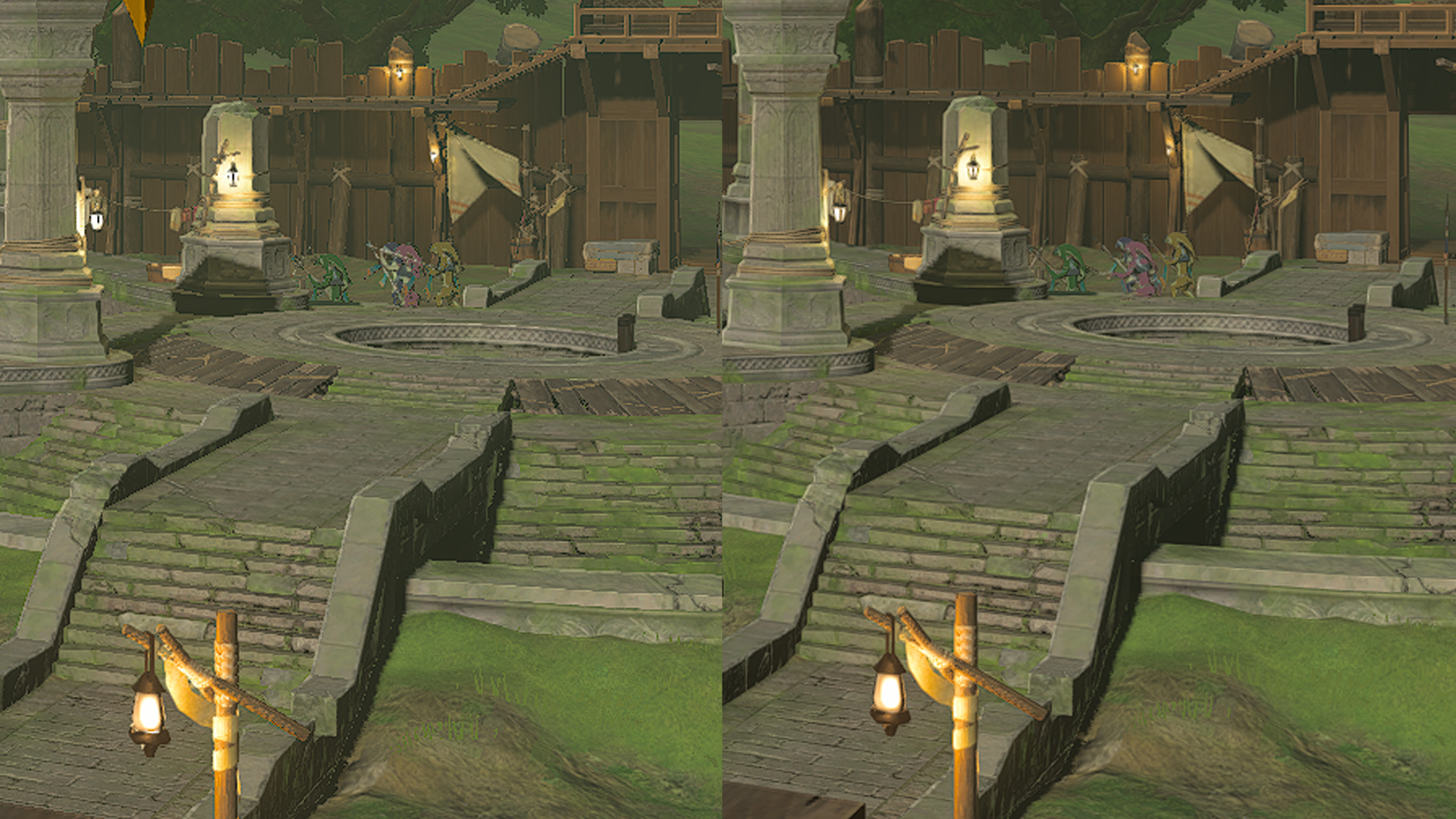
I had version 621.01 drivers, so i updated them to the newer 621.14 drivers and now DLAA finally works! Thanks, man. And here are my specs: AMD Ryzen 5 7500F, RTX 5070 and 32GB DDR5 RAM. Just in case, haha. |

|
Not bad performance boost on steam deck. Some locations can even hold 50-60. I don’t know if it can be done even better, but the result is there and it’s not bad. |

AMD
|
| Comparison | Recorder 0: mean FPS | Recorder 1: mean FPS | Result |
|---|---|---|---|
| PC, 60 FPS cap | ~60.00 | ~60.00 | Both reach the cap |
| PC, 120 FPS cap | 96.83 | 105.51 | ~+8.97% in this scene |
| Deck, 40 FPS cap | 39.89 | 40.00 | Near the cap; no convincing gain |
All measured runs completed, with no fatal or VK_ERROR_DEVICE_LOST in the game logs. Recorder-on messages were present for 1. The Deck kernel logs examined had no GPU reset, ring timeout or OOM.
The PC result suggests a useful gain on this setup, but not a general +9% claim for all gameplay. The Deck comparison mainly supports stability at the selected cap.
Protocol, individual runs, lows and limitations
For each comparison: two 120-second warmups, followed by four 300-second observations in 0 / 1 / 1 / 0 order. Each run used an independent copy of the same starting save. TOTK_VK_RECORDER=0 or 1 was the only changed setting within a comparison; the 120 FPS test explicitly kept realtime=1 and highfps_fix=1 for both variants.
The logged starting world position was x=558.3, y=1548.5, z=1615.3 in both the PC 120 FPS and accepted Deck runs. This was a scripted save load and camera pan followed by mostly stationary observation, not an exploration/combat session.
I excluded the first complete 60-second frame-time window from each measured run, leaving six complete windows / 360 seconds per setting. Mean FPS is weighted by frames/duration. These are the game's reported windows, not an independent per-frame capture.
| Comparison | 1% low range, recorder 0 | 1% low range, recorder 1 | Frames >50 ms, 0 / 1 | Frames >100 ms, 0 / 1 |
|---|---|---|---|---|
| PC, 60 FPS cap | 51.9-52.6 | 51.9-53.3 | 0 / 0 | 0 / 0 |
| PC, 120 FPS cap | 69.0-78.4 | 69.0-85.1 | 0 / 0 | 0 / 0 |
| Deck, 40 FPS cap | 30.1-31.7 | 30.5-32.0 | 0 / 2 | 0 / 0 |
The lows are ranges of individual per-window lows, not an aggregate 1% low. Hitch counts cover only retained windows, not loading/warmup.
PC 120 FPS run means, in order: 94.59 (0), 103.24 (1), 107.78 (1), 99.07 (0). There is variation between runs and only two measured repetitions per setting.
On the Deck I corrected a user-configured Steam 30 FPS limit and confirmed visible gameplay before the accepted comparison. Earlier unvalidated launches/probes were excluded; accepted measured runs show an 11.11 ms WSI refresh cycle.
I did not visually validate every measured run or assess every graphics/gameplay behavior. No power-efficiency claim: the available Deck readings were too noisy. Save profiles and configuration were hash-verified unchanged by the A/Bs. I subsequently chose recorder 1 for normal use on both devices.
Raw per-window summaries and logs are retained locally if more diagnostic detail is useful; no game files, builds, keys, firmware, shader caches or save profiles are included in this comment.

|
My only critique of this testing methodology is that you are capping the Steam Deck framerate to 40FPS, changing the parameter, then calling the parameter change ineffective because it doesn't increase performance; but you capped the frame-rate anyways and it was already operating near the cap. To call the change ineffectual; Well of course there was no gain; there is nowhere for it to go. This tells us very little about how the parameter change actually affects performance. |

|
I'm having an issue with the game for the first time, and it only started after the latest 0.3.13 update. It seems like my GPU is being bottlenecked. I used to get 60+ FPS, but now it drops to around 30 FPS and sometimes even 15 FPS. My APU, GPU, and CPU usage also don't seem to reach their full potential. The game was running smoothly before this update. Does anyone know what could be causing this? |

|
Hello, thank you very much for the updates.
My game runs really well without DLSS and with the FXAA On though, but maybe SMAA would look better ? Ty again for your work and good luck. |

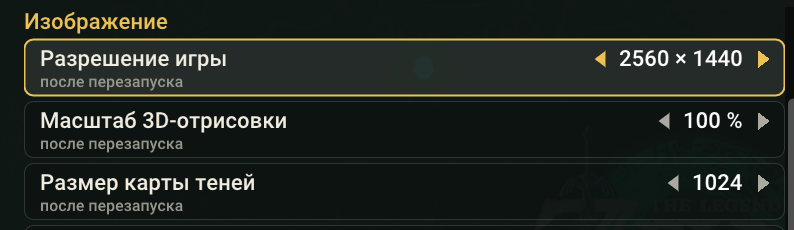
Попробуй увеличить размер карты теней 1024+ |

|
Hi Valentderah, First of all, I want to say that you've done an absolutely fantastic job. The results are clearly visible, and the improvement is really impressive. I'd like to share my experience with you. I'm playing on a Lenovo Legion Go with a Z1 Extreme, and the game runs exceptionally well. In Balanced mode, I'm getting around 45–60 FPS in almost every scenario, at 1080p upscaled from 900p, without much trouble. Unfortunately, the latest update has introduced some serious performance issues for me. I start off with a stable 45–60 FPS, but as I progress through the game, the frame rate gradually starts dropping lower and lower until it eventually becomes completely unplayable. I'm talking about just 3–5 FPS. I honestly have no idea why this is happening. I was thinking about rolling back to a previous version or reinstalling the entire package from scratch to check whether something went wrong during installation or if there's another underlying issue. I haven't managed to do that yet, but I'll let you know if I find anything. If it turns out that the issue isn't on my end, I hope you'll come across this comment and look into fixing this problem in your latest release. One last suggestion: I'd also recommend taking a closer look at CPU performance. You've done an outstanding job optimizing GPU performance, but the CPU side still seems to struggle quite a bit. In my case, the CPU is clearly the bottleneck. Thanks again for all your hard work. I really appreciate it, and I'm looking forward to future updates! |

|
Also having the same issue with the legion go 2 z2e it starts off fine, then as I explore it starts dropping until it is at 15 or lower fps just from 5 min of gameplay |

I tried a clean reinstallation (deleting all files) of version 0.3.13, but there was no improvement. |

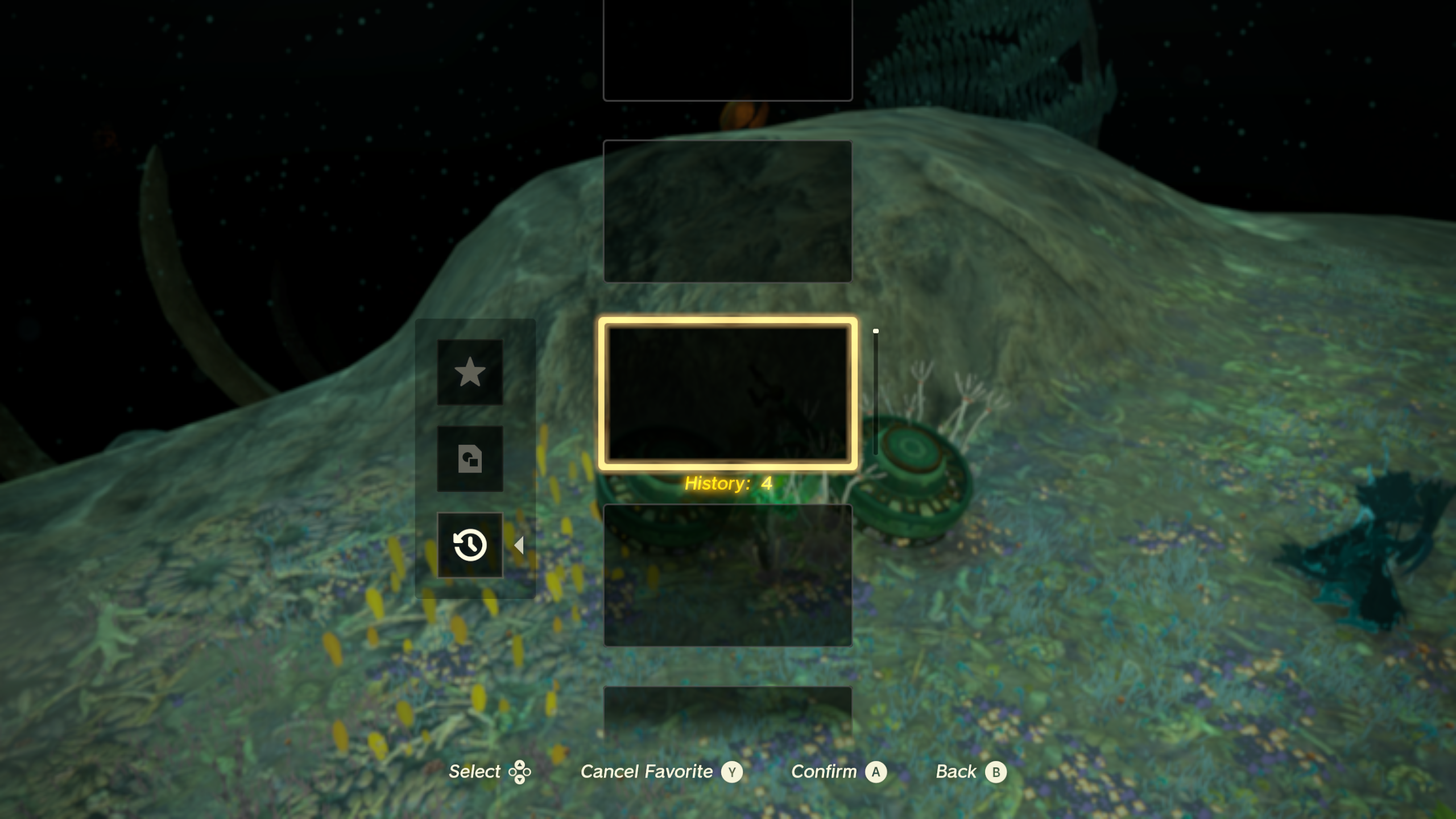
i dont know if its just me, but for some reason my autobuilds dont appear whenever i make one ? its just blank, and whenever i click on it nothing happens. |

|
This pc recomp work perfectly for me. I've use emulator in the past and can't even finish the sky island tutorial due to shader compilation stutter, but with this, there is almost no stutter at all. I have play for nearly 20+ hour and everything work just fine at 1080p 60fps default setting with cpu and gpu only use around 40%. In fact, even with v0.3.4, it already run great, upgrading to v0.3.13 doesn't seem to change much. The only issue is when turning DLSS, there will be a screen jitter and it quite noticable even on v0.3.13. I just turn dlss off since i don't really need it, but it worth mentioning. Btw, for context, my pc spec are as follow: Again, thanks for this impressive port. |

|
the gpu on my rog ally z1 extreme is on 100% and the cpu is 20-29% sometimes the cutscence stutter and i se that the reason is the gpu underload |


 and others
Uh oh!
There was an error while loading. Please reload this page.
AMD GPU? Get more FPS with one setting
Add to
totk.ininext tototk.exe:Please report your GPU, driver and FPS with
0and1in the comments or an issue, even if it just works: with enough good reports it becomes the default on AMD. Black screen orVK_ERROR_DEVICE_LOST? Set it back to0and attachlogs\totk.log.To update, run the new installer on your existing install folder. It keeps your game files, saves and
totk.ini, and rebuildstotk.exeand the shaders.Warning
DLSS and the Linux build are tested by the community. I don't have the hardware to test them myself.
Fixes
VK_ERROR_DEVICE_LOSTcrashes (Crash ([host] fatal: memory commit) #788, Random crash with VK_ERROR_DEVICE_LOST ("device fault: write invalid") on RTX 4050 Laptop, v0.3.10 #802). While one game thread recorded GPU commands, another could free a texture those commands used, and its memory went away before the GPU read it: "write invalid" device faults, reported mostly on NVIDIA. Every freed object now waits until the commands being recorded have run.VK_ERROR_DEVICE_LOST, please attachlogs\totk.log: it now names the object that held the faulting address.igvk64.dll(Crash on startup in Intel Vulkan driver (igvk64.dll) — 100% reproducible on 0.3.7, worked on 0.3.1 #681). Pipeline builds no longer run while the pipeline cache is copied for saving, which crashed Intel's driver.totk.exe. The installer now compares file contents, not dates.bind_line intotk.ininow also takes its key away from other buttons' defaults: withbind_X = key:t, T presses X only.Performance
Other
logs\totk.lognow lists the driver module with the offset and the C++ exception type, so crashes like Game crashes when a cutscene ends #285 can be traced.Thanks
Thanks to ApereLieZ for the dynamic state and uniform update work, itaskaev2 for the Intel start-up fix and the DLSS loader, null15564 for the camera fix, ikeracevedo2002 for the Xbox prompt layout, and BigMeltoni, Liv3ry, NOOBTW00, ctysix, Forest-Boy and LeandroSTAR for the reports behind the fixes here.
Full Changelog: v0.3.12...v0.3.13
This discussion was created from the release v0.3.13.
All reactions