Repository navigation

Replies: 5 comments 1 reply

|
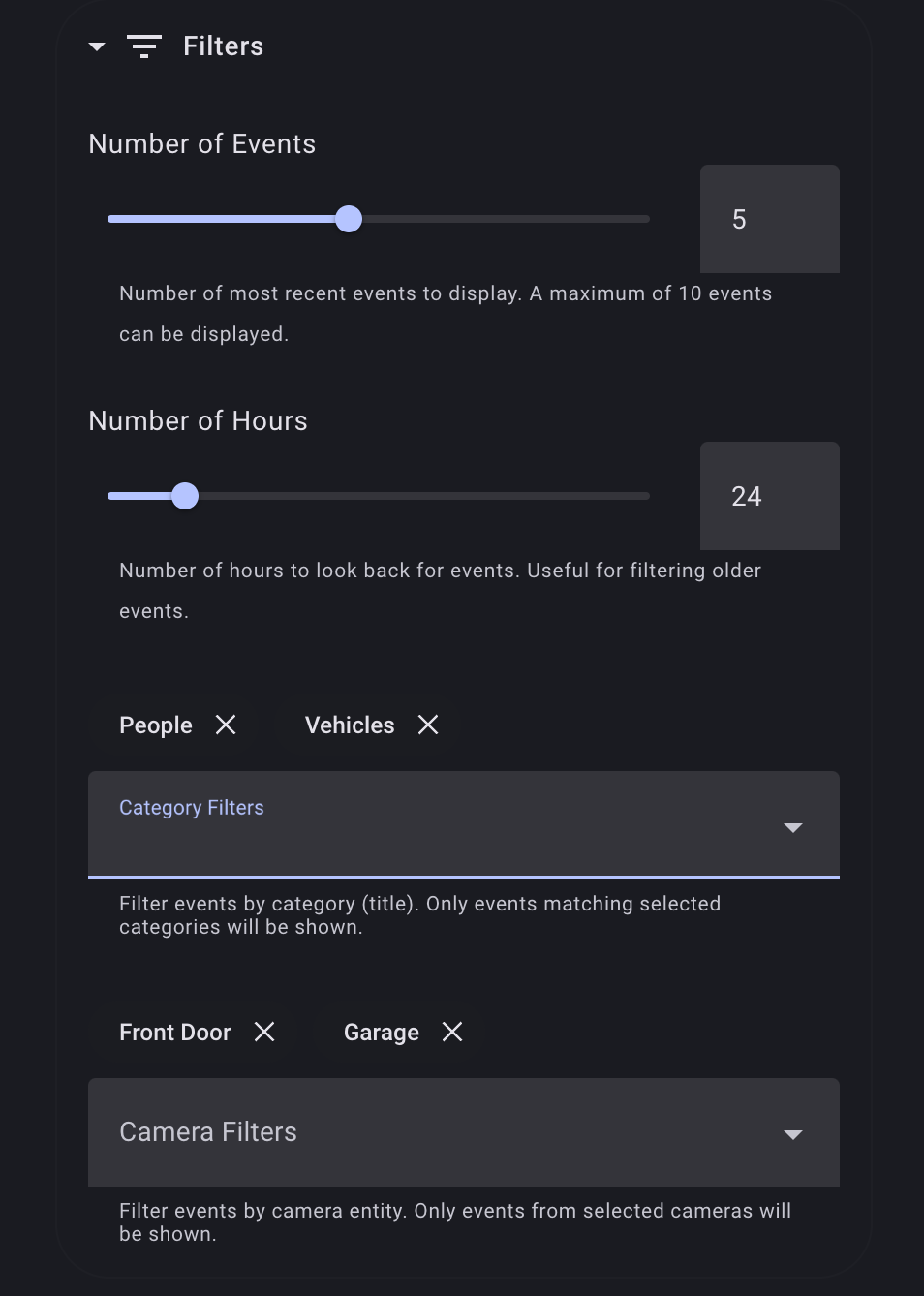
Great idea! I've added camera filters along with category filters: It'll be in the next release. If you like, you can also try it out right now: https://github.com/valentinfrlch/llmvision-card/releases/tag/v1.4.3-alpha.4 It is still in development, but I haven't had any issues with it and it seems very stable so far. |
0 replies

|
Thank you for the quick changes! I’ve installed the Alpha. I’ll let you know if I notice any issues. On Apr 21, 2025, at 3:22 AM, Valentin Fröhlich ***@***.***> wrote:
Great idea! I've added camera filters along with category filters:
image.png (view on web)
It'll be in the next release. If you like, you can also try it out right now: https://github.com/valentinfrlch/llmvision-card/releases/tag/v1.4.3-alpha.4
It is still in development, but I haven't had any issues with it and it seems very stable so far.
—Reply to this email directly, view it on GitHub, or unsubscribe.You are receiving this because you authored the thread.Message ID: ***@***.***>
|
0 replies
|
Sorry I am not sure how to report an issue on an alpha release, but wanted to report that if the card filters find no entries, a statement is entered in the card every time the card refreshes. Every 10 seconds in my case. This continues to just fill the card view. “No events found for the selected category. “I hope this makes sense. On Apr 21, 2025, at 3:22 AM, Valentin Fröhlich ***@***.***> wrote:
Great idea! I've added camera filters along with category filters:
image.png (view on web)
It'll be in the next release. If you like, you can also try it out right now: https://github.com/valentinfrlch/llmvision-card/releases/tag/v1.4.3-alpha.4
It is still in development, but I haven't had any issues with it and it seems very stable so far.
—Reply to this email directly, view it on GitHub, or unsubscribe.You are receiving this because you authored the thread.Message ID: ***@***.***>
|
0 replies
|
Good catch! Thanks for pointing that out. I'll push a new release (probably a beta by then) once it's fixed. |
0 replies
|
If I may, there is one additional issue that I have found with the filters. It seems the filter is only applied to the events that are included in the total that was selected based on the ‘number of events’. So if I want to filter only camera A, I will only see results if a Camera A image appears in the top 10 events. If camera A has an event that is 12th on the calendar list, it will not be selected. I think a preferable method would be to filter all images available and then show only those up to the total number of events defined. So camera A filtered card, could show its last 3 events. And camera B filtered card, could show its last 7 events. Thank you for your efforts. On Apr 24, 2025, at 1:53 AM, Valentin Fröhlich ***@***.***> wrote:
Good catch! Thanks for pointing that out. I'll push a new release (probably a beta by then) once it's fixed.
—Reply to this email directly, view it on GitHub, or unsubscribe.You are receiving this because you authored the thread.Message ID: ***@***.***>
|
1 reply

|
Thanks for the feedback, much appreciated! You're right, the |
Sign up for free
to join this conversation on GitHub.
Already have an account?
Sign in to comment


Uh oh!
There was an error while loading. Please reload this page.
It would be great to be able to filter Timeline cards by camera entity, so that there could be a card for each camera rather than blended.
Thanks for a great integration! Very useful.
All reactions