Repository navigation

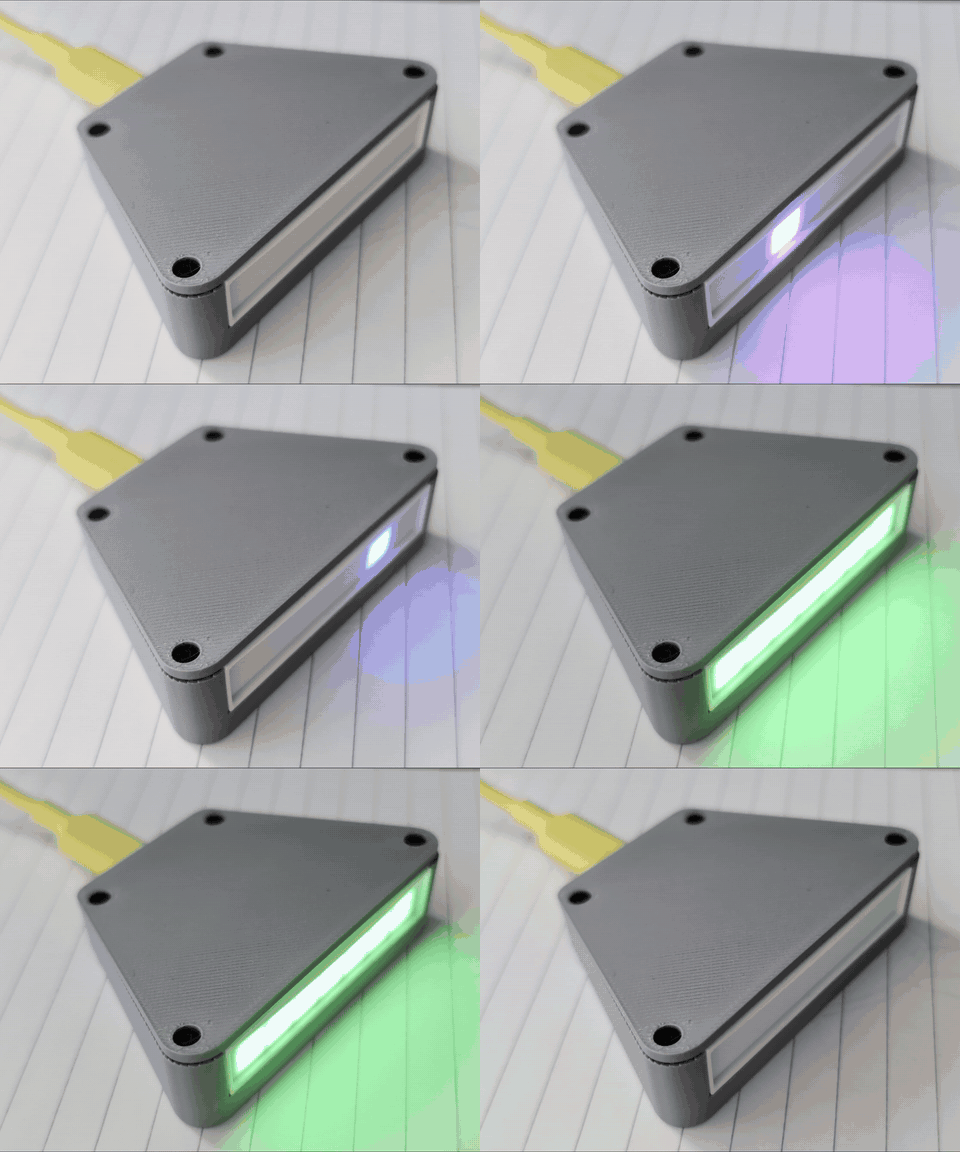
A desk LED that flashes live with the tokens Claude Code generates (text, thinking, tool input, new input) and blinks white while Claude waits for your approval. ESP32-C3 SuperMini Plus, WiFi, web UI, no proxy: Claude works exactly the same when the LED is off.
Install
- Firmware: easiest from the browser: web installer (Chrome or Edge). Or flash
tokenled-esp32c3-1.0.0-full.binat offset0x0with esptool. - WiFi: join
TokenLED-xxxxwith your phone and pick your 2.4 GHz network. The LED is then at http://tokenled.local. - Launcher:
token_tap.exe(Windows) ortoken_tap.py(macOS, Linux; Python 3.8+), then in VS Code's usersettings.json:
"claudeCode.claudeProcessWrapper": "<path of the launcher>"and start a new Claude session.
Already running an older build? Upload tokenled-esp32c3-1.0.0-update.bin on the device's System page (firmware update over WiFi); your settings stay.
Files
| File | What it is |
|---|---|
tokenled-esp32c3-1.0.0-full.bin |
Full firmware image for a new board (bootloader, partitions, app), offset 0x0. Erases the settings. |
tokenled-esp32c3-1.0.0-update.bin |
App only, for the web page's firmware update. |
token_tap.exe |
Windows launcher, built from token_tap.cs with the .NET Framework compiler. It is not code-signed, so SmartScreen may warn; you can build it yourself (see the README). |
token_tap.py |
macOS / Linux launcher, standard library only. |
TokenLED_*_P2S.3mf |
Print plates for the case (Bambu Lab P2S, PLA): base + lid, white diffuser, black light baffle. |
What it does
- Live flashes per type with its own colour; thinking is counted even when it arrives redacted
- White blink while Claude waits for approval, green / red when a turn finishes / fails
- Web UI: virtual LEDs, live counters, 5-hour and weekly usage with their reset times, 24 h / 7-day / 30-day charts, event log
- Onboard LED (RGB or plain) and an optional WS2812B strip with per-type LEDs, history and usage bar
- Optional buzzer, night dimming, MQTT / Home Assistant discovery, settings backup, firmware update over WiFi
- 3D-printable case (Fusion 360 design and script included)