Repository navigation

What's new
Added
- Manage launcher updates from a dedicated Settings > Updates sub-tab with persistent indicator dots on the sidebar when releases are ready.
- Open What's New and release logs at any time from Settings > Updates or the About version badge, even when up to date.
- Check for newer launcher releases and receive update notifications.
- Download verified updates in the background, with an optional automatic-download setting, and choose when to restart.
- Follow update progress in a window matching the launcher's navy-and-gold style.
- Restore the previous portable launcher if an update fails to start, while preserving profiles, accounts, and Minecraft files.
Changed
- Align updater and release card buttons with the launcher's 5px frosted acrylic design language.
- Remove the extra "What's new" heading above the release notes in the launcher update dialog.
Fixed
- Read formatted release notes with full markdown styling and codeblock containers inside the launcher, with the option to reopen notes while downloads are in progress.
- Prevent updates from timing out after the launcher closes because the updater was waiting for itself to exit.
- Open the repository releases archive and release note links reliably in the default browser.
- Close release notes with a click outside the dialog or Escape without triggering an error.
- Bring the final item further into view in profile, mod, modpack, and version lists, including detail and gallery panels, with moderate bottom spacing and the original fade.
- Apply the same bottom fade and moderate spacing across every Settings sub-tab.
- Add compact bottom spacing to scrolling accounts, logs, and dialog content so their last item is easier to read and use.
Security
- Validate update redirects against GitHub download hosts and the known GitHub release bucket, including regional endpoints.
Full Changelog: v2.4.0...v2.4.1
Launcher preview
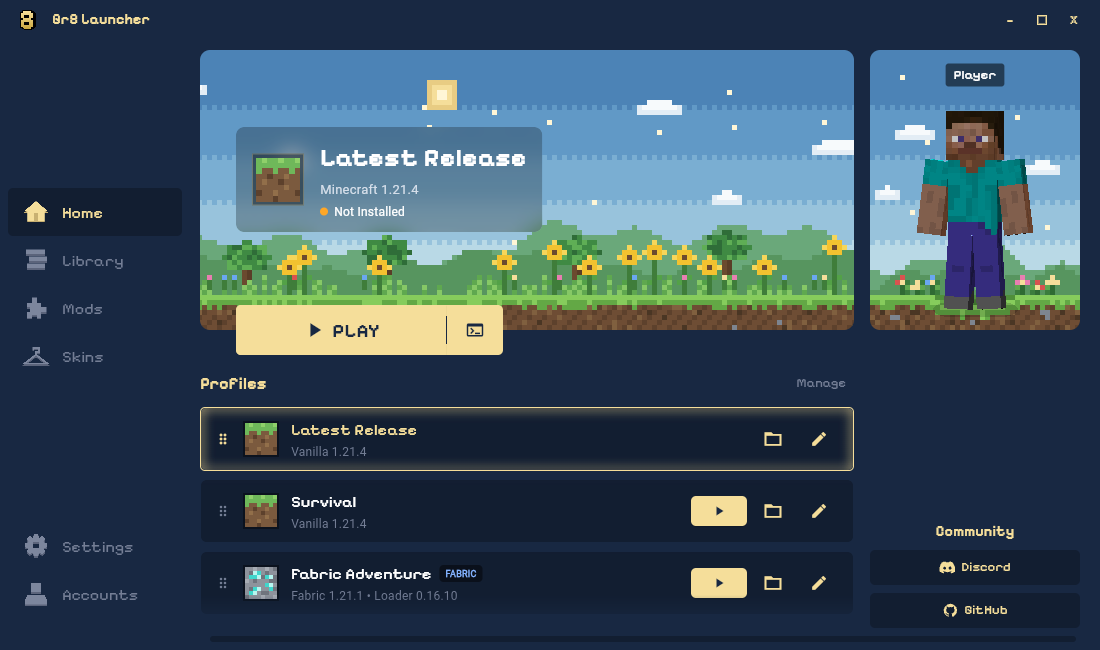
Captured from this release's source with example profiles.