Repository navigation
Releases: youminhan/agent-command-center
Releases · youminhan/agent-command-center
Release list
Agent Command Center 1.1.0

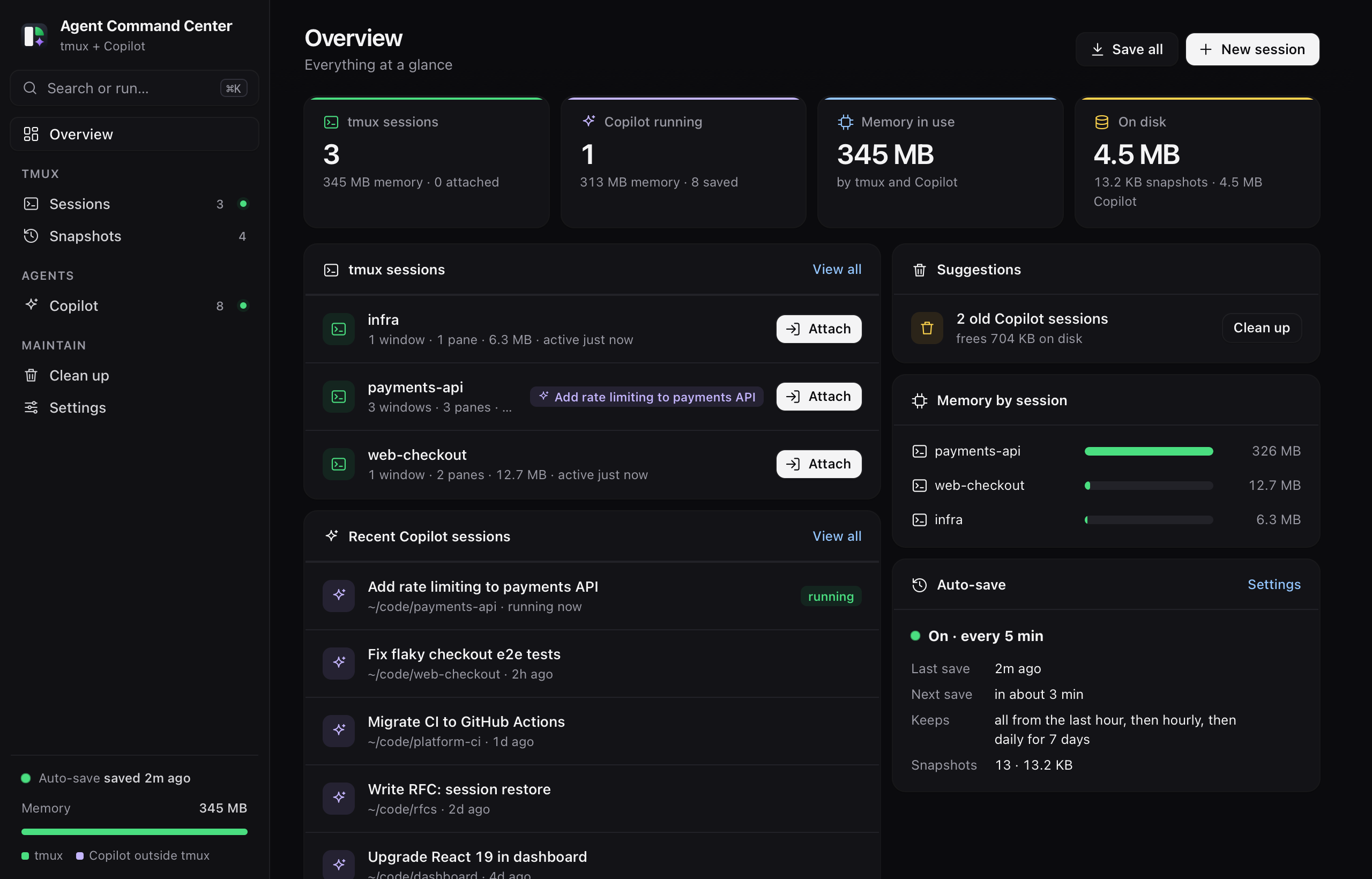
A redesigned Agent Command Center with a new look, an Overview dashboard and a command palette.
Added
- Overview page: tmux sessions, recent Copilot sessions, memory by session, suggestions and auto-save status.
- Command palette (⌘K) and page shortcuts (⌘1–⌘6).
- Side panel with a Copilot session's summary, next steps, PRs, files and actions.
- New logo, app icon and menu-bar icon: three tmux panes, one a radar sweep and one an AI spark.
Changed
- Redesigned interface: sidebar navigation, translucent macOS sidebar, refined light and dark themes.
- Meets WCAG AA contrast, with full keyboard and screen-reader support, and respects Reduce Motion.
Install
Download AgentCommandCenter.dmg, open it and double-click Install.command. Upgrading from 1.0.0 keeps your snapshots and settings.
Needs macOS 13+, tmux (brew install tmux) and Python 3. Full changelog: CHANGELOG.md.
Agent Command Center 1.0.0
First release of Agent Command Center: one Mac app for your local tmux and Copilot CLI sessions.
Highlights
- tmux: background auto-save and restore (windows, panes, layout, folders, screen output), memory per session, attach, save, close or kill.
- Copilot CLI: every running and saved session with memory, summaries (checkpoints, next steps, last request, PRs, files), Resume, Resume in tmux (new session or existing one), Move to tmux, Stop and Delete.
- Clean up: old snapshots, idle tmux sessions and inactive Copilot sessions, with a preview, manual or automatic.
- Dock app plus menu-bar icon, light and dark mode, universal (Apple Silicon and Intel), macOS 13+.
Install
- Download AgentCommandCenter.dmg below.
- Open it and double-click Install.command. Or drag the app to Applications, then right-click it and choose Open the first time, since the app isn't notarized.
Needs tmux (brew install tmux) and Python 3 (Homebrew's, or Apple's via xcode-select --install).