Repository navigation

5fe20d2  nurulhudaapon
Nurul Huda (Apon)
nurulhudaapon
Nurul Huda (Apon)
Ziex 0.1.0
Ziex is a full-stack web framework for Zig, built to be as simple as plain HTML, with the power of Zig and a declarative syntax for dynamic UI. Ziex also puts a strong focus on developer tooling. A framework is only as good as the tools around it, so Ziex comes with editor extensions, a Chrome DevTools extension, a language server, and all the basic tooling you'd expect.
After a long run of 0.1.0-dev releases, Ziex 0.1.0 is finally here. This is the first public release of Ziex.
You'll need Zig 0.17.x.
Installation
Linux/macOS
curl -fsSL https://ziex.dev/install | bashWindows
powershell -c "irm ziex.dev/install.ps1 | iex"Starting a new project
Using the Ziex CLI:
zx init my-app
cd my-app
zx dev
Using npm/bun/pnpm:
npm create ziex my-app
bun create ziex my-app
pnpm create ziex my-app
Note: npm create ziex also offers a Node template, which doesn't require Zig to be installed.
Docs · Reference · Playground · Discord
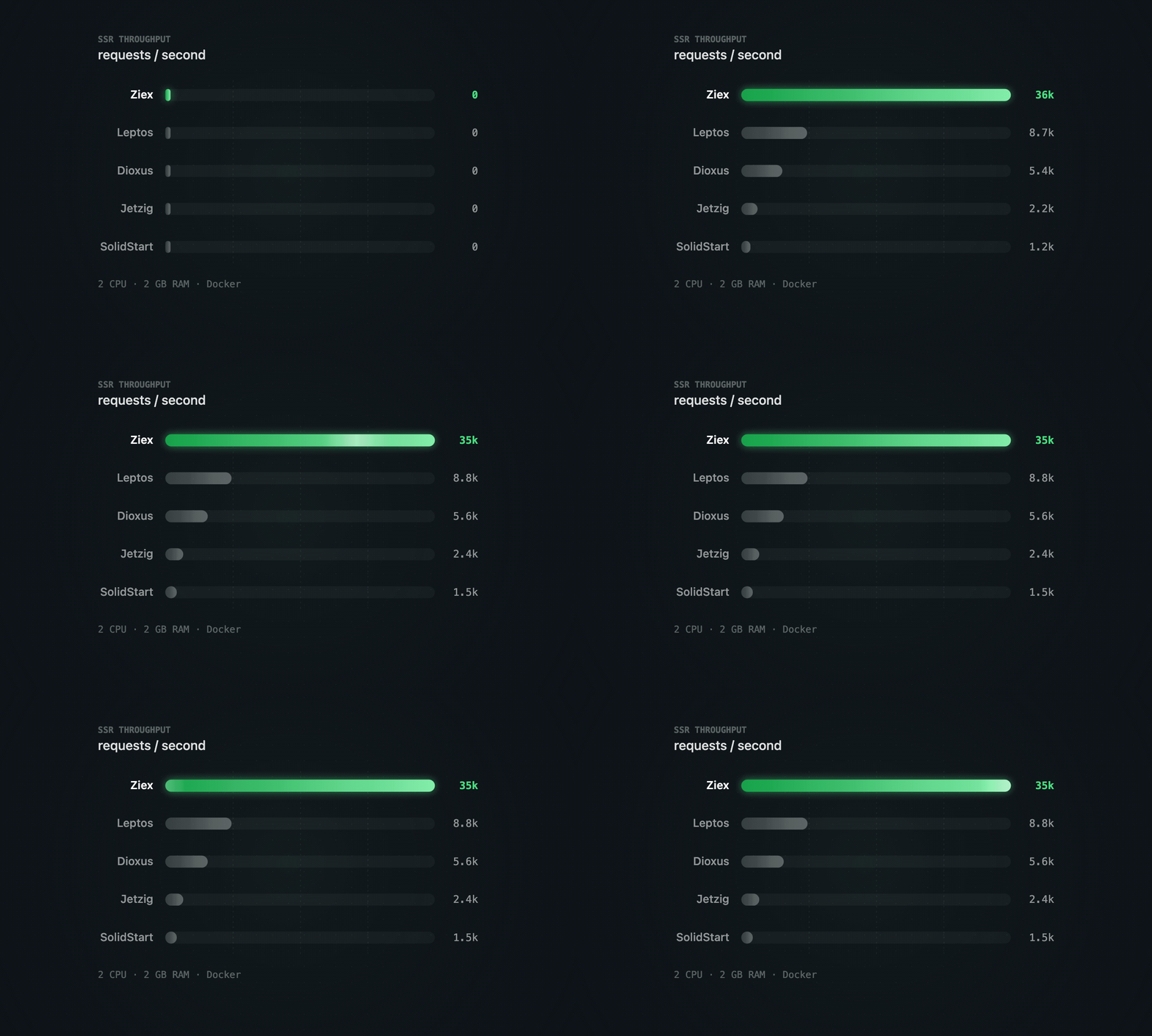
Performance
Server rendering is significantly faster than many other frameworks.
Components and Syntax
Write HTML-style markup inside Zig. Components are plain Zig functions.
pub fn Playground(allocator: zx.Allocator) zx.Component {
    return (
        <main @allocator={allocator}>
            <h1>Hello, Ziex!</h1>
            {for (users) |user| (
                <Profile name={user.name} role={user.role} />
            )}
        </main>
    );
}- Components with typed props and children
- Expressions, fragments, and dynamic, spread, and shorthand attributes
- Built-in attributes:
@allocator,@client,@caching,@async,@escaping - Markdown pages (
.md,.mdzx)
Writing markup · Components · Syntax reference
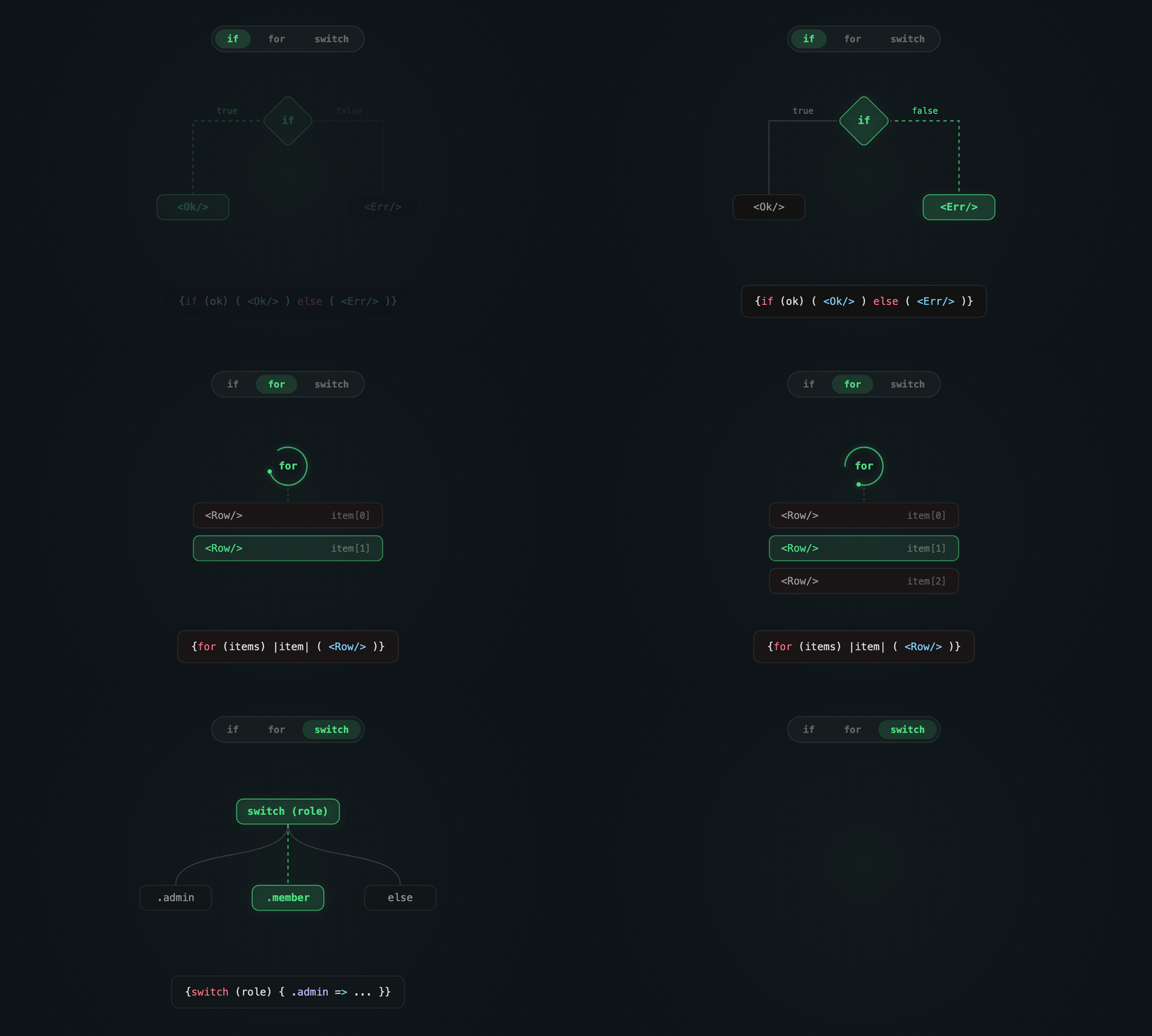
Control Flow
Use Zig's if, for, while, and switch directly in markup, with no template language.
Conditionals · Lists · Control flow reference
Routing
Routes are files in folders.
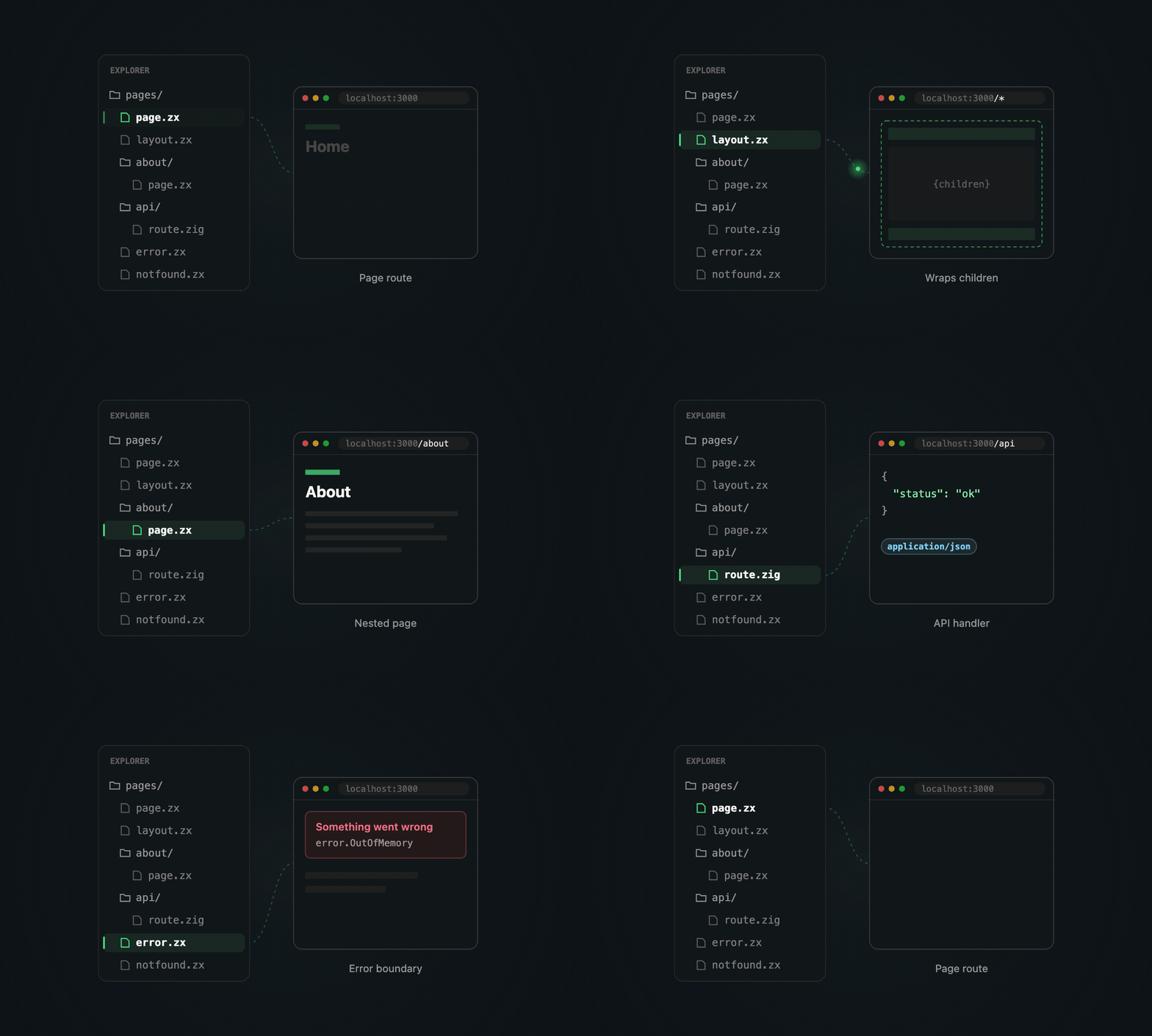
- Pages, nested layouts, and error and not-found pages
- Dynamic segments with
[param]folders - API routes and proxy middleware
- Static files from
public/andassets/
Pages and layouts · Dynamic routes · Routing reference
Rendering
Pages render on the server by default. Put @client on a component to hydrate it as a WebAssembly island in the browser.
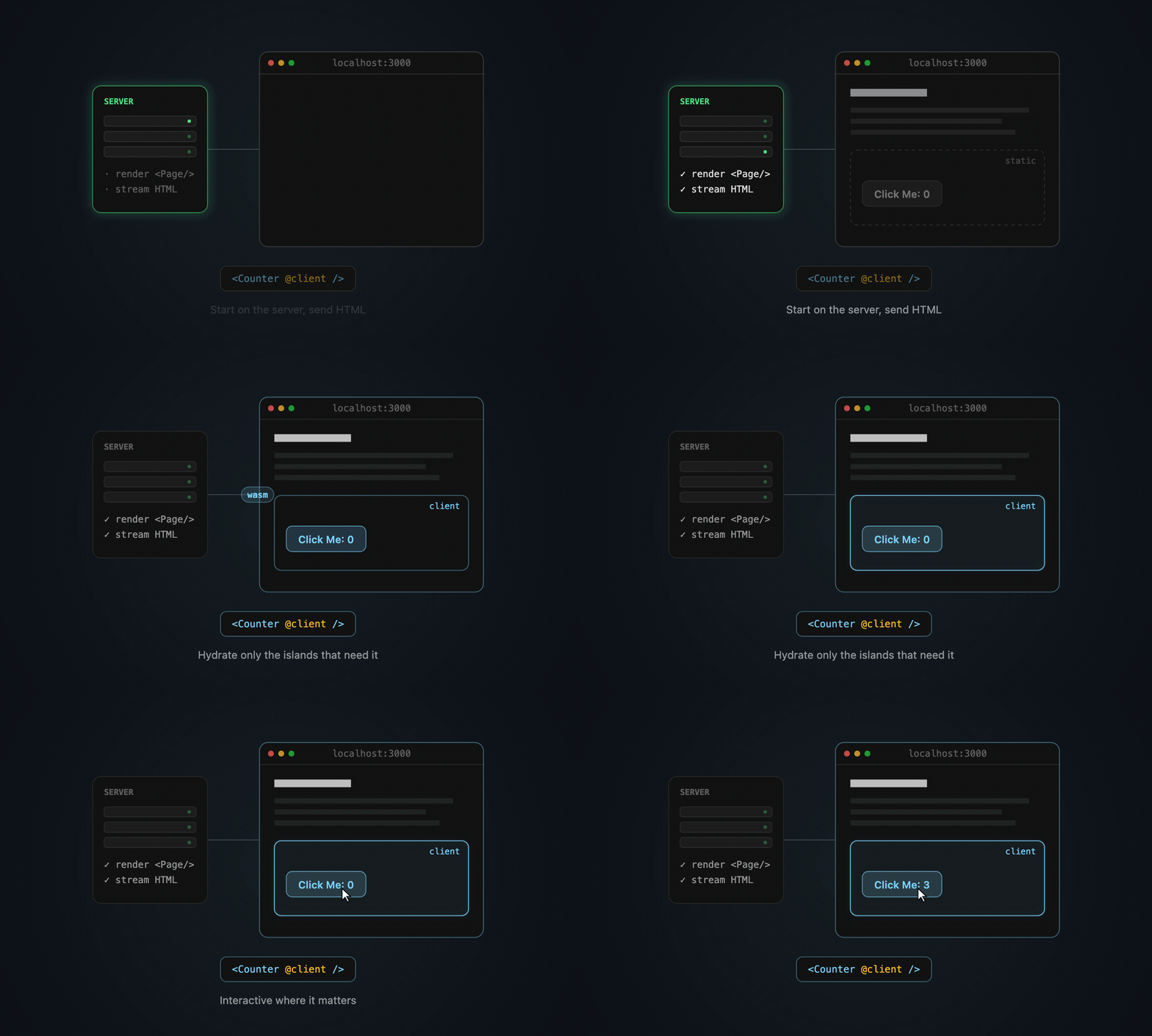
- Per-request, prerendered, or streamed rendering per page or layout
- Static site generation, including dynamic routes
- Client components with events and reactive state
- Caching for pages, layouts, and components, with invalidation
Interactivity · Client rendering · Caching · Prerendering
Data and Backend
Put a route.zig beside your pages to handle GET, POST, and other methods.
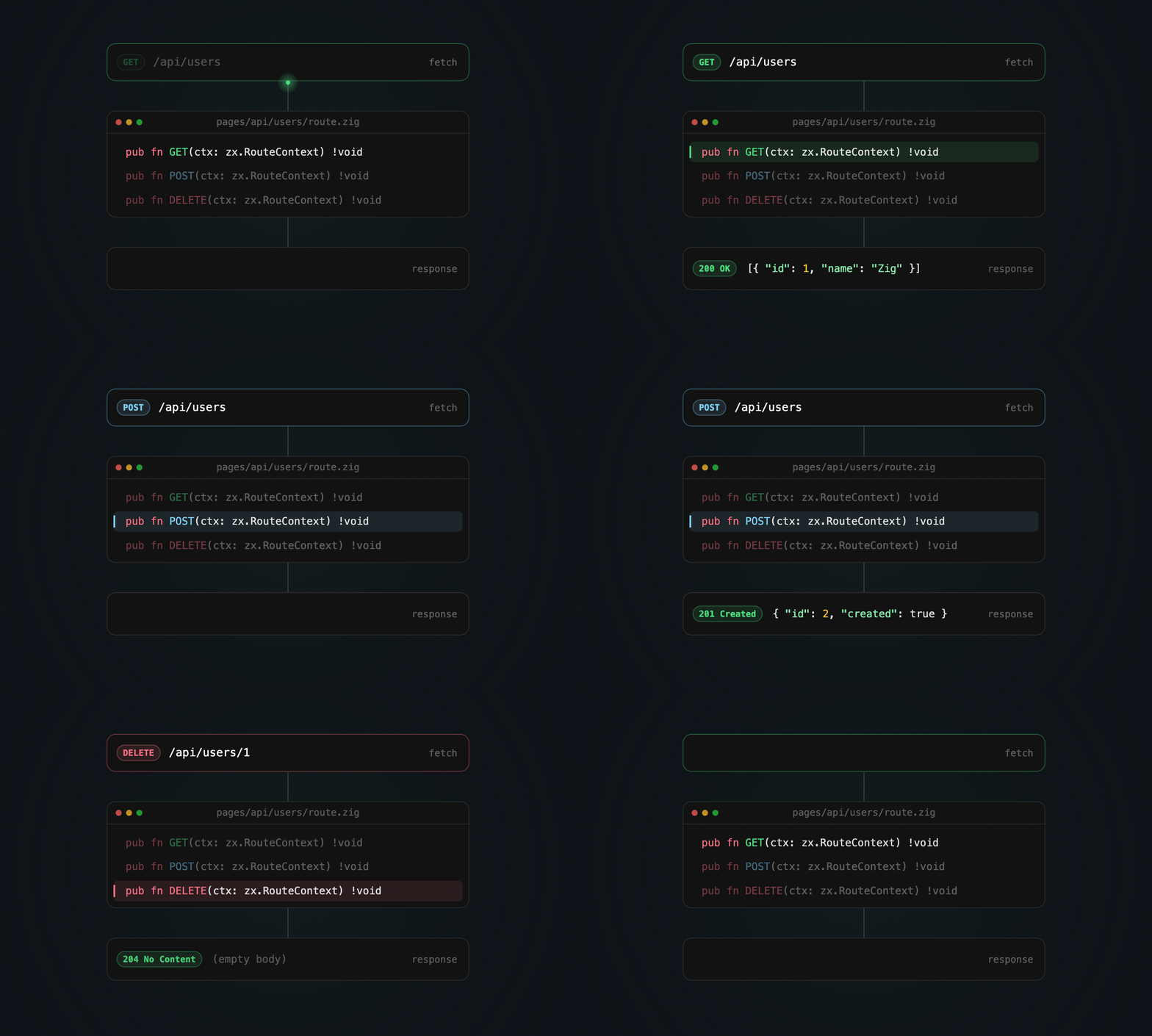
- Requests and responses: JSON, forms, uploads, headers, cookies, redirects, streaming
- Server and client form actions
- WebSockets with pub/sub
zx.fetchon the server, in the browser, and at the edge- Key-value store (
zx.kv) and database (zx.db), which work natively and on Cloudflare
API routes · Form actions · WebSockets · Key-value · Database
Memory
Memory is managed explicitly, as in Zig, with no hidden allocations. Each request gets its own arena, which is freed after the response is sent.
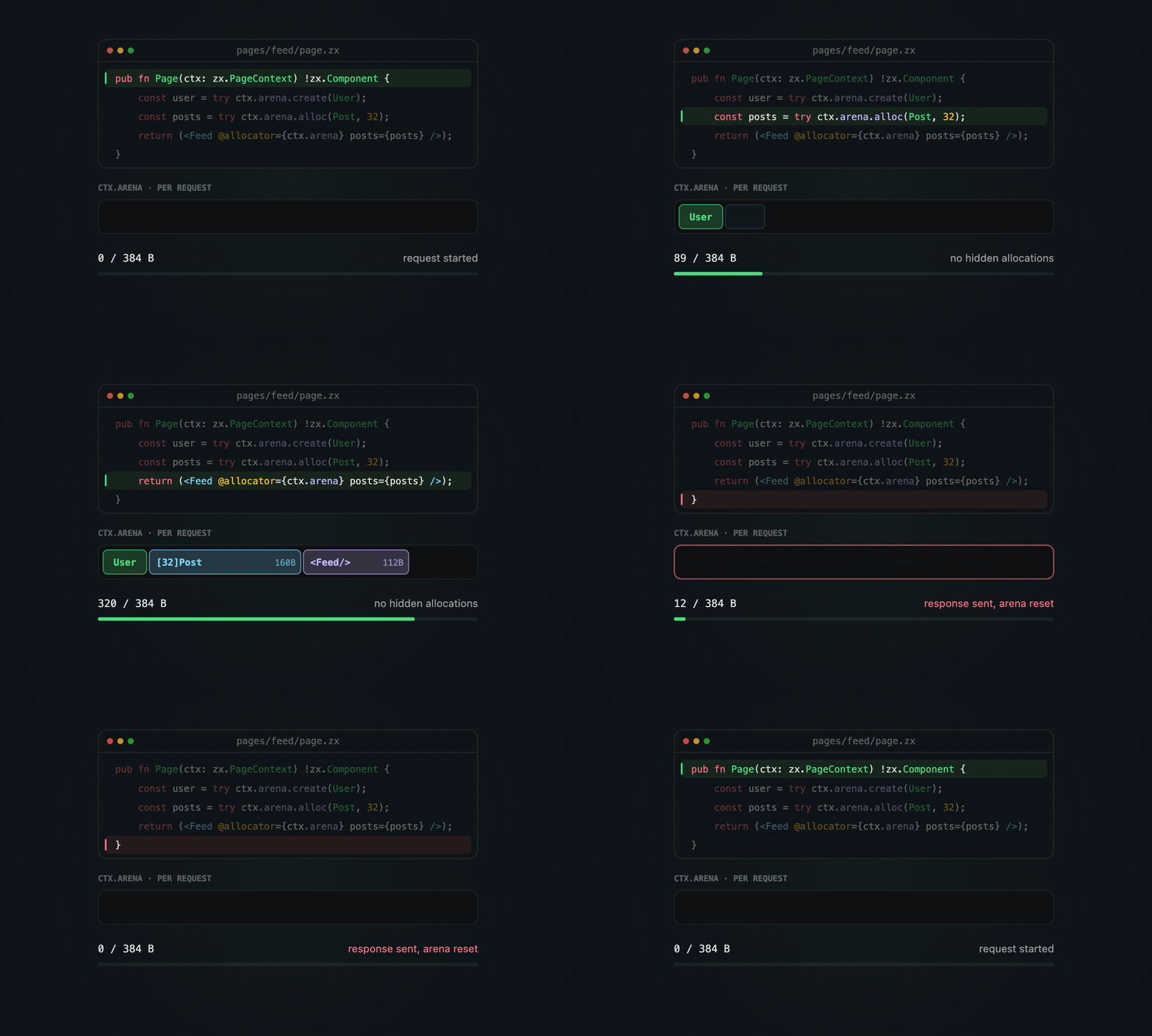
Allocator attribute · Zig memory
Developer Tooling
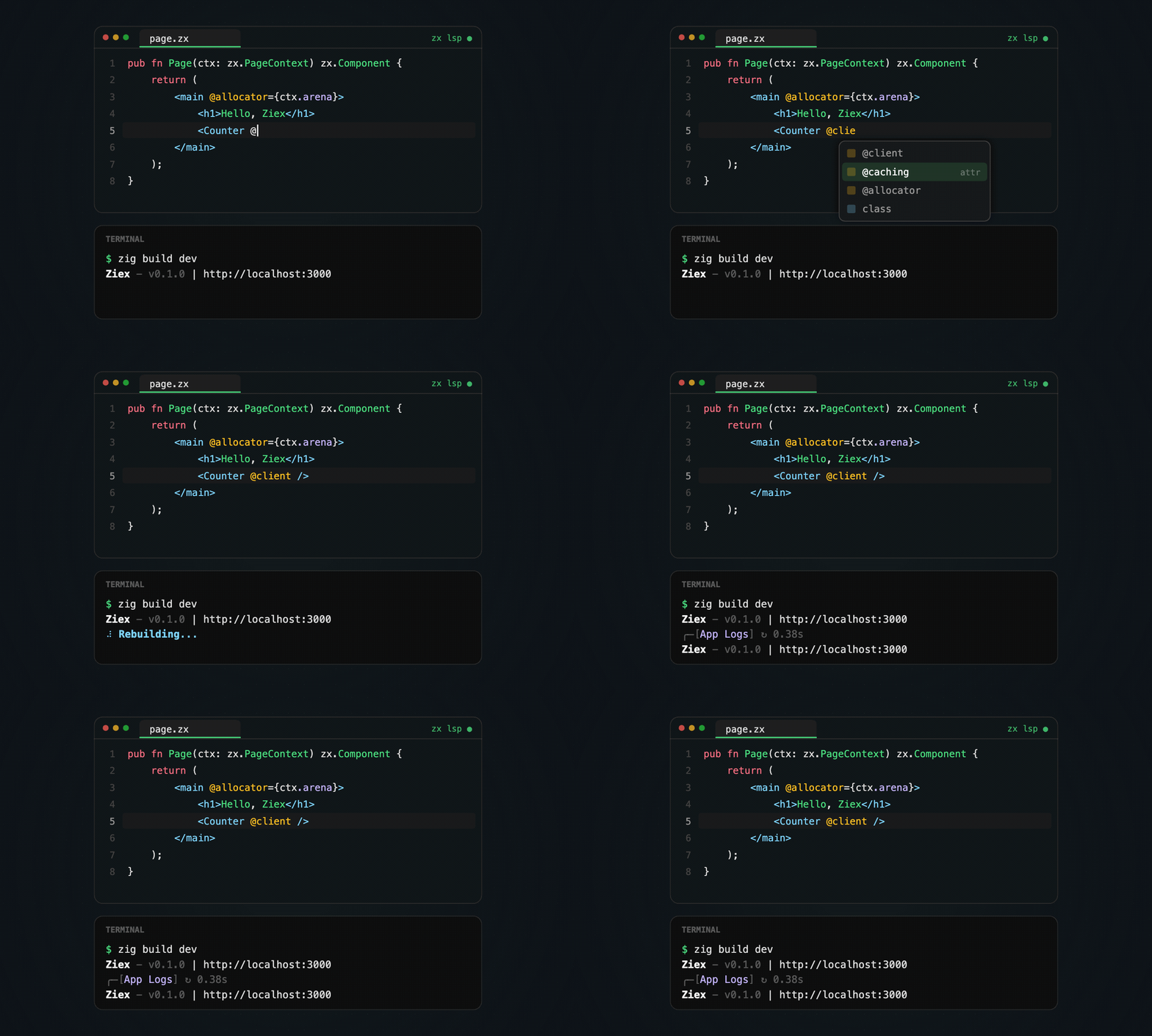
zxCLI: init, dev, build, serve, fmt, and more- Dev server with hot reload
- Language server and editor support for VS Code, Cursor / Open VSX, Zed, Neovim, Helix, and Emacs
- Ziex DevTools for Chrome
- Online Playground
Deployment
Choose the artifact that fits the host.
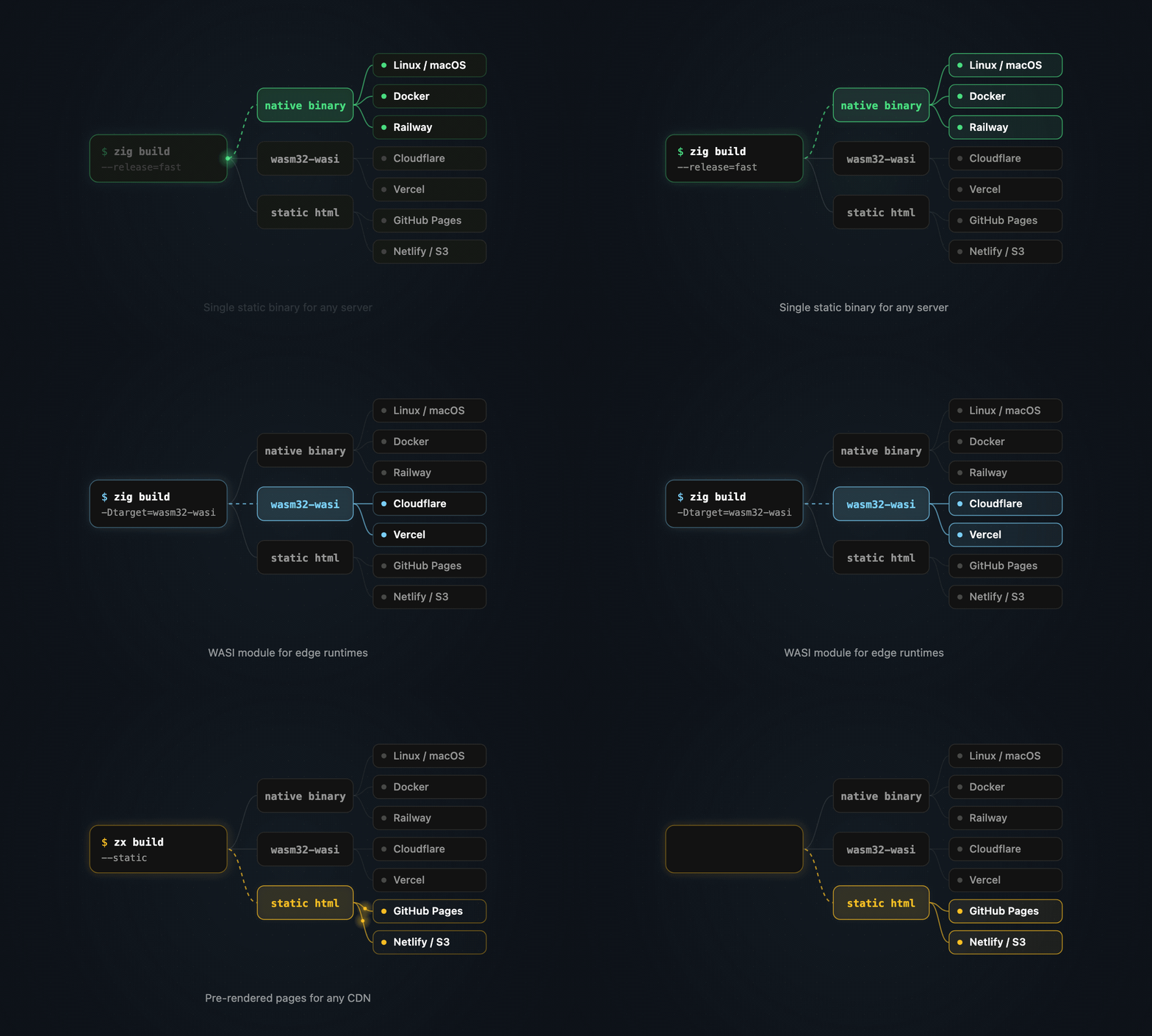
- Native binary for servers and Docker
- WASI module for Cloudflare Workers and Vercel
- Static pages for any CDN
- Starter templates for Node, Railway, Render, Cloudflare, and Vercel
Thanks
A big thank you to everyone who tried the dev releases, filed issues, and sent PRs. You helped shape Ziex into what it is today.
- @nurulhudaapon
- @Andrew-Velox
- @elpekenin
- @samim-reza
- @Cloudef
- @Satheeshsk369
- @Joen-UnLogick
- @jubayeramb
- @Arafahmed1314
- @tacheraSasi
- @BakulBd
- @mahmud-araf
- @huaxk
- @n6v26r
- @krolaw
- @eamonburns
- @ray-delossantos
- @oarinv
- @mwac-dev
- @brilliantnarlo
- @HenryLF
Found a bug? Open an issue. Have a question? Ask on Discord.


