Repository navigation
Releases
Selectra v1.1.1

Selectra v1.1.1
Changes since v1.1.0:
- chore: adopt noncommercial license (2ead00d)
Built and published by GitHub Actions. Commit: 2ead00dab60ca206a39127e21cc02b750c6a3774.
Selectra v1.1.0
Selectra v1.1.0
Changes since v1.0.1:
- feat(ci): recover previously missed runtime releases on next push (#12) (e1ef862)
- test(release): protect runtime-only automatic publication rules (#11) (0276ceb)
- test(ci): dry-run pinned shared archive verification on PR artifacts (#10) (256e795)
- refactor(ci): retire duplicated release helpers after shared platform adoption (#9) (4252b4d)
- ci: consume pinned shared release platform without changing publication policy (#8) (30567ee)
- docs: align existing AGENTS.md with 4FusionLab runtime-release standards (#7) (d405cde)
- ci: serialize main release pipelines instead of cancelling them (#6) (be01589)
- ci: automatically release only runtime-impacting main changes (#5) (544cfb3)
- ci(release): standardize explicit tag-only publication (#4) (aaa107d)
- ci(release): unify GitVersion-based release policies (#3) (ce0d716)
- ci: configure GitVersion semantic versioning (#2) (d151a8e)
- ci: bump actions/download-artifact from 5.0.0 to 8.0.2 (#1) (d79570c)
- docs: integrate search language naturally without changing layout (c520fa8)
- docs: integrate search language naturally without changing layout (f2cce05)
- docs: add Russian-language search context and links (b2f52e6)
- docs: improve Fusion 360 discoverability and related-tool links (116b137)
Built and published by GitHub Actions. Commit: e1ef862411327ee36fa6af6177f2e35e783bb2d5.
Selectra 1.0.1 — Stable
Selectra 1.0.1
English · Русский
Show an example. Select what matters. Selectra adds two commands to Autodesk Fusion for selecting edges, faces, and closed contours.
New in 1.0.1
Select Chain finds narrow closed rims made of adjacent faces on one body, including sloping sections, and proposes them first. Existing contours across exact body contact remain available; face strips spanning multiple bodies are not yet supported.
Select Similar
Find matching geometry from one or more examples. Shape and size take priority; matches in the example planes come before parallel planes, then other planes.
- Examples and Exclude refine the result.
- Search Scope switches between the source body, its component with the nested hierarchy, and the entire visible assembly.
- Connected examples can describe repeating face groups, including curved groove walls.
Select Chain
Follow a closed edge loop or a wall chain from a selected face.
- Switch between complete contours passing through every example; each choice replaces the previous contour.
- Find boundaries of individual faces, smooth face groups, and connected parts of those groups.
- Chain across contact, enabled by default, continues the chain through complete, exact body contact, such as parts created by Split Body.
- The original bodies remain separate. Gaps, partial contact, and overlapping volumes do not create a connection.
Controls
In Select Similar, PgUp / = expands the set and PgDown / - narrows it. In Select Chain, these keys choose the next or previous complete contour. The slider controls the same choice.
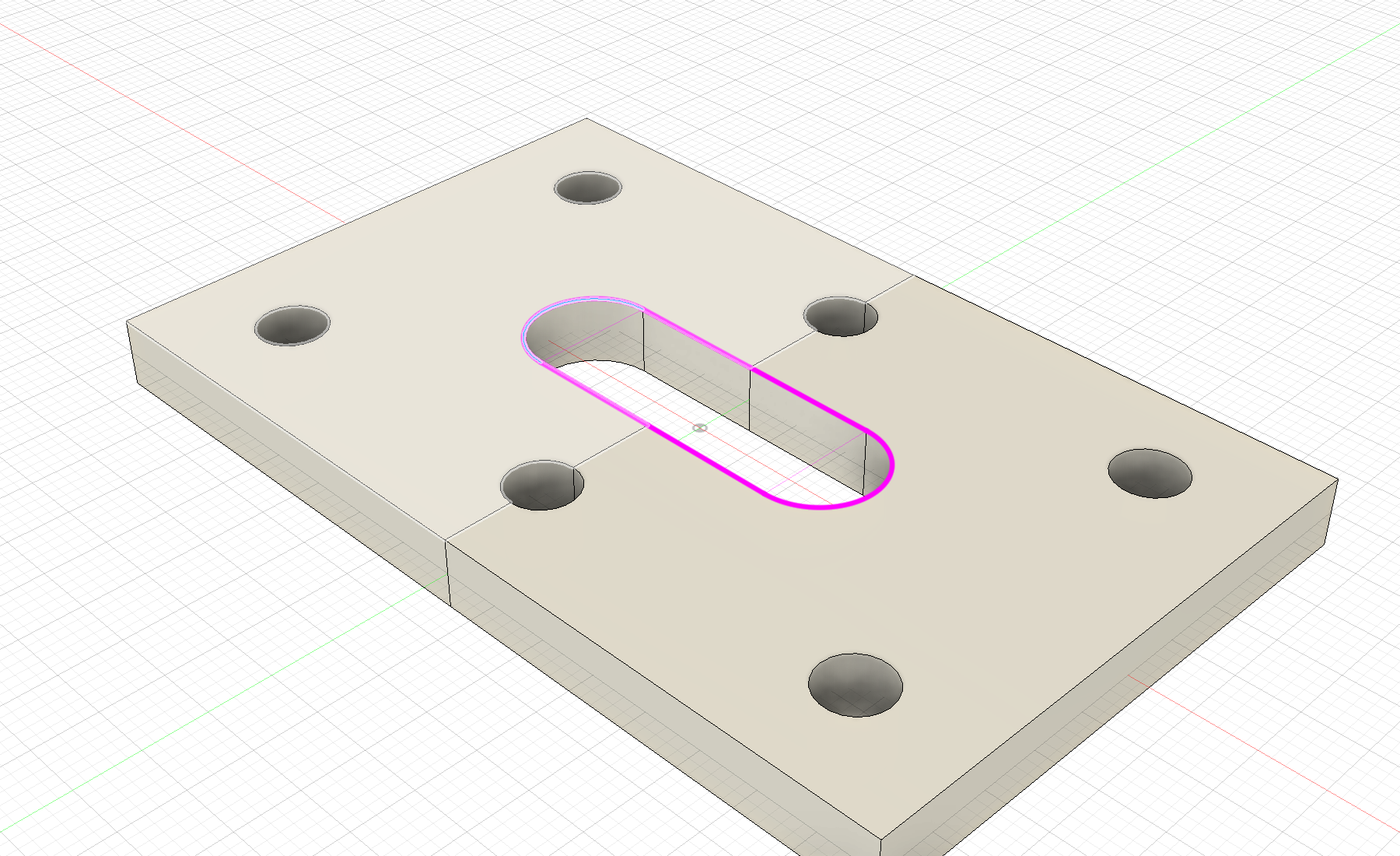
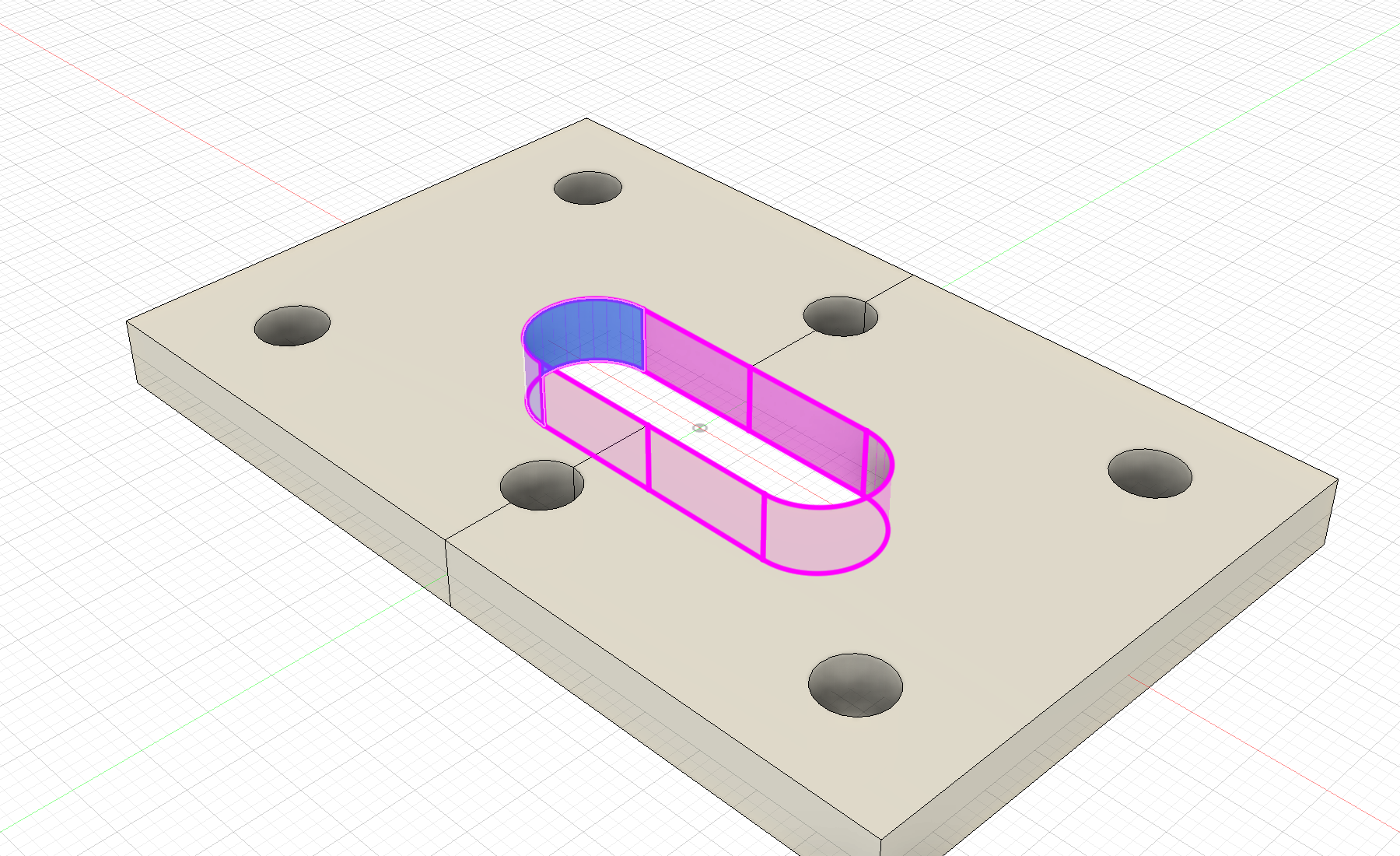
The magenta highlight shows the proposal before confirmation. OK applies ordinary Fusion selection; Cancel restores the original selection. Model geometry and the timeline stay unchanged.
Demo in Fusion
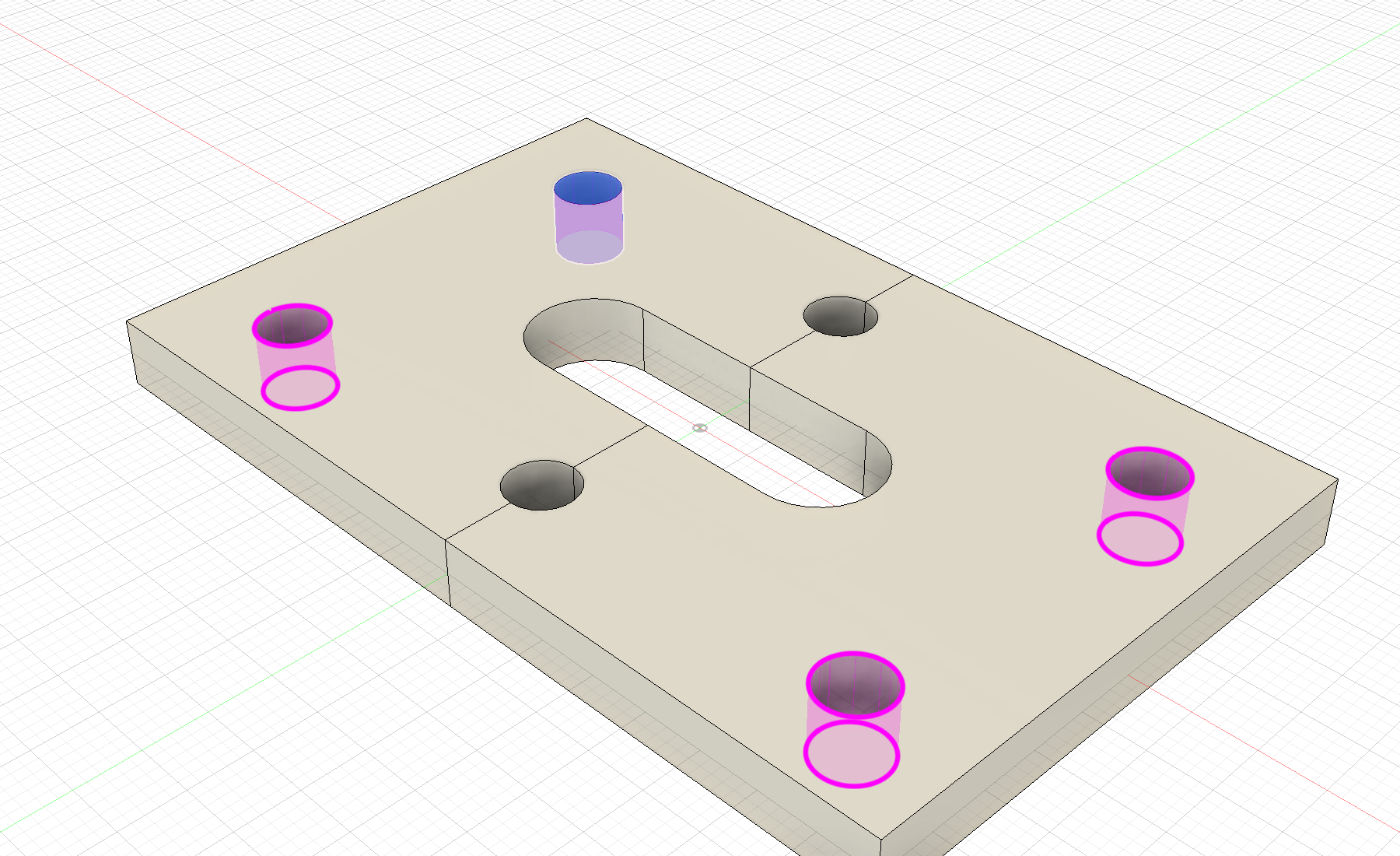
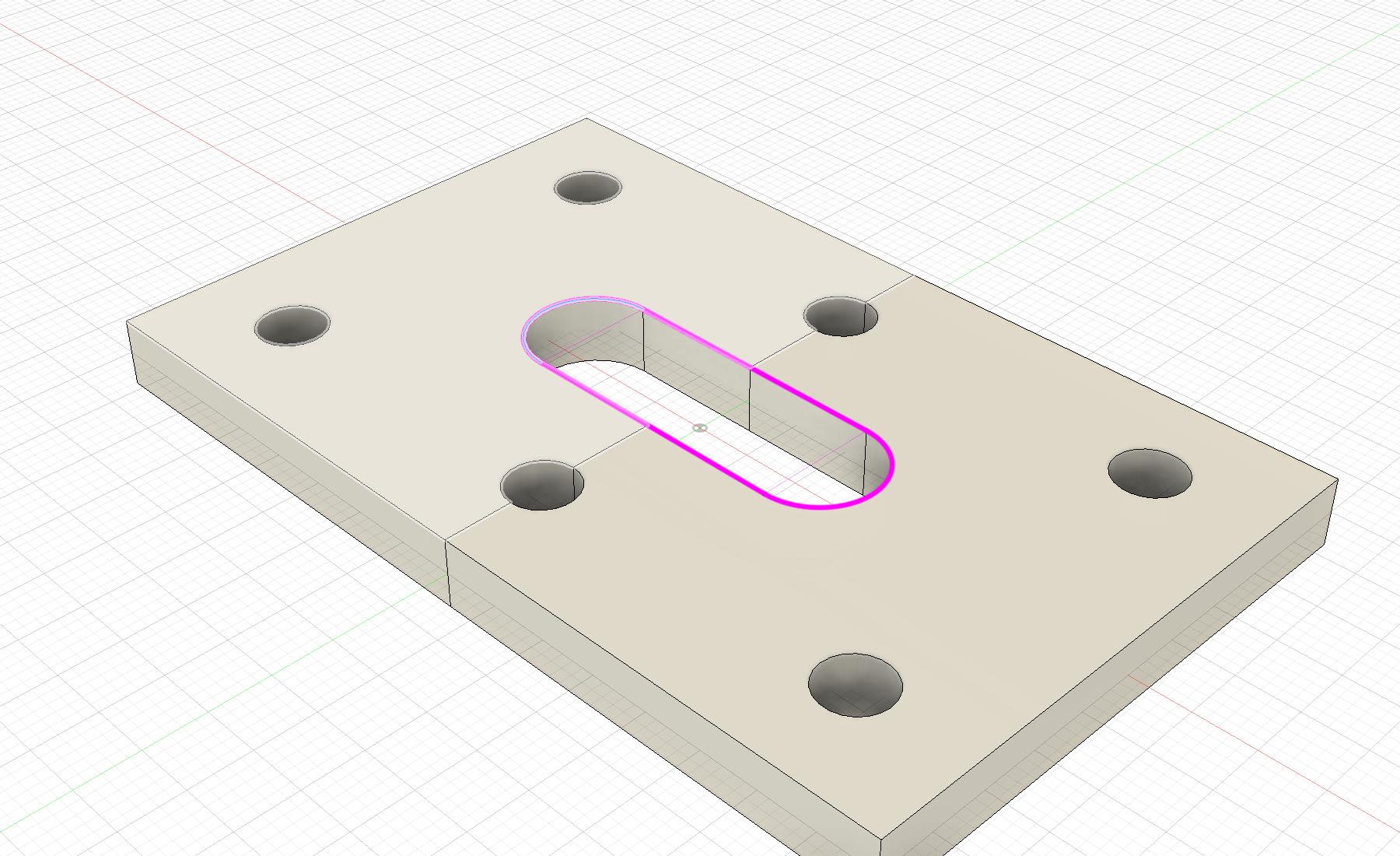
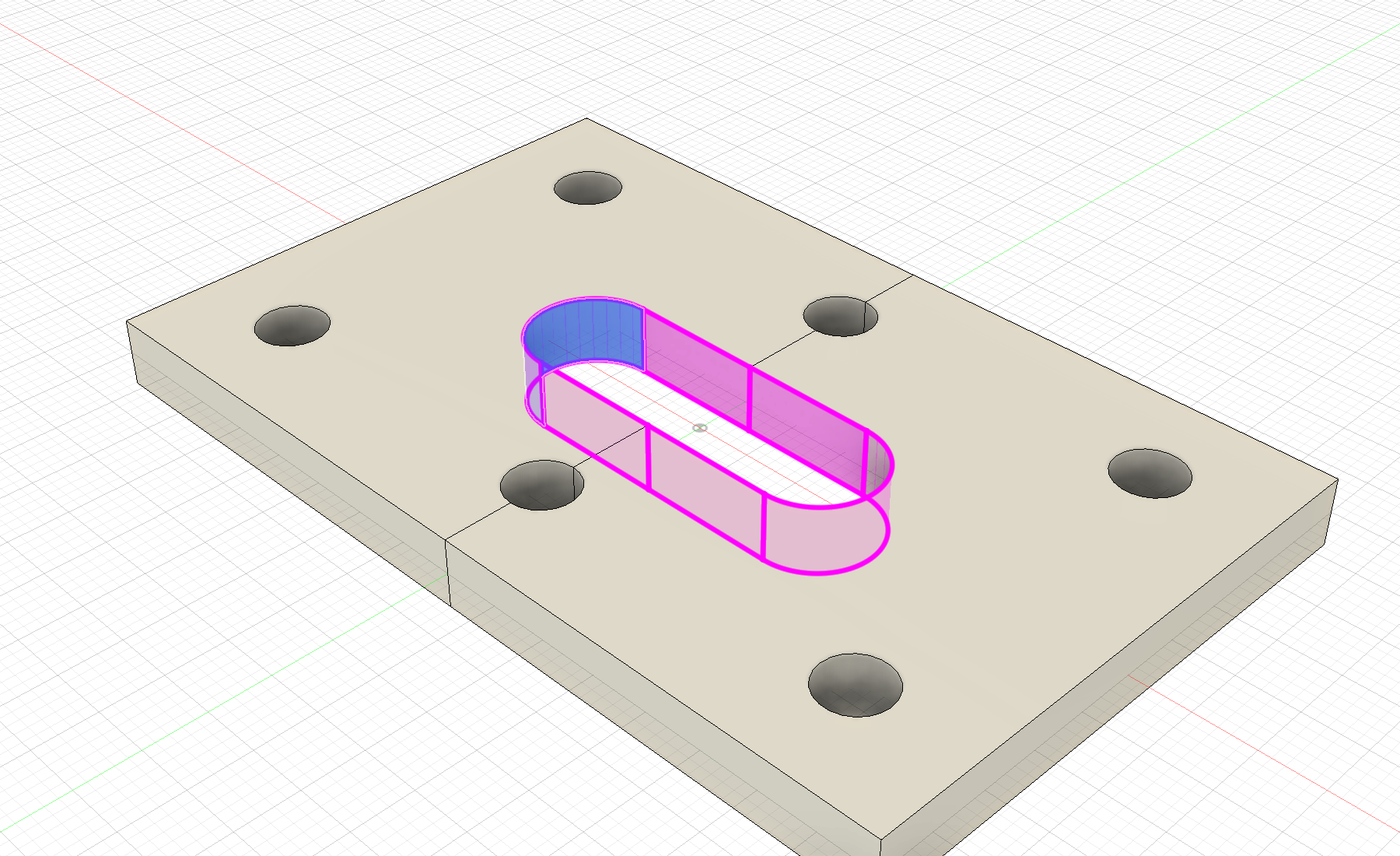
Native CAD checks: Fusion 2706.1.14 on macOS. Automated Python and packaging checks run on macOS, Windows, and Ubuntu; native Fusion on Windows has not been separately validated.
Install
Download the add-in archive from Assets, extract it, and add the Selectra folder through Utilities → Scripts and Add-Ins. No separate Python interpreter or additional packages are required.
Installation and updates · User guide · FAQ
Selectra is an independent 4FusionLab add-in for Autodesk Fusion. License: GPL-3.0-only.
Built and published by GitHub Actions. Commit: e74a9d72331a05d3c7d4c6696f51eaa5654d5179.
Selectra 1.0.0 — Stable
Selectra 1.0.0
English · Русский
Show an example. Select what matters. Selectra adds two commands to Autodesk Fusion for selecting edges, faces, and closed contours.
Select Similar
Find matching geometry from one or more examples. Shape and size take priority; matches in the example planes come before parallel planes, then other planes.
- Examples and Exclude refine the result.
- Search Scope switches between the source body, its component with the nested hierarchy, and the entire visible assembly.
- Connected examples can describe repeating face groups, including curved groove walls.
Select Chain
Follow a closed edge loop or a wall chain from a selected face.
- Switch between complete contours passing through every example; each choice replaces the previous contour.
- Find boundaries of individual faces, smooth face groups, and connected parts of those groups.
- Chain across contact, enabled by default, continues the chain through complete, exact body contact, such as parts created by Split Body.
- The original bodies remain separate. Gaps, partial contact, and overlapping volumes do not create a connection.
Controls
In Select Similar, PgUp / = expands the set and PgDown / - narrows it. In Select Chain, these keys choose the next or previous complete contour. The slider controls the same choice.
The magenta highlight shows the proposal before confirmation. OK applies ordinary Fusion selection; Cancel restores the original selection. Model geometry and the timeline stay unchanged.
Demo in Fusion
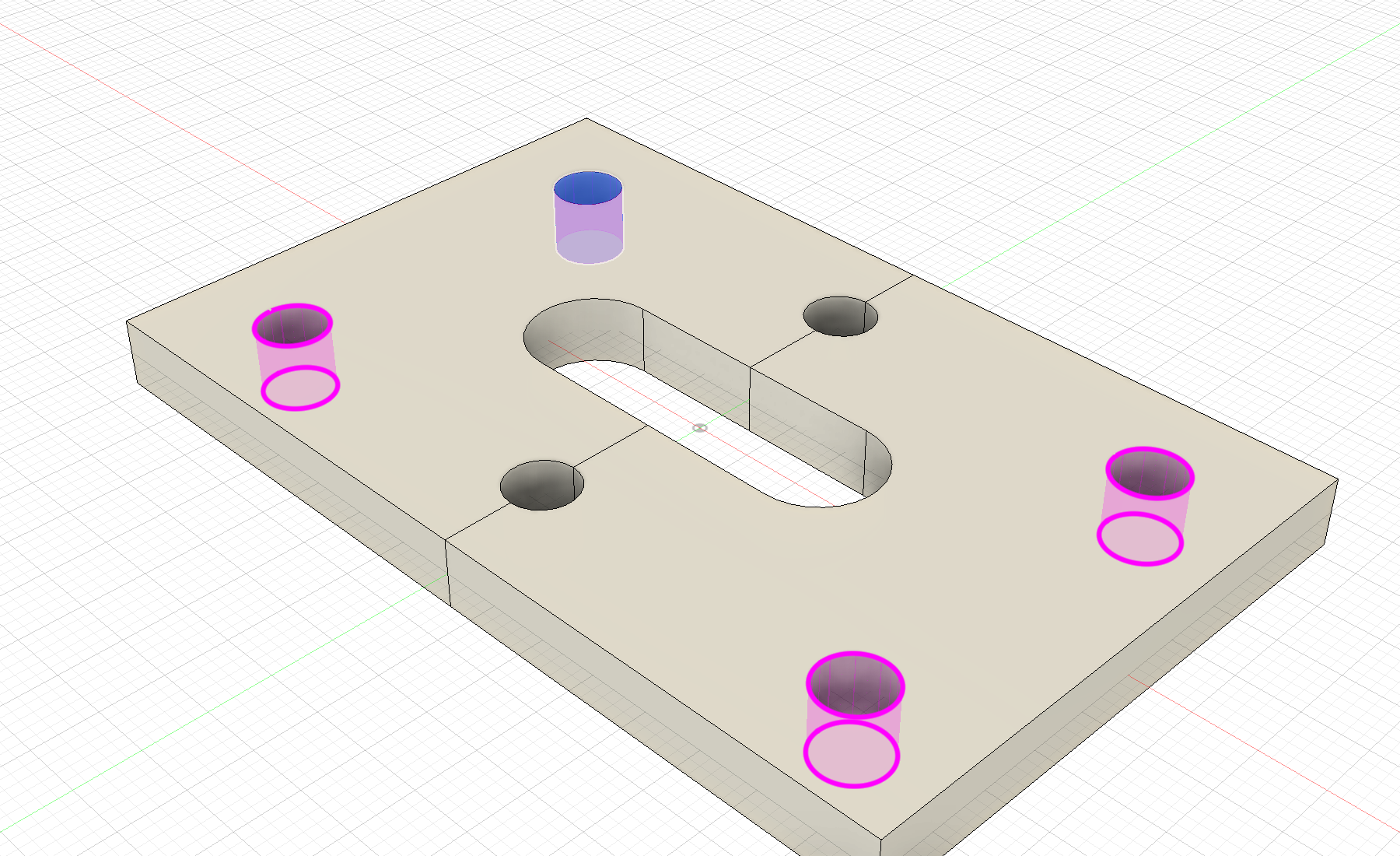
Native CAD checks: Fusion 2706.1.14 on macOS. Automated Python and packaging checks run on macOS, Windows, and Ubuntu; native Fusion on Windows has not been separately validated.
Install
Download the add-in archive from Assets, extract it, and add the Selectra folder through Utilities → Scripts and Add-Ins. No separate Python interpreter or additional packages are required.
Installation and updates · User guide · FAQ
Selectra is an independent 4FusionLab add-in for Autodesk Fusion. License: GPL-3.0-only.
Built and published by GitHub Actions. Commit: 56ccc489c205ad90c588eaee9be45160885e8179.