Repository navigation

Add pictures to your regular notes on Supernote Manta / Nomad, then crop them, round their corners and rotate them from the lasso menu.
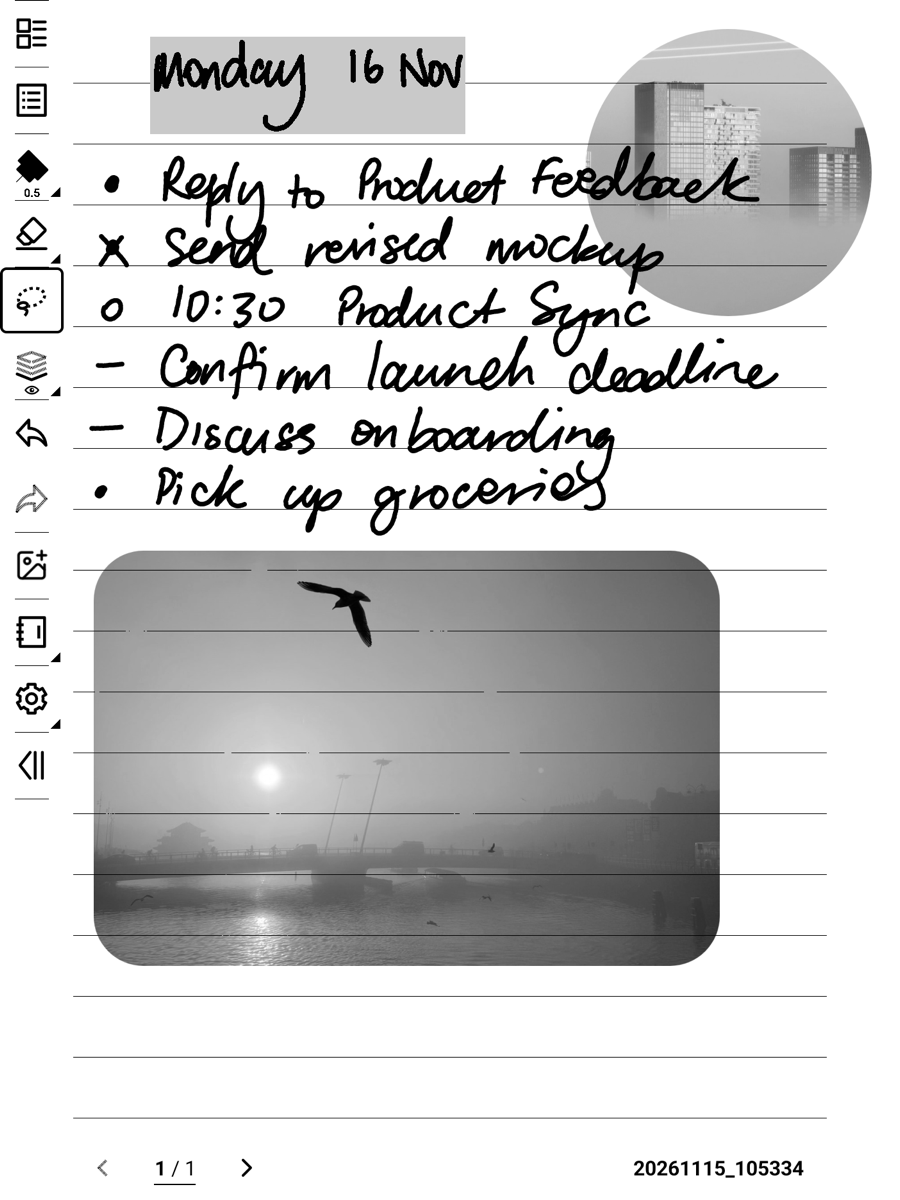
Requires Chauvet 3.30.45 or later.
Install
- Download
ImagePlacer-1.0.0.snplgbelow. - Copy it into the MyStyle folder on your Supernote (on a Mac: OpenMTP).
- Settings → Apps → Plugins → Add Plugin → pick the file.
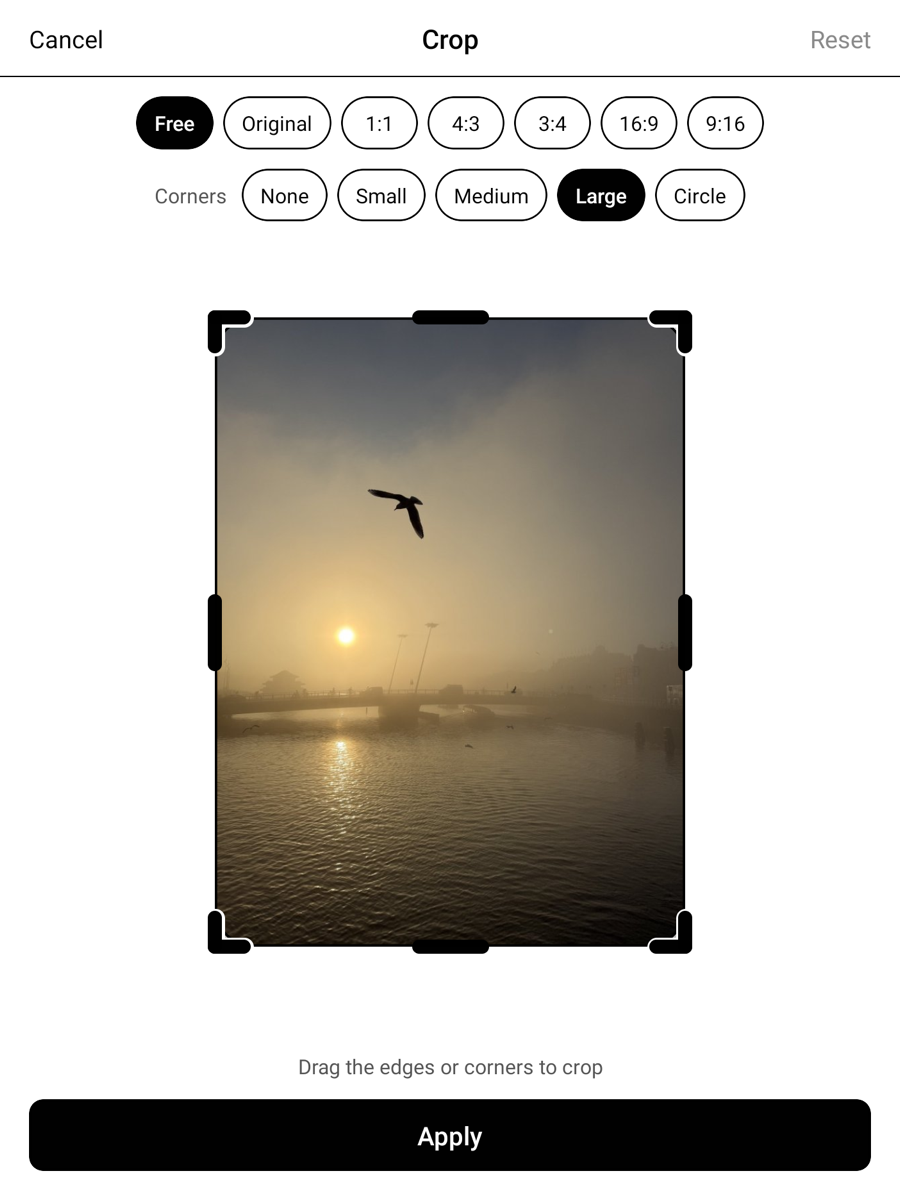
- In a note, tap Insert Image in the toolbar. Crop and Rotate are under the lasso's More menu.
What's in 1.0.0
- Insert Image via Supernote's own file picker. The picture lands selected, centred at half the page width.
- Crop: edges, corners, drag to move. Presets: Free, Original, 1:1, 4:3, 3:4, 16:9, 9:16.
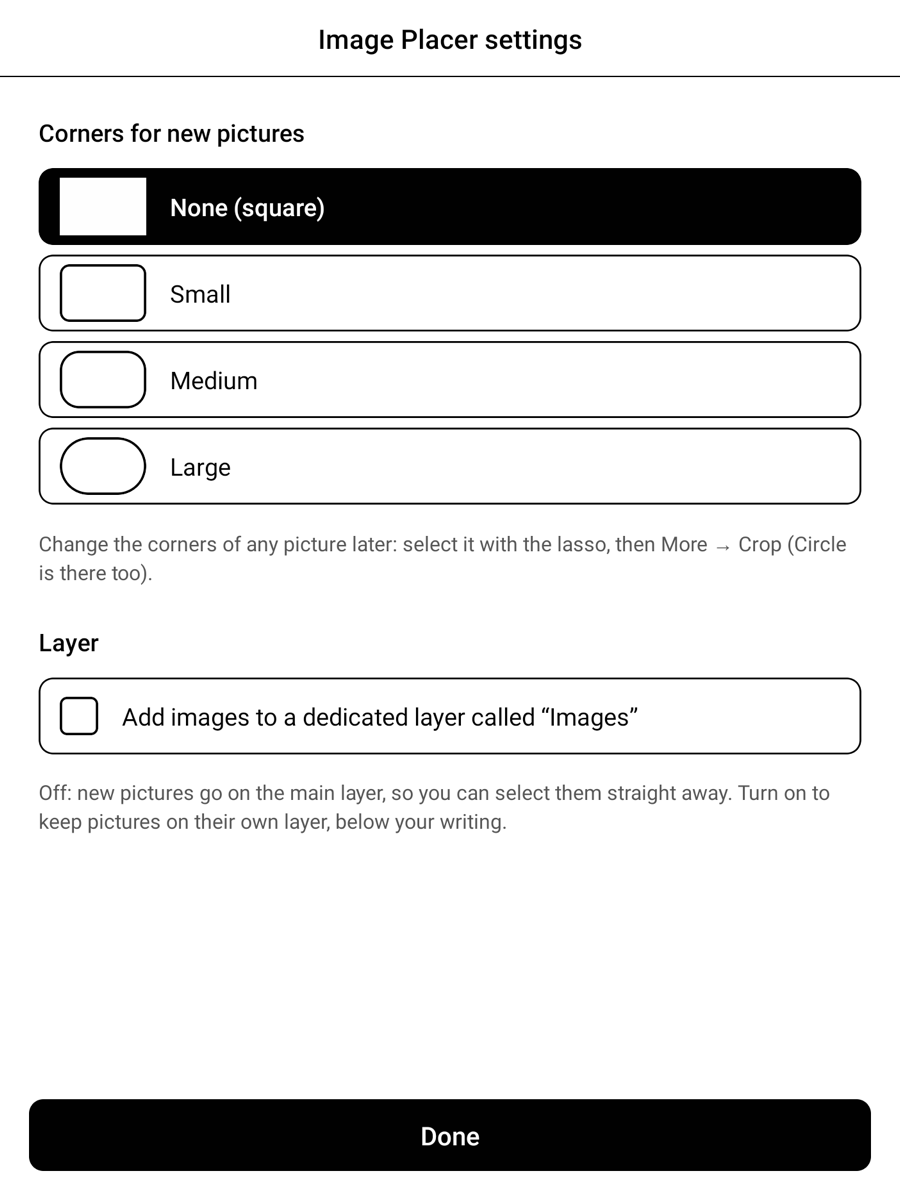
- Rounded corners: None, Small, Medium, Large or Circle, with a live preview. Set a default for new pictures in the plugin's settings.
- Optional: keep new pictures on their own Images layer, below your writing (off by default; turn it on in the plugin's settings).
- Re-crop later from the full original (your 50 most recent crops).
- Rotate left / right, in place.
- Big photos are scaled down to the size they're shown at, so notes stay quick.
Good to know
- Supernote's Undo doesn't cover Crop and Rotate: rotate back, or re-crop (it always reopens the full original).
- The page template shows through pictures; that's how Supernote combines layers.
Privacy
Fully offline. It only asks for file read/write, makes no network requests, and never changes or deletes your files.
Feedback: https://github.com/82deg/supernote-plugins/issues/new/choose