Repository navigation
Releases
AMPEDUP! 0.8.3

AMPEDUP! 0.8.3
Potato Mode now spends less CPU time waiting for the game to draw each frame. If you already use Potato Mode, update and leave it on. To enable it for the first time, open Options → Graphics → Potato Mode, switch it On and confirm the restart.
- Performance on slower PCs. On Brighton, the previous Potato Mode averaged 9.43–9.62 displayed FPS on our Intel UHD 770 with the game limited to two CPU cores. The updated preset averaged 29.82 FPS on the same replay. A live Miracle Mile run on Snow Summit averaged 29.83 FPS. Some individual frames still took about 80 ms. The reporter’s Intel 620 laptop still needs a playtest.
- Graphics and sound. The rider shadow and snow spray stay on. A faster positional-audio filter produced identical output in a comparison of 262,144 samples. With Potato Mode off, our 4× ultrawide HD test on an RTX 3070 averaged 59.95 displayed FPS.
- Fullscreen. With Potato Mode and Match fullscreen Hz enabled, the 30 FPS cap prefers a compatible 60 Hz or higher refresh when the monitor offers one. Brighton averaged 29.15 displayed FPS in matched fullscreen on the two-core test.
- Setup. The installer and launcher now read the displayed version from the packaged executable. The setup window shows 0.8.3. In RecompLauncher, let preparation finish so it can rebuild the updated game from your disc files.
AMPEDUP! 0.8.2 · Fullscreen refresh matching and VSync
Fullscreen refresh matching and VSync
Open Options → Graphics, turn on Fullscreen and Match fullscreen Hz, leave VSync on, and select a 60 FPS cap. You can also open Graphics with F1 or View + Menu on an Xbox controller.
Refresh matching keeps the desktop resolution and uses the selected FPS cap or its lowest supported whole multiple. With the cap off or no match available, it uses the desktop rate. Minimizing or quitting restores the desktop mode. Matching starts off, and VSync starts on. Changing VSync in the game asks to restart.
In the same 36-second Brighton replay sample at 4× with the HD pack on an RTX 3070, both modes averaged about 60 displayed FPS. The 99th-percentile display interval was 20.07 ms at 100 Hz in borderless fullscreen and 16.72 ms at 59.973 Hz with matching enabled.
Windows downloads
- Setup-AMPEDUP-0.8.2-Online.exe downloads the build tools during setup.
- Setup-AMPEDUP-0.8.2.exe includes the build tools for offline installation.
- AMPEDUP-0.8.2-RecompLauncher-Windows-x64.zip is the managed package. Let RecompLauncher finish preparing the update from your game files before pressing Play.
- SHA256SUMS.txt contains checksums for the three downloads.
Use your own supported European retail game files. Full release notes
AMPEDUP! 0.8.1 · Potato Mode
Potato Mode for slower PCs
Open Options → Graphics → Potato Mode, turn it On, and choose Yes to restart. The preset uses original 1× resolution, original textures and a 30 FPS cap. It switches off anti-aliasing, anisotropic filtering and CRT scanlines. Turning it off restores your previous settings after one restart. You can also enable it before launch in RecompLauncher.
On a desktop Intel UHD 770 limited to two physical CPU cores, a short Brighton sample averaged about 28 displayed FPS with these settings. Intel HD/UHD 620 laptop performance still needs player testing.
Windows downloads
- Setup-AMPEDUP-0.8.1-Online.exe downloads the build tools during setup.
- Setup-AMPEDUP-0.8.1.exe includes the build tools.
- AMPEDUP-0.8.1-RecompLauncher-Windows-x64.zip is the managed package for RecompLauncher.
- SHA256SUMS.txt contains the SHA-256 checksums for all three downloads.
Use your own supported European retail game files. See the release notes for details.
AMPEDUP! 0.8 · The optional HD Pack
AMPEDUP! 0.8 · The optional HD Pack
Switch between Original and HD Pack in Options → Graphics → Course textures, then confirm the restart. Original is the default. The HD Pack adds surface detail close to the rider while keeping the colors, track marks and distant textures from your disc.
What you’ll see
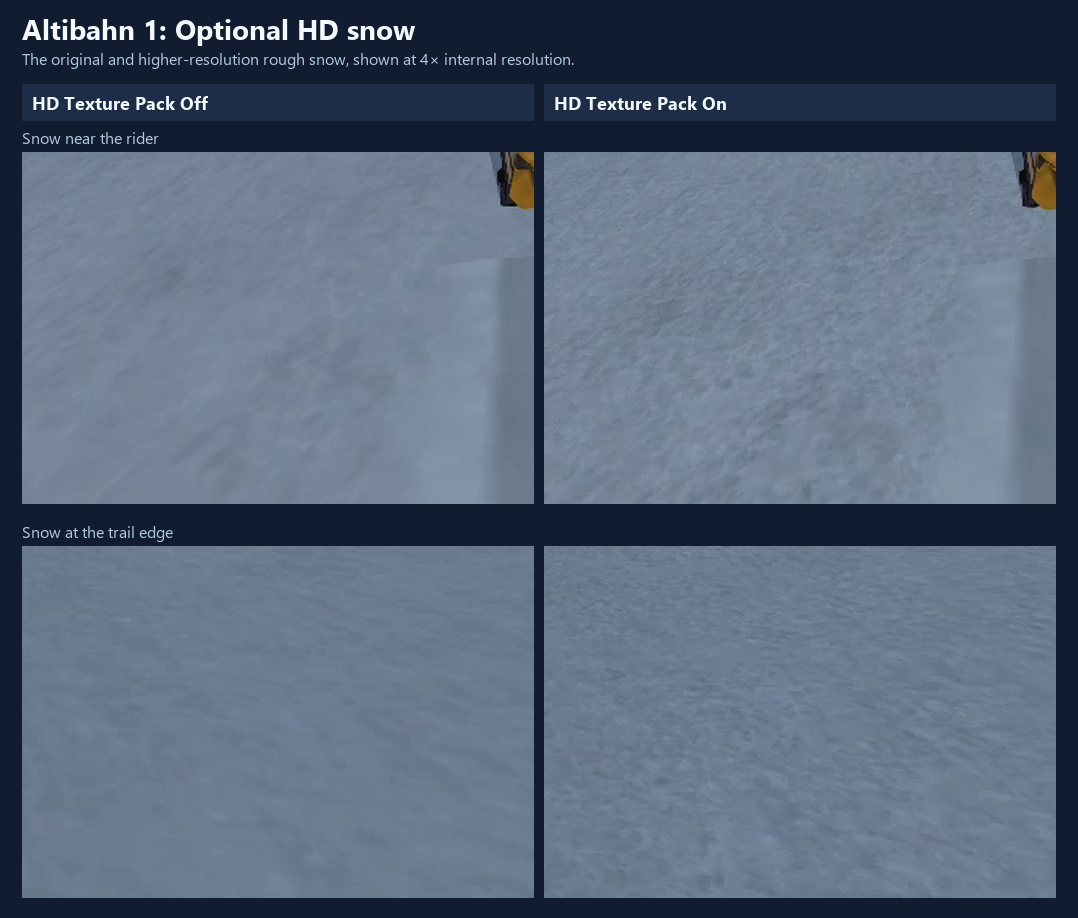
- Snow. Rough powder shared by all 11 courses gains wind-worked grain. Look at the edge of the groomed slope on Altibahn or the packed sidewall of the quarterpipe at Gunny’s Gulch.
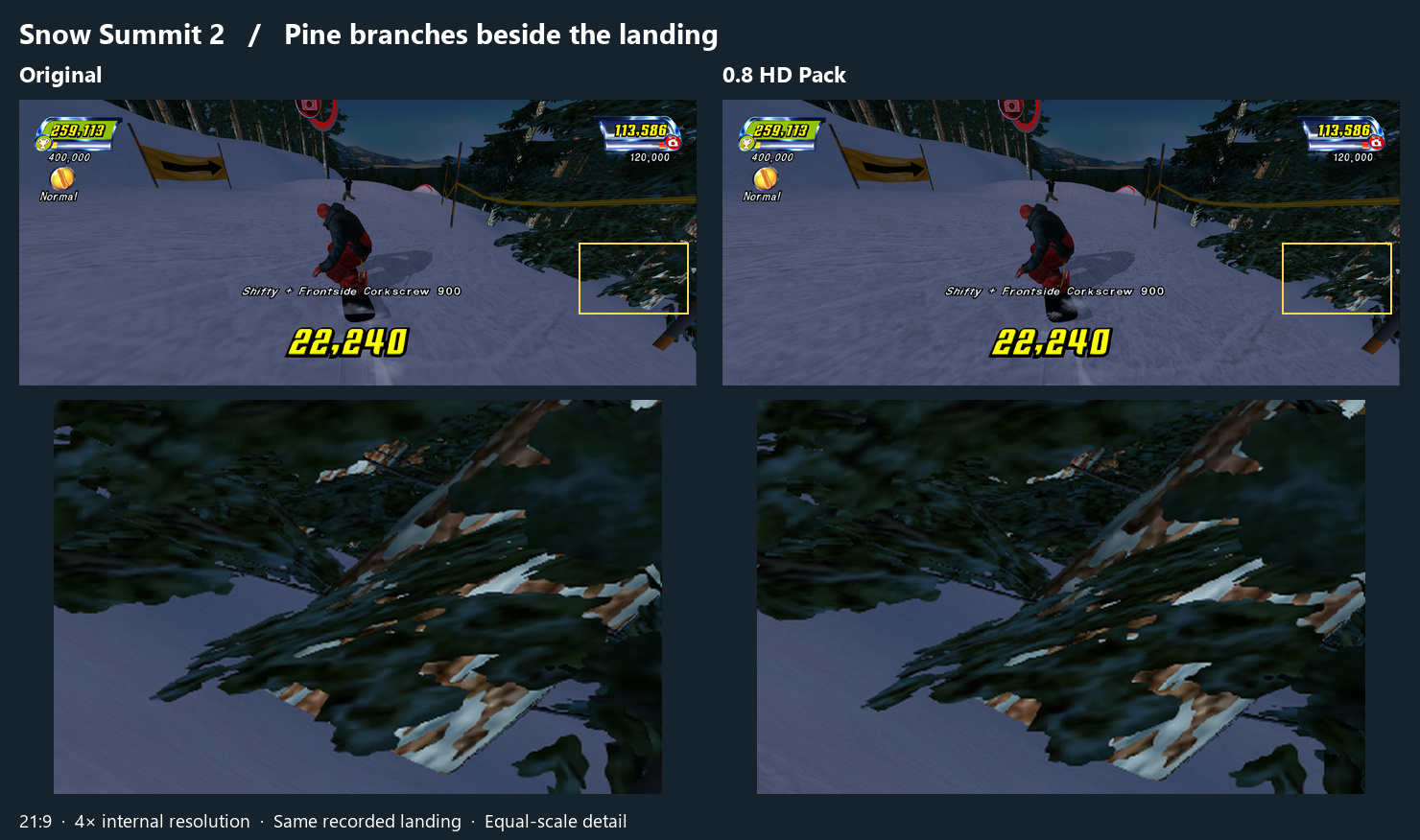
- Wood, rock and foliage. Red-painted funboxes show the grain under their paint, the canyon walls at Gunny’s Gulch pick up sandstone grain, and nearby pine boughs on Snow Summit show finer needles.
- Stratton village. As you ride past the lodge windows, the siding now shows fine horizontal grain. The darker plank joints still come from the disc.
- Course hardware. Brighton’s blue safety fence and the Nixon JibFest finish net have visible weave. The green lift steel keeps its original rust and paint wear.
- Board spray. Fresh powder lifts from the edge of the snowboard during a turn. The effect follows the game’s existing particles. The track, collision and scoring still come from the original game.
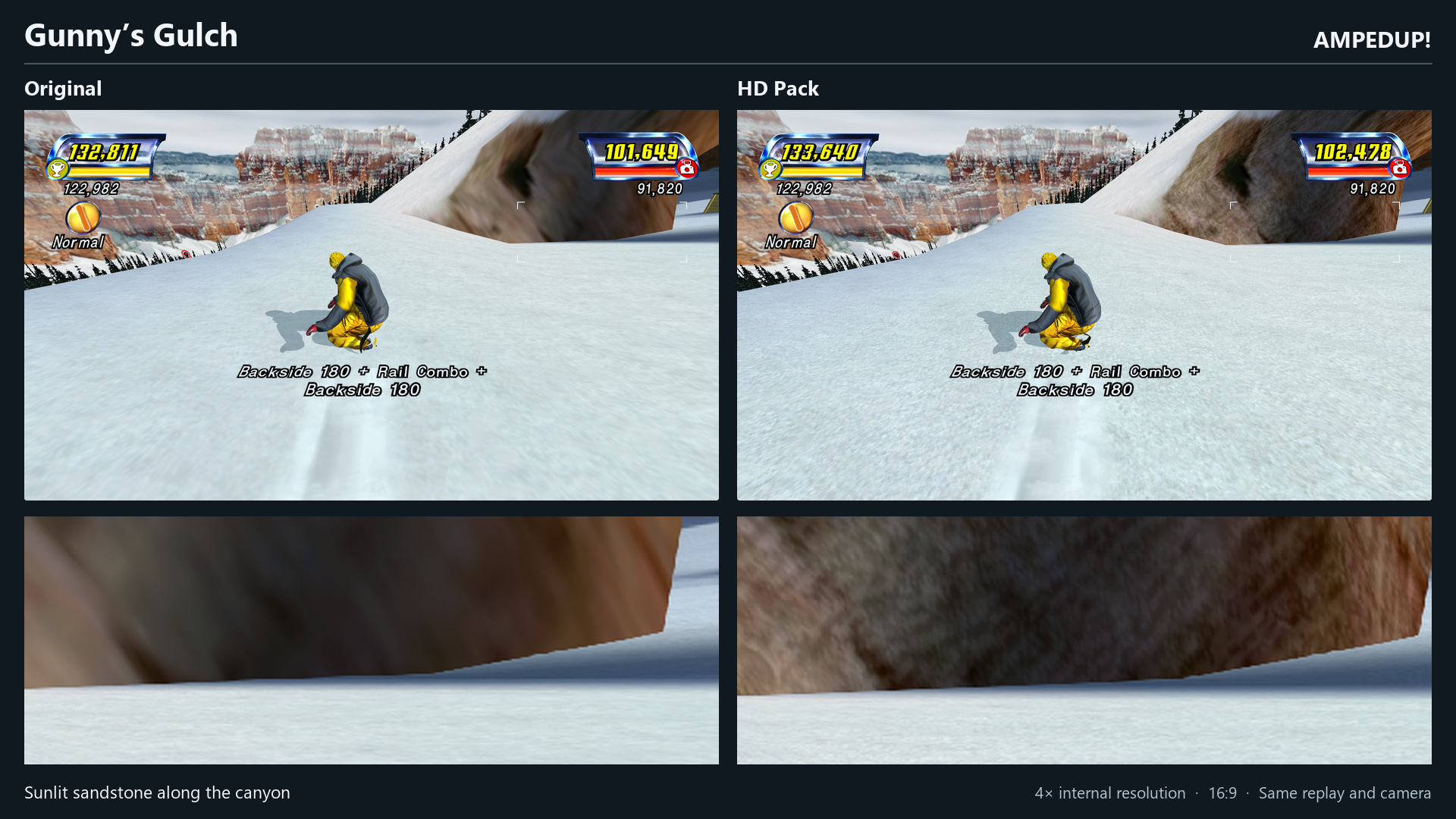
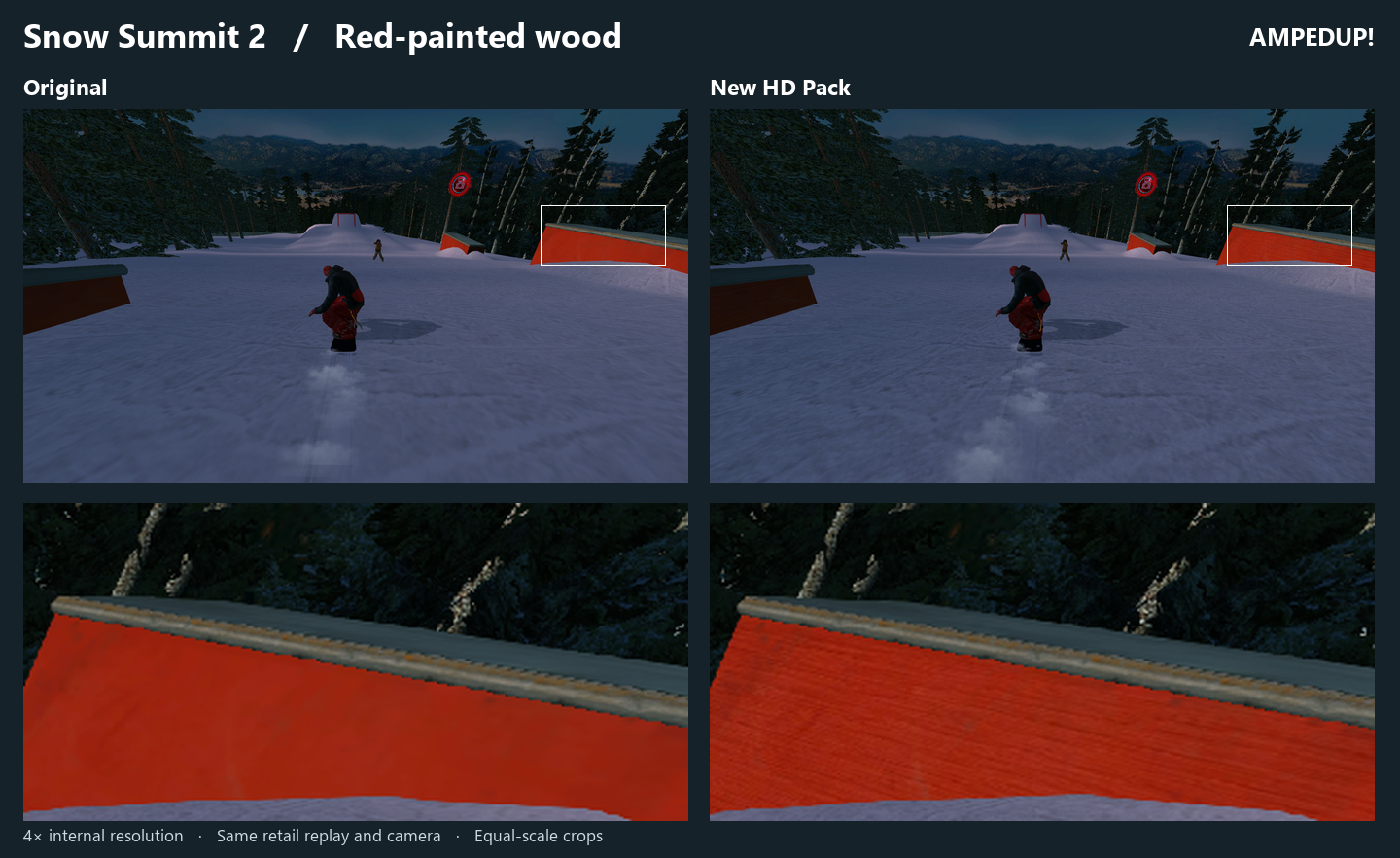
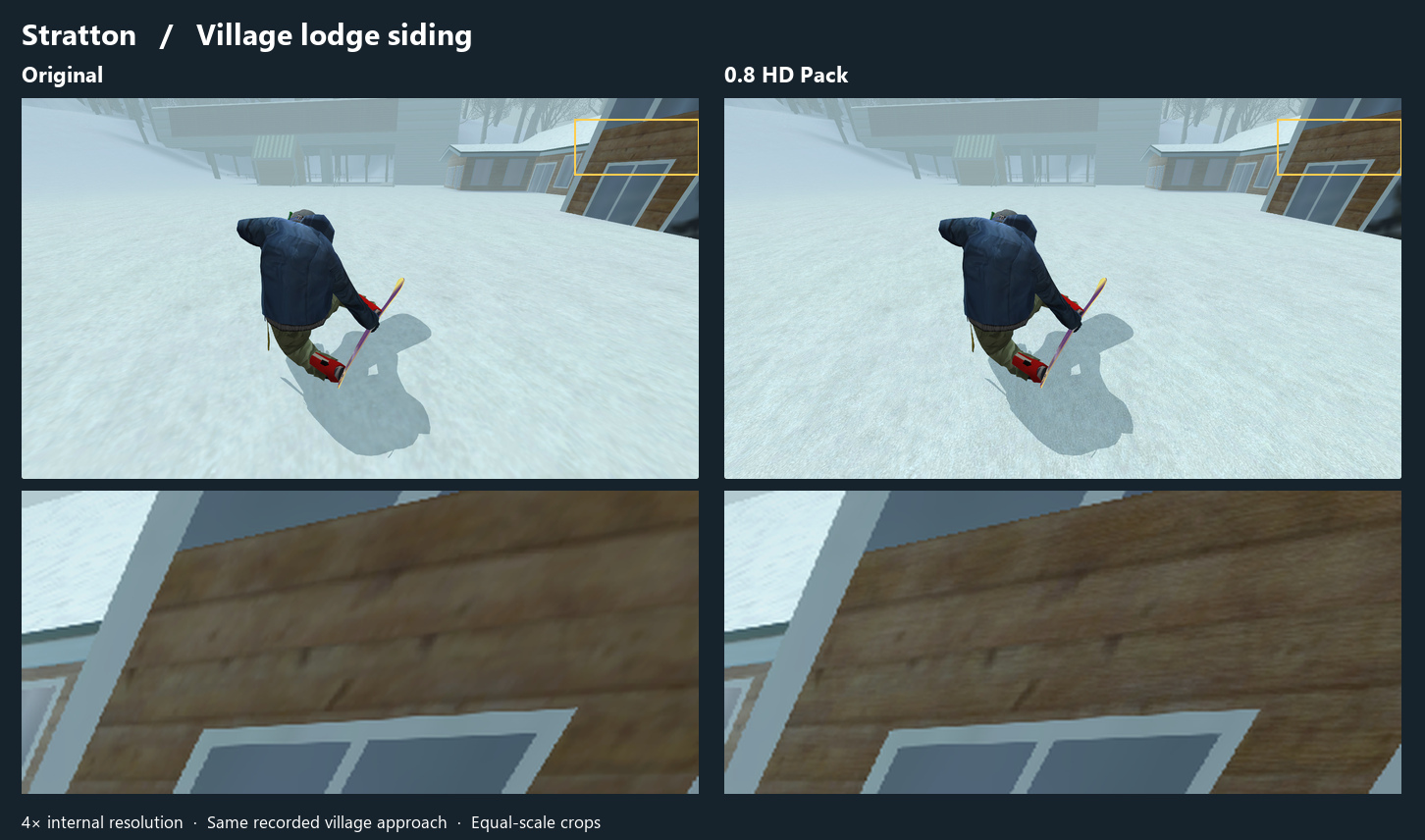
Open the comparison gallery for the full-size views, detail crops and a silent Brighton lift clip.
The 21:9 Snow Summit comparison shows nearby pine branches from the same landing in both modes. An installed Windows build also loaded all 11 unlocked courses, recorded a short ride on each and returned to the menus with the HD Pack enabled at 4×.
Installing or updating
Choose the Online Windows installer to download the build tools during setup, or All-in-one to install offline. Both verify the 610 game files from your own supported European multilingual XISO. A repacked XISO is accepted when its files match. RecompLauncher also accepts the extracted game folder. The in-game languages are English, Deutsch, Français, Italiano and Español.
RecompLauncher rebuilds the runtime for this release. Your profile holds your settings, career saves, replays and imported music separately from the compiled game. If a launcher update was interrupted while swapping runtimes, setup can recover a single identifiable previous installation on retry.
Building the HD textures during setup now uses less memory. In four Windows test builds, the texture generator’s peak working set fell from about 254 MiB to 156 MiB, with identical textures and rail geometry.
The offline installer, online installer and RecompLauncher package produced the same game executable from the verified disc files on the test PC. Setup now omits its temporary source path and build timestamp from that executable.
On the upgraded test PC, two 18-second fullscreen Snow Summit 2 samples with the 4× HD Pack averaged 59.92 and 59.94 displayed FPS. Neither had a display interval over 25 ms. The same section in Original averaged 59.91 and 59.92 FPS. Frame pacing varies with the course, display mode and PC.
At 21:9, we also measured the landing shown in the comparison gallery. Two 4× HD Pack runs displayed 59.97 and 60.00 FPS, with no display intervals over 25 ms in the measured 18 seconds. The two Original runs displayed 59.97 and 60.00 FPS, with one interval over 25 ms across the pair.
One earlier windowed Brighton run dropped to about 34 displayed FPS even though the game kept submitting frames. Later Brighton tests ran close to 60 FPS in both windowed and fullscreen modes. The trigger is still open. If you see this, please mention the course, display mode, refresh rate and graphics settings in your report.
Download the full-size comparison gallery and silent clip.
Linux port developer handoff
Developers working on the Linux port can download the source and Codex instructions. The playable AMPEDUP! release is for Windows x64. The archive contents and SHA-256 are the same as the original handoff.
AMPEDUP! 0.7.3
AMPEDUP! 0.7.3 — Game language selection, Windows stability and Vulkan caching
Windows installer update for rebuilt XISOs. Choose the online installer or the all-in-one installer. Both verify all 610 files on the supported European multilingual disc. A rebuilt XISO works when its retail files are intact. Existing installations can keep playing. Installer SHA-256 checksums
Choose the game language before you play. This Windows release also fixes two resource leaks during course changes and lets Vulkan reuse pipelines from previous runs.
Choose the game language before you play
Open AMPEDUP!, choose Game language, then press Play. In RecompLauncher, select Game language in the AMPEDUP! settings before launching. Both launchers use the same saved preference for that installation. The game starts in English, Deutsch, Français, Italiano or Español on subsequent launches. English is the default for a new profile.
Version 0.7.3 uses the selected language for the original European game text and the added Graphics, Quit Game and Add Music Folder entries, including the Graphics and Quit help text and the Windows folder-picker title.
| Language | Graphics | Quit Game | Add Music Folder |
|---|---|---|---|
| English | Graphics | Quit Game | Add Music Folder |
| Deutsch | Grafik | Beenden | Musikordner hinzufügen |
| Français | Graphismes | Quitter | Ajouter un dossier musical |
| Italiano | Grafica | Esci | Aggiungi cartella musicale |
| Español | Gráficos | Salir | Añadir carpeta de música |
Windows fixes
- Repeated course changes. Windows now releases thread handles when game workers finish and cleans up events left behind by background Vulkan workers. After five visits alternating between Brighton and Snow Summit, the old crash reporter still held handles to 45 finished threads. The repaired reporter held zero after every return. A separate test found 19 newly created worker events still open on the old runtime and zero on the repaired runtime.
- Course loading. A thread-priority request during Brighton loading now reaches the correct Windows thread. When two requests arrive together, the game and Windows agree on the final priority.
- Vulkan pipeline cache. The game can now replace an existing cache file as it encounters new pipelines. It retains pending additions if a write fails or more pipelines arrive while it saves. In a Brighton and Snow Summit test, the old cache stayed at 30 KB. The repaired game saved 1.77 MB, and the NVIDIA driver loaded the full cache on the next launch.
Snow Summit performance at 4×
Each drop was measured for 50 seconds per build on the same PC, with a 60 FPS cap, SMAA, 16× filtering and muted audio. The comparison used installed DEV and the repaired candidate, with the game in the foreground and the riders following closely matched paths.
| Drop | Average displayed FPS, DEV → candidate | Frames over 25 ms, DEV → candidate |
|---|---|---|
| West Ridge | 58.24 → 58.90 | 34 → 14 |
| Miracle Mile | 59.63 → 59.65 | 4 → 6 |
West Ridge improved overall, with most of the reduction coming from one pair of runs. Miracle Mile missed the frame-pacing target. These measurements cover two Snow Summit drops on the test PC.
Verification
- All 13 Windows regression tests passed. The candidate completed five consecutive course visits, played and skipped the original intro, and passed Graphics, FXAA persistence, restart cancellation and Quit checks at 4:3, 16:9 and 21:9.
- A fresh install verified all 610 files from the supported European XISO and built the Windows runtime with the localized menus. The launcher checks covered all five choices on new and existing profiles, saving a choice with Play, and closing the launcher without saving a change.
- The rebuilt game passed the same ten menu checks in each language at 4× and 16:9. These included opening Graphics, cancelling and confirming Quit, and opening and cancelling the Windows music-folder picker with its title in the selected language.
Other work tested since 0.7.2
Separate development builds restored the glass, door and upper-gable flicker fixes at Molly’s Lodge in Brighton 1, reduced movie-specific checks during gameplay, corrected launcher text and tested recovery after an interrupted launcher upgrade. These additional visual and upgrade-recovery changes were tested separately from the runtime and language package described above.
Deutsch · Français · Italiano · Español
Deutsch — Versionshinweise
Version 0.7.3 für Windows. Das Spiel gibt beim Streckenwechsel Ressourcen wieder frei. Nach fünf Besuchen in Brighton und Snow Summit hielt der alte Absturzmelder noch 45 Handles für bereits beendete Threads. Mit der Korrektur waren es null. Auch die 19 offenen Windows-Ereignisobjekte aus einem separaten Test der Vulkan-Hintergrundthreads wurden vollständig freigegeben. Beim Laden von Brighton wird die Priorität jetzt für den richtigen Windows-Thread gesetzt.
Vulkan kann eine vorhandene Pipeline-Cache-Datei aktualisieren. Im Test blieb die alte Datei bei 30 KB. Die Testversion speicherte 1,77 MB, die der NVIDIA-Treiber beim nächsten Start vollständig übernahm.
Bei 4× interner Auflösung sank die Zahl der Bilder mit mehr als 25 ms Anzeigezeit auf West Ridge von 34 auf 14. Die durchschnittliche Bildrate stieg von 58,24 auf 58,90 FPS. Auf Miracle Mile waren es vier gegenüber sechs langen Bildern bei 59,63 gegenüber 59,65 FPS. Pro Strecke und Version wurden 50 Sekunden gemessen. Die Messungen betreffen diese beiden Startpunkte auf dem Test-PC.
Alle 13 Windows-Regressionstests bestanden. Intro, Überspringen des Intros und die Menüs funktionierten in 4:3, 16:9 und 21:9. Bei einer Neuinstallation wurden alle 610 Dateien der europäischen Original-XISO geprüft und das Spiel mit den lokalisierten Menüs gebaut.
Im AMPEDUP!-Launcher unter Game language die Spielsprache wählen und Play drücken. In RecompLauncher steht dieselbe Auswahl in den AMPEDUP!-Einstellungen. Die Auswahl bleibt für spätere Starts gespeichert. In 0.7.3 folgen Grafik, Beenden und Musikordner hinzufügen der gewählten Sprache. Die Menüs wurden in allen fünf Sprachen der europäischen Ausgabe getestet. Weitere Tests betrafen flackernde Fenster, Tür und Giebel an Molly’s Lodge in Brighton 1, unnötige Videoabfragen beim Spielen, fehlerhafte Zeichen im Launcher und die Wiederherstellung nach einem unterbrochenen Launcher-Update.
Français — Notes de version
Version 0.7.3 pour Windows. Le jeu libère les ressources lors des changements de piste. Après cinq passages entre Brighton et Snow Summit, le gestionnaire de plantages conservait auparavant 45 références à des threads déjà terminés. Avec le correctif, il en restait zéro. Lors d’un essai distinct, les 19 objets événement Windows laissés ouverts par les threads Vulkan ont également tous été libérés. Le chargement de Brighton règle désormais la priorité du bon thread Windows.
Vulkan peut mettre à jour son cache de pipelines. Pendant le test, l’ancien fichier est resté à 30 Ko. La version corrigée a enregistré 1,77 Mo que le pilote NVIDIA a entièrement rechargés au démarrage suivant.
À une résolution interne de 4×, le nombre d’images affichées pendant plus de 25 ms sur West Ridge est passé de 34 à 14, et la moyenne de 58,24 à 58,90 images/s. Sur Miracle Mile, ce nombre est passé de quatre à six, pour des moyennes de 59,63 et 59,65 images/s. Chaque mesure couvre 50 secondes par piste et par version. Ces mesures concernent ces deux pistes sur le PC de test.
Les 13 tests de régression Windows ont réussi. La lecture de l’intro, la possibilité de la passer avec Start et les menus ont été vérifiés en 4:3, 16:9 et 21:9. Une nouvelle installation a vérifié les 610 fichiers de la XISO européenne d’origine et compilé le jeu avec les menus traduits.
Dans le lanceur AMPEDUP!, choisissez la langue du jeu dans Game language, puis cliquez sur Play. Dans RecompLauncher, le même réglage se trouve dans les paramètres d’AMPEDUP!. Le choix est conservé pour les prochains lancements. Dans la version 0.7.3, Graphismes, Quitter et Ajouter un dossier musical suivent la langue choisie. Les menus ont été testés dans les cinq langues de l’édition européenne. D’autres essais ont porté sur le scintillement des vitres, de la porte et du pignon de Molly’s Lodge à Brighton 1, les vérifications vidéo superflues pendant le jeu, le texte du lanceur et la reprise après une mise à jour interrompue.
Italiano — Note di versione
Versione 0.7.3 per Windows. Il gioco libera le risorse al cambio di pista. Dopo cinque passaggi tra Brighton e Snow Summit, il vecchio sistema di segnalazione degli arresti manteneva 45 riferimenti a thread già terminati. Con la correzione ne restavano zero. In una prova separata sono stati liberati anche tutti e 19 gli oggetti evento di Windows lasciati aperti dai thread Vulkan. Durante il caricamento di Brighton viene ora impostata la priorità del thread Windows corretto.
Vulkan può aggiornare la cache delle pipeline. Nella prova il vecchio file è rimasto a 30 KB. La versione corretta ha salvato 1,77 MB e il driver NVIDIA li ha ricaricati per intero all’avvio successivo.
Con risoluzione interna 4×, su West Ridge i fotogrammi rimasti sullo schermo per più di 25 ms sono scesi da 34 a 14, con una media salita da 58,24 a 58,90 FPS. Su Miracle Mile sono passati da quattro a sei, con medie di 59,63 e 59,65 FPS. Ogni...
AMPEDUP! 0.7.2
Widescreen HUD fixes
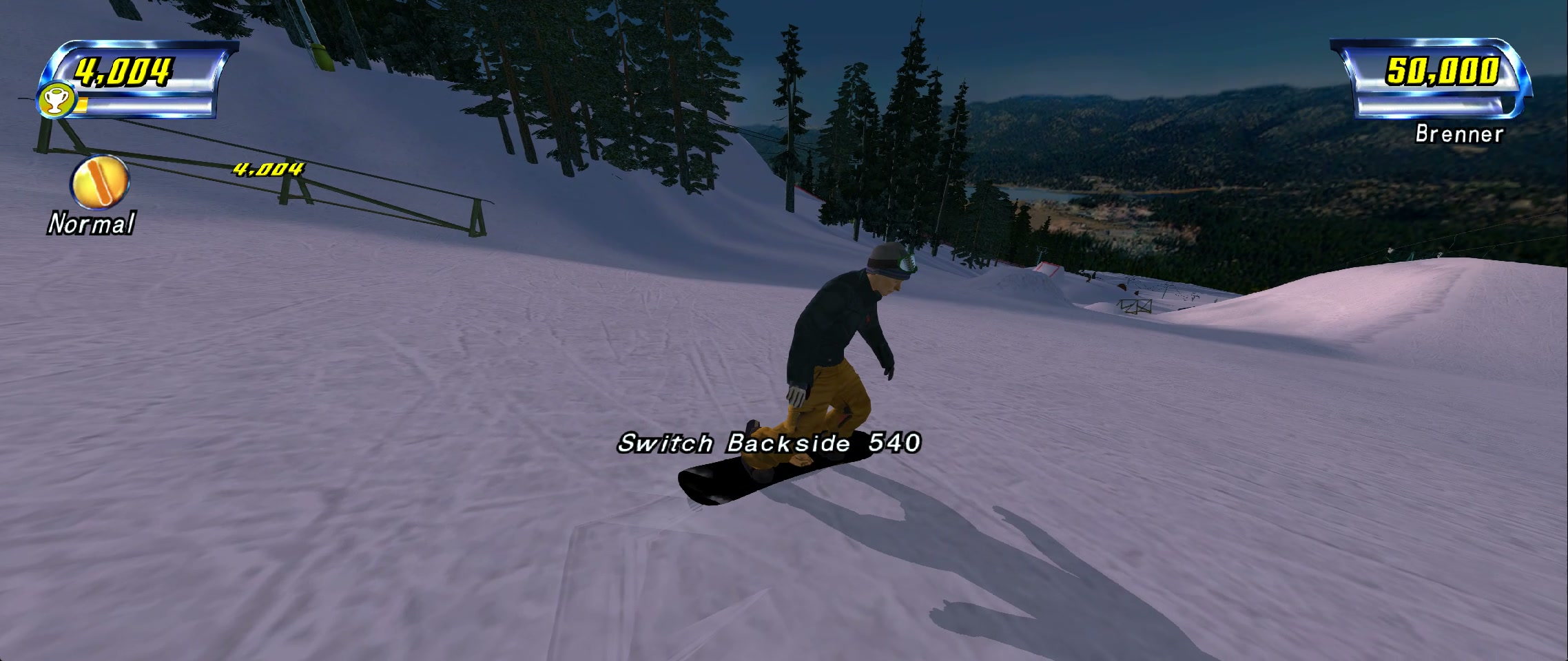
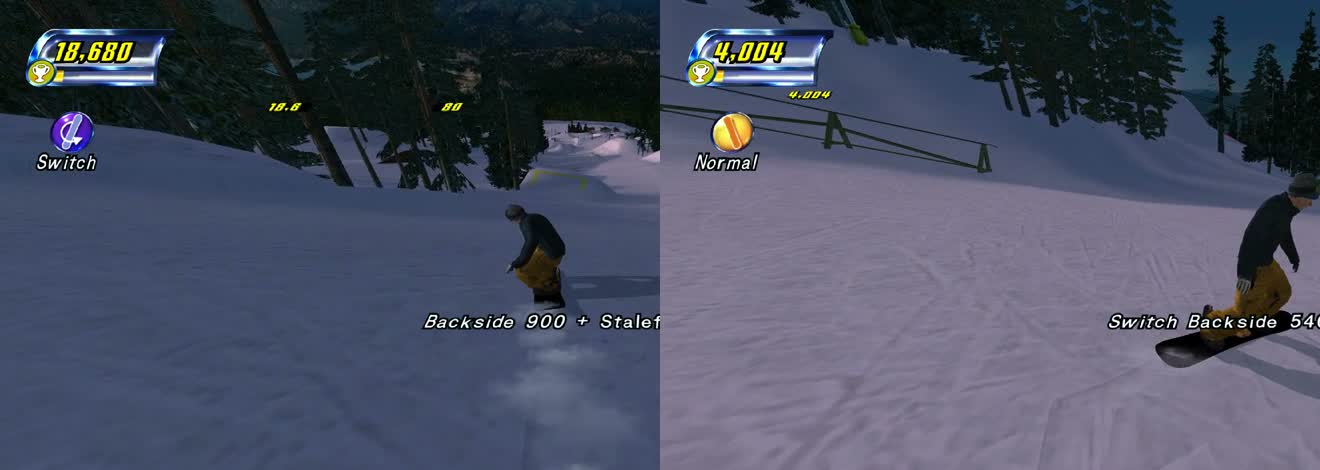
- Moved the score panels toward the corners at 16:9 and 21:9. The player score, target score, rival name, and stance icon stay visible at 21:9.
- Fixed the 21:9 earned-points animation. The digits stay together and fly into the relocated upper-left score tray.
- Kept the original 4:3 HUD layout and centered ultrawide menus.
Replay comparison
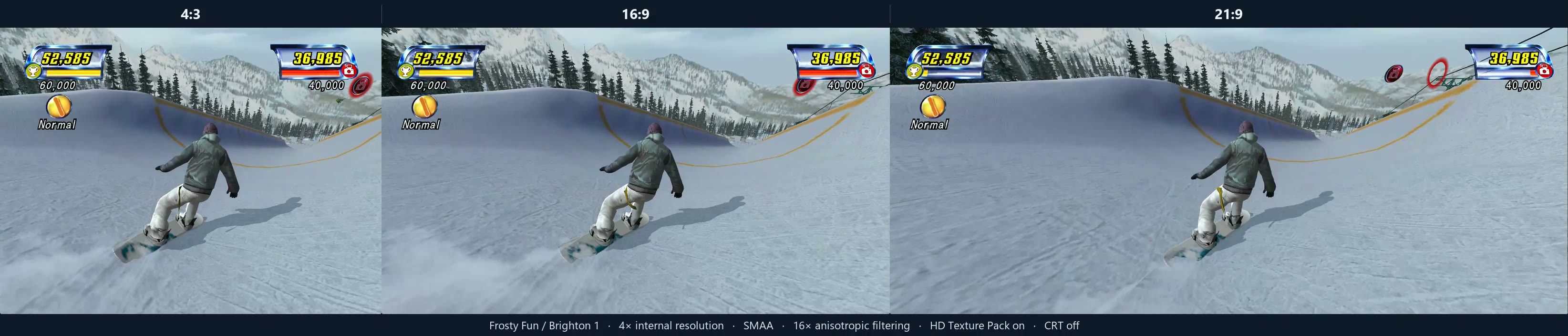
The same Frosty Fun / Brighton 1 replay runs side by side in 4:3, 16:9, and 21:9. Each view uses 4× internal resolution, SMAA, 16× anisotropic filtering, the HD Texture Pack, and a 60 FPS cap. CRT scanlines are off. The comparison is silent.
Download the 60 FPS comparison video
View the before-and-after points animation screenshot and full release notes
Install
Use the online installer, the all-in-one installer, or the RecompLauncher ZIP with a supported European multilingual retail XISO. RecompLauncher setup version 7 rebuilds the runtime and keeps your existing profile.
AMPEDUP! 0.7.1
Choose the online installer for a smaller download, the all-in-one installer for offline setup, or the Windows x64 ZIP for RecompLauncher. Setup builds AMPEDUP! from the verified European multilingual retail disc.
What's new
-
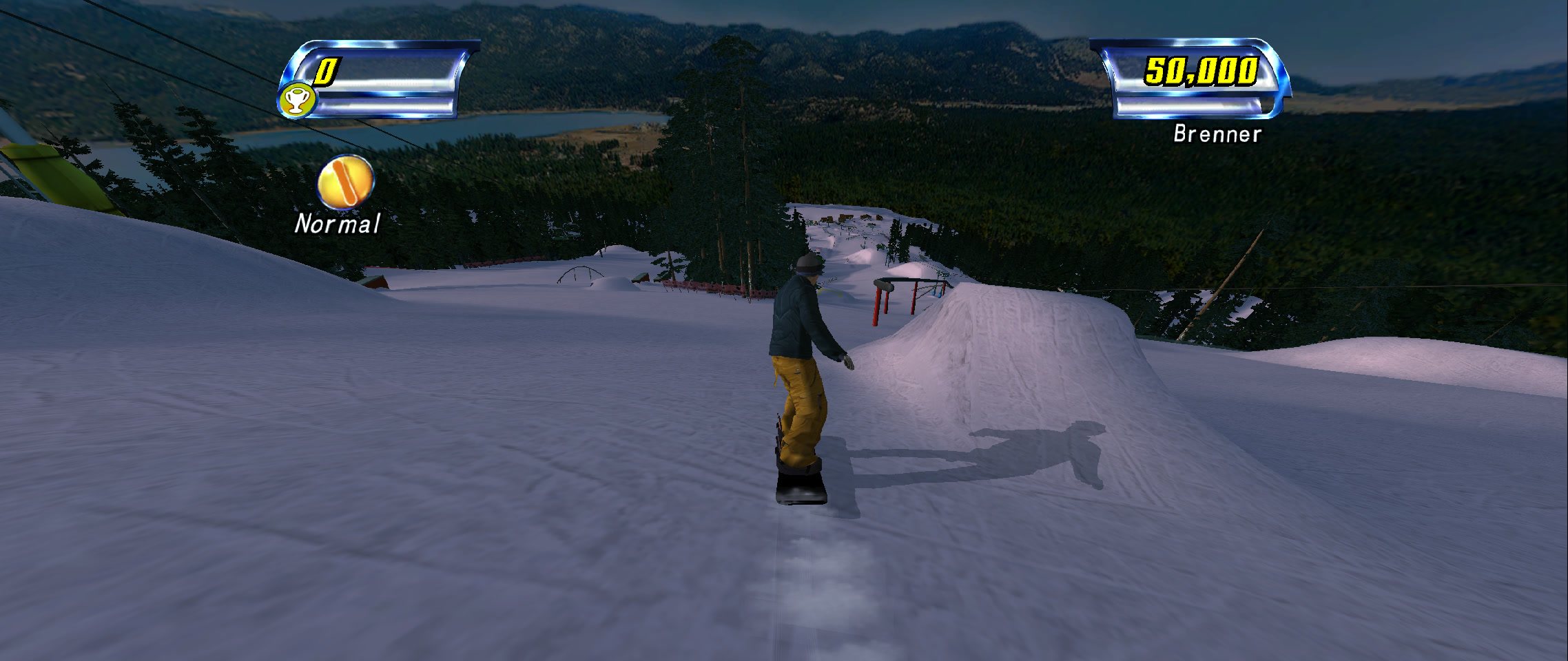
Native menu entries. Open Options → Graphics from the game's animated 3D menu. Quit Game takes the former Game Demos slot on the Main Menu and asks for confirmation.
-
More detail on Miracle Mile. The opening steel pipe is rounder, its red supports have beveled corners, and the long silver funbox trim has a smoother edge. The original grind path and collision are preserved.
-
The original board powder is back. The snowboard kicks up the original translucent powder trail as you ride, alongside the existing board tracks and shadow.
-
Optional HD textures. Options → Graphics → HD Texture Pack adds close-up detail to selected snow, pine bark, and metal materials while retaining their original colors and distant mip levels. The pack starts Off and applies after a confirmed restart. Coverage is concentrated on Snow Summit 1, with a shared rough-snow material also verified on Altibahn 1.
-
Less flicker at Molly’s Lodge. The glass, door, and small gable window at the Brighton 1 / Hawkeye finish use local depth corrections to prevent overlapping surfaces from alternating in front of each other.
-
HD Texture Pack in RecompLauncher. The launcher exposes the same Off/On choice as the in-game Graphics menu. The default is Off.
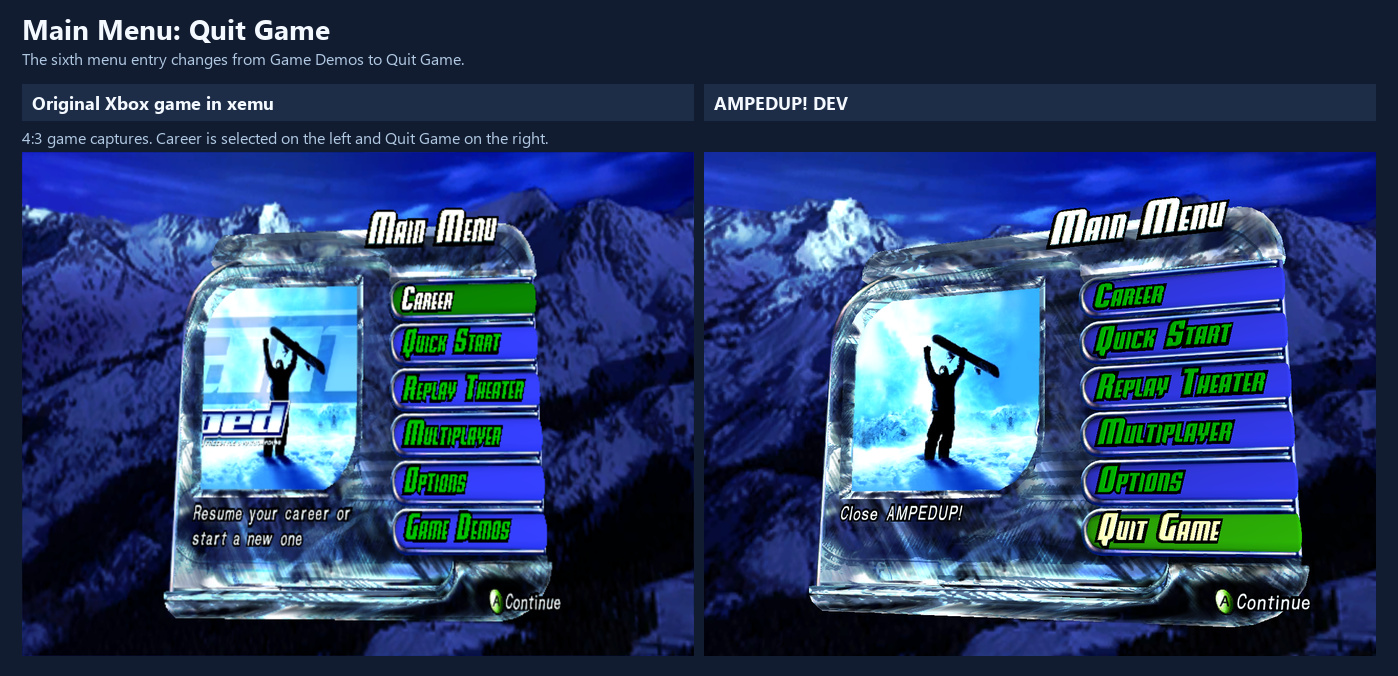
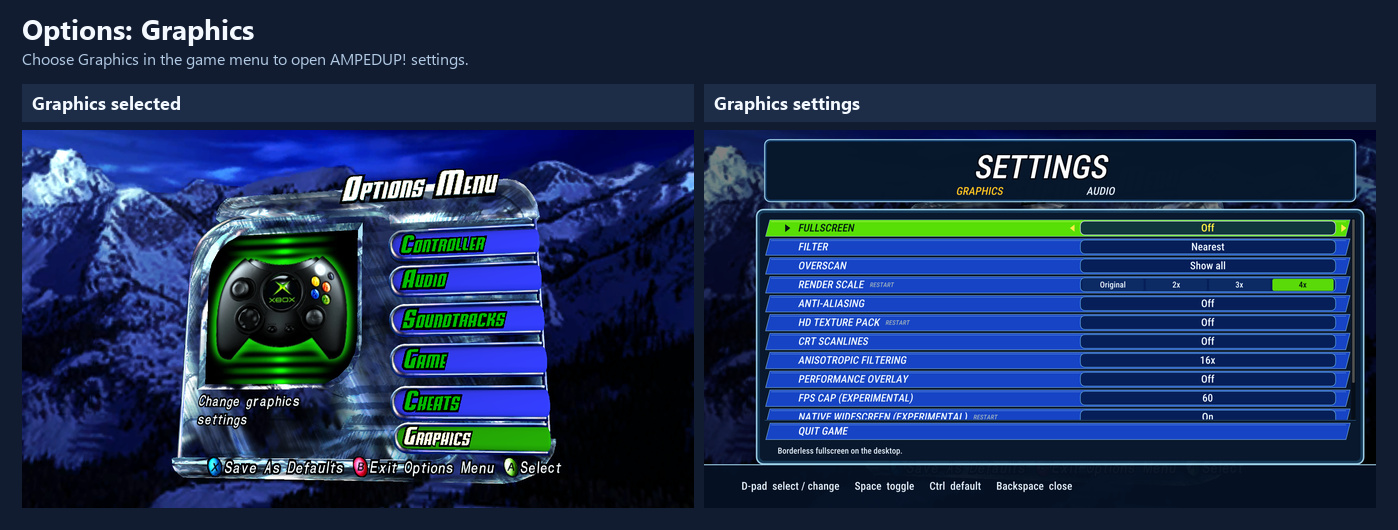
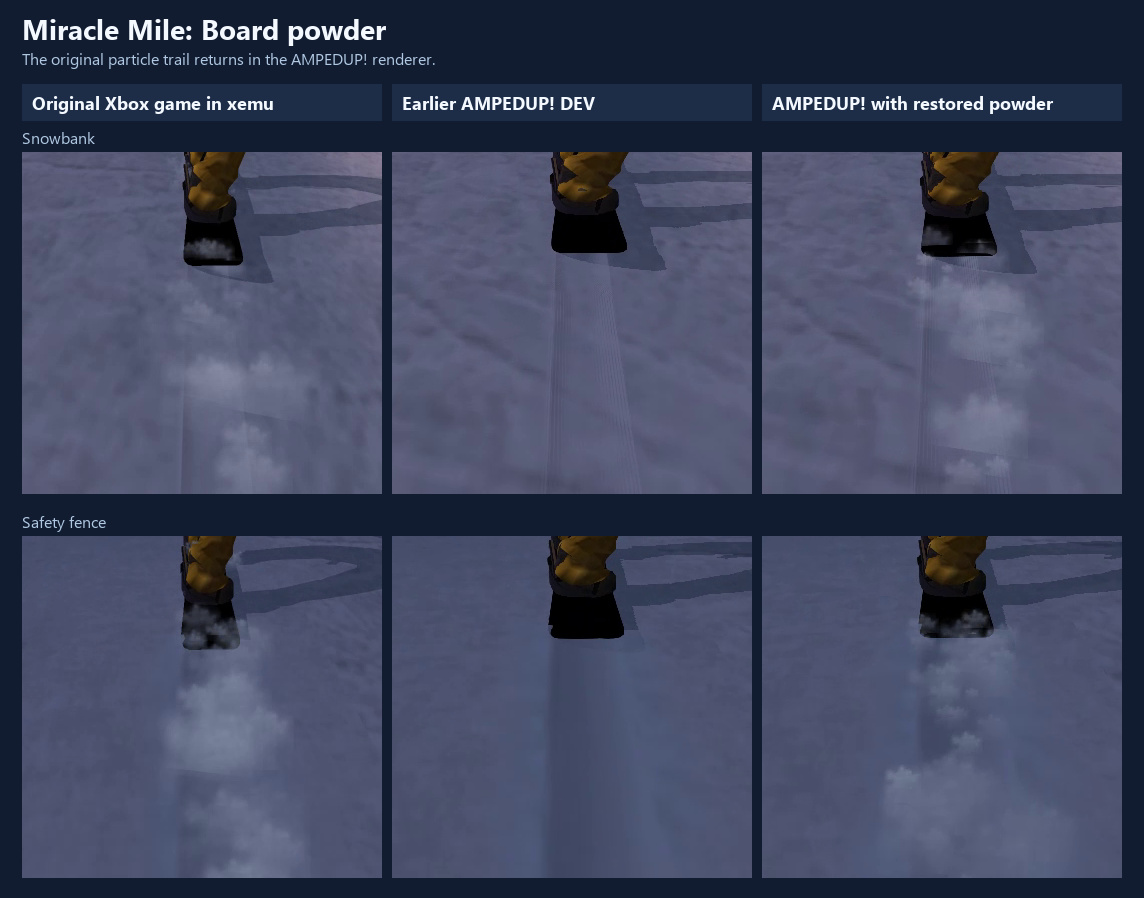
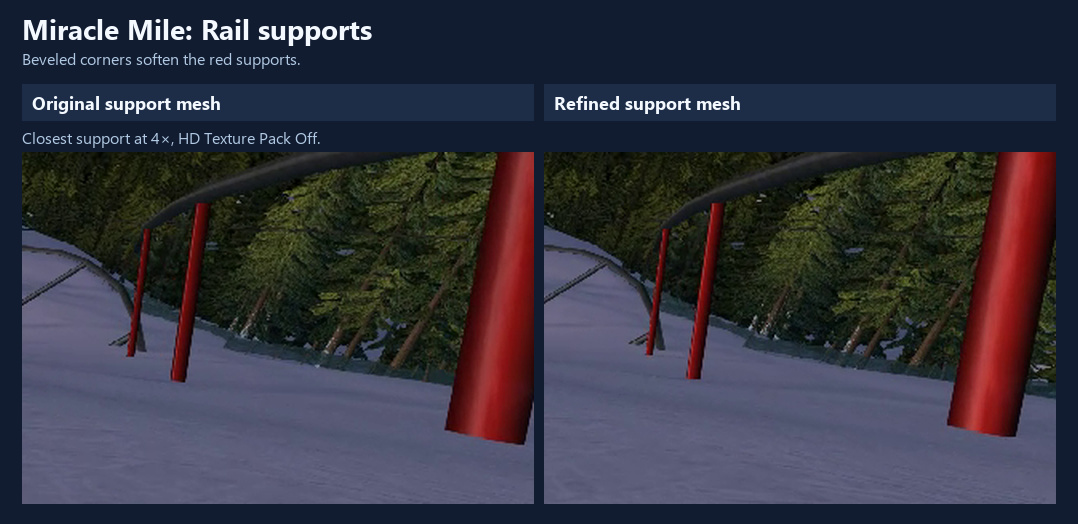
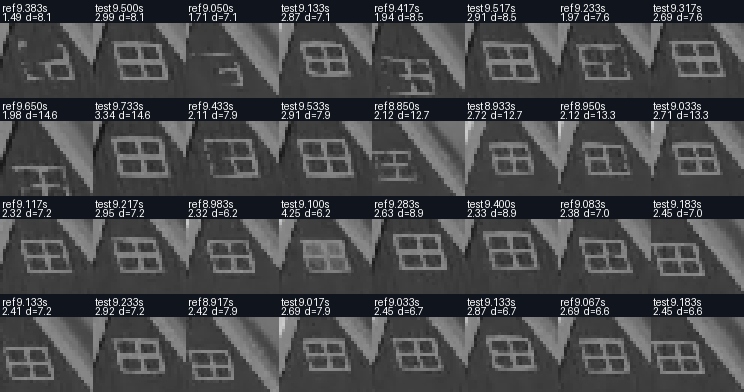
The gable crops alternate pairs. Each reference crop is followed by a crop with the trim correction. The other comparison images use game captures from the original Xbox game in xemu or the identified AMPEDUP! builds. Camera positions, rider poses, and menu animation can vary between runs.
What you can play and configure
- Quick Start, Career, and replays. Controller testing covered downhill runs and results, Career creation and progress through a restart, replay recording and playback, and Xbox controller vibration. Keyboard controls are also available.
- Graphics. Vulkan rendering at Original, 2×, 3×, and 4× internal resolution. Choose 4:3 or native 16:9, along with FXAA or SMAA, anisotropic filtering, optional CRT scanlines, and a 60 FPS cap.
- 21:9 ultrawide. A wider course camera with a centered HUD and menus. Enable Options → Graphics → Ultrawide (21:9) and confirm the restart, or choose 21:9 under Aspect ratio in RecompLauncher before launching.
- Audio. Choose Console-style or Legacy mixing, speaker layout, spatial width, and separate soundtrack, effects, and master volume. The Brighton 1 Drop Point soundtrack fix is included.
- Your music. From Options → Soundtracks, press Y on a controller or Ctrl on the keyboard to add a folder. It appears as its own genre after restart, and you can toggle it alongside the original genres. Import supports MP3, FLAC, WAV, and Ogg Vorbis.
- Windows setup. Choose the online installer, the all-in-one installer, or Easy Setup in RecompLauncher. Setup verifies the supported European multilingual retail XISO and generates the updated menus, rail geometry, and texture pack from your game files. RecompLauncher rebuilds the runtime during the update and keeps the settings and saves in your profile.
In DEV, the native menu was checked at 4× in 4:3, 16:9, and 21:9. A full 4× Miracle Mile controller run with HD textures Off reached results after testing the rail grind. The logged 4× HD On/Off runs on Miracle Mile were near the 60 FPS cap over the measured section. Frame rates vary by route and system.
AMPEDUP! 0.7
AMPEDUP! 0.7
Add your music in-game
Open Options → Soundtracks and press Y on a controller or Ctrl on
the keyboard to choose a music folder. Each folder becomes an extra genre.
Import supports MP3, FLAC, WAV, and Ogg Vorbis, including tracks in album
subfolders. AMPEDUP! keeps your original files and saves converted copies
in your local profile. Existing genres stay available.
After import, choose Yes to restart and load the new genre or No to
load it next time. Open Soundtracks to toggle each genre independently with
X. Accept with A and use Save As Defaults to retain the selection.
Install on Windows
Choose the online installer, the all-in-one installer, or the Windows x64
ZIP for RecompLauncher. Each builds from the supported European multilingual
retail XISO. The all-in-one installer includes the build tools. The other
two download them during setup. RecompLauncher reruns Easy Setup for this
version and keeps game saves in the profile. Imported music stays local.
The 4:3 and 16:9 tests at 4× internal resolution verified folder selection,
restart, and playback of imported tracks on Snow Summit 1.
AMPEDUP! 0.6.1
AMPEDUP! 0.6.1
What changed
AMPEDUP! batches eligible Xbox graphics commands before sending them through the existing runtime handlers. On Snow Summit 1 at 4×, the comparison recorded 89 long display intervals with batching and 118 on the previous path, over 92 measured seconds per mode. Both modes held 59.95 displayed FPS on the sampled section of Altibahn 1. A long interval is over 25 ms.
4× performance findings
The Windows development sampler now reads the rider's position about five times per second without changing the game executable. It tagged all 2,732 displayed frames in its two Snow Summit overhead runs, which averaged 59.43 and 59.34 FPS.
In two calibrated Snow Summit runs, 45 of 51 long intervals could be linked to both the rider's position and Vulkan work. The application's GPU queue finished ahead of the estimated refresh in all 45 cases, by a median of 16.88 ms. That puts the remaining delay after the game's GPU work in those samples. The exact presentation latch remains unmeasured. The Smooth FIFO trial produced 39 long intervals compared with 40 at the default over equal 46-second windows. Static geometry caching also showed no meaningful improvement. The release keeps the established presentation and geometry paths.
AMPEDUP! so far
AMPEDUP! runs the original Xbox courses, physics, soundtrack, and game menus on Windows x64 using your own disc. Quick Start, Career saves, and replay playback have been tested with controller input. The Windows runtime offers Vulkan rendering, up to 4× internal resolution, anti-aliasing, CRT scanlines, and 4:3, 16:9, and optional 21:9 gameplay. The in-game settings include speaker layout, mix, and separate soundtrack and effects levels.
The Windows online and all-in-one installers and the RecompLauncher package compile the game from the supported European multilingual XISO. The online installer and RecompLauncher package download the pinned toolchain. The all-in-one installer supplies it locally.
Next
Add custom soundtracks so players can use their own music in-game, as they could on the original Xbox.
AMPEDUP! 0.6
AMPEDUP! 0.6
- The Audio tab offers Console-style and Legacy mixes, speaker layout, soundtrack and effects levels, spatial width, and master volume. Console-style improves the balance and placement of positional sounds.
- The Windows audio queue has more headroom. Snow Summit and the Brighton 1 Drop Point regression passed with no recorded underruns in the final test.
- Options → Graphics opens the settings panel. The original disc supplies the lettering for Graphics and Quit Game.
- The optional 21:9 mode widens supported course cameras and keeps menus centered. Other cameras and fullscreen on a physical ultrawide still need testing.
Choose the Windows online installer, all-in-one installer, or RecompLauncher ZIP. Setup verifies the supported European multilingual XISO and builds the game locally. The online installer and RecompLauncher package download the pinned build tools. The all-in-one installer bundles them.