Repository navigation
Releases: Abbasm234/orrinix
Releases · Abbasm234/orrinix
Release list
Orrinix v1.1.0

Added
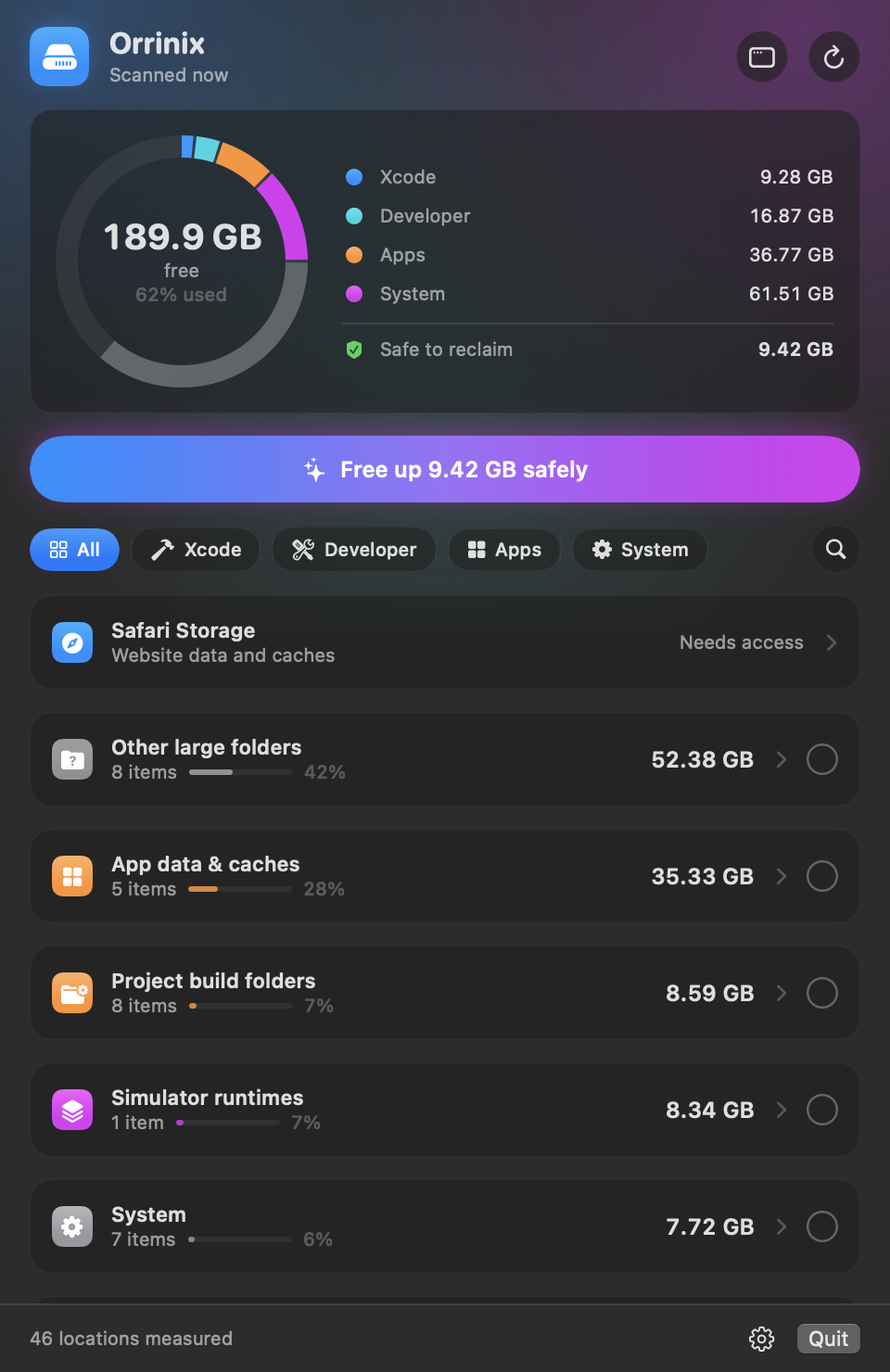
- Redesigned menu bar panel. A ring gauge shows the disk split into
Xcode, Developer, Apps and System, with free space in the centre and a
legend that filters the list. A single Free up X GB safely button
selects everything that regenerates on its own. Section chips and a search
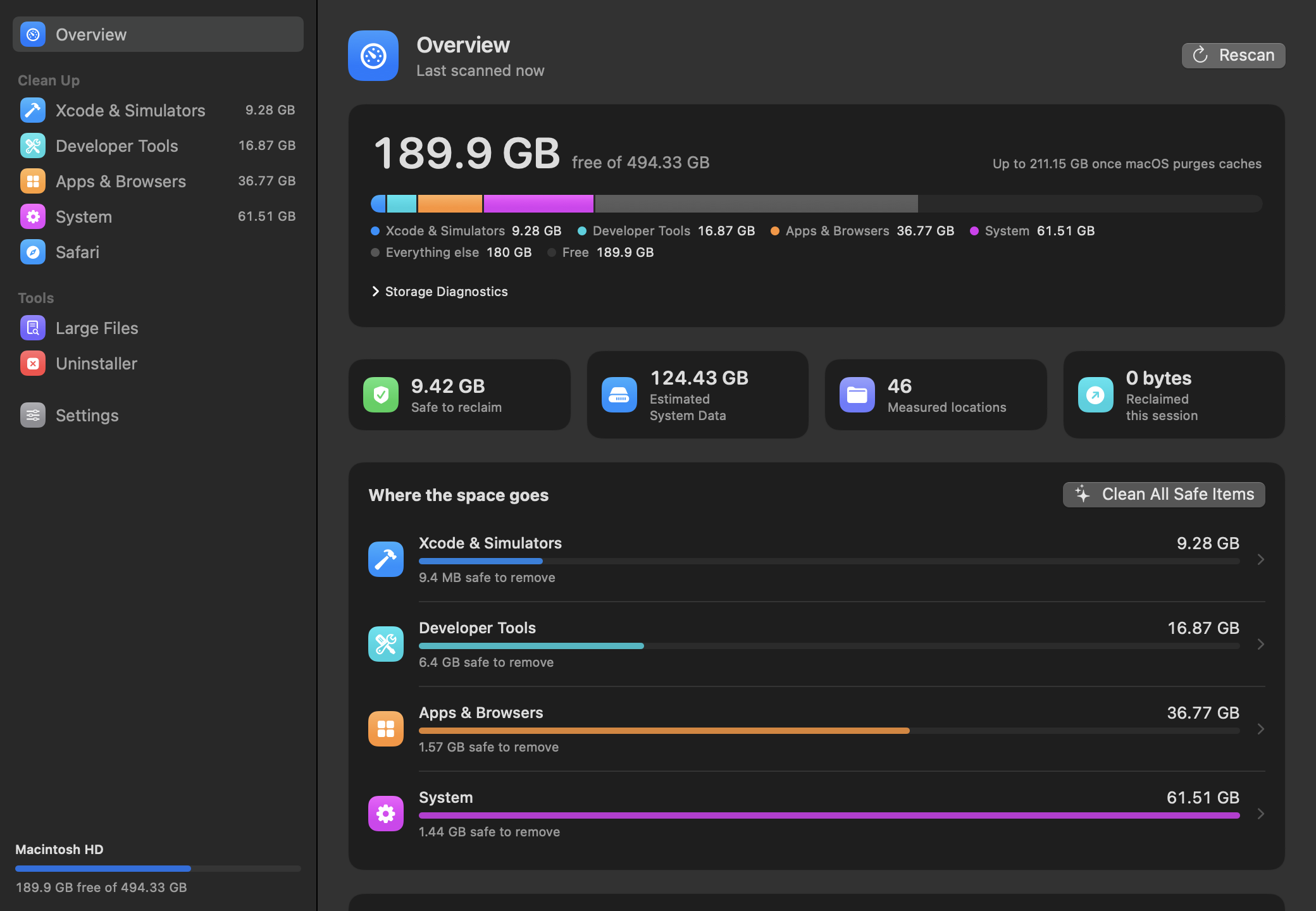
toggle replace the always-visible filter field. - Full window (Open Orrinix in the panel): Overview, one cleanup page
per section with search, a Safe / Review / Manual filter and sorting,
Safari, Large Files, Uninstaller and Settings. The app shows a Dock icon
while the window is open. - Large Files. Finds big files in Downloads, Desktop, Documents, Movies,
Music or any folder you add, filtered by size, by how long since you last
opened them, and by kind (installers, archives, videos, disk images).
Selected files go to the Trash. - Uninstaller. Removes an app together with its caches, preferences,
sandbox and group containers, saved state, web storage, login items,
background services and privileged helpers. Files matched by the app's
name rather than its bundle identifier start unticked. A second tab finds
leftovers of apps that are already gone. - Xcode deep clean. DerivedData per project, with projects that no
longer exist flagged as orphaned; DeviceSupport per OS version; each
archive by name, version and build; SwiftUI preview, Interface Builder and
playground devices; documentation; Xcode Cloud products; xcodebuild and
Instruments caches. - Simulators. Devices unused for 60 days or more can be deleted outright.
Each runtime shows how many simulators depend on it. - Browsers. Disk, code, GPU and service-worker caches for Chrome, Edge,
Brave, Arc, Vivaldi, Opera and Chromium across every profile, and the
Firefox cache. Cleaning refuses while the browser is open. - Code editors & IDEs. Caches, logs and workspace storage for VS Code,
VS Code Insiders, Cursor, Windsurf and VSCodium; JetBrains caches per
product version and settings of superseded versions. - Chat & meeting apps. WhatsApp media, Telegram media cache, Messenger
and Webex caches, alongside Slack, Discord, Teams and Zoom. - Settings lists hidden items so each can be brought back on its own.
- Right-click menu on every row: Show largest entries, Reveal in Finder,
Copy Path, Select, Hide and Delete. --windowlaunch flag, and--page,--lightand--assume-access
options for--screenshot, used to make the README images.
Changed
- New look throughout: tinted category icons, size bars, round selection
marks with a partial state per category, and row actions that appear on
hover. - The Full Disk Access notice in the panel is a single compact line.
- Launch at login and simulator shutdown moved into the panel's gear menu
and the Settings page.
Fixed
- Deleting a simulator runtime no longer stops at CoreSimulator's
"Removed the runtime, but did not reclaim its MobileAsset" error
(SimDiskImageError 30). Orrinix runssimctl runtime scan-and-mountand
deletes the runtime again, as the error suggests. - The Safari total is now the sum of its parts. It could read 52 MB while
website data and caches added up to several gigabytes, because the
container root is unreadable under macOS app-data protection. - Turkish translations for every interface string, including Safari strings
that were previously shown in English.
Install
Requires macOS 14 or later. Download Orrinix-v1.1.0-macOS.zip, check it against the .sha256 file, unzip it and move Orrinix.app to /Applications. Signed with Developer ID and notarized by Apple.
Orrinix v1.0.2
What’s new
- Modern Liquid Glass storage dashboard with Free now, Potentially reclaimable, grouped cleanup locations, search, and largest-entry breakdowns.
- APFS-aware storage accounting that separates physical free space, used space, macOS availability hints, and Orrinix’s measured category estimate.
- Safer cleanup flow with Safe, Review, and Manual badges, Trash-first review deletion, batch cleanup, Select safe, and hidden-item controls.
- Safari Storage Cleaner for website data, caches, LocalStorage/IndexedDB, CacheStorage, and targeted oversized SQLite WAL files.
- Faster simulator shutdown, Turkish localization, and Orrinix --json diagnostics for scripting.
What’s fixed
- Free space and System Data estimates are no longer mixed together; the dashboard uses authoritative APFS physical-free capacity.
- Reclaimable capacity uses macOS availability hints without double-counting.
- Reclaimed this session reports the actual filesystem free-space change.
- SIP-protected Apple daemon caches are skipped safely while accessible system-cache children are still cleaned, eliminating raw Operation not permitted errors.
- Docker data is not counted twice by the catch-all scan.
- Safari cleanup validates canonical allow-listed paths, blocks symlink escapes, quits Safari before mutation, and rescans after cleanup.
- Release packaging verifies Developer ID signing, Hardened Runtime, nested code, notarization, stapling, and Gatekeeper.
Install
Requires macOS 14 or later. Download the ZIP and its SHA-256 file, verify the checksum, unzip it, and move Orrinix.app to /Applications.
Orrinix v1.0.1
What’s new
- Modern Liquid Glass storage dashboard with Free now, Potentially reclaimable, grouped cleanup locations, search, and largest-entry breakdowns.
- APFS-aware storage accounting that separates physical free space, used space, macOS available-capacity hints, and Orrinix’s measured category estimate.
- Safer cleanup flow with Safe, Review, and Manual badges, Trash-first review deletion, batch cleanup, Select safe, and hidden-item controls.
- Safari Storage Cleaner for website data, caches, LocalStorage/IndexedDB, CacheStorage, and targeted oversized SQLite WAL files.
- Faster simulator shutdown, Turkish localization, and Orrinix --json diagnostics for scripting.
What’s fixed
- Free space and System Data estimates are no longer mixed together; the dashboard now uses authoritative APFS physical-free capacity.
- Reclaimable capacity now uses macOS availability hints without double-counting or subtracting the wrong metric.
- Reclaimed this session reports the actual filesystem free-space change.
- SIP-protected Apple daemon caches are skipped safely while accessible system-cache children are still cleaned, eliminating raw Operation not permitted errors.
- Docker data is not counted twice by the catch-all scan.
- Safari cleanup validates canonical allow-listed paths, blocks symlink escapes, quits Safari before mutation, and rescans after cleanup.
- Release packaging verifies Developer ID signing, Hardened Runtime, nested code, notarization, stapling, and Gatekeeper.
Release note
The attached v1.0.1 ZIP is the original signed artifact. The latest source on main contains the follow-up storage, dashboard, and SIP-cache fixes; they will be included in the next signed release.
Install
Requires macOS 14 or later. Download the ZIP, verify the accompanying SHA-256 file, unzip it, and move Orrinix.app to /Applications.