Repository navigation
Installing
Two roads. Most people want a firewall: build the image, which has everything inside. Those who want to read, build and change the drivers take the files. Both end in the same place - OPNsense with an XGS section in its menu - and every page there is photographed, in English and in Arabic, in The pages.
Important
Your appliance, your decision. Nothing here carries a warranty of any kind. Try a release on an appliance you can reach before you trust it with a network you depend on, and keep a serial cable at hand: an XGS has no screen, so its serial console is the only way in until the network is up.
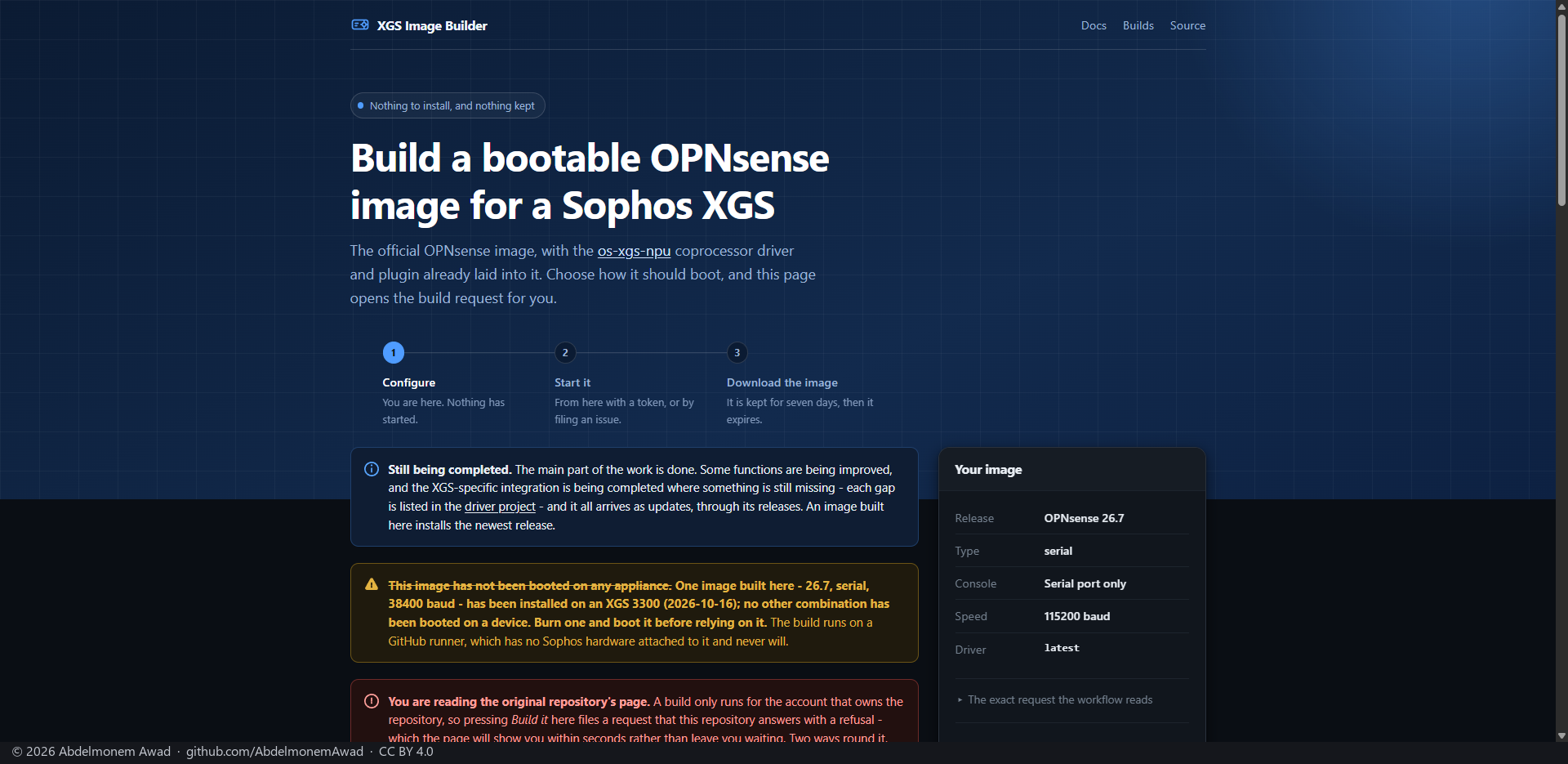
Open the build page. It builds an image from the official OPNsense image - fetched from OPNsense's own mirror and its checksum verified - with this project's newest release, its plugins, the Arabic translation and the right-to-left layout already inside. Nothing is installed on your computer, and no part of OPNsense lives in the builder's repository.
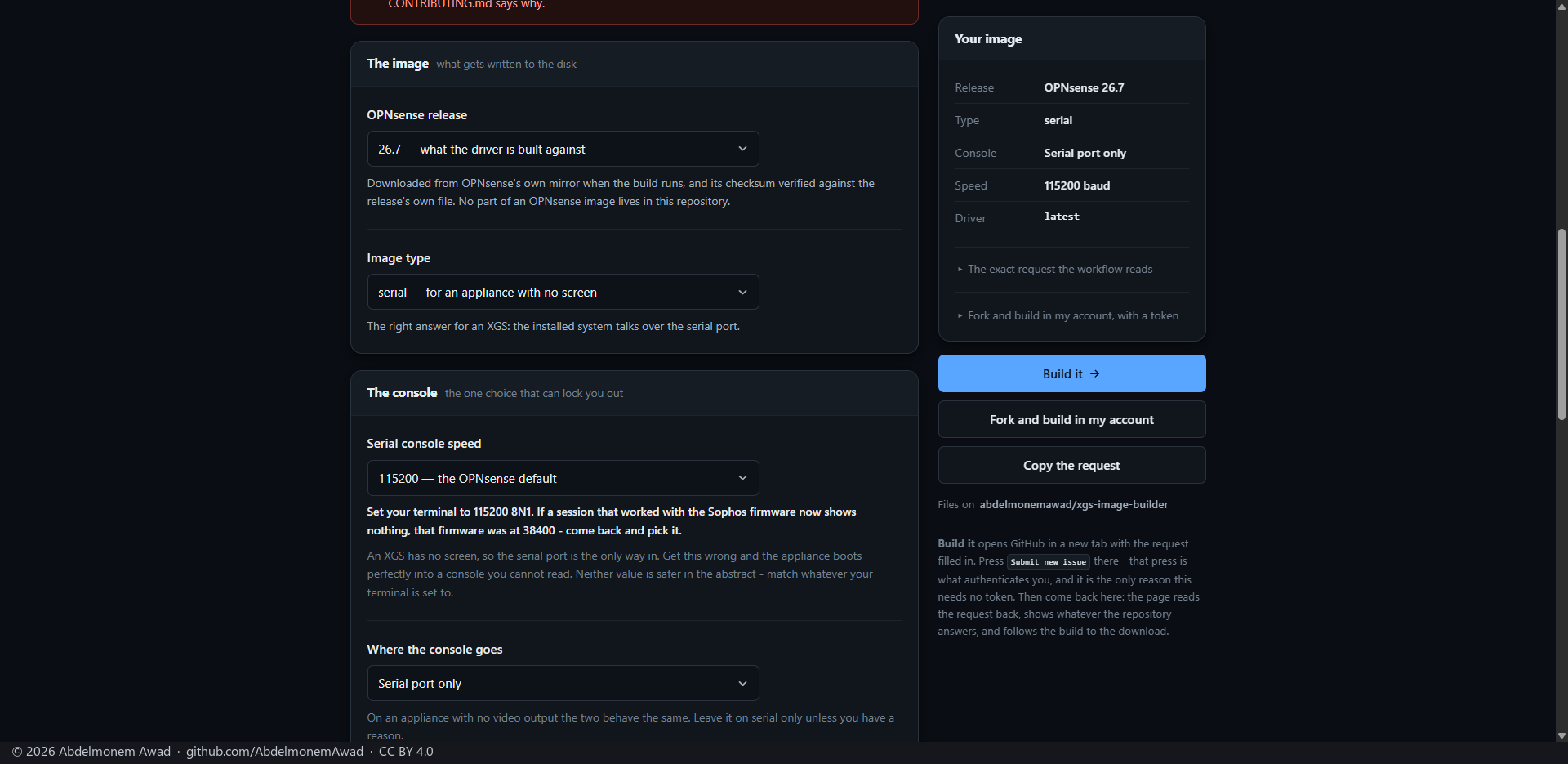
Choose, from the top:
| choice | for an XGS |
|---|---|
| OPNsense release | the release the drivers are built against - 26.7 today |
| Image type | serial: the appliance has no screen |
| Serial console speed | the speed your terminal is set to. OPNsense's default is 115200; Sophos's firmware uses 38400 on the same port. Choose wrong and the appliance boots into a console you cannot read |
| Where the console goes | Serial port only |
| Front panel | leave the panel on for an XGS 3300; No front panel for an appliance without one, like the XGS 136 |
| Driver |
latest, the project's newest release, unless you know why not |
Then Build it: GitHub opens in a new tab with the request filled in - press Submit new issue there and come back. That one press is what authenticates you, and the reason no token is needed. The page reads the request back, follows the build, and gives you the download. Fork and build in my account does the whole thing in your own account instead, with a token you give it.
The builder's own page, with why it works this way: xgs-image-builder.
Write the image to a USB stick, connect the serial console at the speed you chose (8N1), and boot the
appliance from the stick. It is OPNsense's own installer from here: log in as installer and install
to the appliance's disk.
At the first boot from the disk, the console counts thirty seconds down and then assigns the front ports by the names on the chassis - any key during the countdown leaves it to you instead:
| XGS 3300 | XGS 136 | |
|---|---|---|
| WAN | Port2 | Port1 |
| LAN | every other front port, in one bridge, on 192.168.1.1/24 with DHCP | the same |
| MGMT | the management port, on 192.168.100.1/24 with DHCP | none - the XGS 136 has no management port |
A box whose ports were set up by hand is never touched.
Plug a computer into a LAN port - or the XGS 3300's management port - and open https://192.168.1.1 (or https://192.168.100.1). OPNsense's own login opens; change the password it ships with first.
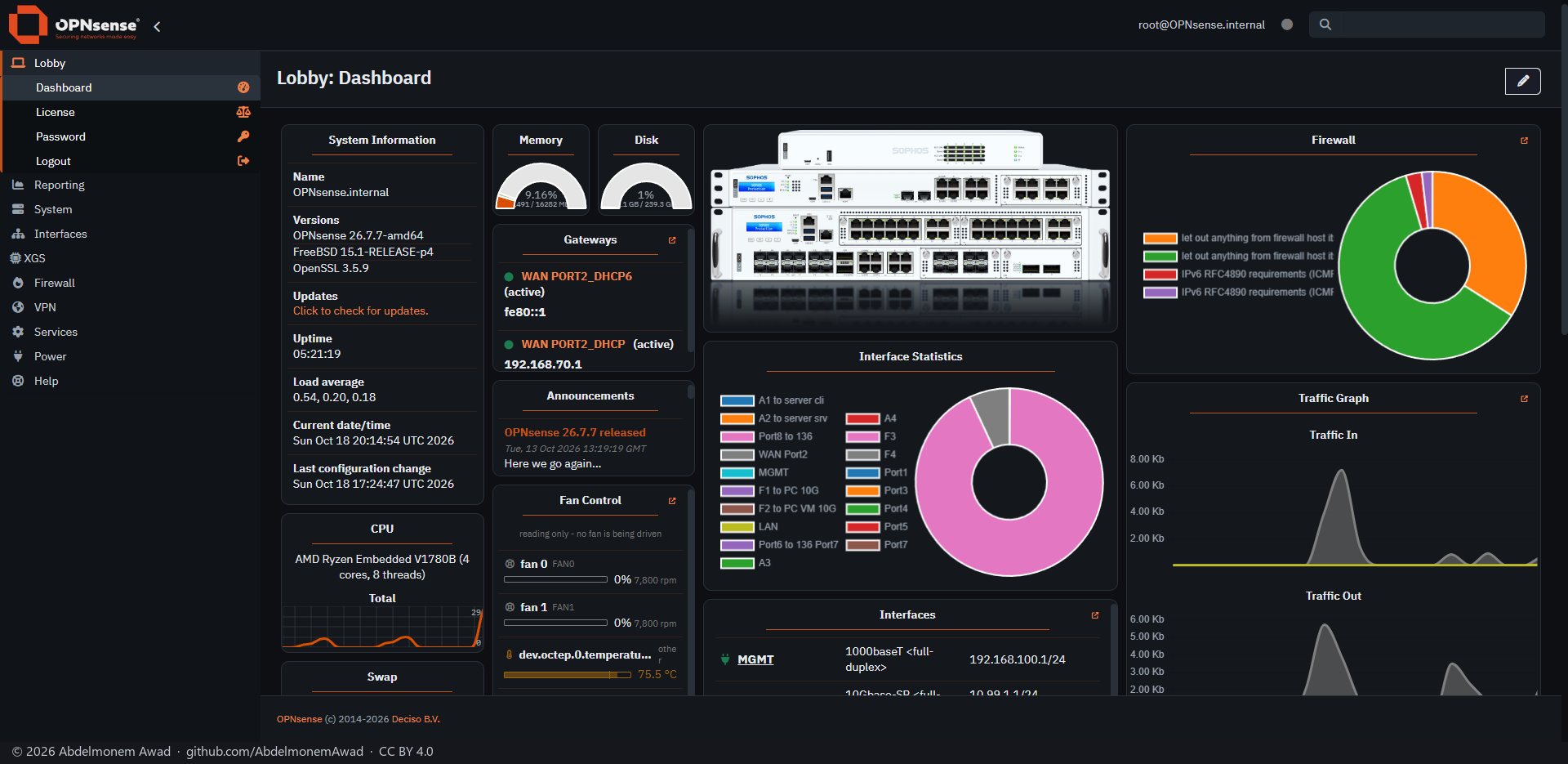
The dashboard has the appliance drawn on it, its fans and temperatures, and - from the widget list - the connections in hardware.
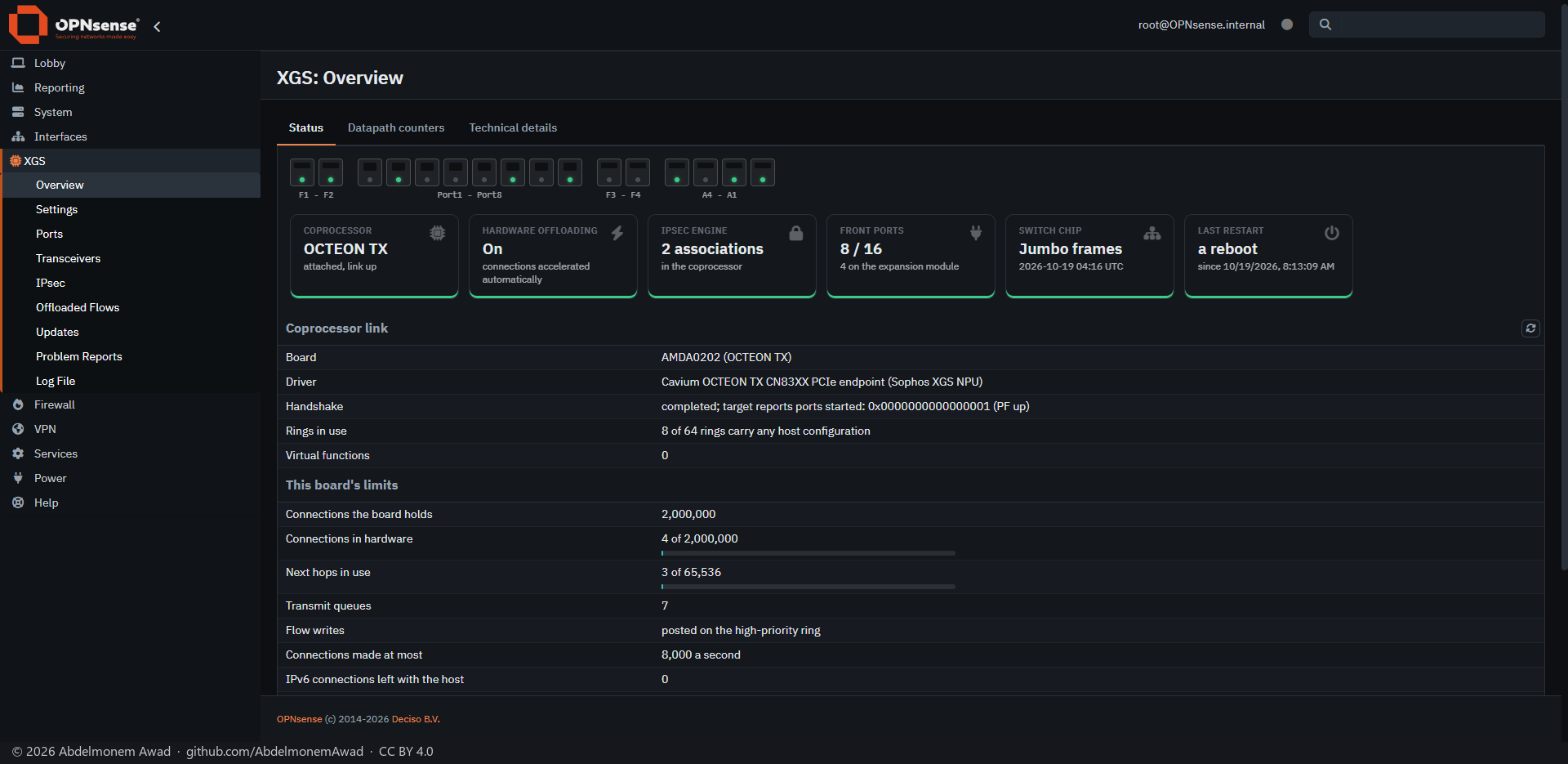
Everything the project adds is in XGS, between Interfaces and Firewall: Overview, Settings, Ports, Transceivers, IPsec, Offloaded Flows, Updates, Problem Reports and the log. Hardware offloading and the flow maker are switched on in Settings. Each page, and the four plugins' pages, are shown and explained in The pages.
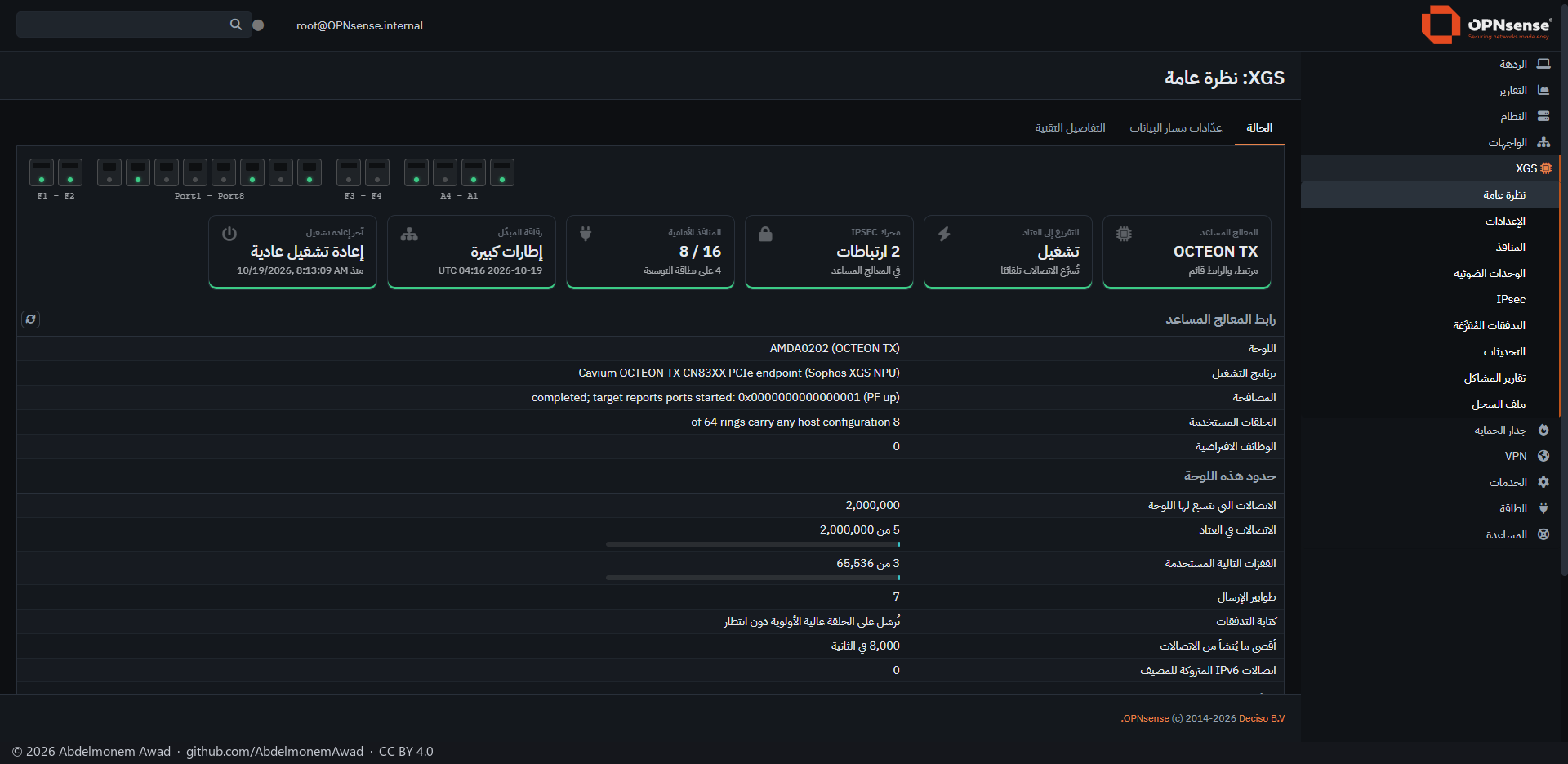
The image carries the Arabic translation of the whole interface and its right-to-left layout: System > Settings > General > Language, then العربية (Arabic).
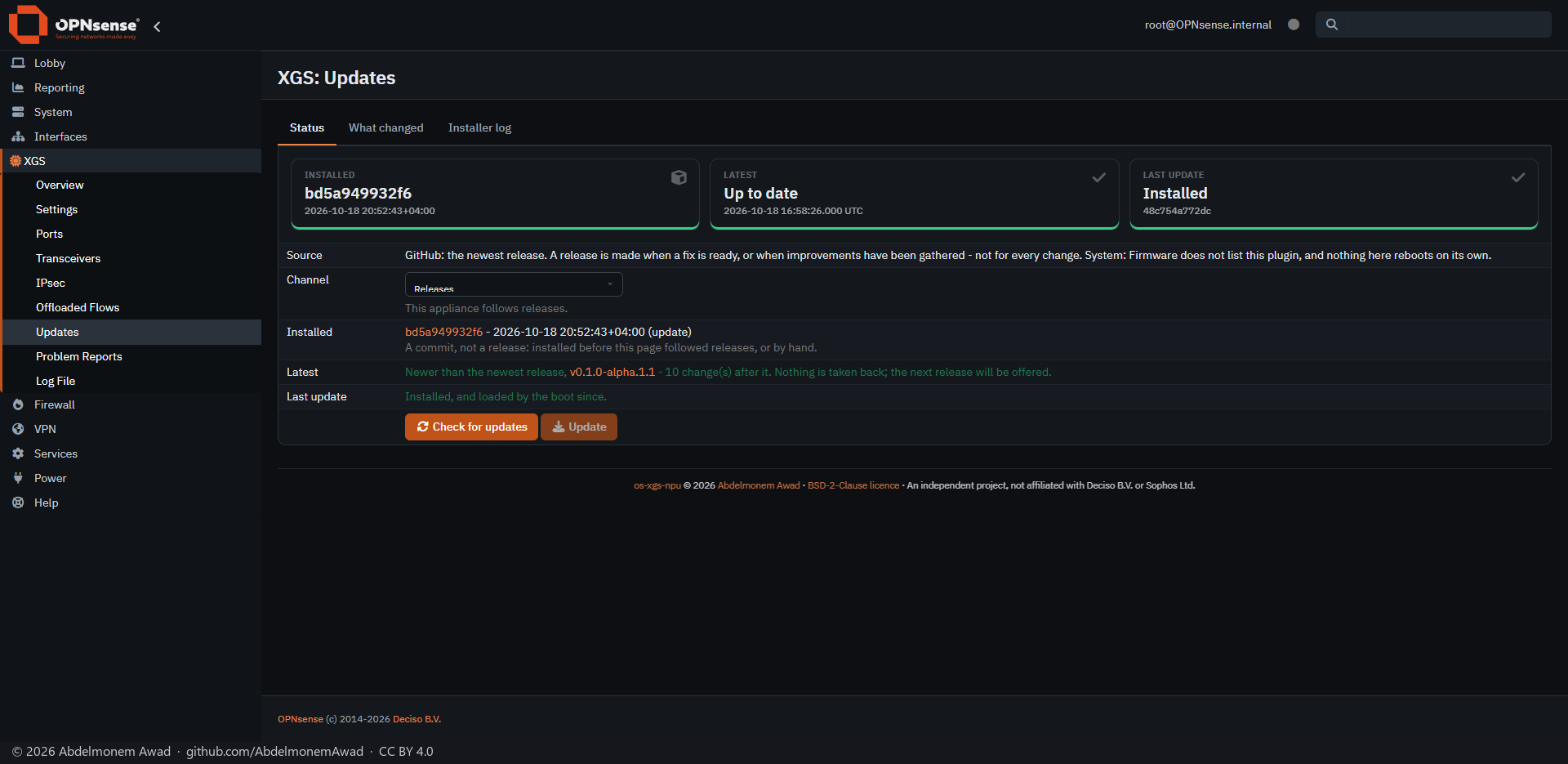
OPNsense's own firmware page does not list this project; XGS > Updates does. Check for updates asks GitHub for the newest release, Update installs it, and the new driver loads at the next boot - nothing reboots on its own. The appliance photographed here was updated by hand from the development branch, which the page says; one installed from the image follows the releases.
Tested: an image built this way installed on an XGS 3300 on 2026-10-16 and assigned its own front ports at its first boot. On the XGS 136 the image has not been booted yet; it was installed the second way, below.
For those who want to work on the drivers: FreeBSD kernel modules for an undocumented coprocessor, written from the outside. A mistake in one can stop an appliance until it is power-cycled by hand, so this road asks for a serial console, an appliance you can reach, the source read before it is loaded, and a way to reinstall. On an appliance already running OPNsense:
git clone https://github.com/AbdelmonemAwad/os-xgs-npu
cd os-xgs-npu
./install/install.sh
One installer reads the board's assembly number and installs only that board's pieces; any other board gets nothing. The driver is built on the appliance against the running kernel's own sources, and stamped with it. Before blaming the driver for a network with no internet, check that the firewall resolves a name - the repository's installing guide says why, and everything else about the boot hooks, the pages and updating.