Releases: AdguardTeam/AdguardForWindows
Release list
8.0

Disclaimer AdGuard for Windows is not an open-source project. We use Github as an open bug tracker for users to see what developers are working on.
A brand-new version, a new major number, a fresh design — and, most importantly, truly system-wide protection. AdGuard for Windows v8.0 doesn’t just look different: it gives you clearer control over the traffic on your computer and makes the most important settings easier to reach.
Truly system-wide protection
Alongside the DNS filtering you already had, AdGuard offers full-fledged network-level filtering. This means stronger protection and more control: you can filter all Internet traffic on your device, so your protection is system-wide.
AdGuard uses a special network driver that handles the actual sending and receiving of data, allowing us to filter traffic from every app on your device.
While DNS filtering is still there, it is less flexible, and some tracking requests can still get through. This is where HTTPS filtering becomes essential. With it enabled, AdGuard can inspect traffic within Windows apps. This allows us to distinguish between legitimate content and tracking requests, even when they come from the same domain. By decrypting the traffic, AdGuard can identify the full URL and block only the tracking requests while leaving the rest of the app working just fine.
While HTTPS filtering is enabled for browsers by default, it is disabled for most other apps to ensure better compatibility. You can always enable it for extra protection: just select the application you want to filter in App management and toggle on Filter HTTPS traffic.
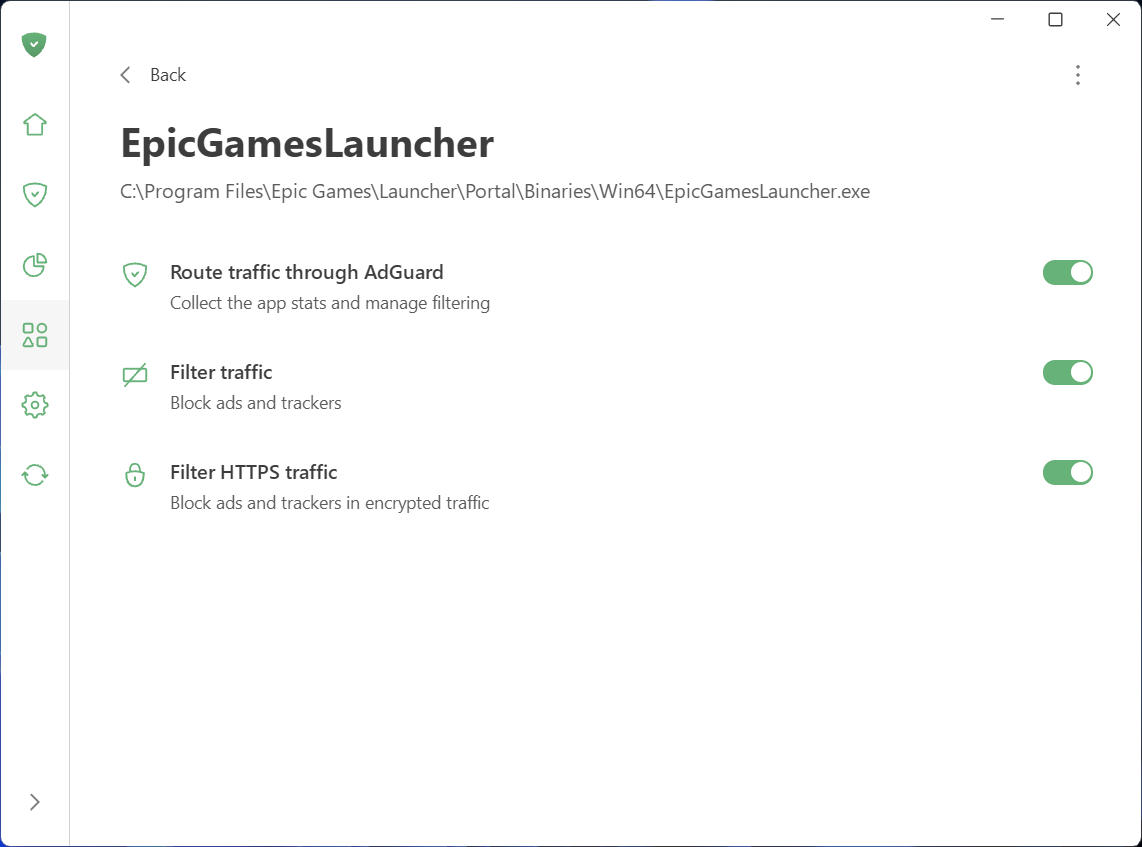
See what your apps are doing and take control
To make managing traffic easier and give you a clear picture of what’s happening on your device, we’ve added two new sections: App management and Statistics.
App management
App management lets you control how each app accesses the Internet. By default, AdGuard filters everything. As soon as an app goes online, it appears in App management, and its traffic is routed through AdGuard. From there, you can configure what to do with the app and how to filter it:
- Decide which apps have their traffic routed through AdGuard
- Choose to block ads and trackers in specific apps
- Enable HTTPS filtering in apps of your choice
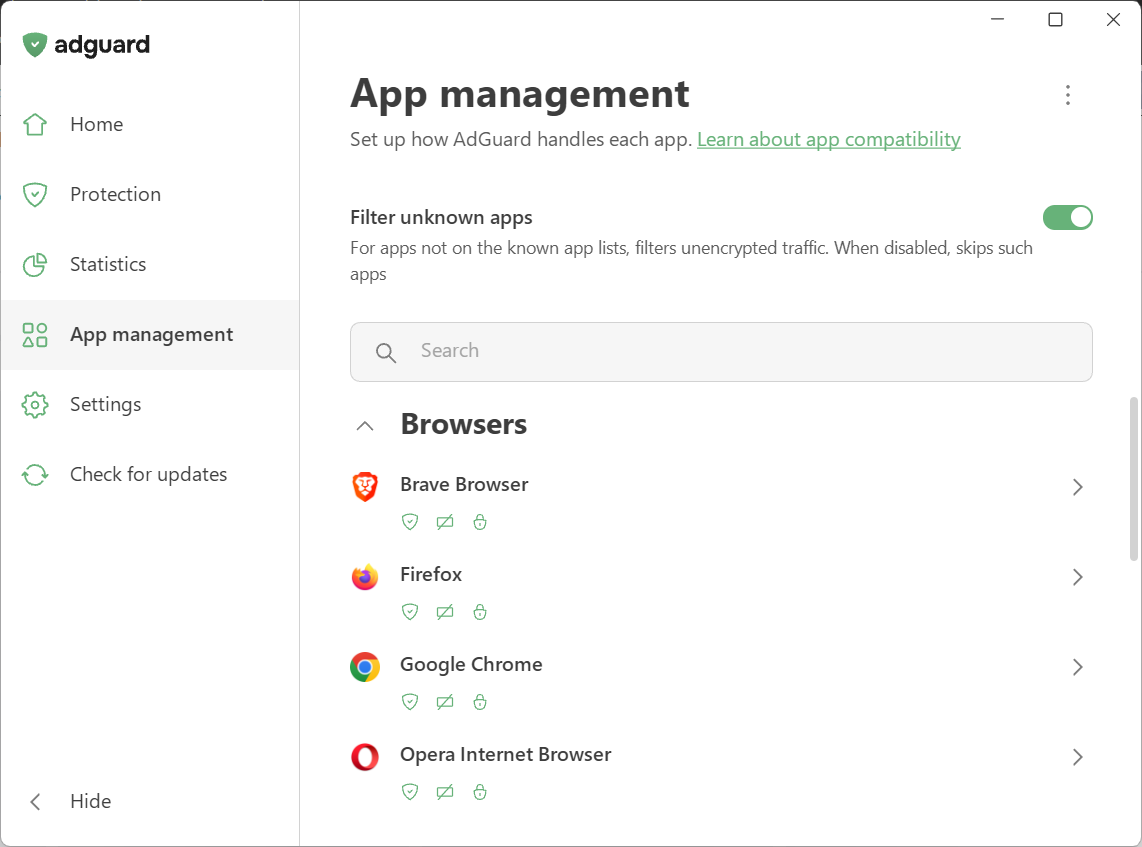
We’ve also introduced Filter unknown apps, a new setting for handling apps that are not yet in the compatibility or exclusion lists. It’s on by default — new apps get regular filtering, while HTTPS interception stays off to avoid affecting app behavior.
Statistics
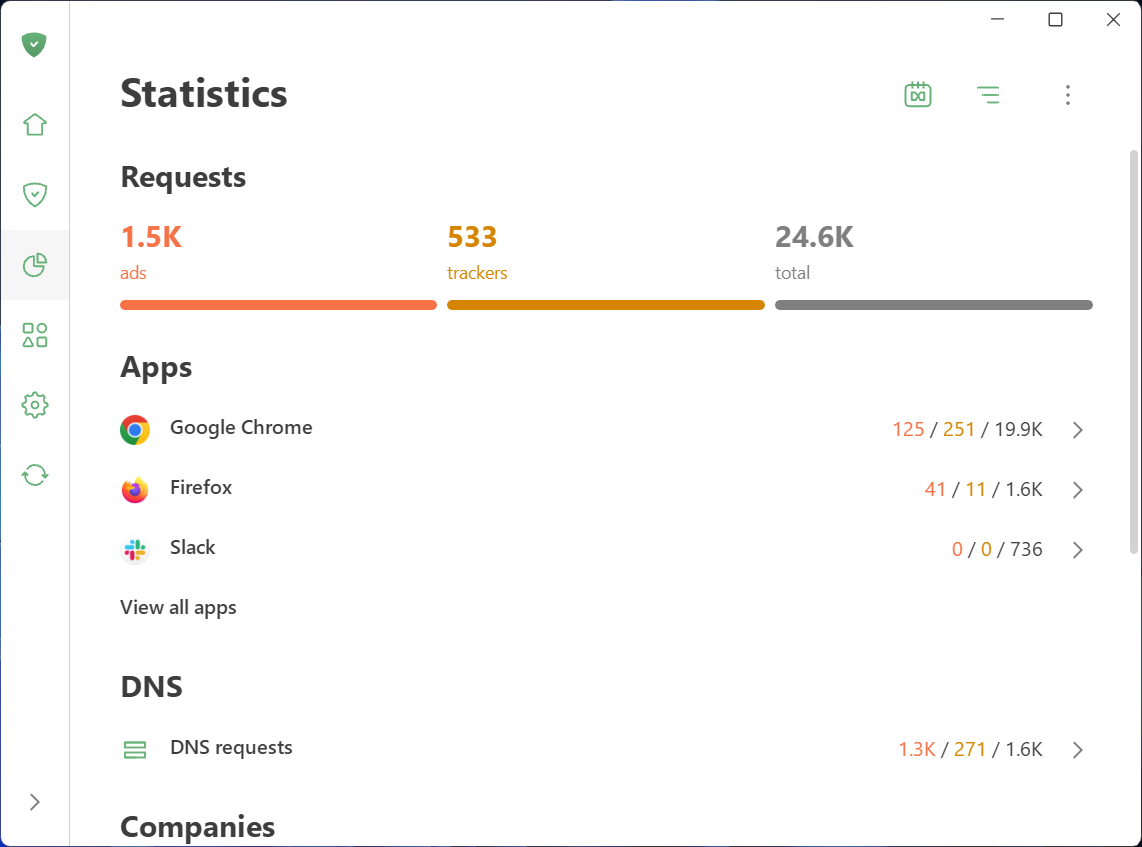
Statistics show detailed network activity. The Companies section provides a perspective on all the companies that your device has sent requests to, while in Apps and Domains you see the stats specific traffic data for every app routed through AdGuard. You can quickly identify and block anything suspicious.
Not only inside updates: A complete redesign
AdGuard for Windows has been completely redesigned. Our focus was on simplicity and ease of use. The most important tools are now front and center, while advanced settings are still available — just tucked away so they don’t overwhelm new users.
Key settings in plain sight
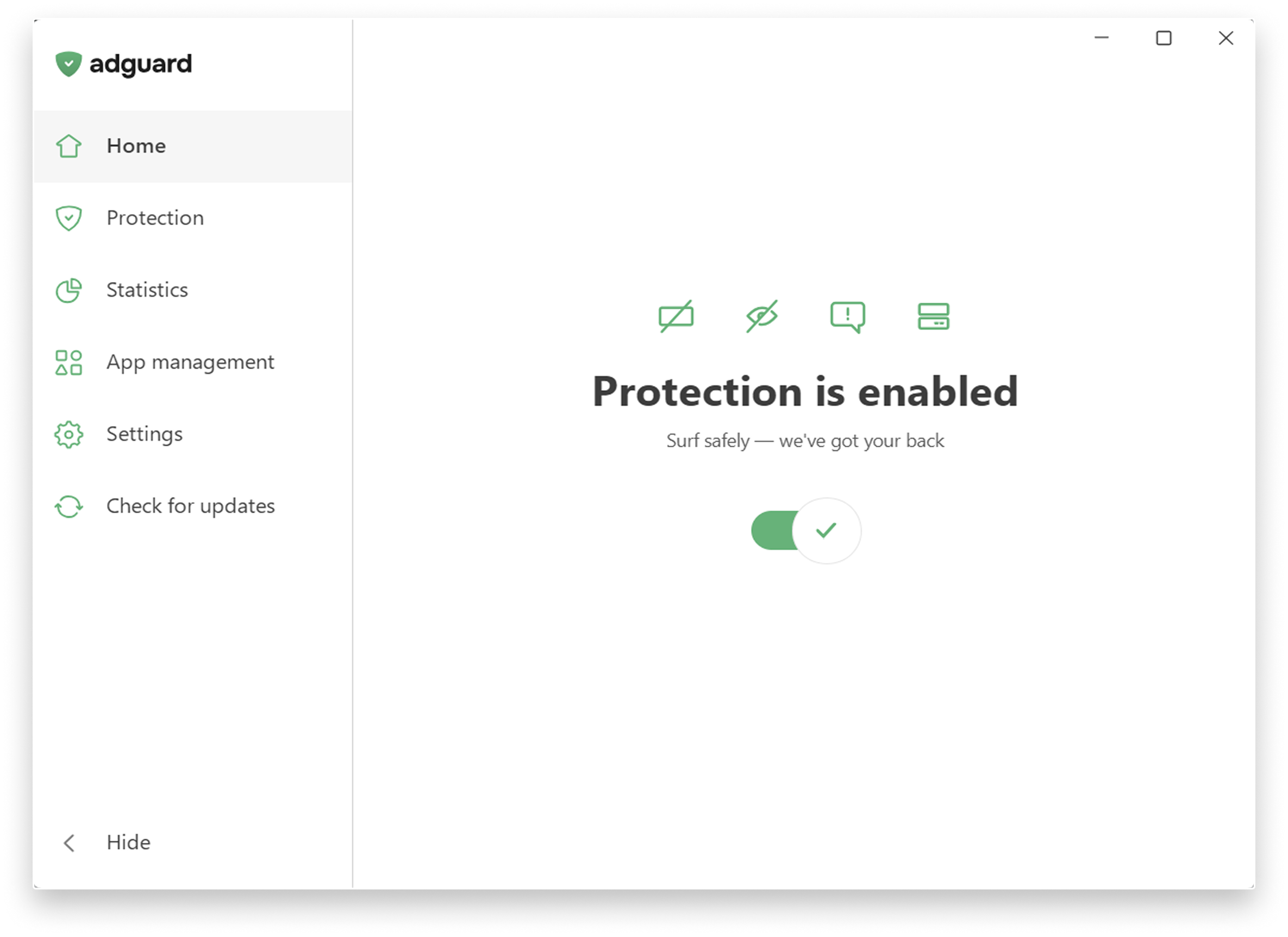
The app is designed to let you enable everything you need straight from the first screen. Just click the symbols you see — they stand for blocking ads and trackers, handling cookie notices and similar annoyances, and DNS protection.
Fine-tune your protection: Head to the Protection section, where settings are clearly categorized, explained in simple terms, and enabled by one toggle.
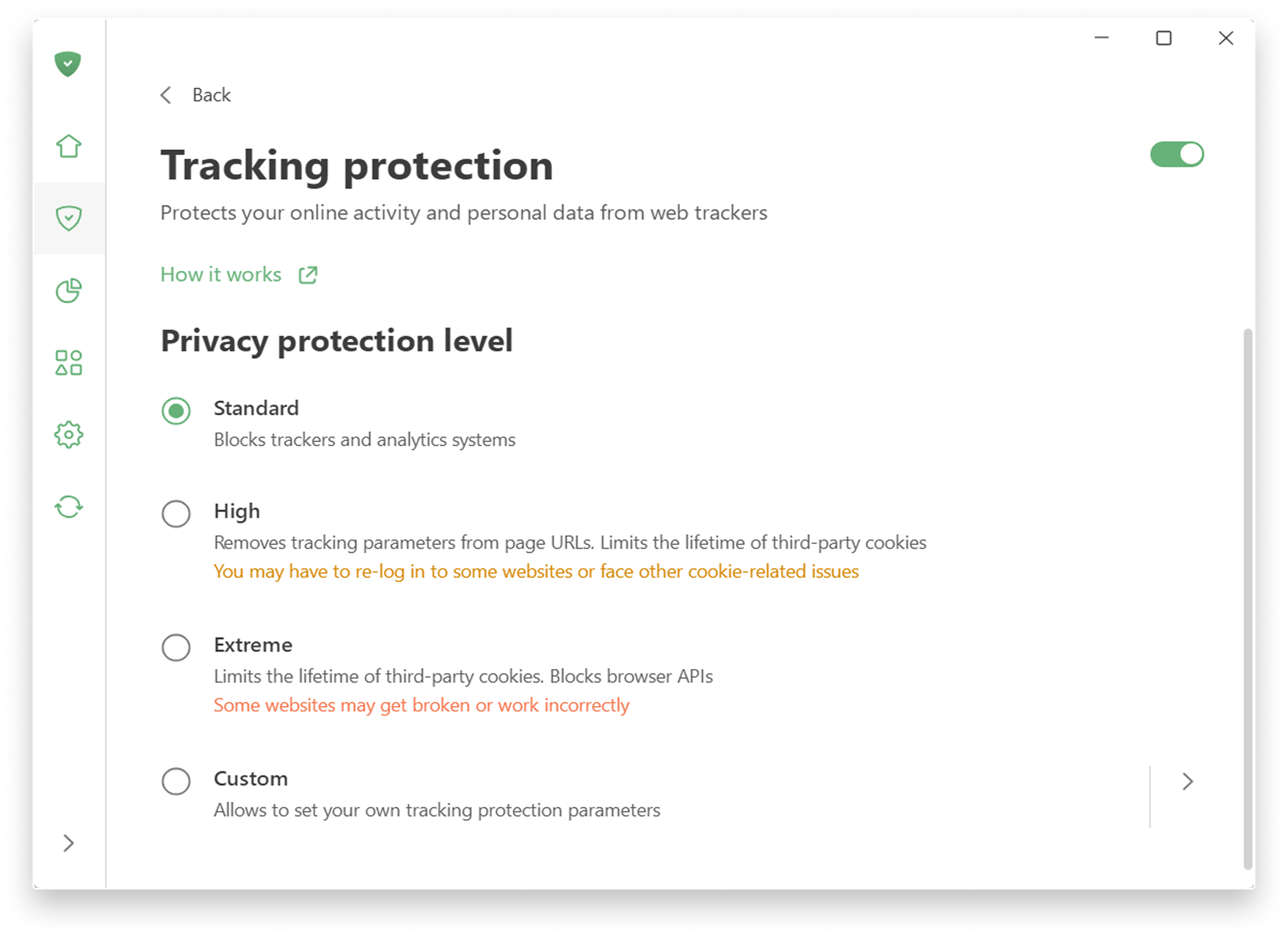
Tracking protection: Choose a level of protection — from a simple, comfortable experience to a more advanced one, which includes deleting cookies for enhanced privacy. There is also a custom level where you can freely fine-tune everything to suit your preferences: like blocking notifications from websites or enabling anti-DPI protection.
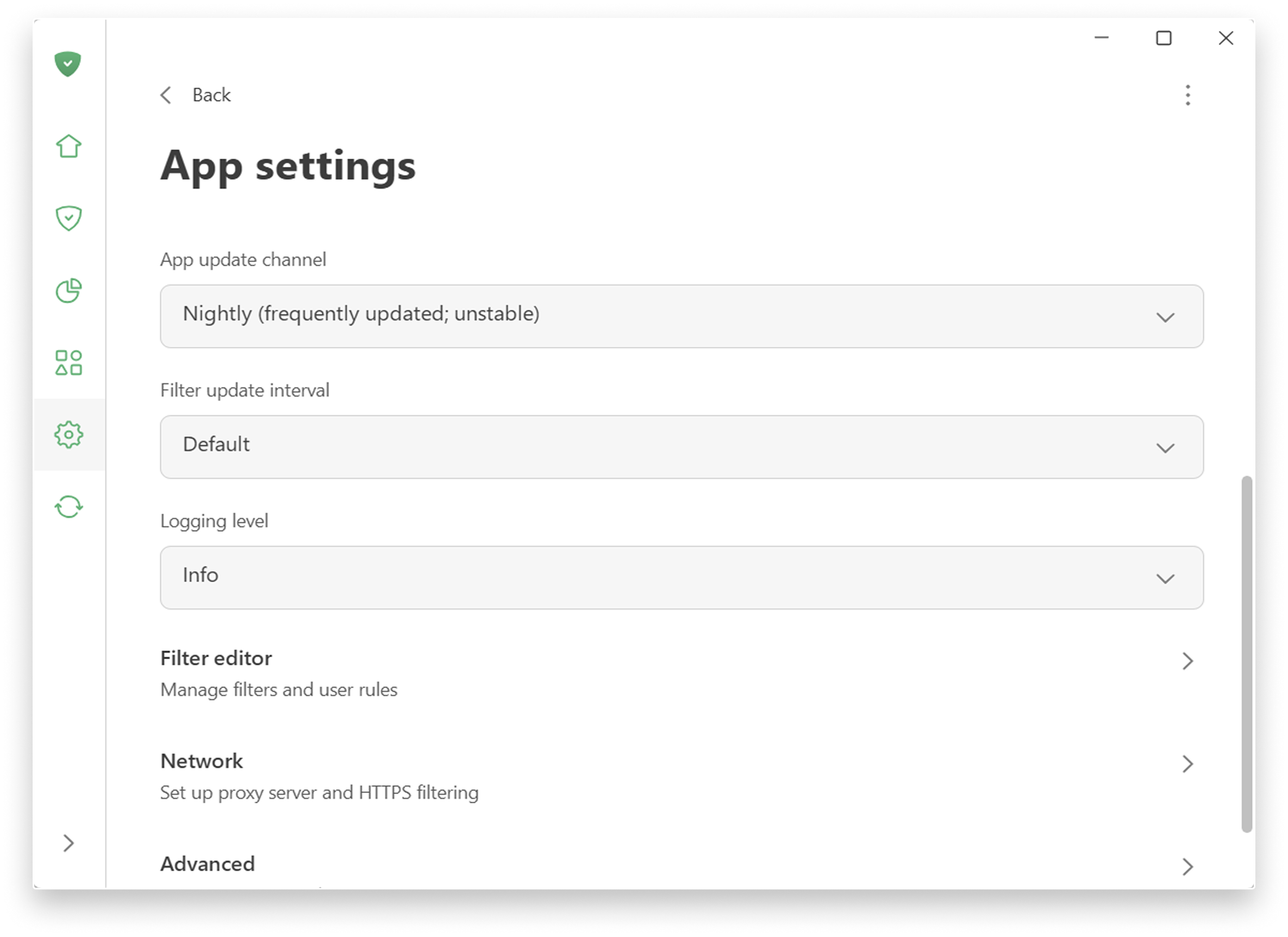
Advanced approach to filtering: You can find low-level and network settings in Settings → App settings.
For more details on new features, check the Knowledge Base.
It’s been a huge overhaul, and we can’t wait to hear what you think. Share your thoughts and send improvement ideas via GitHub Issues.
AdGuard for Windows direct download links:
8.0 RC 4
Disclaimer AdGuard for Windows is not an open-source project. We use Github as an open bug tracker for users to see what developers are working on.
In this update we worked on improving the app performance. Another step that brings us closer to releasing a stable version.
Changelog
Fixes
- Beta 7: AG UI opens when PC starts #6030
- Certain requests with rules applied to them show incorrect request options (should be block request not unblock) #6090
DnsLibs (DNS filtering engine)
- DnsLibs updated to v2.10.1 #6112
CoreLibs (Filtering engine)
- CoreLibs updated to v1.22.24 #6118
AdGuard for Windows direct download links:
8.0 RC 3
Disclaimer AdGuard for Windows is not an open-source project. We use Github as an open bug tracker for users to see what developers are working on.
At this rate, we should probably add a permanent in-app banner: “One step closer to v8.0.”
Keeping with tradition, we’ll state it plainly in the release notes: this is the third release candidate, and it’s slightly better than the second one. We’re not naming an official release date just yet (we’re superstitious like that!), but the finish line is right around the corner.
Changelog
Fixes
- “Website allowlist” toggle state is not preserved after updating the app #6086
AdGuard for Windows direct download links:
8.0 RC 2
Disclaimer AdGuard for Windows is not an open-source project. We use Github as an open bug tracker for users to see what developers are working on.
Release candidate number 2 is all about putting the final touches on the app. This update ensures that your settings move from v7 to v8 without a hitch, saving you from having to configure everything from scratch.
We’ve also added a highly requested option that lets you opt out of filtering all apps by default. To learn more about managing your apps, check out our Knowledge Base.
Changelog
Improvements
- Added an option to disable automatic filtering for apps by default #5807
AdGuard for Windows direct download links:
8.0 RC
Disclaimer AdGuard for Windows is not an open-source project. We use Github as an open bug tracker for users to see what developers are working on.
The highlight of this release candidate is bringing screen reader support to make the app inclusive. The rest of the update is pure digital housekeeping.
Changelog
Fixes
- Custom DNS filters turn off after every system restart #6036
- The main application window opens automatically during system startup despite the corresponding setting being disabled #6030
- DNS filter updates intermittently fail due to an inability to read the filter file #6010
- The app crashes at startup #6035
Sciter (UI engine)
- Sciter updated to v1.0.1235 #6026
AdGuard for Windows direct download links:
8.0 beta 7
Disclaimer AdGuard for Windows is not an open-source project. We use Github as an open bug tracker for users to see what developers are working on.
Lucky number seven! This seventh beta version of AdGuard for Windows v8.0 is all about bug squashing. Here are just some of the long-awaited fixes we’ve packed into this beta:
- DNS filtering: We fixed a bug that allowed certain requests to sneak through blocklists marked as “bypassed”.
- Decreasing statistics: The main counters (Ads and Trackers) now won’t drop after an update.
- App crashes: Fixed an annoying bug that caused the app to close unexpectedly while browsing settings.
- Unwanted filter updates: The Tracking protection filter now strictly respects user preferences and won’t update when automatic updates are turned off.
You can find all the other fixes and improvements in the extensive changelog below.
Changelog
Fixes
- Adding a rule in the Filtering log causes errors #5981
- After updating to nightly version 46 protection cannot be enabled #5996
- DNS requests are bypassing though they should be blocked #5898
- Editing user rules leads to an error #5978
- Error message when deleting a user rule #5980
- Extensions updating issue #5869
- Statistics decrease after updating AdGuard #5830
- The app closes on its own while browsing the settings #5960
- Tracking protection filter is still being updated on its own #5963
- Version 8.x takes longer to launch compared to 7.x versions #5907
CoreLibs (filtering engine)
- CoreLibs updated to v1.22.16 #6004
Improvements
- Implemented filtering of HTTP/3 proxy #1957
- Implemented filtering of HTTP/2 proxy #2054
- Synchronized verification steps caching parameters with Chrome #2025
Fixes
- Firefox stalls on “Host contacted, waiting for reply” because intercepted TCP sockets get stuck in BOUND or CLOSE_WAIT states #2058
- NS_ERROR_NET_INTERRUPT error on Firefox with HTTP/3 filtering #5986
- OCSP revocation check does not block connections to sites with revoked certificates #2069
Sciter (UI engine)
- Sciter updated to v1.0.1196 #6006
Scriptlets (JavaScript enhancement for filtering rules)
- Scriptlets updated to v2.4.2
Improvements
- Added new redirect
google-ima3-dai#239 - Added new scriptlet
trusted-json-set#308 log-addEventListener: added a new optional parameter to control overriding ofaddEventListener#551- Added support for JSON path queries in JSON-related scriptlets #522
- Added new redirect
freewheel-admanager#401 - Improved the
prevent-window-openscriptlet to support matching the_blankparameter #549 - Added
declinedto predefined constants forset-cookieandset-cookie-reload#552 - Added support for
allvalue inset-cookieandset-cookie-reload#501 - Added support for
mandatoryvalue inset-cookieandset-cookie-reload#518
Fixes
trusted-click-element: fixed a regression in handling React-managed HTMLElements #554trusted-click-elementthrows an error when trying to setcancelBubble#555- The
abort-on-stack-tracescriptlet incorrectly assignswindowto a property that was not set #513 disable-newtab-linksfails to prevent ad popups #483- The
google-ima3redirect lacks thegetCreativeIdmethod inAd.prototype#515 prevent-fetchincorrectly usesmodifyResponseon redirected requests #545
ContentScript
- ContentScript updated to v3.2.0
Improvements
- Changed the evaluation of the iframe size for content script injections #2059
AdGuard for Windows direct download links:
8.0 beta 6
Disclaimer AdGuard for Windows is not an open-source project. We use Github as an open bug tracker for users to see what developers are working on.
Beta 6 focuses on squashing bugs and optimizing performance, bringing us another step closer to the official v8.0 release.
A huge thank you to everyone sending in bug reports — your feedback is exactly what helps us polish the app.
Changelog
Fixes
- The settings screen is blank after updating from v7.22.6 to a beta or nightly version #5920
- High CPU and memory usage #5754
- App crashes while scrolling through the Protection section #5878
- The Adguard service causes high CPU usage and writes huge data into logs #5902
- Block trackers and Remove tracking parameters from URLs toggles stay disabled after reenabling Tracking protection #5713
- After updating to the latest Nightly build, the Safe Browsing database cannot be updated #5972
- Browser Assistant shows Edge as the default browser instead of Firefox #5867
- The UI exhibits instability when managing rules in a long scrollable list #5638
- Custom DNS servers do not show up in the custom servers list after reinstalling the app and importing settings #5874
- AdGuard causes excessive disk writes #5781
- SockFilter driver prevents traffic filtering on websites #5935
- Language-specific filters don’t activate automatically when language-specific ad blocking is enabled #5890
- User rules cannot be deleted and duplicates are created #5882
- AdGuard 8 Nightly crashes with an AccessViolationException during system shutdown via Alt+F4 #5941
- Changelog is not displayed during the update #5901
- Update fails with exit code 1638 #5886
- Language-specific ad blocking filters disable randomly #5811
- AdGuard duplicates user rules multiple times #5800
Sciter (UI engine)
- Sciter updated to v1.0.1150 #5959
CoreLibs (filtering engine)
- CoreLibs updated to v1.21.38 #5956
Improvements
- The Do Not Track feature no longer injects DNT headers into browsers that do not support them #1982
- AdGuard intercepts local.adguard.org queries locally to prevent leaking #1854
- HTTP/3 filtering is enabled by default for stable versions #2015
Fixes
- High latency (~400ms) in QUIC/HTTP/3 filtering causing protocol fallback to HTTP/2 #2062
Scriptlets (JavaScript enhancement for filtering rules)
- Scriptlets updated to v2.2.16
Improvements
- Added a new
prevent-constructorscriptlet #461 - Added a new
prevent-navigationscriptlet #532 - Added a new
remove-request-query-parameterscriptlet #329 prevent-addEventListener— added a new optional parameter to controladdEventListeneroverriding #550prevent-xhr— setresponseURLon state 2 and skip first state ifonreadystatechangewas declared after open call #485trusted-create-element— added Trusted Types API support #507trusted-replace-xhr-responseandprevent-xhr— randomized internal properties of thisArg.shouldBePrevented #386- Added Trusted Types API support for Firefox #528
Fixes
set-constantandtrusted-set-constant— incorrect stack trace matching #500spoof-css— the mocked function is detected att.hi098123.com#422trusted-click-element— Cloudflare captcha is broken when the>>>combinator is used #491trusted-suppress-native-method— grouping in the Regexp matcher does not work correctly #473xml-prune,trusted-replace-fetch-response,trusted-replace-xhr-response— improper XHR credentials and event handling #486
AdGuard for Windows direct download links:
8.0 beta 5
Disclaimer AdGuard for Windows is not an open-source project. We use Github as an open bug tracker for users to see what developers are working on.
We have news: one good and one almost good (if you’re looking on the bright side).
A new network driver
Old drivers had issues: WFP could sometimes show instability for some users, and TDI is outdated and could occasionally cause filtering problems in browsers. That’s why we’ve added a new network driver — SockFilter.
What the new driver brings
SockFilter is still experimental, but it’s designed to bring real improvements over older drivers:
-
Better compatibility with network apps: VPNs, firewalls, and antivirus software work together more smoothly, reducing conflicts.
-
Lower risk of crashes: Operates in a safer part of Windows networking, helping prevent BSODs and other system errors.
-
More stability overall: Handles traffic closer to how apps normally use the network, reducing complexity and making AdGuard more reliable day to day.
You can enable SockFilter in Settings → App settings → Network → Network driver. You can also switch back to WFP or TDI at any time. Feedback is welcome — it helps us make it better.
Windows 8 and 8.1 support ends
Starting with this beta, we’re dropping support for Windows 8 and 8.1. Why now?
These versions are no longer updated by Microsoft itself. Many libraries, development tools, and security technologies now target more modern operating systems. Continuing to support Windows 8 and 8.1 would prevent us from fully using them. By focusing on the latest Windows versions, we can speed up development and make AdGuard more stable overall.
If you need to stay on Windows 8 or 8.1, you can still use AdGuard. Download the last compatible Nightly version. Please be aware that as a Nightly build, it may be unstable and contain bugs. Additionally, it will not receive further feature updates or security patches.
Changelog
Improvements
- Dropped support for Windows 8 and 8.1 #5880
- Implemented automatic update check for filters after they are enabled #5748
- Added support for the SockFilter driver #5780
Fixes
- UI crash when clicking the Ad blocking icon on the main page #5892
- Incorrect notification behavior when updating filters without a network connection #5860
- Incorrect filter update time displayed in the tray icon tooltip #5688
- Infinite loading in the Update tab after reconnecting to the Internet #5861
Sciter (UI engine)
- Sciter updated to v1.0.1106 #5899
AdGuard for Windows direct download links:
8.0 beta 4
Disclaimer AdGuard for Windows is not an open-source project. We use Github as an open bug tracker for users to see what developers are working on.
Beta number four is all about smoother setup and better control over network drivers.
In the previous beta, we added an improved setup wizard. It had some bugs that we quickly fixed, so now the onboarding process will be smooth.
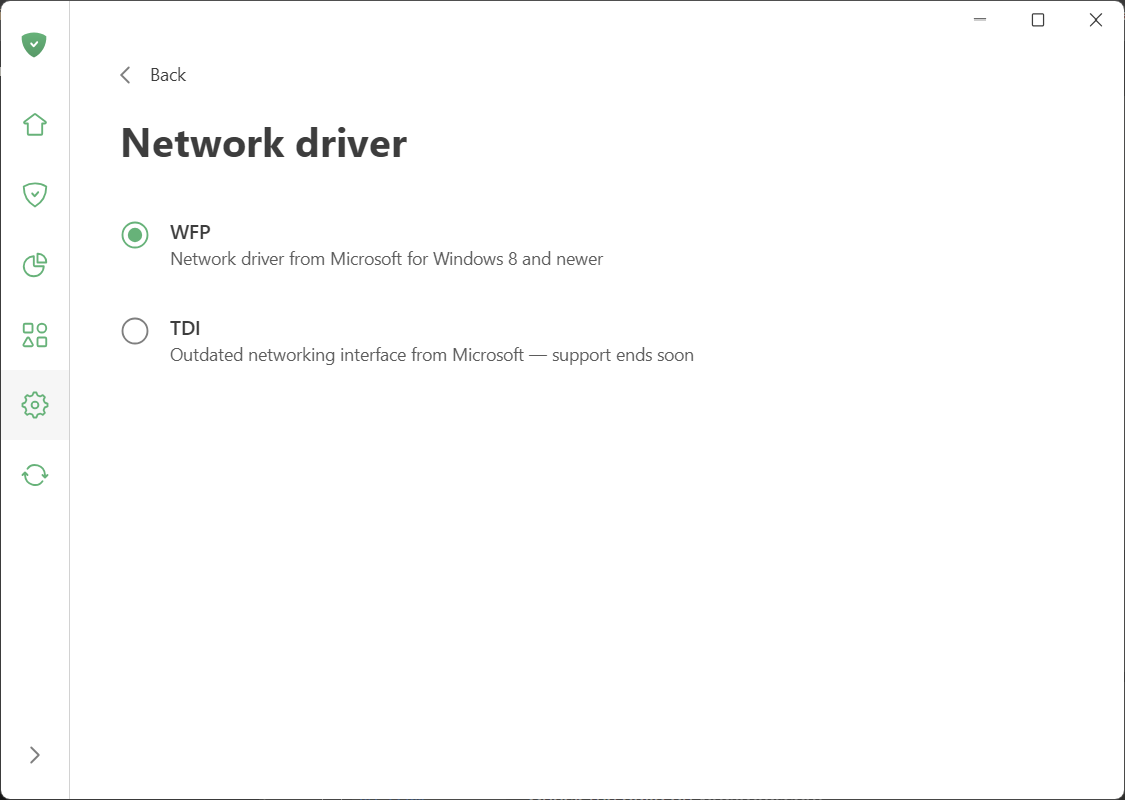
We’ve also updated the network settings. The Use WFP driver radio button is now replaced with a dedicated screen where you can choose the driver you need. By default, we recommend WFP, as it’s more modern, reliable, and fully compatible with the latest Chromium-based browsers, which no longer work well with TDI.
You can select the driver in Settings → App settings → Network.
Changelog
Improvements
- Added support for the Helium browser #5834
Fixes
- Statistics are displayed incorrectly #5726
- The license verification error persists even after reconnecting to the Internet #5684
- Disabling the Disable Windows Recall option doesn’t recover the original DWORD value #5700
- The connection drops when protection is restarted #5812
CoreLibs (Filtering engine)
- CoreLibs updated to v1.20.88 #5813
Improvements
- The Do Not Track feature sends both DNT and GPC even in browsers that don’t support them #1982
DnsLibs (DNS filtering engine)
- DnsLibs updated to v2.8.24
Improvements
- Added ability to update the upstream list without reloading filters #248
AdGuard for Windows direct download links:
8.0 beta 3
Disclaimer AdGuard for Windows is not an open-source project. We use Github as an open bug tracker for users to see what developers are working on.
Some things in life are more complicated than they should be. App onboarding is one example. Digging through AdGuard’s settings just to make it block the right stuff is another.
We decided to turn that pain into convenience. Meet the wizard — a simple, few-click setup that gets AdGuard working exactly the way you want, right from the start.
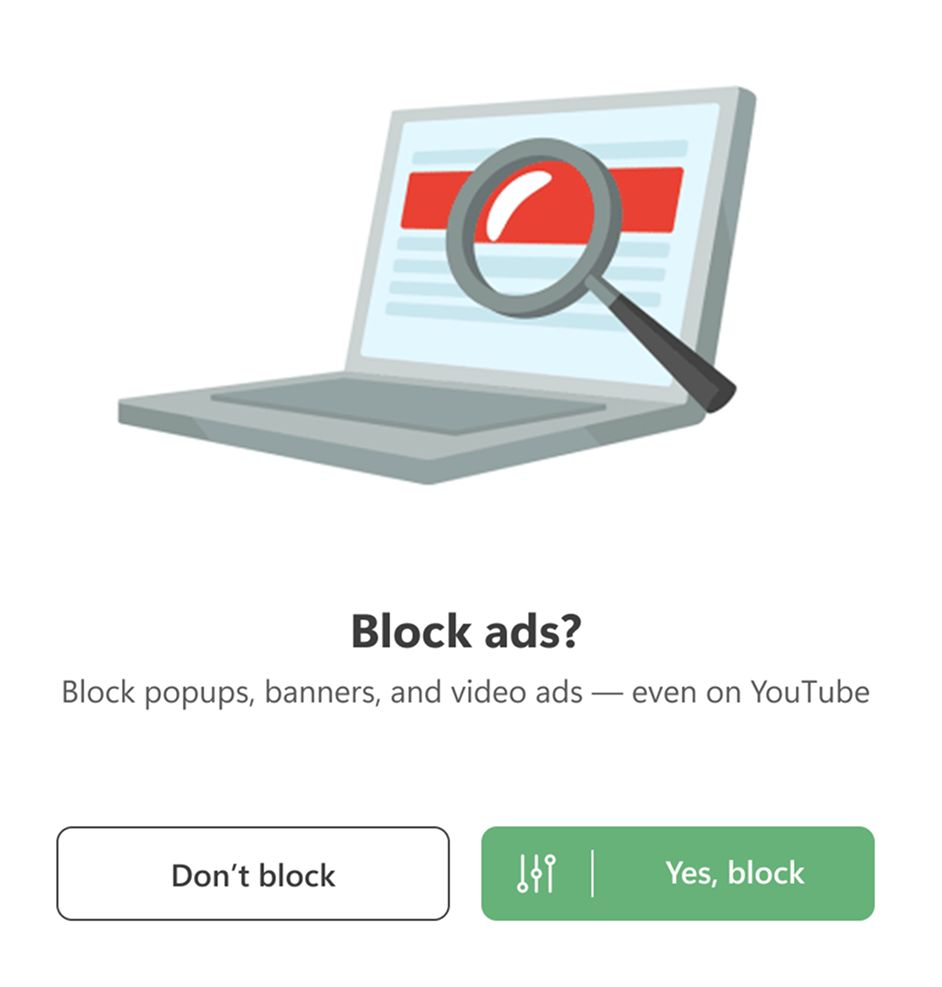
Quickly click through the options to:
-
Block ads in your language and remove intrusive website self-promotions;
-
Choose your tracker protection level — hardcore or just enough to stay comfy;
-
Hide popups and widgets (if you prefer the Internet without them);
-
Enable phishing protection to block dangerous websites;
-
Turn on HTTPS filtering — essential for effective ad blocking on modern websites.
Want to fine-tune things later or explore advanced settings? Go for it. Our Knowledge Base shows exactly where everything lives.
The full release is already on the horizon. For now, this beta focuses on improvements and bug fixes. Check the changelog for details.
Changelog
Improvements
- Filter List Manager updated to v2.3.5 #5718
Fixes
- Launch AdGuard at system startup and Enable filtering at system startup options don’t work properly #5702
- Duplicate domains and missing company logos in the Companies section on the Statistics tab #5749
- The Block search ads and self-promotion option doesn’t work #5772
- The Report the website option in AdGuard Legacy Assistant doesn’t work #5732
- Not all filters are updated on the first attempt when updating them manually #5704
- Incorrect certificate serial number marshalling causes false-positive CRLite matches #5793
CoreLibs (Filtering engine)
- CoreLibs updated to v1.20.88 #5813
Improvements
- Added an option to decode URLs in
$urltransform#1915 - Enabled HTTP/3 filtering by default in AdGuard beta/nightly versions #2014
- Added support for the
$reasonmodifier #1986 - Added CRLite as an alternative to OCSP #1997
Fixes
- The AdGuard certificate is missing when the Check websites’ certificate transparency advanced option is enabled #2046
@connectdoesn’t work as expected #1985- HAR file is not fully compiled #2002
- In Request details, the destination address is shown as 127.0.0.1 when AdGuard VPN integration is enabled #2021
- Incorrect handling of HTTP 10x status codes in HTTP/1.1 #2013
- Userscripts can’t be added because of BOM (Byte Order Mark) #2009
- The userscript runner doesn’t add a source map #1984
- When using FakeDNS option in proxy settings, AdGuard injections are broken #2017
- Localhost is unreachable in manual proxy mode in v1.19 #2019
Scriptlets (JavaScript enhancement for filtering rules) updated to v2.2.14
Improvements
- Added the new
prevent-innerHTMLscriptlet #488 - Added support for window.Fingerprint in
fingerprintjs2#541 trusted-click-element— added a parameter to extend the scriptlet execution time #400
UserscriptsWrapper (Userscripts and user styles support library) updated to v2.2.0
- GM.xmlHttpRequest and GM_xmlhttpRequest are implemented incorrectly #1983
AdGuard for Windows direct download links: