Repository navigation
How to submit a prediction result
- To submit prediction result, all the results should be saved as JSON format.
- In each competition type, the JSON schema for submission is defined strictly.
[
  {
    "item_id": "0001",
    "probability": 0.3235298655783375
  },
  {
    "item_id": "0002",
    "probability": 0.85590449562403781
  },
  {
    "item_id": "0003",
    "probability": 0
  },
  {
    "item_id": "0004",
    "probability": 0.14092035910723721
  },
  {
    "item_id": "0005",
    "probability": 0.9804300644869242
  },
  {
    "item_id": "0006",
    "probability": 0.914899699619688
  },
  {
    "item_id": "0007",
    "probability": 0.864730439996237
  },
  {
    "item_id": "0008",
    "probability": 0.7806685940126118
  },
  {
    "item_id": "0009",
    "probability": 0.5728933039984874
  },
  {
    "item_id": "0010",
    "probability": 0.5408474294869257
  }
]
[
  {
    "image_file_name": "0001.jpg",
    "annotations": [
      {
        "class": "dog",
        "conf": 0.7,
        "xmin": 105,
        "ymin": 105,
        "xmax": 205,
        "ymax": 205
      },
      {
        "class": "dog",
        "conf": 0.6,
        "xmin": 125,
        "ymin": 125,
        "xmax": 225,
        "ymax": 225
      }
    ]
  },
  {
    "image_file_name": "0002.jpg",
    "annotations": [
      {
        "class": "cat",
        "conf": 0.8,
        "xmin": 102,
        "ymin": 102,
        "xmax": 202,
        "ymax": 202
      },
      {
        "class": "flower",
        "conf": 0.78,
        "xmin": 124,
        "ymin": 124,
        "xmax": 224,
        "ymax": 224
      }
    ]
  }
]
JSON Schema for each metrics is defined at the following code.
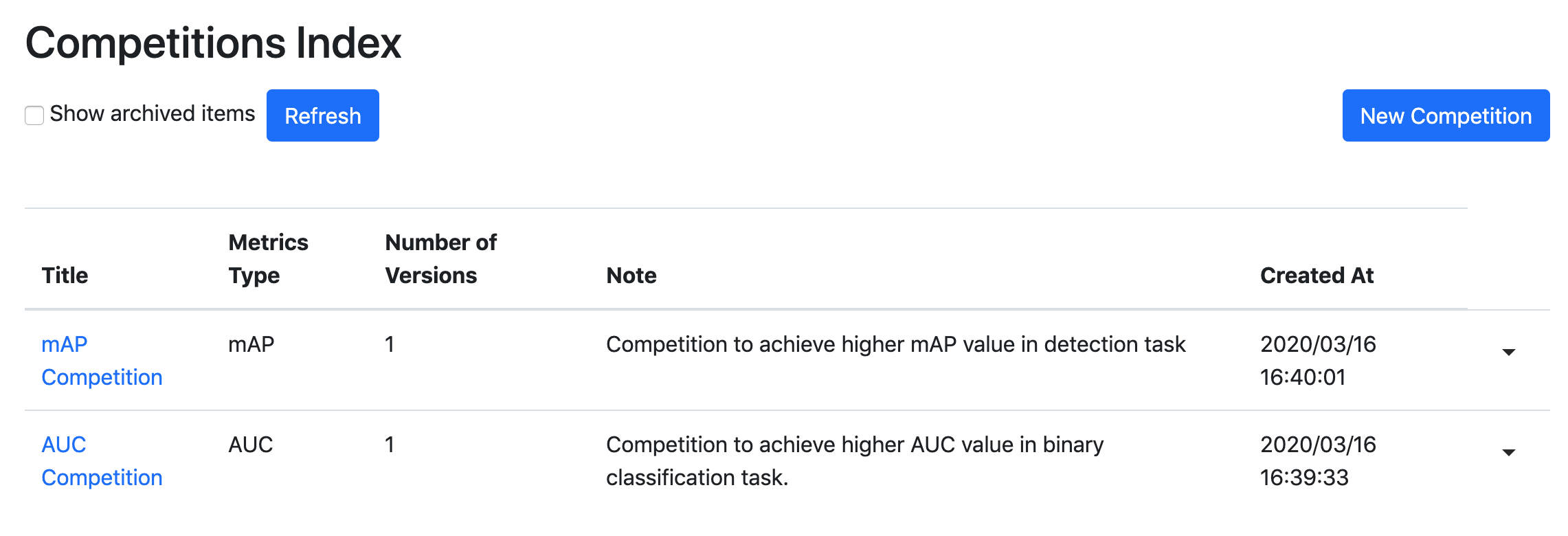
After sign-in, you can see competitions index as 1st view. You can click arbitrary link in each competitions.
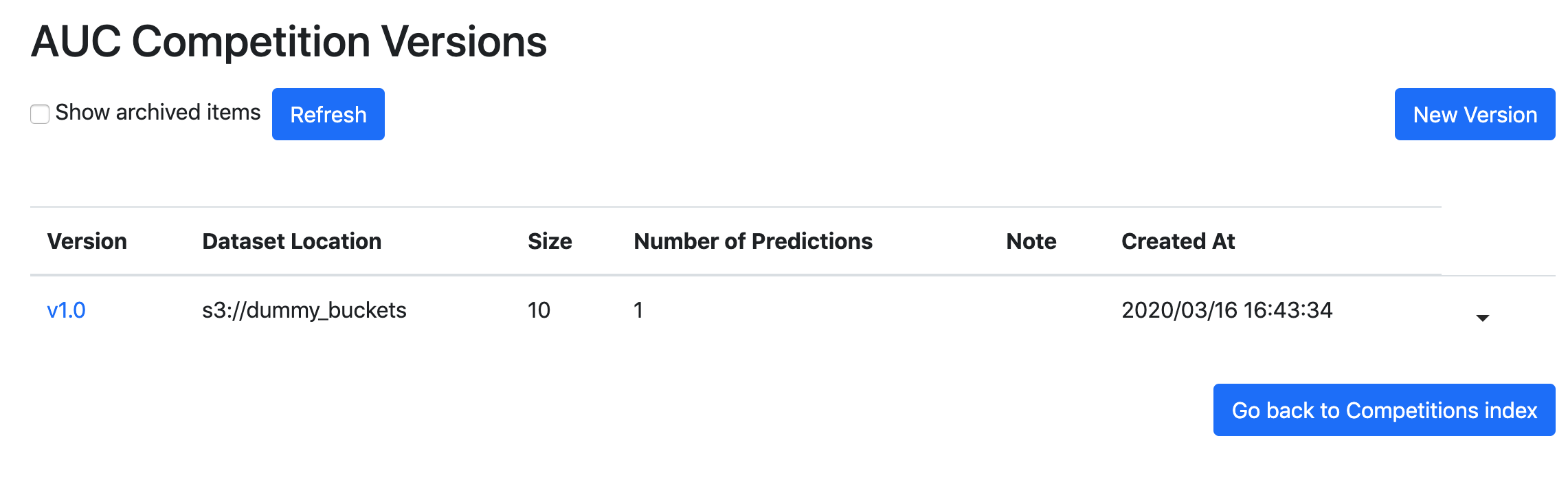
After clicking the link of one competition, you can see all the versions of the competitions.
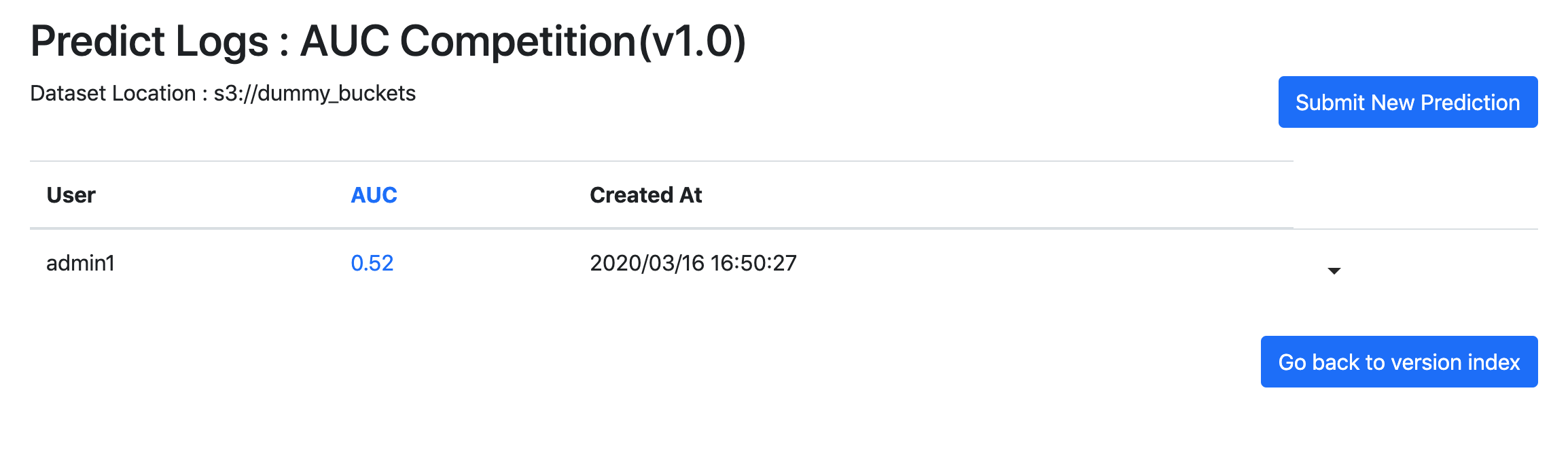
After clicking the link of one version, you can see submission index in the version You can check ranking at the version in the competition
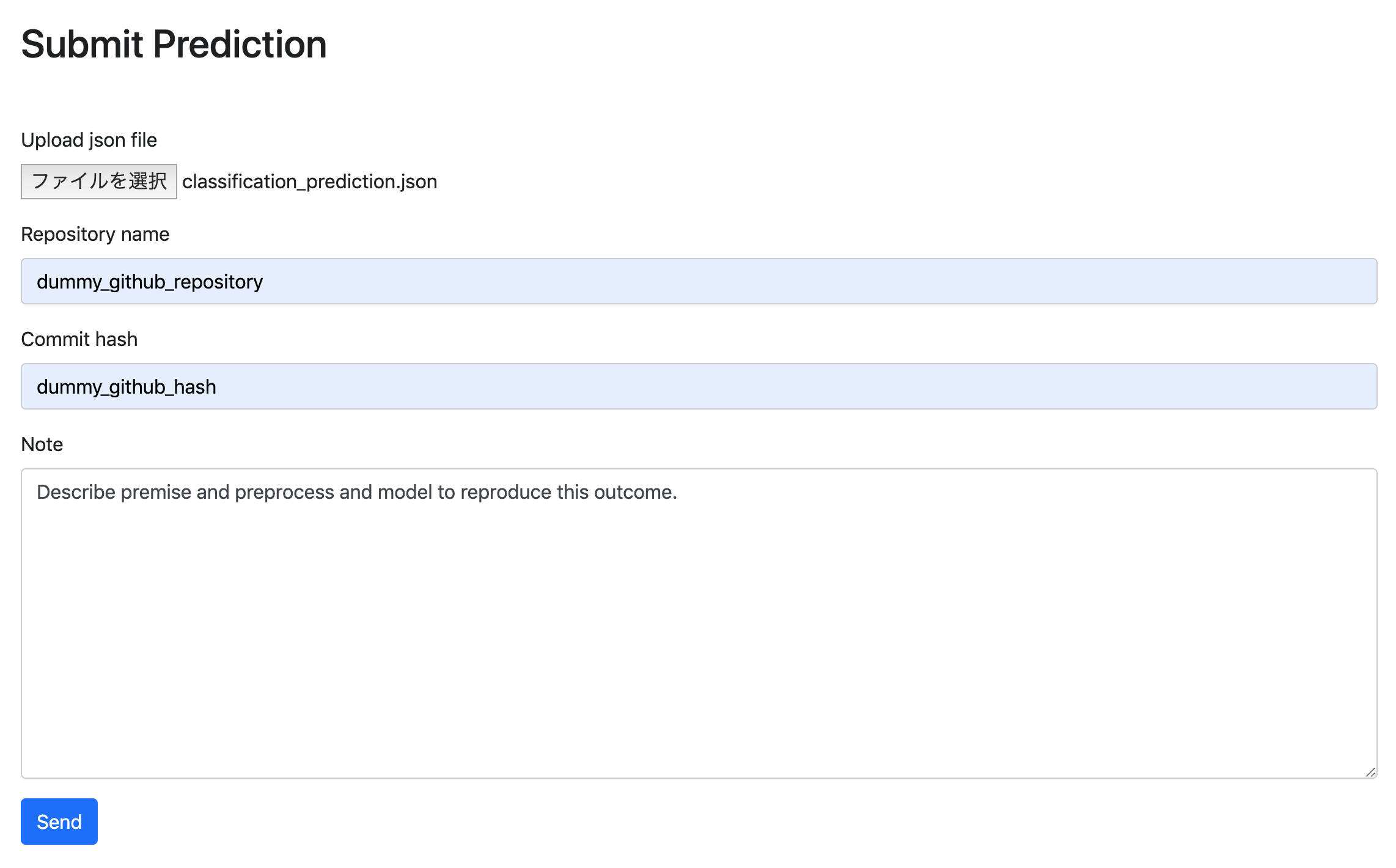
To submit the prediction result, Click Submit New Prediction button.
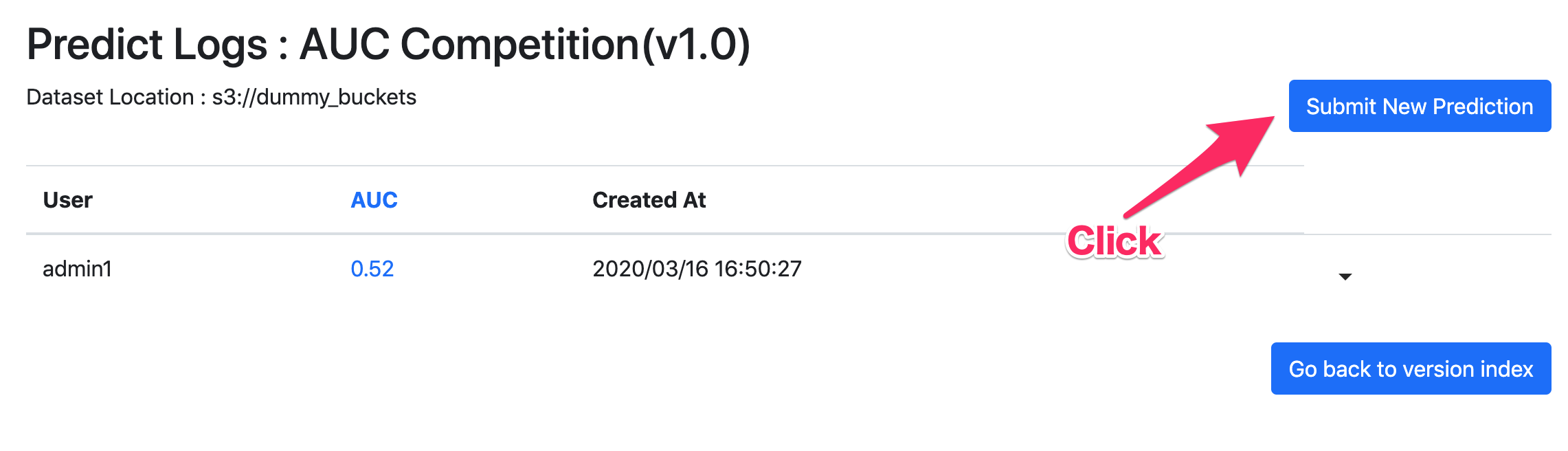
After clicking button, a form to submit the prediction result is shown.
In this form, you can attach JSON file that all the prediction result was outputted.
And You can write the note in this form with Markdown format.
After you submit prediction result, metrics of the competition are calculated via API server and you can check the prediction result and ranking at the screen of prediction index.