Repository navigation
Releases
Releases · Akoozie/layertone
layertone 0.1.0 beta 3

The app now works properly on a phone.
Install
pip install "layertone @ https://github.com/Akoozie/layertone/releases/download/v0.1.0-beta.3/layertone-0.1.0b3-py3-none-any.whl"
layertone-ui
To use it from your phone: layertone-ui --host 0.0.0.0 and open the address it prints (same Wi-Fi). The page has no password, so only do this on a network you trust.
New in beta 3: phones
- The top bar and toolbar fit the screen; Export 3MF is always reachable
- The print preview stays pinned at the top while you scroll the sliders, at full width
- Pinch to zoom and two-finger pan on the preview and the picture (a pinch never leaves a stray paint stroke or loses your crop)
- Finger-sized controls: buttons, menus and sliders are at least 44 px on touch screens
- Drag filaments by their handle to reorder the Stack
- Landscape keeps a large preview and shows the layer slider hint
Desktop with a mouse is unchanged.
Known limits
- Built and tested on a Bambu Lab A1 with AMS lite in Bambu Studio.
- Filament TD values are estimates until you calibrate (
layertone-swatch,layertone-board). - Thin frame bands (Double line under 6 mm) may be too thin for a 0.4 mm nozzle.
- Wall joins are tested on short runs, not yet on a full wall.
layertone 0.1.0 beta 2
Second beta of layertone (first public build: v0.1.0-beta.1): turn any picture into a layered filament print for Bambu Studio.
Install
pip install "layertone @ https://github.com/Akoozie/layertone/releases/download/v0.1.0-beta.2/layertone-0.1.0b2-py3-none-any.whl"
layertone-ui
Needs Python 3.10 or newer. The page opens at http://127.0.0.1:8765.
What's in it
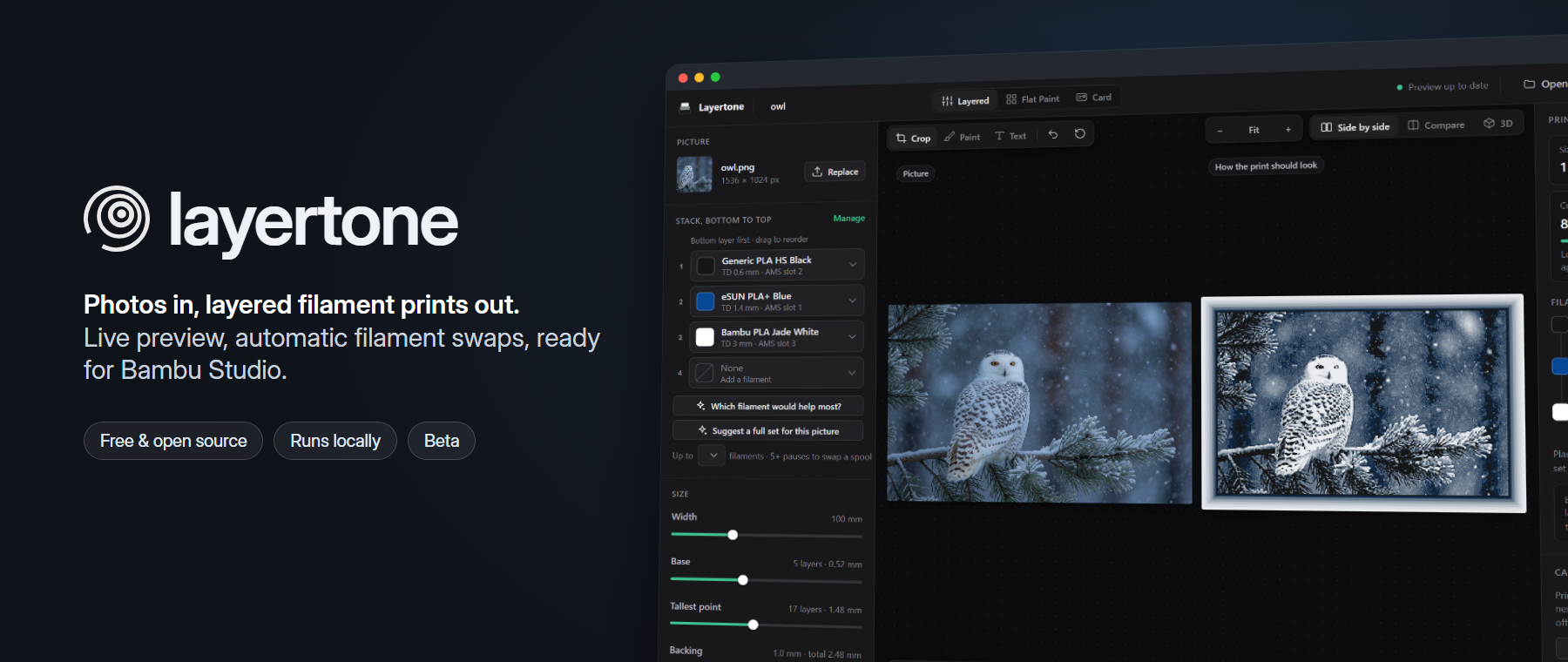
- Live preview with automatic swap planning and a layer-by-layer view
- Up to 8 filaments, with pauses for spool changes past the 4 AMS slots
- Filament advice: which filament would help most, or a full set for a picture
- Picture tools: crop, paint, text, grain smoothing, colour reduction, detail boost, dithering
- Frames in ten styles, stands, business cards and tiled walls with magnet, key or peg joins
- 3D view, dark mode, and a layout that works on phones (pinch to zoom)
- Command line tools:
layertone,layertone-card,layertone-stand,layertone-board,layertone-swatch
Known limits
- Built and tested on a Bambu Lab A1 with AMS lite in Bambu Studio.
- Filament TD values are estimates until you calibrate (
layertone-swatch,layertone-board). - Thin frame bands (Double line under 6 mm) may be too thin for a 0.4 mm nozzle.
- Wall joins are tested on short runs, not yet on a full wall.
Feedback and print photos are welcome in Issues.
Changes since beta 1
- New README: app header, photo-to-print examples from realistic photos
examples/pictures: owl and lighthouse photos to tryexamples/cards: six business card layouts with placeholder details (make_designs.pyregenerates them)
layertone 0.1.0 beta 1
First public beta of layertone: turn any picture into a layered filament print for Bambu Studio.
Install
pip install "layertone @ https://github.com/Akoozie/layertone/releases/download/v0.1.0-beta.1/layertone-0.1.0b1-py3-none-any.whl"
layertone-ui
Needs Python 3.10 or newer. The page opens at http://127.0.0.1:8765.
What's in it
- Live preview with automatic swap planning and a layer-by-layer view
- Up to 8 filaments, with pauses for spool changes past the 4 AMS slots
- Filament advice: which filament would help most, or a full set for a picture
- Picture tools: crop, paint, text, grain smoothing, colour reduction, detail boost, dithering
- Frames in ten styles, stands, business cards and tiled walls with magnet, key or peg joins
- 3D view, dark mode, and a layout that works on phones (pinch to zoom)
- Command line tools:
layertone,layertone-card,layertone-stand,layertone-board,layertone-swatch
Known limits
- Built and tested on a Bambu Lab A1 with AMS lite in Bambu Studio.
- Filament TD values are estimates until you calibrate (
layertone-swatch,layertone-board). - Thin frame bands (Double line under 6 mm) may be too thin for a 0.4 mm nozzle.
- Wall joins are tested on short runs, not yet on a full wall.
Feedback and print photos are welcome in Issues.