Repository navigation
Releases
1.5.1

What's Changed
- Update Qt to 6.12.0 LTS and bump pinned actions by @BorisBrock in #6
Full Changelog: v1.5.0...v1.5.1
Contributors

Assets 4
1.5.0
What's Changed
- Add an export dialog: PNG, JPEG, MP4 and GIF by @BorisBrock in #5
Full Changelog: v1.4.0...v1.5.0
Contributors
Assets 4
1.4.0
What's Changed
- Add a zoom lock: unlocked, each clip zooms and pans on its own by @BorisBrock in #4
Full Changelog: v1.3.0...v1.4.0
Contributors
Assets 4
1.3.0
What's Changed
- Let clips be hidden or given a color label by @BorisBrock in #2
- Speed up motion analysis for clip splitting by @BorisBrock in #3
Full Changelog: v1.1.0...v1.3.0
Contributors
Assets 4
1.1.0
What's Changed
- Split long recordings into parts that work like separate clips by @BorisBrock in #1
New Contributors
- @BorisBrock made their first contribution in #1
Full Changelog: v1.0.1...v1.1.0
Contributors
Assets 4
1.0.1
1.0.0
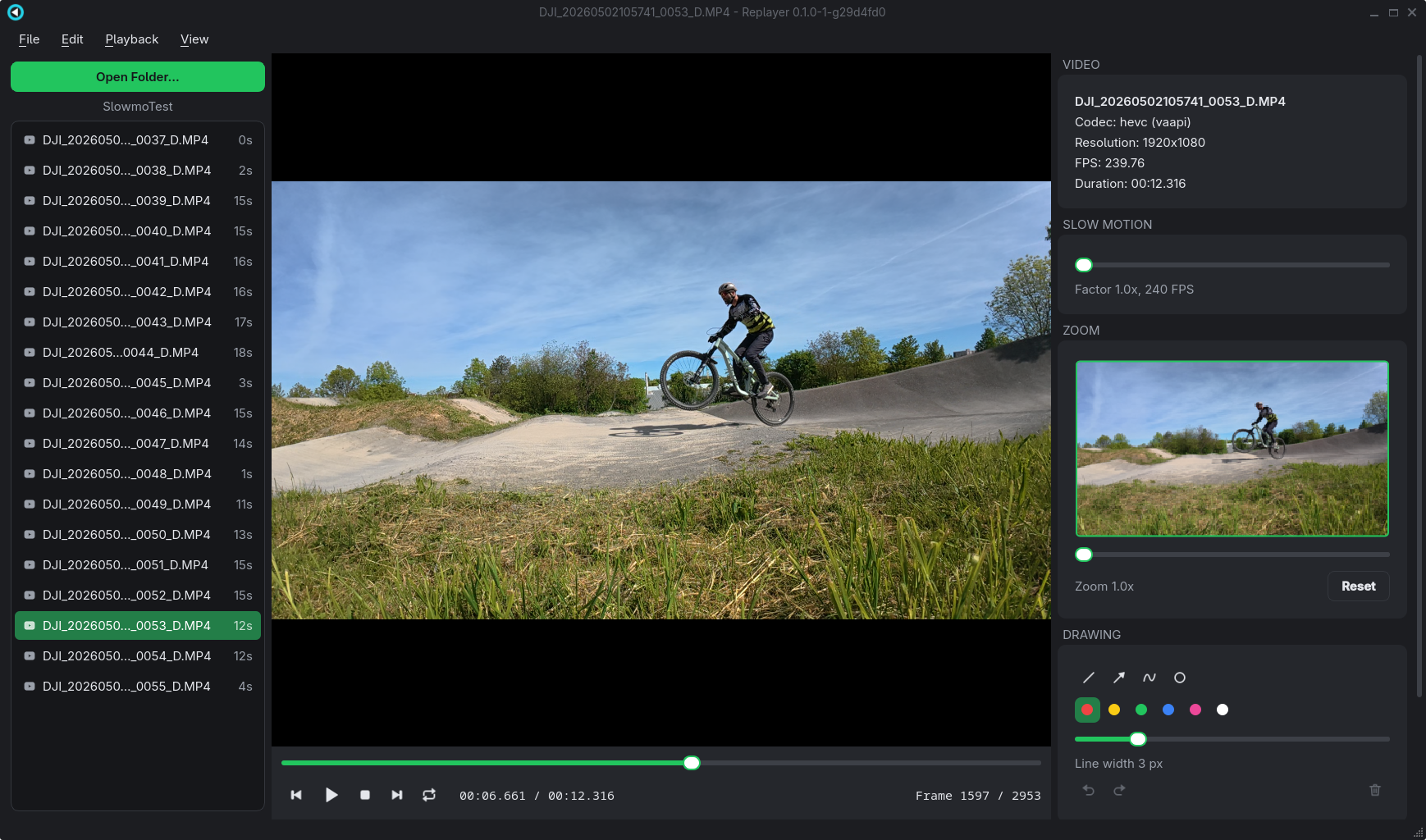
🎉 Replayer 1.0.0 – the first official release!
After two preview releases, lots of testing and plenty of fine-tuning, Replayer is ready for its first official release. Thank you to everyone who tried the early versions and sent feedback!
Replayer is the video player built for action cam footage: watch your best moments again, frame by frame, in buttery-smooth slow motion, and find out what really happened in that split second between take-off and landing. 🚵♀️🏂🛹🧗
✨ Highlights
⚡ Fast and hardware accelerated
Replayer decodes on your graphics card. Even 4K at 120 or 240 fps plays smoothly, and switching clips, scrubbing and frame stepping react instantly.
🎬 Slow motion and frame stepping
Play back up to 20x slower, step forward and backward one frame at a time, and loop the interesting part as often as you like.
🧩 Compare up to six clips side by side
Line up your attempts at the key moment, then play, pause and step them all in sync.
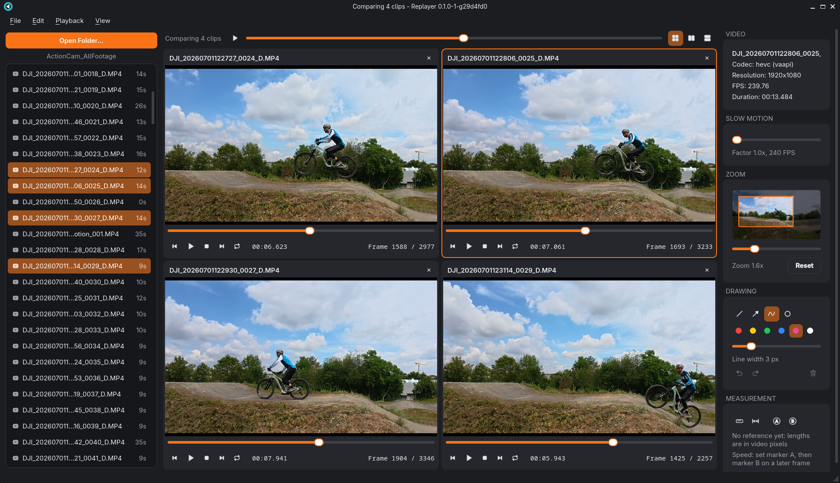
👻 New: ghost overlay
Select two clips and put one right on top of the other – blended, or split by a line you drag across the video. Which line was tighter? Where exactly did the front wheel leave the lip? Now you can see it in one picture.
🔍 Zoom in on the action
Zoom in up to 8x with the mouse wheel and drag to look at the details – your hands, your feet, your line.
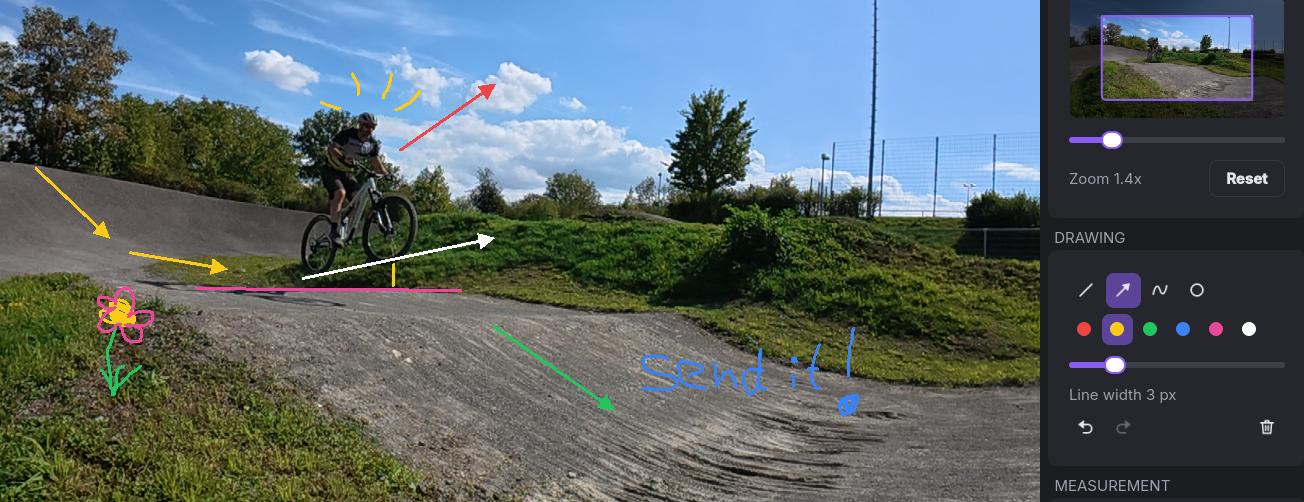
✏️ Draw on your clips
Lines, arrows, circles and freehand strokes in six colours. Every clip keeps its own drawings, and you can export the frame as a full-resolution PNG to share it.
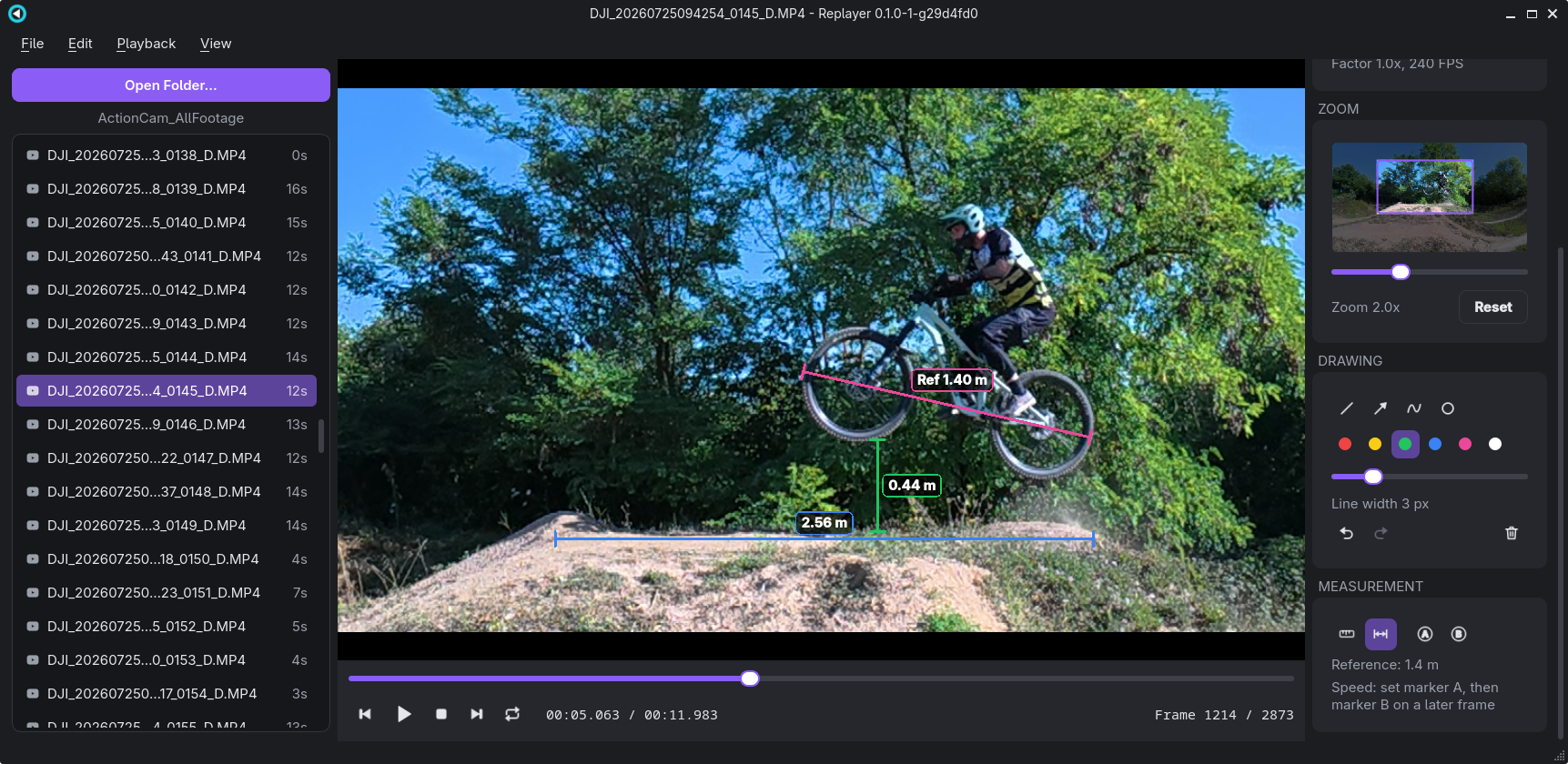
📏 Measure heights, distances and speed
Draw a reference line along something of known length, and every measuring line shows its real length. Set two markers a few frames apart and Replayer tells you how fast you were, in km/h or mph.
🎨 Modern dark UI
A clean dark theme with large, easy-to-grab controls and collapsible sections. Pick the accent colour you like best.
📦 Download
| Platform | File | How to start |
|---|---|---|
| 🪟 Windows | replayer-1.0.0-win64.zip |
Unzip and run replayer.exe – no installation needed |
| 🐧 Linux | replayer-1.0.0-x86_64.AppImage |
chmod +x it and run |
New to Replayer? The user guide explains every function (also in Replayer under Help → User Guide).
💚 Free, forever
No ads. No telemetry. No subscription. No account. Replayer is free and open source under the GNU GPL v3.
If Replayer helps you land that jump, you can buy me a coffee ☕ – and if you find a bug or have an idea, please open an issue. Have fun and happy replaying! 🎥
Full Changelog: v0.1.0...v1.0.0