Repository navigation
PS2AudioStudio-v1.0.0

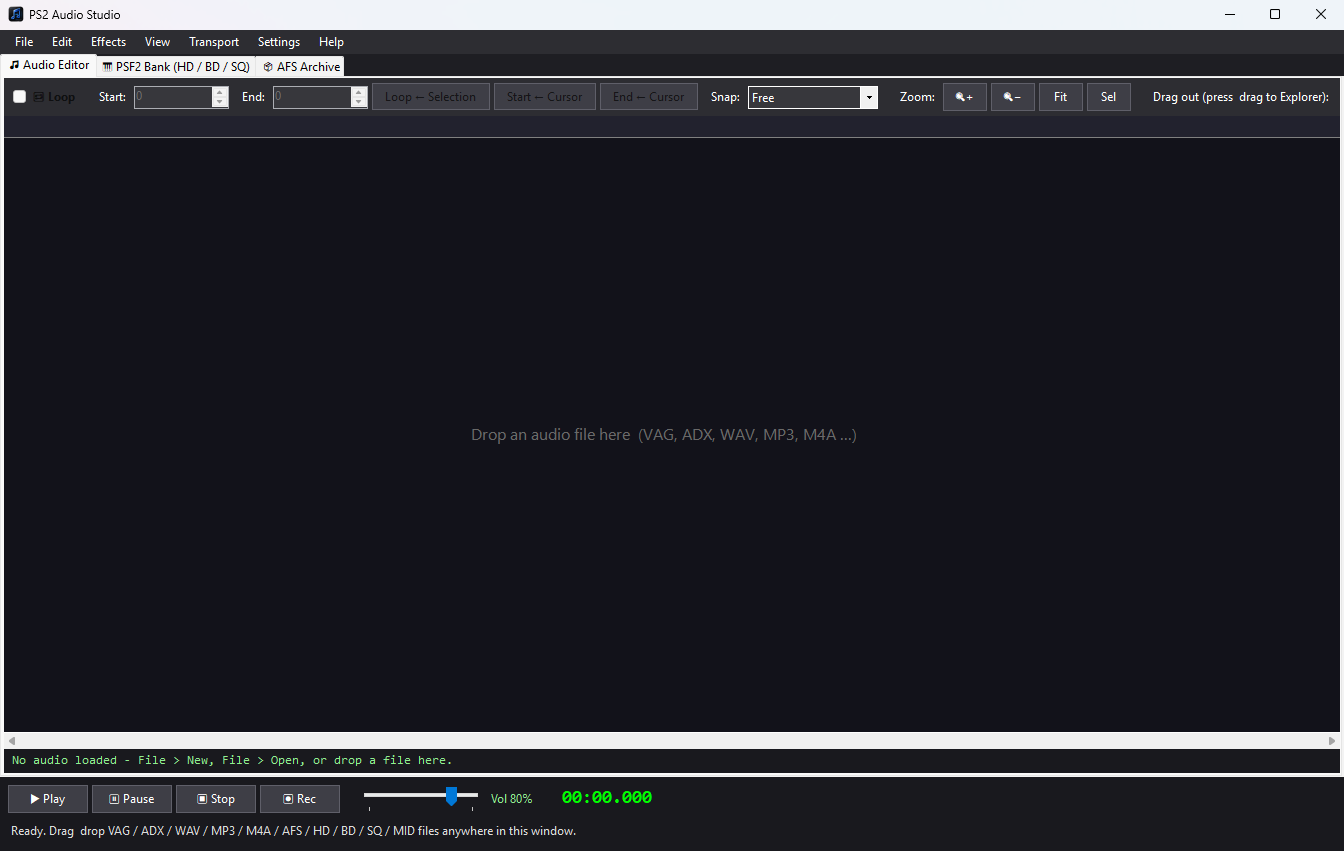
First public release of PS2 Audio Studio, a Windows audio editor, builder and converter for PlayStation 2 game modding. Made by DarthKrayt333, also the author of HMSTH Modding Tool.
Downloads
| File | For |
|---|---|
| PS2AudioStudio-v1.0.0-win-x64.zip | 64-bit Windows 10 / 11 (almost everyone) |
| PS2AudioStudio-v1.0.0-win-x86.zip | 32-bit Windows only (less tested) |
Unzip anywhere (keep all files together) and run PS2AudioStudio.exe. .NET is included, so there is nothing to install.
Highlights
- Audio Editor: waveform editing (cut, copy, paste, fade, amplify, normalize, reverse, resample and more), undo / redo, recording from a microphone or PC loopback, loop points with instant looped playback
- Formats: open and save VAG, ADX, WAV, MP3, M4A and raw interleaved PS-ADPCM, with a choice of sample rate and mono / stereo on save
- ADX loops: mono and stereo loops tested in game in Capcom vs SNK 2 and Harvest Moon AWL. Choose Compact (default) or CRI-standard
07 FClayout in Settings - PSF2 Bank: open HD + BD (+ SQ), extract and replace samples, play SQ songs, extract or replace MIDI
- AFS Archive: open, extract, replace (auto-converts audio), add, rename, remove, save, and drag entries out to Explorer
- Drag and drop onto every tab,
.bakbackups on by default
Quick start
- Run
PS2AudioStudio.exe. - Drag an audio file onto the window, or use File > Open.
- To make a looping ADX: set your loop points, tick Loop, then Save As > ADX.
Known limitations
- Encrypted ADX and AHX are not supported (encrypted files decode as noise).
- The ADX encoder is simple, so quality is not identical to CRI's tools.
- MP3 / M4A export depends on Windows Media Foundation and your Windows edition.
- PSF2 playback is an offline sampler, not a cycle-exact SPU2 (no reverb or LFO).
- Drag and drop does not work if the app runs as Administrator and Explorer does not.
- The x86 build is less tested.
Please note
- Back up your game files before saving over archives or banks.
- The exe is not code-signed. Windows SmartScreen or your antivirus may warn on first run: choose More info > Run anyway.
- Source code is in this repository (MIT licence). No game assets are included.
Bug reports are welcome under Issues. Please include the file type and what the app showed.