Repository navigation

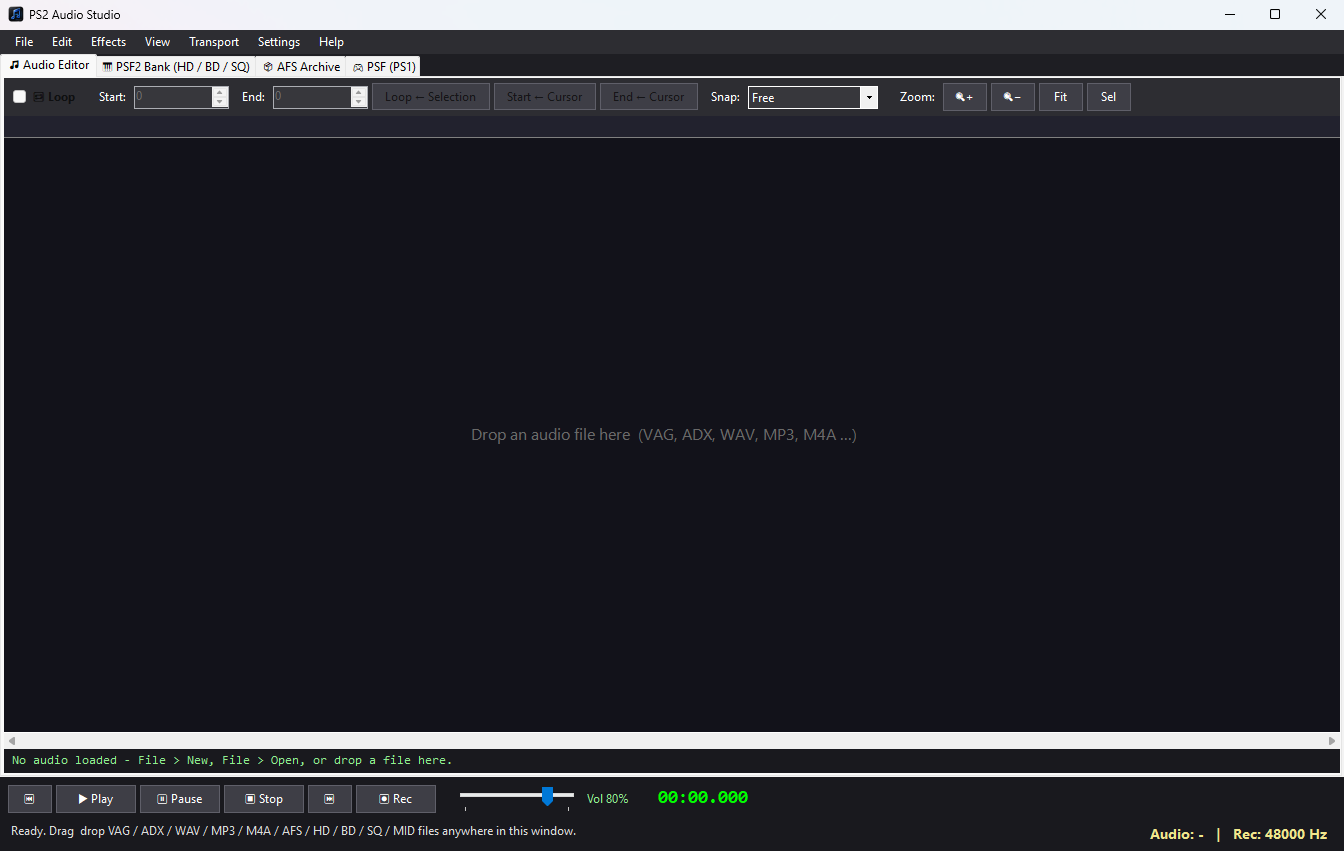
Audio editor and modding tool for PlayStation 2 / PlayStation 1 game audio.
By DarthKrayt333.
Download
| File | For |
|---|---|
PS2AudioStudio-v1.0.2-win-x64.zip |
64-bit Windows (recommended) |
PS2AudioStudio-v1.0.2-win-x86.zip |
32-bit Windows |
Standalone: nothing to install. Unzip and run PS2AudioStudio.exe.
No .NET installation is needed.
The 32-bit build has less memory available. Use the 64-bit build for very large AFS archives and long renders.
Windows SmartScreen may warn about an unknown publisher because the app is not code-signed. Click More info → Run anyway.
What it does
- Editor: waveform editor for VAG, ADX, WAV, MP3, FLAC, OGG and M4A, with loop points.
- PSF2 tab: open PSF2 banks (BD + HD + SQ), play songs, replace samples, bulk replace, edit programs and VAGs in PSF2 Studio, export SF2 + MIDI.
- AFS tab: browse AFS archives with folders, extract, replace and save. Back / Forward navigation.
- PSF tab: open PSF files, show samples and songs, play full songs, export SF2 + MIDI and BD + HD + SQ, edit the bank in PSF Studio.
- Manual sequences: load a MIDI, SQ or SEQ file by button or drag and drop into the active tab, and play it with the open soundbank.
- Wet byte setting for reverb (locked behind the ⚙ button, default
27).
Supported formats
VAG (classic, raw and interleaved), ADX, WAV, MP3, FLAC, OGG, M4A, AFS, HD / BD / SQ (PSF2), MIDI, SEQ, SF2, PSF (Sony VAB + SEQ, Square AKAO). Minipsf / psflib support is partial (see Known issues).
What's new in v1.0.2
- PSF → BD + HD + SQ: Legend of Mana 120 is fully ported to BD + HD + SQ with its effects (reverb). Tick Apply effects from PSF, then use Save BD + HD + SQ.... The reverb is written as the wet byte in the sample entries (default
27). - AFS: folders and plain file names, folder tree, New folder, Back / Forward buttons.
- PSF2 tab: bulk replace of samples by file-name order. The replacement file's sample rate is now the default.
- PSF tab: separate Save SF2 and Save MIDI buttons. The exported MIDI plays correctly with the SF2 in Awave Studio.
- PSF tab: a MIDI / SQ / SEQ you load yourself shows the waveform player.
- Sound-driver emulator: hardware interrupt support; Legend of Mana 102 now loads.
- AKAO: files whose header has no drum table (for example Legend of Mana 105) are now recognised.
- Double-click selects the whole track.
- Wet byte setting for the reverb amount, locked behind the ⚙ button.
Known issues
- Minipsf +
.psflibfiles (for example Final Fantasy) do not load their song yet. - PSFs that use a sound format other than Sony VAB/SEQ or AKAO (for example Final Fantasy VI) show no songs.
- Some AKAO files report that the game's sound driver cannot be run.
- Legend of Mana 102: the song is read too short and its loop is not detected.
- Saving new
.psffiles is not available yet.
Usage
- Run
PS2AudioStudio.exe. - Drag files onto the window. They open in the active tab.
- Put
.psflibfiles in the same folder as the minipsf that needs them. - In the PSF tab, pick a song and press Play full song.
- To get a MIDI that matches an SF2, use Save SF2..., then Save MIDI.... In Awave, load the SF2 first and then the MIDI.
- To convert a PSF to BD + HD + SQ with its reverb, tick Apply effects from PSF and press Save BD + HD + SQ....
Build from source
Requires the .NET 8 SDK and Windows.
dotnet build -c Release
Credits
Made by DarthKrayt333. Audio playback uses NAudio.
Bug reports and files that fail to open are welcome in the Issues section.