Repository navigation
Releases
Just Simple Slides 0.2.11

- Export the current slide deck to a PDF in desktop Obsidian, with one 16:9 page per slide and the current theme, local images and diagrams. Private slide notes stay outside the PDF.
- Save beside the Markdown note, choosing a numbered copy whenever a filename is occupied. Reserve the destination during writing and serialize exports to protect existing files.
- Wait for fonts and media before printing. Failed or missing media stops the export, and temporary print state is cleaned up after success, cancellation or failure.
- Thanks to @albortino for contributing PDF export in #16.
Validated with 108 tests, lint, TypeScript and packaging checks, CI on Windows and Linux, and real exports in Obsidian 1.15.1. The light and dark PDFs were checked for page size, text, local images, diagrams, private-note exclusion and preservation of existing files and source Markdown.
Requires Obsidian 1.7.2 or later. Download main.js, manifest.json and styles.css into /.obsidian/plugins/just-simple-slides/. All three files were built and attested in GitHub Actions.
Just Simple Slides 0.2.10
- Move the Add slide button to the bottom toolbar in Slide sorter, immediately before Duplicate slide. The button returns to the thumbnail header in Slide editor.
Requires Obsidian 1.7.2 or later. Download main.js, manifest.json and styles.css into /.obsidian/plugins/just-simple-slides/. All three files were built and attested in GitHub Actions.
Just Simple Slides 0.2.9
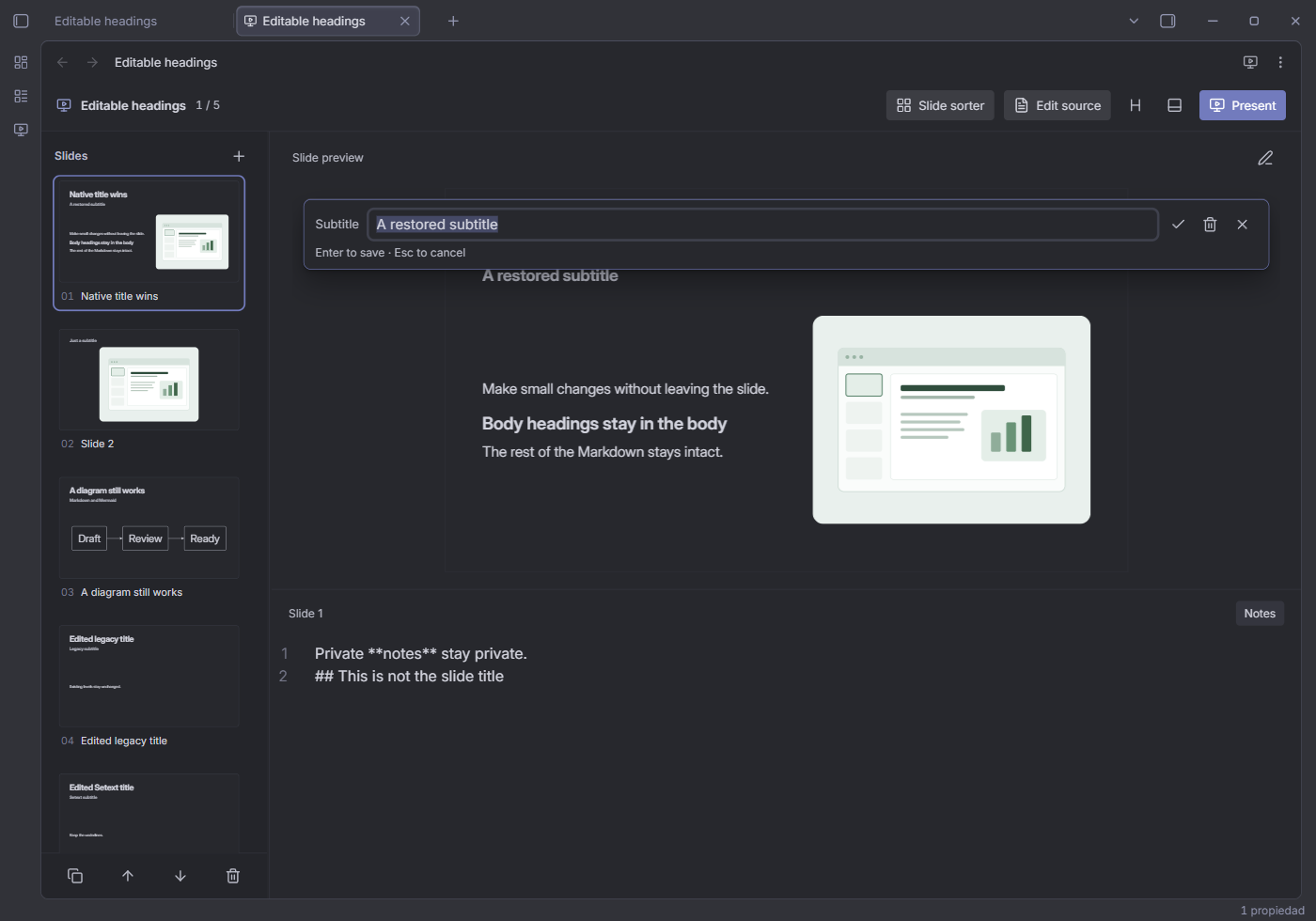
- Edit, add or remove only the slide title and subtitle from Slide editor. Double-click a preview heading or use the compact pencil menu; Enter/Ctrl/Cmd+S confirms, Escape cancels, and the trash button removes the selected heading. No full slide editor or presentation editing controls are added.
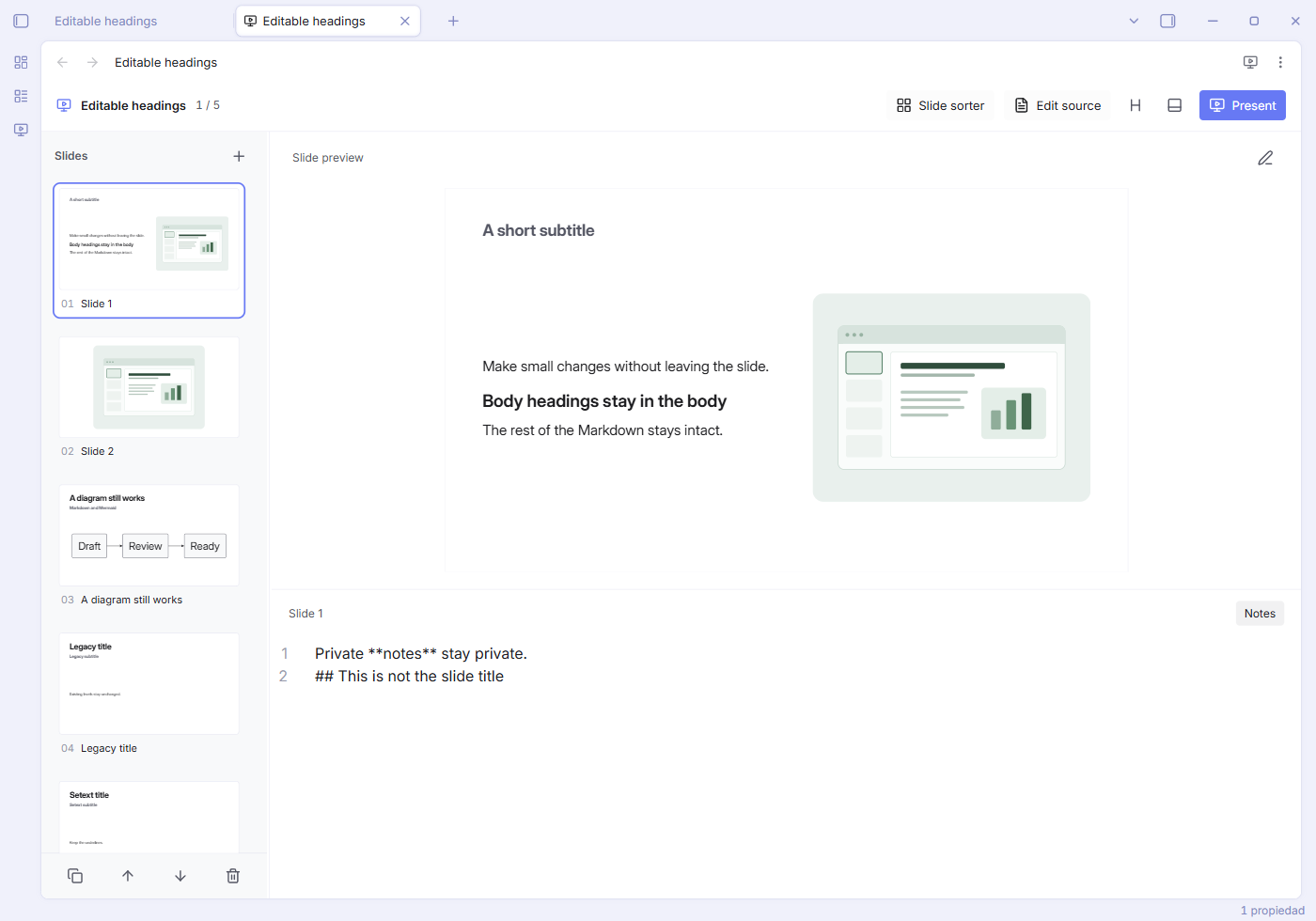
- Keep titles and subtitles independent when either is removed, without promoting later body headings. An invisible HTML comment reserves a removed slot. New headings use H2/H3; existing levels, inline Markdown, spacing and Setext underlines are preserved. Each confirmed change is one undo step and synchronizes with the source and thumbnails.
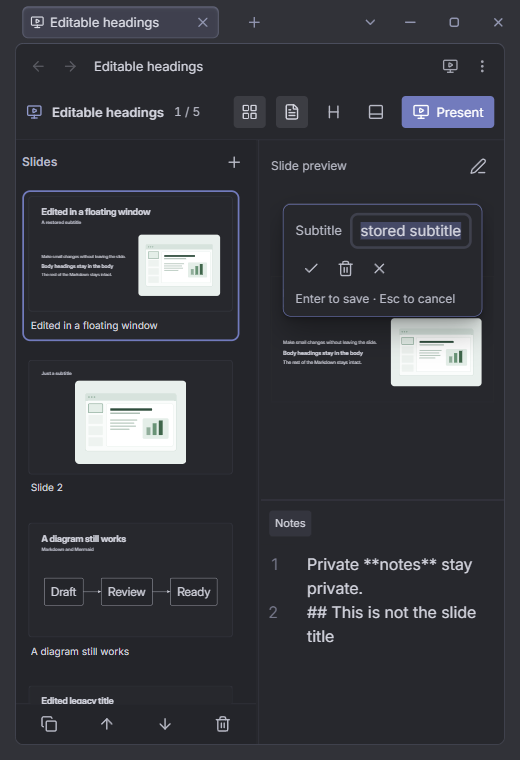
- Protect newer native Markdown edits from stale heading drafts, keep typing/cursor shortcuts local to the field, and support floating windows with owned UI cleanup. Body text, notes, media, optional Pele support and the minimum Obsidian version (1.7.2) are retained. See the README screenshots and validation report.
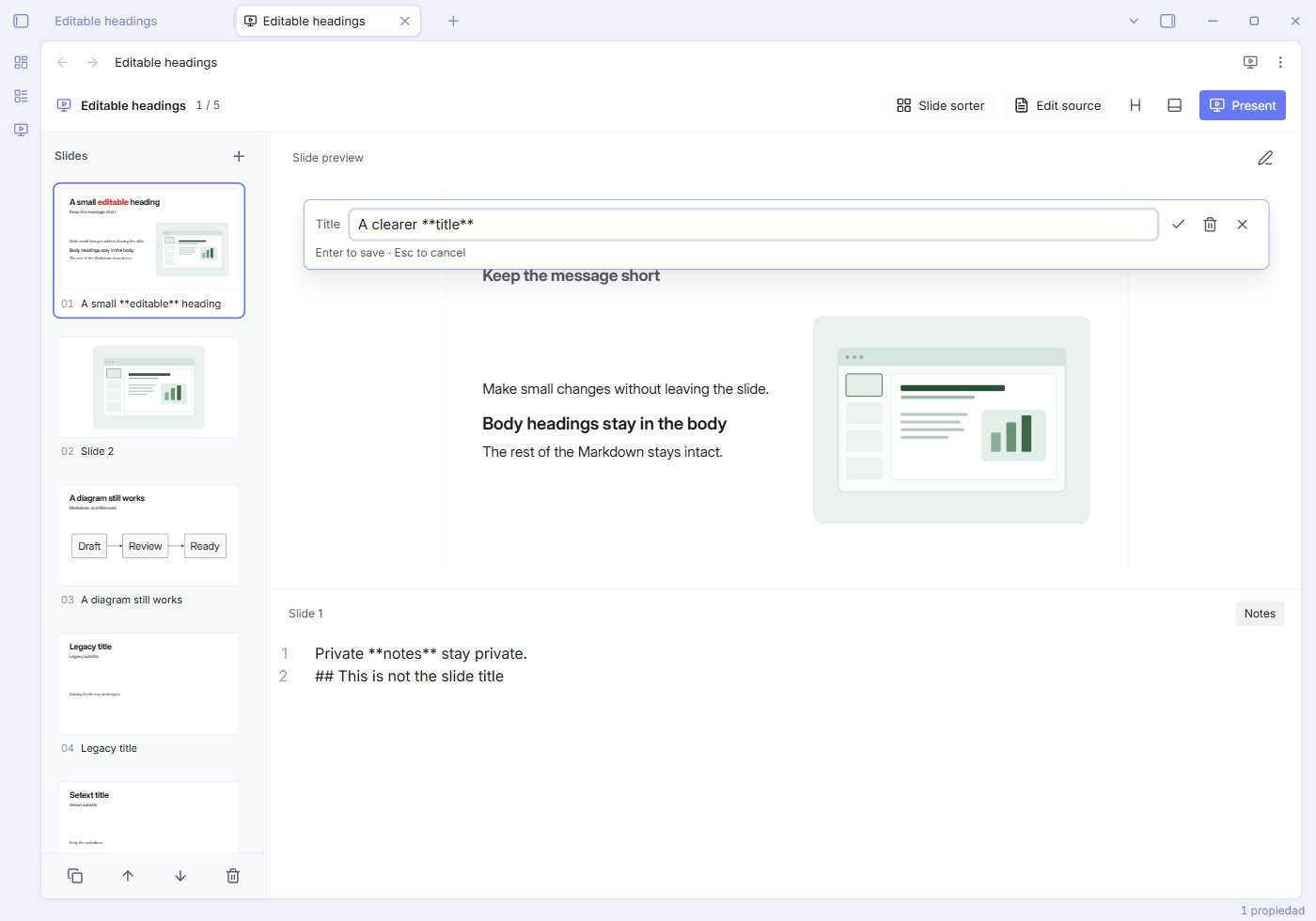
More screenshots: dark mode, subtitle without a title, floating window.
Requires Obsidian 1.7.2 or later. Download main.js, manifest.json and styles.css into /.obsidian/plugins/just-simple-slides/. All three files were built and attested in GitHub Actions.
Just Simple Slides 0.2.8
- Use Obsidian's own Pele runtime when available, without installing or bundling Pele or increasing the minimum Obsidian version (1.7.2). Fall back to native Markdown rendering when the optional host engine is unavailable. Extract genuine Mermaid fences before rendering with Pele, preserving literal examples, nested fences, comments, private notes, line endings and diagram-internal frontmatter.
- Compose diagrams as visual resources alongside text and existing images. Use the same logical geometry in editor, thumbnails, sorter, player and floating windows, retaining authored direction and matching measured/displayed fonts.
- Follow theme colors with readable chart series, show diagram errors as text without stale SVGs, isolate SVG IDs, and refresh hidden/font-changing surfaces with complete observer cleanup. Keep diagram zoom and network resources disabled.
Requires Obsidian 1.7.2 or later. Download main.js, manifest.json and styles.css into /.obsidian/plugins/just-simple-slides/. All three files were built and attested in GitHub Actions.
Just Simple Slides 0.2.7
- Prevent a late save from writing the empty buffer of a cleared or closing slide view. Only fully loaded views can save or own document synchronization; native editor unload events no longer propagate their cleared content.
- Wait for in-flight slide saves before flushing the final edits on close. Clear a closing view only after saving succeeds, and never clear a different file loaded during an earlier save.
- Reuse the existing slide tab for the same Markdown file, including restored tabs and tabs in other windows. Serialize repeated invocations so they cannot create duplicates while a tab loads.
- Reduce slide sorter gaps from 22px to 14px on desktop and from 16px to 12px in narrow windows, with matching drag insertion markers.
Requires Obsidian 1.7.2 or later. Download main.js, manifest.json and styles.css into /.obsidian/plugins/just-simple-slides/. All three files were built and attested in GitHub Actions.
Just Simple Slides 0.2.6
- Add a subtle 2px progress bar at the bottom of presentation mode. The current slide's position fills the bar smoothly, reaching 100% on the last slide and moving back when navigating to earlier slides. It uses the theme accent at low opacity, stays visible while controls fade, and respects system reduced motion.
- Expose slide progress to screen readers without adding a focus stop or blocking presentation controls. No new settings or changes to the Markdown.
Requires Obsidian 1.7.2 or later. Download main.js, manifest.json and styles.css into /.obsidian/plugins/just-simple-slides/. All three files were built and attested in GitHub Actions.
Just Simple Slides 0.2.5
- Use a 0.70-second Fade when changing slides in presentation mode. The incoming slide dissolves over the previous one with the current Obsidian theme. Fade is the only transition and has no settings; the first slide appears immediately and reduced motion follows the system preference.
- Keep navigation responsive during an unfinished fade, discard superseded renders, and clean up outgoing slide components and animations on completion or exit. Both slides stay fitted during fullscreen/window resizing; outgoing links are excluded from interaction and keyboard focus. Editor and sorter previews keep their immediate updates.
Requires Obsidian 1.7.2 or later. Download main.js, manifest.json and styles.css into /.obsidian/plugins/just-simple-slides/. All three files were built and attested in GitHub Actions.
Just Simple Slides 0.2.4
- Navigate the normal slide editor with Right/Down for the next slide and Left/Up for the previous slide. Opening the slide view and returning from the sorter focus the preview, ready for arrow navigation. Clicking the preview restores that focus after editing notes.
- Preserve normal arrow-key behavior in private notes, text fields, area selectors, and resizable dividers. Modified shortcuts, thumbnail reordering, grid navigation, and presentation controls keep their existing behavior. Navigation stops at the first/last slide without changing the Markdown.
Requires Obsidian 1.7.2 or later. Download main.js, manifest.json and styles.css into /.obsidian/plugins/just-simple-slides/. All three files were built and attested in GitHub Actions.
Just Simple Slides 0.2.3
- Fix thumbnails briefly appearing cropped or too small when switching between the slide editor and Slide sorter. Reused previews now receive their new scale during the layout change, including while changing thumbnail size or resizing the sidebar.
- Resize the fixed slide canvas without recalculating its text layout. Content, font, and image changes still trigger full fitting; repeated pending requests share one animation frame. Floating views reconnect their resize observers to the window that owns them.
Requires Obsidian 1.7.2 or later. Download main.js, manifest.json and styles.css into /.obsidian/plugins/just-simple-slides/. All three files were built and attested in GitHub Actions.
Just Simple Slides 0.2.2
- Add Create slide notes to the lower panel when the selected slide has no private
[!slide]areas. The button appends an empty> [!slide] Slide notescallout at the end of that slide, with a blank line before the following---, and focuses the notes editor so you can start writing immediately. - Keep existing slide content and other slides unchanged. Creation syncs to the native Markdown editor and other slide tabs, saves normally, and can be undone/redone as one operation. Existing private areas keep their usual selectors; the button does not add duplicates.
Requires Obsidian 1.7.2 or later. Download main.js, manifest.json and styles.css into /.obsidian/plugins/just-simple-slides/. All three files were built and attested in GitHub Actions.