Repository navigation
DigiNode Tools v26.11.01

DigiNode Tools v26.11.01 - 2026-11-03
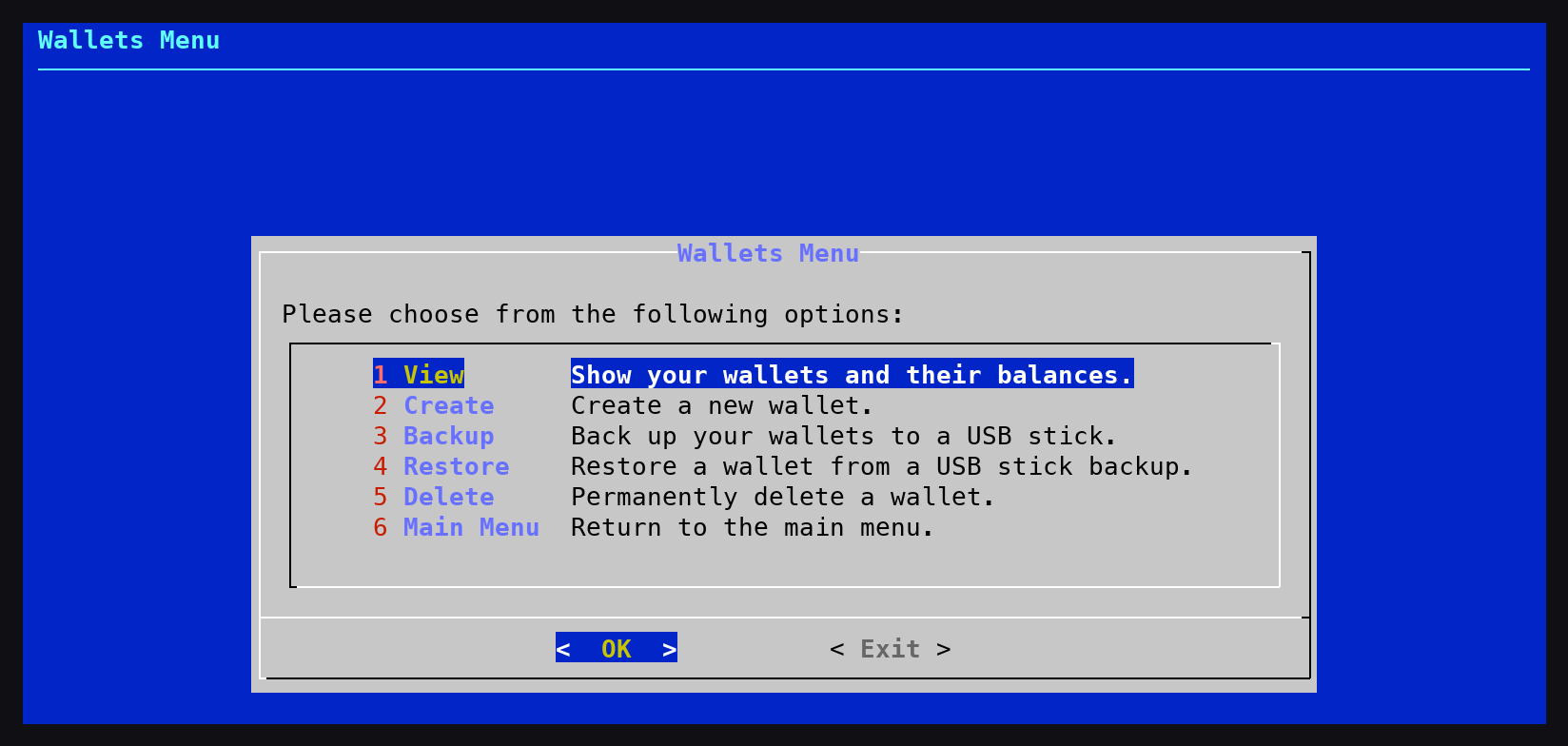
- New: Wallets menu - The DigiNode Setup main menu has a new Wallets option, which replaces Backup and Restore. From it you can view your wallets and their balances, create a new wallet (with a passphrase to encrypt it, which is recommended), back up your wallets to a USB stick, restore a wallet from a USB stick backup, and delete a wallet you no longer need. DigiNode Setup now remembers when each wallet was last backed up, and shows it when you view your wallets. You can back up and restore both mainnet and testnet wallets, even if the node for that network isn't running - a wallet restored for a node that isn't running loads the next time it runs. Restoring never replaces an existing wallet - the backup is restored as a new wallet, with a name you choose - and it can also restore a backup made with an earlier version of DigiNode Tools.
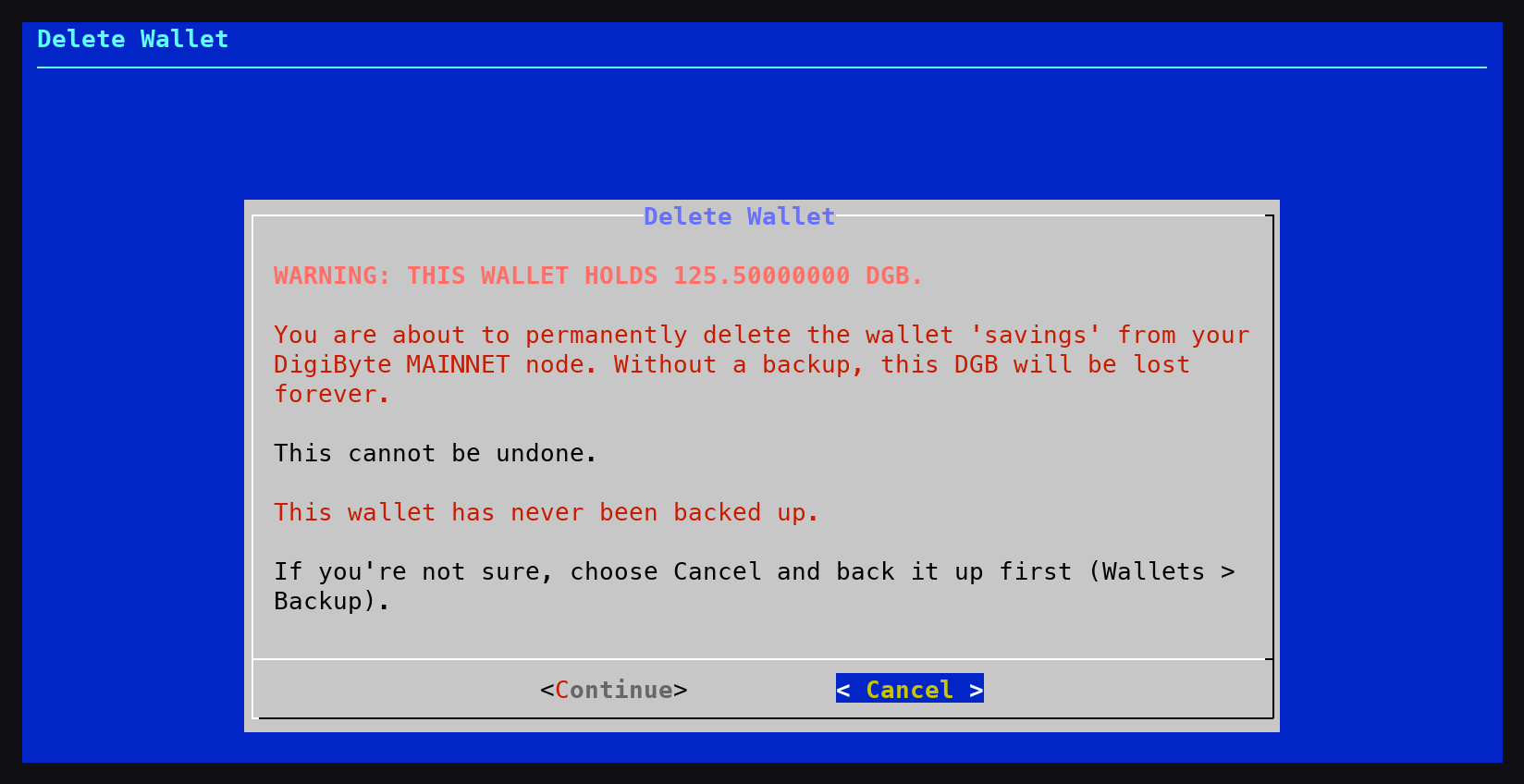
- New: Delete a wallet safely - The Wallets menu can delete a wallet you no longer need. Deleting a wallet is permanent, so DigiNode Setup makes sure you mean it. If the wallet still holds DGB, you get a clear warning in red showing its balance, and that without a backup it will be lost forever. You are also told when the wallet was last backed up, or that it has never been backed up. Cancel is the default, and to go ahead you must type I UNDERSTAND.
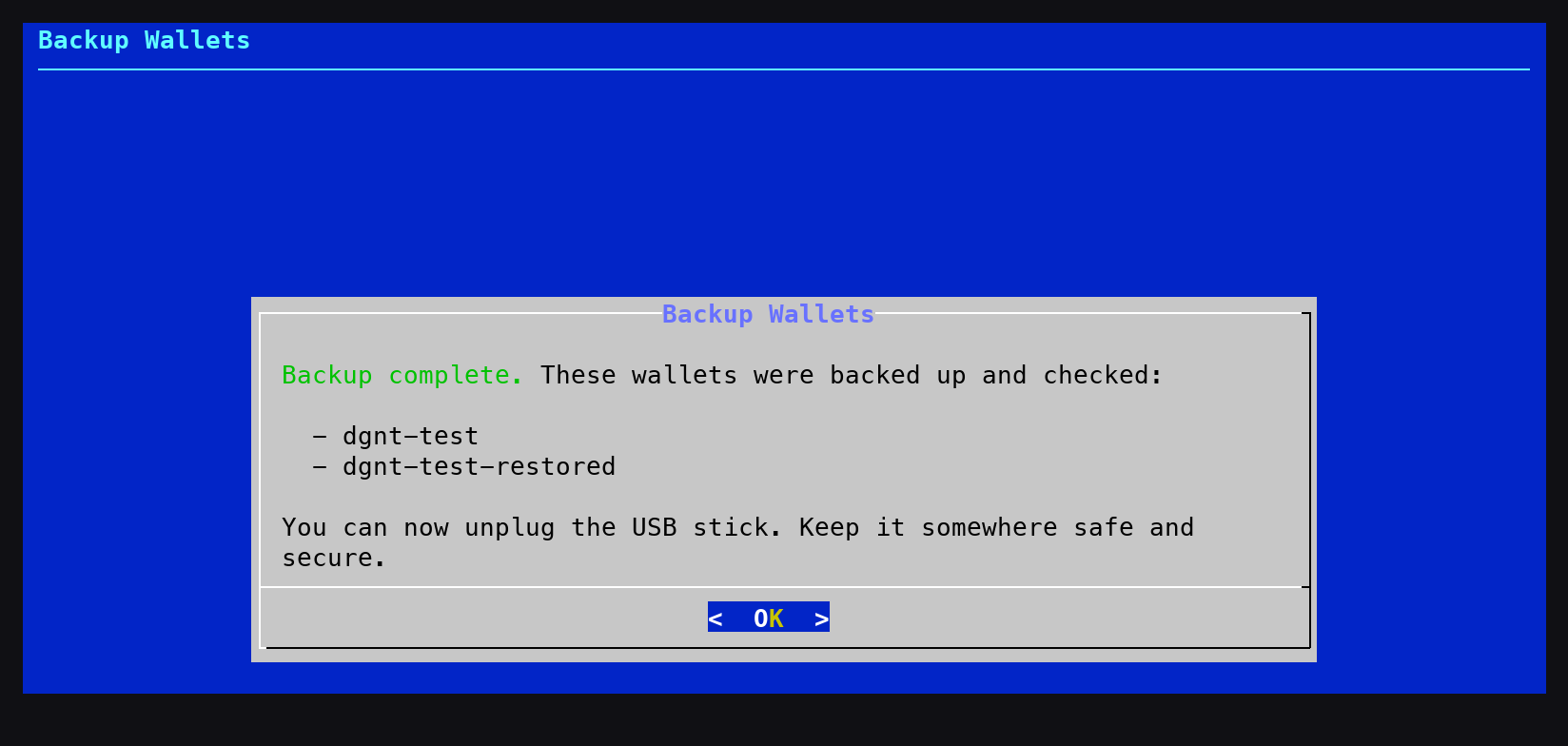
- Fix: USB wallet backup - Backing up your wallet to a USB stick works again with current versions of DigiByte Core, which keep wallets in a different place and no longer create a wallet automatically. Every wallet on your node can now be backed up, not just the default one, and each backup is made by DigiByte Core itself, then read back from the USB stick and opened to check it is a working wallet. Your previous backup of each wallet is kept on the stick too. USB sticks formatted by an earlier version of DigiNode Tools now work again.
- Fix: Testnet sync progress - On a Dual Node or a testnet node, DigiNode Dashboard showed the testnet blockchain as 100% synced while it was still syncing. This is caused by DigiByte Core, which always reports testnet as fully synced (reported to the DigiByte Core developers). DigiNode Dashboard now works out the testnet sync progress itself, and only shows a node as fully synced once DigiByte Core has finished its initial sync.