Repository navigation
OOXML Toolkit 0.3.0

9212ddc  DominikPalo
Dominik Paľo
OOXML Toolkit 0.3.0 opens OpenDocument files (.odt, .ods, .odp and friends) alongside Office files, and fixes several ways an edit could be lost on save.
What's new
- OpenDocument support. ODF packages are ZIP + XML like Office files, but have no relationships or content types. They now open as first-class documents:
- The overview shows the document properties from
meta.xml— title, author, keywords, dates, editing time, custom properties and statistics. - A Manifest view of
META-INF/manifest.xmlreplaces the (empty) relationship view, marks missing and unlisted files, and part headers show the media type from the manifest. - The package check verifies
mimetype(first entry, stored, no trailing whitespace, matches the manifest) and compares the manifest with the parts. Damaged or unusual packages are reported instead of failing to open. - Adding or renaming a part updates the manifest, and
mimetypeis always saved first and uncompressed. (Deflating it breaks ODF consumers.)
- The overview shows the document properties from
- Fixed: edits made while saving. Changes made during a save are no longer lost or shown as saved, and a part restored with undo during a save keeps its place in the archive.
- Fixed: Inspector drafts. Text typed into an Inspector field is committed before you save or close, instead of being left out of the file or discarded.
- Fixed: concurrent writes. Two quick saves to the same file can no longer interleave.
- Fixed: part names in
[Content_Types].xml. Names are percent-encoded and decoded. Renaming a part with a space in its name no longer writes an invalid override, and files that already use encoded names no longer get false “no content type” findings.
Good to know: there are no slide, text or cell previews for OpenDocument yet — you see and edit the XML. Encrypted ODF entries are listed but cannot be read.
Downloads
| Platform | File |
|---|---|
| macOS — Apple Silicon (M1 and later) | OOXML-Toolkit-0.3.0-mac-arm64.dmg |
| macOS — Intel | OOXML-Toolkit-0.3.0-mac-x64.dmg |
| Windows 10/11 (64-bit) — installer | OOXML-Toolkit-0.3.0-win-x64-setup.exe |
| Windows 10/11 (64-bit) — portable, no install | OOXML-Toolkit-0.3.0-win-x64-portable.exe |
| Linux (64-bit) — any distribution | OOXML-Toolkit-0.3.0-linux-x86_64.AppImage |
SHA256SUMS.txt lists the checksum of every file.
First launch — the builds are not notarized yet
- macOS: drag the app from the
.dmgto Applications and open it once — macOS blocks it. Then open
System Settings → Privacy & Security, scroll down and click Open Anyway next to
“OOXML Toolkit was blocked”. (macOS 14 and earlier: right-click the app → Open instead.)
From a terminal, this does the same:xattr -dr com.apple.quarantine "/Applications/OOXML Toolkit.app".
Notarization needs a paid Apple Developer ID; until then this one-time step is required. - Windows: SmartScreen may warn about an unrecognised app — choose More info → Run anyway.
- Linux:
chmod +x OOXML-Toolkit-0.3.0-linux-x86_64.AppImage && ./OOXML-Toolkit-0.3.0-linux-x86_64.AppImage.
If it does not start, install FUSE 2 (libfuse2/fuse2).
About OOXML Toolkit
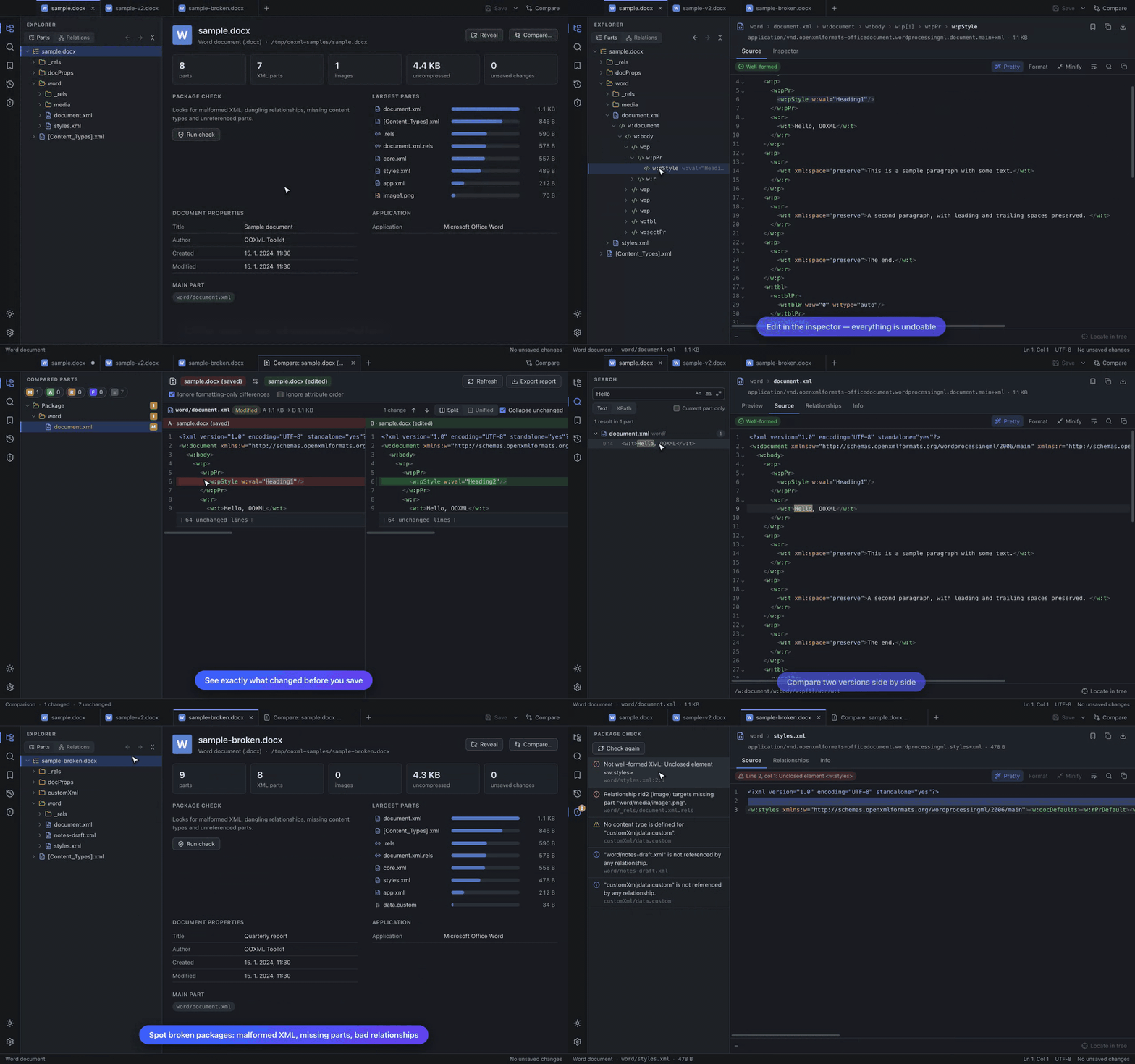
View, edit and compare Office Open XML packages (.docx, .xlsx, .pptx and friends) and OpenDocument packages right down to the XML: a tree of every part and element, source editor and inspector, worksheet / document / slide previews, text / regex / XPath search, side-by-side comparison, bookmarks and history, and a package check. See the README and the user guide.
Known limitations
- Password-protected Office files and legacy binary formats (
.doc,.xls,.ppt) cannot be opened. - OpenDocument files have no slide, document or worksheet preview yet.
- The package check verifies structure, not ECMA-376 schema validity.
- The slide and worksheet previews are simplified (no fonts/fills/charts; raw cell values).
- Builds are not notarized (see above) and there is no auto-update yet.
Full changelog: v0.2.0...v0.3.0