Repository navigation
Releases: DopaLab/playdeck
Release list
Playdeck 8.2.0 · Capture the moment

Capture the moment. Keep the whole journey.
Playdeck 8.2.0 is the largest public update yet: a native Windows game launcher that combines a fast cover-first library, play history, game discovery, captures, notes, cloud backup, and an optional session-only overlay.
New in the 8.x series
- Instant Replay: optionally keep the last 30 seconds, 60 seconds, or 2 minutes ready and save it with a configurable shortcut. Replay starts only for eligible games launched through Playdeck, pauses away from the game, supports per-game exclusions, and saves into the capture library.
- Screenshots and recording: native-resolution PNG screenshots by default, lightweight video capture, capture previews, per-game grouping, expandable folders, sorting, size controls, and deletion from the launcher.
- A more dependable overlay: session-only startup, direct screenshot/record/replay actions, game notes and image references, recent-capture previews, foreground input focus, cursor release, and automatic return to gameplay when recording begins.
- Game notes everywhere: formatted, game-specific notes with pasted images are available from both the library and overlay.
- A simpler library: games and tools share one library surface while remaining separated by a clear toggle. Default sorting supports manual ordering and pinned games at the top, plus a random-game button when choosing is the hardest part.
- Private cloud backup: optional Google Drive app-data backups rotate across three recovery slots. Backups are local-first, exclude capture media, and refuse to overwrite recovery slots with an empty library.
- Resource controls: optional app closing/relaunch around game sessions, per-game overlay controls, configurable borderless fitting, and an off-by-default emergency shortcut.
Playdeck still includes its cover-first library, archived-game museum, recoverable Trash, activity charts and journeys, news and patch feeds, player reviews, related-game discovery, update awareness, Explorer Add to Playdeck integration, moved-game relinking, clipboard cover art, icon history, and local cached metadata.
Download and install
Download Playdeck-Setup-8.2.0.exe below. It supports Windows x64 and includes the required .NET runtime. Run it over an existing installation to upgrade; personal data under %LOCALAPPDATA%\Playdeck is retained.
This is an unsigned community build. Windows may show a reputation warning on first launch.
SHA-256:
2F7C8850198DD09A99EA68DBFF4680F84A02D993B3943C55F346E81AF6D12C49
Validation and compatibility
The release passed 204 automated regression checks, controlled H.264/AAC replay capture and pause/resume checks, bounded sparse-spool storage verification, and a rendered overlay layout check.
Exclusive-fullscreen, protected, elevated, and background-raw-input games can behave differently. If the overlay does not appear, select Windowed or Borderless inside the game. Instant Replay necessarily uses encoding resources while armed; hardware acceleration and performance depend on the GPU and driver.
If Playdeck earns a place on your desktop, star the project, share it, or support development on Ko-fi. Useful bug reports help make the next release better.
Playdeck 7.0.7 · Your collection, your story
Your collection. Your story. Your next good game.
Playdeck 7.0.7 brings the newest local build to GitHub: a native Windows launcher with a bold cover-first library, one-click launching, personal activity history and daily game discovery.
Inside this release
- A home for every collection: Library, manually ordered Pinned favorites, Archived memories and a dedicated Software shelf.
- A stronger visual identity: eight dark typographic backgrounds, modern dropdowns, last-played card labels, and optional Soft white, Urban graffiti or Sunlight glass finishes. Original artwork stays clean by default.
- News worth opening: library announcements, patch notes, configurable gaming RSS, player reviews and More Like This discovery. News editions follow your local day and reuse cached content.
- Reviews made for reading: full-image artwork, in-app expansion and rotation that pauses while you read. Steam Spotlight is removed.
- A history worth keeping: playtime, foreground share, daily charts, game journeys, first/last launches, completion markers and CSV export.
- Practical control: Explorer integration, clipboard covers, moved-game relinking, recoverable Trash and typed reset confirmation.
- Update awareness: publisher dates and a user-confirmed update baseline; optional version tools remain secondary.
Explore all features and real installed-app screenshots.
Download & install
Download Playdeck-Setup-7.0.7.exe below. Windows x64; .NET is included. Existing users can run the installer to upgrade. Personal data in %LOCALAPPDATA%\Playdeck is retained. Uninstall through Windows Settings → Apps.
This is an unsigned community build. SHA-256:
2A8082E04A46EA9BBD9256C27F7620E48A3D33BCDEBFC52746B7D4D45D27043C
If Playdeck earns a place on your desktop, star the project, share it with a friend or support development on Ko-fi. Useful bug reports help make it better.
Playdeck 6.4 · Update radar
Published update dates are now the primary card detail, with Last updated / released sorting and a daily source cache. Version numbers and calendar-build hints remain optional.
- Choose Update date, Version or Off in Update Radar settings. Read the publisher post directly from the compact date chip. Date lookups do not scan executables.
- PINNED banners are removed. The Pinned section and manual pin order remain.
- Tracking-off mode launches games directly and closes Playdeck without an observer. Existing play history stays saved. The observer excludes unrelated child processes outside the game's executable directory and runs below normal priority after launch.
- The same icon artwork is roughly 8 percent larger inside Windows resources, with nine supplied sizes.
Validation: 104 core/integration checks including live providers, 58 native UI checks, fresh install, upgrade and uninstall, existing library byte-identical. Includes unrelated-child and direct-launch exit tests.
Publisher dates describe online update posts, not the local installed update date. Optional build dates provide hints only. The reported commercial-game/system crash was investigated but not reproduced or confirmed fixed; no drivers or system settings were changed. Installer is unsigned and retains user data on uninstall.
Playdeck 6.3 · Local release watch
Local installations now compare human-readable versions against independently fetched publisher releases. A Steam installation or BuildID is not required.
- Enter the installed version once, or confirm a local version file; fetch release labels from publisher announcements or an official GitHub repository.
- Review Your copy beside Published release, with edition confirmation, release notes and dated evidence. Source selection leaves artwork and titles untouched.
- Cache results and failures for at least 24 hours, include manual versions in daily checks, retain offline evidence and preserve tiny card chips.
- Unsupported numbering and unnumbered updates explain what is missing instead of claiming current status.
Validation: 96 core/integration checks including live providers; 55 native UI checks; fresh install, upgrade and uninstall; existing library unchanged. A read-only library audit found numbered release evidence for 43/65 games with zero provider errors. This is evidence availability, not universal coverage or 43 confirmed comparisons.
Read the source/edition limitations in docs/VERSIONS.md. The Windows installer is unsigned. User data is preserved on uninstall.
Playdeck 6.2 — Versions, without the guesswork
Playdeck 6.2 makes version setup easier and adds tool mode.
- Small content-sized, checkered version chips with centered text. Green indicates a recent matching comparison; yellow indicates a newer version; grey means unknown or stale. The artwork stays visible.
- Guided local evidence: nearby version files, Steam installation records without an existing AppID, and Epic manifests. Confirm a source, enter a version from the game's menu, or review unresolved cards one by one.
- Confirmed version files are reread on later checks. Steam builds compare only against the same Steam branch. Other version labels need a user-supplied latest version; no universal update checker is claimed.
- Successful and failed API checks wait at least 24 hours before repeating; longer server retry delays are respected. Automatic checks stop on focus loss or a known game session.
- Settings → Manage tools, or Mark as tool in a card editor: open gaming utilities without play tracking and keep Playdeck open. Existing history is preserved.
- Opaque square icons receive rounded corners; transparent silhouettes stay untouched.
- Version-chip interaction uses the existing drawing surface instead of extra invisible controls, with bounded text and image reuse. Published measurements include the added UI cost rather than claiming a universal speedup.
Validation: 76 local core/network checks, 53 native UI checks, and installation/upgrade/uninstall checks. GitHub packaging also validates the extracted portable and installed executables before upload. Existing user data is retained.
The installer is unsigned. SHA256SUMS accompanies the installer, portable ZIP and source archive.
Playdeck 6.1 — Your play, in focus
Playdeck 6.1 brings lighter card rendering, a richer Activity dashboard and Version Watch.
- Activity: 7/30/90-day comparisons, daily rhythm, a 90-day calendar, focus coverage, game rankings and session detail. More spacing around In the Zone and a custom vector refresh button.
- Scrolling: lightweight drawing surfaces, retained nearby cards and idle prewarming. Same-PC synthetic benchmark: refresh 130 → 40 ms; scroll P95 23.6 → 12.3 ms. These are layout timings, not FPS guarantees.
- Version Watch: manual versions, executable metadata, matching Steam manifests and cached branch comparisons through the third-party SteamCMD API. Optional daily checks, update badges and sorting. Executable versions are never compared with Steam build IDs.
- Tracking: release the original launch handle promptly. Direct and handoff fixtures leave no running game; the reported commercial-game issue was not reproduced.
Validation: 61 local core/network checks, 47 native UI checks, and local installation/upgrade/uninstall checks. GitHub packaging additionally exercises extracted portable and installed builds before uploading. Existing library data is preserved.
Download the installer for normal Windows integration, or the self-contained portable ZIP. This community installer is unsigned. SHA256SUMS provides integrity hashes.
Documentation and screenshots · Version Watch details · Support on Ko-fi
Playdeck 6.0 — Less waiting. More playing.
Same shelf. Much less waiting.
Playdeck 6 preserves the bold native interface and removes repeated rendering work underneath it.
- Library refresh: 1,086 → 76 ms in the local 2,000-game / 20,000-session benchmark.
- Heavy scroll layout updates: 158 → 32 ms at the 95th percentile.
- Managed allocation during that workload: 118.6 → 29.9 MiB.
- Cached decoded artwork, retained virtualized rows, indexed session history and quieter focus/resize handling.
These are synthetic WPF layout measurements, not FPS or universal startup promises. Raw measurements and method.
A better play history
Foreground/background time, midnight-aware daily totals, weekly comparisons, average and longest sessions, clearer status reporting, CSV focus columns, stronger process identity checks and improved launcher handoffs. Older history is preserved. The UI closes when launching; the tracker exits after the game ends.
Downloads
- Playdeck-Setup-6.0.0.exe — recommended per-user Windows x64 installer, including runtime, uninstaller and Explorer integration.
- Playdeck-v6.0.0-win-x64.zip — extract and run Playdeck.exe.
- Playdeck-v6.0.0-source.zip — complete source and documentation.
- SHA256SUMS.txt — integrity hashes for all three files.
Uninstall preserves your library in %LOCALAPPDATA%/Playdeck. This build is unsigned. Only launches through Playdeck are tracked; protected games and some storefront handoffs may require a tracking executable. Sampled playtime includes pauses and is approximate.
Verified locally: 41 core/integration checks, 43 native UI checks, installed and extracted-app checks, install/upgrade/uninstall cleanup and preservation of the existing library. GitHub's independent Windows build also passed. Commercial-game/anti-cheat compatibility and the interactive installer wizard have not been exhaustively tested.
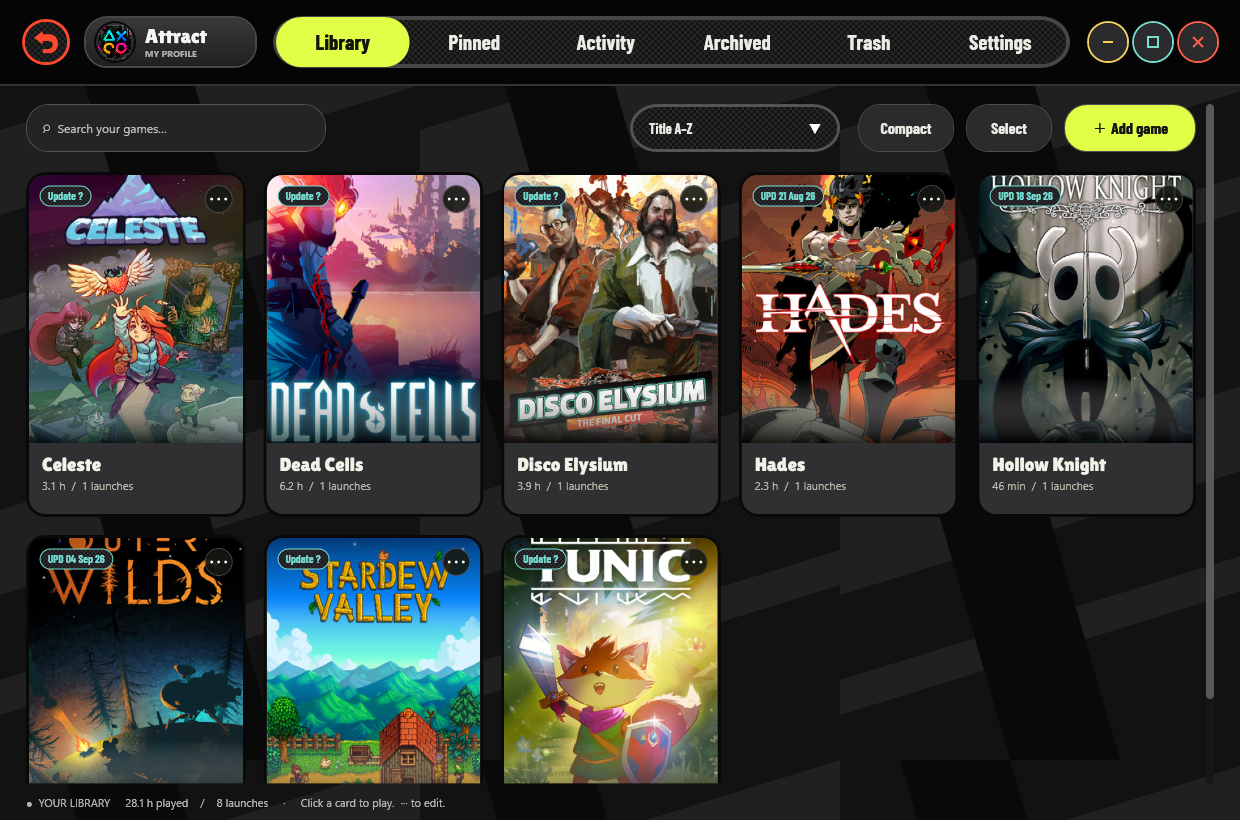
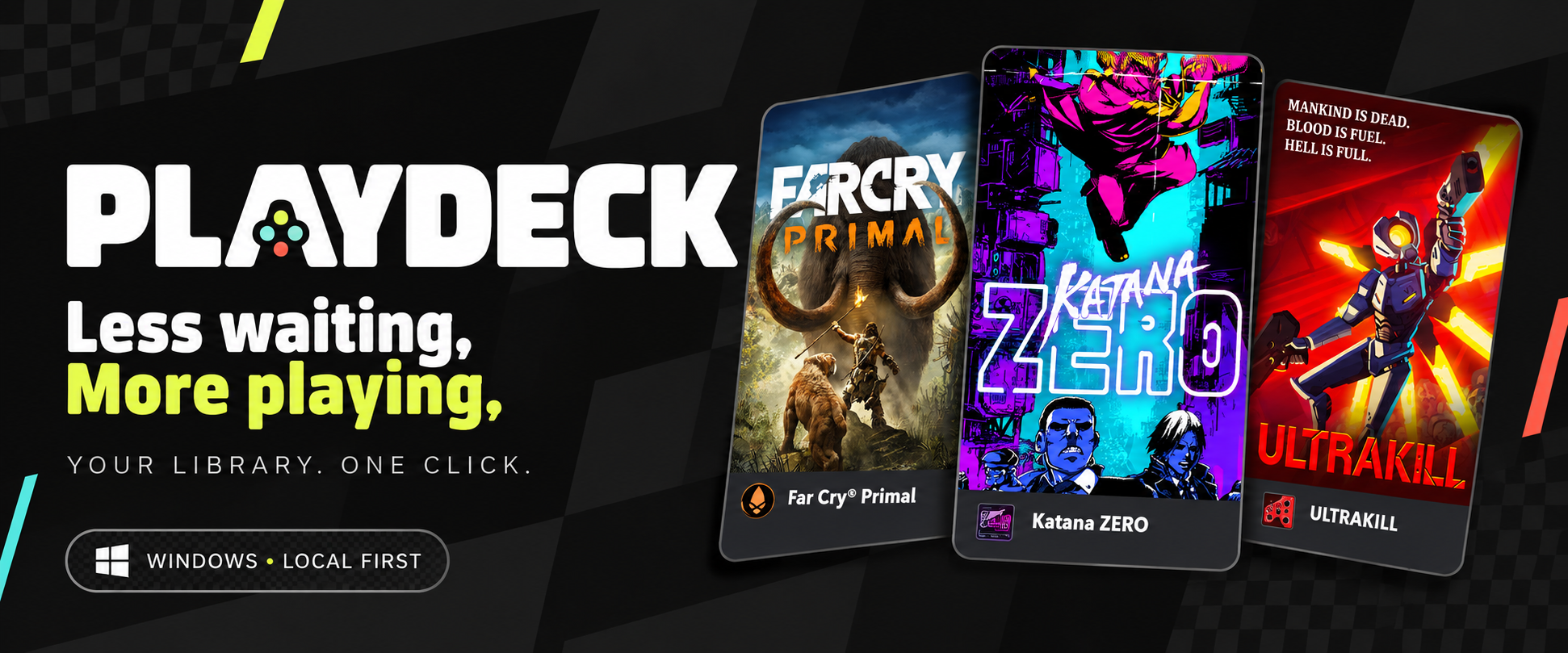
Banner: AI-generated promotional art. Screenshot: actual native app, with demonstration data.