Repository navigation

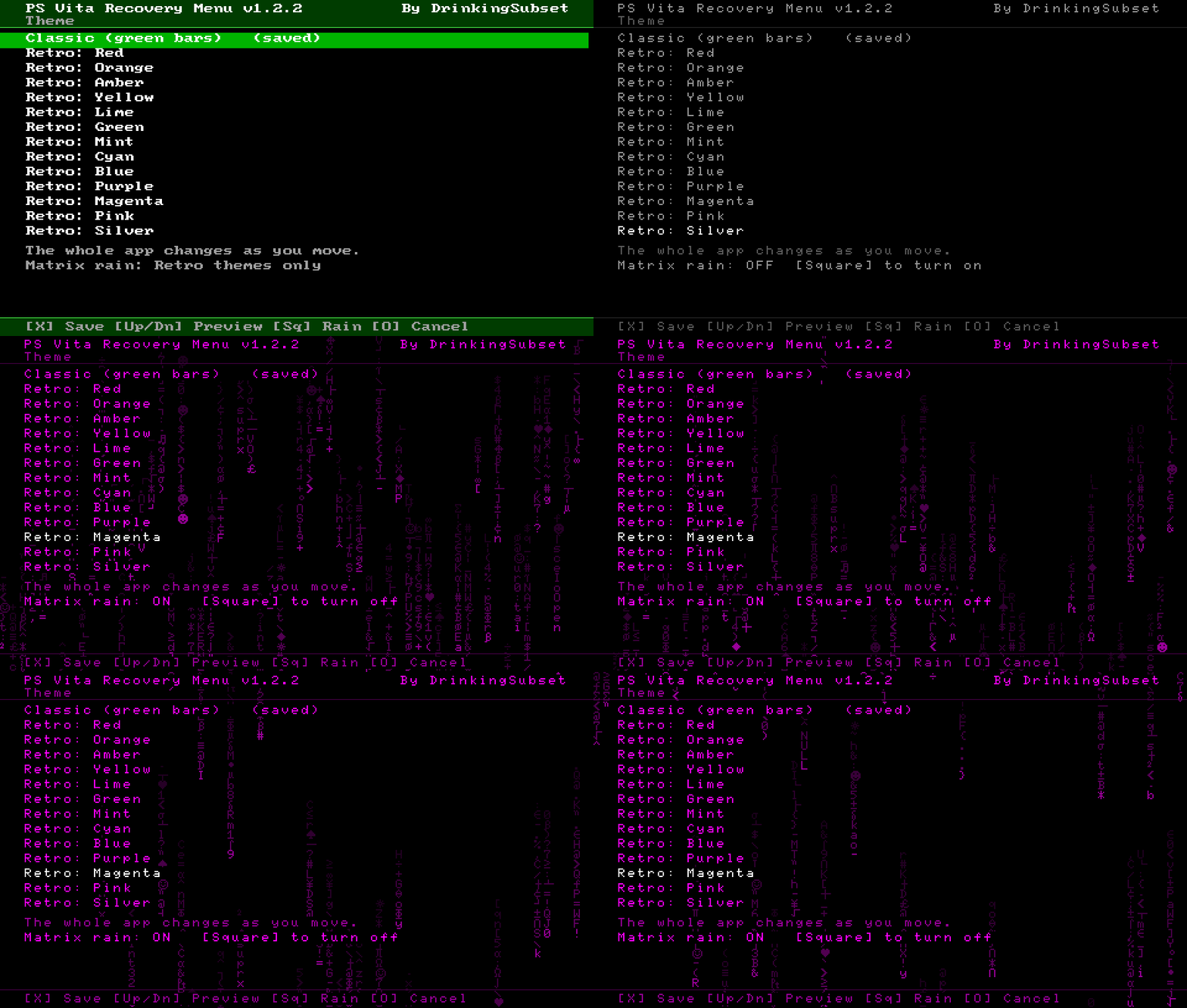
Themes. Give the recovery menu a different look, including a PSP M33-style Retro theme.
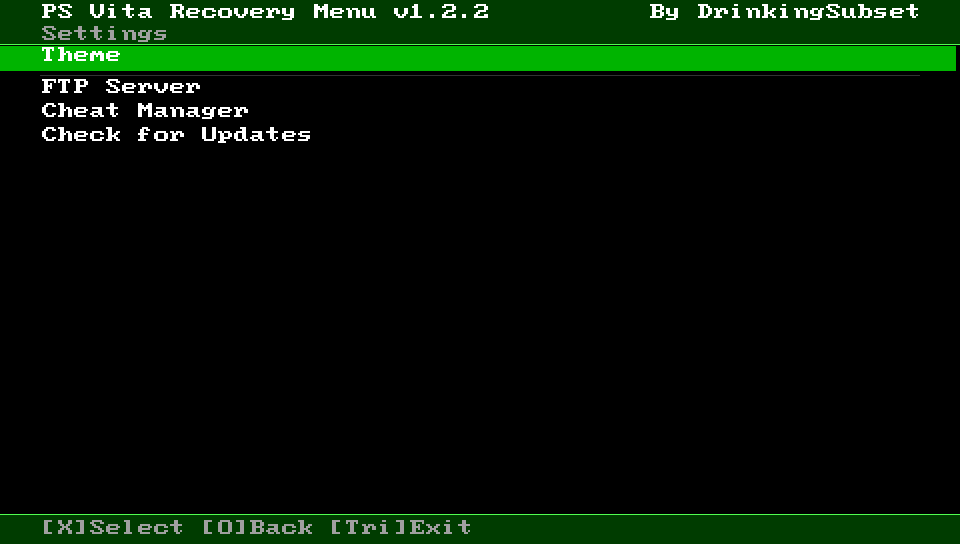
- New Settings menu on the main menu (above Reboot). It holds the new Theme screen, and FTP Server, Cheat Manager and Check for Updates moved into it, so the main menu keeps the recovery tools. Advanced keeps only system tools.
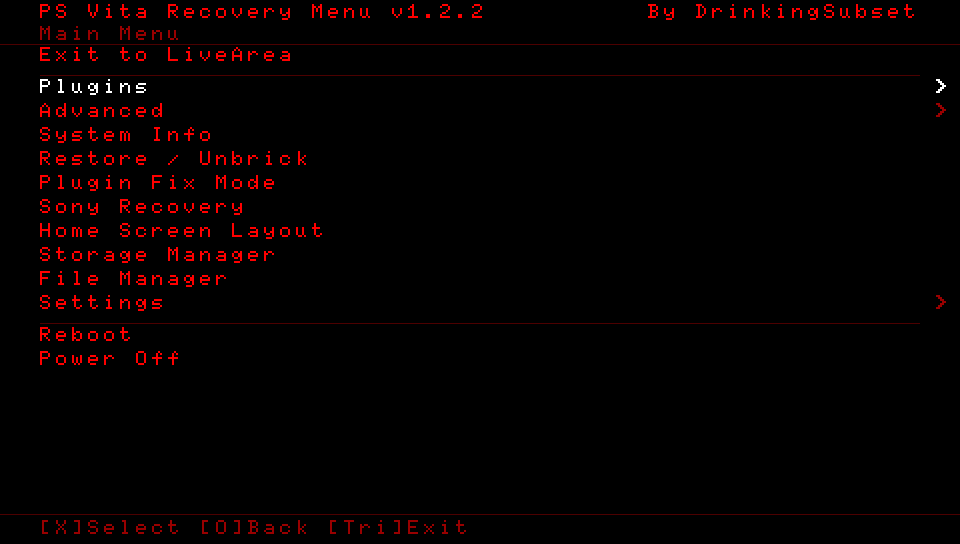
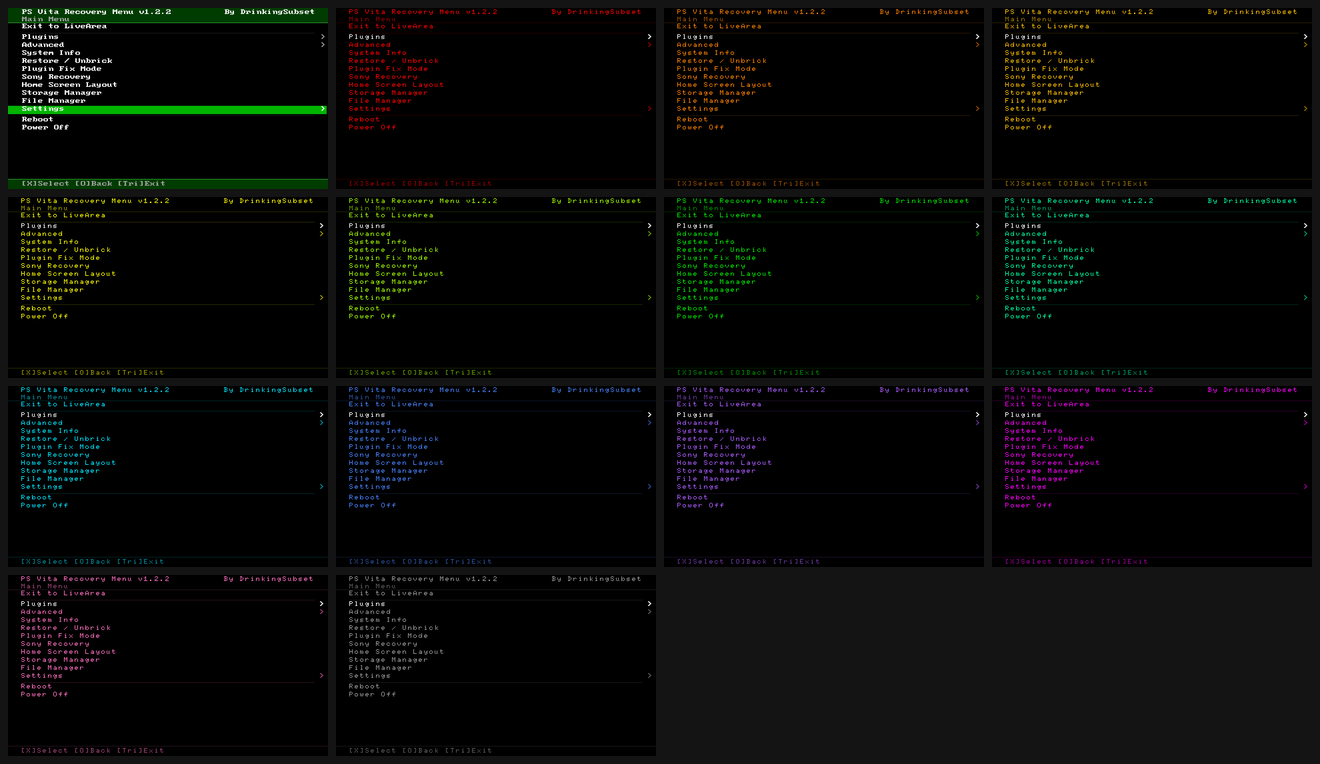
- Settings > Theme: choose Classic (the normal green look) or Retro, an M33 recovery style: black screen, the PSP debug font, all text in one colour and the selected row in white, with no bars. Retro colours: Red, Orange, Amber, Yellow, Lime, Green, Mint, Cyan, Blue, Purple, Magenta, Pink, Silver.
- The whole app changes as you move through the list (live preview). X saves, O puts the saved theme back. Saved in
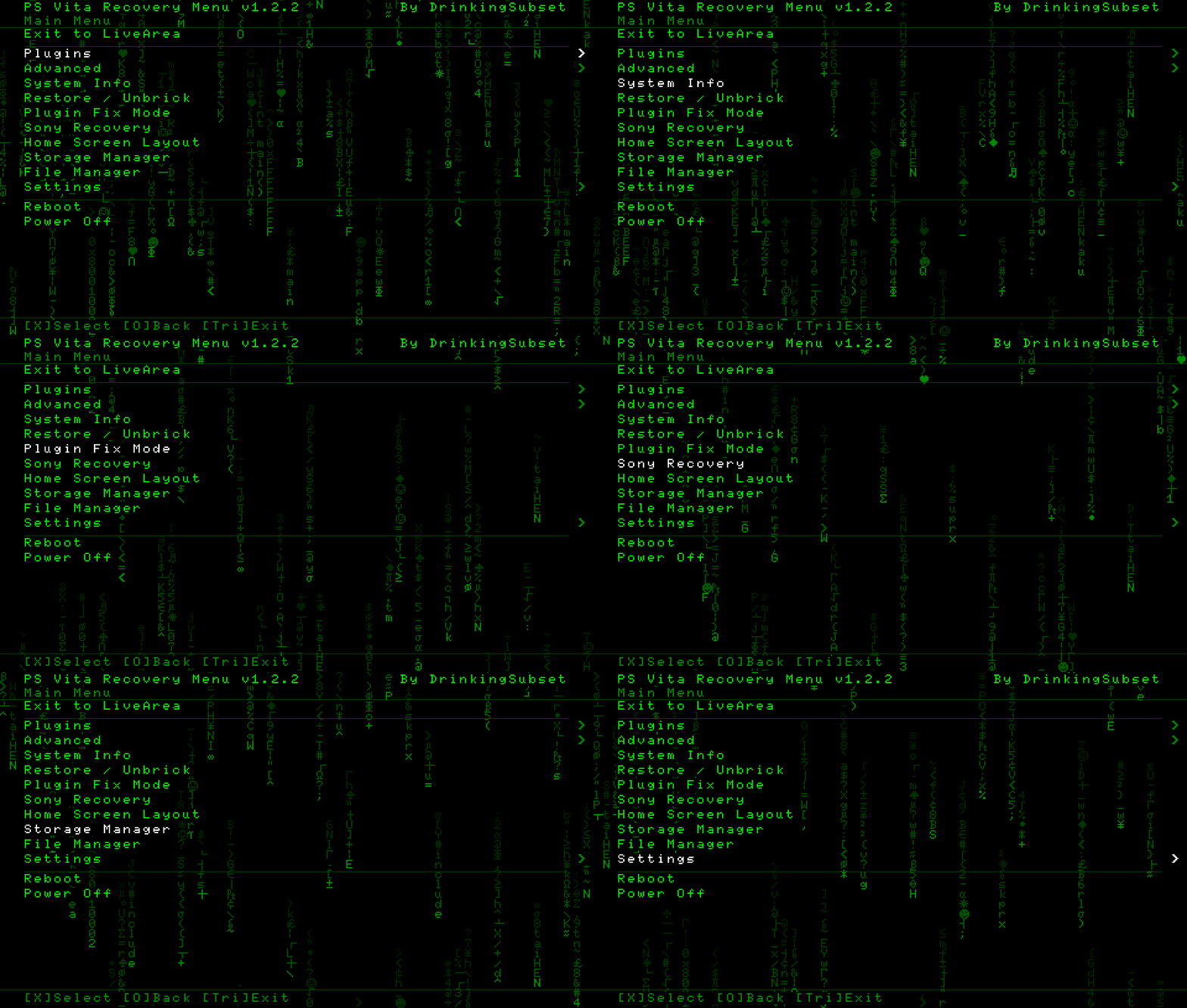
ux0:data/vita_recovery/theme.cfg; delete that file to go back to Classic. - Matrix Rain (Retro themes only): turn it on or off with Square on the Theme screen (saved with the theme when you press X). Falling letters, digits, coding symbols, PSP-font extras (Greek / maths signs, card suits) and whole code words such as
sceIoOpen,0x80010002,*KERNEL, in a dim shade of the theme colour. It falls behind every screen, and each line of text gets a black backing so the rain never runs through words. It pauses while the app is busy working. - Every screen follows the theme. OK / warning / error colours (green / yellow / red) keep their meaning in every theme.
- The PSP font comes from pspsdk (BSD license, see
THIRD_PARTY_NOTICES.txt). - Fix: closing a tool with O (Theme, FTP Server, Cheat Manager, Check for Updates, and every other full-screen tool) could also take the menu back one more level, for example from Settings straight to the Main Menu. A button still held when a tool closes no longer counts as a new press.
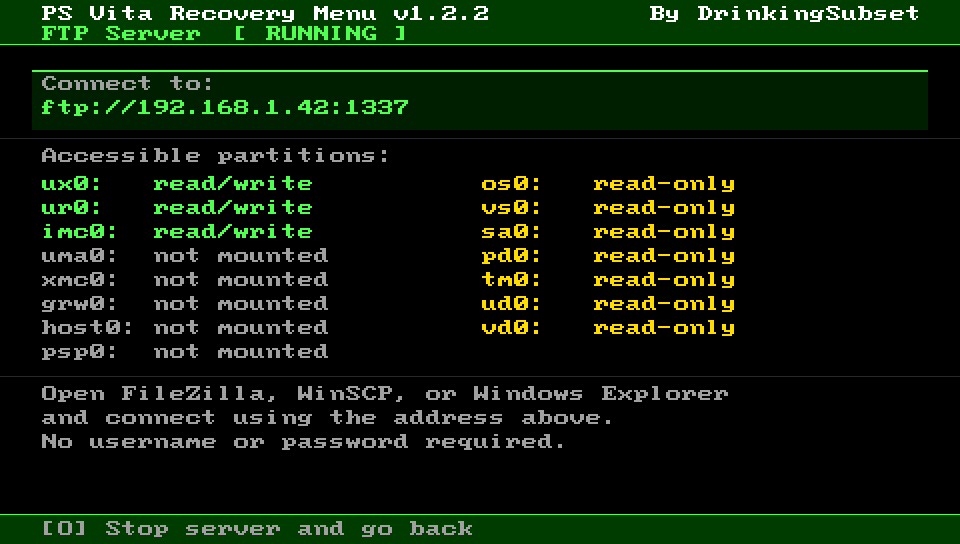
- Fix: FTP Server screen. The drive list ran off the bottom of the screen, so the last drives and the connection tips were cut off. Drives are now shown in two columns, each marked read/write (green), read-only (yellow, system drives) or not mounted.
- No boot plugin changes: just install the VPK.
Screenshots
Install
Install VitaRecovery_v1.2.2.vpk with VitaShell. No boot plugin changes, so you do not need to reinstall Boot Recovery. "Enable Unsafe Homebrew" must stay ticked in HENkaku Settings.
Tested on PS Vita 2000 (3.65 Ensō) and PCH-1101 3G (3.60 and 3.65 Ensō), all with SD2Vita.