Repository navigation
Fussel 1.1.2 · Small fix for the overview


Fussel 1.1.2
Less fluff, more Mac.
A small fix for the new overview.
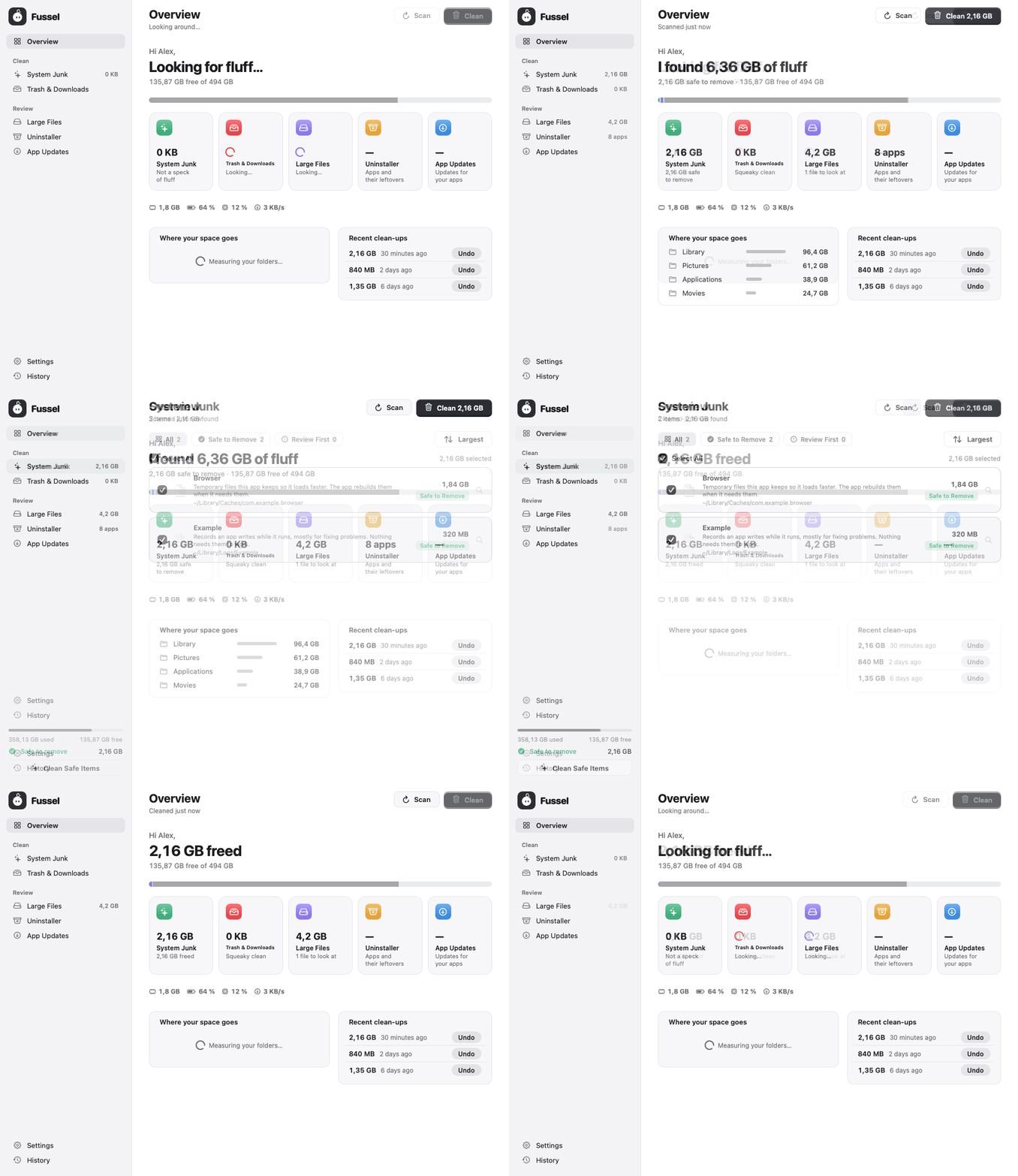
What's fixed
- Only what's in the bar lights up: pointing at the Uninstaller or App Updates tile greyed out the other tools and dimmed the storage bar, though neither has a part in the bar. Now only System Junk, Trash & Downloads and Large Files light up their part of the bar; the other two tiles just lift a little
New in 1.1.1: a greeting on the overview, a tile for each tool, buttons that sink like real keys, and a Clean button that grows and shrinks smoothly.
Safety first
Everything Fussel cleans goes to the Trash first, and Undo puts it right back. Only items that are already in the Trash are deleted for good, and Fussel asks before doing that. System files, Apple apps and your main folders are never touched, and nothing marked Review First is ever picked for you. 28 automatic tests guard these rules on every build.
Install
Recommended: the installer
- Download Fussel-Installer.zip below. Your Mac unpacks it to Fussel-Installer.pkg; open that.
- Fussel isn't signed with an Apple Developer ID yet, so macOS blocks it at first. Open System Settings › Privacy & Security, scroll down and click Open Anyway next to the Fussel installer.
- Click through the installer. Fussel lands in your Applications folder and appears in the menu bar, next to the clock.
- Recommended: allow Full Disk Access in System Settings › Privacy & Security, so Fussel can reach the Trash and every hidden cache.
Already using Fussel? On 0.9.8 or later, just click Update Now. Older versions: install this one by hand once with the installer.
Or: drag and drop
Open Fussel.dmg and drag Fussel onto the Applications folder. Before the first launch, run this once in Terminal:
xattr -dr com.apple.quarantine /Applications/Fussel.app
Requires macOS 14 Sonoma or later. Runs natively on Apple Silicon and Intel. The Glass cards need macOS 26; earlier versions get frosted glass.
Good to know
- Undo works as long as the items are still in the Trash.
- Found something odd? Send Feedback in Fussel's menu opens a GitHub issue, already filled in with your Fussel and macOS version. Screenshots help a lot.
Made by Dshamil Meziane, built with Claude. Free and open source under the MIT license.