Repository navigation
Releases: Dshamil/fussel
Release list
Fussel 1.1.8 · Little touches


Fussel 1.1.8
Less fluff, more Mac.
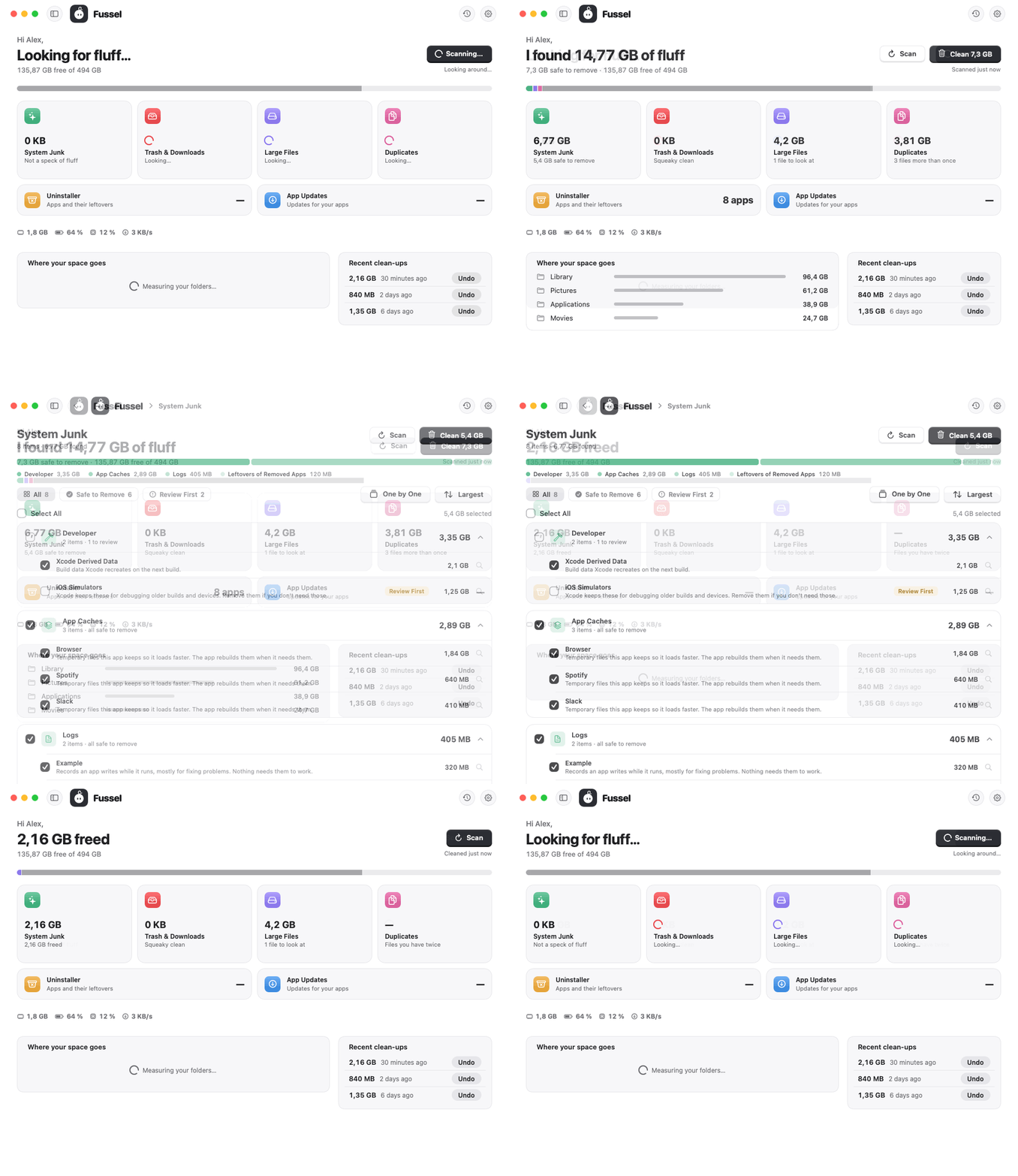
A handful of small touches that make Fussel feel a bit more alive.
What's new
- A soft shimmer while Fussel works: a calm band of light runs across "Looking for fluff…" and "Cleaning up…"
- Totals that roll in: after a scan or a clean-up, the amount counts up once with rolling digits, like a little counter
- A gliding filter: in every tool, the highlight slides over to All, Safe to Remove or Review First instead of jumping
- Labels on hover: point at the round buttons at the top right and "History" or "Settings" slides out next to them
All of it stays still when Reduce Motion is on, and nothing moves while the window is hidden.
Safety first
Everything Fussel cleans goes to the Trash first, and Undo puts it right back. Only items that are already in the Trash are deleted for good, and Fussel asks before doing that. System files, Apple apps and your main folders are never touched, and nothing marked Review First is ever picked for you. Nothing inside your Photos, Music or iMovie library is ever touched either. 32 automatic tests guard these rules on every build.
Install
Recommended: the installer
- Download Fussel-Installer.zip below. Your Mac unpacks it to Fussel-Installer.pkg; open that.
- Fussel isn't signed with an Apple Developer ID yet, so macOS blocks it at first. Open System Settings › Privacy & Security, scroll down and click Open Anyway next to the Fussel installer.
- Click through the installer. Fussel lands in your Applications folder and appears in the menu bar, next to the clock.
- Recommended: allow Full Disk Access in System Settings › Privacy & Security, so Fussel can reach the Trash and every hidden cache.
Already using Fussel? On 0.9.8 or later, just click Update Now. Older versions: install this one by hand once with the installer.
Or: drag and drop
Open Fussel.dmg and drag Fussel onto the Applications folder. Before the first launch, run this once in Terminal:
xattr -dr com.apple.quarantine /Applications/Fussel.app
Requires macOS 14 Sonoma or later. Runs natively on Apple Silicon and Intel. The Glass cards need macOS 26; earlier versions get frosted glass.
Good to know
- Undo works as long as the items are still in the Trash.
- Found something odd? Send Feedback in Fussel's menu opens a GitHub issue, already filled in with your Fussel and macOS version. Screenshots help a lot.
Made by Dshamil Meziane, built with Claude. Free and open source under the MIT license.
Fussel 1.1.7 · In the Dock, if you like
Fussel 1.1.7
Less fluff, more Mac.
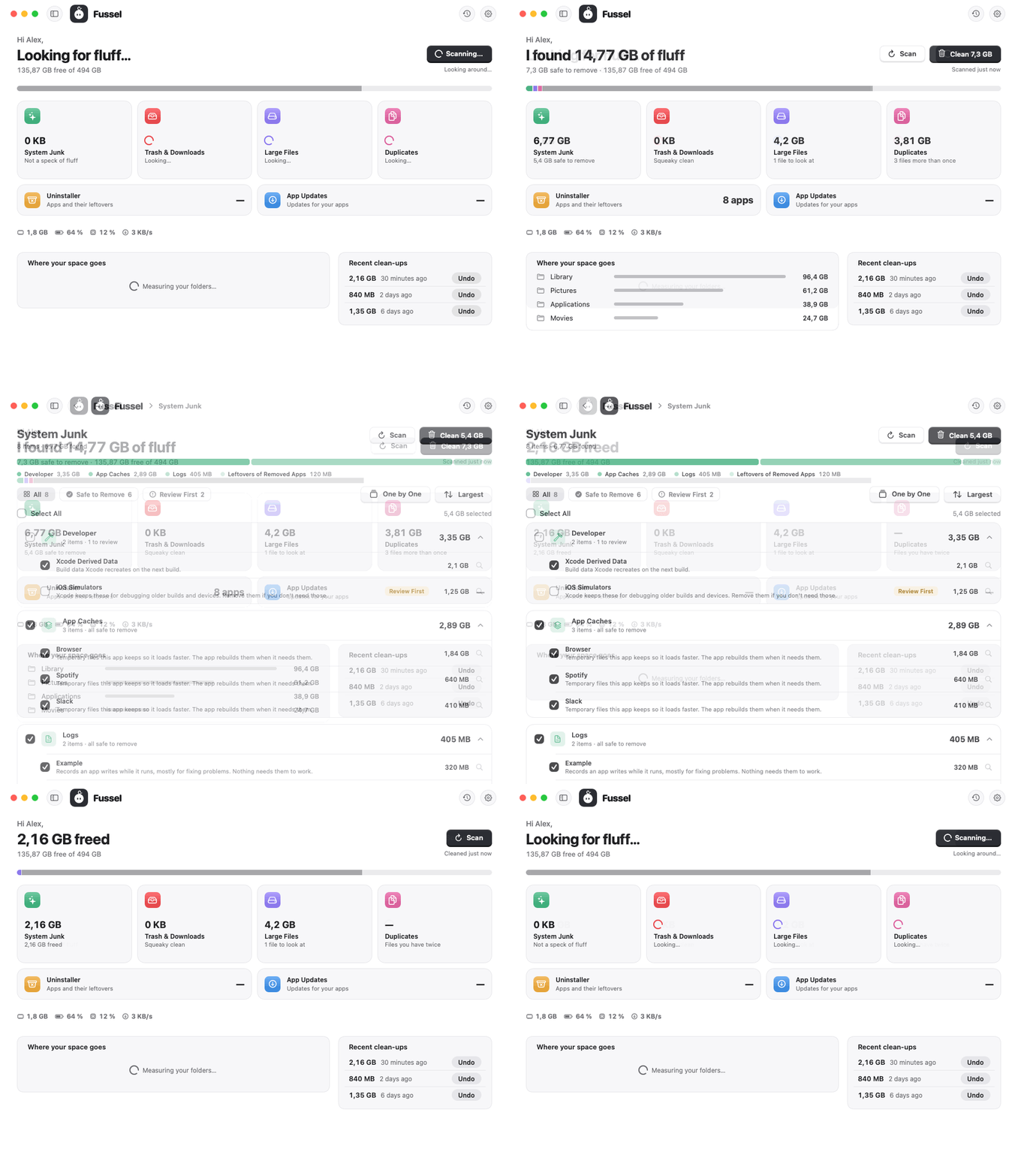
Fussel can sit in your Dock now, and the sidebar glides in one piece.
What's new
- In the Dock, if you like: turn on Show Fussel in the Dock in Settings, and Fussel shows up in the Dock next to your other apps. Click it to open the window. Fussel stays in the menu bar too, and it remembers your choice
- The sidebar glides in one piece: when you show or hide the sidebar (⌃⌘S), its dividing line now slides along with it instead of staying behind
Safety first
Everything Fussel cleans goes to the Trash first, and Undo puts it right back. Only items that are already in the Trash are deleted for good, and Fussel asks before doing that. System files, Apple apps and your main folders are never touched, and nothing marked Review First is ever picked for you. Nothing inside your Photos, Music or iMovie library is ever touched either. 32 automatic tests guard these rules on every build.
Install
Recommended: the installer
- Download Fussel-Installer.zip below. Your Mac unpacks it to Fussel-Installer.pkg; open that.
- Fussel isn't signed with an Apple Developer ID yet, so macOS blocks it at first. Open System Settings › Privacy & Security, scroll down and click Open Anyway next to the Fussel installer.
- Click through the installer. Fussel lands in your Applications folder and appears in the menu bar, next to the clock.
- Recommended: allow Full Disk Access in System Settings › Privacy & Security, so Fussel can reach the Trash and every hidden cache.
Already using Fussel? On 0.9.8 or later, just click Update Now. Older versions: install this one by hand once with the installer.
Or: drag and drop
Open Fussel.dmg and drag Fussel onto the Applications folder. Before the first launch, run this once in Terminal:
xattr -dr com.apple.quarantine /Applications/Fussel.app
Requires macOS 14 Sonoma or later. Runs natively on Apple Silicon and Intel. The Glass cards need macOS 26; earlier versions get frosted glass.
Good to know
- Undo works as long as the items are still in the Trash.
- Found something odd? Send Feedback in Fussel's menu opens a GitHub issue, already filled in with your Fussel and macOS version. Screenshots help a lot.
Made by Dshamil Meziane, built with Claude. Free and open source under the MIT license.
Fussel 1.1.6 · One by one
Fussel 1.1.6
Less fluff, more Mac.
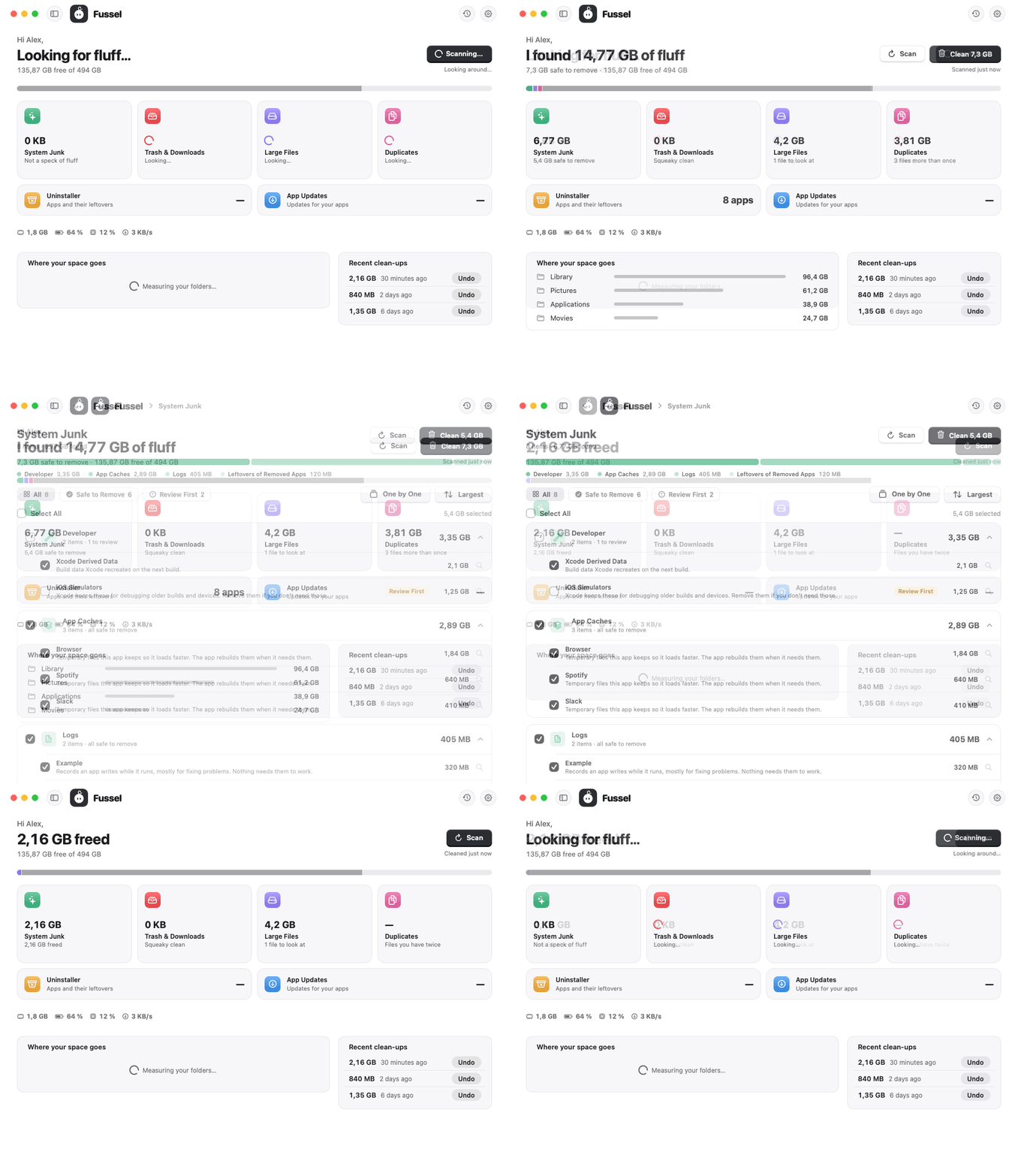
Look at your files one by one, and take back a clean-up in one click.
What's new
- One by one: every tool page has a new One by One button. Each file shows up as a big card with a preview, its size, its folder and when you last opened it. Press ← to keep it or → to pick it for the Trash, and ⌘Z to go back a card. Picking only ticks the box: nothing is removed until you click Clean
- Clean asks right where it is: clicking Clean turns the button into Cancel and Move … to Trash, so there's no dialog in the way. Press Return to go ahead or Esc to stop. Anything that would be deleted for good still gets the full warning
- Undo, right away: after a clean-up, a small card at the bottom says what went to the Trash, with an Undo button (or ⌘Z) for a few seconds
Safety first
Everything Fussel cleans goes to the Trash first, and Undo puts it right back. Only items that are already in the Trash are deleted for good, and Fussel asks before doing that. System files, Apple apps and your main folders are never touched, and nothing marked Review First is ever picked for you. Nothing inside your Photos, Music or iMovie library is ever touched either. 32 automatic tests guard these rules on every build.
Install
Recommended: the installer
- Download Fussel-Installer.zip below. Your Mac unpacks it to Fussel-Installer.pkg; open that.
- Fussel isn't signed with an Apple Developer ID yet, so macOS blocks it at first. Open System Settings › Privacy & Security, scroll down and click Open Anyway next to the Fussel installer.
- Click through the installer. Fussel lands in your Applications folder and appears in the menu bar, next to the clock.
- Recommended: allow Full Disk Access in System Settings › Privacy & Security, so Fussel can reach the Trash and every hidden cache.
Already using Fussel? On 0.9.8 or later, just click Update Now. Older versions: install this one by hand once with the installer.
Or: drag and drop
Open Fussel.dmg and drag Fussel onto the Applications folder. Before the first launch, run this once in Terminal:
xattr -dr com.apple.quarantine /Applications/Fussel.app
Requires macOS 14 Sonoma or later. Runs natively on Apple Silicon and Intel. The Glass cards need macOS 26; earlier versions get frosted glass.
Good to know
- Undo works as long as the items are still in the Trash.
- Found something odd? Send Feedback in Fussel's menu opens a GitHub issue, already filled in with your Fussel and macOS version. Screenshots help a lot.
Made by Dshamil Meziane, built with Claude. Free and open source under the MIT license.
Fussel 1.1.5 · Pick the copy that stays
Fussel 1.1.5
Less fluff, more Mac.
You pick which copy stays, and Fussel finds copies a lot faster.
What's new
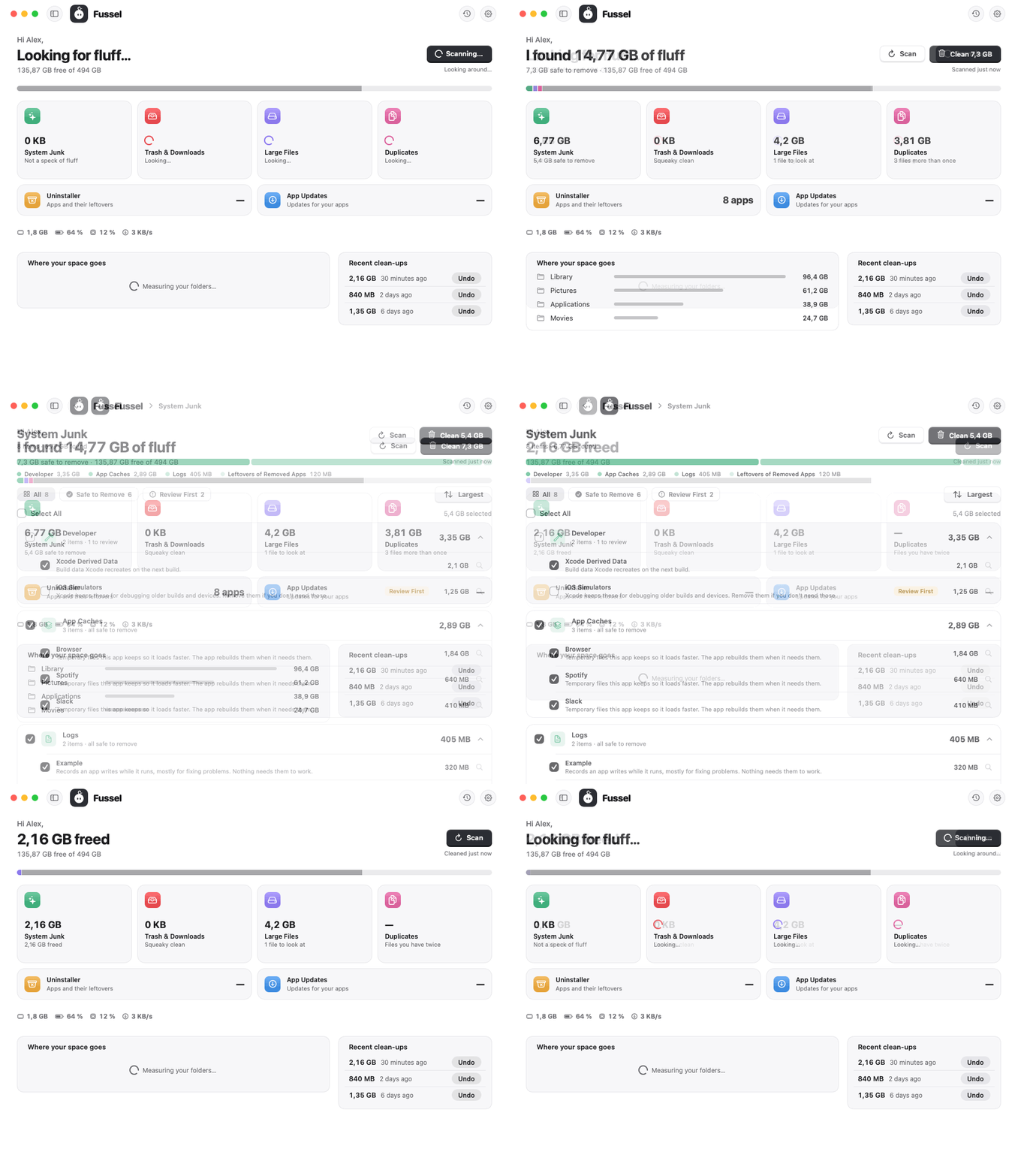
- Pick the copy that stays: in Duplicates, the copy Fussel keeps is now shown at the top of each group with a pin and a "Stays" label. It has no checkbox, so it can't be removed by accident. Rather keep another one? Point at it and click Keep This One. Every copy also shows its folder, so you can tell them apart at a glance
- Faster duplicates: Fussel compares the start and end of files before reading them whole, reads several at once, and remembers files that haven't changed. On a real Mac the first scan went from 7.3 to 4.1 seconds, and every scan after that takes about 1.7
- A tidier overview: the four tools that free up space sit side by side; the Uninstaller and App Updates follow as two flat, wide tiles
- Long lists stay smooth: a group with hundreds of finds shows its 50 biggest first, with Show all below
- Safer updates: every release now also signs its version number, tied to the exact installer. Fussel only installs an update when both match, so an older installer can never pass itself off as a newer one
Safety first
Everything Fussel cleans goes to the Trash first, and Undo puts it right back. Only items that are already in the Trash are deleted for good, and Fussel asks before doing that. System files, Apple apps and your main folders are never touched, and nothing marked Review First is ever picked for you. Nothing inside your Photos, Music or iMovie library is ever touched either. 32 automatic tests guard these rules on every build.
Install
Recommended: the installer
- Download Fussel-Installer.zip below. Your Mac unpacks it to Fussel-Installer.pkg; open that.
- Fussel isn't signed with an Apple Developer ID yet, so macOS blocks it at first. Open System Settings › Privacy & Security, scroll down and click Open Anyway next to the Fussel installer.
- Click through the installer. Fussel lands in your Applications folder and appears in the menu bar, next to the clock.
- Recommended: allow Full Disk Access in System Settings › Privacy & Security, so Fussel can reach the Trash and every hidden cache.
Already using Fussel? On 0.9.8 or later, just click Update Now. Older versions: install this one by hand once with the installer.
Or: drag and drop
Open Fussel.dmg and drag Fussel onto the Applications folder. Before the first launch, run this once in Terminal:
xattr -dr com.apple.quarantine /Applications/Fussel.app
Requires macOS 14 Sonoma or later. Runs natively on Apple Silicon and Intel. The Glass cards need macOS 26; earlier versions get frosted glass.
Good to know
- Undo works as long as the items are still in the Trash.
- Found something odd? Send Feedback in Fussel's menu opens a GitHub issue, already filled in with your Fussel and macOS version. Screenshots help a lot.
Made by Dshamil Meziane, built with Claude. Free and open source under the MIT license.
Fussel 1.1.4 · Calmer buttons
Fussel 1.1.4
Less fluff, more Mac.
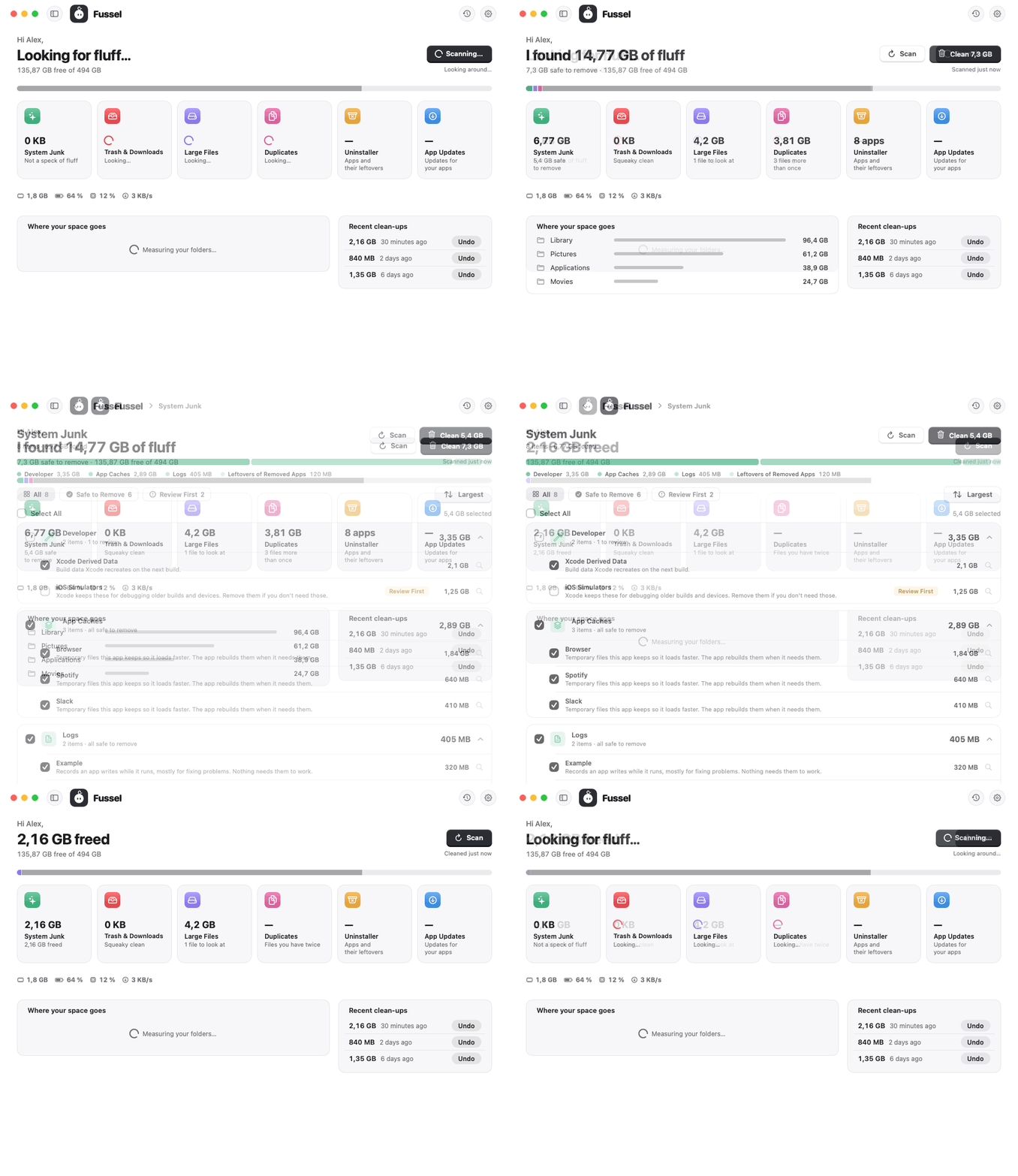
Buttons that only show up when they have something to do.
What's new
- Clean when there's something to clean: before a scan you only see Scan. Once Fussel has found something, Clean slides in next to it and Scan steps back to a quieter button. After cleaning up, Clean goes away again. Same on every tool page
- No more faded buttons while busy: while Fussel scans or cleans, the button shows a small spinner with "Scanning…" or "Cleaning…" instead of turning grey
- Neater buttons in the dark: the light buttons sit on a darker edge now, so they no longer look like they have a second outline. A button that's switched off lies flat instead of showing two shadows
- The sidebar slides: showing or hiding it (⌃⌘S) is animated again
Safety first
Everything Fussel cleans goes to the Trash first, and Undo puts it right back. Only items that are already in the Trash are deleted for good, and Fussel asks before doing that. System files, Apple apps and your main folders are never touched, and nothing marked Review First is ever picked for you. Nothing inside your Photos, Music or iMovie library is ever touched either. 30 automatic tests guard these rules on every build.
Install
Recommended: the installer
- Download Fussel-Installer.zip below. Your Mac unpacks it to Fussel-Installer.pkg; open that.
- Fussel isn't signed with an Apple Developer ID yet, so macOS blocks it at first. Open System Settings › Privacy & Security, scroll down and click Open Anyway next to the Fussel installer.
- Click through the installer. Fussel lands in your Applications folder and appears in the menu bar, next to the clock.
- Recommended: allow Full Disk Access in System Settings › Privacy & Security, so Fussel can reach the Trash and every hidden cache.
Already using Fussel? On 0.9.8 or later, just click Update Now. Older versions: install this one by hand once with the installer.
Or: drag and drop
Open Fussel.dmg and drag Fussel onto the Applications folder. Before the first launch, run this once in Terminal:
xattr -dr com.apple.quarantine /Applications/Fussel.app
Requires macOS 14 Sonoma or later. Runs natively on Apple Silicon and Intel. The Glass cards need macOS 26; earlier versions get frosted glass.
Good to know
- Undo works as long as the items are still in the Trash.
- Found something odd? Send Feedback in Fussel's menu opens a GitHub issue, already filled in with your Fussel and macOS version. Screenshots help a lot.
Made by Dshamil Meziane, built with Claude. Free and open source under the MIT license.
Fussel 1.1.3 · Duplicates and a roomier window
Fussel 1.1.3
Less fluff, more Mac.
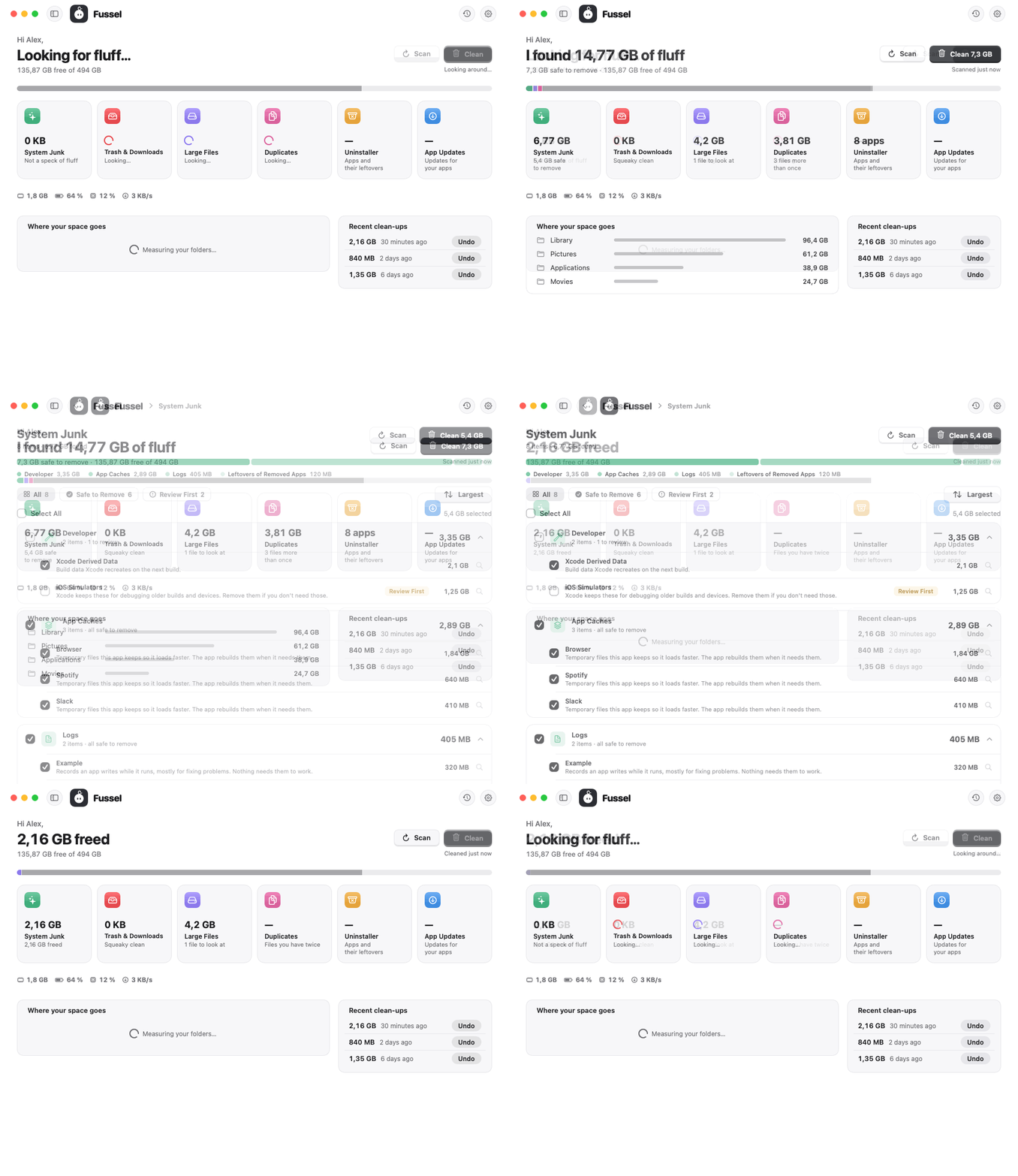
A new tool for files you have twice, and a window with more room to breathe.
What's new
- Duplicates: Fussel now finds files you have more than once in your Desktop, Documents, Downloads, Pictures, Movies and Music folders. Only files with exactly the same content count, not just the same name. The oldest copy always stays and isn't even listed. Copies in your Downloads are picked for you; every other copy is marked Review First
- More room: the sidebar is now hidden at first, so the overview gets the whole window. A bar at the top holds Fussel, History and Settings, and a back arrow when you're in a tool. Prefer the sidebar? Click the sidebar button next to the window buttons, or press ⌃⌘S. Fussel remembers your choice
- Tools in groups: System Junk, Large Files and the others now sort what they found into cards like "App Caches" or "Logs", each with its own checkbox and total, and a bar on top shows what the finds are made of. Point at an item to see where it lives
- Six tiles: the overview gets a pink Duplicates tile. With the sidebar shown, the tiles move into two rows of three
- Quieter buttons you can feel: the light buttons (Scan, Sort, Cancel and friends) now sink onto a shallow base when you click, like the main buttons, just softer
- A file found by two tools, like a big video that's also a copy, now counts and gets cleaned only once
- In the Glass style, the checkmarks in the checkboxes are visible again
Safety first
Everything Fussel cleans goes to the Trash first, and Undo puts it right back. Only items that are already in the Trash are deleted for good, and Fussel asks before doing that. System files, Apple apps and your main folders are never touched, and nothing marked Review First is ever picked for you. Nothing inside your Photos, Music or iMovie library is ever touched either. 30 automatic tests guard these rules on every build.
Install
Recommended: the installer
- Download Fussel-Installer.zip below. Your Mac unpacks it to Fussel-Installer.pkg; open that.
- Fussel isn't signed with an Apple Developer ID yet, so macOS blocks it at first. Open System Settings › Privacy & Security, scroll down and click Open Anyway next to the Fussel installer.
- Click through the installer. Fussel lands in your Applications folder and appears in the menu bar, next to the clock.
- Recommended: allow Full Disk Access in System Settings › Privacy & Security, so Fussel can reach the Trash and every hidden cache.
Already using Fussel? On 0.9.8 or later, just click Update Now. Older versions: install this one by hand once with the installer.
Or: drag and drop
Open Fussel.dmg and drag Fussel onto the Applications folder. Before the first launch, run this once in Terminal:
xattr -dr com.apple.quarantine /Applications/Fussel.app
Requires macOS 14 Sonoma or later. Runs natively on Apple Silicon and Intel. The Glass cards need macOS 26; earlier versions get frosted glass.
Good to know
- Undo works as long as the items are still in the Trash.
- Found something odd? Send Feedback in Fussel's menu opens a GitHub issue, already filled in with your Fussel and macOS version. Screenshots help a lot.
Made by Dshamil Meziane, built with Claude. Free and open source under the MIT license.
Fussel 1.1.2 · Small fix for the overview
Fussel 1.1.2
Less fluff, more Mac.
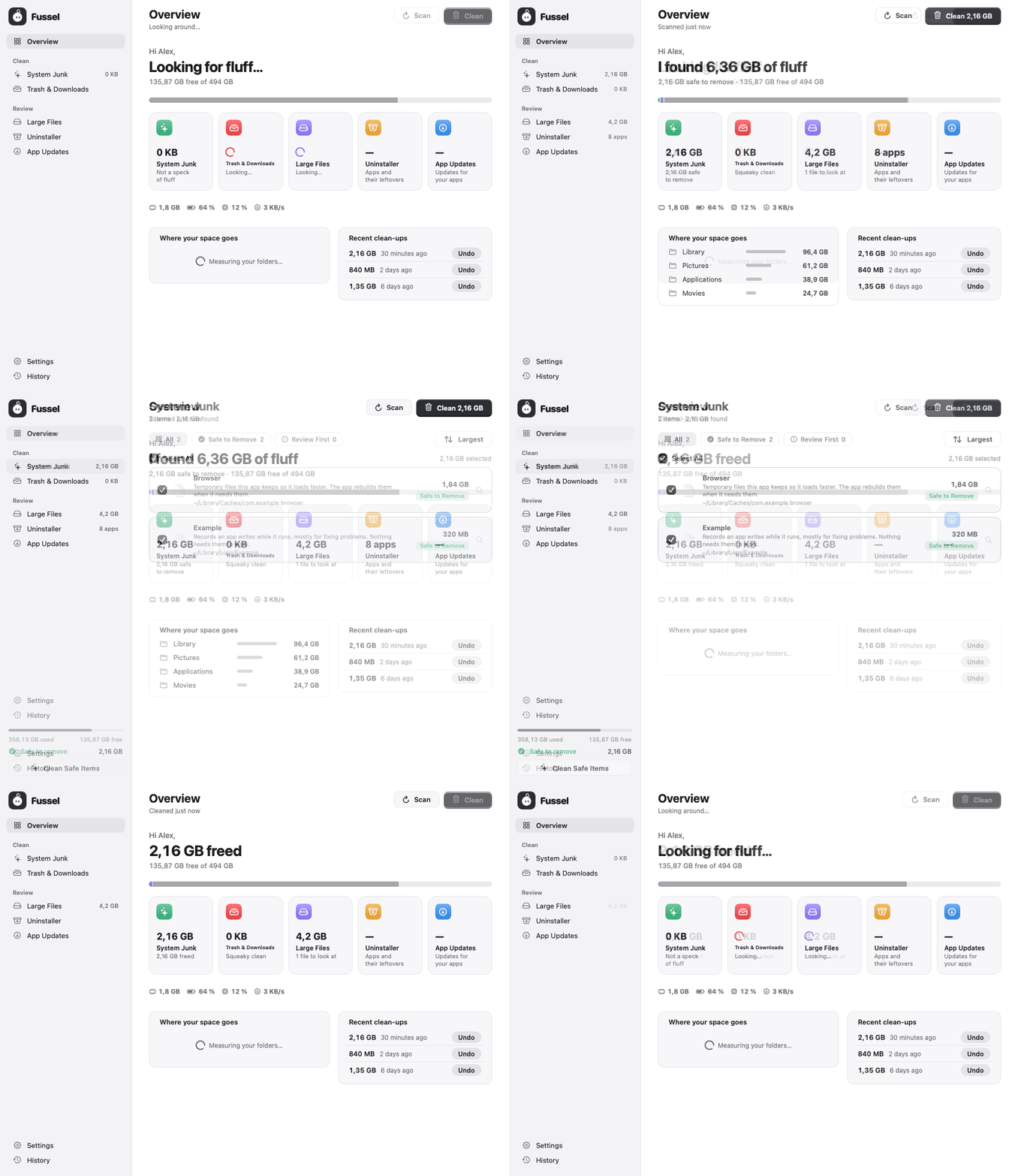
A small fix for the new overview.
What's fixed
- Only what's in the bar lights up: pointing at the Uninstaller or App Updates tile greyed out the other tools and dimmed the storage bar, though neither has a part in the bar. Now only System Junk, Trash & Downloads and Large Files light up their part of the bar; the other two tiles just lift a little
New in 1.1.1: a greeting on the overview, a tile for each tool, buttons that sink like real keys, and a Clean button that grows and shrinks smoothly.
Safety first
Everything Fussel cleans goes to the Trash first, and Undo puts it right back. Only items that are already in the Trash are deleted for good, and Fussel asks before doing that. System files, Apple apps and your main folders are never touched, and nothing marked Review First is ever picked for you. 28 automatic tests guard these rules on every build.
Install
Recommended: the installer
- Download Fussel-Installer.zip below. Your Mac unpacks it to Fussel-Installer.pkg; open that.
- Fussel isn't signed with an Apple Developer ID yet, so macOS blocks it at first. Open System Settings › Privacy & Security, scroll down and click Open Anyway next to the Fussel installer.
- Click through the installer. Fussel lands in your Applications folder and appears in the menu bar, next to the clock.
- Recommended: allow Full Disk Access in System Settings › Privacy & Security, so Fussel can reach the Trash and every hidden cache.
Already using Fussel? On 0.9.8 or later, just click Update Now. Older versions: install this one by hand once with the installer.
Or: drag and drop
Open Fussel.dmg and drag Fussel onto the Applications folder. Before the first launch, run this once in Terminal:
xattr -dr com.apple.quarantine /Applications/Fussel.app
Requires macOS 14 Sonoma or later. Runs natively on Apple Silicon and Intel. The Glass cards need macOS 26; earlier versions get frosted glass.
Good to know
- Undo works as long as the items are still in the Trash.
- Found something odd? Send Feedback in Fussel's menu opens a GitHub issue, already filled in with your Fussel and macOS version. Screenshots help a lot.
Made by Dshamil Meziane, built with Claude. Free and open source under the MIT license.
Fussel 1.1.1 · A fresh overview
Fussel 1.1.1
Less fluff, more Mac.
A calmer, friendlier overview, and buttons that feel like real keys.
What's new
- Fussel says hi: the overview now opens with a greeting and one clear line: "Ready when you are", "Looking for fluff…", "I found 6.36 GB of fluff" or "2.16 GB freed", with your free space right below
- A tile for each tool: System Junk, Trash & Downloads, Large Files, Uninstaller and App Updates sit side by side as calm grey tiles, each with its colored icon, what it found and a short note. The numbers line up, and the Uninstaller and App Updates now say "8 apps" or "2 updates" instead of a bare number
- Point to see what's what: move the pointer over a colored part of the storage bar and its tile lights up, while the others turn grey. It works the other way round too: point at a tile and its part of the bar stands out
- Buttons you can feel: the main buttons (Clean, Uninstall, Update Now and friends) now stand on a small base and sink onto it when you click, like a real key
- Smoother Clean button: when the size on it changes, it grows and shrinks smoothly instead of jumping
- App Updates shows "—" until Fussel has actually checked, instead of a misleading "0"
Safety first
Everything Fussel cleans goes to the Trash first, and Undo puts it right back. Only items that are already in the Trash are deleted for good, and Fussel asks before doing that. System files, Apple apps and your main folders are never touched, and nothing marked Review First is ever picked for you. 28 automatic tests guard these rules on every build.
Install
Recommended: the installer
- Download Fussel-Installer.zip below. Your Mac unpacks it to Fussel-Installer.pkg; open that.
- Fussel isn't signed with an Apple Developer ID yet, so macOS blocks it at first. Open System Settings › Privacy & Security, scroll down and click Open Anyway next to the Fussel installer.
- Click through the installer. Fussel lands in your Applications folder and appears in the menu bar, next to the clock.
- Recommended: allow Full Disk Access in System Settings › Privacy & Security, so Fussel can reach the Trash and every hidden cache.
Already using Fussel? On 0.9.8 or later, just click Update Now. Older versions: install this one by hand once with the installer.
Or: drag and drop
Open Fussel.dmg and drag Fussel onto the Applications folder. Before the first launch, run this once in Terminal:
xattr -dr com.apple.quarantine /Applications/Fussel.app
Requires macOS 14 Sonoma or later. Runs natively on Apple Silicon and Intel. The Glass cards need macOS 26; earlier versions get frosted glass.
Good to know
- Undo works as long as the items are still in the Trash.
- Found something odd? Send Feedback in Fussel's menu opens a GitHub issue, already filled in with your Fussel and macOS version. Screenshots help a lot.
Made by Dshamil Meziane, built with Claude. Free and open source under the MIT license.
Fussel 1.1 · Forgotten files, and safer than ever
Fussel 1.1
Less fluff, more Mac.
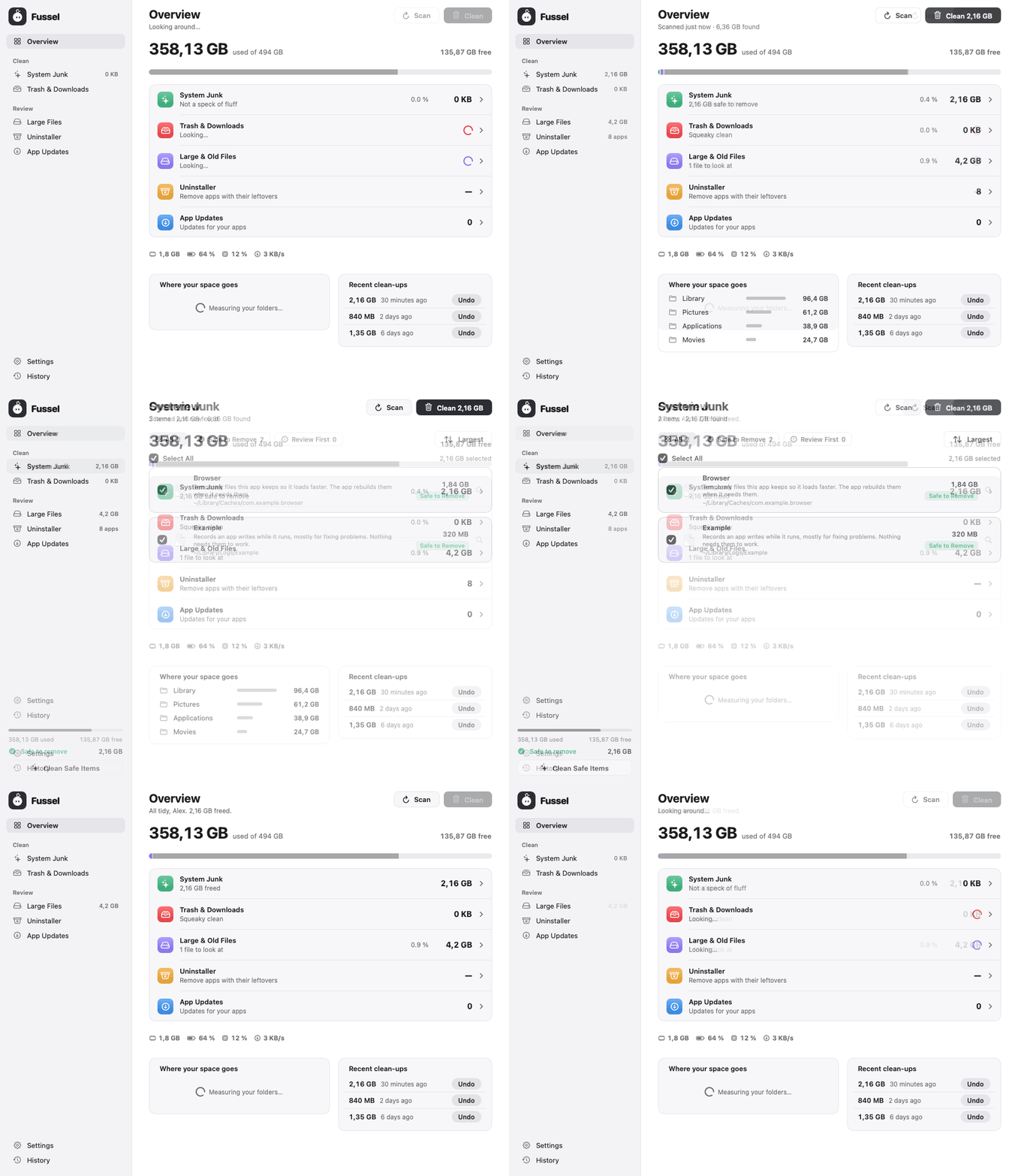
Finds what deleted apps left behind, and closes two safety gaps found in a security audit.
What's new
- Hidden app caches: apps from the App Store keep their caches inside their own container, where Fussel didn't look before. With Full Disk Access it now finds them too (never Apple's, only what's inside each Caches folder). They're Safe to Remove, like other caches
- Leftovers of removed apps: settings, caches and background helpers of apps you deleted long ago. Fussel is strict here: the folder must be named after an app that's gone, untouched for 30 days, not from a maker you still have an app or audio plug-in of, and never shared building blocks. Every leftover is Review First, nothing is picked for you
- Honest about emptying the Trash: when you empty the Trash, the prompt now says how many of those items came from earlier Fussel clean-ups, because Undo can't bring them back afterwards. Those items are also marked in the list, so you can leave them out. Thanks to the Reddit commenter who pointed this out
- Check your download: every release file now comes with a record from GitHub of exactly which commit and workflow built it.
gh attestation verify Fussel-Installer.zip --repo Dshamil/fusselchecks it (more in the README)
Safer
A security audit of the updater, the installer, the clean-up rules, Undo and the build closed two gaps, both now covered by tests (28 in total):
- No more redirected folders: Fussel refuses any path that runs through a folder which is really a link somewhere else. An app can no longer point its cache folder at, say, your Documents and have Fussel tidy them up
- Undo only brings back what's really in the Trash, and only to places Fussel may clean. Before, a program that edited Fussel's history file could have used Undo to move files around with Fussel's Full Disk Access
Neither could be used from outside your Mac; both needed another program already running on it.
Safety first
Everything Fussel cleans goes to the Trash first, and Undo puts it right back. Only items that are already in the Trash are deleted for good, and Fussel asks before doing that. System files, Apple apps and your main folders are never touched, and nothing marked Review First is ever picked for you. 28 automatic tests guard these rules on every build.
Install
Recommended: the installer
- Download Fussel-Installer.zip below. Your Mac unpacks it to Fussel-Installer.pkg; open that.
- Fussel isn't signed with an Apple Developer ID yet, so macOS blocks it at first. Open System Settings › Privacy & Security, scroll down and click Open Anyway next to the Fussel installer.
- Click through the installer. Fussel lands in your Applications folder and appears in the menu bar, next to the clock.
- Recommended: allow Full Disk Access in System Settings › Privacy & Security, so Fussel can reach the Trash and every hidden cache.
Already using Fussel? On 0.9.8 or later, just click Update Now. Older versions: install this one by hand once with the installer.
Or: drag and drop
Open Fussel.dmg and drag Fussel onto the Applications folder. Before the first launch, run this once in Terminal:
xattr -dr com.apple.quarantine /Applications/Fussel.app
Requires macOS 14 Sonoma or later. Runs natively on Apple Silicon and Intel. The Glass cards need macOS 26; earlier versions get frosted glass.
Good to know
- Undo works as long as the items are still in the Trash.
- Found something odd? Send Feedback in Fussel's menu opens a GitHub issue, already filled in with your Fussel and macOS version. Screenshots help a lot.
Made by Dshamil Meziane, built with Claude. Free and open source under the MIT license.
Fussel 1.0 · Less fluff, more Mac
Fussel is no longer a beta. After eighteen test versions, 1.0 is the first version meant for everyone: a calm, honest Mac cleaner that tells you what each file is, moves only what you choose to the Trash, and lets you take it back with one click.
What Fussel does
- Overview: used and free space at a glance, a row per tool, your biggest folders, and your last clean-ups with Undo
- System Junk: app caches, logs and Xcode build data
- Trash & Downloads: empty the Trash and sweep out old downloads
- Large Files: big files and things you haven't opened in ages
- Uninstaller: remove apps together with their support files, caches and preferences
- App Updates: updates for your apps from the App Store and the web
Every item comes with a plain-language explanation and a Safe to Remove or Review First label.
Safety first
Everything Fussel cleans goes to the Trash first, and Undo puts it right back. Only items that are already in the Trash are deleted for good, and Fussel asks before doing that. System files, Apple apps and your main folders are never touched, and nothing marked Review First is ever picked for you. 20 automatic tests guard these rules on every build.
Made to feel like yours
- Fussel himself: a little fluff ball in your menu bar. He looks around while he scans, hops when he's done, spins after a big clean-up, and dozes at night
- Your name: Fussel greets you by your first name, if you like
- Five looks: Match Mac, Light, Dark, Glass (your desktop shines through, softly blurred) and Oreo
- A weekly nudge when fluff piles up, and memory, CPU, battery and network at a glance
- One-click updates: Update Now installs a new Fussel with one password prompt. Every update is signed and checked before it installs, and Full Disk Access stays in place
Privacy
No accounts, no analytics, no tracking. Scan results, file lists and your clean-up history never leave your Mac. Fussel only goes online to check for its own updates, for your apps' updates when you ask, and for the speed test when you start it.
Install
Recommended: the installer
- Download Fussel-Installer.zip below. Your Mac unpacks it to Fussel-Installer.pkg; open that.
- Fussel isn't signed with an Apple Developer ID yet, so macOS blocks it at first. Open System Settings › Privacy & Security, scroll down and click Open Anyway next to the Fussel installer.
- Click through the installer. Fussel lands in your Applications folder and appears in the menu bar, next to the clock.
- Recommended: allow Full Disk Access in System Settings › Privacy & Security, so Fussel can reach the Trash and every hidden cache.
Already using Fussel? On 0.9.8 or later, just click Update Now. Older versions: install this one by hand once with the installer.
Or: drag and drop
Open Fussel.dmg and drag Fussel onto the Applications folder. Before the first launch, run this once in Terminal:
xattr -dr com.apple.quarantine /Applications/Fussel.app
Requires macOS 14 Sonoma or later. Runs natively on Apple Silicon and Intel. The Glass cards need macOS 26; earlier versions get frosted glass.
Good to know
- Undo works as long as the items are still in the Trash.
- Found something odd? Send Feedback in Fussel's menu opens a GitHub issue, already filled in with your Fussel and macOS version. Screenshots help a lot.
Made by Dshamil Meziane, built with Claude. Free and open source under the MIT license.