Repository navigation

A new launcher, upscaling with AMD FSR 1 and NVIDIA Image Scaling, the screen effects one by one, your controller's
buttons on screen, no shader stutter on the first start, and an option to skip the intro videos.
Important
You need your own original copy of the game, as an ISO image of your Xbox 360 disc. This release contains none
of the game's files: the launcher extracts them from your ISO the first time it opens.
Updating from v0.3.0
Open the launcher: its Updates page offers v0.4.0. Update now downloads it, checks it and restarts the
launcher. Your game files, saves, achievements, profile and settings stay where they are.
You can also run the installer and install over your v0.3.0 folder.
The first time you press Play after updating, the launcher shows Compiling shaders for a few seconds (see below).
How to play
- Download one of these:
- the installer,
PiratesAtWorldsEndRecomp-v0.4.0-setup.exe. It installs for your user, without
administrator rights, in%LOCALAPPDATA%\Programs\PiratesAtWorldsEndRecomp, with a Start menu shortcut; - the zip,
PiratesAtWorldsEndRecomp-v0.4.0-windows-x64.zip. Extract it into a folder you can write to (not
underProgram Files).
- the installer,
- Run
PiratesAtWorldsEnd Launcher.exe. The first time, choose or drop the ISO of your disc (a full Redump image or
a trimmed one): the launcher checks that it is this game's USA version and extracts its files. You do not need the
ISO afterwards. - Create your profile, choose your options and press Play. When you quit the game, the launcher comes back.
Requirements:
- Windows 10 or 11, 64-bit;
- a GPU with a Vulkan driver;
- the Microsoft Visual C++ Redistributable 2015–2022 (x64).
What's new
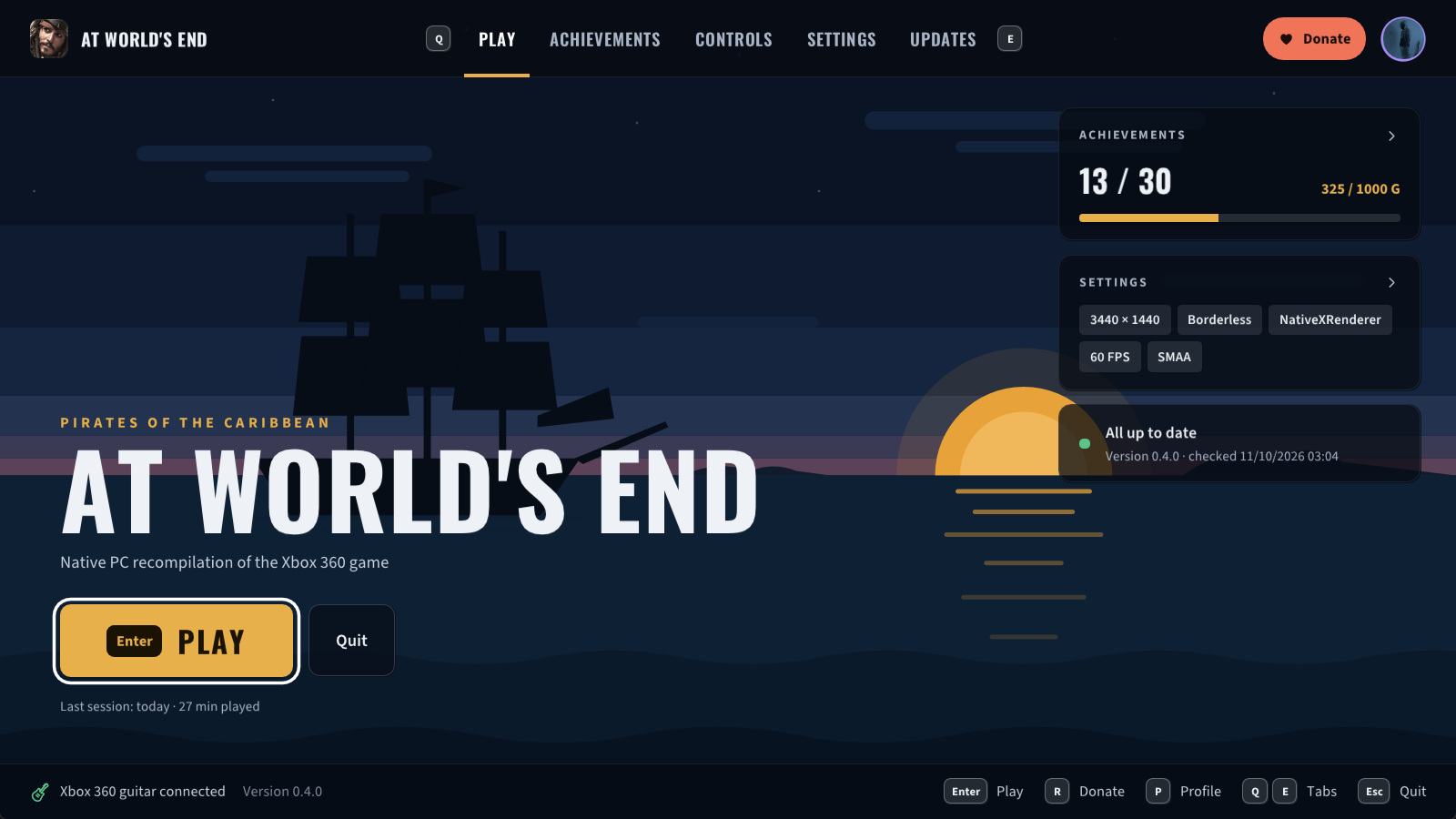
A new launcher
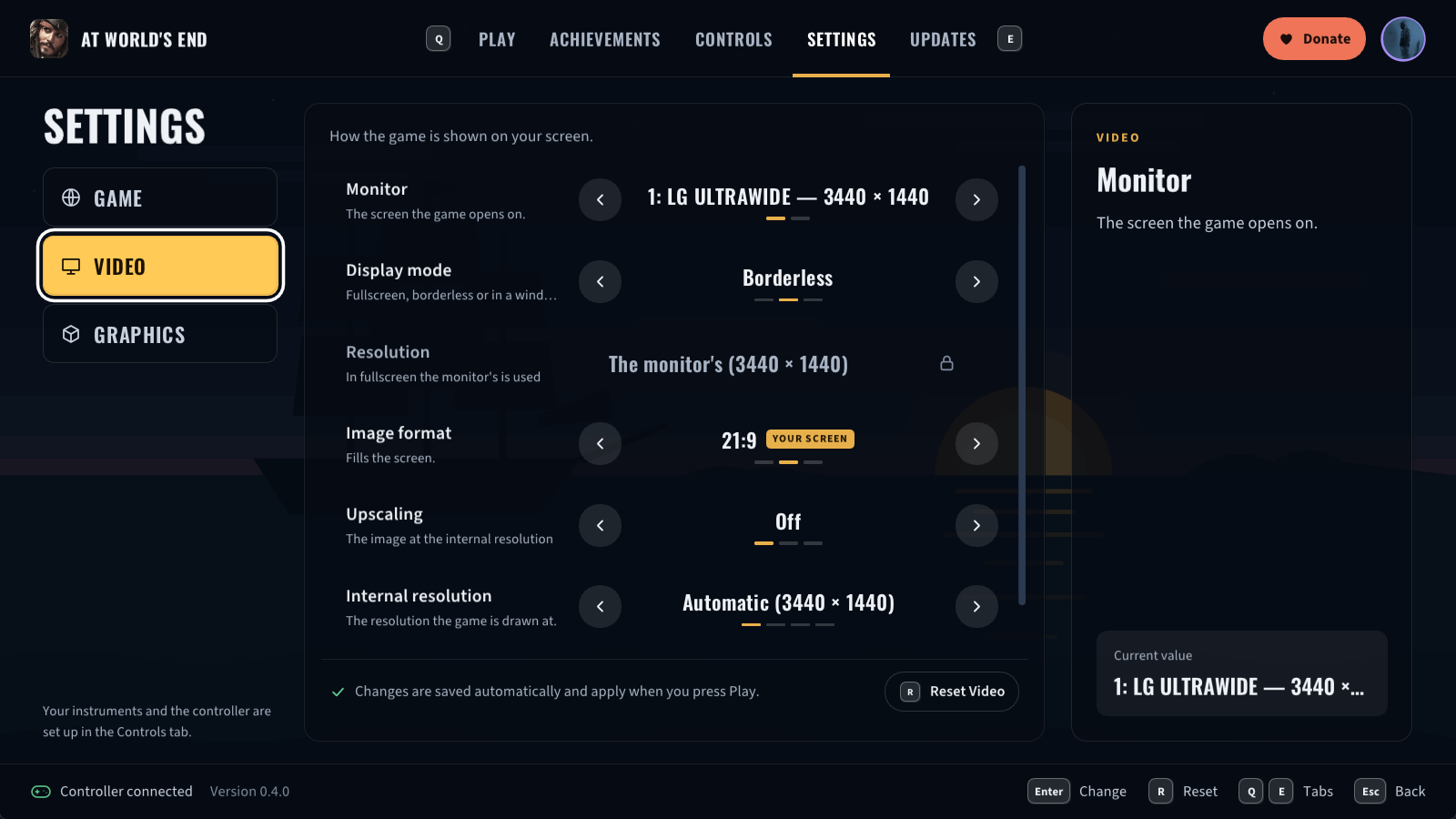
- A new look: the ship at sunset under every page, the game's logo in the header, and new fonts.
- Settings in one tab, in three categories: Game, Video and Graphics. Each option is a row you change
with left and right, with an explanation beside it. - Controls in one tab: each controller and the keyboard, with their own button assignments. Shift, Ctrl and Alt
can be assigned on their own. - The achievements in a grid, with the details of the one you choose.
- The launcher's own language, in Settings → Game (automatic, or one of five).
- V-Sync in Settings → Graphics, on by default: no tearing, and the game keeps in step with your screen.
- The developer keys (F3, F4 and `) are off unless you turn them on in Settings → Game.
- The launcher keeps a log of its own,
logs\launcher_NNN.log.
Graphics
- Upscaling, in Settings → Video, with NativeXRenderer: AMD FSR 1 and NVIDIA Image Scaling, on any
graphics card. The game is drawn at a lower resolution and scaled up to your screen, for weaker cards and 4K
screens, with a Sharpness setting. - AMD FSR 3.1 and NVIDIA DLSS, experimental, only in the options file. They rebuild the 3D image from several
frames, as antialiasing at native resolution (FSR 3.1 Native AA, DLAA) or to upscale. To try them, set
native_x_renderer_antialiasinginpotcawe_options.toml, next to the game, to"dlaa"or"fsr_native", or to
"dlss_quality","fsr_quality",_balancedor_performance. DLSS needs an NVIDIA RTX card. The launcher keeps
that setting until you choose another upscaling. - The screen effects one by one, in Settings → Graphics: bloom, depth of field, color correction, heat haze,
radial blur and motion blur. All are on by default, as on the console. - No shader stutter on the first start. The release comes with the list of the game's graphics pipelines found
while playing it. The first time you press Play, the launcher's Compiling shaders prepares them for your graphics
card from your own game files (a few seconds), so arriving in Port Royal no longer freezes for a moment. It runs
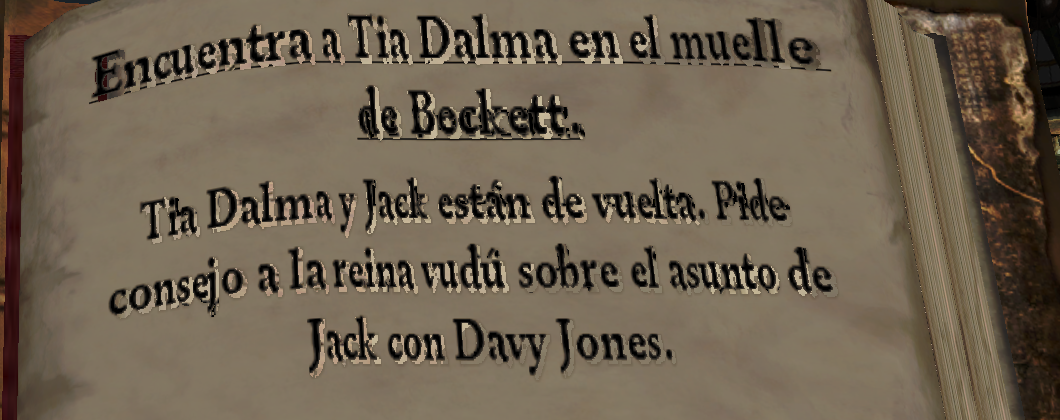
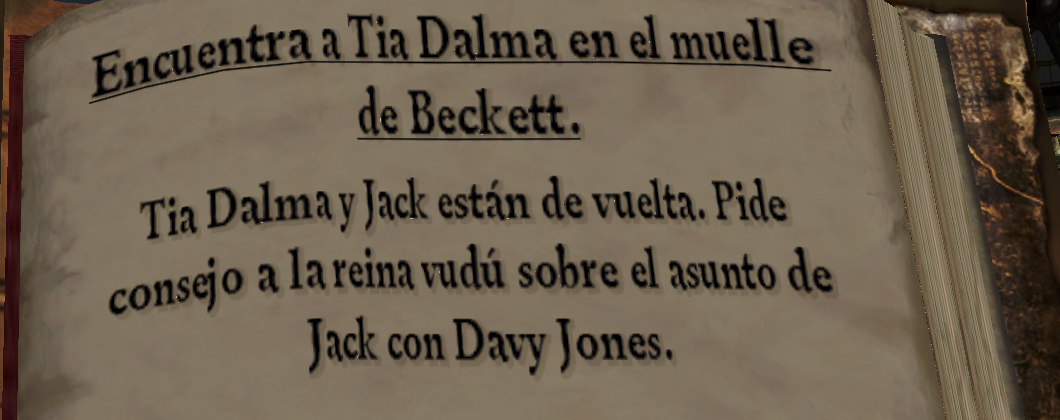
again only after an update of the game or of your graphics driver. - The journal's first page: its text had light, jagged outlines around the letters; it now looks like the other
pages.
| Before | After |
|---|---|
 |
 |
- A lighter NativeXRenderer: less CPU time per frame, also when a new screen appears.
Controllers
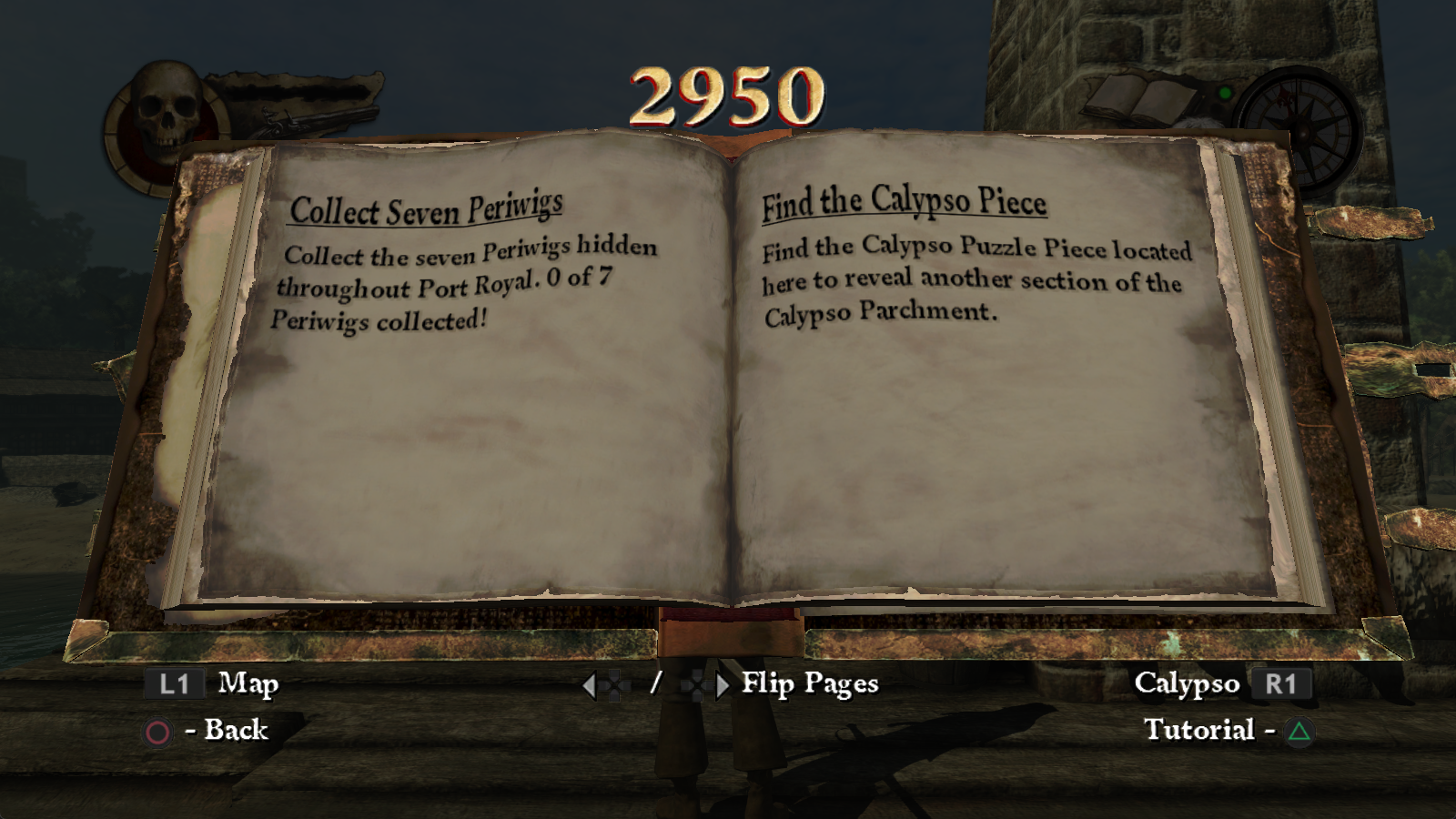
- The buttons on screen are your controller's. With a PlayStation controller the game shows ✕ ○ △ □, drawn from
the PS3 version's own art on your disc, with OPTIONS and SHARE (PS4) or CREATE (PS5) on the newer controllers. Xbox
One and Series controllers show MENU and VIEW, and with the keyboard the game shows the keys you assigned.
Other changes
- Skip intro videos, in Settings → Game, off by default: the game goes straight to the language menu, without the
Disney and Eurocom logos. You can also skip each logo with a button, once the game has loaded its menus. - The ReXGlue SDK is updated, with fixes in its audio decoding (XMA).
Known limitations
- AMD and Intel graphics cards: NativeXRenderer, the default renderer, has only been tested on NVIDIA cards. If
the game closes, stays black or looks wrong on another card, choose Xenos as the renderer on the launcher's
Graphics page, and please tell us your card's model. - The depth of field above 720p: what it blurs (the distant town and trees) shows a fine crosshatch with
NativeXRenderer. A fix is planned; until then you can turn Depth of field off in Graphics → Screen effects. - Keyboard and mouse controls are experimental. Please report what does not work as you expect.
- AMD FSR 3.1 and NVIDIA DLSS are experimental, and only in the options file.
- Testing so far: the first levels have been played, in sessions of an hour. Later levels have not been tested
yet, nor the cutscenes on ultrawide screens. - Wide screens: the HUD stays in a 16:9 area in the middle; it is not anchored to the screen's edges.
- Places beyond the first levels: the first time one appears, a few objects can show up some frames late while
their shaders compile. They are kept for the next time.
Please report problems with your log (logs\ next to the executable) and what you were doing.
Source and licenses
- Source: this repository at tag
v0.4.0, with NativeXRenderer and RecompLauncher as submodules. - License: MIT for the project's own code. The components keep their own licenses:
THIRD_PARTY_NOTICES.mdand
thelicensesfolder in the zip. - Trademarks: NVIDIA, DLSS and NVIDIA Image Scaling are trademarks of NVIDIA Corporation; AMD, FidelityFX and FSR
are trademarks of Advanced Micro Devices, Inc. This project is not affiliated with or endorsed by Disney, Eurocom,
Microsoft, NVIDIA or AMD.