Repository navigation
JSRF Unleashed NX v0.4.0-switch

JSRF Unleashed NX v0.4.0-switch
This is the current GitHub Latest release.
Use this build for the new renderer, the new menu and everything
listed below. It remains a 0.x fan port under active development:
it has been tested on hardware, but it has not been played
from start to finish on this build. Please send a report back
when something goes wrong.
What this is
JSRF Unleashed NX is a fan-made Nintendo Switch port of Jet Set
Radio Future, built on JuMatt's JSRF Unleashed. It is not an
emulator. The game's own code, from the standalone USA (NTSC-U)
Xbox disc, is statically recompiled into C and built as a native
homebrew program for a modded Switch running Atmosphère.
No game data is included, in this release or anywhere else.
Every texture, model, song and video comes from your own legally
dumped copy of the game. Only the standalone USA build works: not
the European or Japanese releases, and not the Sega GT 2002 and
JSRF combo disc, whose JSRF is a different, later build. Each
build checks the game files before starting and says what they are
if they are not the right ones.
This release is the same port as v0.3.0-switch, rebuilt around a
different renderer and a new in-game menu, with a batch of new
features on top. It has been boot-tested and menu-tested on real
hardware, on one console. It has not been played from start to
finish.
The renderer: deko3d
On Switch, this build renders with deko3d, the console's
native GPU interface, instead of OpenGL ES through Mesa. The
OpenGL ES build still exists in the source as a build option
(DEKO3D=OFF). It is not in this NRO, and some lines in
options.txt only affect that build; the README's options reference
says which ones.
The deko3d renderer is adapted from skeammer's jsrf-nx, MIT
licensed, used with his permission.
One renderer fix worth naming on its own: the stored-alpha fix.
An earlier deko build wrote the wrong alpha for a class of
surfaces, which showed up as a glitch around the boost heat haze.
That is fixed in this build, and the menu's Developer page shows
the fix's state (Stored Alpha, off means the fix is active).
The shader pack
The first launch compiles the game's shaders on the console. You
will see a loading bar while it works. The pack is kept beside the
NRO in sdmc:/switch/jsrf-unleashed/:
dk_shaders.pakdk_keys.bin
Later launches load the pack instead of compiling again. New
shader setups met during play are compiled as they are met and
added to the pack. No compile time is promised here: the first
compile has not been timed as a number worth publishing. To force
a fresh compile, use the Rebuild Shader Pack button at the end of
the Developer page's Engine section. It deletes the pack so the
next start compiles it again.
The menu
Open the menu with Minus. Minus also closes it. The D-pad
moves, A selects, B backs out, and L and R change pages. Every row
has help text, shown beside the list.
The menu has seven pages: File, Display, Graphics, Controller,
Cheats, Music and Developer. It is drawn with Dear ImGui on a
hand-written deko3d backend that follows the overlay in
centollOS's SwitchWakerHD. This release also gives the menu a
presentation pass: tighter spacing, calmer panels and a hint bar
along the bottom that always shows the controls.
- Display, Graphics and Controller choices are remembered between
runs. They are kept in thesettingsfile and in options.txt,
and the menu keeps the two in step. - Most choices apply live. Rows marked (RESTART) apply from
the next start. - Cheats and Music are session-only by design. They are not
remembered.
File
- Build and renderer readouts, and an About entry. The build line
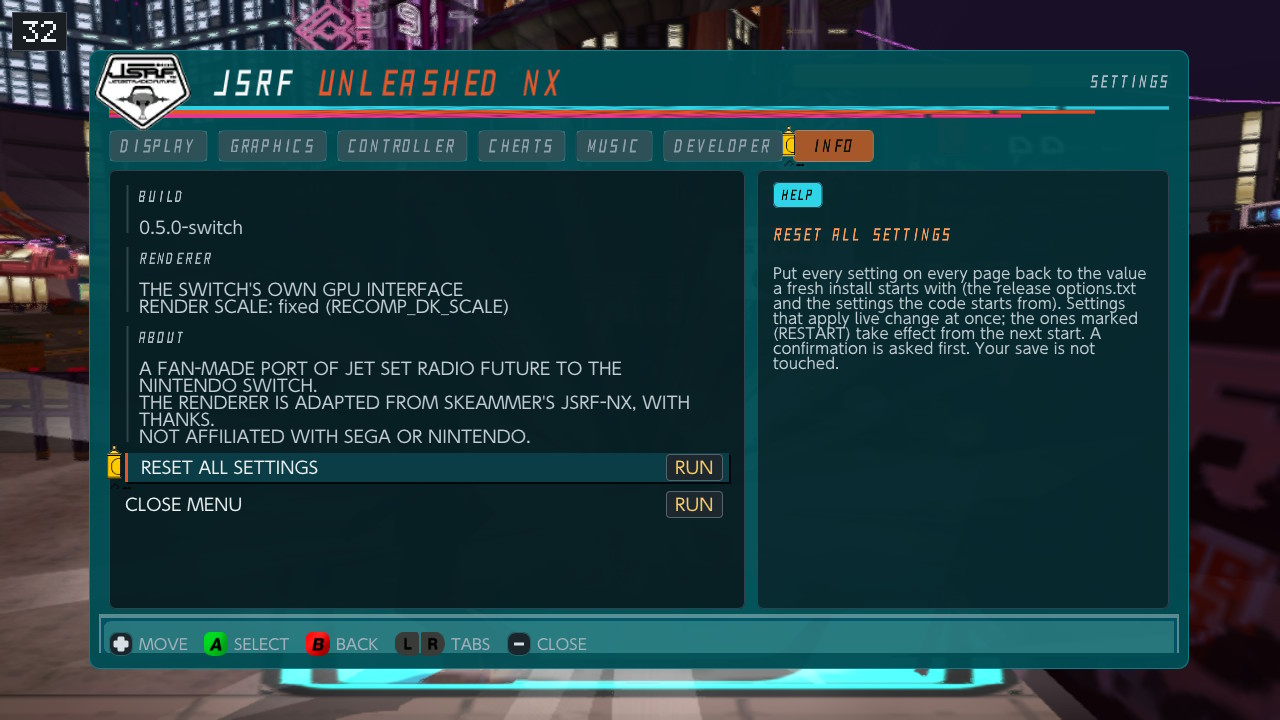
is what to quote in a bug report. - Reset all settings, behind a confirmation. It puts every
menu setting back to the shipped defaults and does not touch
your save. Note that the shipped defaults include widescreen
and stretch both on. - A warning row that appears only while a legacy
env.txtor
envfile sits beside options.txt, because those files silently
override options.txt at startup. If your settings seem to be
ignored, check for those files first.
Display
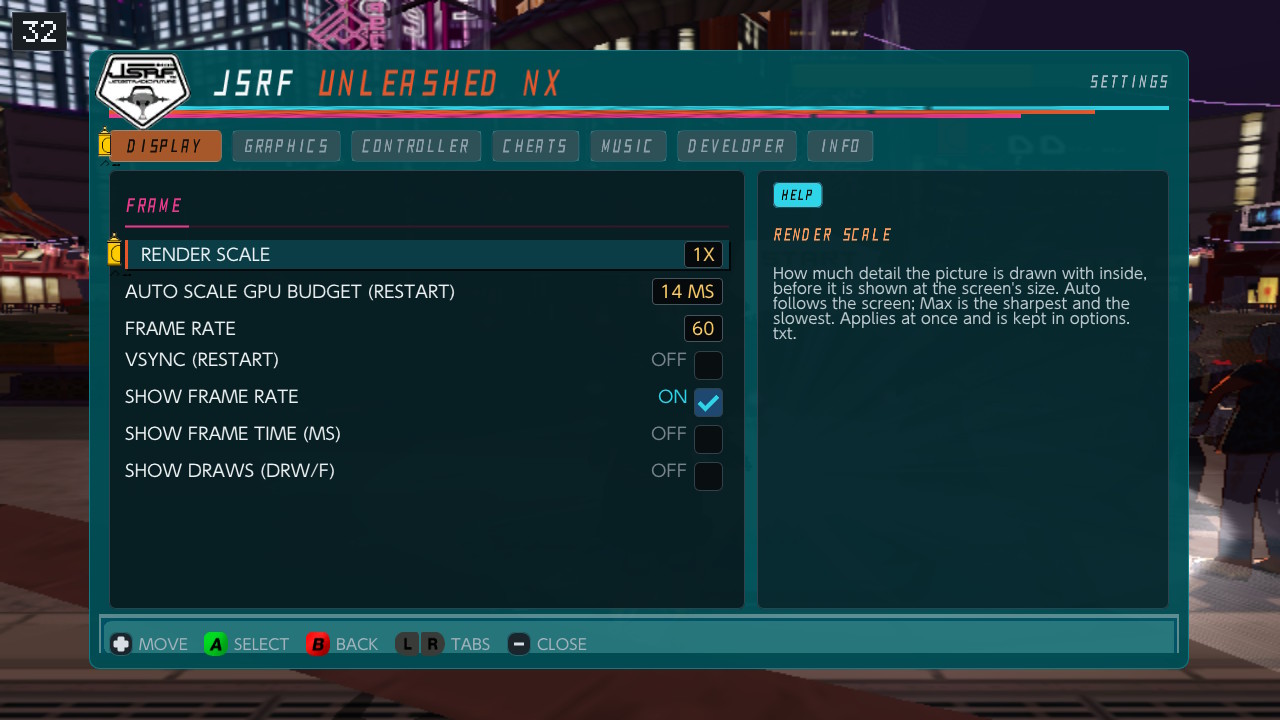
The page's section is called Frame.
- Render scale: Auto / Max / 1X / 1.5X / 2X / 3X / 4X, plus a
Custom entry that appears while a hand-set value is live. Fixed
scales apply live. Auto rises and falls with what the GPU can
hold. The higher fixed scales cost GPU time and memory; they
have not had a dedicated measured run, so judge them on your
own console. - Auto scale GPU budget (RESTART): how much GPU time a frame
may take before Auto render scale steps down. A hand-set value
shows as CUSTOM (n MS) rather than being renamed to a neighbour. - Frame rate: 60 / 30 / Unlimited, plus Custom for a hand-set
value. Applies live. - Vsync (RESTART).
- Show frame rate: the corner counter, below.
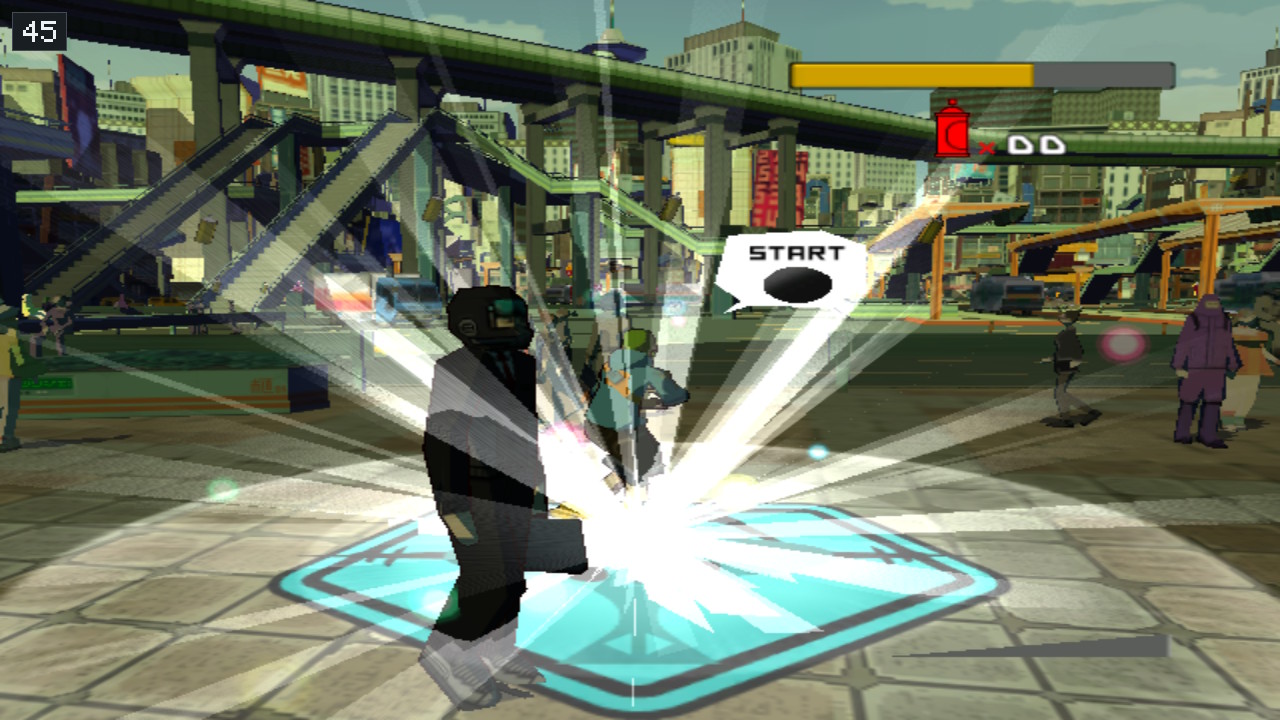
The frame rate counter
The counter in the corner of the picture shows frames per
second only by default. Two optional extras live under it on
the Display page, both off by default, both applied live, and the
counter panel grows and shrinks to fit what is switched on:
- Show frame time (MS): the longest gap between two frames in
the counter's window, in milliseconds. A stutter shows here even
while the frame rate number reads high. - Show draws (DRW/F): the average draws per frame over the
same window. Heavier scenes read higher, which makes it the
quickest way to see why one view costs more than another.
Graphics
The page's section is called Picture.
- Widescreen: on a 16:9 screen, widen the view to fill it
instead of drawing the game's 4:3 picture. Logos and the title
screen stay 4:3. - Stretch to fit screen: fill the whole screen with the 4:3
picture, stretched, instead of widening the view. - Texture anisotropy (RESTART): Off / 2X / 4X / 8X / 16X.
There are no MSAA or SMAA rows. Those were OpenGL renderer passes
and have no equivalent here. A row that does nothing is worse than
no row, so they were left out on purpose.
Controller, and the camera
- Right-stick camera: Off / Camera / Camera (tracking). Off
gives the stick back to the game's own first-person look.
Camera turns the view while the skater keeps his heading.
Tracking turns the skater with the view. - Camera eases back when released: after you let go of the
right stick, the view drifts back behind the skater. Off by
default in this build, as in the Switch OpenGL build: the L
trigger already resets the view at once.
Player note: this release explicitly ships with ease-back
OFF by default. If you expect the view to drift back after
using the right stick, turn this setting on. - Camera holds its view: on by default, and a trial. See
the camera note below. - Nintendo layout (A/B, X/Y): the face buttons by their
printed names. The game's own prompts are drawn for an Xbox pad
and do not move. - Both sticks in game menus (RESTART): the left and right
sticks both move through the game's own menus.
Camera: stage 1 is a trial
Treat the camera changes as a trial, and please report back on
them.
The right-stick camera works in this build. In the earlier deko
work the preferences behind it were missing, so the camera
options did nothing. That is fixed.
"Camera holds its view" is new and on by default. While it is on,
and ease-back is also on, the camera only drifts back behind the
skater once both sticks are untouched: pan the view, let go of
the right stick and keep skating, and the view stays where you
put it. The L trigger still snaps the camera behind you at once.
To get the old feel back with one change, turn hold view off.
Camera-relative movement (stage 2) is not in this build. It waits
on hands-on verdicts about stage 1.
Cheats
Opening the Cheats page shows a warning once per session: back up
your save, or use a separate save for cheat runs. A persisted
Cheat warnings toggle controls that warning. It defaults to
on. Turning it off asks for confirmation once. Map jumps and the
99th Street test start always ask first, regardless of that
toggle.
- Infinite spray cans.
- Refill spray cans.
- Teleport to X / Y / Z coordinates. Every teleport bookmarks
where you left. "Return to bookmark" undoes it. Teleport writes
position in memory only. It never writes the save. - Map jumps to 14 free-skate destinations in three districts:
Shibuya-cho 4, Kogane-cho 5, Benten-cho 5. A jump loads a new
area and can move story progress, so the menu asks before it
jumps. Names and IDs follow JuMatt's upstream 0.6.6 selector,
commit df1af3d0.
Music
Everything on this page is session-only.
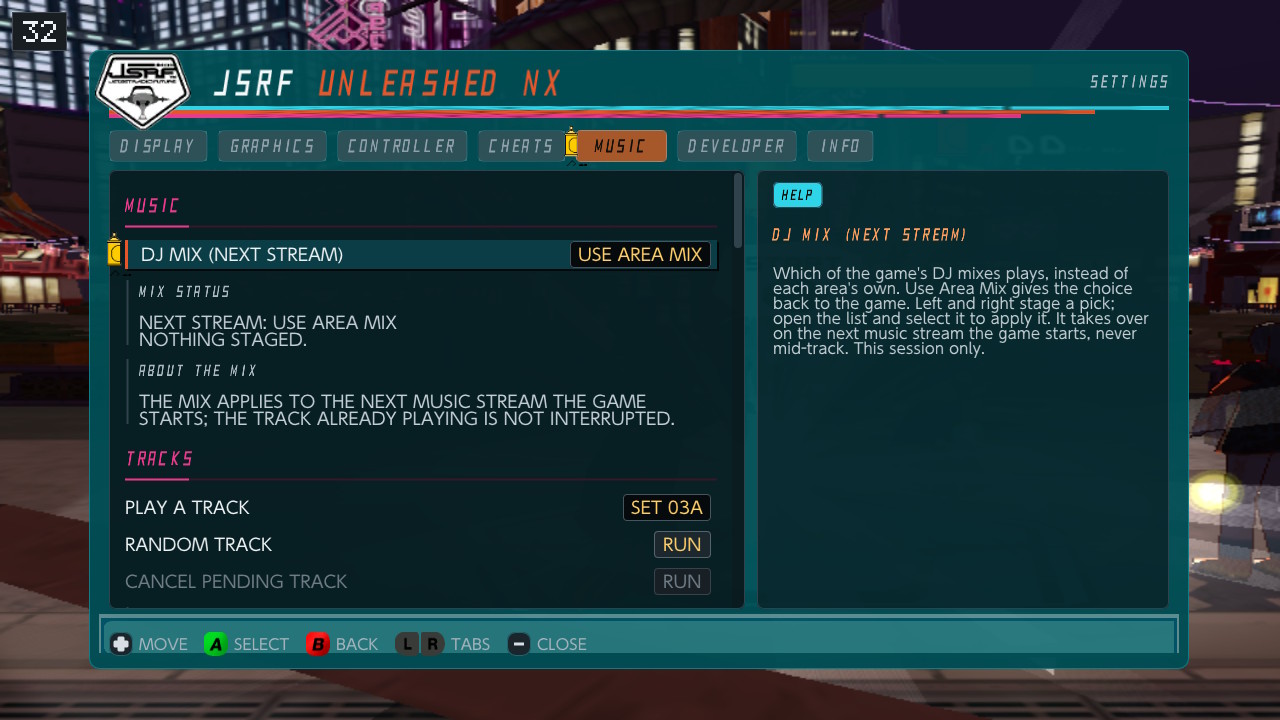
- DJ mix (next stream): pick one of the game's 19 DJ mixes,
or Use Area Mix to give the choice back to the game. A pick
takes over on the next music stream the game starts, never
mid-track. The Mix status row shows what the next stream
will play and what you have staged. - Play a track: pick one of the game's own tracks (47 entries:
the licensed songs, the standalones and every DJ set) and it
starts at the next moment the game allows music to change, the
same gate the map jumps use. Picking a track also resets the DJ
mix to Use Area Mix, unless the pick is itself a set, in which
case that set stays as the mix. - Random track: a track picked at random from the same list,
through the same latch, with the same mix reset. - Cancel pending track: takes back a latched pick before it
plays. Once the track has started there is nothing to cancel. - Custom tracks: your own music. See the next section.
- Mute (RESTART) sits at the end of this page, under Audio:
silence all of the game's audio from the next start.
Custom tracks
The port creates a folder on first run:
sdmc:/switch/jsrf-unleashed/custom_tracks/
A README inside it states the same rules as here. Drop .adx
files in that folder and they appear under Music, in the Custom
Tracks section, the next time you open the menu. No restart is
needed; the folder is scanned each time the menu opens.
Rules that matter:
- Validated ADX only. The game decodes ADX itself, so an MP3
renamed to.adxwill not play, and a renamed file that reached
the game could raise its disc error screen. For that reason the
menu checks every file's header before listing it. Files that
are not valid ADX are left out of the list and counted in Custom
Status. Files without an.adxending are ignored entirely.
The list is capped at 64 files and sorted by name. - Convert with VGAudio or VGAudioCli, and set loop points in
the file when you convert. Loops come from the file itself. A
file with no loop points plays once, then the area goes quiet. - Match the game's own files: 44.1 kHz, stereo, unencrypted.
- One pick per play. Picking a custom track also resets the
DJ mix to Use Area Mix.
In plain language, a pick plays through the game's own SET 01A
stream. That slot is the carrier the game's music changer already
knows how to open, so the port points that one open at your file
instead. The game will therefore call what is playing "SET 01A"
in its own bookkeeping, and Custom Status says so too. The pick
lasts until the game changes the music itself, for example when
you change area, at which point the status clears.
Honest status: custom tracks have not been run on hardware
yet. The folder scan, the header checks and the menu are built
and desk-tested, and the scan's status text was seen working on
the console with an empty folder. The full protocol, pick a
track, hear it play, check it loops, change area and watch the
game take the music back, is still owed. If you try it, your
report is the first one, and it matters.
Developer
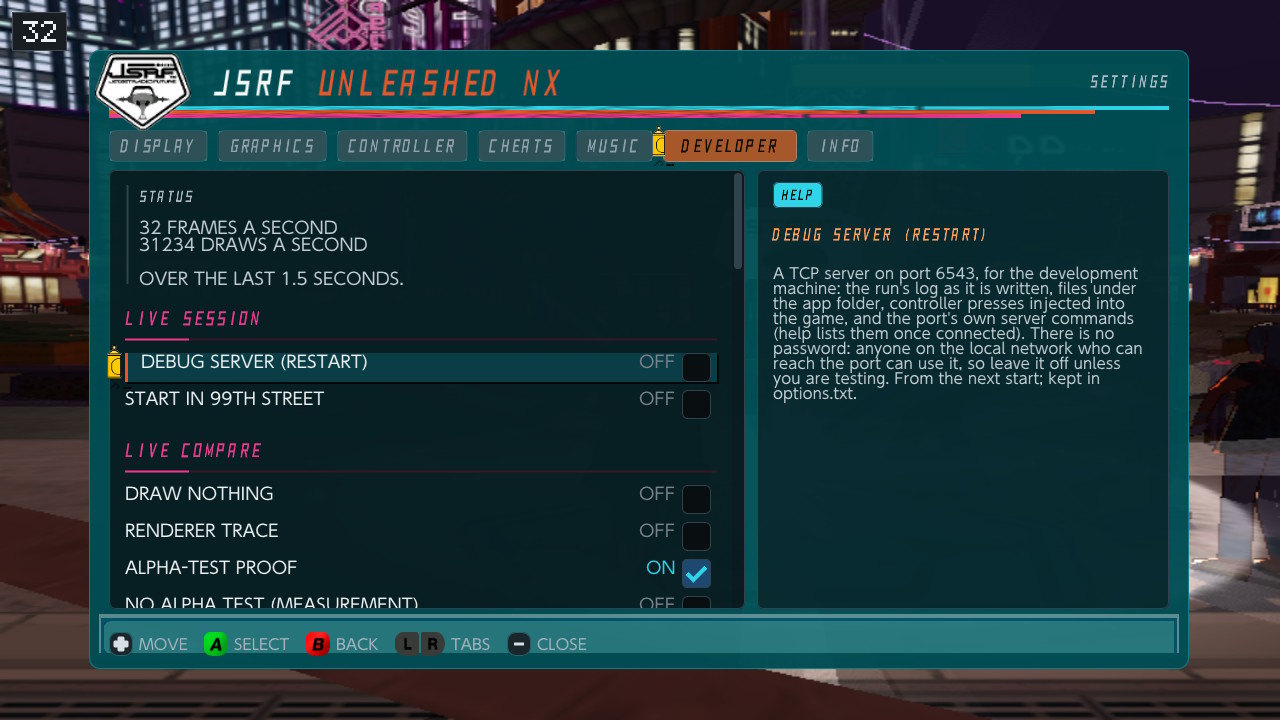
Tools for testing and for reporting problems. The page is grouped
into sections:
- Status: what the renderer has been doing: frames and draws
a second, counted over the last second or so. It updates while
you watch. - Live Session: Debug server (RESTART), below, and
Start in 99th Street (test), which loads the hidden 99th
Street test stage at the title instead of Shibuya Terminal.
Changing it asks for confirmation each time. - Live Compare: switches that change the renderer live,
with no restart, for comparing behaviour inside one session:
Draw nothing (counts every draw and draws none of them),
Renderer trace, Alpha-test proof, No alpha test (a measurement
mode), Hitch log threshold, GPU slow-frame log, and Texture
check interval. - Diagnostics (RESTART): the run log and log direct switches,
the CPU sampler, the pushbuffer call snapshot, and the GPU
fence logs. - Engine (RESTART): Fast GPU, the renderer threading and
compression switches, the heartbeat square, shader compile at
start, and the Rebuild Shader Pack button. - Executor (RESTART): the pushbuffer executor switches.
The debug server
This build carries a developer debug server, in the style of
SwitchWakerHD. It is off by default and nothing about it runs
until you turn it on: Developer → Live Session → Debug server
(RESTART), then restart the game. It can also be switched with
a dkserver=1 line in options.txt.
While it is on, it listens on TCP port 6543 on your local
network. A development machine on the same network can read the
run's log as it is written, list and move files under the app
folder, inject controller presses into the game, and use the
port's own server commands (send help once connected for the
list).
Warning, in plain words: the server has no password. There is
no authentication at all. Anyone on your local network who can
reach port 6543 while it is on can use everything in the
paragraph above, including reading your files under the app
folder and pressing buttons in your game. Leave it off unless
you are testing. Turn it back off when you are done. It was
verified working on the release hardware (it answered on the
port, reported the running stage and accepted a log marker), and
it is included because the port's own testing uses it.
Performance, stated plainly
Two things need keeping separate: what this build does, and what
the optimisation work is doing. They are easy to blur, so here
they are apart.
This build. The generated game code in this build is
pristine: none of the guest-code optimisation passes is
applied to it. That is deliberate. It is the same generated-code
state as the port's measured baseline, run 56, so the baseline
numbers are the honest expectation for this build:
- Run 56: 99th Street, handheld, stock clocks (CPU 1020 MHz, GPU
384 MHz, memory 1331 MHz), render scale 1X, 60 fps cap, vsync
off, Fast GPU on. 99th Street is the heaviest area measured so
far. - Frame time tracks the number of draws, smoothly: about 2.9 ms
more per 100 draws. Bucket medians run from about 25 ms at
250 draws to about 54 ms at 1,250 draws. At the area's median
of 467 draws a frame took about 30 ms, and the run averaged
about 33.9 fps. - The GPU is not the bottleneck there: a median of about 3.75 ms
of GPU time per frame, with about 26 ms of headroom in a median
frame. The cost is on the CPU side, in the serial chain from
the game's own code through the pushbuffer walk (about 20
microseconds per draw) and the renderer's draw processing
(about 10 microseconds per draw). - Waterfalls are not a performance bug in this data. Views with
waterfalls cost more because they draw more. Cost does not
drift or accumulate over a session.
So: in busy areas, this build runs below 60 at stock clocks.
Lighter areas run faster. No locked 60 fps is promised anywhere
in this build. During the release verification the corner
counter sat between 39 and 60 fps on the title and attract
screens at Auto scale; those are spot observations, not protocol
measurements, and they are included only so the paragraph above
is not read as the whole picture.
The optimisation campaign. A campaign is under way to close
the gap, using skeammer's guest-code optimisation passes
(tools/regen/) as a measured ladder: one cumulative rung at a
time, against the run 56 baseline and under the same protocol.
None of those passes is in this build, and this section would
rather say too little than repeat a claim that had to be taken
back before.
What can be said, in full: the passes were checked with a
differential tester that compares transformed code against
untransformed code function by function. The full census covered
1,119 functions. It found 76 divergences, of which 74 were one
real bug: the registers-into-locals pass undid the failure-path
writes of the indirect call macros, so a failed indirect call
left the guest stack pointer and return register wrong. That bug
is fixed in the runtime header, in the macros' failure paths.
The fixed header is in this build (it is part of the normal
build, and it is a correctness fix, not a performance pass).
After the fix, the same census re-ran: all 74 functions are bit
identical, no new mismatches appeared, and 1,110 of 1,119
functions are bit identical overall. The two remaining
divergences were proven to be artifacts of the test harness, not
the game code. Seven functions were too expensive to finish at
the census budgets; no completed run of any of them has ever
produced a mismatch, and that open caveat is one reason the two
passes it touches (fp_locals and simd_locals) gate shipping at
the top of the ladder.
The first rung of the ladder to reach hardware (the first passes
with the header fix) crashed on boot, deterministically, every
time it was tried, including in the isolation runs that followed.
That is the current state of the investigation, and it is why
the campaign's code is not in this release: this release ships
the generated code that is verified, and the campaign continues
separately. No frame rate effect is claimed for any rung until
its protocol run has been measured.
Install and upgrade
New install. Extract the zip at the root of the SD card. It
puts a switch/jsrf-unleashed/ folder on the card with:
jsrf-unleashed.nrooptions.txt(fresh, at the release defaults)READ-ME-FIRST.txtLICENSE,NOTICEand theLICENSES/folder- an empty
game/folder
Put the files from your own copy of the game into game/:
either the extracted files (default.xbe and Media/), or a
single .iso image of the US disc, which the first launch checks
and unpacks into the folder. Leave a few GB free on the card for
the unpack. Launch through title takeover (hold R while starting
an installed game). Applet mode does not give homebrew the memory
this port needs; the game says so on screen, in plain words, and
exits.
Saves live in game/UDATA, as on an Xbox. Copy that folder
somewhere safe to back them up.
Upgrade. Never delete or wipe the switch/jsrf-unleashed/
folder to upgrade. The safe upgrade is to replace
jsrf-unleashed.nro with the new one and leave everything else
alone: your game/ folder, your saves, your settings file,
your custom_tracks/ folder and the shader pack all carry over.
One caution about options.txt. The zip contains a fresh
options.txt at the release defaults, for first installs.
Extracting the whole zip over an existing install will
overwrite your options.txt with those defaults. If you have
settings you care about, keep your existing options.txt, or back
it up before extracting and put it back after.
One caveat on render scale. Render scale is stored in deko3d
form in options.txt (auto / max / 1 / 1.5 / 2 and up).
If you later go back to an OpenGL build, re-pick render scale
once in its menu.
To go back, put the older build's NRO back the same way. The
shader pack files can stay.
Known issues
- Tested on one console so far: a Switch Lite on firmware
23.0.1 and Atmosphère 1.12.1. Reports from other consoles,
handheld and docked, are the most useful thing a tester can
send. - Not played from start to finish on this build. Later areas
are little tested. Expect bugs there. - Busy areas run below 60 at stock clocks. See Performance.
This is a measured state, not a bug with a single cause. - Custom tracks have not been run on hardware yet. See the
custom tracks section. The desk verification is complete; the
on-console protocol is still owed. - Camera stage 1 is a trial, and stage 2 is not implemented.
See the camera note. - First open of the Developer or Music page may land the
highlight on an unexpected row. The menu remembers highlight
positions by index, and the pages were reorganised in this
build. It settles on later opens. - The debug server has no password. It is off by default.
See its section above before turning it on.
Reporting a problem
- Set
log=1in options.txt beside the NRO. Note that the
shipped options.txt has logging off (log=0), and with it off
a crash leaves no log behind, so turn it on before you try
to reproduce anything. The Developer page's Run log switch
does the same thing and needs a restart. - Play until the problem happens again.
- Attach
Logs/last-run.logfrom thejsrf-unleashedfolder
to a GitHub issue, with a line about where you were and what
happened. The previous run is kept asLogs/previous-run.log
if you need it.
Useful things to include: the build from the menu's File page,
whether your clocks are stock or not, and the route you took
(title, save load, character select, which stage). The [DK],
[perf] and [hitch] lines in the log are what make a deko3d
report useful.
Credits
Jet Set Radio Future is © SEGA. This is an unofficial, non-commercial
fan project; it contains no game data and works only with files from
your own copy of the game.
- JSRF Unleashed, created by JuMatt. This Switch port stands
on his project and its contributors' work.
https://github.com/JuMatt/JetSetRadioFuture-Unleashed - xboxrecomp, the recompilation toolkit this is built with, by
Ned Heller (sp00nz) and the contributors credited in
CONTRIBUTORS.md. MIT. - skeammer, the deko3d renderer and shader-pack implementation
this port's renderer is adapted from (jsrf-nx, at commit 0014daf),
used with his permission. MIT. - centollOS (SwitchWakerHD), the debug-server core (MPL-2.0),
and the ImGui deko3d overlay the menu's renderer was adapted from. - The xemu project: espes, Jannik Vogel and Matt Borgerson: the
MCPX APU core and NV2A register definitions, extracted from xemu.
LGPL-2.1 or later. - Dear ImGui, Omar Cornut. MIT. (The stb headers inside it are
Sean Barrett's, public domain.) - UAM, fincs: the deko3d shader compiler linked into this build,
itself built on the Mesa 3D GLSL compiler and nouveau's nv50_ir
backend. UAM: zlib licence. Mesa: MIT. - devkitPro: libnx (ISC), deko3d (zlib) and the Switch toolchain
this homebrew is built and linked with. - SMAA, Jorge Jimenez, Jose I. Echevarria, Belen Masia, Fernando
Navarro and Diego Gutierrez (iryoku). MIT. (Used by the OpenGL
builds.) - JSRF-PC, spriteice: the in-game menu this project's menu
design descends from. MIT. - Fabian Giesen, the texture-unswizzle technique the D3D layer
implements. - Reference, no code taken: xemu, Cxbx-Reloaded and xboxdevwiki, for
documented Xbox hardware behaviour. - Everyone who has tested a build and sent a log back: the run-56
baseline and most of the fixes since exist because you did.
Screenshots