Repository navigation
v0.0.50

Release Notes — v0.0.50
Covers changes from v0.0.48 to v0.0.50.
The headline is custom features: write your own features, parts and assemblies in JavaScript, use them from the toolbar like built-in ones, and share them as packages on FluidCAD Hub.
Custom features
-
Write a feature in a
*.feature.jsfile: a class built withFeature.with({...})and registered withdefineFeature(), fromfluidcad/sdk. The + picker's Create feature row writes a working starter. -
Each feature gets a dialog drawn from the values it declares, with a live preview. Its timeline row opens for editing like a built-in's.
-
Inputs: numbers, lengths, angles, booleans, text, selects and radios (with images, groups, search or several choices at once), and pickers for sketches, faces, edges, axes, planes, solids, features, connectors, points and anchors.
-
Lay out the dialog with sliders, steppers, units, hints, rows, tabs, folding sections, notes and side diagrams. Rows can appear, options can narrow and defaults can change depending on other values.
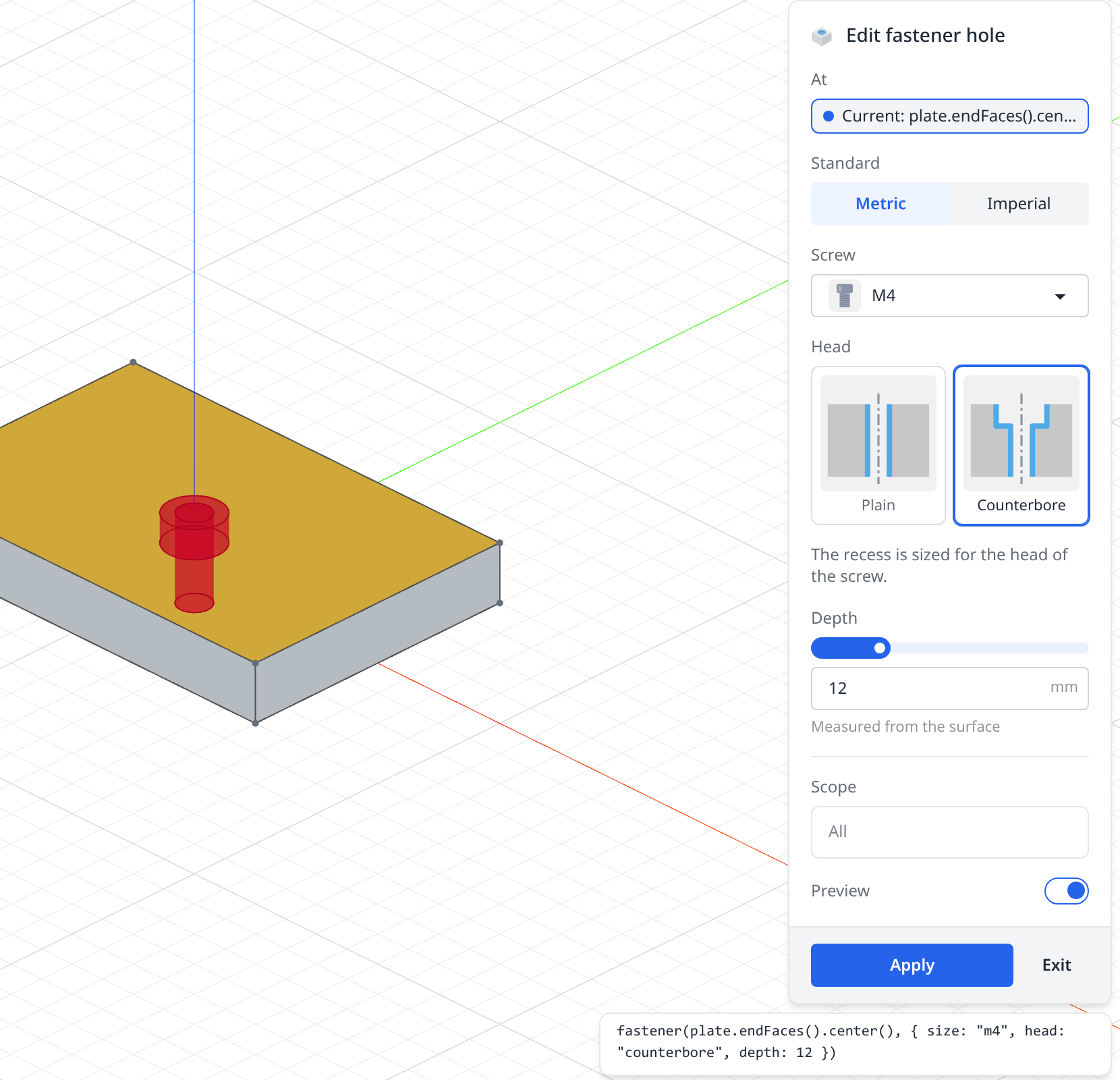
-
Any row takes an expression, and a select can bind to a parameter.
-
Name the faces and edges a feature makes with
Feature.with(params, { buckets }). A gear getsg.tipEdges(), and picking its tip edges writes that name (Gear Tip Edges). The names carry through repeats and cuts. -
fluidcad/sdk/kernelhas geometry helpers.fluidcad/sdk/occtgives raw OpenCascade, withFeature.occ()freeing what it creates. A feature that crashes the kernel fails on its own row, and a banner offers Restart engine. -
All custom features sit under one Custom button at the end of the toolbar. A package's features can be pinned to the toolbar.
-
Saving a feature module, or any file the model imports, rebuilds the model.
-
Draft gets a toolbar button and a dialog with a preview, built on the same system.
Generated parts and assemblies
-
definePart()turns a custom feature into a part you can insert. Its frames become connectors. See writing generated parts and assemblies. -
defineAssembly()with aGeneratorbuilds a whole sub-assembly from a few values, such as a wardrobe with its doors, drawers and hinges, including parts, mates and relations. -
The assembly toolbar's new Generate Parts dropdown inserts them. The dialog previews the real result as you edit, and Edit parameters reopens it. See using generated parts and assemblies.
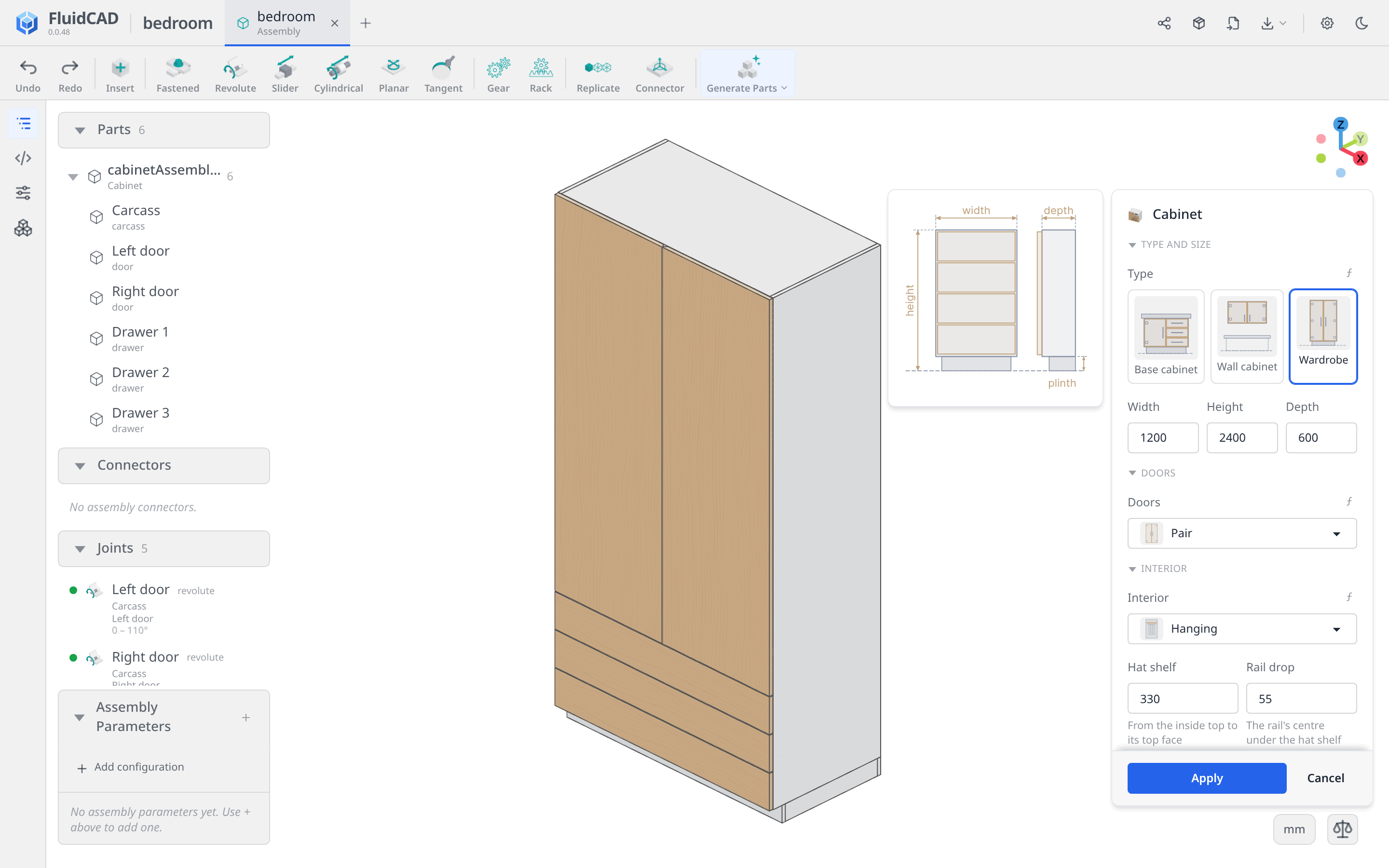
-
Built parts are cached. Dragging a value back, undoing or cancelling builds nothing.
-
Generated rows are read-only. Joint and relation rows lead with their authored names.
Packages and FluidCAD Hub
- New FluidCAD Hub panel on the left rail. Search and browse packages with their screenshots, parameters, versions and README, install or upgrade in one click, like packages, and sign in or out.
- Make a package with New Package on the start screen or in the File menu, or with
fluidcad init --package @handle/name. Thefeatures/,parts/andassemblies/folders decide what it exports, anddocs/ships its pages. - Publish with the Publish button, which replaces Share in a package workspace, or with
fluidcad publish.fluidcad packwrites the archive so you can inspect it. - Install with
fluidcad install @scope/name[@version]or from the panel. Versions are pinned influidcad.json, andfluidcad installalone fetches any missing ones. - New CLI commands:
remove,packages,search,login,logout,whoami,deprecateandlisting. - Use installed features from Custom, parts from Insert part (library parts behind Show library parts), or import a package by name in code, with editor types.
- Installed packages are read-only. A package carries the STEP imports and fonts its parts read.
{ from: 'project' }reads the file from the project using the package instead. - The project's Packages dialog lists pins and available updates, and a banner flags missing packages. Settings → Packages sets the library folder and install target.
fluidcad initadds.fluidcad/to.gitignore.
Appearance and color
-
Give a part an appearance with
.appearance('oak')or Set appearance… on its row menu. The choices are oak, walnut, steel, aluminum, brass, copper, matte plastic and rubber, all rendered as physical materials. Face colors paint over them. -
New Color tool with Solid and Face tabs.
color()now takes several face selections and whole objects in one statement.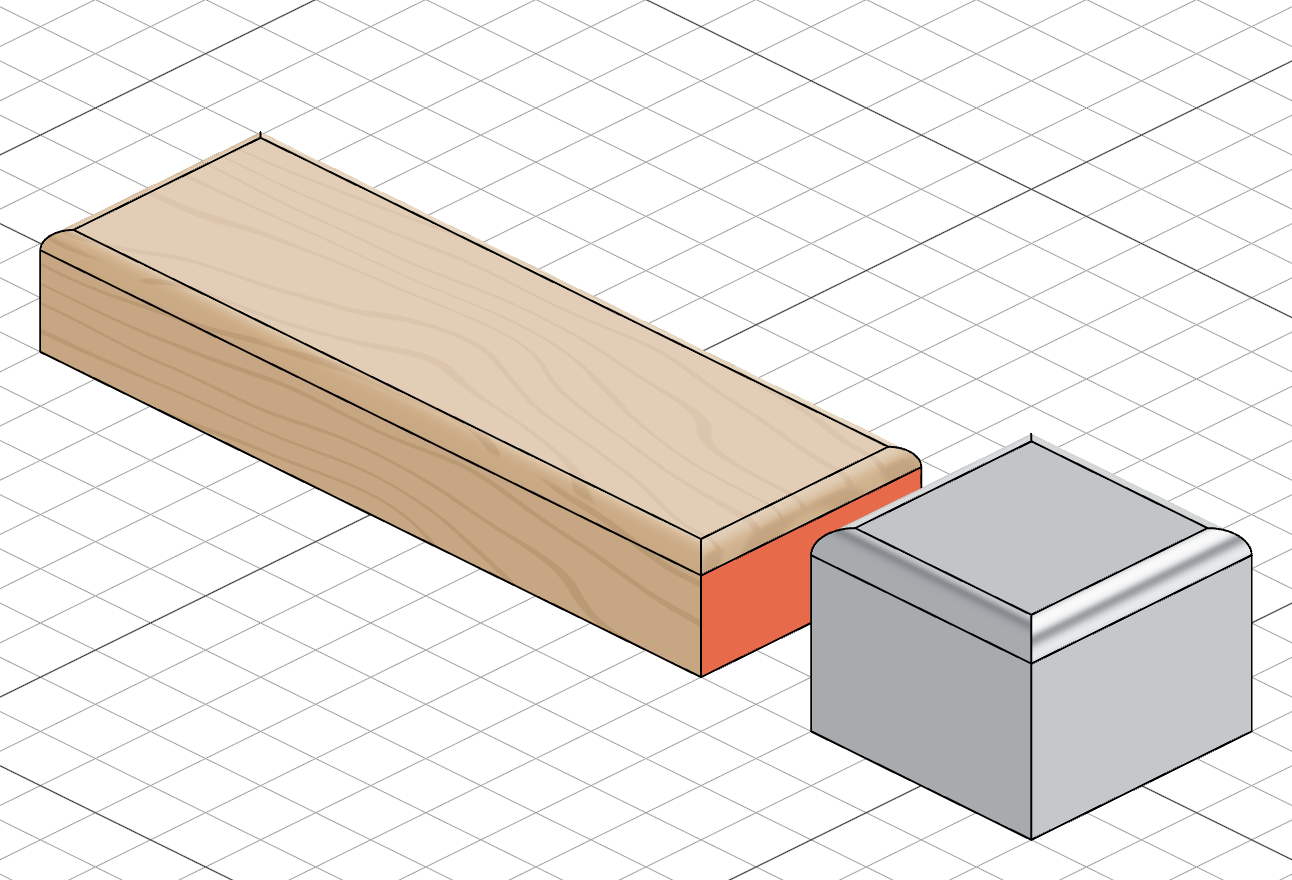
Expressions and parameters
- Dropdowns, toggles and text fields in the built-in dialogs can now hold an expression, not just numbers. An ƒ toggle shows what it resolves to. This covers extrude's drill, shell's join, loft's end types, split's keep, text options, hole fit and pitch, and more.
- Dropdowns list parameters once you type in their search box. The hole's size, fit and pitch can bind to one.
- A parameter's number default takes an expression.
- The Global Parameters panel no longer lists derived exports.
Connectors as axes
- Revolve, rotate, helix, repeat and copy take a connector where an axis goes, using its Z axis.
axis(bolt)builds an axis along it. - While any axis slot is armed in a dialog, connector gizmos show and can be clicked.
Performance
- The app keeps meshes by content and shares one geometry between instances of the same part, so assembly re-renders send and draw less.
- Installed package modules are not recompiled between renders.
MCP
get_scene_summarylists an assembly's instances, poses, mates, relations and joints.screenshot_shapeframes the shape it is given.- New custom-features skill.
packreplacespack_model, andlist_fluid_fileslists feature modules.
Other changes
- An empty scene now shows every tool, including rib, hole, mirror, translate, rotate, split, connector and offset.
- Editing a text's font file rebuilds the text.
Bug Fixes
- The FluidCAD Hub panel shows each package's card image in the list and its screenshots on the package page, which showed only placeholders in v0.0.49.
- A package's README shows its own images, such as
docs/images/…from the package, instead of their alt text. Images from anywhere else still show as their alt text. - Adding to a part that holds separate bodies no longer duplicates a body the new feature doesn't touch, drops a body that overlaps another, or counts their overlap twice. Bodies made by package features, such as screws and extrusions, hit this most.
- Share links now carry the STEP geometry a model loads and its workspace fonts, so they open in the viewer (#91).
- Editing a global parameter always reaches the model, even after an earlier edit moved its value in the file (#92).
- Long sessions no longer run out of engine memory: every boolean frees its intersection data, and assembly re-renders free the scene they replace.
- Split merges the faces its cut leaves in pieces, fillet and chamfer skip seam edges, and fuse retries its face merge.
- Edges behind a thin wall, such as ribs under a skin or a shell's inner corners, no longer show through when zoomed out.
- Mate limits past 180° clamp correctly, and loop bodies keep their branch when dragged.
- A part file builds only its own leftover parts, not those of the files it imports.
- A workspace opened through a symlink rebuilds its modules on every render.
- Leaving a feature edit removes its
breakpoint()line and import cleanly. - Hovering a repeat's copy shows the
r.instance(k)form the dialog writes. - A planar face's normal in measure and
resolve_selectionpoints out of its solid. - An engine started from another folder reads the workspace's imports and fonts, so
fluidcad pack -w <dir>works from anywhere. - Open dropdown lists have a solid background.