Repository navigation
ENGRAM 0.5.0 — Review workspace

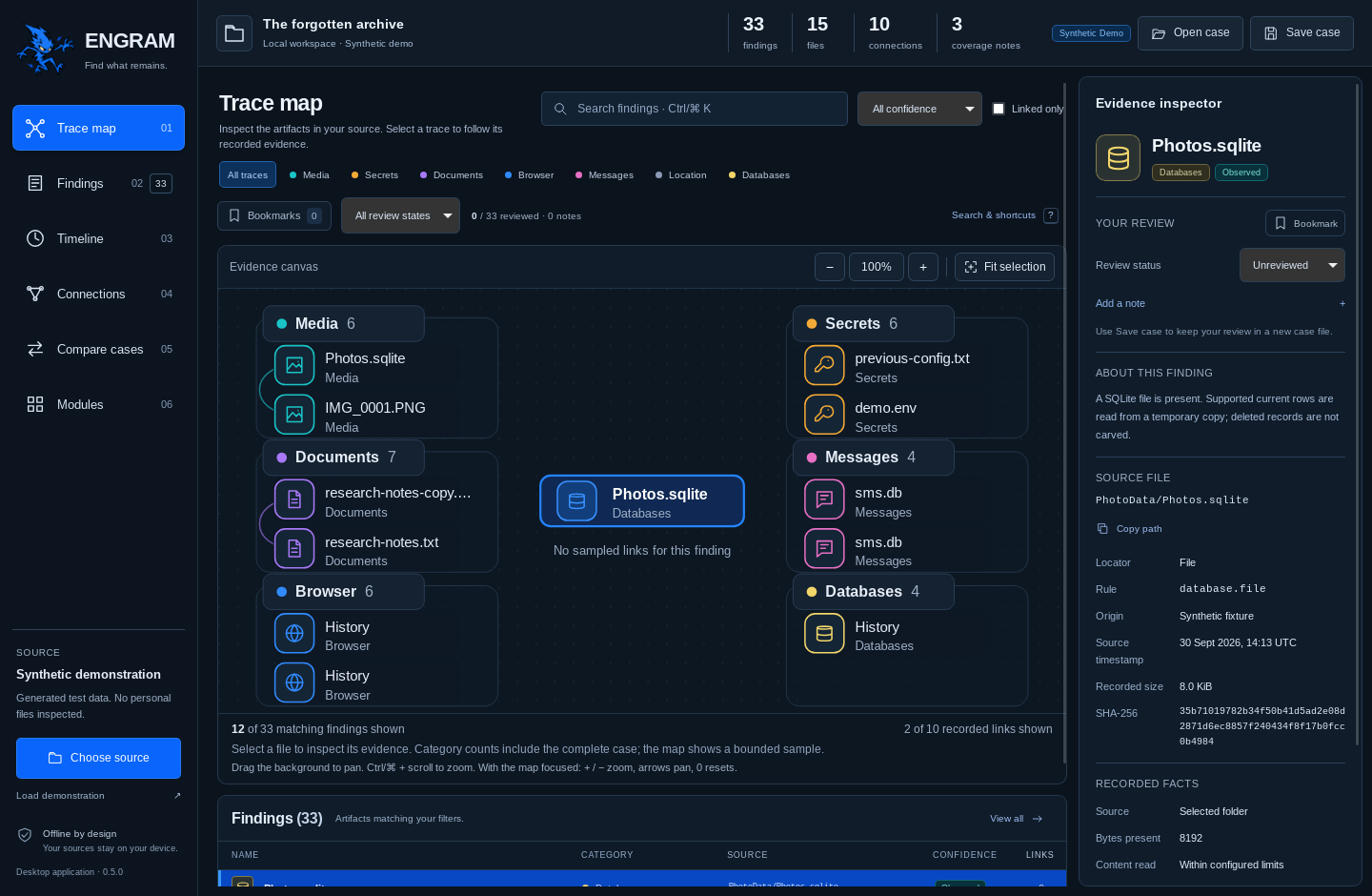
Find what remains. ENGRAM 0.5.0 brings bookmarks, review states and notes into the Atlas Focus desktop workspace, with structured search and an evidence map you can pan and zoom.
Review the findings
- Bookmark a finding, mark it Unreviewed, Needs review or Reviewed, and keep plain-text notes in the evidence inspector.
- Save validated review annotations with a new local case file. Cases created before review annotations existed open with an empty review; the optional review map retains schema version 1.
- Focus the queue with bookmark/review filters, quoted phrases, exclusions and literal field searches, including notes.
- Pan the map background, zoom with the controls or Ctrl/⌘ + scroll, reset the view and fit the selected finding.
- Use search/workspace shortcuts and receive unsaved-review prompts before replacing the open case or closing the desktop.
Review states are analyst metadata. They preserve the engine's Observed / Linked / Candidate confidence labels, source evidence and evidence-comparison results. Baseline review annotations are read-only.
Download and run
- Windows x64: extract the ZIP and run
engram-desktop.exe. Microsoft Edge WebView2 Runtime is required. - macOS Apple Silicon: extract the archive and open
ENGRAM.app. - Linux x64: extract the archive and run
engram-desktopin a graphical session with GTK 3, WebKitGTK 4.1 and compatible system runtime libraries.
Each archive includes the engram CLI, USAGE.txt and payload checksums. Release-level SHA256SUMS.txt records the archive hashes; BUILD-INFO.txt records the exact source and build evidence. Packages are unsigned; the macOS app is not notarized.
The app starts with a labelled synthetic case. Use Choose source for an explicitly selected local folder or supported unencrypted iPhone backup, Open case for a saved observation, and Save case to keep the current findings and review in a new file outside the source.
Keep the review
Review changes remain unsaved until Save case succeeds. Cancelled or failed saves keep them unsaved. The browser demonstration keeps review changes in the current tab only.
Notes are stored as the plain text you enter in the case JSON and are not automatically redacted. Keep cases private and avoid entering credentials into notes.
Build and capture evidence
- Successful main-branch verification: frontend, Rust and platform checks on the exact release tree.
- Windows, macOS and Linux package build from exact package source c3a1ab3.
- Six successful native Tauri/IPC captures from capture source 023d641.
- Native screenshot provenance and review, search and navigation guide.
The six unedited 1440 × 940 screenshots show the actual Linux Tauri application with a synthetic case generated by the shared Rust engine. All six capture logs report ENGRAM_TAURI_SMOKE_OK. They establish native launch and initial IPC; persistence and stale/cancelled saves have separate Rust regression coverage. Original design illustrations and historical release captures retain their own provenance.
Supported iPhone, Photos, browser and message readers remain experimental. Deleted-record reconstruction, protected Keychain recovery, OCR and application-access attribution remain planned; encrypted backups are unavailable. See the supported-data matrix for exact coverage.