Repository navigation

ECCE 9.5.2. Please report problems as issues.
Platforms. Linux (Debian 13; Ubuntu 24.04, RHEL/Rocky 9 and Fedora 44 packages are built on those systems but not tested). Windows 10 and 11. macOS, Apple silicon and Intel: experimental.
Changes
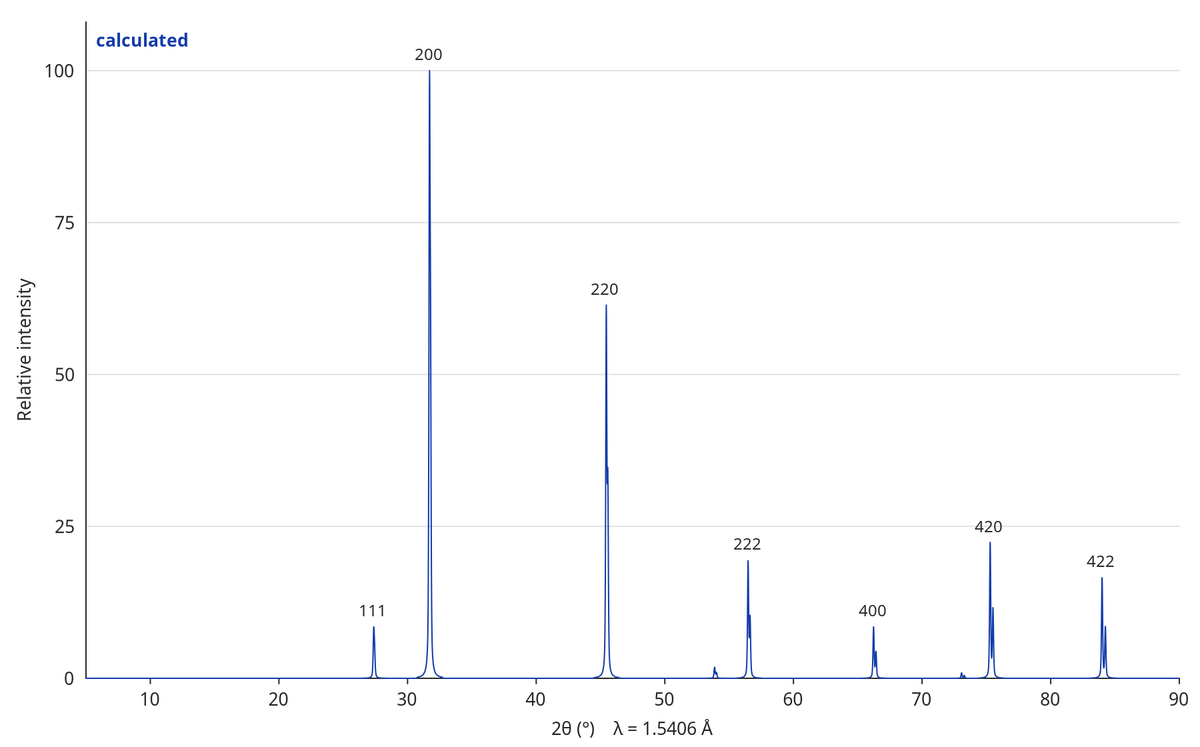
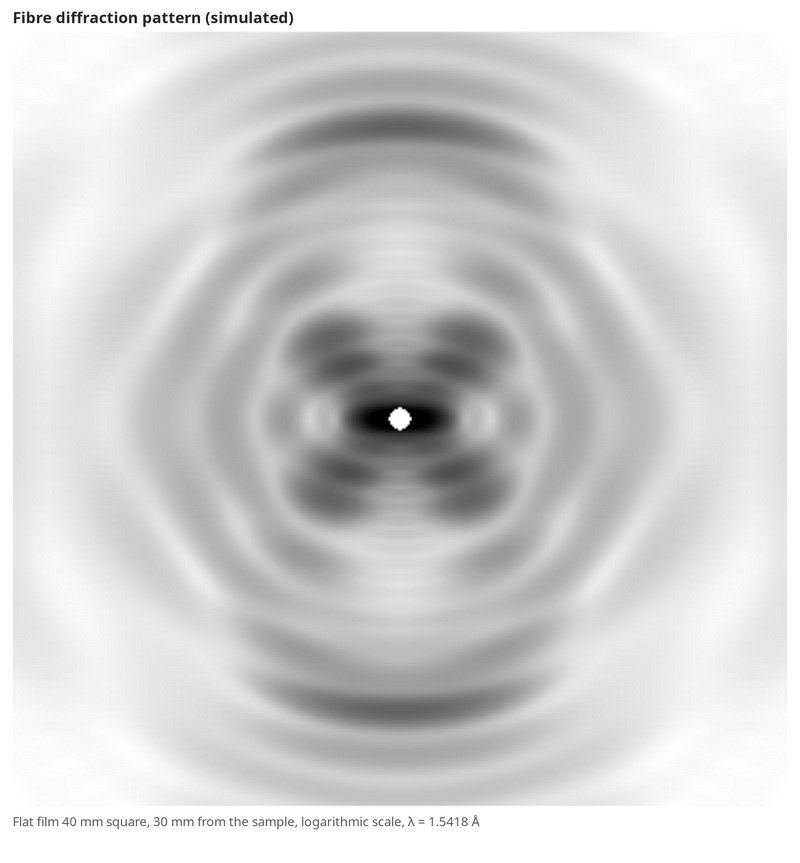
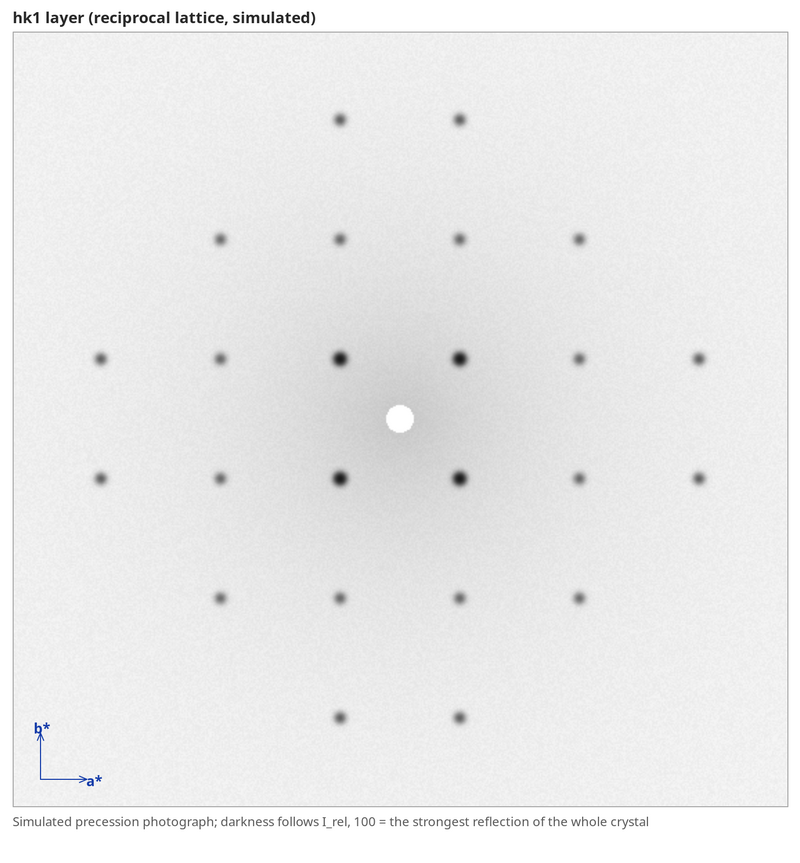
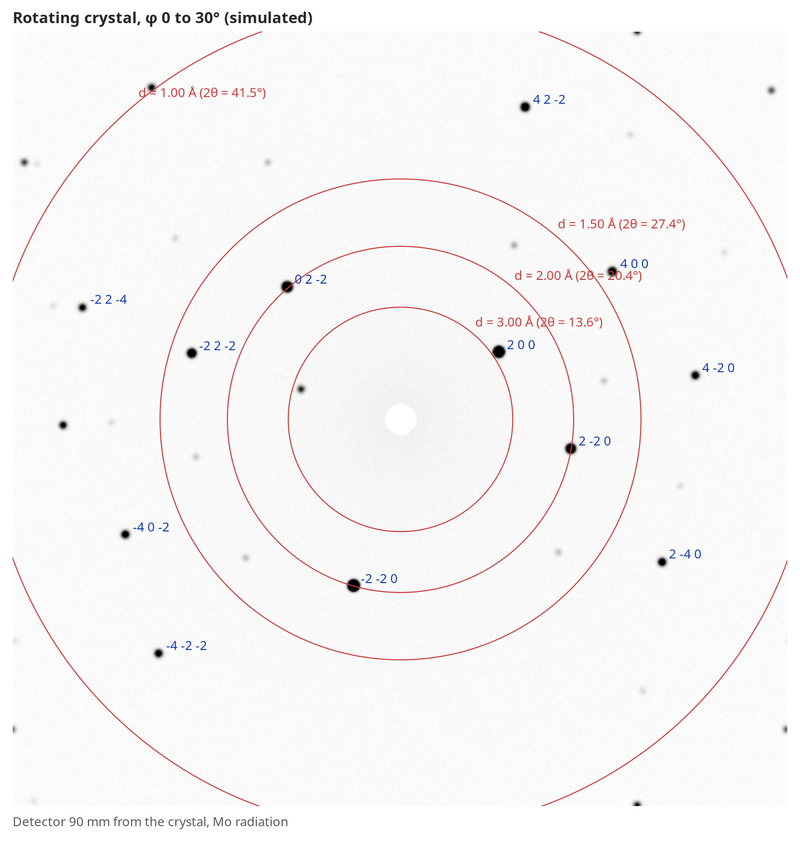
- Diffraction (Tools > Diffraction..., and a Diffraction entry under Geometry for every calculation with a structure). Calculated patterns: a powder pattern with the Kα1/Kα2 doublet for Cu, Mo and Co sources, on by default and with the wavelengths diffractometers record, so that it lines up with a measured one (#587); the fibre diffraction pattern of a helix such as B-DNA or an α-helix (#971); single-crystal reciprocal-lattice layers, drawn on one crystal-wide intensity scale so that a nearly absent layer looks weak (#972, #984); precession photographs with exposure and colour scheme and click measuring; and the detector frame of a rotating crystal, with φ, oscillation, distance, source and noise settings and hkl and resolution-ring overlays (#985). Experimental... loads a measured pattern from text columns, PANalytical .xrdml or Bruker .brml; a file that cannot be read says why. The General Chemistry examples have a Diffraction topic (NaCl, KCl, quartz, B-DNA, α-helix).
- CIF files: the Builder opens and saves CIF (#358).
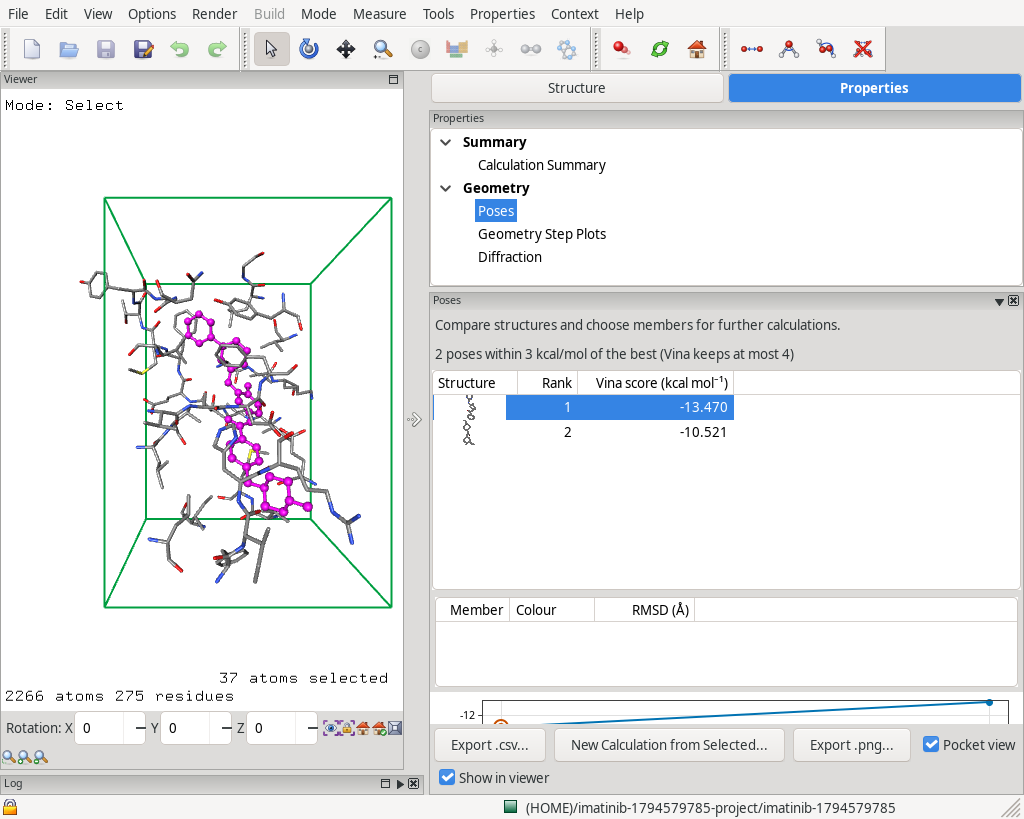
- Docking with AutoDock Vina (#455). A docking run type with the receptor and ligand prepared in ECCE as PDBQT, a docking box that is picked in the Builder and drawn with the pocket, and a Poses panel for the empirical score. Edit > Select Protein and Select Ligand replace the selection (#967, #1000); Docking Box Around Selection fills the ligand atoms from a selected ligand residue, and the run type dialog shows which ligand the automatic choice found, skipping water and single-atom ions (#962). Verify gives the docking advice as notes and does not count atoms in a deck that holds none (#962, #963). The Progress box shows the search bar and the best score, the Poses table shows each pose's ligand, with rows tall enough for its picture, and how many poses Vina kept within the energy range (#1001). Save of a 4710-atom calculation and the Poses panel on a protein are much faster, and the unit cell of a crystal file is no longer applied to a docking calculation (#964, #966, #968).
- QSAR: Tools > Batch Add from SMILES makes one calculation per molecule of a table, all with one setup; run again with a changed setup, it rebuilds the calculations of the batch that have not been run. QSAR Table collects descriptors from the calculations, and QSAR Analysis does PCA and PLS, with prediction for new molecules;
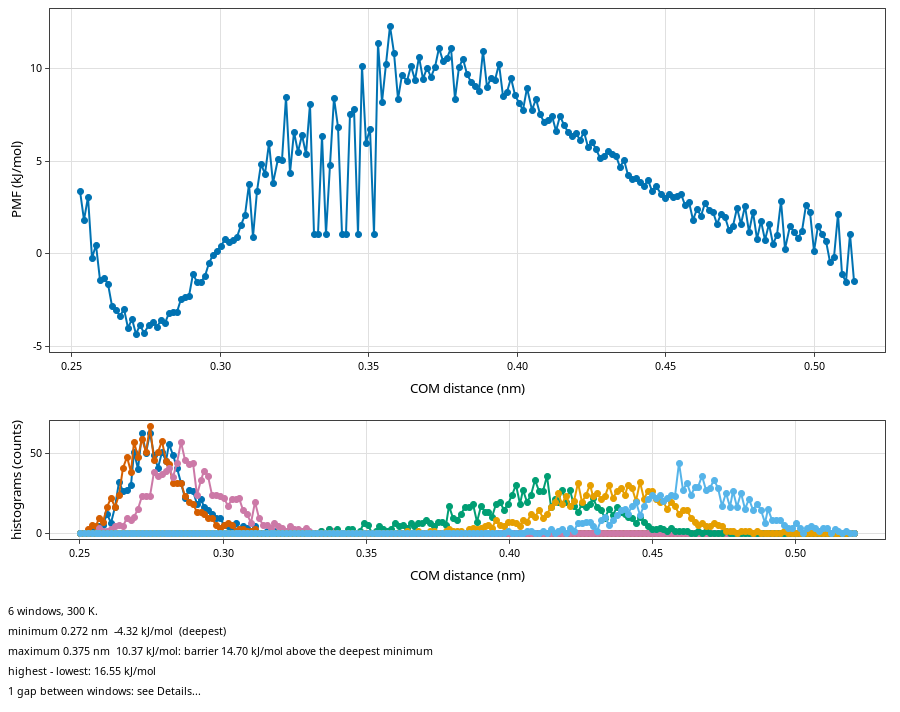
ecce-qsargives the same results on the command line (#961). - GROMACS umbrella sampling (#762): a Pull Force panel, windows restrained at their own target distance, an explicit box size in Prepare, and a WHAM analysis with the PMF, the window histograms and an overlap warning. The page shows the plots and a short summary; the full text, with every extremum, overlaps and commands, is under Details... with its own Export .csv.
ecce-umbrelladoes the same from the command line. The help follows a lab through Prepare to WHAM.
- Show Hydrogen Bonds uses the GROMACS geometric criterion (donor-acceptor distance 3.5 Å, angle 30°), N, O, F and S donors, N, O, F and halide acceptors, and the minimum image, with a settings dialog. The old cutoff was 1.41 Å (#978). Redrawing it while stepping through a trajectory is faster on large boxes (#982).
- Builder and viewer: transparent atoms (Atom opacity in the Display panel and Custom Style), and a clipping plane (x, y, z, Miller or three-atom plane, offset, flip) that cuts atoms, bonds, surfaces and the cell (#879). Render > Display Settings... has style, colours and labels in one place, with global surface colours and opacity (#881). Add from SMILES builds a molecule with its charges and stereochemistry from ECCE's own SMILES reader, without Open Babel, and Replace Group swaps a group for a fragment (#833, #867). Distort Bonds is modeless with Apply and Close, one Undo step per Apply (#914). The unit cell edges carry a/b/c labels (#723). Floating panels are ordinary windows and the viewer can be brought to the front (#895).
- Properties: Dipole Moment shows optional bond dipoles from a chosen set of atomic charges (#849). Density of States in the Builder gives TDOS, PDOS of two atom sets, OPDOS and integrated OPDOS, with the MO list under a clicked peak (#171). The Density Profile along a line gives electrons per length, optionally within a cylinder (#749). Thermochemistry shows the point group, symmetry number and rotor type used, warns near a higher point group, and takes a σ override in the panel and in
ecce-thermo(#854). The Energy Calculator has a 1 M standard-state term on G and a log K line (#835). - Results file: every finished calculation with orbitals gets a checked
results.h5beside it, which also holds vibrations and the scan, optimisation, IRC and MD traces; the Density Map, Density Profile,ecce-density-fieldand MO composition read it (#690, #883). - Reaction rates and fragment analysis:
ecce-rategives transition-state-theory rate constants with Wigner and Eckart tunnelling, shown in a Rate box in workflows and in the Reaction overview, which takes calculation names, draws an energy profile for each reaction with a transition state, and has a Details page with the treatment and its references, which Copy Details puts on the clipboard as plain text (#872, #885, #899, #900).ecce-fragorbexpands the MOs of a complex in the orbitals of fragment calculations, with PDOS and OPDOS, and the MO Diagram can show the interaction diagram from fragment calculations (#201). - Workflows: a play button on each box and an auto-run option for the remaining steps (#736). Several calculations of a folder can go into a new or existing workflow, with their links (#874). A 4-aminopyridine protonation workflow replaces the Na⁺ hydration one (#841), and the Na⁺(H₂O)₆ workflow has water (CPCM) steps.
- Organizer: the New menus group the codes by kind, and the Tools menu is grouped. A Servers button on the toolbar (#795), Move to... and Copy to... with a folder chooser, also between Local data, SSH folders and ECCE servers (#929, #890), and the tree and table follow changes on their own (#889).
- Command line:
ecce-rerunmakes a Ready copy of a killed, failed or finished calculation through the running Organizer, optionally launching it, and--last-geometrycontinues from the last stored geometry (#825, #837, #886).ecce-mkdirmakes a folder (#870).ecce-reparseruns Re-Parse Outputs on named calculations (#1004).ecce-reconnect <calc> jobid=Nattaches a job already in the queue (#887).ecce-copycopies between trees (#890).ecce-ensemblepicks members of a CREST ensemble and finds the lowest-G minimum (#836);ecce-morsefits a Morse curve (#858). - Quantum ESPRESSO: relax and vc-relax store the energy of each optimisation step with its frame, so Geometry Trace plots it (#1003); the help explains how a cluster finds its pseudopotentials (
ESPRESSO_PSEUDO); pw.x outputs can be imported (#447); Duplicate with Final Orbitals starts from the charge density (#407); a Verify check catches pseudopotentials of different functionals (#945). - Other codes: Duplicate with Final Orbitals also for MOPAC and CP2K (#407), MOPAC COSMO (#821), ORCA RI approximation None, RIJCOSX or RIJONX (#834), g and h shells in the orbital views of Gaussian 16, ORCA and NWChem (#861, #863), ORCA -3c composites import with their theory and basis (#898), relaxed scans of ORCA and Gaussian 16 keep the orbitals of every point (#549), and IRC points of Gaussian 16 and ORCA arrive while the job runs (#948, #949). ECCE-QM has the D3(BJ) dispersion correction (#453). CREST has a No topology check option and warns when the topology check removed every conformer (#831), and shows progress for quantum cluster growth (#862). The ML potential has site screening for periodic hosts (#728).
- Examples: General Chemistry has Packing in solids (simple cubic, bcc, fcc, hcp, NaCl, CsCl), the Quantum ESPRESSO crystals Al, Na and α-Po, Intermolecular interactions, and H₂ dissociation curves. The Structure Library is organised by chemistry (#405).
- For AI assistants:
AGENTS.md(in the documentation folder of the installation) describes what ECCE is, what it can do, how each task is done by menu or command, how compute machines and codes are set up, and how to register a new code. - Removed: DirDyVTST, Polyrate and Amica; calculations stored with them still list (#873).
- Windows and macOS: ECCE starts under a user profile with å, ä or ö (#922), the local broker waits for a slow first start (#958),
ecce.cmdcalls find.exe by its full path (#973), and a start blocked by Smart App Control says so and how to switch it off (#933). The macOS minimum follows the build, with an extra Intel package for macOS 10.13 (#923).
Fixes
- The Builder can select atoms by clicking after View > Atom Labels with numbering, and a display-style change no longer zooms out to the whole system (#975, #977). Playing a GROMACS trace keeps a zoomed or panned view (#876). Boundary atoms are drawn after Replicate (#974).
- Terminate ends a program that outlives the queue's cancel and says whether anything is left in the run directory (#855). Job staging folders are removed (#924).
- Shift+click and Ctrl+click in the project table select as expected (#925); the Run submenu is back on a single row (#875); opening a folder with many calculations is faster (#928); the Organizer no longer crashes on a tree reload during the first-start example import on Windows (#932). On Windows, the Organizer no longer freezes while Run Mgmt > Tail shows a job's output (#1006). Opening the examples no longer gives one topic's workflow steps the links of a same-named step in another topic (#956).
- The
ecce-*request tools acknowledge on arrival, so a busy Organizer is not reported as not running (#897), and exit at once when it ends after acknowledging (#816).ecce-thermoandecce-raterun outside the ecce wrapper (#938). - Gaussian 16 orbitals and densities are correct for re-contracted basis sets such as cc-pVXZ (#921). Gaussian 16 traces reach
results.h5(#946), and the IRC includes the TS structure (#947). ORCA orbital views work for basis sets with g functions (#861), and ORCA imports with no printed basis or a composite method keep their theory and basis (#898). - A line of 254 or more characters no longer cuts a launched deck. A NWChem MD task after an optimisation starts from its .qrs file (#865). The NWChem dielectric constant has no unit (#848). Multiplicity 9 is Nonet (#853).
- The MO panel Graph and Graph by Symmetries are filled for runs without a symmetry column (#882). The MOs panel no longer widens the side column (#843). The MO Diagram is offered for MOPAC (#911).
- Workflow steps from recipes become Ready, launching from the workflow view does not select the step, and a CREST step after xTB is Ready (#901, #902, #904). A CREST protomer shows its proton (#912, #920), and a recipe's 6-31+G(d) finds its library basis (#920).
- Builder Replace Group works with the two atoms of a bond selected (#909). File > Export > Supporting Information works (#913). Switching from ELF to MOs clears the surface (#907).
- Units in labels read Å, Ų, °, 2θ and cm⁻¹ (#998). Packages no longer carry
ecce-ecce-*wrappers (#960).
Known issues
- Windows: uninstalling takes long (#815). Local sessions still depend on
mosquitto.exe(#990). - GROMACS, CP2K, Quantum ESPRESSO and the ML potential are experimental. The MO diagram is experimental.
The bundled atomipy (1.1) and min.ff (commit d12b895b) are those of 9.5.0. The newest min.ff renames its parameter files, which ECCE does not follow yet.