Repository navigation
Atoll 1.3 — new name, new logo, auto-updates

Meet Atoll
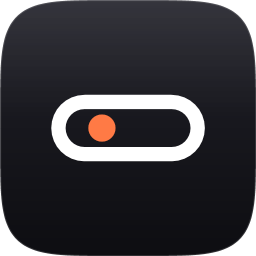
Dynamic Island for Windows now has its own name: Atoll. An atoll is a ring-shaped island, so the new minimal logo is exactly that: a white ring-shaped pill with one warm "live" dot in its lagoon.
Download
| ⭐ Atoll-1.3.0-setup.exe | Installer, recommended. No admin rights; adds a Start-menu entry and optional autostart. |
| Atoll-1.3.0-win-x64.zip | Portable: unzip and run DynamicIsland.exe. |
Upgrading from 1.2.x? Run the new setup over the old one. Your settings, notes and chat logins are kept, and the old "Dynamic Island" shortcuts are replaced by "Atoll".
If Windows shows "Windows protected your PC", click More info → Run anyway.
What's new
- 🔄 Automatic updates. From now on Atoll tells you when a new version is out and updates itself in one click. It's under Settings → Behavior → Updates. (Coming from 1.2.x? Install this version once by hand. After that, updates are automatic.)
- ✨ New name: Atoll.
- 🎨 New minimal logo. You'll see it on the window, taskbar, tray, installer, Start menu and in Windows "Installed apps".
- 📁 Folders. Existing screenshot and recording folders keep working. New users get
Pictures\AtollandVideos\Atoll.
По-русски
- Автообновление: теперь Atoll сам сообщит о новой версии и обновится в один клик. Версию 1.3.0 нужно один раз поставить вручную, дальше обновления придут сами.
- Новое имя — Atoll (атолл — кольцевой остров).
- Новый минималистичный логотип: белое кольцо-пилюля с тёплой «живой» точкой.
- Обновление: запустите новый установщик поверх старого. Настройки, заметки и вход в чаты сохранятся, а ярлыки «Dynamic Island» заменятся на «Atoll».