Repository navigation

a whole new feel to painting, reworked audio, improved hints, and a few extra goodies for your next rooftop run.
-
painting
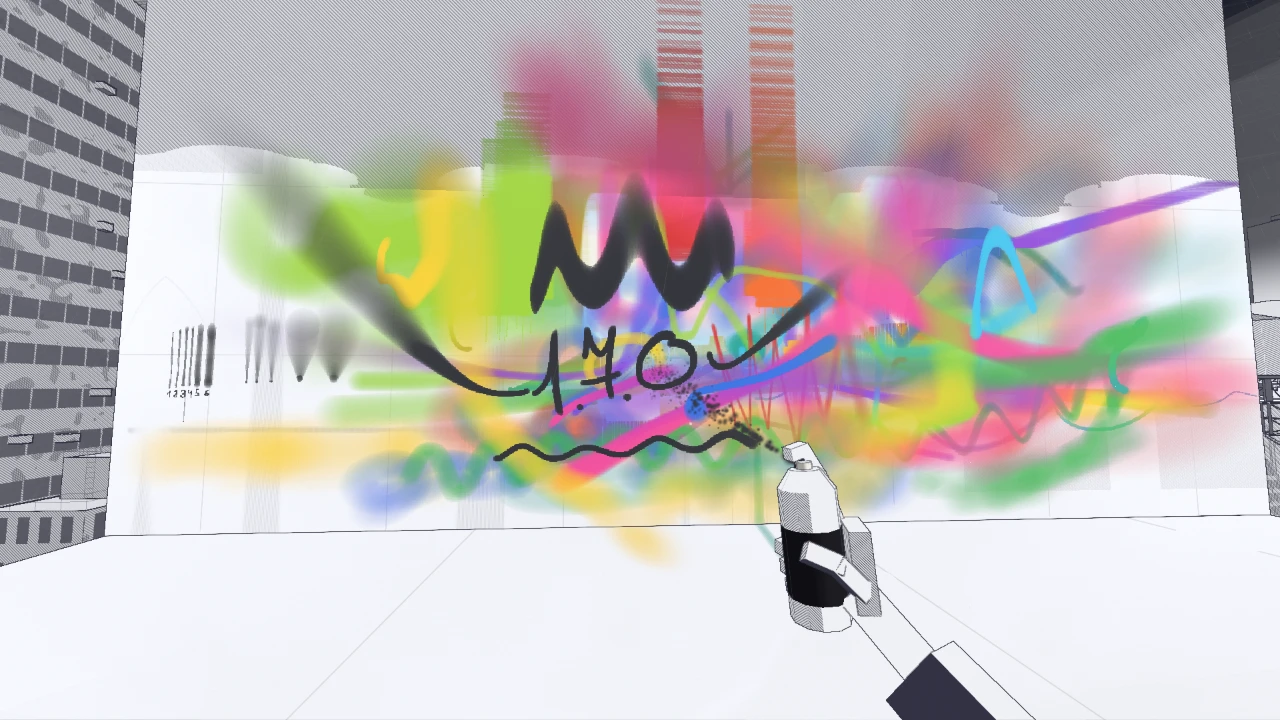
- a new way to paint: strokes now lay down continuous lines of paint instead of clouds of dots: paint lands instantly under your aim, with no gaps, no matter how fast you move
- speed and coverage: move fast for lighter, wider, softer lines; slow down for denser, sharper ones. hold your aim in one spot and paint builds up, darkens, then starts to run: heavier coverage runs longer
- distance matters: get up close for narrow, crisp lines, or step back for wider, softer ones
- pressure (opacity): hold Shift and scroll with the can in hand to set it from 5% to 100%: each pass builds on the last, so you can work up a fade
- streamline: smooths your lines as the brush trails your aim a little, set it in Settings → General
- a smarter crosshair: it shows the line you're about to leave, adjusting to your cap, distance and hand speed, and your pressure too, and it fades where the paint won't reach
- spray you can see: every cap has its own soft plume at the nozzle, from a thin jet to a wide cloud: it follows your pressure, and other players see it too. spray at an angle and paint stretches along your aim, fading towards the far end
-
caps
six caps to choose from, each with its own feel, from fine details to big fills.- NEEDLE (new): ultra-fine lines for sharp details and highlights
- SKINNY: clean tags and crisp outlines
- BANANA: a versatile all-rounder for everyday painting
- BLUE DOT (new): soft edges for smooth blends and fades
- NY FAT: wide lines for throw-ups and quick fills
- ASTRO FAT: massive coverage for big fills and backgrounds
-
marker, roller, sponge
- the marker and the roller can trigger runs in wet paint too, just like the can
- the crosshair shows the actual size of all three on the wall and fades where they wouldn't reach
-
hints
- hints now sound more natural and use first-person phrasing: "I can spray with LMB"
- each new cap comes with a quick tip the first time you put it on
- each hint or message shows how much time it has left
- action hints fill up as you do what they ask, then finish with a checkmark
- walking, jumping and running each have their own hint, shown one after another and completed by doing the action
- pressure and color hints stick around until you've actually changed them
-
sound
real recordings and a better mix to bring the rooftops to life.- city: the city below is now a real nighttime recording captured from a rooftop, fading in as you start
- rain and thunder: real storm recordings, with a low rumble of heavy rain underneath and distant thunder rolling now and then, sometimes with no flash. when lightning strikes, three real thunder rolls follow a few seconds later, softer the farther away the strike is
- spray: the can's hiss now responds to your pressure, distance from the wall and hand movement
- interiors: step into a room and the city gets muffled, while the rain changes to the sound of rain hitting a tin roof
-
settings
- the General tab is now organized into groups, just like Controls
- General, Audio and Graphics each have a Reset all option that resets only the current tab
- Storm and Rain indoors now have their own sliders in Audio
- painting gets its own settings: lower mouse sensitivity and a narrower field of view while painting
- Raw mouse: turns off mouse acceleration and the system pointer speed, in General
-
fixes and improvements
- no more pressure loss or sputtering: shaking the can is just... for vibes?
- the view no longer jumps on its own in Chrome on Windows
- paint blends smoothly now, so translucent strokes don't break into hard bands
- cap and color labels now sit next to the can, inverting whatever's behind them just like the crosshair
- climbing down a ladder now counts for its hint, before only climbing up worked
- Drops on metal is gone as a separate sound: those drops are now part of the rain
- the can, your footsteps and the fans are quieter, leaving more room for the rain and the city
- sound takes far less memory on audio outputs set to 96 or 192 kHz
- on a slow connection the city comes first, the rest of the sounds after it
- lightning lights up the sky and the moonlight more
- capture mode has a clearer panel: one control a line, and in the free camera hold Tab for all its keys
- the new caps are placed on the level, go find them
- lightning no longer crashes the game when the Thunder slider is set to 0