Repository navigation
Releases
StormTicker Standard v1.2.3

StormTicker Standard 1.2.3
- Feed Edit Live Propagation — editing a channel URL or tag now waits for the dialog to close and refreshes all loaded skins; the new feed appears within seconds.
- Metric/Imperial Toggle Fix — the unit switcher refreshed skins via an invalid config path (forward slashes); the refresh silently never fired. Units now propagate live.
- Scroll Speed Clarification — the speed selector label now reads "(Box mode only)" in all three languages: per-channel speeds drive individual Box rows, while Panoramic streams at a shared uniform rate.
StormTicker Standard v1.2.2
StormTicker Standard 1.2.2
- In-Skin Header Tooltips — hovering the mode-toggle and the SOURCES button now shows a themed tooltip inside the title bar, in English, Portuguese and Spanish (matching StormTicker Pro).
- Theme renamed to Wall Street — the default theme now uses the Pro naming (
Box Wall Street/Panoramic Wall Street). - Headline Tooltip Alignment Fix — headline tooltips reset text alignment to left after a header tooltip was displayed.
StormTicker v1.2.1 - Live Coordinates, Geocoding & Unit Toggle Fixes
⚡ StormTicker v1.2.1 — Patch Release
Bug-fix release addressing field reports from the community — most notably weather coordinates that appeared to "do nothing" when entered in Settings.
🔧 Fixes
- Live Weather Coordinates: Latitude/longitude now propagate instantly to all active skins via remote variable binding — entering new coordinates updates the weather within seconds (previously required a full skin reload).
- Reverse Geocoding Fixed: Added the missing
RegExpon theMeasureGeocodingWebParser parent measure — city names now resolve correctly after coordinate input. - Unit Toggle Crash: Replaced an undefined
WriteIniKeyhelper call that silently crashed the metric ↔ imperial switch in Settings. - Input Validation: Malformed coordinate input now shows a localized hint (EN/PT/ES) instead of failing silently.
📦 Distributable Downloads
- Official Rainmeter Skin:
StormTicker_1.2.1.rmskin(built with the official Rainmeter Skin Packager) - ZIP Distribution (with README):
StormTicker_1.2.1.zip
🛠️ Full Changelog
See v1.2.0 release for the onboarding, i18n and panoramic features this patch builds on.
Requirements: Rainmeter 4.5+ (Windows 10 / 11).
StormTicker v1.2.0 - Onboarding Wizard, 100% i18n Settings & Interactive Panoramic Marquee
⚡ StormTicker v1.2.0 - Onboarding Wizard, 100% i18n Settings & Interactive Panoramic Marquee
Welcome to StormTicker v1.2.0! This release brings comprehensive internationalization across all Settings controls, an out-of-the-box First-Run onboarding wizard defaulting to English, interactive headline click-to-open navigation in Panoramic mode, and the SafeUpper Latin accent normalization engine.
🌟 What's New in v1.2.0
- 🌐 English Default & First-Run Setup Wizard:
- Standardized the out-of-the-box default interface language to English (
en-US). - Added an automated First-Run onboarding wizard (
FirstRun=1) that launches the Settings Manager immediately on the initial installation.
- Standardized the out-of-the-box default interface language to English (
- 🎛️ 100% Internationalized Settings GUI:
- Replaced all hardcoded Portuguese strings across the entire
Settings.iniinterface with localized#Lang_*#variables. - Full, complete coverage across English, Portuguese (
pt-BR), and Spanish (es-ES) language catalogs.
- Replaced all hardcoded Portuguese strings across the entire
- 🔗 Interactive Click-to-Open in Panoramic Mode (
OpenPanLink):- Clicking on any scrolling headline in the Panoramic ribbon now calculates cursor character position and opens the corresponding article directly in your default browser.
- Implemented auto-resume protection if cursor leave events are lost across skin boundaries.
- 🔤
SafeUpperLatin Accent Normalization:- Re-engineered uppercase string transformations in Lua to preserve Portuguese and Spanish accented characters (
CÉU LIMPO,PANCADAS,CONDIÇÃO) without Windows-1252 ANSI corruption.
- Re-engineered uppercase string transformations in Lua to preserve Portuguese and Spanish accented characters (
- ⚙️ Right-Click Context Menu Integration:
- Direct shortcut to
⚙️ Settings / Configurationadded to the right-click context menu of all Box and Panoramic themes.
- Direct shortcut to
- 💾 Persistent Settings Navigation:
- Settings manager preserves the active tab across skin reloads and external feed edits via
SetTab().
- Settings manager preserves the active tab across skin reloads and external feed edits via
📦 Distributable Downloads
- Official Rainmeter Skin: StormTicker_1.2.0.rmskin
- ZIP Distribution (with README): StormTicker_1.2.0.zip
🛠️ Upgrade to StormTicker Pro (10 Channels)
Looking for maximum multi-source coverage? StormTicker Pro unlocks:
- Up to 10 Simultaneous Asynchronous Channels
- 100% Clean / Ad-Free Experience
- 3D WeatherArt Telemetry with 3 Global Locations, AQI & Moon Lunation
- 6 Hand-Crafted Visual Themes & VIP Support
👉 Get StormTicker Pro on DeviantArt
StormTicker v1.1.0 — Architecture Overhaul & Extended Weather Engine
⚡ StormTicker v1.1.0 — Desktop News Ticker & Extended Weather Engine
Welcome to StormTicker v1.1.0! This major update brings modular architecture with dual display modes (Panoramic & Box), a comprehensive 3-day extended weather engine powered by Open-Meteo, complete trilingual localization, and a modernized Settings control center.
🌟 What's New in v1.1.0
- 🌦️ Extended Weather Engine (Open-Meteo):
- Live temperature, condition status, and wind speed/direction.
- Automated 3-day cyclical forecast rotation (Tomorrow, Day+2, Day+3) with customized weather icons and localized condition text.
- No API keys required.
- 📺 Dual Display Modes (Panoramic & Box):
- Panoramic Mode: Full-width top bar ticker for continuous multi-channel headline streaming.
- Box Mode: Compact, modular desktop widget for focused monitoring.
- Instant view mode switching directly from the context menu.
- 🌐 Full Trilingual Localization (i18n):
- Native runtime translation across UI, settings, and weather statuses for English (EN), Portuguese (PT-BR), and Spanish (ES).
- 🎛️ Redesigned Settings GUI:
- Control center aligned with the Pro aesthetic (Shape + String buttons, typography picker, update interval selector, channel settings).
- 📦 Lean & Hardened Package:
- Official .rmskin package generated via Rainmeter Skin Packager with authentic binary trailer (~592 KB).
📥 Distributable Downloads
- Official Rainmeter Skin: StormTicker_1.1.0.rmskin
- ZIP Distribution (with README): StormTicker_1.1.0.zip
StormTicker v1.0.0 (Standard Edition)
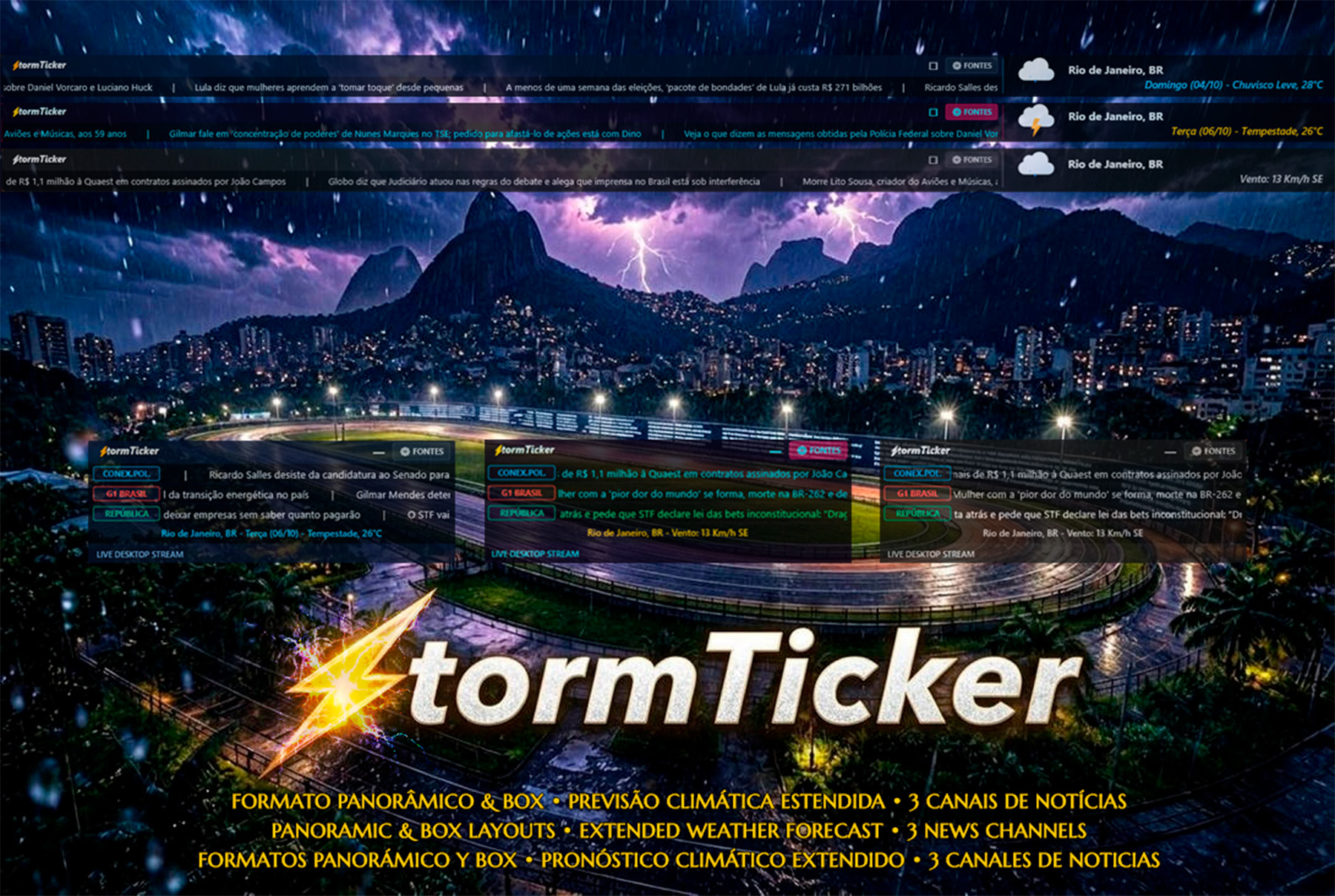
⚡ StormTicker v1.0.0 (Standard Edition)
A primeira versão pública e gratuita do StormTicker — Matriz Assíncrona de Notícias para Rainmeter.
🌟 Recursos da Edição Standard
- 3 Canais de Notícias Reais Simultâneos: Feeds contínuos em DirectWrite a 50–60 FPS com sub-1% de CPU.
- Navegação Direta ao Portal Raiz (Direct Portal Navigation): Clique em qualquer botão/tag de canal para abrir instantaneamente a homepage da publicação no seu navegador padrão.
- 4ª Linha Especial Pro Showcase: Linha de transmissão contínua com novidades da edição Pro e atalho direto para a página do DeviantArt.
- Interatividade Inteligente: Pausa seletiva ao passar o mouse (hover freeze) e rolagem da roda do mouse (scrubbing) para avançar ou recuar notícias a qualquer momento.
- Logotipo Estilizado: Letreiro
⚡tormTickercom o raio dourado-âmbar fundido à tipografia em relevo DirectWrite. - Painel Visual de Configuração: Edição nativa de feeds e rótulos sem abrir editores de texto.
⚡ Deseja a Matriz Completa com 10 Canais?
Conheça o StormTicker Pro com 10 canais simultâneos, cadência de atualização ajustável:
👉 Adquira a Edição Pro no DeviantArt
📦 Instalação
Baixe o arquivo StormTicker_1.0.0.rmskin abaixo e dê duplo clique para instalar com 1 clique no Rainmeter (requer Rainmeter 4.5+ no Windows 10/11).