Repository navigation
v0.9.6 - it should have always been like this

Version 0.9.6 of the Android port of ZeldaWWHDRecomp: The Legend of Zelda: The Wind Waker HD (Wii U, USA, Europe and Japan) as a native Android app.
The app contains no game files. You need your own dump of the game: the disc image (.wux or .wud) with its disc key and the Wii U common key, or a Cemu archive (.wua) made from it. On the first start the app extracts the game and prepares the game code for your device (once; a few minutes on a fast phone, longer on slower ones).
What's new
This release is about controls: new on-screen controls, a controller setup, an item ring, minigames by touch and new ways to play the songs. The options moved into the game's + menu and look like the game's own menus, now in six languages. And the Picto Box gets more out of its pictos: album pages, named subjects and figurines ordered by mail.
 |
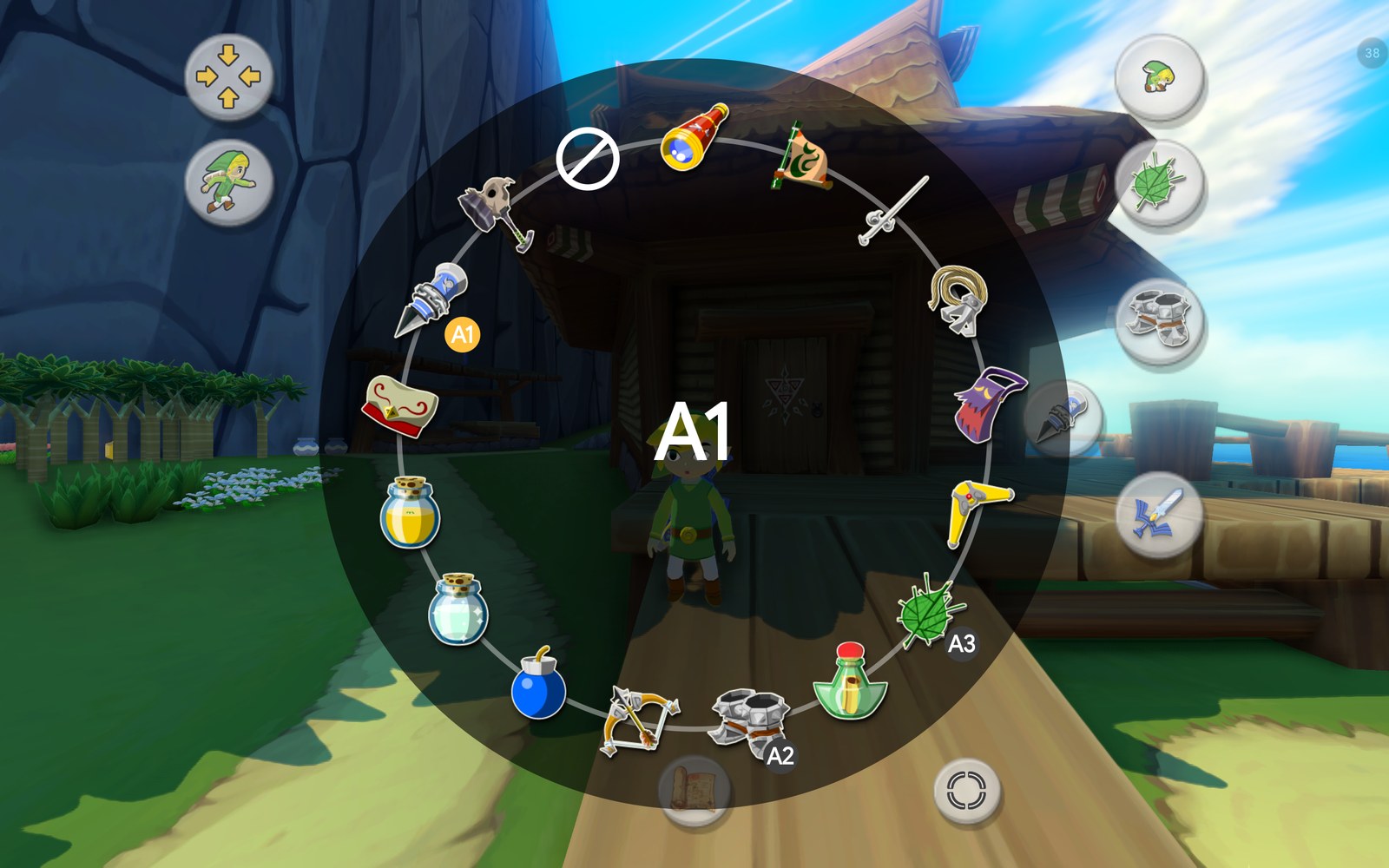 |
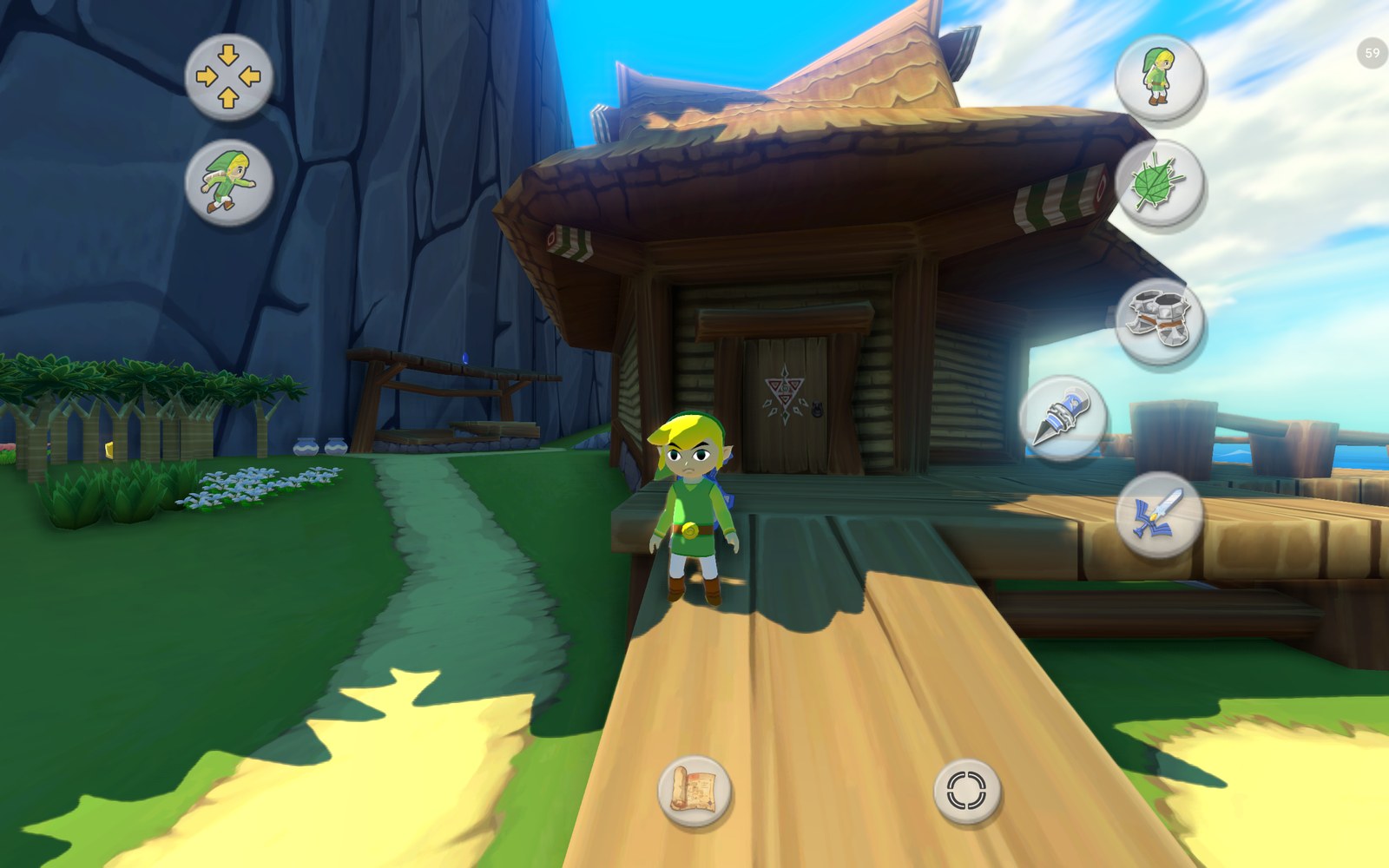
| Flexible touch controls with context buttons and Link in the button icons, on Outset Island | Hold an item button: the item ring |
There are many new options. The controls guide explains every one of them in detail. The short version:
Three questions at the first start
Before the game starts, once, the app asks:
- Use the new touch controls? Yes sets them up ready to play: the Flexible style with invisible sticks and the swipe camera, context buttons, items by tap, the item ring, minigames by touch, ZL moving on to the next target, the direct camera, hearts only in combat, rupees only when they change, the large Picto Box view, replayed conducted songs and a layout with all buttons on two arcs around the camera area at the bottom right. "Keep Classic" changes nothing.
- Jump anywhere? And if so, a double jump?
- Try singing the songs into the microphone, or conduct with the note pads?
Every answer can be changed later in the options.
Where is the menu?
The ≡ button is gone by default. Press +, then tap the page arrow left of the items (or swipe the item pages to the right): the options slide in. Android's Back, holding Select or Home / Guide on a controller still open them over the game. Want the button back? Controls › Touch › Menu button in the game.
Touch controls
- Two styles (Controls › Touch controls):
- Classic (default): a fixed on-screen GamePad, as before.
- Flexible: the sticks appear where your thumbs land (left half: movement, right half: camera as a stick or by swiping), optionally invisible.
- Context buttons (Flexible): A, B, X, Y, R and ZR appear only when they do something and show what, with the game's own icons and words (Talk, Open, Throw, Next, Put away, Drop ...). Fewer buttons while swimming, carrying, aiming, in the Picto Box or the telescope; none in cutscenes without text.
- Items by tap (Flexible with context buttons): tap the bow, boomerang, hookshot or grappling hook once to aim, then tap Shoot for each shot, ZL switches the view, B puts it away. No more holding a button while aiming. The sword and the Deku Leaf go away by themselves when Link stands still. "Hold" keeps the game's way.
- Item ring (on by default, touch and controller): hold X, Y or R to pick the item for that button from a ring (bags open as rings of their contents, the Wind Waker conducts at once, the boat's cannon and salvage arm are there too). The game runs on, in slow motion, or pauses meanwhile.
- Item buttons can be named A1 / A2 / A3, after your controller's buttons, or X / Y / R as in the game, and can be emptied (hold a finger 0.6 s on a slot of the item page).
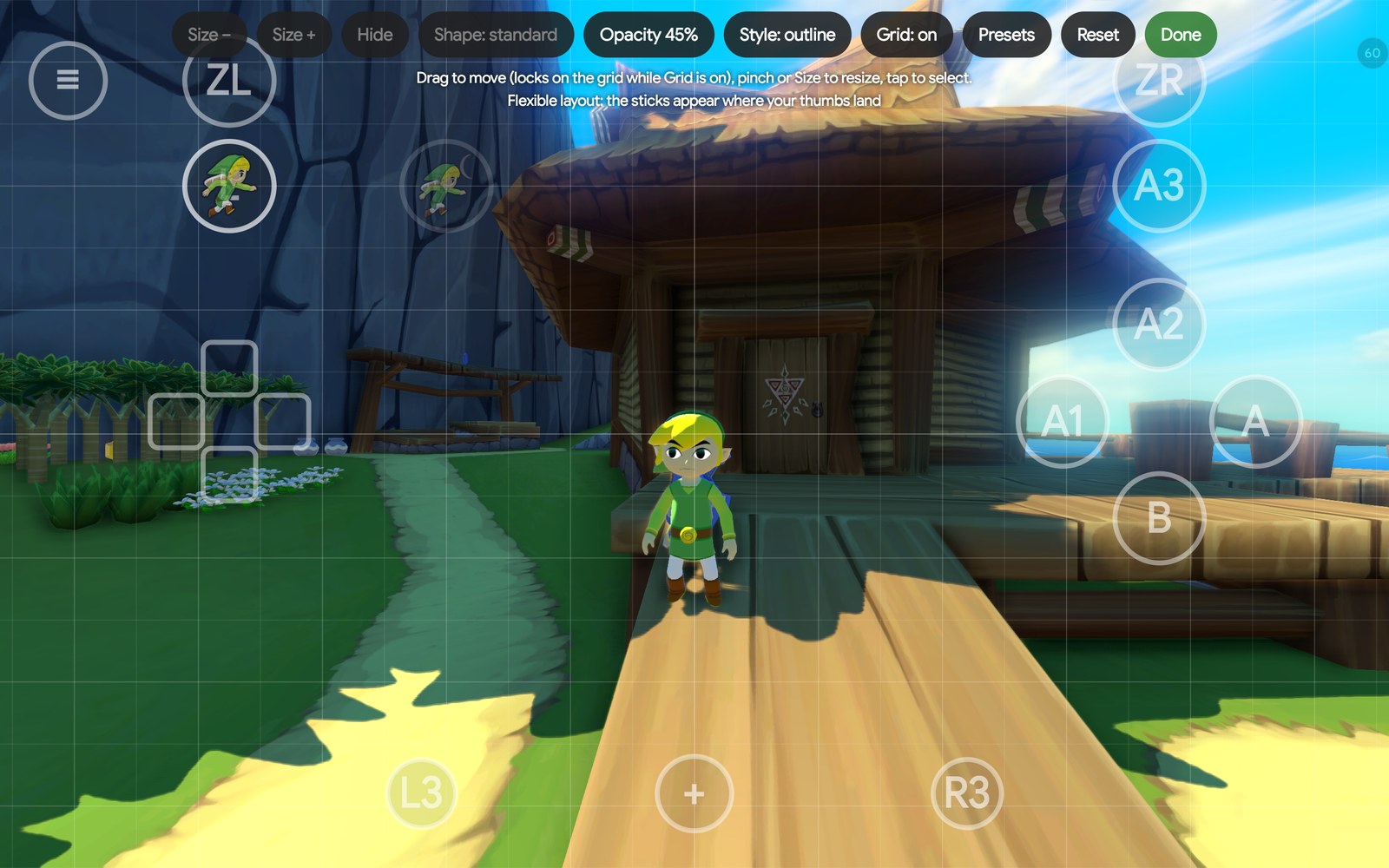
- Layout editor: a grid that mirrors left and right, seven button shapes, opacity per button with a slider, filled or outline, and saved layouts you can export and import. Each style keeps its own layout.
- Link in the button icons: Jump, Crouch, Stand up and Roll show Link himself in that pose, drawn from your game's model, and Sidle, Lift, Throw, Put down, Open, Grab / Push and Pick up show him doing it, animated, with the pot, chest, door or block.
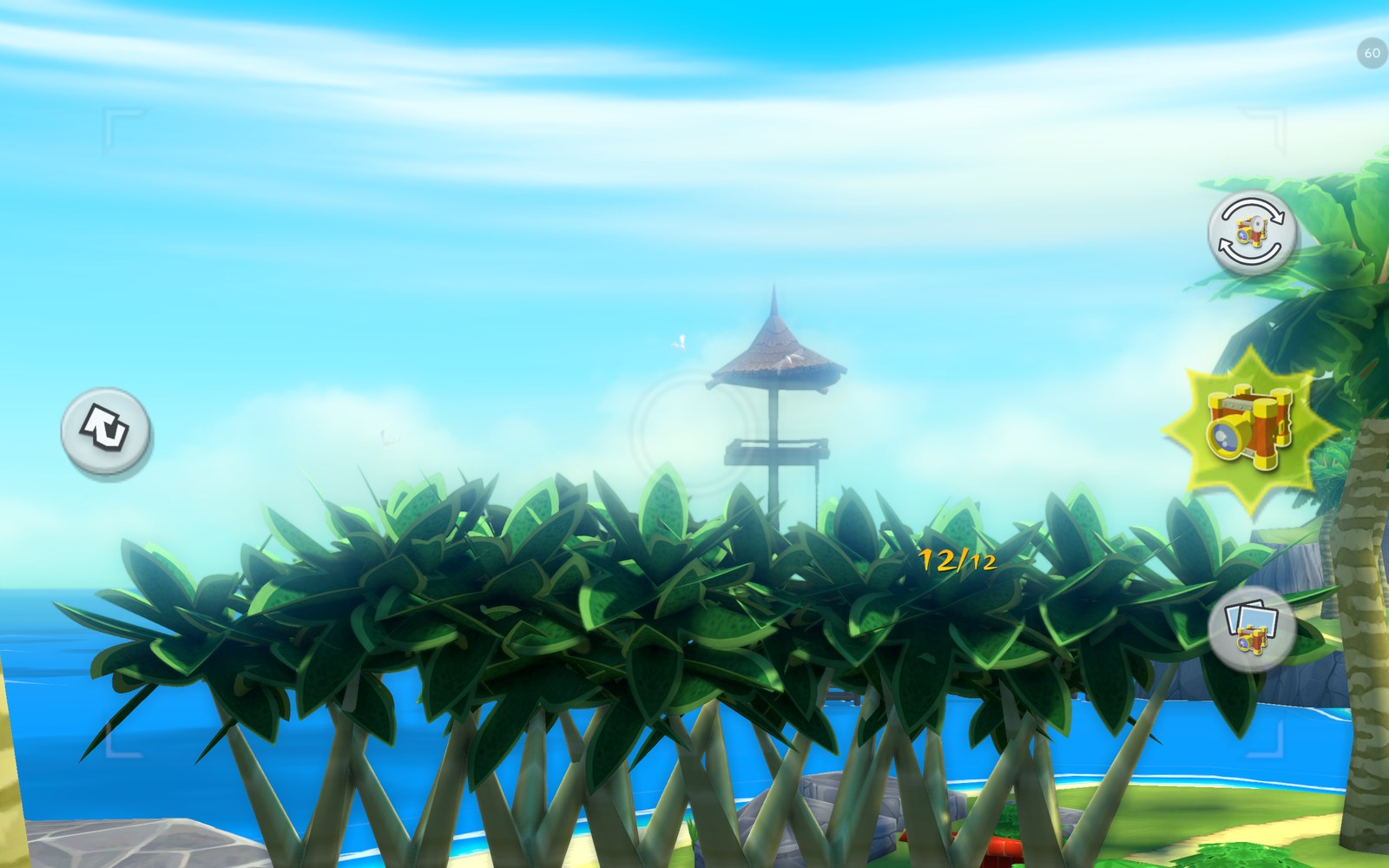
- Left stick follows the thumb, ZL after a defeated target (let go, or lock the next enemy), large Picto Box view (full-screen viewfinder, pinch to zoom, buttons like a phone's camera app, the album by swiping).
- Hearts only in combat, rupees only when they change, and the magic bar only while magic is used.
 |
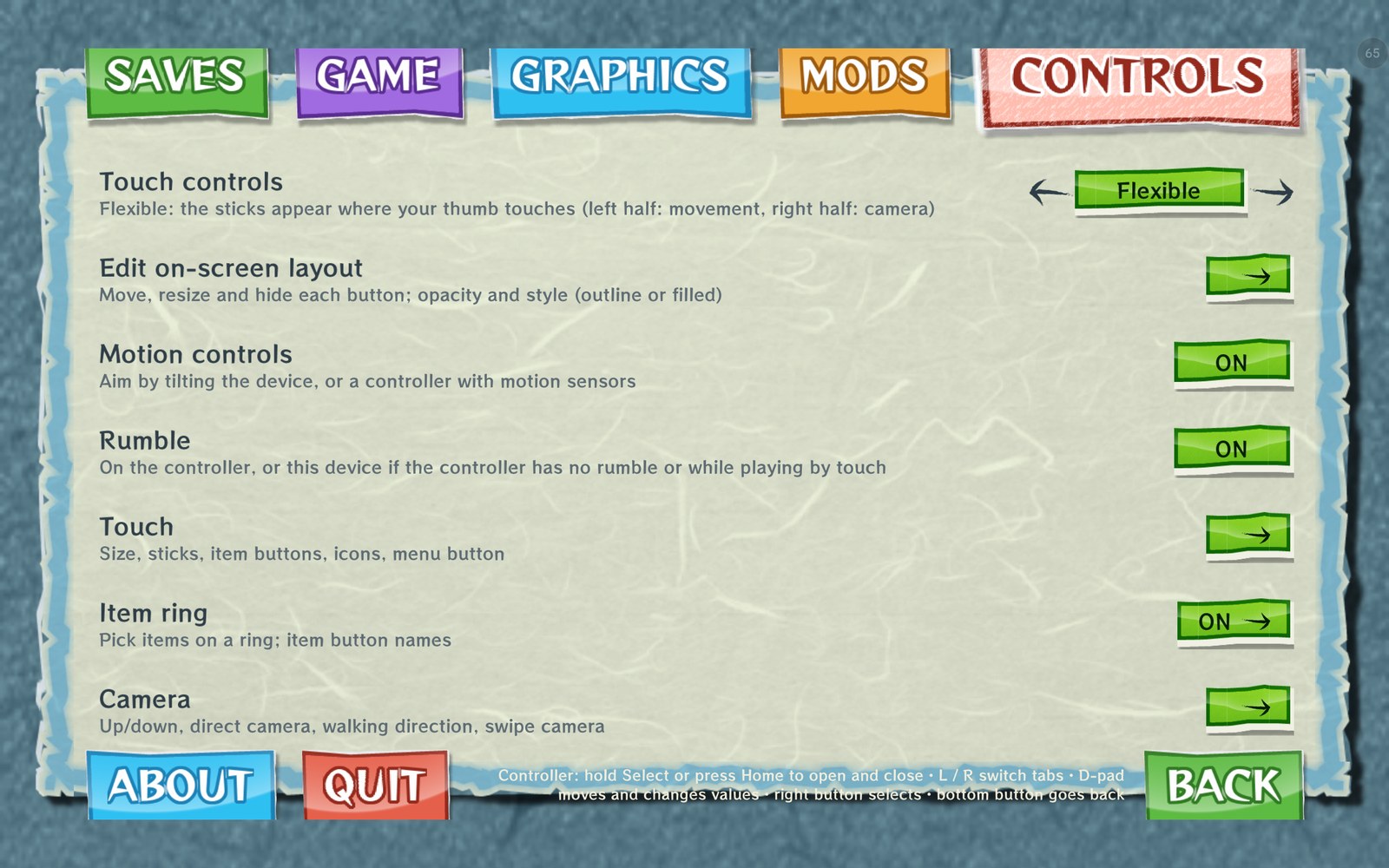 |
| The layout editor with its grid | The options as a page of the + menu, in the game's style |
Minigames and menus by touch
Sploosh Kaboom, the picture puzzles, mail sorting, the Spectacle Island cannon, the auction, shops, the Nintendo Gallery's figures, the wind compass, answers in messages and number entry: all can now be played by touching the game's picture. The item pages turn by swiping. The first time, a short hint in the game's own message style explains how (Controls › Minigames & hints).
Picto Box, postboxes and clothes
On the Game tab:
- Album pages (off by default): the album gets any number of pages of 12 pictos. When it is full, the next picto starts a new page; the bar at the top (or ZL / L) turns the pages.
- Picto subjects: the album names who each picto caught, by the Nintendo Gallery figurine's name. A picto good enough for a figurine gets the game's gold medal; otherwise the label says what is missing (black and white, turned away, partly hidden).
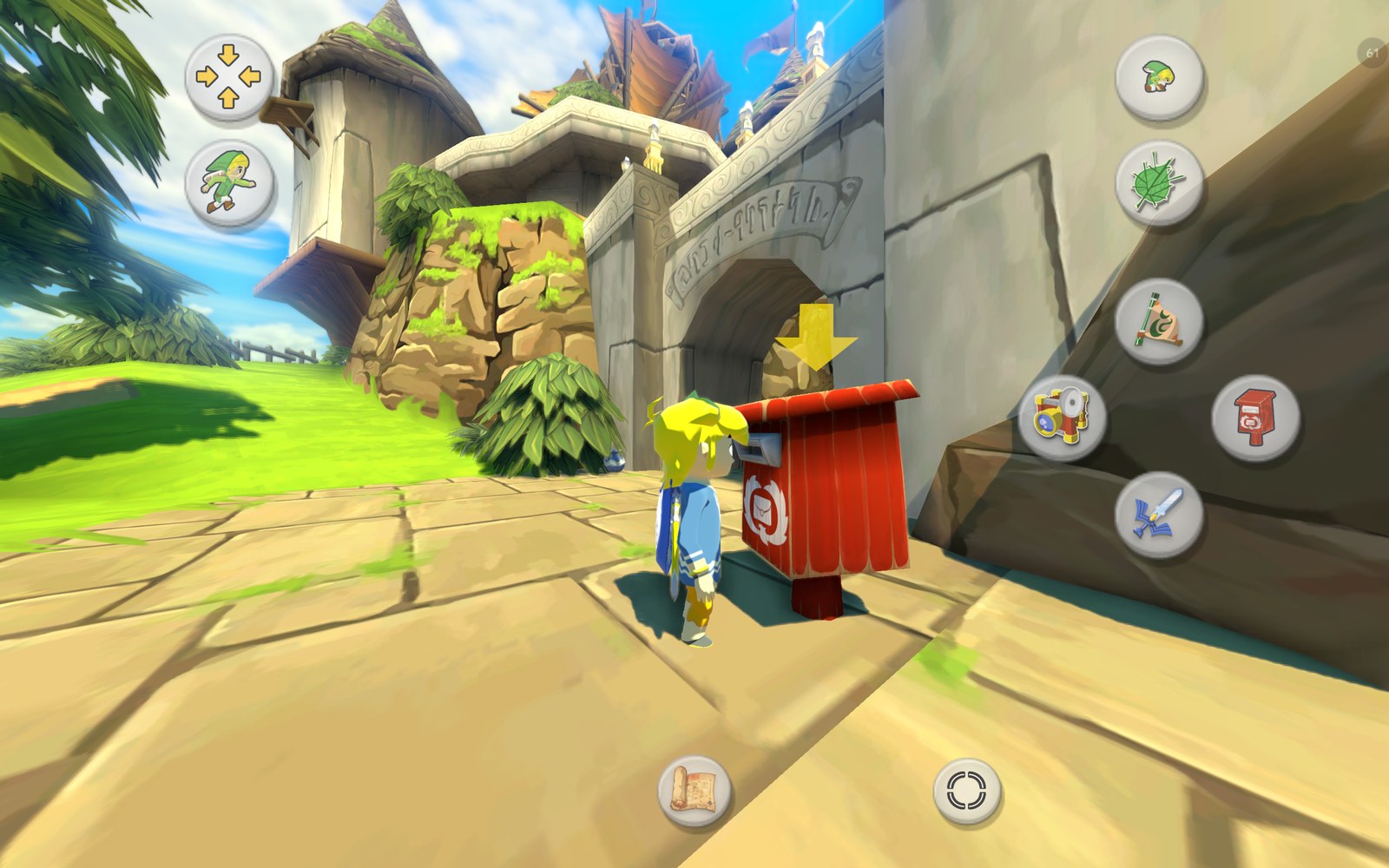
- Mail pictos at postboxes: any Island Postal Service postbox offers to send a picto to Carlov. Pick one in the game's own chooser and he takes the order as at the Nintendo Gallery, with the same checks. The figurine is in the gallery the next day, no trip needed, or at once with Same day delivery.
- Link's clothes: the Hero's clothes or the casual ones (the lobster shirt) at any time, changed in a puff of smoke.
- Cheats › One hit kills: enemies fall to a single hit (bosses that count hits themselves excepted).
 |
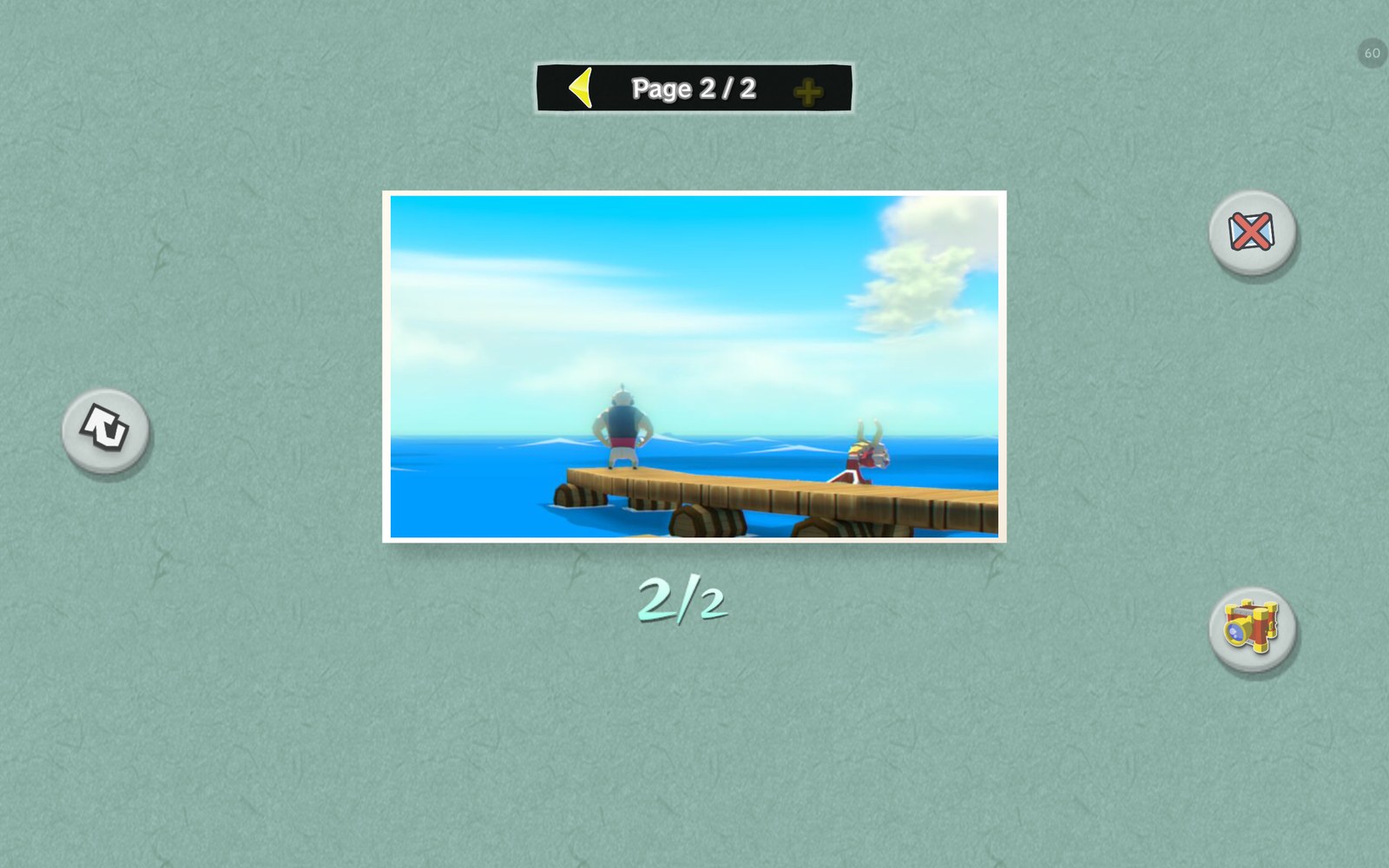 |
| The large Picto Box view | Album pages: a full album goes on to page 2 |
 |
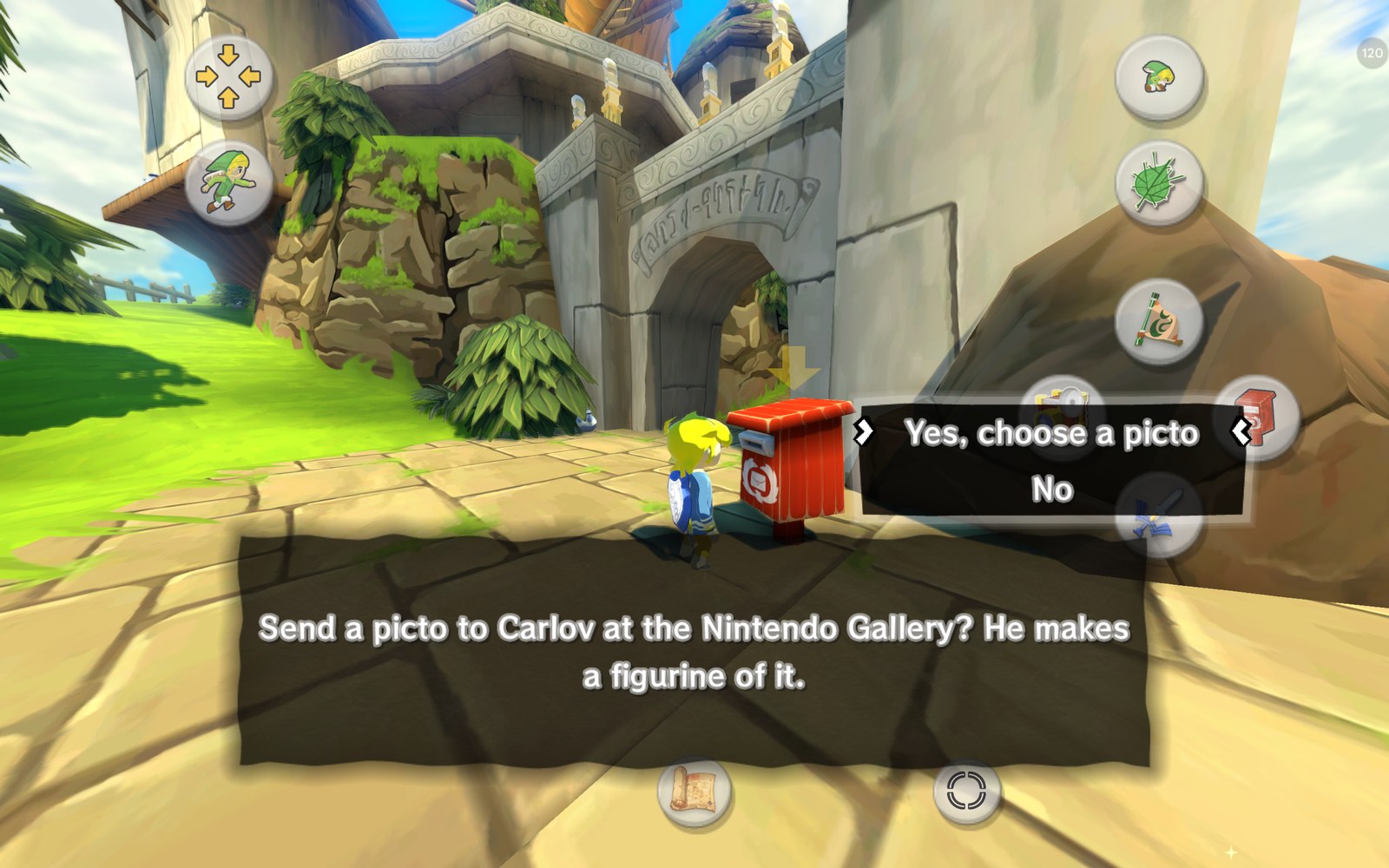 |
| At a postbox, A shows the postbox itself | The postbox offers to send a picto to Carlov |
Conducting the songs
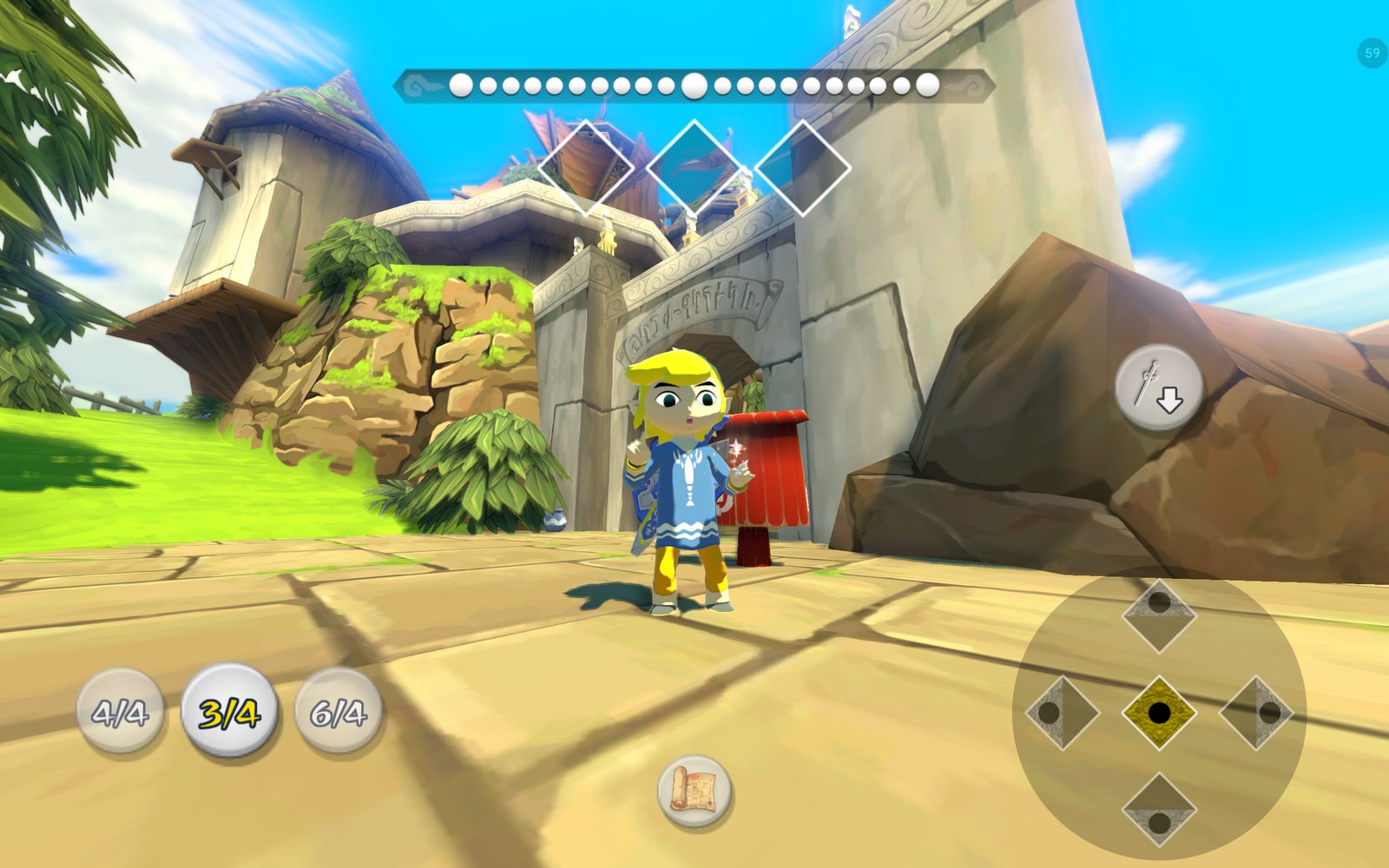
- Note pads (default by touch): a right pad with the game's five note signs as a d-pad, a left pad with the three times.
- Play buttons: the + song list gets a play button beside each learned song, and story scenes that wait for one song (stone tablets, teachers, sages) show a play button in the message box. No conducting needed.
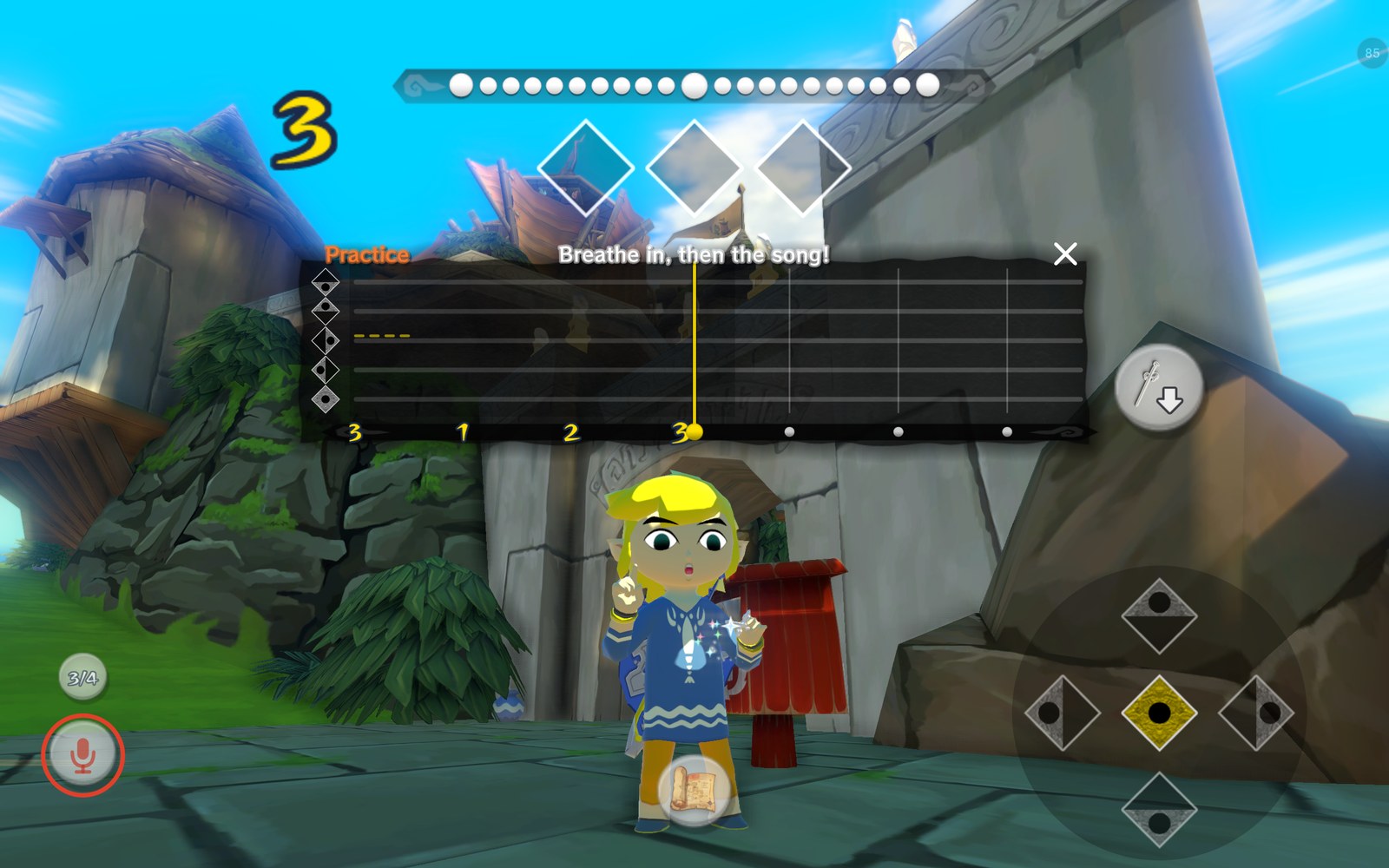
- Sing the songs (experimental, off by default): sing, hum or whistle a song into the microphone and Link plays it. Hold the mic button (or L), hum your middle note during the count-in, then sing one note per beat; a timeline shows what you hit. A practice mode lets you try without Link playing. The sound is only analysed on the device, never recorded.
- Replay conducted songs: Link plays a conducted song once more before its effect, as on the GameCube.
 |
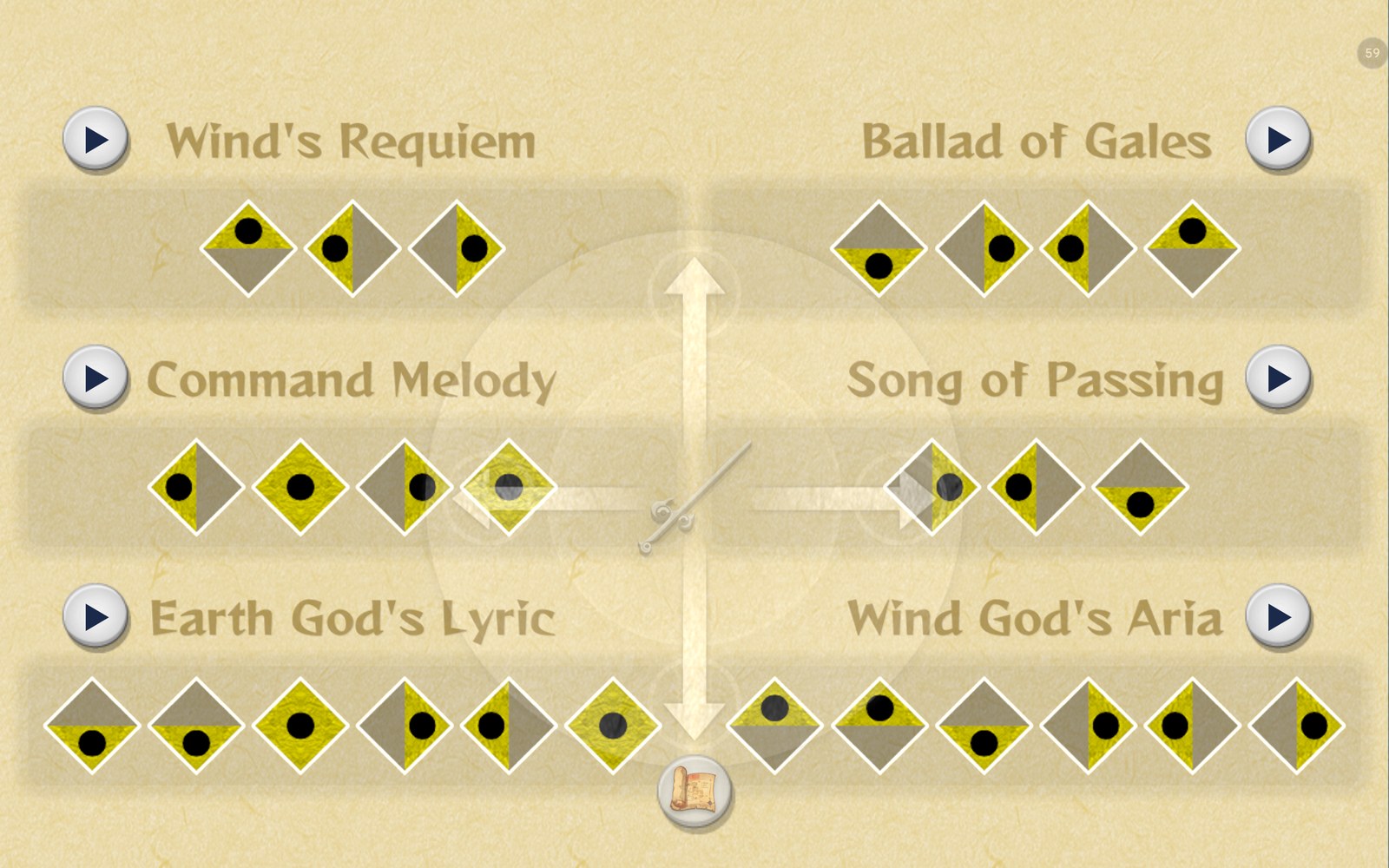 |
| Note pads for conducting | Play buttons in the + song list |
 |
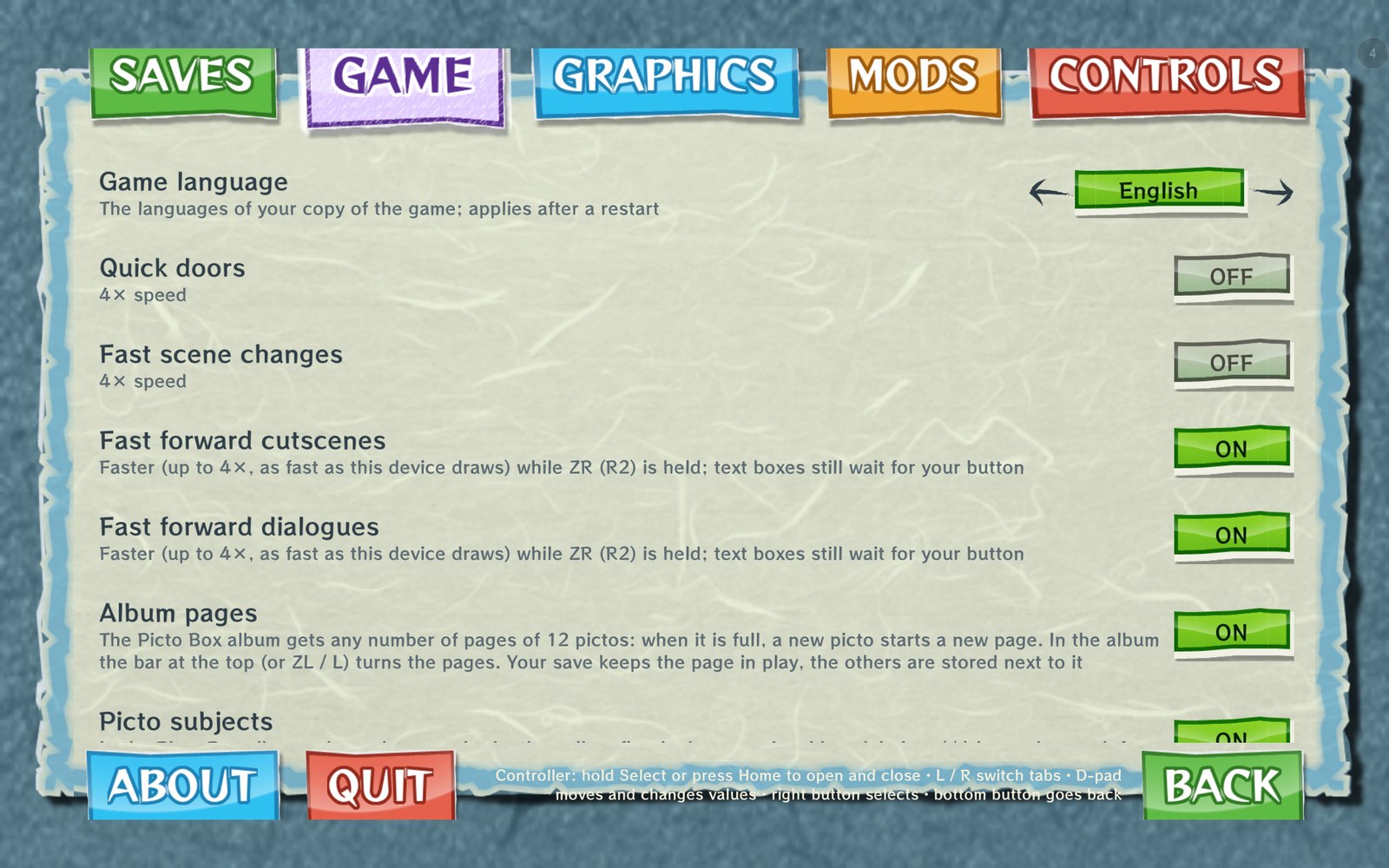 |
| Singing a song: the practice timeline | The Game tab with the new options |
Controllers
- Controller setup, offered when a controller is first used: face buttons by position (as on the GamePad) or by letters, and a layout: original, Jump anywhere on an item button, or Jump anywhere on any button with its use moved to L1. Then a "try it" screen where each button shows what it does.
- Jump anywhere and the moon jump have their own buttons now (on touch, and any controller button you choose); a button the game uses asks whether its own function moves or is taken off.
- L1 and d-pad down as item buttons (the game doesn't use them while playing).
- Motion controls and rumble from the controller, this device, automatic, or rumble on both.
- Controller details: what Android reports about each controller (IDs, battery, motors, sensors, lights, buttons, axes).
- The options page shows the game's own bracket cursor for a controller.
- The game-style hints (for example the item ring's) can be answered with a controller or keyboard; before, only a touch closed them.
Camera
- Walking direction: Link keeps walking his way when the camera turns (two modes), optionally with the camera swinging back behind him while he runs.
- Field of view (Graphics › Screens): zoom the view out up to 2×, also by pinching the picture.
- Swipe speed on the boat; the direct camera turns as fast on the boat as on foot.
Graphics
- Preset (Lowest, Low, Medium, High) sets rendering resolution, dynamic resolution and frame rate together; a new installation starts with one guessed for the device.
- Find the best settings: a 2-minute test (the game's picture hidden, no sound, saves untouched) measures this device at Outset Island and recommends a preset, with or without frame generation. It is offered once at the first start of this version.
- VSync (Graphics › Advanced, issue #54): every frame waits for the screen's refresh, for devices where the picture otherwise stutters badly or turns into a slideshow.
- The options are regrouped into pages: Resolution & upscaling, Picture quality, Screens, Performance overlay, Advanced.
Fixes
- PowerVR GPUs (Tensor G5 / PowerVR D-Series and others): the black 3D with stretched triangles is fixed (issue #17). Thanks to the reporter for testing!
- Sound: waves, wind and other looping sounds no longer cut off (issue #23).
- A blue haze along the bottom edge with dynamic resolution on Adreno GPUs is gone.
- The telescope's view is round again on screens wider than 16:9.
- The file select's cursor sits on its button again with the screen-filling picture on phone-shaped screens.
- Less memory (issues #51, #52): the app uses about 200 MB less RAM on every device. Devices with less than 4.5 GB of RAM (4 GB phones and tablets) need about 800 MB less than before, but may stutter a little more on first visits to a place. When Android runs low on memory, any device frees memory it hasn't used lately.
Everything else
- The app's texts are translated into German, French, Italian, Spanish and Japanese and follow the game's language. Native speakers are welcome to improve them (
android/app/src/main/res/values-xx/strings.xml). - Setup, compile and loading screens, dialogs and the menus in the game's style (its paper, buttons, tabs and fonts, from your game files).
- The first person mod is now on the mouse wheel (R3 is the game's own first person look).
Known issues
- Devices with 4 GB of RAM use much less memory now (see above), but could still be closed by Android, for example while saving a state (issues #51, #52). Please report it if it still happens, and close other apps before playing.
- Huawei Maleoon GPUs: the game closes at the start inside the GPU driver's shader compiler (issue #53).
- Snapdragon 870 / Adreno 650 with Qualcomm's driver: the GPU can hang at the title screen (issue #29). A Turnip driver (Graphics › Advanced › GPU driver) runs it.
- Singing the songs is experimental: it depends on the microphone and the room.
Install
- Requirements: Android 11 or newer, 64-bit ARM, Vulkan 1.1, about 2 GB of free storage.
- Download
tloz_tww_hd_recomp-0.9.6.apkand install it. It updates 0.9.5 in place and keeps your saves and settings. The game code is prepared once more after the update (about 6 minutes on a Snapdragon 7+ Gen 3, 18 minutes on a Helio G85). Save states from 0.9.5 can't be loaded with 0.9.6; save in the game before updating. - New install: put your disc image and both keys, or your
.wuafile, in one folder. Start the app, choose Extract from your disc image or .wua… and select that folder (or the files themselves).
Frame generation needs the usual Lossless.dll from your own copy of Lossless Scaling. Buy it, don't pirate it like Gonzo would.
Everything else is in the README and the controls guide.
Checksum
SHA-256 of tloz_tww_hd_recomp-0.9.6.apk:
03eced4fbe7a05082c36fb085d3fbe65b5ed2b1f94a7e55baa437c5195a66794
An unofficial fan project, not affiliated with or endorsed by Nintendo or the developer of Lossless Scaling. It contains no game code, assets or keys and no part of Lossless Scaling.