Repository navigation
Releases
Claude Desktop Pet 1.4.0

Claude Desktop Pet 1.4.0
A visual refresh for your desktop companion, with new activity stories, calmer idle behaviour, configurable scene effects and easier updating.
What's new
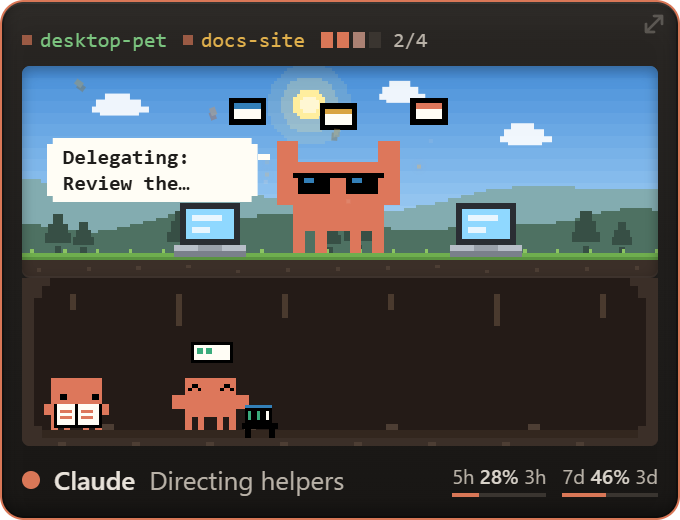
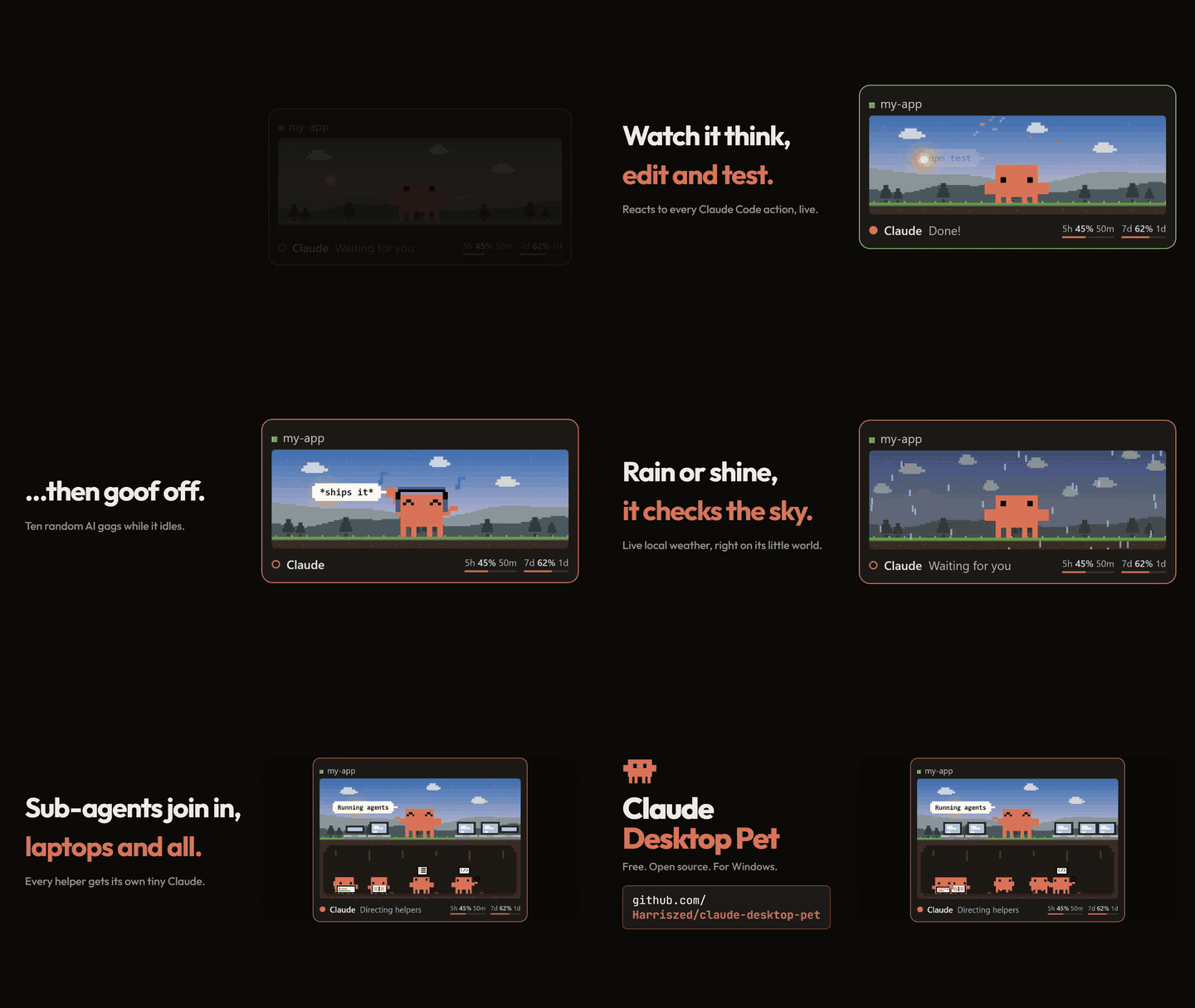
- Refreshed activity animations and ten extended gags, including weighted hammering and Claude in shades directing task cards. Real sub-agents stay in their own row.
- Three random idle animations: stretching, looking around and breathing. The quiet choices are favoured, immediate repeats are blocked, and gags appear less often.
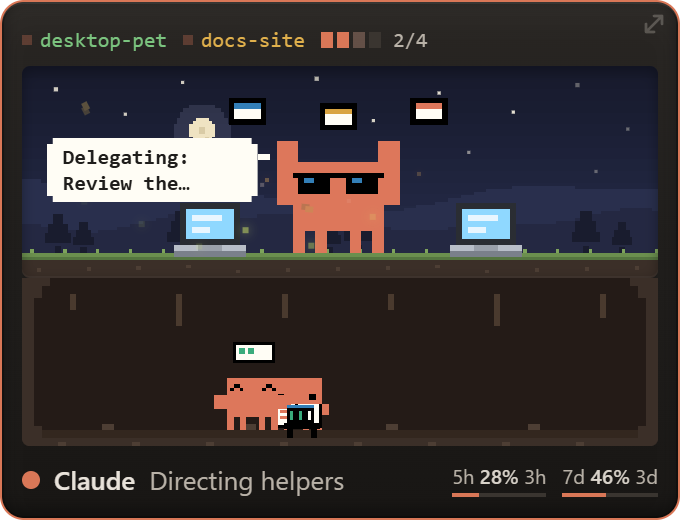
- Blue-nightcap sleeping from Mascot Studio v1.7.2, with a gentle bob and drifting Zs. The earlier walking animation is restored.
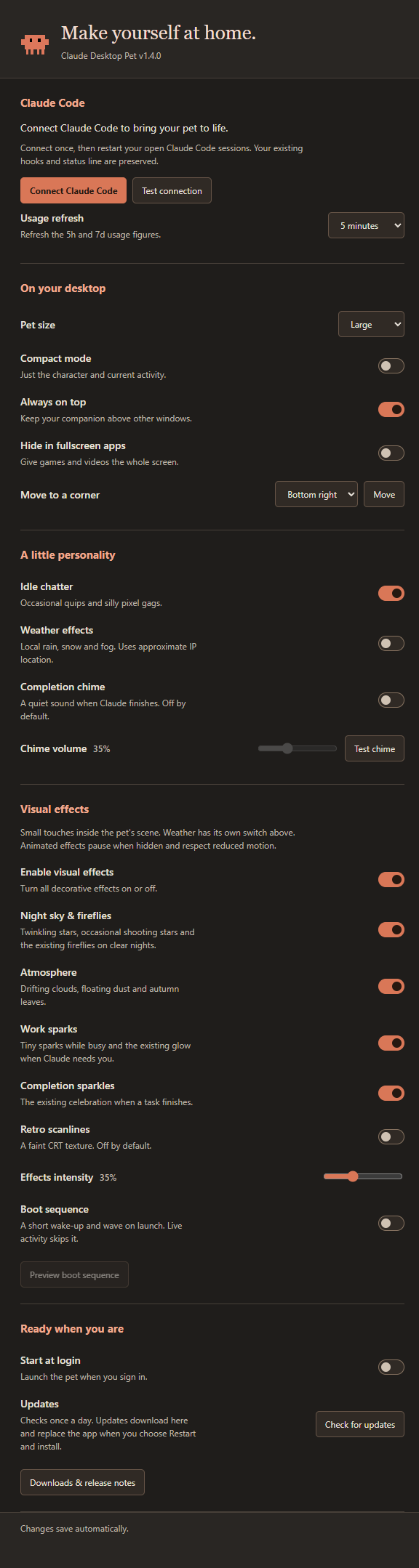
- Settings controls for fireflies, stars, clouds, dust, leaves, work sparks, completion sparkles, optional scanlines, intensity and a boot sequence. Effects respect reduced motion and pause while hidden.
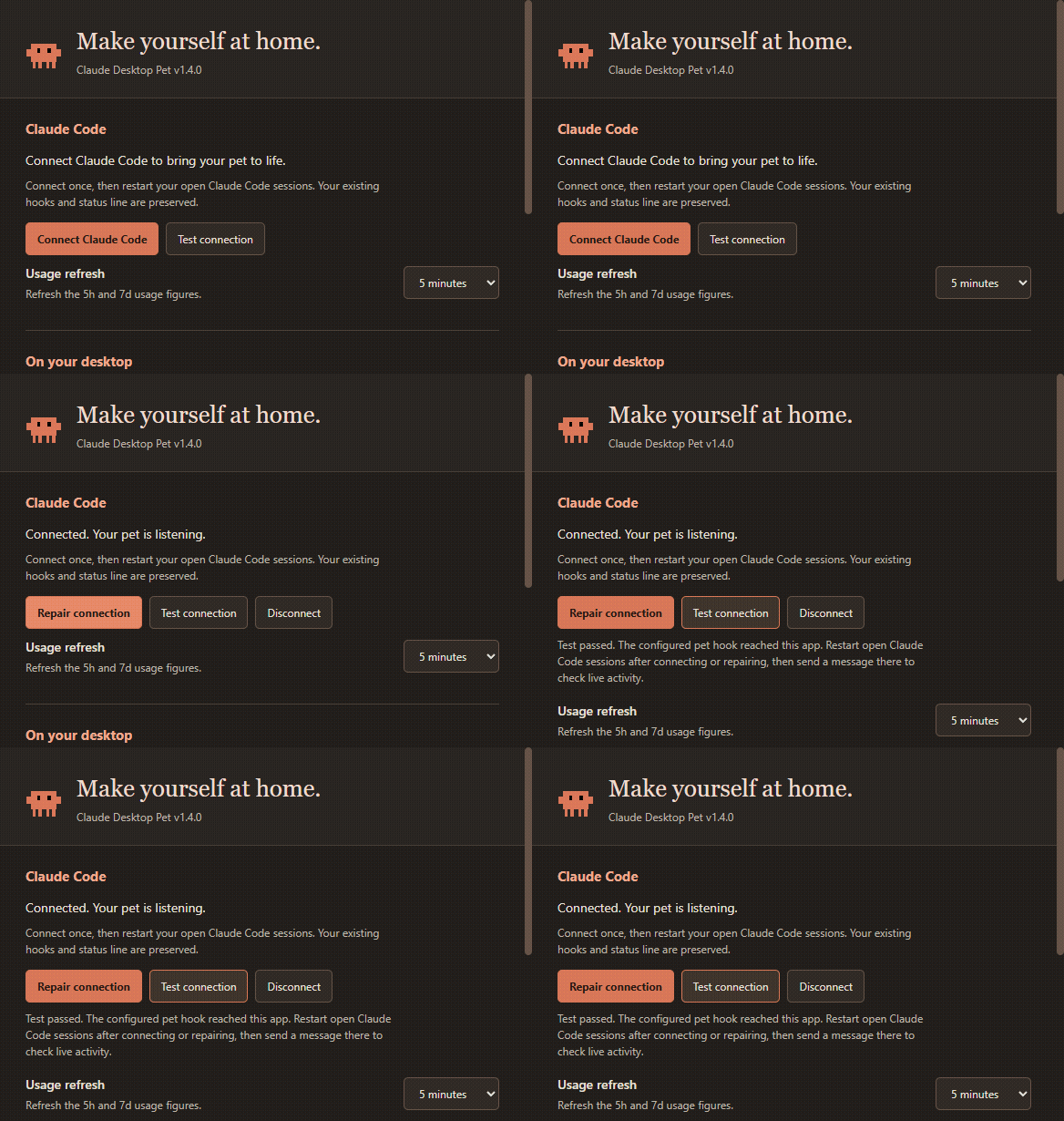
- Test connection checks that the Claude Code hook reaches your pet and offers repair steps when needed.
- Usage refresh offers 1, 5 or 15 minutes, or 1 hour for both the 5h and 7d figures.
- Windows and AppImage updates now have a clear Settings flow: check, download with progress, then restart and install.
Session chips, mascot and sub-agent details, laptops and the resize arrow are clickable again in Windows builds. Clouds and stars keep their animation timelines when the background refreshes.
Downloads
| Your computer | Download |
|---|---|
| Windows 10/11, x64 | Windows installer |
| macOS, Intel or Apple Silicon | Universal DMG |
| Linux x64 | AppImage or Debian package |
Updating
Choose Check for updates in Settings or the tray menu. Windows installer and Linux AppImage users can download inside the app, then choose Restart and install. macOS and Debian users replace their app or install the new package. Preferences are kept.
Source users: quit the pet, run git pull and npm install, then relaunch.
Windows app flows are tested locally and in the release workflow. All three platforms run unit tests and build on their native GitHub runners; macOS and Linux desktop behaviour has not been manually verified for this release. These community builds remain unsigned. See the setup and platform notes and full changelog.
Screenshots and the README recording use fictional demo sessions and example usage figures.
Claude Desktop Pet 1.3.1
Claude Desktop Pet 1.3.1
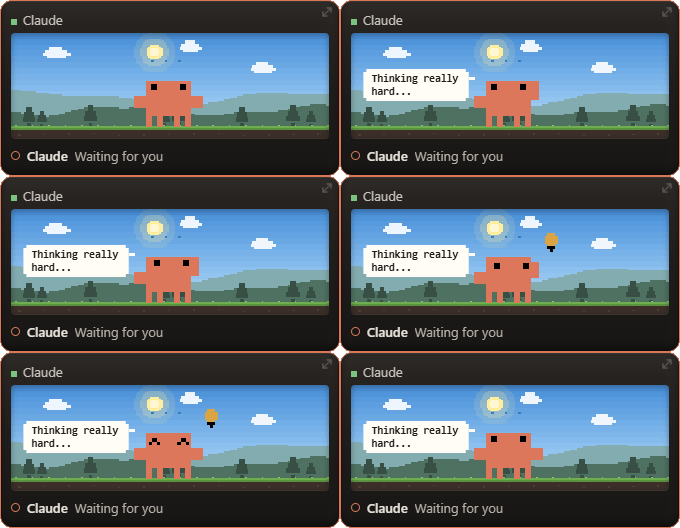
A calmer "Thinking really hard..." idle gag: subtle head scratching and eye movements, followed by a lightbulb moment. The full 6.86-second animation now finishes before the pet returns to idle.
Downloads
| Your computer | Asset |
|---|---|
| Windows 10/11, x64 | Claude-Desktop-Pet-1.3.1-Setup-x64.exe |
| macOS, Intel or Apple Silicon | Claude-Desktop-Pet-1.3.1-mac-universal.dmg |
| Linux x64 | Claude-Desktop-Pet-1.3.1-linux-x86_64.AppImage or Claude-Desktop-Pet-1.3.1-linux-amd64.deb |
Updating
Choose Check for updates in Settings or the tray menu. Windows installer and Linux AppImage users can download the update inside the app, then choose Restart and install. macOS and Debian users can download and replace their app or package. Your preferences are kept.
Source users: quit the pet, run git pull and npm install in the project folder, then relaunch.
These community builds are unsigned. See the setup and platform notes and full changelog.
Claude Desktop Pet 1.3.0
Claude Desktop Pet 1.3.0
Install your companion without Node.js or a terminal, then make it your own from the new Settings window.
Downloads
| Your computer | Asset |
|---|---|
| Windows 10/11, x64 | Claude-Desktop-Pet-1.3.0-Setup-x64.exe |
| macOS, Intel or Apple Silicon | Claude-Desktop-Pet-1.3.0-mac-universal.dmg |
| Linux x64 | Claude-Desktop-Pet-1.3.0-linux-x86_64.AppImage or Claude-Desktop-Pet-1.3.0-linux-amd64.deb |
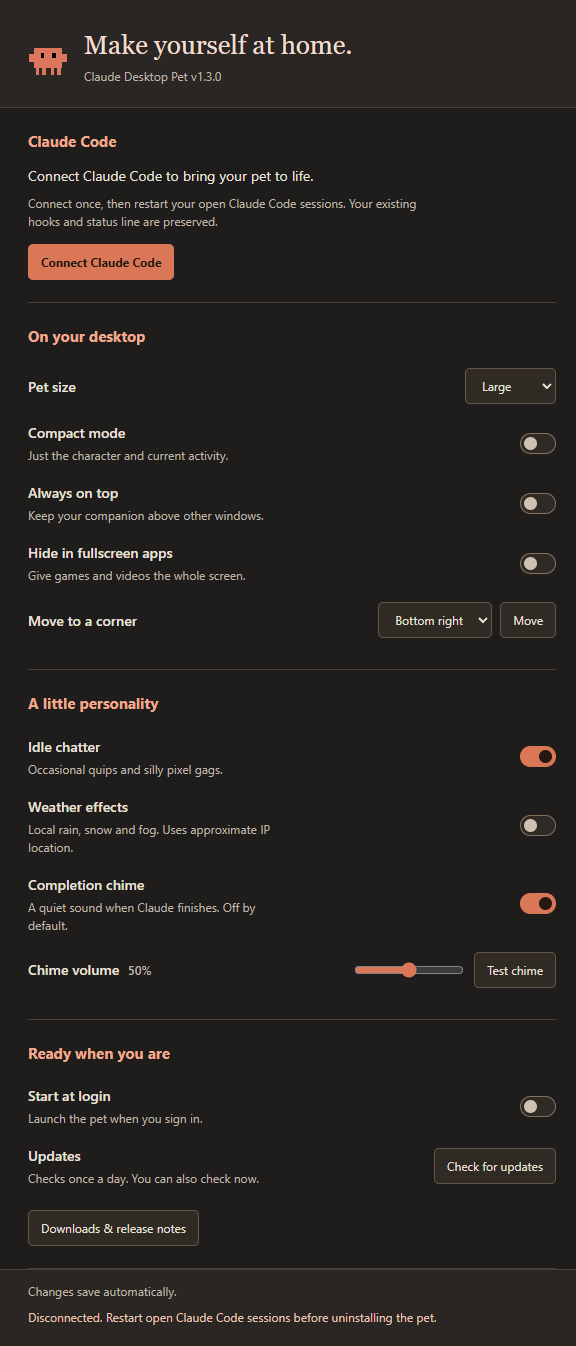
Open the app, choose Settings → Connect Claude Code, and restart your Claude Code sessions. Your existing hooks and custom status line are preserved.
What’s new
- One place for preferences. Size, compact mode, always on top, fullscreen hiding, weather, chatter, startup and sound now live in Settings. Open it from the tray or by right-clicking the pet.
- A quiet completion chime. Optional, off by default, with a volume control and Test chime button.
- Easier updates. Windows installers and Linux AppImages can download an update inside the app and install it when you choose to restart. macOS and Debian installs open the latest download instead.
- More desktops. macOS and Linux startup support, plus fullscreen detection and session focus on macOS and Linux X11.
- Safer connections. Backups, repair and disconnect controls; reconnecting avoids duplicate pet hooks.
- Updated runtime. Electron 44; source installs now need Node.js 22.12 or later.
Existing users
Quit the old pet before running the new one. Your saved preferences stay in the same place. Choose Repair connection after switching from a source install to a packaged app, then restart your Claude Code sessions.
Source installs still update with git pull and npm install; quit before running npm on Windows.
Platform details
These community builds are unsigned. Windows may show SmartScreen; macOS may need Privacy & Security → Open Anyway. Managed Macs may block unsigned apps. macOS fullscreen detection and session focus can require Accessibility and Automation access. Linux X11 uses xprop and wmctrl; Wayland restricts fullscreen detection and session focus. AppImages may require FUSE compatibility packages.
See the setup guide and full changelog.