Repository navigation
v0.3.5

Release v0.3.5
Date: 2026-05-22
Summary
This release focuses on making the review UI more useful and polished. You can now give feedback on individual comments and summary slides, see your code review impact stats, and share them with your team. The header has been cleaned up and the review page is more interactive overall.
Install and Update
New install:
# Linux/macOS
curl -L https://hexmos.com/ipm-install | bash && ipm i HexmosTech/git-lrc

# Windows
iwr https://hexmos.com/ipm-install-ps | iex; ipm i HexmosTech/git-lrc
Update:
lrc self-update
Changes
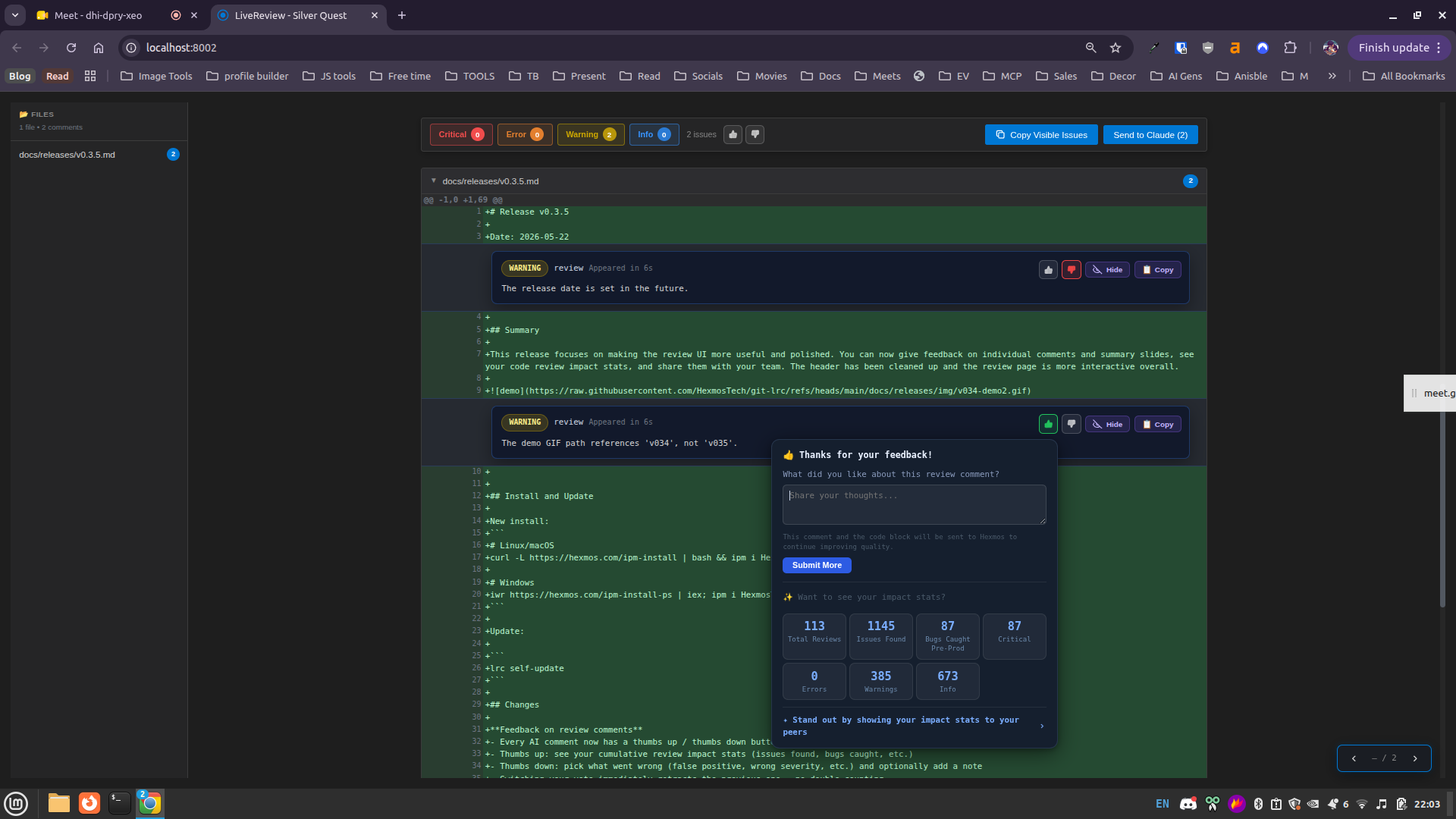
Feedback on review comments
- Every AI comment now has a thumbs up / thumbs down button
- Thumbs up: see your cumulative review impact stats (issues found, bugs caught, etc.)
- Thumbs down: pick what went wrong (false positive, wrong severity, etc.) and optionally add a note
- Switching your vote immediately retracts the previous one — no double-counting
- The submit button now correctly shows an error if sending feedback fails instead of always saying "done"
Feedback on summary slides
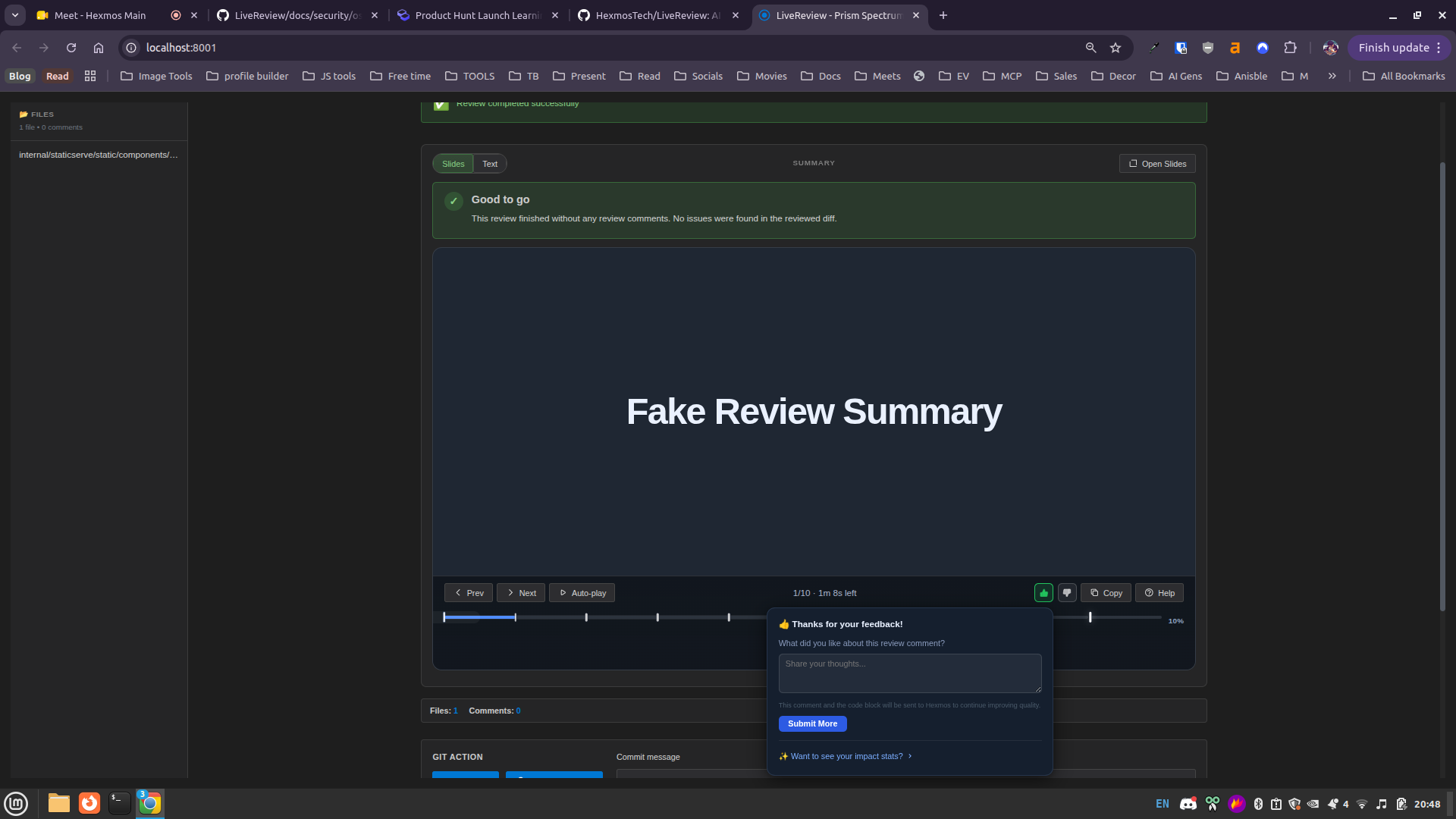
- The review summary slideshow now has the same thumbs up / thumbs down buttons
- Voting captures the current slide content and the full slide list so feedback is contextual
Share your impact
- After upvoting, hover over "Want to see your impact stats?" to see a breakdown of your reviews
- From the stats view, hover "Stand out by showing your impact stats to your peers" to get a pre-written LinkedIn post you can copy and edit
Header improvements
- Cleaner, compact single-row header — less vertical space, everything visible at a glance
- Hover over the logo to see a "Star us on GitHub" prompt
- Hover over LiveReview Results to get a shareable link to hexmos.com/livereview
- The run name and date are now tucked in an ⓘ icon — hover to see them, with a copy button for the run name
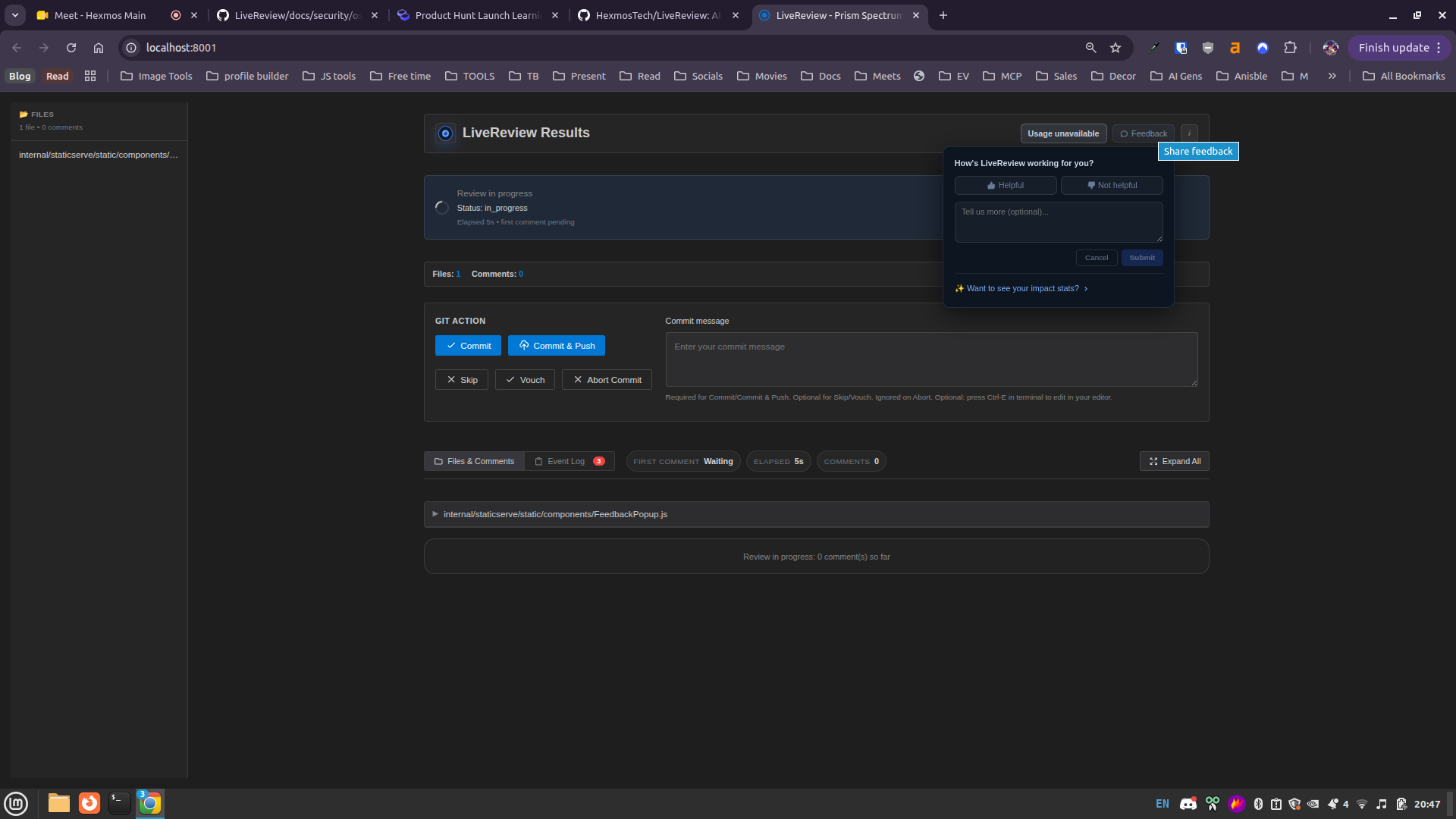
- The Feedback button in the header lets you rate the overall review experience; also shows your impact stats
Popup positioning fix
- Feedback popups near the top or bottom of the screen now appear in the right place relative to the button (previously they could land far away from it)
Breaking Changes
- None.
Verification
lrc --versionlrc --help- Run a review and confirm thumbs up/down buttons appear on comments
- Check that the header shows logo, "LiveReview Results", usage chip, Feedback, and ⓘ icon
Known Issues
- None.