Repository navigation
Releases: Howflet/SharkTale-MacOS-Recomp
Release list
Shark Tale v1.4.0

Anti-aliasing
Geometry edges are now smoothed with 4x MSAA, on by default. SHARK_MSAA=<n> sets the samples per pixel, and SHARK_MSAA=0 turns it off. Cut-out textures such as some foliage keep their hard edges, because MSAA only smooths geometry.
Measured in LowerCity gameplay (headless, uncapped, 1024x768, Apple M5):
| 4x MSAA | Off | |
|---|---|---|
| Frame rate | ~168 fps | ~205 fps |
That is about 18% slower, still well above the 60 fps cap.
Dev builds keep saves out of the game folder
The bare build/sharktale now stores saves, User.ini and logs in ~/Library/Application Support/Shark Tale (Dev), so scripted test runs can't overwrite the app's save. SHARK_USER_DIR still overrides it.
Upgrading
Rebuild the runtime and app. There's no need to recompile the game modules or re-run Ghidra:
tools/recomp_link.sh && tools/make_app.shAs before, this release contains no game files and no prebuilt app; see the README and the v1.0.0 notes for the full setup.
Shark Tale v1.3.0
Faster loading after missions
The loading screen after a mission is noticeably shorter. Most of the wait came from the game's autosave, which precaches the level's geometry and relights every static mesh vertex. The vertex lighting now runs as native code instead of recompiled x87 code, and only lights the vertices each light actually reaches.
Measured on LowerCity (headless, uncapped frame rate):
| Before | After | |
|---|---|---|
| Geometry precache, per autosave | ~3.0 s | ~1.4 s |
| Level load → end of autosave | 10.8 s | 7.4 s |
The lighting result is bit-identical to the original: SHARK_SELFTEST=1 runs both versions on every call and compared 3026 calls with 0 differences. If you ever suspect a lighting glitch, SHARK_RECOMP_LIGHTING=1 switches back to the recompiled version.
Upgrading
This release changes how the Engine module is compiled, so recompile Engine (about 2–3 minutes), then rebuild the runtime and app. No need to re-run Ghidra:
tools/recomp_compile.sh Engine && tools/recomp_link.sh && tools/make_app.shAs before, this release contains no game files and no prebuilt app; see the README and the v1.0.0 notes for the full setup.
Shark Tale v1.2.1
What's fixed
Controller support from v1.2.0 now works in the menus, tested with a DualSense.
-
The menu cursor moves. In v1.2.0 it stayed stuck.
-
Menus have their own layout. The controller switches automatically between menus (main and pause) and gameplay:
Control In menus In game Left stick move the cursor swim and strafe Right stick camera D-pad highlight items arrow keys A / Cross select the highlighted item (or click, if you moved the cursor last) swim forward B / Circle back attack X / Square launch urchin; skip movies Y / Triangle use RT / LT swim forward / back Menu (Start / Options) back pause menu Options (Back / Create) skip cutscene -
No more drift. A worn stick that doesn't rest exactly at centre no longer creeps the cursor or turns the camera.
-
A button held while a menu opens or closes does nothing until you let go, so the press that opens the pause menu doesn't also close it.
-
SHARK_PAD_TRACE=1logs controller input, for bug reports.
Upgrading
Pull this release and rebuild the runtime and app (no need to re-run Ghidra or recompile the game code):
tools/recomp_link.sh && tools/make_app.shAs before, this release contains no game files and no prebuilt app; see the README and the v1.0.0 notes for the full setup.
Shark Tale v1.2.0
What's new
-
Controller support. Any controller macOS supports (Xbox, DualSense/DualShock, Switch Pro, MFi) works as soon as it is connected, even mid-game. It drives the game's own keyboard and mouse controls, so it works in the menus too.
Control Does Left stick swim and strafe Right stick camera; moves the cursor in menus A / Cross swim forward; click in menus B / Circle attack X / Square launch urchin; skip movies Y / Triangle use RT / LT swim forward / back D-pad arrow keys Menu (Start) main menu Options (Back) skip cutscene -
SHARK_PAD_SPEED=<n>sets the right stick's speed at full tilt, in points per second (default 1200).
Upgrading
Pull this release and rebuild the runtime and app (no need to re-run Ghidra or recompile the game code):
tools/recomp_link.sh && tools/make_app.shAs before, this release contains no game files and no prebuilt app; see the README and the v1.0.0 notes for the full setup.
Shark Tale v1.1.0
What's new
- 60 fps frame rate cap. The game used to render as fast as it could (140–290 fps in gameplay, or the display's refresh rate with vsync, 120 Hz on ProMotion), keeping a CPU core busy. It now waits for the next 1/60 s slot after each frame, which saves CPU, heat and battery.
SHARK_MAXFPS=<n>sets a different cap;SHARK_MAXFPS=0removes it.tools/bench.shstill measures uncapped performance.
Upgrading
Pull this release and rebuild the runtime and app (no need to re-run Ghidra or recompile the game code):
tools/recomp_link.sh && tools/make_app.shAs before, this release contains no game files and no prebuilt app; see the README and the v1.0.0 notes for the full setup.
Shark Tale v1.0.0
The first playable release of the native Apple Silicon port of Shark Tale (PC, 2004).
The game's original x86 code is translated to C ahead of time (static recompilation) and runs natively on arm64, with no emulator, Wine or CrossOver.
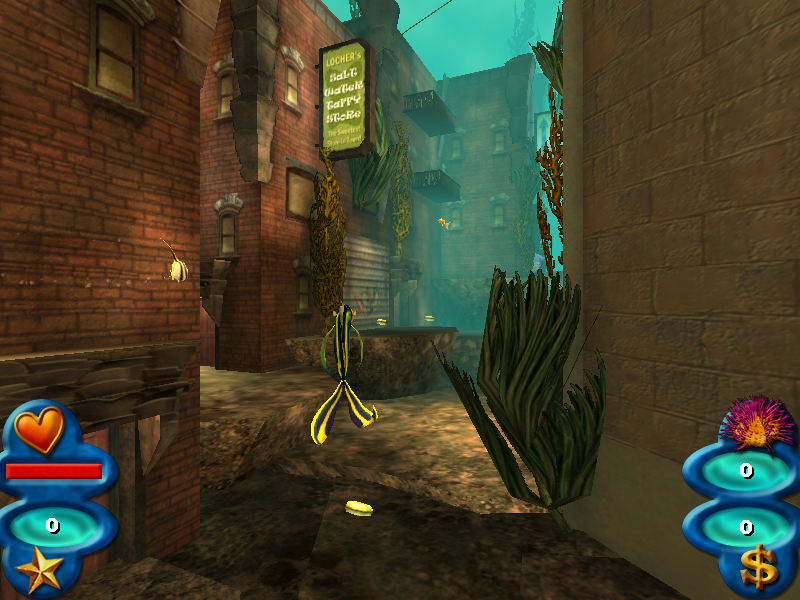
What works
- Graphics: Direct3D 8 reimplemented on Metal, with the fixed-function pipeline as a single shader. Runs at 1600×1200 or any resolution the game offers, in a window or full screen.
- Sound: OpenAL via macOS, with music (Ogg Vorbis) and every sound effect (a native Bink audio decoder).
- Movies: all intro and story movies (Bink video via FFmpeg).
- Input and saves: keyboard and mouse, with mouse capture in full screen and a free mouse in a window (click to capture, ⌘ to release). Saves and settings go to
~/Library/Application Support/Shark Tale. - Performance: about 140–290 fps uncapped on an M-series Mac; vsync-capped in a window.
- Packaging: a self-contained
Shark Tale.appbuilt bytools/make_app.sh. - Reproducible build:
tools/setup_ghidra.shrecreates the Ghidra project, and the output was tested byte-identical to the original build.
How to get it running
This release contains no game files and no prebuilt app. The game's code and data belong to Activision, so you build the app yourself from your own copy of Shark Tale for PC:
- Install the tools:
brew install ghidra openjdk@21 ffmpeg
- Put your installed game's
Systemfolder inorig/Systemand the full game ingame/. Check the binaries againstdocs/SHA256SUMS. - Build:
tools/setup_ghidra.sh && tools/recomp_build_all.sh && tools/make_app.sh
The README has the details, including the Game.ini settings.
Known issues
- Tested in depth only through the first level (LowerCity). Later levels, mini-games and races are untested.
- The engine issues each draw call twice: harmless, but it costs some speed.
- EAX reverb is not emulated.
Requires a Mac with Apple Silicon (developed on macOS 27).