Repository navigation


But I cannot find toggleable UI in the player. 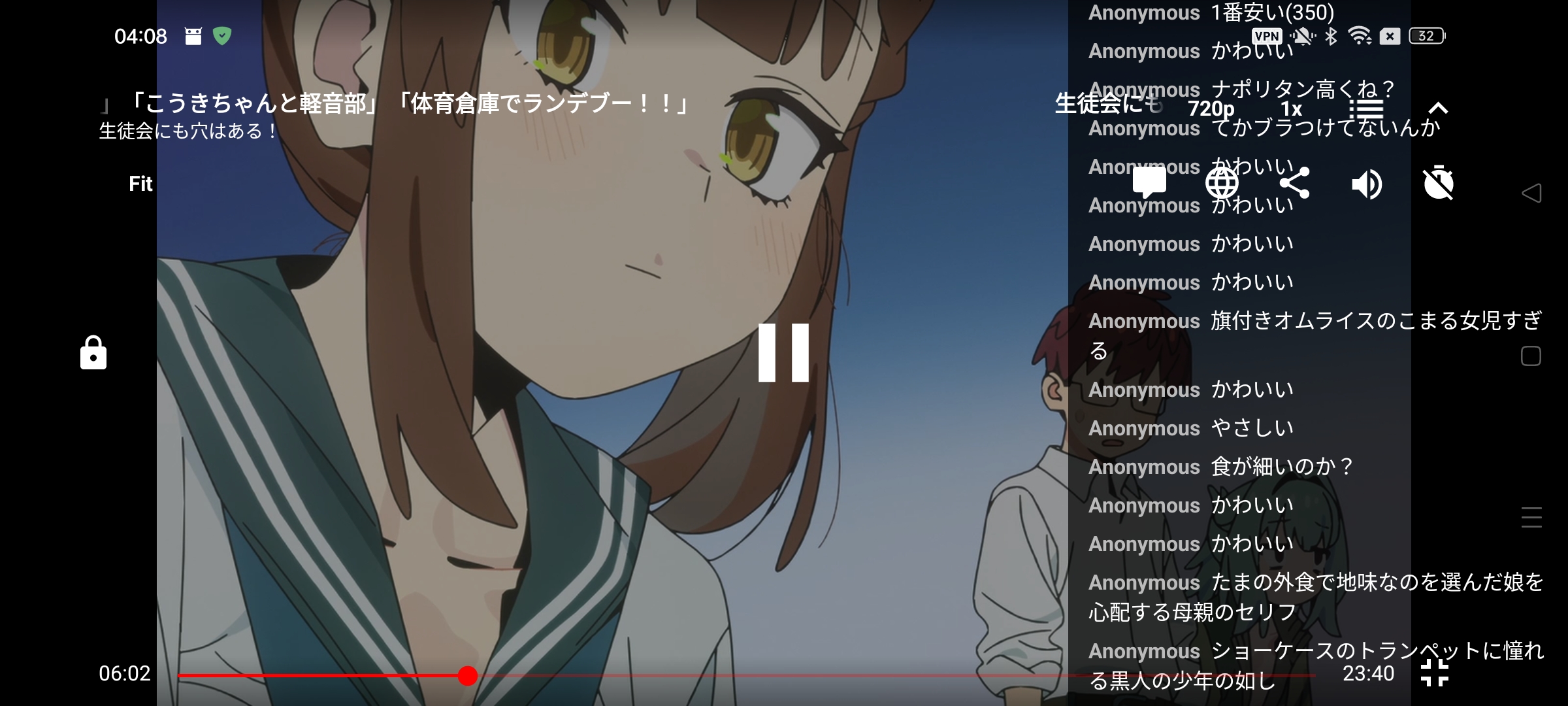
|
Replies: 1 comment

|
The mode switch is in Settings → Appearance → “Show live chat and danmaku as chat”:
The player control with the bullet-comment icon is a visibility switch, not the chat-vs-danmaku mode switch. In chat mode, its fullscreen side-panel function is available for the landscape fullscreen video player; that explains why it isn't a mode-toggle menu in the player. I checked the actual client commit referenced by v5.5.0 ( |


The mode switch is in Settings → Appearance → “Show live chat and danmaku as chat”:
The player control with the bullet-comment icon is a visibility switch, not the chat-vs-danmaku mode switch. In chat mode, its fullscreen side-panel function is available for the landscape fullscreen video player; that explains why it isn't a mode-toggle menu in the player.
I checked the actual client commit referenced by v5.5.0 (
b91f008): the preference is inappearance_settings.xml, with the on/off meanings instrings.xml.BulletCommentsControllerreads that preference, whiletoggleVis…