Repository navigation
v2.1.0

2.1.0 (2026-11-14)
🎬 What's new in v2.1.0
Important
Coming from 1.9? Read the WaveFlow 2.0.0 notes first: they present the new interface and everything else 2.0 brings, and explain that your library is upgraded the first time 2.0 opens it, after a verified backup — 1.9 cannot open it afterwards.
Coming from 2.0.x? 2.1.0 makes one small change to each profile's database the first time it opens that profile, after making and verifying a backup. 2.0.x cannot open an upgraded profile directly: restore its pre-migration backup if you need to go back.
Warning
Debian and Ubuntu: the APT repository has moved. The old one on packages.buildkite.com no longer receives updates. If you installed WaveFlow from it, switch once with the commands in Recommended install below, after removing the old entry:
sudo rm -f /etc/apt/sources.list.d/waveflow.list /etc/apt/keyrings/waveflow.gpgMusic videos play beside their song, synced lyrics can be read ahead while the song goes on, and a downloaded track with no album shows the cover inside its file.
🎬 Music videos
-
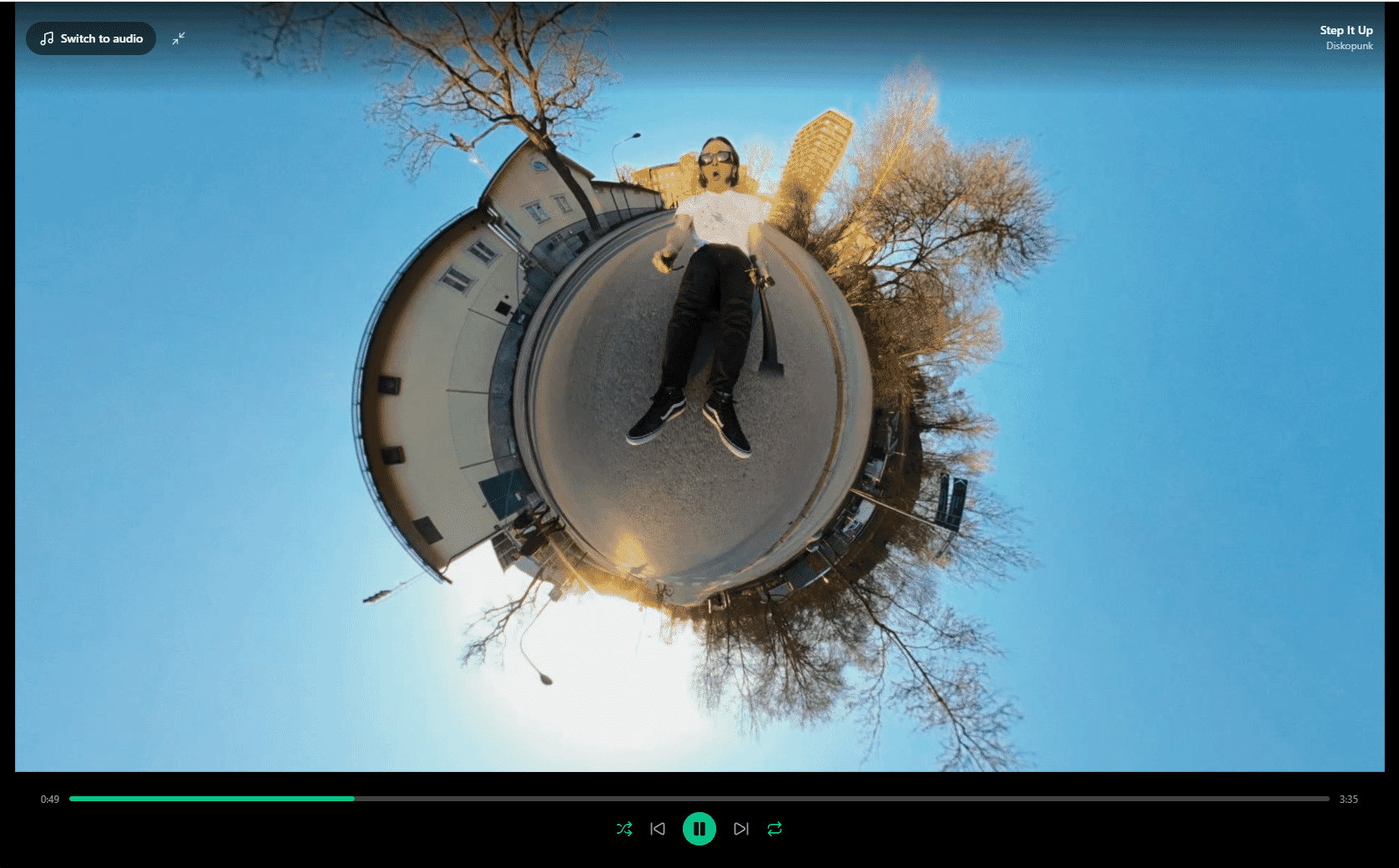
A music video placed next to a song is now that song's clip. Give the video the song's name, beside it or in a
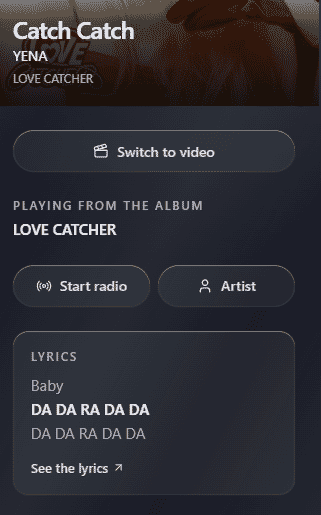
Clipsfolder next to it (mp4,m4v,mov,webm, ormkvwhere your system can play it). A Switch to video button appears under the cover in the now-playing panel, and Play clip is in the track's right-click menu. The video plays in place of the cover, with its own sound, and can be enlarged into the immersive view. (#1098, discussion #1073) -
The player bar drives the clip while it is shown: its time, seeking, play and pause, and Space. Switching between audio and video keeps the same position both ways. Media keys, the tray, the taskbar buttons and MPD play and pause the clip too. With exclusive output turned on, a clip plays without sound and says so.
-
A video
.mp4beside its song no longer appears as a second track. It is left out of the library only when a song of the same name sits beside it and the file really holds a video; an audio.mp4always stays a track. -
On Linux, a clip keeps the app's volume, a seek survives a change of audio output, and enlarging a clip from the side panel no longer cuts its sound. (#1099)
📝 Lyrics
- Synced lyrics can be browsed while they play. Scroll the lyrics with the mouse wheel, a touch drag, the scrollbar or the keyboard, and they stop pulling you back to the sung line; the sung line and the word-by-word highlight carry on. A Back to playback button returns to it. Following resumes on its own when the sung line comes back into view, when you click a line, change track or close the panel. In the side panel and in the immersive view. (#1101, refs #1096)
- The immersive view's lyrics reach their last lines. The column ran past the bottom of the window, hiding them. (#1101)
- macOS: blurred lyric lines no longer use the filter that caused thin magenta edges on the reported setup. The soft look of inactive lines now uses a text shadow instead. (#1078, refs #1074)
- Liquid and Editorial side panels: the lines two away from the sung one are no longer left blurred. (#1078)
🖼️ Covers and artists
- A track keeps the cover embedded in its file. A track with no album tag, as downloads often are, had no cover at all, even when its file held one. Its own picture now shows in the track lists, the player bar, the queue and the other track views; an album's cover still comes first when there is one. Tracks already in local library folders get their cover on the next regular scan, no deep rescan needed. (#1102, refs #1100)
- WebP covers are recognised from their image data instead of being treated as
.bin. New covers use the WebP format name, and existing records are corrected on the next scan. (#1102) - An artist banner you chose shows as it is, with no blur, and the automatic fanart is softened much less. (#1095, refs #1094)
🖥️ Immersive view
- A portrait window stacks the panel below the now-playing view instead of beside it, when the window is taller than it is wide, from 600 px wide and 1000 px tall. (#1097, discussion #1077)
📦 Packaging
- The APT repository is now served from
download.waveflow.app, signed with WaveFlow's own key, in place of the Buildkite registry, which had stopped accepting uploads. (#1092)
📦 Recommended install
Use your platform's package manager when one is available, so updates keep flowing through the tool you already use.
Windows
winget install InstaZDLL.WaveFlowArch / Manjaro / EndeavourOS / CachyOS
yay -S waveflow-bin
# or: paru -S waveflow-bin
Fedora / RHEL / Rocky / Alma / CentOS Stream
sudo dnf copr enable instazdll/waveflow
sudo dnf install waveflow
Debian / Ubuntu / Mint / Pop!_OS
The Debian package is wave-flow (kebab-case, required by the Debian naming spec — Tauri bundles it that way from the WaveFlow product name).
sudo install -d -m 0755 /etc/apt/keyrings
sudo curl -fsSL https://download.waveflow.app/apt/waveflow.gpg -o /etc/apt/keyrings/waveflow.gpg
echo "deb [signed-by=/etc/apt/keyrings/waveflow.gpg] https://download.waveflow.app/apt stable main" \
  | sudo tee /etc/apt/sources.list.d/waveflow.list
sudo apt update && sudo apt install wave-flow
macOS
curl -fsSL https://waveflow.app/install.sh | bashWaveFlow is not notarized by Apple yet, so macOS refuses to open a copy downloaded by a browser. The script removes the quarantine flag from WaveFlow.app only and changes no system setting; --help lists its options. It is scripts/install-macos.sh, to read before running it. The .dmg below works too: right-click → Open the first time, or run xattr -cr /Applications/WaveFlow.app.
Standalone download
Everything is also available as a raw bundle below — .AppImage, .deb, .rpm, .exe, .msi, .dmg.
🐛 If something goes wrong
Open an issue with your OS, the exact steps, and your logs — Settings → Maintenance → Diagnostics → Copy logs puts them on your clipboard, ready to paste.
Thanks to @saaim2009, @NielsHoenders, @Geebarwan, @GoEverLo and @Arshen0 for their ideas and precise reports, and keep the feedback coming. 💚
Full changelog: v2.0.2...v2.1.0


