Repository navigation
Releases
Releases · JI-s-BS/morphix
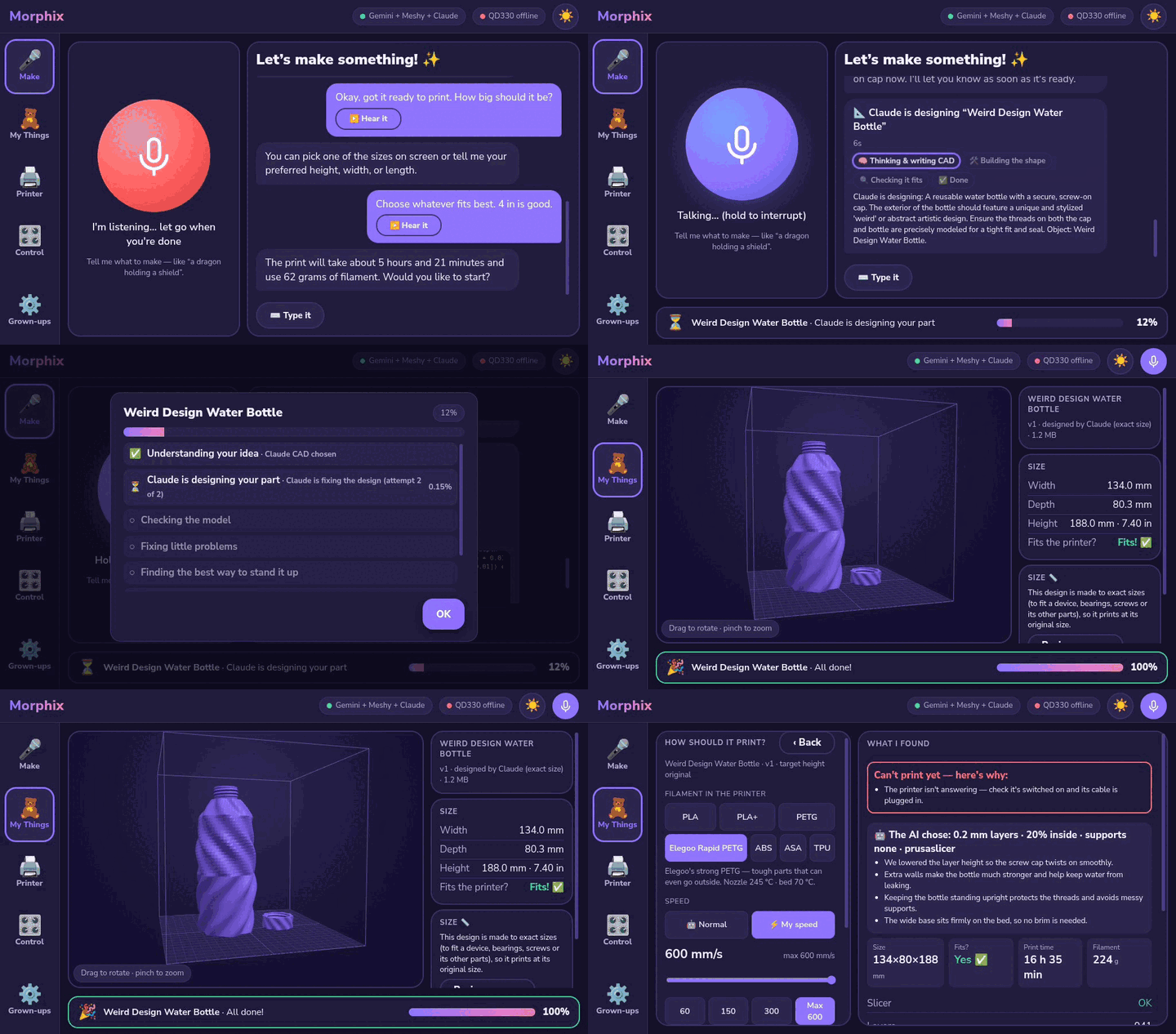
Morphix 0.2.0: the open platform

Morphix for everyone. The SharkByte 2026 winner (🏆 1st Place Overall) is now an open, self-hosted app. Install it on any Linux machine, point it at the printer you already own, and use it from any browser on your network.
Install
curl -fsSL https://raw.githubusercontent.com/JI-s-BS/morphix/main/scripts/install/install.sh | bashThen open the address it prints and follow the setup page. Full guide: docs/INSTALL.md.
What's new since the hackathon build
- Headless server + website. No screen needed. Use it from a phone, tablet or laptop. The touchscreen kiosk is optional.
- Setup page: admin password, printer (brand → model → connection → test), slicer, and optional AI keys. Keys stay on the machine (mode 0600).
- 105 printer models from 20 brands, with a setup guide for each brand (docs/printers).
- Printer drivers: Bambu LAN, Elegoo SDCP, Creality K1, FlashForge (TCP/HTTP), Marlin over USB, Ultimaker, Snapmaker, plus the original Afinia QD330.
- Slicers: PrusaSlicer, OrcaSlicer and Bambu Studio, with profiles generated from the printer catalog.
- Run it like a service:
morphix status | logs | update | rollback | doctor | backup | restore | reset-admin, with nightly updates (optional, never during a print). - Security: sign-in with admin/user roles, CSRF protection, strict security headers, rate limits, optional HTTPS.
- Phone layout, a printer-report issue form, and SECURITY.md.
- Removed: the Auth0 portal, the Vercel phone app and the sponsor-only integrations. The built-in website replaces them.
Honest status
- Only the Afinia QD330 has been tested end to end on real hardware. Every other driver is built from protocol documents and tested against fakes ("protocol" in the app). Please send a printer report.
- The Moonraker/Klipper, OctoPrint, PrusaLink and Duet drivers are still in progress.
- After saving a printer or keys on the setup page, run
morphix restartonce.
Demo
- 🎥 Competition demo: https://www.youtube.com/watch?v=HJM8_yL3bGg
- 📝 Devpost: https://devpost.com/software/morphix-kbzot2
- The touchscreen replay of the live demo is attached below (
morphix-touchscreen-replay.mp4, 4:42).